John Voorhees

5429 posts on MacStories since November 2015

John is MacStories' Managing Editor, has been writing about Apple and apps since joining the team in 2015, and today, runs the site alongside Federico. John also co-hosts four MacStories podcasts: AppStories, which covers the world of apps, MacStories Unwind, which explores the fun differences between American and Italian culture and recommends media to listeners, Ruminate, a show about the weird web and unusual snacks, and NPC: Next Portable Console, a show about the games we take with us.

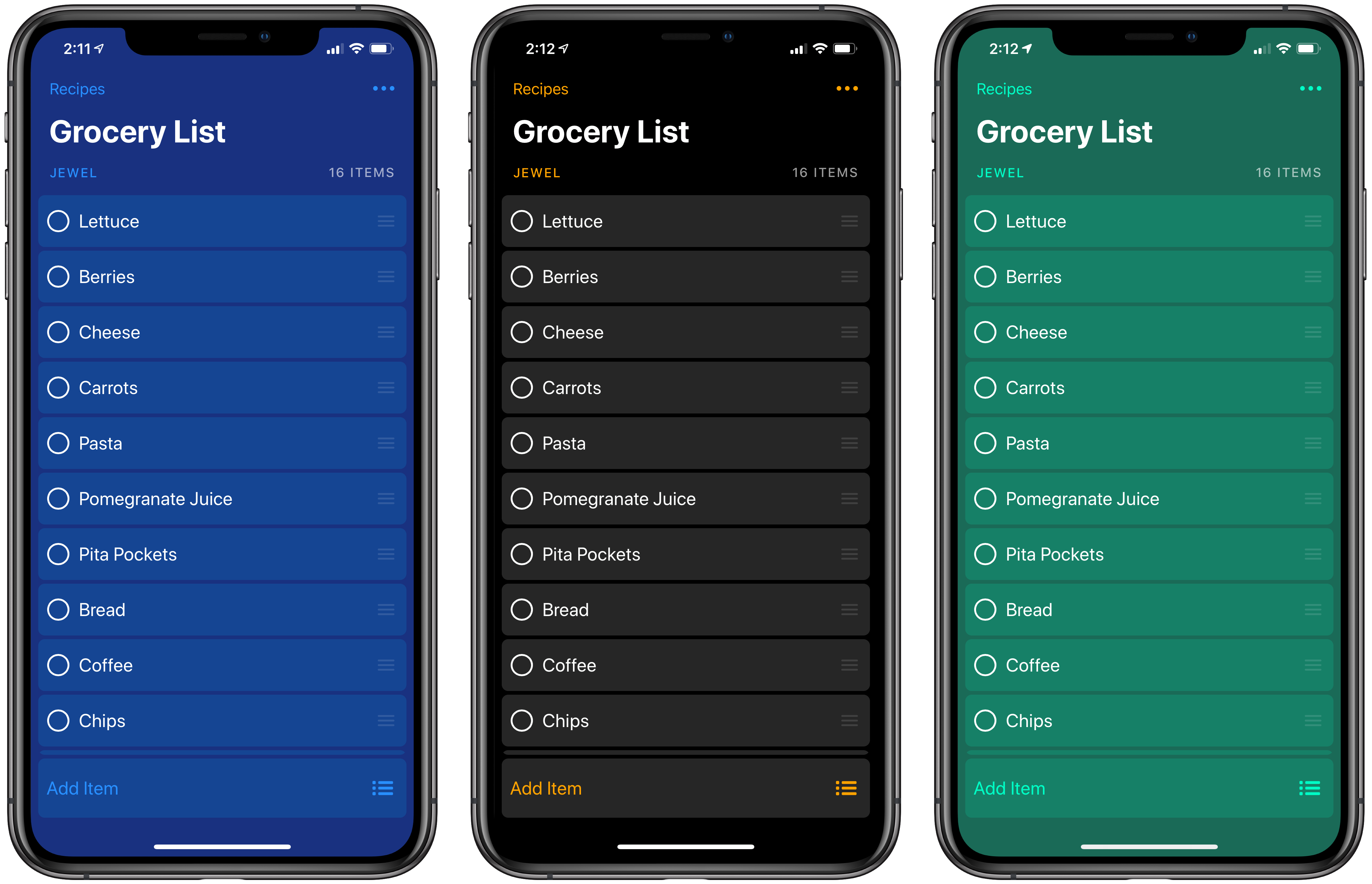
Big Grocery Update Adds Recipe and Meal Planning Support Along with Other Refinements

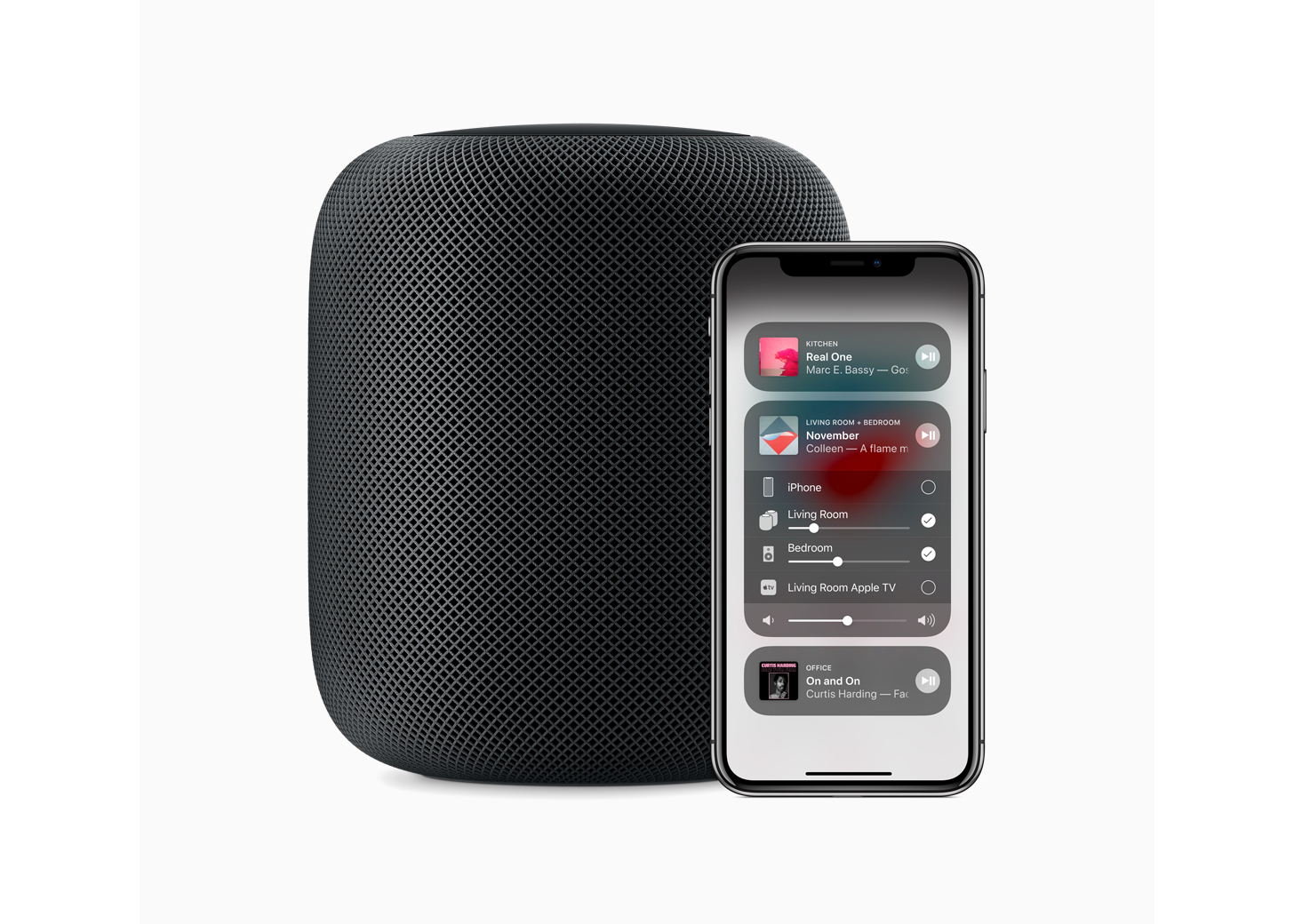
I’ve used Grocery on and off for a long time, but what finally made it stick in a way that it never did in the app’s early days was the addition of a HomePod in my living room/kitchen area. The app is built on top of Apple Reminders, which means that even from the earliest days of the HomePod, adding items to our family grocery list using Siri was reliable. Grocery’s Siri support was available before the HomePod, but the ability to add things to the list while I’m cooking or rummaging through the refrigerator transformed Grocery into an app I use throughout the week.

With version 2.0, Grocery has added a new level of power to the app by creating a flexible system that allows you to do everything from storing a template grocery list that you can reuse over and over to recipe management and meal planning. The new features add some complexity to Grocery, but if you invest a little time in understanding how the app works and take advantage of its Shortcuts integration, the update opens up interesting uses far beyond what was possible before.

Read more


Third-Party Vendors Fill the Void Caused by Overwhelmed Apple Geniuses

Molly McHugh writing for The Ringer:

The saturation of iOS and Mac products means more and more people own Apple devices—which means more and more people need help using them. Each iOS and MacOS release reveals a new suite of tools and capabilities, but also new challenges and complications (and sometimes bugs). At the same time, Apple’s Genius Bar has become a purgatory no iDevice owner wants to find themselves stuck in.

That in a nutshell is one of the greatest challenges facing Apple retail today, and one that’s been years in the making. It’s not really surprising either. Especially since the introduction of the iPhone, the number of Apple devices in consumers’ hands has grown exponentially, while the number of Apple Stores and Geniuses that work in them has not.

McHugh ultimately resorted to a third-party repair shop to solve a software problem with Voice Memos and had a good experience. The story, however, strikes an increasingly common refrain that highlights a problem Apple needs to address.

Permalink


Is Apple Doing Enough in the Smart Home Market?

Jason Snell writing about a recent Apple hire for Macworld:

This past week we learned that the company has hired a new head of home products, which makes me ask the question: What exactly does Apple expect Sam Jadallah to do? Is his job to make deals with HomeKit partners and make the HomePod more successful? Or is this the sort of thing that happens when a company shifts gears because it realized that its old strategy wasn’t working?

That story got Snell thinking about how Apple could expand its current lineup of home products. He proposes two: a soundbar that integrates HomePod and Apple TV functionality and a wireless mesh networking system.

Both make a lot of sense. The technology for the soundbar has already been developed and it’s a device that sits in a unique position in a home entertainment system where it could both enhance the viewing experience with superior sound and facilitate the delivery of content from Apple’s services.

Why Apple abandoned the wireless home networking market remains a mystery. Although it may not have been as profitable as other product lines, networking sits at a strategic crossroads between all of Apple’s products. Whether it’s AirPlay, Handoff, the Universal Clipboard, other Continuity features, or something yet to come, controlling the network over which those experiences are delivered helps ensure that they work seamlessly.

Sam Jadallah, who previously worked at Microsoft and later ran a smart lock startup called Otto that was shuttered, certainly has the background to run Apple’s existing HomeKit programs, but like Snell, I hope his hiring is a sign that something bigger is on the horizon.

Permalink

Apple Answers Two-Factor Authentication Questions Raised by Developers

A week ago, Apple sent an email to developers announcing that it would require two-factor authentication for all developer accounts beginning February 27, 2019. The message linked to an Apple two-factor authentication support page that applies to all Apple IDs. The trouble was, the support page didn’t answer many of the developer-specific questions that were immediately raised.

The concern I’ve heard voiced most often by developers is whether someone who uses one Apple ID to log into their developer account would be able to do so using an Apple device that is logged in using a different Apple ID. Today, Apple published a new support page answering this and many other questions. Specifically with respect to the two-Apple ID scenario, Apple’s FAQ-style support page says:

Will I need a trusted device dedicated to my Apple Developer account if I enable two-factor authentication?

No. You’ll need to use a trusted device to enable two-factor authentication for the first time. However, you can use the same trusted device for multiple Apple IDs that are enabled for two-factor authentication. Additionally, if you do not have access to your trusted device, you can get your verification code via SMS or phone call. When possible, you should use a trusted device to increase security and streamline the process.

The document covers many other situations as well including:

  • How to check if you have two-factor authentication enabled
  • Configuring an iOS device or Mac to accept authentication codes for multiple Apple IDs
  • Enabling multiple trusted phone numbers that can receive authentication codes

The support page concludes with a link to a contact form for Apple’s developer team to raise any other circumstances that prevent a developer from enabling two-factor authentication.

Although it would have been better if this level of detail was published when Apple’s initial email went out to developers last week, the company has clearly heard the concerns raised by the developer community and has put together a thorough explanation that should address most situations. By answering the most common questions, Apple Developer Relations will hopefully be freed up to deal with any outlier issues that aren’t addressed in its support documentation.


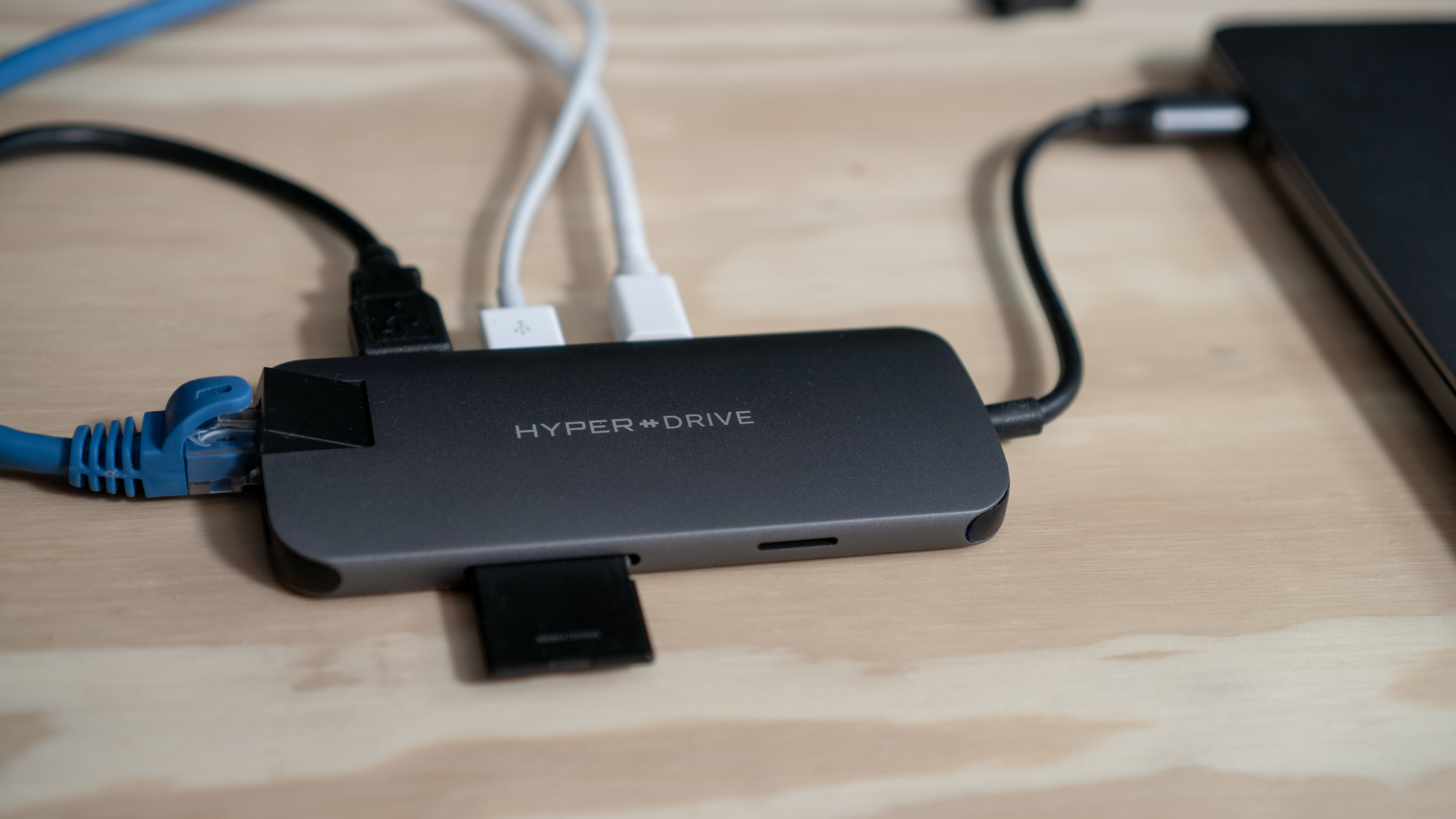
The HyperDrive Slim 8-in-1 USB-C Hub Balances Flexibility and Portability for Mac and iPad Pro Owners

My main Mac is a 2016 MacBook Pro, which isn’t ideal. The problem isn’t really the laptop itself, it’s that my needs have changed. You see, in 2016 I was commuting to downtown Chicago every day and I wanted a portable Mac for working in Xcode and other tasks on the go.

Now, I work from home and my MacBook Pro sits in clamshell mode most of the time. It’s handy to have the MacBook to take with me when I need it, but that’s far less frequent than it used to be. Instead, my Mac drives a 27” LG 4K display, is connected to Ethernet, speakers, a Luna Display dongle, my podcasting microphone, and various other peripherals I need from time to time.

The trouble with the setup is that I quickly ran out of USB-C ports even though my MacBook Pro has four. I’ve tried several different configurations to streamline my setup, but none were quite right. Now though, I’ve finally found a solution that comes closest to meeting my needs and has the added benefit of working well with my iPad Pro. With a couple of minor caveats, the HyperDrive Slim 8-in-1 USB-C Hub is the best solution I’ve tried.

Read more


AppStories, Episode 99 – Pick 2: Everyday Workflows

On this week’s episode of AppStories, we each pick an aspect of our MacStories work and break down the apps, workflows, and processes we use to accomplish it.

Sponsored by:

  • Yoink - Simplify and improve drag and drop on your Mac, iPad and iPhone, and speed up your daily workflow.
  • Linode – High-performance SSD Linux servers for all of your infrastructure needs. Get a $20 credit.

https://staging.macstories.net/podcasts/appstories/episodes/99/embed/

Permalink