


Picsew is a versatile utility for combining photos and screenshots. The app has lots of nice touches and tricks up its sleeve, but what I like most are its two extensions. The first extension combines screenshots to create what the app calls ‘scrollshots.’ Picsew can take a series of overlapping screenshots and combine them...
Panic’s Transmit Returns to the Mac App Store

In the summer of 2017, Panic released Transmit 5, a top-to-bottom update to the company’s excellent file transfer app for the Mac. At the same time, Panic left the Mac App Store like many Mac apps have in recent years. Panic’s Cabel Sasser explained that the company wanted the ability to distribute a demo version to prospective users, but couldn’t, though it would continue to reevaluate the decision and hoped to be back some day.
Today, just over about 16 months since that announcement, Transmit is back on the Mac App Store. The app’s return to Apple’s newly-redesigned Mac App Store has been anticipated since June when it was previewed at WWDC. As part of the announcement of the redesigned Store, Apple highlighted several apps that would be coming to the Store for the first time or returning, including Microsoft Office 365, Adobe’s Lightroom CC, Bare Bones’ BBEdit, and Transmit.
At WWDC, it wasn’t entirely clear what was being done to entice developers to come back, though changes to sandboxing seemed to be a factor:
No additional information emerged over the summer, and the new Mac App Store was launched alongside the release of macOS Mojave in September with no sign of Transmit or the other apps that appeared onstage at WWDC.
However, today, Transmit was released on the Mac App Store with a subscription-based business model that includes a 7-day free trial. In a blog post about the release, Cabel Sasser confirms that sandboxing played a role in the decision not to release Transmit 5 on the Mac App Store, but has changed to allow Transmit to return to the Store:
…sandboxing has evolved enough that Transmit can be nearly feature-parity with its non-sandboxed cousin.
The FAQs on Panic’s blog elaborate on the differences between the Mac App Store and direct-sale versions of Transmit:
Does it have the same features as regular Transmit 5?
With one small exception — “Open in Terminal” depends on AppleScripting the terminal, which isn’t possible with sandboxing (yet). But even viewing or editing or changing the permissions of files you don’t own is now possible, which wasn’t until very recently.
Transmit Disk is also not part of the Mac App Store version of Transmit.
As Panic indicated back in June, the business model for Transmit on the Mac App Store differs from the direct-sale version available on Panic.com. The Mac App Store version is subscription-only, which is designed to make the app more economical for users who only need to use it for a short time. The subscription costs $24.99/year and includes a 7-day free trial. The direct sale version of the app is still available from Panic for $45.
It’s good to see Transmit back in the Mac App Store and I’m intrigued by the business model. By targeting two very different types of users, the Mac App Store gives Panic a simple end-to-end solution to reach a new set of short-term users who might not have been willing to pay the up front cost of the app before. Meanwhile, the paid-up-front option is still available for heavy users. This is a model that I could see working well for many pro-level apps.
Apple Updates Final Cut Pro X and Other Video Apps with Third-Party Extensions and More
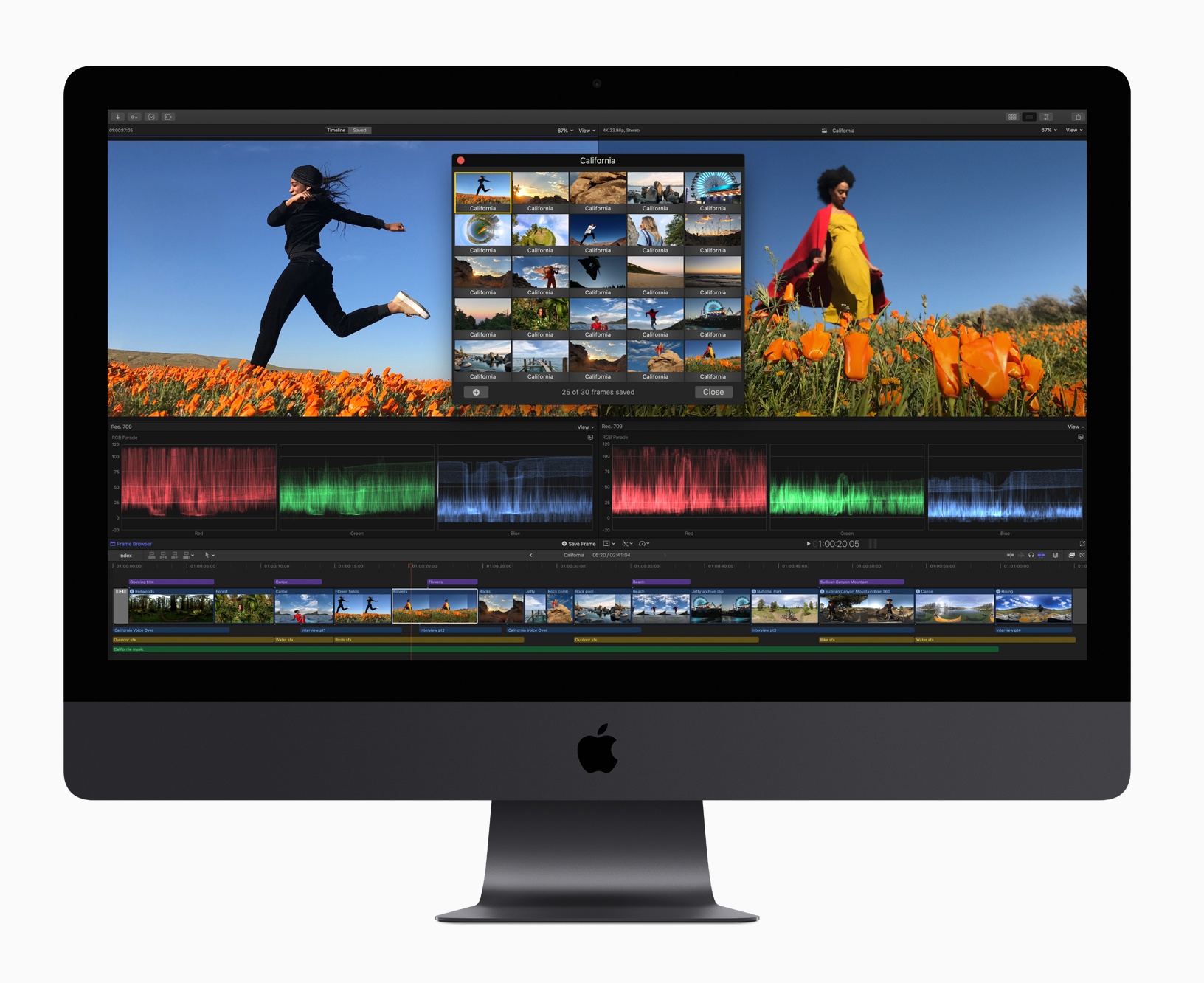
Apple has updated Final Cut Pro X, Motion, and Compressor with several new features.
Headlining the update is Final Cut Pro X, which gained support for third-party extensions. The pro video editing app now includes built-in extensions from Frame.io, Shutterstock, and CatDV, which provide access to those apps and services from within Final Cut itself. The extensions, which match the interface of Final Cut are available from the Mac App Store as free downloads. Apple says it expects additional extensions to be made available in the future.
The Final Cut update includes other enhancements to the app too including:
- Batch sharing of clips and projects
- A new Comparison Viewer to allow editors to compare footage against a reference image during the color grading process
- A customizable floating time code window that can display color-coded clip names, roles, project time codes, and other data
- Video noise reduction for low-light footage
- Closed captions in SRT format and formats compatible with a wide variety of video websites
- Improved marquee selection
Motion and Compressor gained new features too. Motion, which is used for adding motion graphics to Final Cut Pro footage, has added the same color grading tools found in Final Cut. That means editors can use those same tools to adjust the colors of their titles and motion graphics. Motion also gained new comic effect and tiny planet filters.
Compressor, which is used for encoding video, has added a 64-bit engine for improved performance, while maintaining support for 32-bit codecs. Like Final Cut Pro, Compressor now supports SRT closed captioning too.
Final Cut Pro X, Motion, and Compressor are free updates for existing users that are available on the Mac App Store. New users can purchase Final Cut for $299.99, Motion for $49.99, and Compressor for $49.99.
La Roche-Posay Debuts My Skin Track UV, a Solar-Powered UV, Pollution, Pollen, and Humidity Wearable
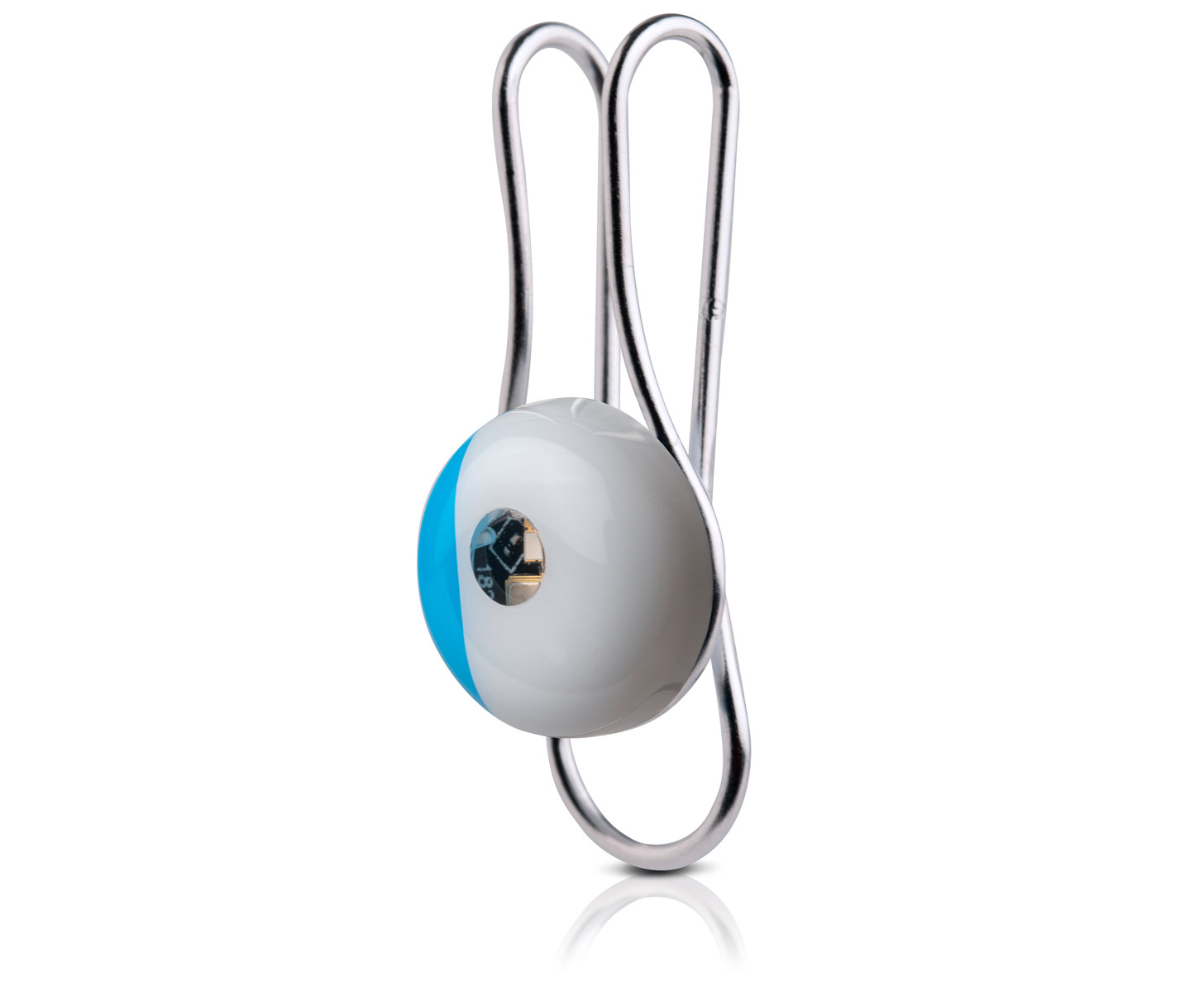
La Roche-Posay has introduced a new wearable device today called the My Skin Track UV. As the name suggests, the device tracks ultraviolet light (UVA and UVB) exposure, but there’s more to it than that.
The company says its new device also tracks pollution levels, pollen, and humidity. That’s a combination that should provide users with a much broader set of data about their environment as they move throughout the day. The device is tiny and water resistant too at just 12mm wide, 6mm high, 17.4 grams, and with an IP67 water resistance rating (the same as the iPhone X, iPhone 8, and 8 Plus).
Another nice touch is that the My Skin Track UV is solar powered so it doesn’t need to be recharged. Clip it to your clothing or something you carry with you every day and La Roche-Posay says the device will remain powered, collecting data.
La Roche-Posay’s website describes the technology behind the device:
The light emitting diode (LED) is used as a detector to capture UV light. This energy will be read by transferring data from the sensor to your phone using Near-Field Communication (NFC) technology. Based on your UV exposure and environmental factors, the app uses an intelligent algorithm backed by over 25 scientific studies to warn you when your environmental exposure is at a level recognized to contribute to your specific skin concern.
One downside of the device’s use of NFC is that it requires users to manually scan it periodically using the companion app to transfer the collected data to the iPhone. The app, which integrates with Apple’s Health app, also offers skin health recommendations.
The My Skin Track UV is available exclusively at select Apple Stores and apple.com for $59.95. We will have a complete hands-on review of the My Skin Track UV device on MacStories soon.
AppStories, Episode 87 – Pick 2: Grocery and HomeRun→
On this week’s episode of AppStories, we go in-depth on two apps we’ve been using a lot recently: Grocery, a grocery shopping list app, and HomeRun, an Apple Watch app for triggering HomeKit scenes.
Sponsored by:
- Luna Display - The only hardware solution that turns your iPad into a wireless display for your Mac. Use promo code APPSTORIES at checkout for 10% off.
- Vectornator - Graphic design for the iPad and iPhone reimagined! Visit vectornator.io to learn more.
https://staging.macstories.net/podcasts/appstories/episodes/87/embed/






 Pick 2: Grocery and HomeRun
 Federico
AppStories Episode 87 - Pick 2: Grocery and HomeRun
0:00
29:39
29:39
This week, Federico and John go in-depth on two apps they’ve been using a lot recently: Grocery, a grocery shopping list app, and HomeRun, an Apple Watch app for triggering HomeKit scenes.
 Q&A
Q&A
Question: I’m a teacher who grades PDFs in PDF Expert. I have a folder called ‘To Grade’ that is in PDF Expert. After I grade files, I move them to a different folder on my iCloud account (but not in PDF Expert) called ‘Graded.’ I can simply drag the files on my Mac, but when...
Apps for Your New iPad Pro
The new iPad Pros are out and whether you’re new to the device or just looking for some fresh app ideas, here are some apps that show off the iPad Pro’s unique capabilities. GoodNotes A big highlight of the new iPad Pro is the redesigned Apple Pencil. Because it charges inductively and attaches...
Accessing Recents from the Compose Screen in Messages
This is an incredibly simple but powerful trick that I only learned recently. The list of friends and family I text regularly is far shorter than my entire Contacts database. As a result, tapping the plus button in the ‘To:’ field when composing a new message is rarely what I want. However, there’s an...