John Voorhees

5429 posts on MacStories since November 2015

John is MacStories' Managing Editor, has been writing about Apple and apps since joining the team in 2015, and today, runs the site alongside Federico. John also co-hosts four MacStories podcasts: AppStories, which covers the world of apps, MacStories Unwind, which explores the fun differences between American and Italian culture and recommends media to listeners, Ruminate, a show about the weird web and unusual snacks, and NPC: Next Portable Console, a show about the games we take with us.

AppStories, Episode 85 – Personalizing Our iOS Setups

On this week’s episode of AppStories, we talk about some of the ways we personalize and tweak our iOS setups, including wallpapers, widgets, control center, share sheets, app icons, and more.

Sponsored by:

  • Luna Display - The only hardware solution that turns your iPad into a wireless display for your Mac. Use promo code APPSTORIES at checkout for 10% off.
  • Mack Weldon - Smart underwear for smart guys. Get 20% off your first order with the code APPS.

https://staging.macstories.net/podcasts/appstories/episodes/85/embed/

Permalink

Pixelmator Photo Is Coming to the iPad Later This Year

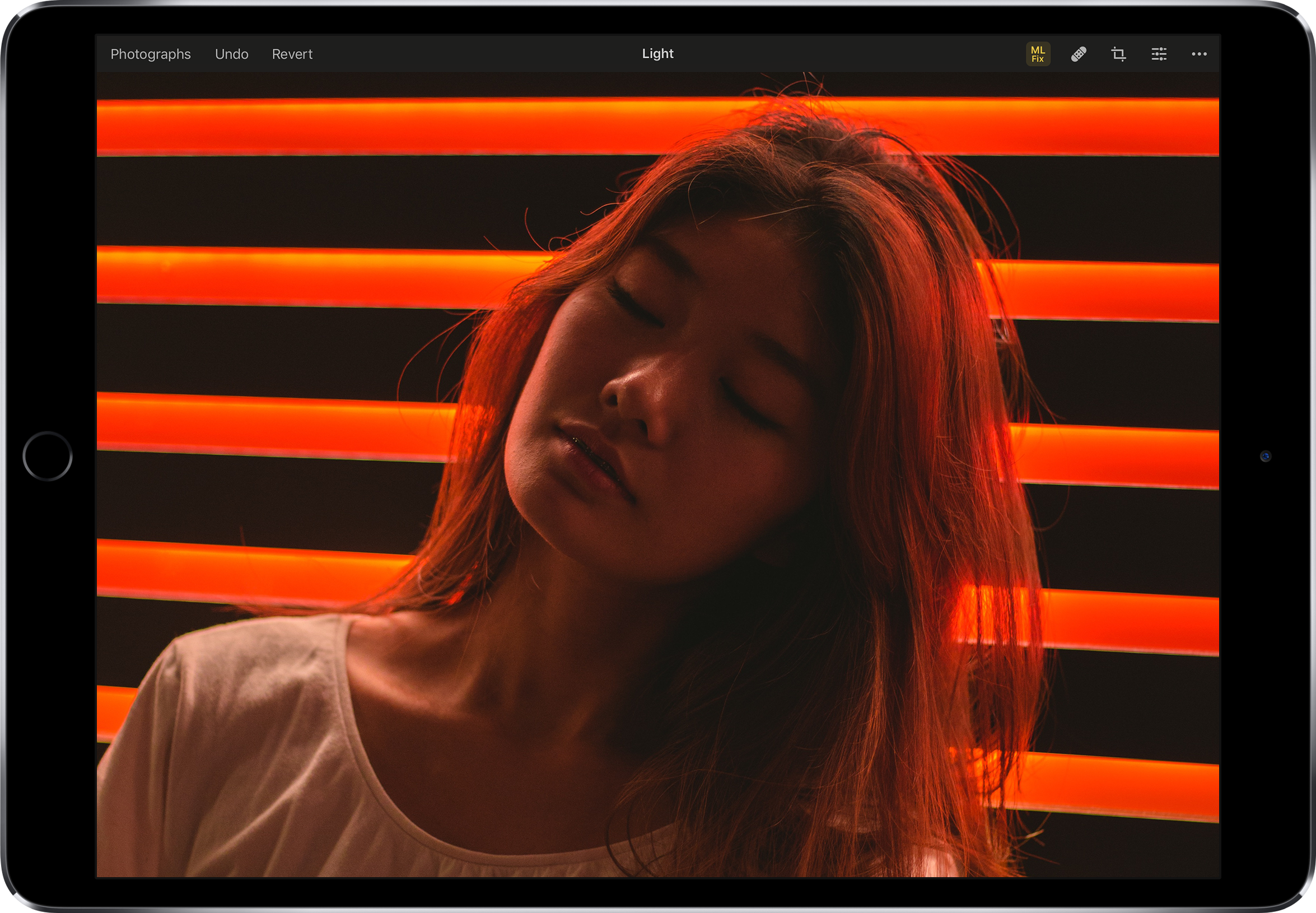
I use Pixelmator Pro almost every day on my Mac. A lot of the time, that’s for simple edits to screenshots, but I also use it for more complex layered images and editing photos. I’ve enjoyed the iOS version a lot too, but with the introduction of Pixelmator Pro on the Mac, development of the iOS version slowed. I still use the iOS app, but it’s in need of an update, which is why I was so pleased to see Pixelmator Photo teased at today’s Apple event in New York.

Pixelmator Photo will be out later this year. The app, which was first mentioned when Pixelmator Pro launched almost a year ago, is an iPad-only photo editing app that appears to closely follow the design of the Mac app and include much of its functionality too. In addition to being highlighted during Apple’s keynote today, Pixelmator Photo was on the iPads in the hands-on area after the event where Federico had a chance to try the app for a short time and was impressed.

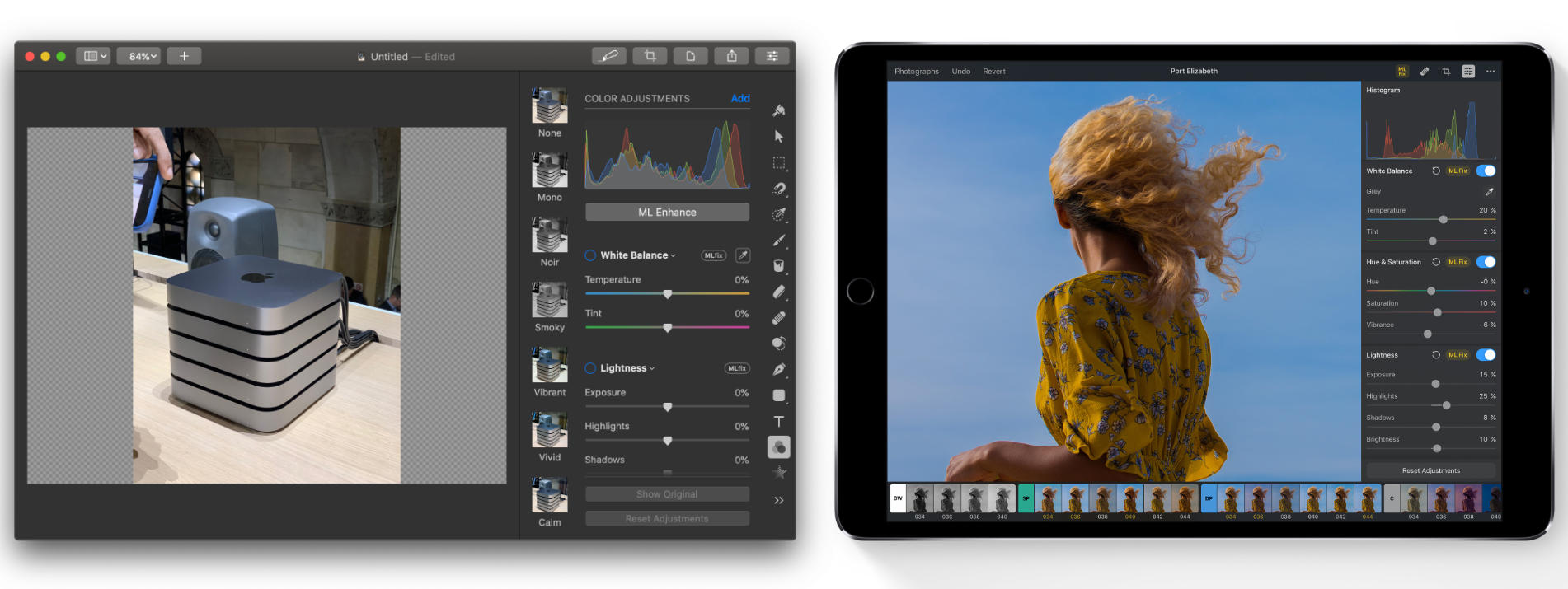
Pixelmator Photo's image editing UI (right) is very similar to Pixelmator Pro's on the Mac (left).

Pixelmator Photo’s image editing UI (right) is very similar to Pixelmator Pro’s on the Mac (left).

According to the Pixelmator team’s preview webpage, the app:

features a collection of nondestructive, desktop-class photo editing tools, a set of stunning, machine learning-enhanced film emulation presets, a magical Repair tool to remove unwanted objects from your photos, support for editing RAW images, and more.

Pixelmator says the app will include non-destructive color adjustments including Levels, Curves, Hue & Saturation, Selective Color, and Black & White as well as Repair and Cropping tools. The app will also support RAW image editing and the ML Fix feature recently introduced in the Mac app. Machine learning will also be used to simulate analog film with a set of presets and power cropping suggestions.

Apple showed that it’s committed to offering pro-level hardware in the iPad line with the new 11 and 12.9-inch iPad Pros today. Apps are the other half of the equation, and it’s encouraging to see Pixelmator Photos announced along with Adobe’s Photoshop, and other apps that will take advantage of Apple’s new hardware.


You can also follow all of our Apple event coverage through our October 30, 2018 hub, or subscribe to the dedicated October 30, 2018 RSS feed.


New Graphics Options Coming to the 15-inch MacBook Pro

Apple quietly updated its site to announce that new GPU options are coming to the MacBook Pro. In late November, the high-end 15-inch MacBook Pros will be available with the Radeon Pro Vega GPU, the same AMD GPU graphics architecture used in the iMac Pro. The new GPU features High Bandwidth Memory, which doubles the memory bandwidth at lower power and results is faster graphics performance that Apple says is up to 60% faster than the AMD Radeon Pro 560X.

According to Apple’s MacBook Pro webpage, the Radeon Pro Vega 16 and 20, each with 4GB of HBM2 memory, will be available in late November as part of the MacBook that comes configured with a 2.66GHz 6-core CPU and 512GB of SSD storage.


You can also follow all of our Apple event coverage through our October 30, 2018 hub, or subscribe to the dedicated October 30, 2018 RSS feed.

Permalink

Apple Adds Videos to Developer Portal Featuring the New iPad Pro and Pencil

To help developers take advantage of the latest features of the iPad Pro and Apple Pencil, Apple has posted two new videos to its developer portal. Even if you aren’t a developer though, the videos include interesting insights on some of the unique features of the new iPad Pros.

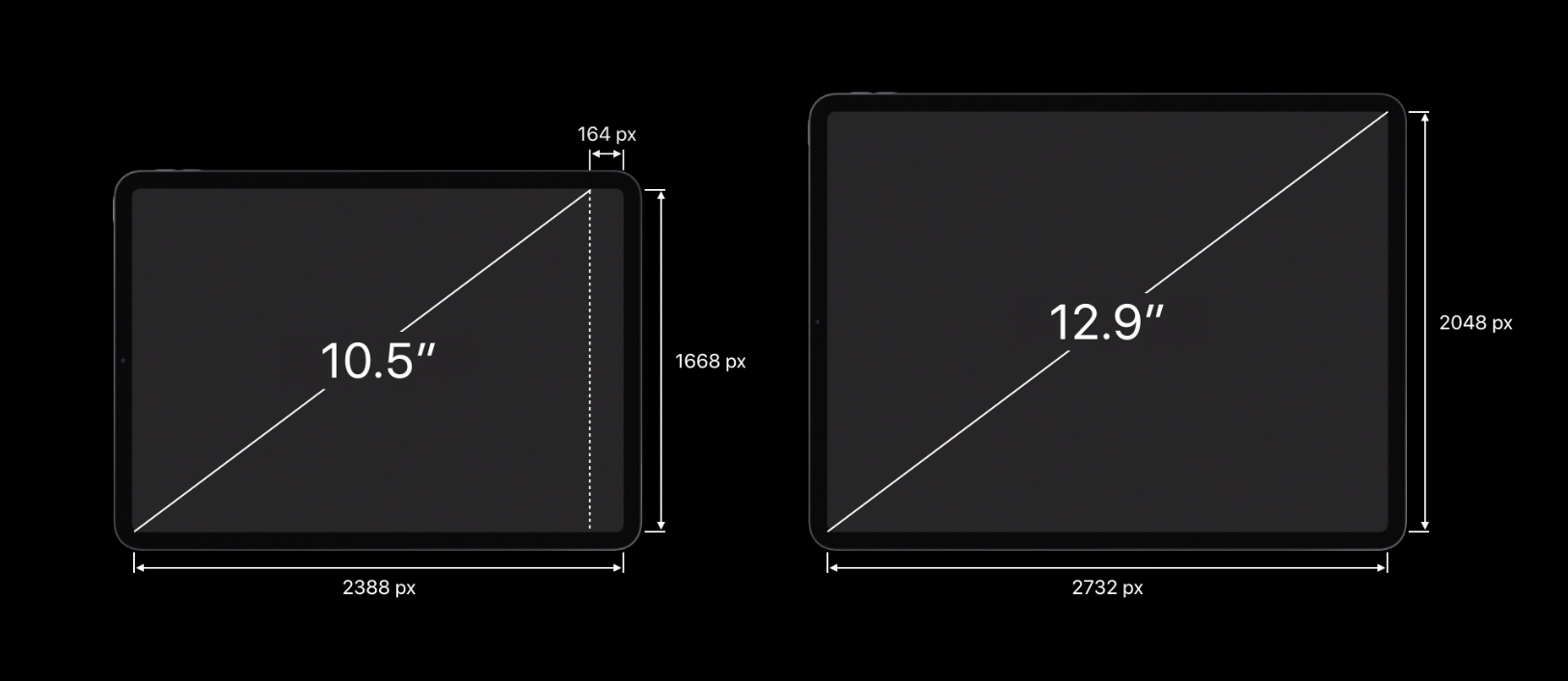
The videos cover development and design issues that should be considered when adapting apps to the new iPad Pros like using safe area insets to avoid crowding content into the rounded corners or under the home indicator. Another consideration to take into account is that unlike the previous iPads, the 11” iPad Pro doesn’t have a 4:3 aspect ratio, which means apps hard-coded to those dimensions will have areas cut off at the top and bottom.

Also, apps that don’t link against the iOS 12.1 SDK will run in a compatibility mode when multi-tasking, which will add an inset at the top and bottom of the screen for both apps instead of running them fullscreen. Apple says that making sure iPad apps can handle the inset compatibility mode will also help with bringing iOS apps to the Mac in 2019.

The Apple Pencil has a set of default double-tap settings that we covered in our iPad overview, but developers have the option to customize the double tap action in their apps. Apple also encourages developers not to hide functionality behind the gesture or turn custom actions on by default.

The videos cover the iPad Pro’s new USB-C connector too. The iPad Pro supports HDR 4K up to 60Hz and external displays up to 5K as well as USB audio devices, Ethernet, and MIDI. The iPad Pro can also send simultaneous USB-C outputs, which permits uses like connecting a DSLR Camera and 5K display to the iPad Pro at the same time.

The new videos are available as part of Apple’s Tech Talk series.


You can also follow all of our Apple event coverage through our October 30, 2018 hub, or subscribe to the dedicated October 30, 2018 RSS feed.

Permalink

Mac mini: The MacStories Overview

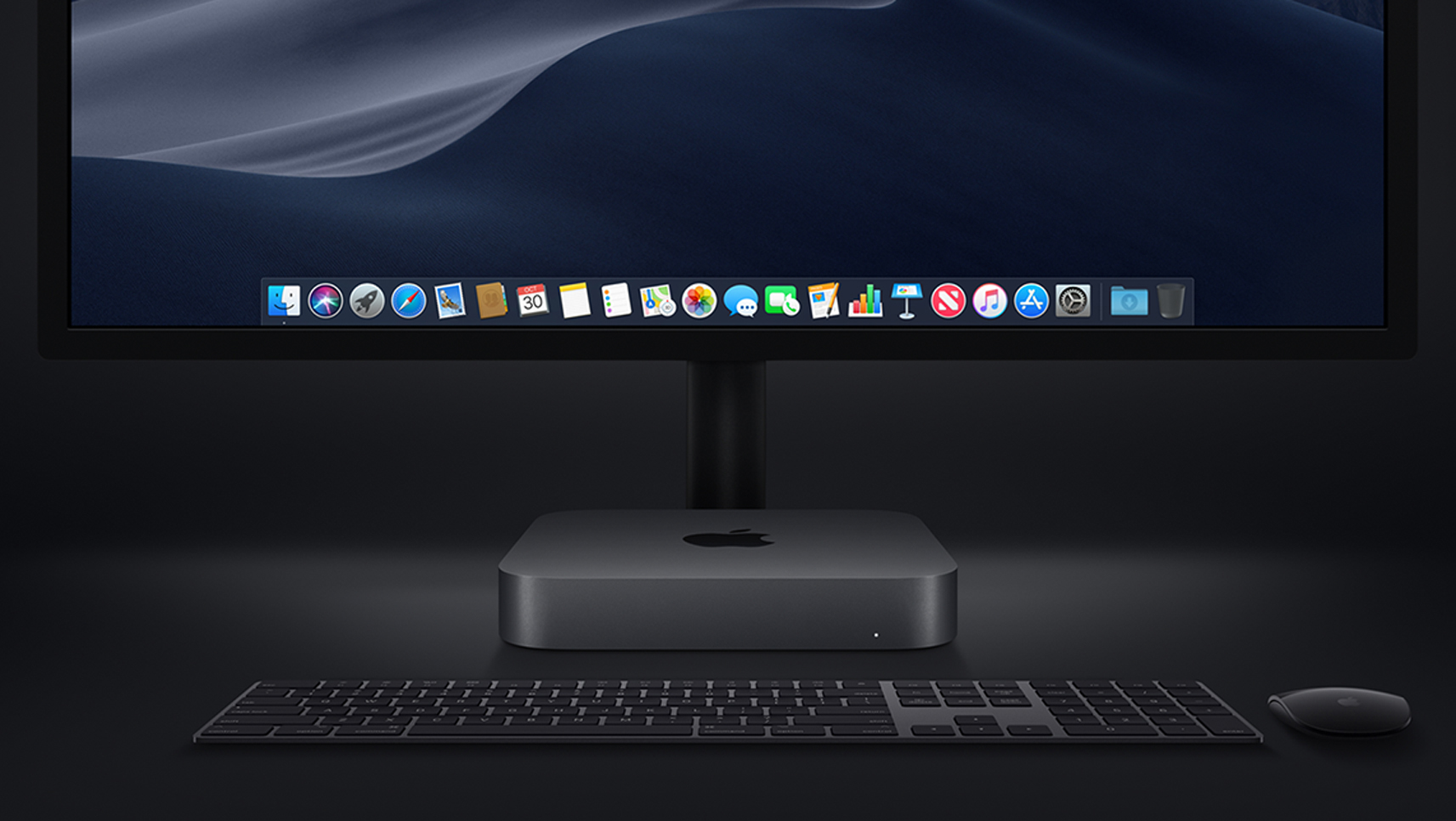
Tim Cook introduced the new Mac mini at the Brooklyn Academy of Music’s Howard Gilman Opera House by gesturing to the sky. What followed was a video titled ‘The Arrival’ depicting a Mac mini descending like a UFO from the nighttime sky into the desert, which turned out to be a nighttime wallpaper from Mojave, Apple’s latest macOS update. It was a fun introduction to a computer that was last updated in 2014, and many Mac users had predicted would be discontinued.

Read more


Apple Announces Release Dates for New iPad Pros, Macs, and iOS 12.1

Apple announced release dates for the new hardware unveiled during the keynote held at the Brooklyn Academy of Music’s Howard Gilman Opera House today and iOS 12.1. Here are the dates for each:

iPad Pros:

Pre-Order Date: Today
Ship Date and in stores: November 7th

iOS 12.1

Release Date: Today

MacBook Air

Pre-Order Date: Today
Ship Date and in stores: November 7th

Mac mini

Pre-Order Date: Today
Ship Date and in stores: November 7th


You can also follow all of our Apple event coverage through our October 30, 2018 hub, or subscribe to the dedicated October 30, 2018 RSS feed.


Replay Apple’s October 30, 2018 Keynote and New Product Videos

If you didn’t follow the live stream or announcements as they unfolded at the Brooklyn Academy of Music’s Howard Gilman Opera House today, you will be able to replay it on Apple’s Events site soon. You can also catch all the product videos on YouTube.

The keynote video will be streamed here and on the Apple TV using the Apple Events app. Also, a higher quality version should be made available soon through iTunes on the Apple Keynotes podcast.

Apple has posted new videos, including its product-reveals for the new iPad Pro, MacBook Air, and Mac mini on its YouTube channel too. You can find all those videos below after the break.


You can also follow all of our Apple event coverage through our October 30, 2018 hub, or subscribe to the dedicated October 30, 2018 RSS feed.

Read more


Halide Developer Ben Sandofsky Breaks Down How the iPhone XR Captures Depth Data

Ben Sandofsky from the team that makes the Halide iOS camera app has a detailed post on the iPhone XR’s camera and how Apple creates Portrait Mode photos with a single lens. Sandofsky walks through how Apple uses Focus Pixels to develop a rough Disparity Map and combines that with a Portrait Effects Matte to create Portrait Mode images.

The results have some advantages, but also distinct disadvantages compared to the iPhone XS’s camera. As Sandofsky explains:

It seems the iPhone XR has two advantages over the iPhone XS: it can capture wider angle depth photos, and because the wide-angle lens collects more light, the photos will come out better in low light and have less noise.

However:

…most of the time, the XS will probably produce a better result. The higher fidelity depth map, combined with a focal length that’s better suited for portraiture means people will just look better, even if the image is sometimes a bit darker. And it can apply Portrait effects on just about anything, not just people.

Although Apple’s Camera app can only take Portrait Mode photos of people on the iPhone XR, the upcoming Halide 1.11 update will combine the XR’s Disparity Map and Halide’s own blur effect to apply a similar effect beyond human subjects. Sandofsky admits that the feature isn’t perfect due to the low quality of the Disparity Map created by the XR, but the photos included in his post show that it can take excellent pictures under some conditions.

It’s remarkable what is being done to squeeze depth information out of the XR’s single lens and instructive to understand how the underlying technology works. It’s also apparent that Apple has made significant advancements since the introduction of the first dual-lens cameras.

Permalink

iOS Personalization and Customization

AppStories+ Deeper into the world of apps

AppStories Episode 85 - iOS Personalization and Customization

0:00
35:56

AppStories+ Deeper into the world of apps

This week, Federico and John talk about some of the ways they personalize and tweak their iOS setups, including wallpapers, widgets, control center, share sheet, app icons, and more.

Read more