John is MacStories' Managing Editor, has been writing about Apple and apps since joining the team in 2015, and today, runs the site alongside Federico.
John also co-hosts four MacStories podcasts: AppStories, which covers the world of apps, MacStories Unwind, which explores the fun differences between American and Italian culture and recommends media to listeners, Ruminate, a show about the weird web and unusual snacks, and NPC: Next Portable Console, a show about the games we take with us.
On this week’s episode of AppStories, John is joined by Merlin Mann to discuss managing family tech use and the upcoming iOS 12 Screen Time family features.
Today, Microsoft announced that it was expanding Minecraft: Education Edition to include the iPad. According to Microsoft:
Now, students can tap into the power of iPad to build historic monuments, swim through coral reefs with the Update Aquatic, bring creative stories to life, experiment with chemistry, and document their learning with the camera and portfolio features.
The latest expansion of Minecraft: Education Edition adds to the existing 35 million teachers and students in 115 countries that were already using the app on other platforms. The program includes training and curriculum resources for teachers too.
Minecraft is being offered as part of Microsoft’s 365 for Education program and will be available on the iPad beginning in September.
KeyKey is a minimalistic touch typing trainer for Mac. It’s suitable for beginners who want to learn basic touch typing skills, as well as for advanced users seeking to master alternative layouts like COLEMAK or DVORAK.
Touch typing is not about key arrangement, as you might believe. It’s about training your muscle memory, making your fingers remember the micro-motions unique to each language. KeyKey knows the most popular letter combinations and words of your native language and utilizes them in lesson generation.
Lessons are presented in several languages, including English, Spanish, German and French, along with the popular layouts for these languages: QWERTY, COLEMAK, DVORAK, AZERTY, QWERTZ (Swiss) and BÉPO. Lessons can be changed both automatically and manually, and you can add punctuation marks, capitalization, and numbers to each of them.
In the near future, KeyKey will add separate lessons for programmers to practice touch typing on real code examples from some popular programming languages.
P.S. You have a chance to win a free copy of KeyKey ($9.99) in the KeyKey Facebook group. Just like and share this post to enter the giveaway. Five winners will be drawn randomly on Sunday, August 27 at 12 pm CST.
Our thanks to KeyKey for sponsoring MacStories this week.
The latest chapter in Twitter’s contentious relationship with third-party developers is coming to a close. In April 2017, Twitter announced plans to eventually deprecate certain parts of its API that third-party apps rely on.
Fast forward one year to April 2018, roughly 10 weeks before the scheduled API transition of mid-June. Twitter’s new API still hadn’t been made available to third-party developers. The Iconfactory, Tapbots, and other makers of Twitter clients created a website called Apps of a Feather…Stick Together to explain how the looming changes would affect customers. The ensuing uproar among users caused Twitter to delay the API transition until tomorrow, August 16, 2018. Although Twitter has not flipped the switch on the changes yet, apps like Twitterrific and Tweetbot have already taken steps to deal with the changes.
It’s not often that a game grabs me and won’t let go the way Holedown has. Once I started playing, I couldn’t stop. I have the iOS 12 Screen Time reports to prove it. Even when I’d burned through all of the game’s levels reaching the final endless one, I kept coming back for more. Holedown has very quickly earned a spot as one of my all-time favorite iOS games.
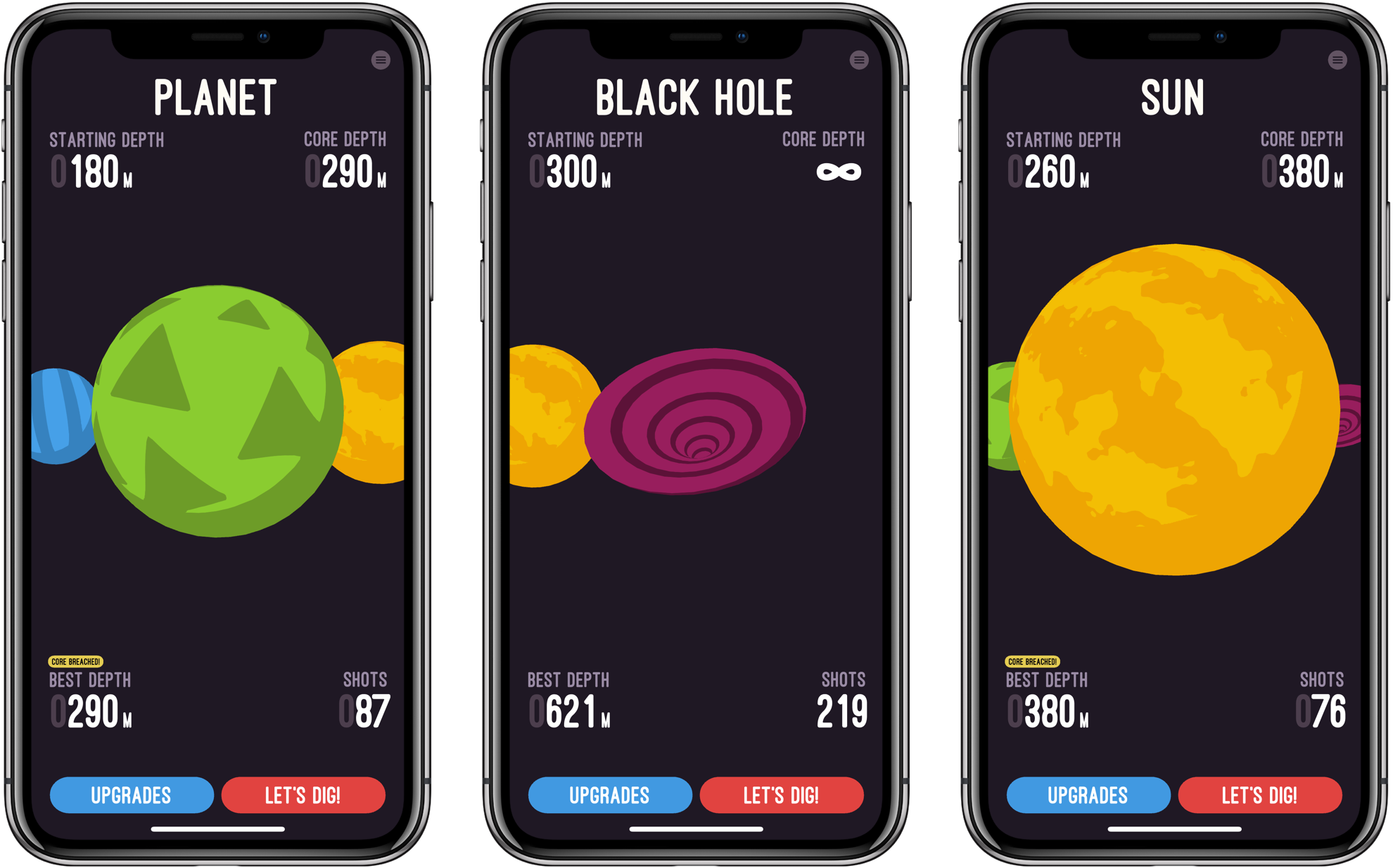
Like most great mobile games, Holedown is simple. The game is a little like Breakout turned upside-down with a dash of pinball added. Each level begins on the surface of a planet. The object is to bore a hole through to the planet’s core by launching balls that bounce off of obstacles that advance up the screen with each turn you take. If the obstacles reach the surface without being cleared, you have to start over and try again with a new procedurally-generated level.
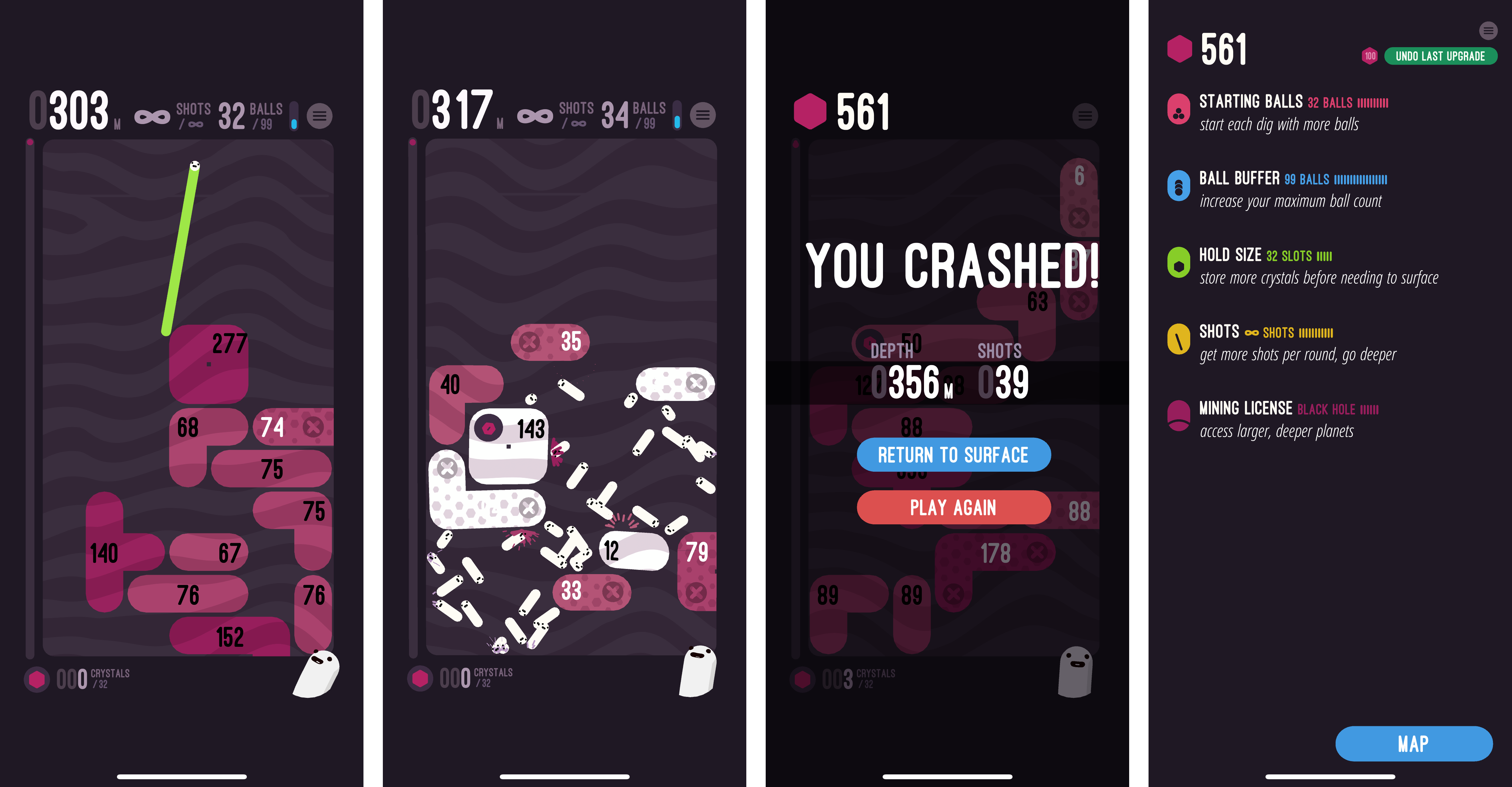
The obstacles moving up the screen are reminiscent of Tetris blocks, but each has a hit count that shows how many more ball collisions are necessary to take it out. Some blocks fall if the blocks supporting them are eliminated, but others have to be cleared regardless of the surrounding blocks.
As you launch balls, they bounce off the blocks and sides of the screen. It doesn’t take long to get the hang of the precise aiming that is done by dragging your finger across the screen. When you’re ready to shoot, lift your finger and the balls go careening across the screen bouncing helter-skelter off everything in their way.
As you play, you collect crystals. Holedown is a one-time, paid-up-front game, so the only way to collect the crystals is to play the game over and over. There is no In-App Purchase. As you collect crystals, they can be exchanged for enhanced gameplay like the ability to fire more balls at the start of each turn, take more shots per level, and more.
As you play, Holedown tracks the depth of your mine, your progress towards the core of the planet, how many balls you can shoot at one time, and how many shots you have left. It’s information that serves the dual purpose of showing where you are in the level and helping you plan your next move.
When you get to the final level, called the Black Hole, there is no core and you can shoot an unlimited number of balls at the obstacles. The only goal left is to see how deep you can mine before the blocks crash to the surface. I finished the other levels of Holedown over the course of a Saturday afternoon, and though I’ve been playing the Black Hole level for over a week now, the challenge of seeing how deep I can dig and the perfectly balanced gameplay have keep me coming back over and over.
Holedown also benefits from a strong dose of quirky personality. There’s a little mascot that sits in the corner of the screen smiling and watching you play. If you tap it, the little creature responds with things like ‘eat your vegetables,’ ‘seize the means of production,’ and ‘work, work.’
The music plays a big role in Holedown’s feel too. The catchy electronic soundtrack pairs perfectly with the sound effects, both of which react to events in the game, which adds further life to the gameplay.
Holedown is a perfect example of a well-designed mobile game. Even if you’re deep into a long session, you can quit at any time and pick up where you left off later without losing any progress. Combined with the quirky, fun gameplay, it’s one of the hardest games to put down that I’ve ever played on iOS. If you haven’t tried it yet, Holedown should be at the top of your must-play-games list.
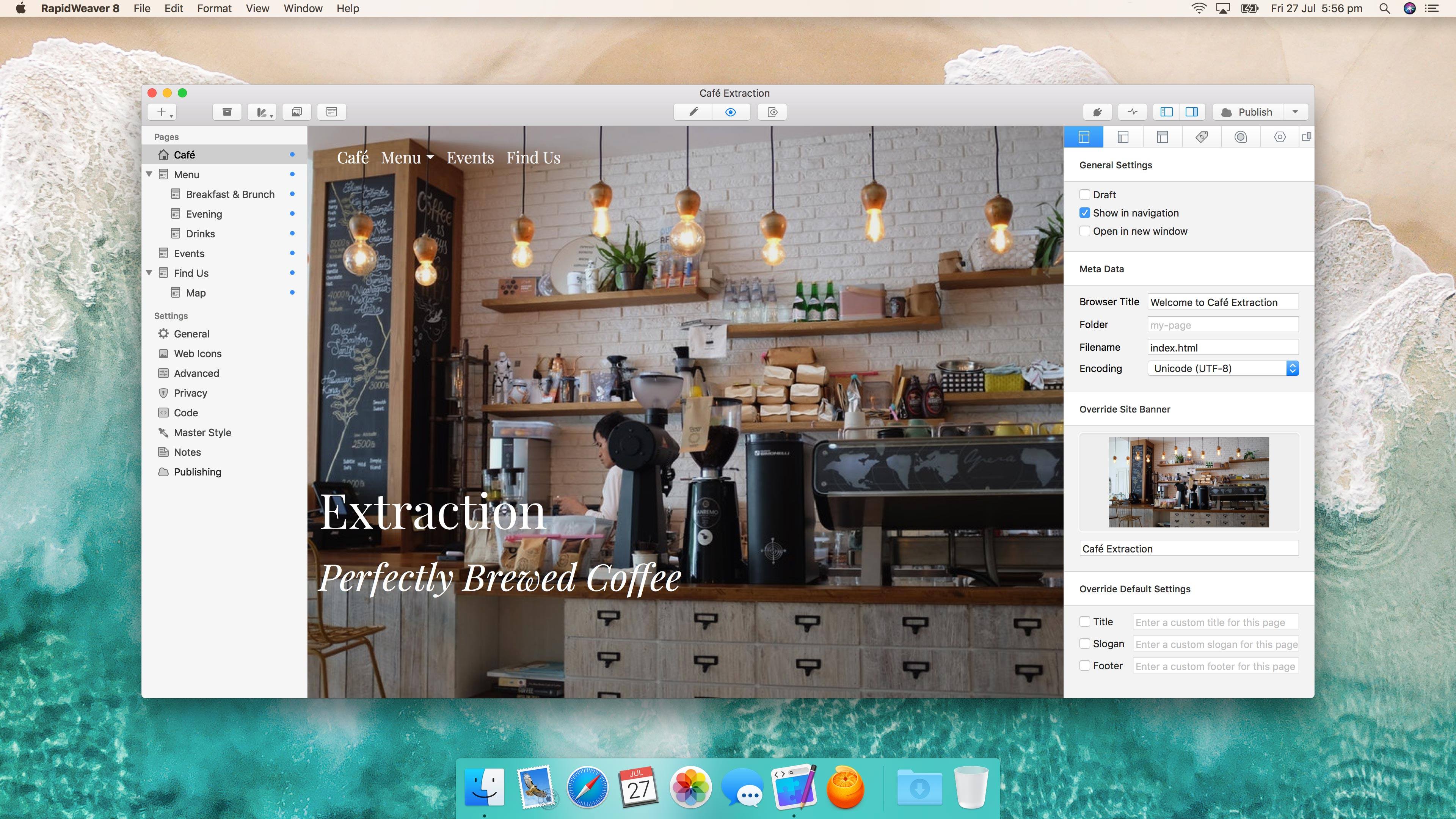
RapidWeaver by Realmac Software got a significant update today. Starting from scratch or with one of over 50 Themes, RapidWeaver allows users to create highly-customized websites by offering a wide array of tools and properties that can be tweaked. The app also supports third-party plug-ins and Themes that can be used to extend the app even further.
RapidWeaver may remind you a little of iWeb, but the similarities end with the drag and drop, template-driven approach. The depth of RapidWeaver goes well beyond what iWeb could do before Apple discontinued it.
Close on the heels of reports that Apple had pulled Group FaceTime from iOS 12 beta 7, complaints about the beta’s sluggish performance began to surface. One of the first was from Guilherme Rambo who posted a short video on Twitter demonstrating how slowly the App Store app launched under the beta:
The latest iOS 12 beta is no longer available as an over-the-air update via the Software Update section of the iOS Settings app. However, IPSW files for the beta, which can be installed via iTunes on a Mac, are still available from Apple’s developer portal. In light of the issues reported with the beta 7, if you haven’t already installed beta 7, it’s probably best to not download and install the IPSW files, until a more reliable version is released.










 Federico