App Debuts
...

 App Debuts
Album
App Debuts
Album Starting today, you can give Club MacStories memberships as gifts for the holidays or any special occasion. Club MacStories extends what we publish at MacStories, which makes it the perfect gift for someone who wants more apps, automation, tips, and other coverage.
Club MacStories offers exclusive content delivered every week including:
All told, that’s around 60 newsletters and lots of other perks over the course of a year.
So, if you have a MacStories reader on your holiday shopping list this season, consider a Club MacStories membership that they can enjoy all year long. Monthly ($5/month) and annual ($50/year) memberships can be given using the following links:
Also, thanks to all our loyal Club members who have joined since the Club’s debut over two years ago. You’re an essential part of what we do here at MacStories, and we hope you’ve enjoyed the Club as much as we enjoy creating its special content for you every week.
Happy Holidays!
- The MacStories Team
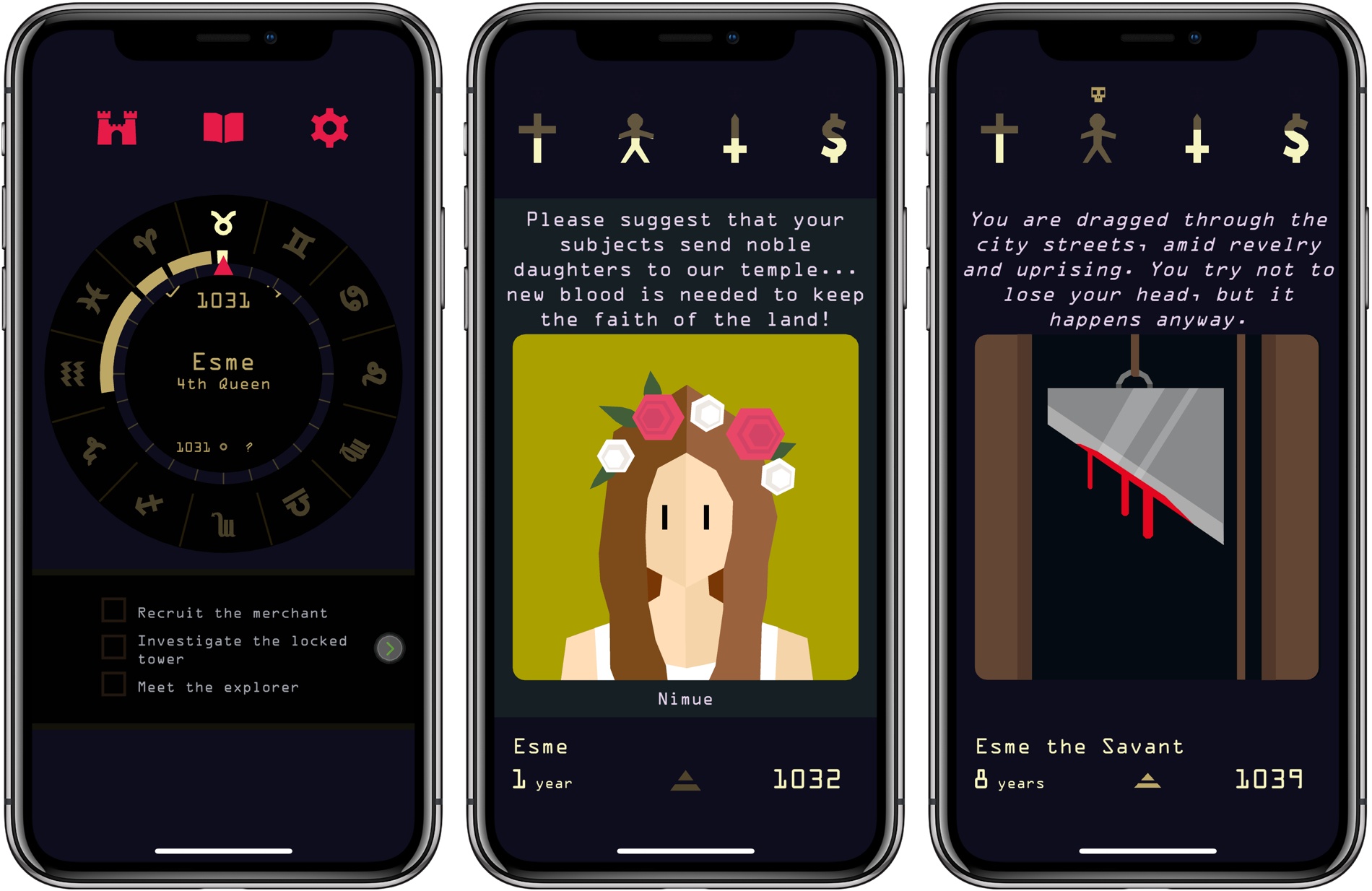
Nerial undoubtedly has another hit on its hands with Reigns: Her Majesty. The iOS game, which is published by Devolver Digital, will be familiar to anyone who played its forerunner, Reigns. The game mechanics and art style are largely the same, but there’s greater depth and nuance to Her Majesty, which takes it beyond a dull retread of a hit formula.
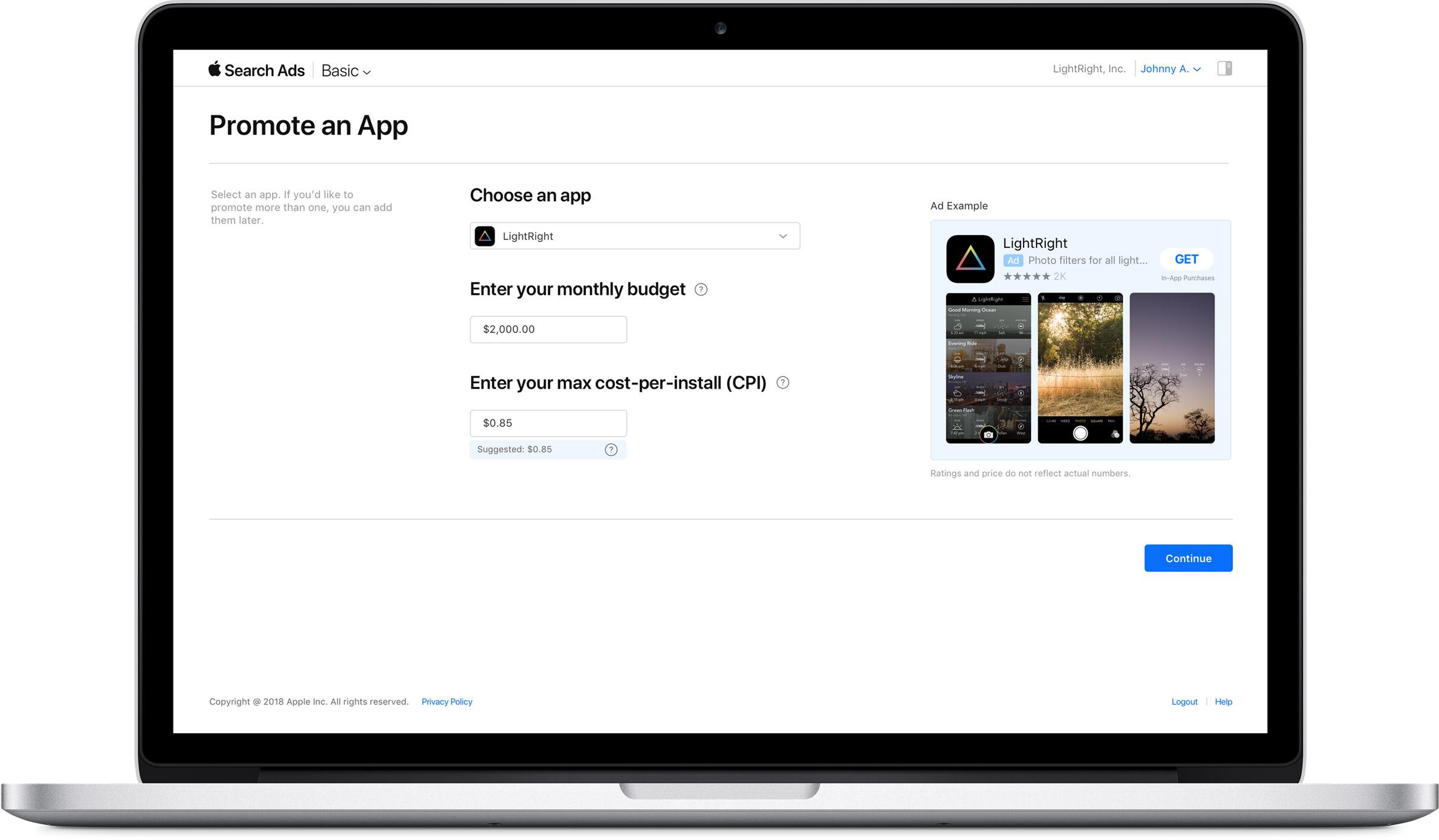
Today, Apple introduced a new search ad product called Search Ads Basic. The existing search ad service, which was introduced a little over a year ago, has been renamed Search Ads Advanced.
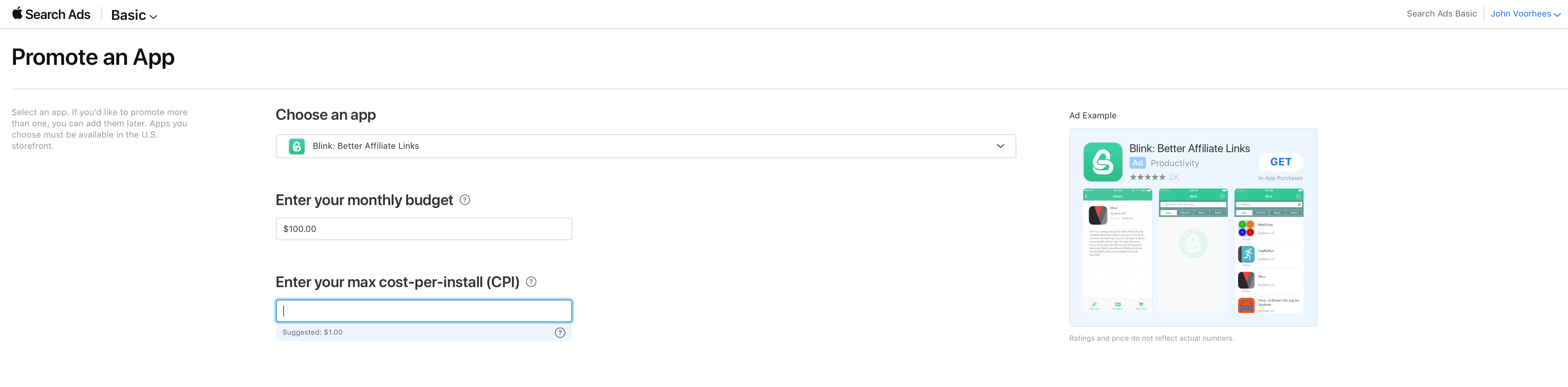
Search Ads Basic offers fewer of the advanced options and tracking available in Search Ads Advanced and spending is capped at $5,000 per month, but developers only pay for installations generated by their search ads. In contrast, developers pay every time someone taps on an ad under the Search Ads Advanced program, whether or not the tap results in a purchase. To get started, all that is needed is to pick the app to be advertised, set a spending budget, and choose a maximum per-user installation cost, for which Apple provides a suggested maximum based on historical App Store data.
Apple is positioning Search Ads Basic as an alternative for developers who don’t have the time to fiddle with the more sophisticated options available with Search Ads Advanced. There is no doubt the process is simple. I set up a campaign for my app Blink in less than a minute.
With a $5,000 per month spending limit the new program also seems tailored to smaller developers who may be uncomfortable paying for taps or managing the more complex options of a Search Ads Advanced campaign. Although larger development shops are not precluded from using Basic, the spending limit should discourage larger companies with big advertising budgets.
Currently, Search Ads Basic is limited to US App Store, but it will be rolling out to the stores in additional countries later. As it did last year, Apple is sending email messages to developers offering a $100 credit to try Search Ads.
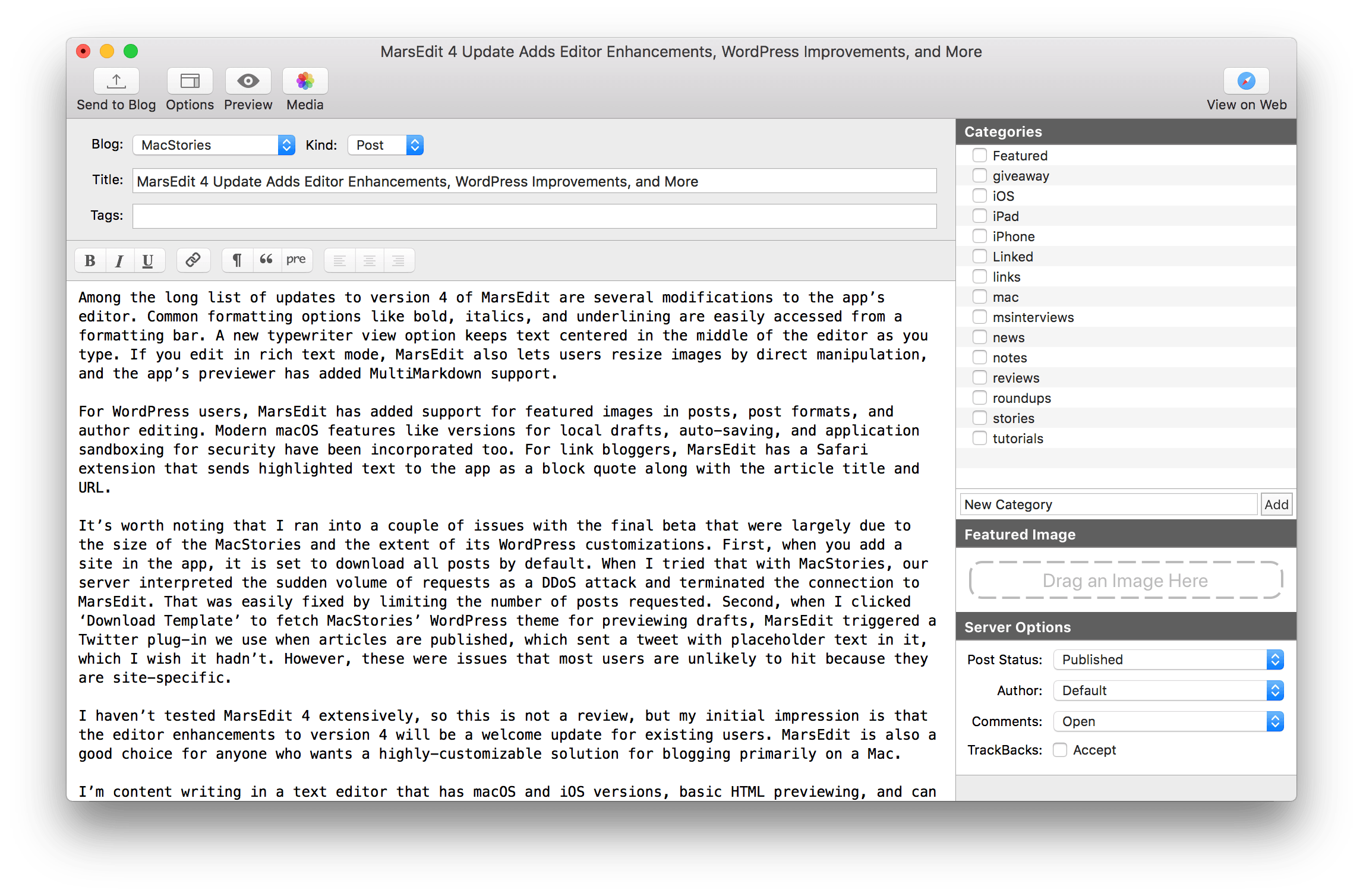
MarsEdit, Red Sweater Software’s macOS blog editor, received a major update today with new features and a UI refresh.
Among the long list of updates to version 4 of MarsEdit are several modifications to the app’s editor. Common formatting options like bold, italics, and underlining are easily accessed from a formatting bar. A new typewriter view option keeps text centered in the middle of the editor as you type. If you edit in rich text mode, MarsEdit also lets users resize images by direct manipulation, and the app’s previewer has added MultiMarkdown support.
For WordPress users, MarsEdit has added support for featured images in posts, post formats, and author editing. Modern macOS features like versions for local drafts, auto-saving, and application sandboxing for security have been incorporated too. For link bloggers, MarsEdit has a Safari extension that sends highlighted text to the app as a block quote along with the article title and URL.
On this week’s episode of AppStories, we pick two apps we’ve been experimenting with recently and discuss how it’s going so far. In this installment of Pick 2, John covers macOS image editor Pixelmator Pro, which was released last week, and Federico explains how he’s integrated Things 3 for iOS into recent projects.
Sponsored by:
https://staging.macstories.net/podcasts/appstories/episodes/34/embed/






Apple has released tvOS 11.2, which adds a new settings option to 4K AppleTVs that can automatically match the frame rate and dynamic range the content being played. The option, called ‘Match Content,’ is found under the Video and Audio section of the AppleTV’s Settings app. Under Match Content, users can choose to ‘Match Dynamic Range’ or ‘Match Frame Rate,’ which can automatically detect and set the original frame rate of content.
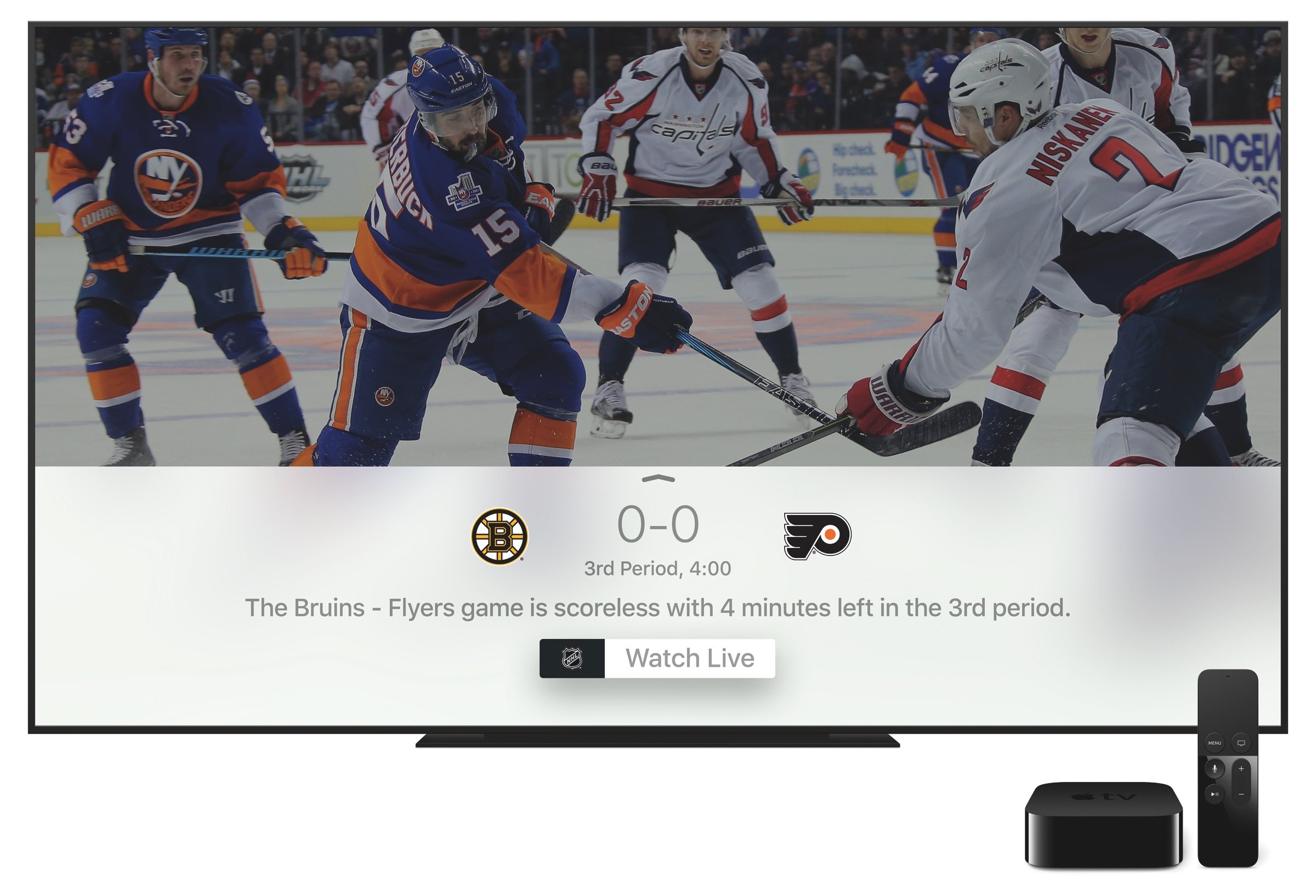
The fourth generation and 4K Apple TVs also gained a Sports tab in the TV app. The new section features live sports broadcasts and lets users pick their favorite teams to follow, get alerts when the score of an ongoing game is close, and view scores and schedules.
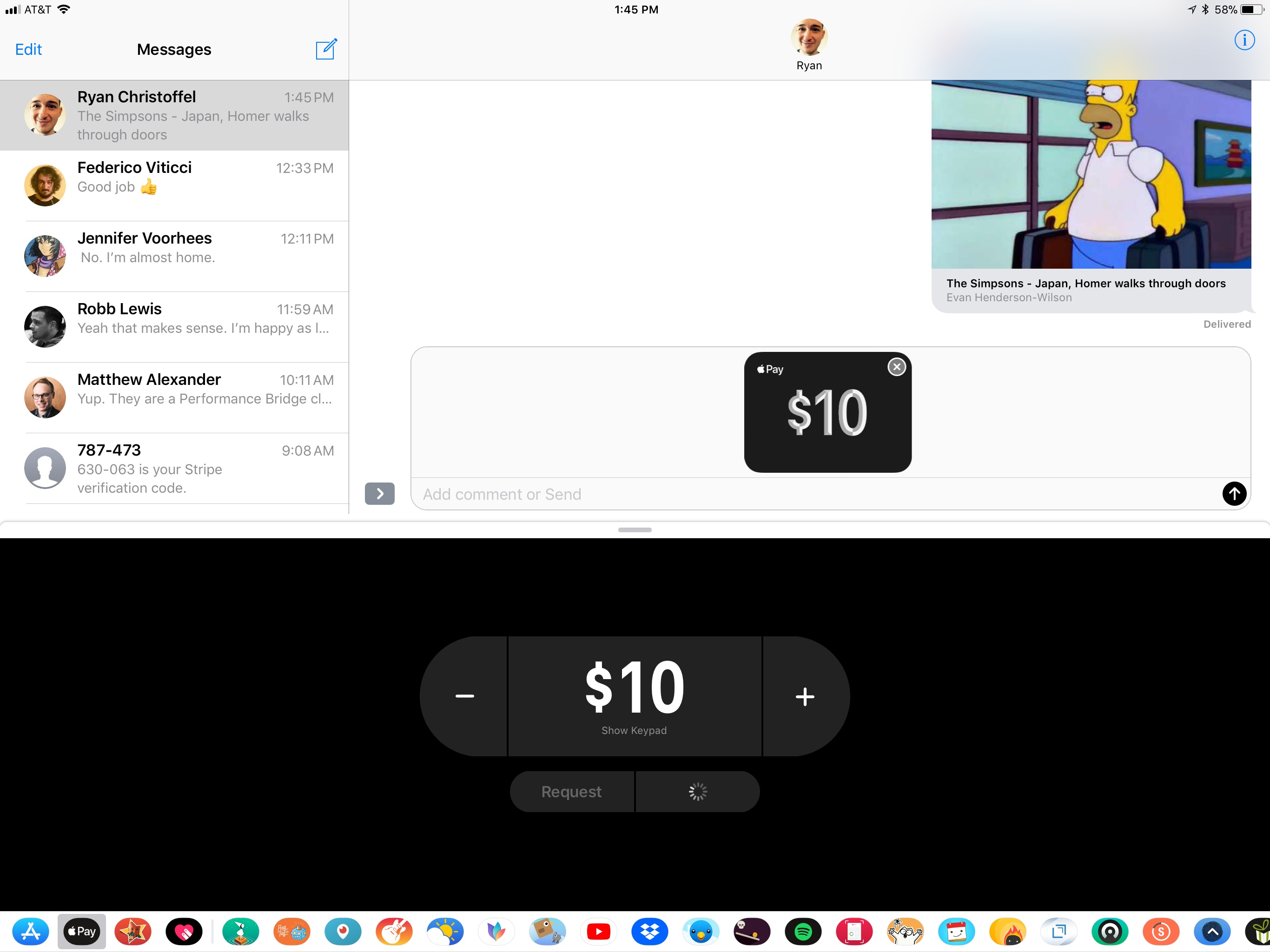
Last weekend Apple issued an update to iOS 11 that fixed a bug that could cause an endless loop of crashes if certain notifications were received by a user. Version 11.2 of iOS also set the stage for the rollout of Apple Pay Cash, Apple’s peer-to-peer money transfer service that’s built into the Messages app.
Apple Pay Cash is currently a US-only service that lets users send each other cash via iMessages. An Apple Pay button will appear in the app and sticker tray of Messages on any Apple Pay-compatible iPhone or iPad. The service, which debuted at WWDC in June and was previously available only to beta testers of iOS 11.2, includes integration with Siri. Messages also automatically suggests using Apple Pay Cash if money is mentioned in a text message.
If the service is tied to a debit card, there is no fee to send money to someone. However, users who use a credit card will be charged a 3% fee. There is also a $3000 limit on individual transactions and a $10,000 limit on sending or receiving funds within a seven-day period.