John Voorhees

5429 posts on MacStories since November 2015

John is MacStories' Managing Editor, has been writing about Apple and apps since joining the team in 2015, and today, runs the site alongside Federico. John also co-hosts four MacStories podcasts: AppStories, which covers the world of apps, MacStories Unwind, which explores the fun differences between American and Italian culture and recommends media to listeners, Ruminate, a show about the weird web and unusual snacks, and NPC: Next Portable Console, a show about the games we take with us.

Jony Ive and an Apple Park Architectural Lead on Apple’s New Headquarters and Design

Wallpaper Magazine’s Nick Compton has an extensive interview with Foster + Partners’ Stefan Behling, one of the lead architects of Apple Park, and Apple’s Chief Design Officer, Jony Ive. There are a lot of great details about Apple Park and the Steve Jobs Theater in the article, including this from Behling on constructing a roof on the theater that appears to hover in space:

A network of 44 conduits, carrying electricity, data and sprinkler systems, is housed in three-quarter-inch strips of aluminium in-between the theatre’s glass surrounds. The carbon-fibre roof, tested, built and unbuilt in Dubai, was made the same way you make the hulls of racing yachts and weighs just 80 tons. ‘This is the first time in the history of mankind that this has been done,’ says Behling. ‘It’s the biggest carbon-fibre roof of its kind in the world. If you are serious about achieving something like this, and making it look effortless, you have to go all out. And that does mean doing something that has never been done before.’

Jony Ive has a lot to say about Apple Park too. In response to criticism that the building isn’t sufficiently configurable he says:

Our building is very configurable and you can very quickly create large open spaces or you can configure lots of smaller private offices. The building will change and it will evolve. And I’m sure in 20 years’ time we will be designing and developing very different products, and just that alone will drive the campus to evolve and change. And actually, I’m much more interested in being able to see the landscape, that is a much more important capability.’

Ive also talks about Apple’s design philosophy in general noting that his team’s goal is to ‘get design out of the way.’ However, my favorite part of the interview is Ive’s insight that with every new product, two are actually created:

‘When I look back over the last 25 years, in some ways what seems most precious is not what we have made but how we have made it and what we have learned as a consequence of that,’ he says. ‘I always think that there are two products at the end of a programme; there is the physical product or the service, the thing that you have managed to make, and then there is all that you have learned. The power of what you have learned enables you to do the next thing and it enables you to do the next thing better.

Wallpaper’s interview is a must-read for anyone intrigued by Apple Park and Apple’s approach to design.
Permalink

SuperDuper! Updated for macOS High Sierra and APFS

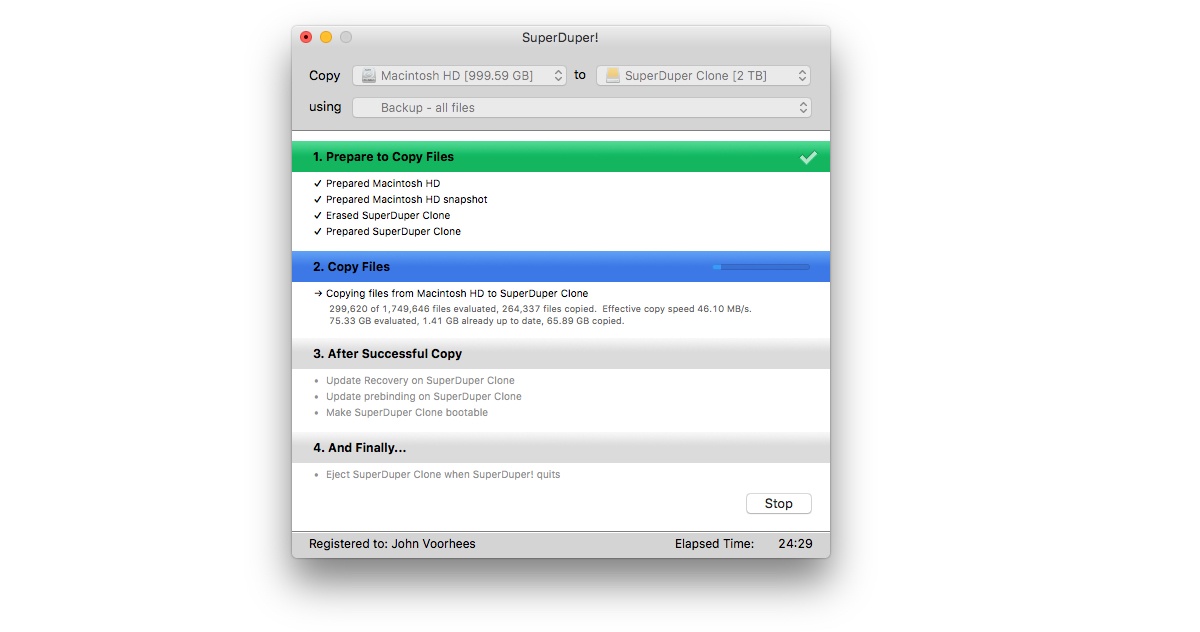
High Sierra introduced APFS, Apple’s first entirely new file system on the Mac in decades. Today, Shirt Pocket Software announced an update to its backup utility SuperDuper! that is compatible with APFS. In fact, the app can create a bootable clone for any Mac running Mac OS X 10.9 and later.

Supporting a brand new file system is a tall order. As Dave Nanian explains on the Shirt Pocket blog, APFS volumes are handled differently by macOS than HFS+ ones were. That complicated the update of SuperDuper!, but as with earlier OS updates, Shirt Pocket has solved the issues and is ready with an update that works with Apple’s latest version of macOS.

If you’re not already making a bootable backup of your Mac’s drive, the update to SuperDuper! is the perfect time to download the app and get started.


Tweetbot for iOS Adds 280-Character Tweet Support

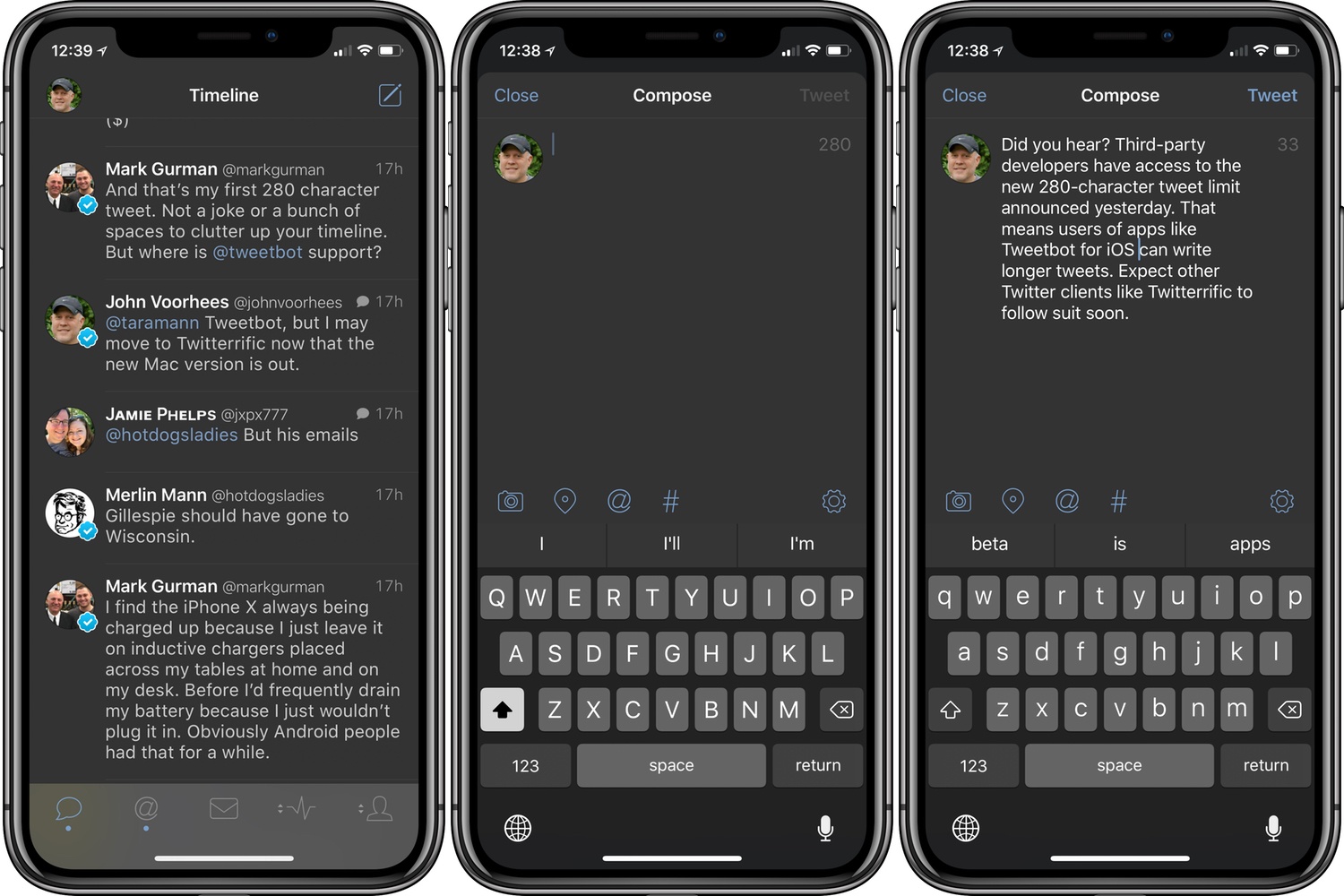
Yesterday, Twitter extended the character limit of tweets to 280. Unlike some features, Twitter has made the new tweet length available to all third-party developers.

First out of the gate is Tweetbot by Tapbots. Less than 24 hours after Twitter’s announcement, Tweetbot users can use a full 280 characters in tweets. I expect we’ll see additional updates from other Twitter client developers soon.

Tweetbot is available on the App Store.


Twitterrific for macOS Adds Poll Support and Other Refinements

The Iconfactory is on a tear with Twitterrific for macOS updates. Version 5.0, the crowdfunded rebirth of the app, launched less than a month ago. A couple of weeks later, Twitterrific 5.1 added muffles and mutes, which we discussed on AppStories this week. Then yesterday, Twitterrific 5.2 dropped, with support for polls and and an enhancement of its user search functionality.

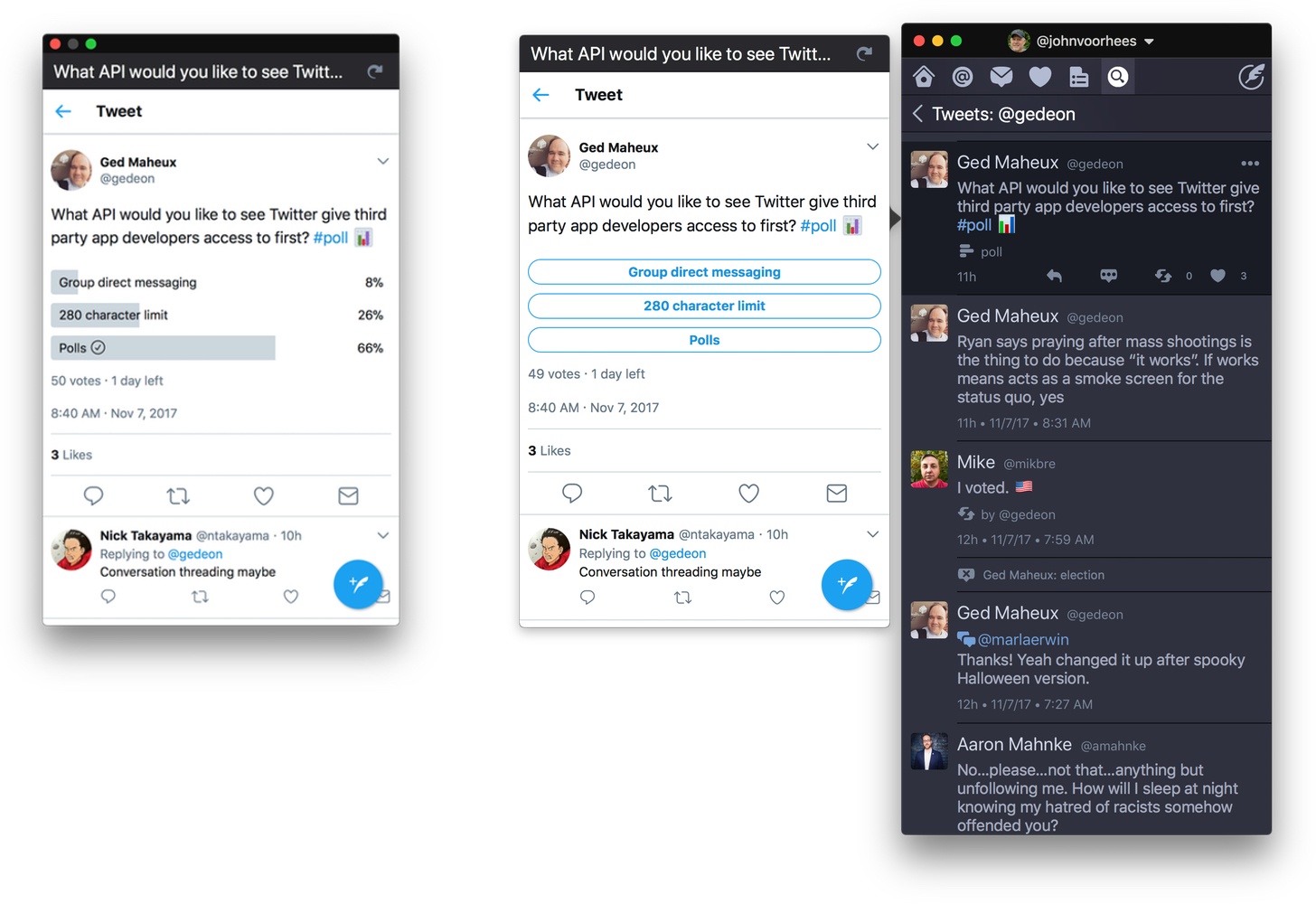
Poll support is notable because third-party developers don’t have access to Twitter’s polling APIs. Instead, users of third-party Twitter clients have had to go to the official Twitter client or the web to vote in polls, which I rarely bothered to do. Lack of API support hasn’t stopped The Iconfactory from implementing a workaround to make polls available to its users though. The feature isn’t perfect, but in my preliminary testing, I’ve been impressed with how well it works.

Twitterrific detects tweets that include polls by looking for clues like whether ‘#poll’ or the graph or ballot box emoji are used. The app also looks at the format of the question posed. If a tweet looks like a poll, Twitterrific displays a button below the text of the tweet. When the poll button is clicked, a popover with a mini-browser opens the poll so you can vote and see the results. If you want to monitor a poll, drag the popover away from your timeline to transform it into a standalone window that will stay put and can be refreshed with the latest results.

Poll creation still requires Twitter’s app or website, which cannot be avoided. Nonetheless, I can already tell that being able to open a poll, vote, and view results all from Twitterrific is going to increase my participation in them. For now, the feature is available on macOS only, but it is under consideration for the iOS app depending on how well it is received by users on the Mac.

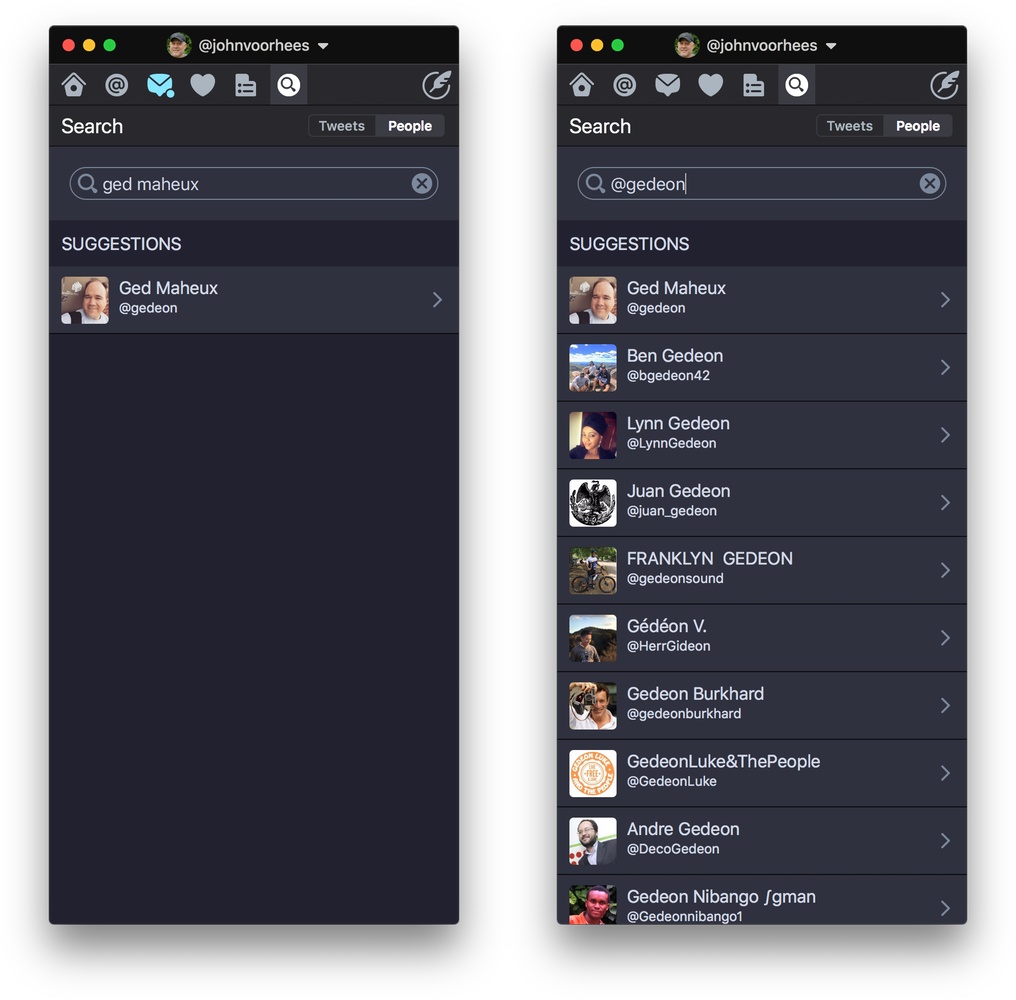
Use the Cmd+U keyboard shortcut to search for a Twitter user quickly.

Use the Cmd+U keyboard shortcut to search for a Twitter user quickly.

Twitterrific also added fast user searching via the Cmd+U keyboard shortcut and has improved syncing of your timeline position between iOS and macOS. Next up for both versions of the app is support for Twitter’s new 280-character tweet limit, which, unlike polls, is available to third-party developers.

If you’re interested in trying a new Twitter client, Twitterrific is an excellent choice. The handful of gaps in the macOS version’s original feature set are being addressed rapidly and innovative approaches to things like polls set it apart from its competitors.

Twitterrific 5.2 is available on the Mac App Store.


Twitter Adopts 280-Character Tweet Limit

Twitter extended the 140-character limit of tweets to 280 characters for a test group of users in September. In a blog post today, Twitter’s Aliza Rosen proclaimed the test a success noting that the additional characters have been used where needed, but that most tweets remain under the previous 140-character limit.

As a result, Twitter has begun to roll out the new feature worldwide for every language where ‘cramming’ was an issue. The company describes cramming as:

the deviation of the actual length distribution from the theoretical log-normal distribution near the character limit — “cramming,” as it likely reflects people’s attempts to “cram” their Tweets within the character limit.

In plain English, cramming is when your tweet is just a little long, and you spend time editing it to fit into 140 characters. According to Rosen:

Historically, 9% of Tweets in English hit the character limit. This reflects the challenge of fitting a thought into a Tweet, often resulting in lots of time spent editing and even at times abandoning Tweets before sending. With the expanded character count, this problem was massively reduced – that number dropped to only 1% of Tweets running up against the limit. Since we saw Tweets hit the character limit less often, we believe people spent less time editing their Tweets in the composer. This shows that more space makes it easier for people to fit thoughts in a Tweet, so they could say what they want to say, and send Tweets faster than before.

Cramming is a bigger problem for some languages than others. At the other end of the spectrum are languages like Chinese, Japanese, and Korean, which can express more in fewer characters and will continue to have 140-character limits.

The new tweet length limit is still rolling out to users. If you don’t have 280 characters to work with yet, check the official Twitter again later because it will undoubtedly take a while to propagate to all users.


Introductory Pricing Coming to App Subscriptions

Earlier today, Apple released iOS 11.2 beta 2 to developers. The release notes accompanying the beta include the following announcement:

Soon, you’ll be able to offer new customers a discounted introductory price for your auto-renewable subscriptions on the App Store. iOS 11.2 introduces new classes … and new properties … to provide details on the introductory pricing and billing period you’ve selected for your auto-renewable subscriptions. You’ll be able to configure introductory pricing on your in-app purchase page in iTunes Connect soon.

Auto-renewing subscriptions were made available to all app developers with iOS 10 and already include the option to offer a free trial. With iOS 11.2 though, developers will have added flexibility to help them attract customers.


The High Stakes Secret Release of Monument Valley 2

Monument Valley 2 was announced and released during the WWDC keynote this past June. Andrew Webster at The Verge talked to the team behind the game about keeping the sequel a secret and the success the game has enjoyed in the subsequent months.

Since WWDC, the follow-on to one of the biggest App Store hits in recent years is selling well, including in China where sales are greater than in the US. Still, it remains to be seen whether ustwo’s latest release can match the original, which did even better in its second year on the App Store. Asked about how that kind of success can be replicated, ustwo head Dan Gray said:

“Your game needs to operate on a number of levels — at least that’s how we work,” he says. “When we think about how kids interact with Monument Valley, they treat it like a toy. There are these amazing structures, and it’s very tactile, there’s a lot of audiovisual feedback. That’s the most simple form of interaction. And then there are the people who understand the basic premise. In Monument Valley 2, that is a mother and child trying to solve problems together. Then there are the people who talk on internet forums and Twitter, and have really high-level, deep discussion.”

The Verge’s profile coincides with the release of a behind-the-scenes video created by ustwo that follows its team as they fly to San Jose and reveal Monument Valley 2 to the world.

Permalink

Balance Is a Wallet for the World’s Currencies [Sponsor]

We are on the cusp of a financial revolution fueled by crypto-currencies and Balance makes it easy for everyone to get involved. You’ve probably heard of Bitcoin, one of the earliest crypto-currencies, but there are others like Ethereum. Balance connects to the most popular crypto-currency exchanges like Coinbase along with traditional financial institutions bridging the gap between the old financial world and the new one.

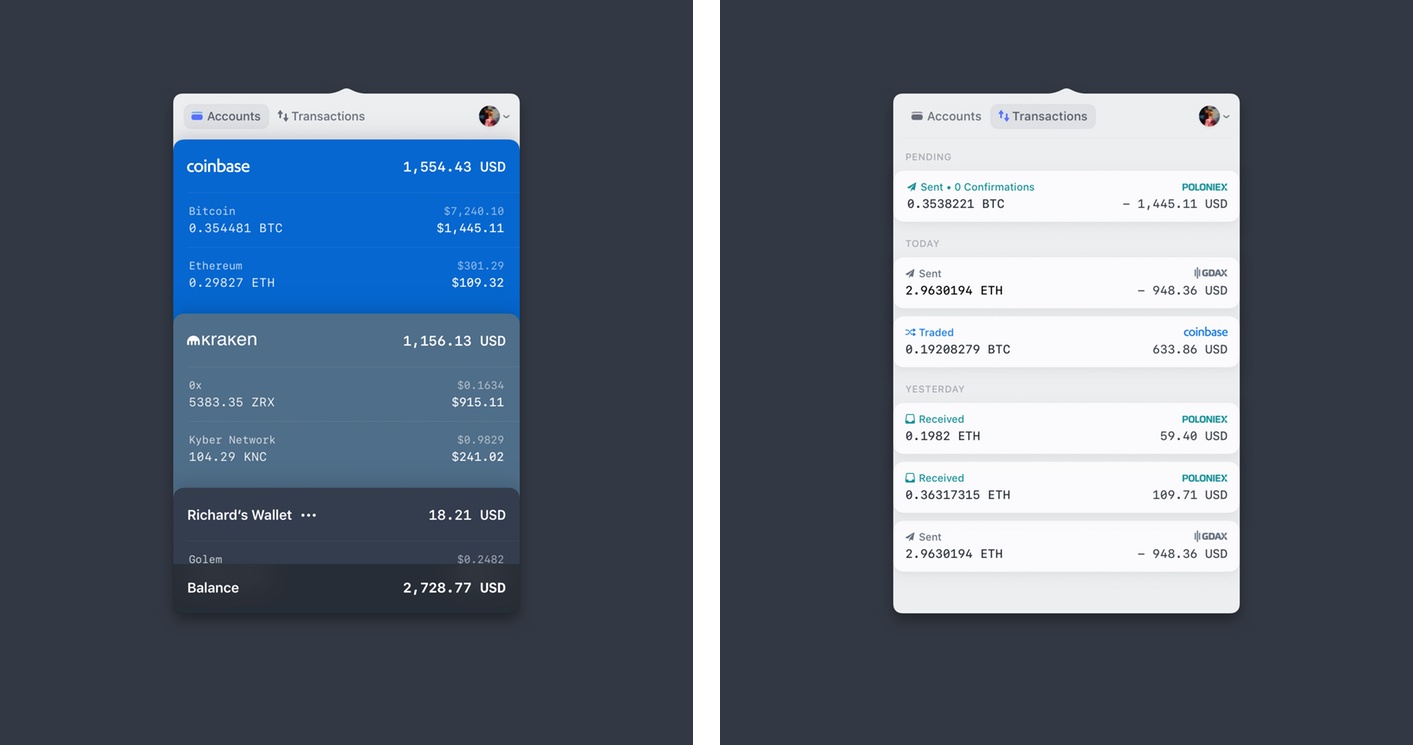
Balance for macOS.

Balance for macOS.

Balance is a menu bar app for macOS. The app connects with crypto-currency exchanges as well as traditional bank accounts, investment accounts, credit cards, and online services like PayPal using Plaid, a super-secure platform that works with financial institutions around the world.

When you set up accounts in Balance, the app automatically updates them periodically with new transactions, so you’re always up to date. You can click through the app’s tabs to view balances, transactions, notifications and gain insights about your spending. Soon, Balance will release an iOS version of their app too.

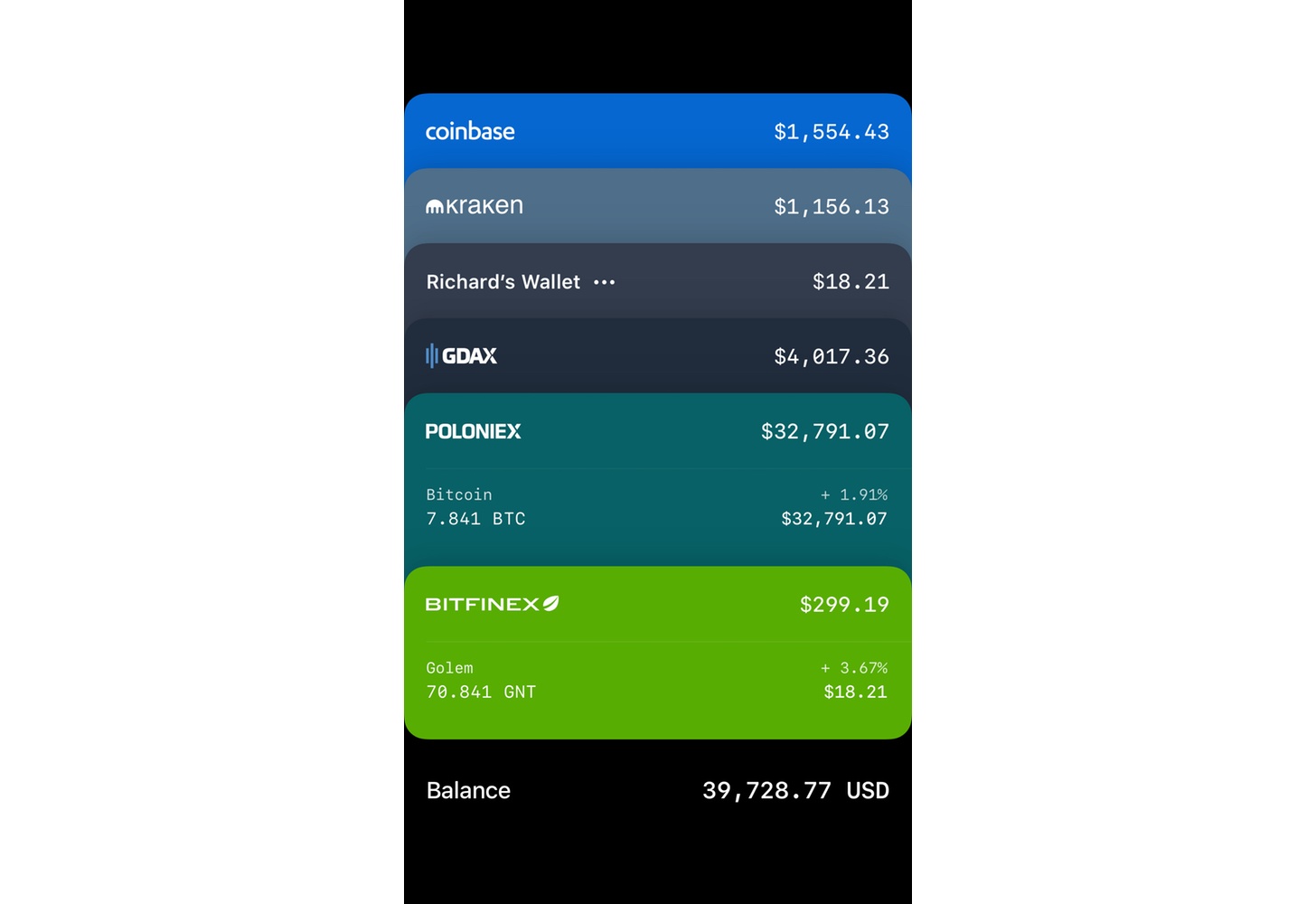
Balance for iOS is coming soon.

Balance for iOS is coming soon.

Balance is ready for the future. The current financial system is based on outdated, legacy software. Blockchains are the bedrock of a more secure and open system based on cryptocurrencies, but not many people are using them yet. Balance is poised to change that by becoming a single destination for traditional financial accounts and crypto-currency exchanges.

Balance has a great offer for MacStories readers who want to see what crypto-currencies are all about. Just go to bal.money/macstories and you’ll get $2 worth of Ether in a Coinbase account that you can link to Balance and track with its menu bar app. It’s a great way to see for yourself what the financial world’s future looks like.

Our thanks to Balance for sponsoring MacStories this week.