Three Ways I’d Like to See Creator Studio Expanded
...

 Three Ways I’d Like to See Creator Studio Expanded
Interesting Links
Three Ways I’d Like to See Creator Studio Expanded
Interesting Links Over time, I’ve gravitated towards a two-calendar system on my Mac because I’ve never found an app where both the desktop app and the menu bar version meet all my needs. That’s probably because my calendar use is a little backwards. I don’t have a lot of meetings each week; instead, my calendar is a mix of reminders, package deliveries, and a handful of work and family events. With just two or three entries each day, I’ve found myself managing events more and more often from a simple menu bar app, reserving my full calendar app for more involved event entry and planning.
On the desktop side, I’ve used Apple Calendar the most, but I’ve also used Fantastical and BusyCal for extended periods, ultimately landing on Notion Calendar. It isn’t perfect, but its Notion integration can be handy at times. On the menu bar side of the equation, I used Dato for many years. It’s an excellent app, but even it is a little more than I need, which is why I was excited to recently discover Dot.
 One Notion: Two Approaches
 This week on AppStories, John and Federico share the very different ways they use Notion.
On AppStories+, we follow up on OpenClaw security concerns and explore the ways Federico is using it.
We deliver AppStories+ to subscribers with bonus content, ad-free, and at a high bitrate early every week.
To learn more about an AppStories+ subscription, visit our Plans page, or read the AppStories+ FAQ.

Today, Apple opened up applications for the Swift Student Challenge. Students have until the end of February to submit an app playground built with Xcode or Swift Playground. According to Apple’s developer website:
- No prior experience is needed. The Challenge is open to students of all levels who meet the eligibility requirements.
- The Challenge is free to enter — all you need is access to a Mac or iPad with Xcode or Swift Playground.
- Your app playground can be on any topic of your choice. The best app ideas come from subjects or experiences that you’re passionate about.
- Your app playground should be experienced within 3 minutes or less.
- The Swift Student Challenge is a great opportunity for students to build their skills and create something great.
Apple also released a video explaining the Challenge, and additional resources are available for both students and educators.
After the submission period closes, Apple will pick 350 winners, who will receive a one-year membership in the Apple Developer Program and a gift. Of those winners, 50 will be selected as Distinguished Winners who will be invited to visit Apple Park in Cupertino for a three-day visit, which in past years was held during WWDC.
for me, the kickoff of the Swift Student Challenge is the beginning of the build-up to WWDC, which is likely just four months away. It’s a great program that I know has inspired a lot of students to become the developers whose apps we cover at MacStories. Federico and I have also had the pleasure of interviewing many of the winners in the past and have always come away impressed and inspired what they create as part of the Challenge. I’m sure this year will be no different.
App Debuts
This Week on MacStories Podcasts
Interesting Links
Previously, On MacStories 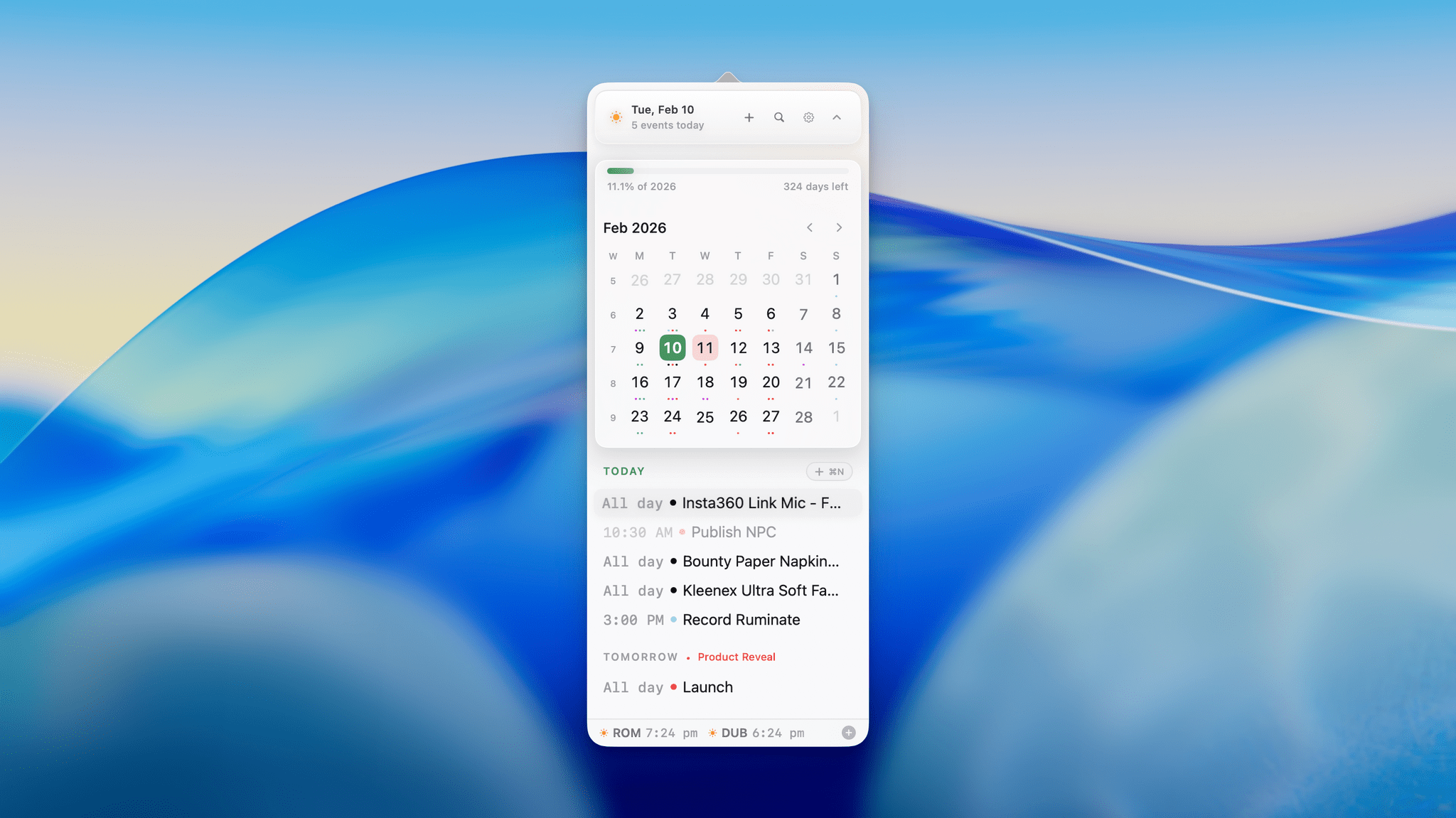
 Federico