

Office Space I love this movie and have lived parts of it. I was a little surprised to see stickers for a movie that debuted in 1999 but glad to finally be able to send Federico TPS reports to fill out. I’m Running I think about going for a run more than actually doing...
 Q&A
Q&A
Question: Is there a good app for making chunky pixel art so that I can unleash my inner Susan Kare? (Chris, @wordgarbler)
I haven’t played with that many of these apps, but one of the best I’ve seen is Pixure. The app is a little like Photoshop for pixel art. You can set the...
App Debuts
CardioBot Cardiobot has rewritten its Apple Watch app to take advantage of new iOS and watchOS features. The Watch app can auto-detect workouts and calculate heart rate zones as you exercise. When you enter a new heart rate zone, you are notified by haptic feedback on your wrist, making it easier than ever to...
Motion Stills Adds In-App Motion Still and Live Photo Capture, GIF Export, and More
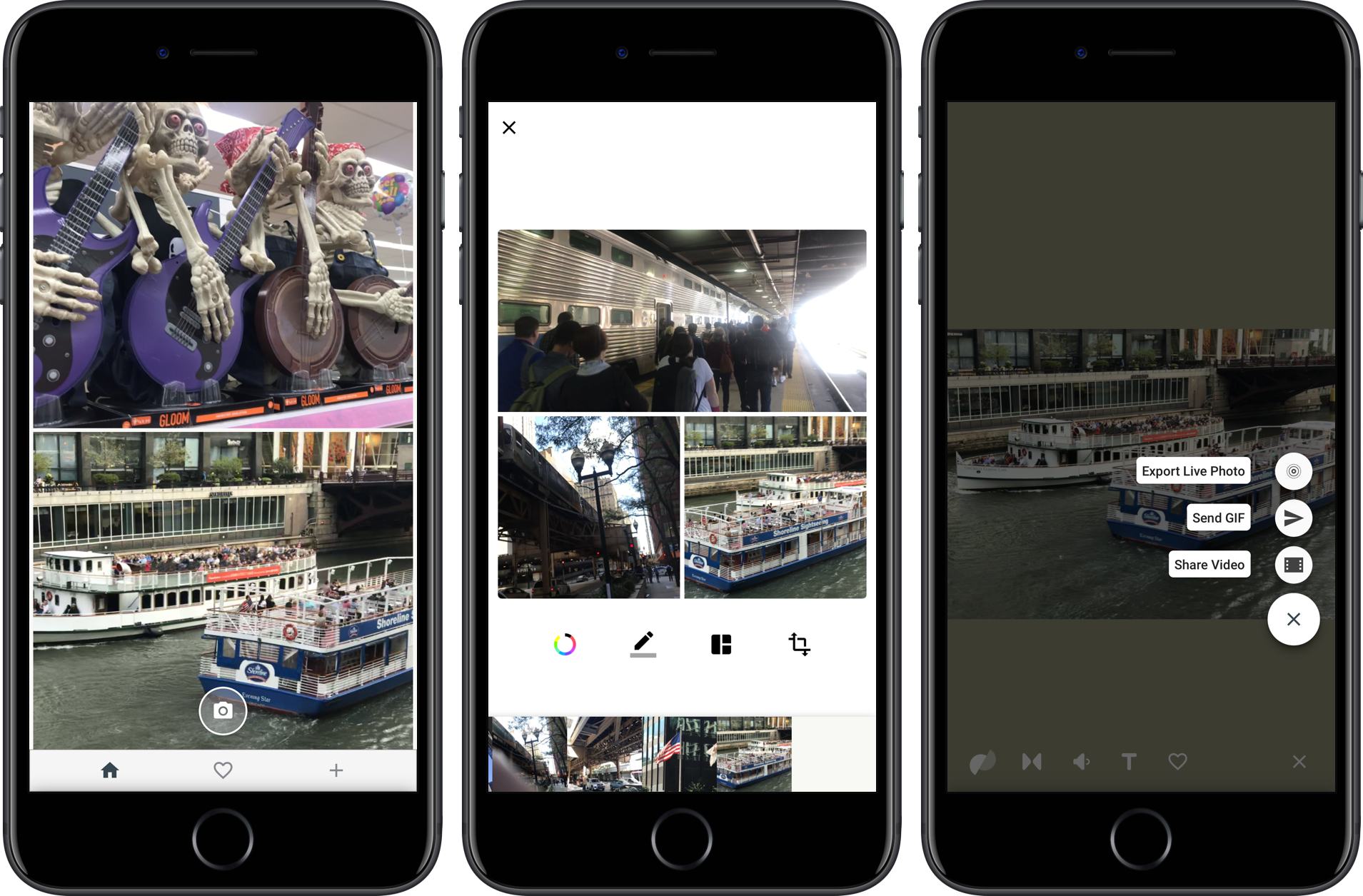
Google introduced Motion Stills on iOS in 2016. The app enables users to convert Live Photos into movies or GIFs applying stabilization to the video in the process. Live Photos can also be combined into moving collages.

Google has released version 2.0, which dispenses with the need to access your photo library to add Live Photos to a Motion Still. Instead, the app can now capture Live Photos and Motions Stills from within the app itself. The option to import from your photo library is still there, but having the option to shoot from within the Motion Stills app is a convenient addition. The new version also lets you delete Live Photos from your photo library with a swipe gesture and export collages you create as GIFs.
Motion Stills is available on the App Store.
Movie Studios Launch Movies Anywhere Service→
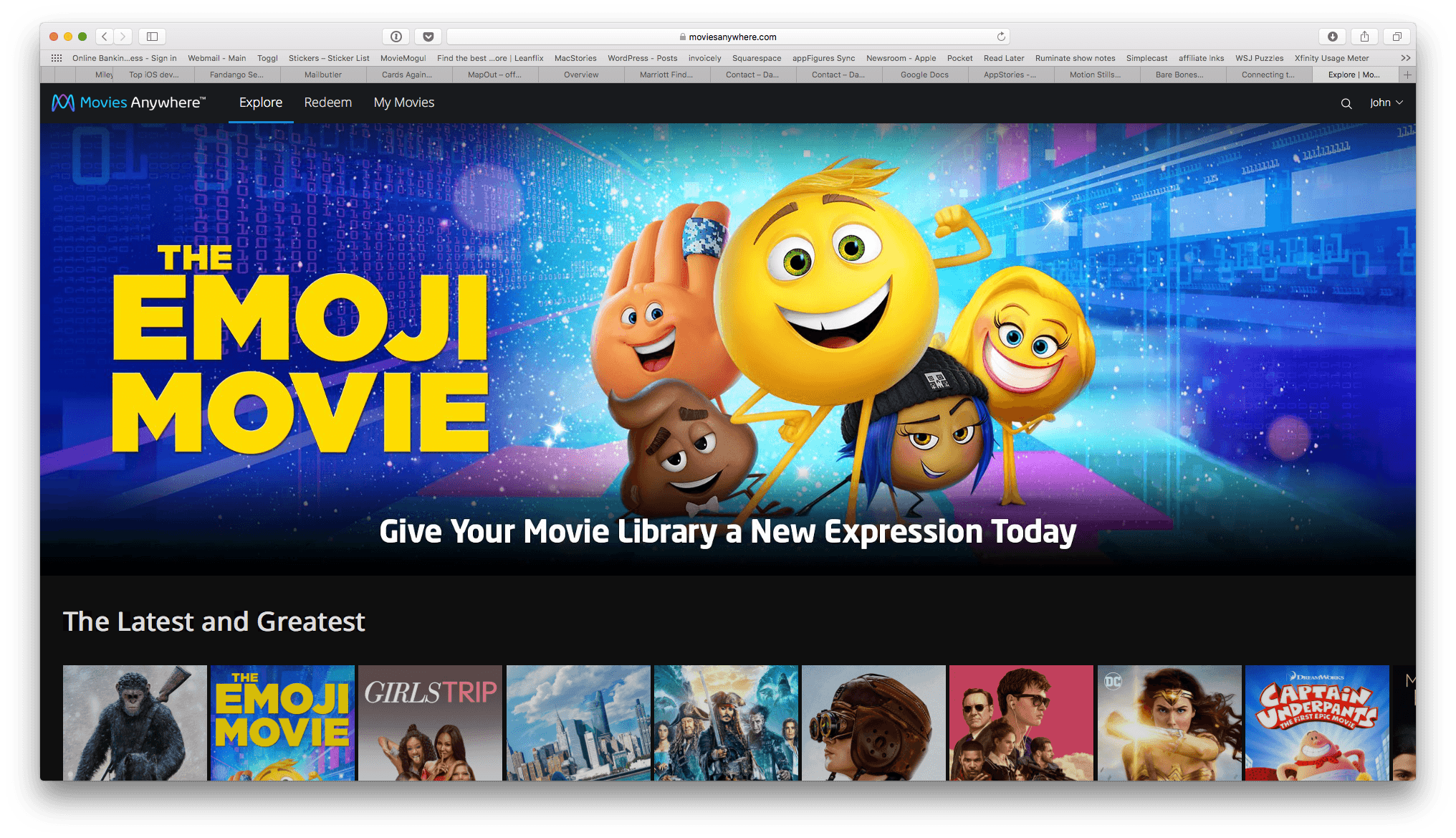
Services that promise to consolidate your digital movie collection in one place have come and gone over the years, so I was initially skeptical when I heard about Movies Anywhere, a new US-only service launched by Disney and other movie studios. However, after some preliminary testing of the service, I’m optimistic that Movies Anywhere stands a chance to become the first such service to catch on.
The big difference here is selection. Warner Bros., Universal, Sony Pictures, and Twentieth Century Fox have all signed on to Movies Anywhere. Along with Disney’s films, that gives the service a launch library of more than 7,300 titles.
Another differentiator with Movies Anywhere is platform support:
The promise of “buy once, watch anywhere” only works if a customer’s preferred device supports the service in question. The Movies Anywhere app will be available for iOS, Apple TV, Android, Android TV, Amazon Fire devices, and as part of Roku’s offerings. It will also support Chromecast, and titles will also [be] watchable through the service’s standalone website. And while apps for competing services have usually been clunky or awkward, the brief demo we saw of the Movies Anywhere app looked sleek and well-designed.
Movies Anywhere also gives customers the choice of where to buy their movies, though not without caveats on iOS.
Movies Anywhere will let customers browse for titles they’re interested in within the app itself, then allowing them to complete the purchase with their retailer of choice at the very end. (Android users will have the ability to purchase from Google Play, Amazon, or Vudu; those with Apple devices will only be able to purchase from iTunes, unless they head to a browser to purchase from a competitor directly.)
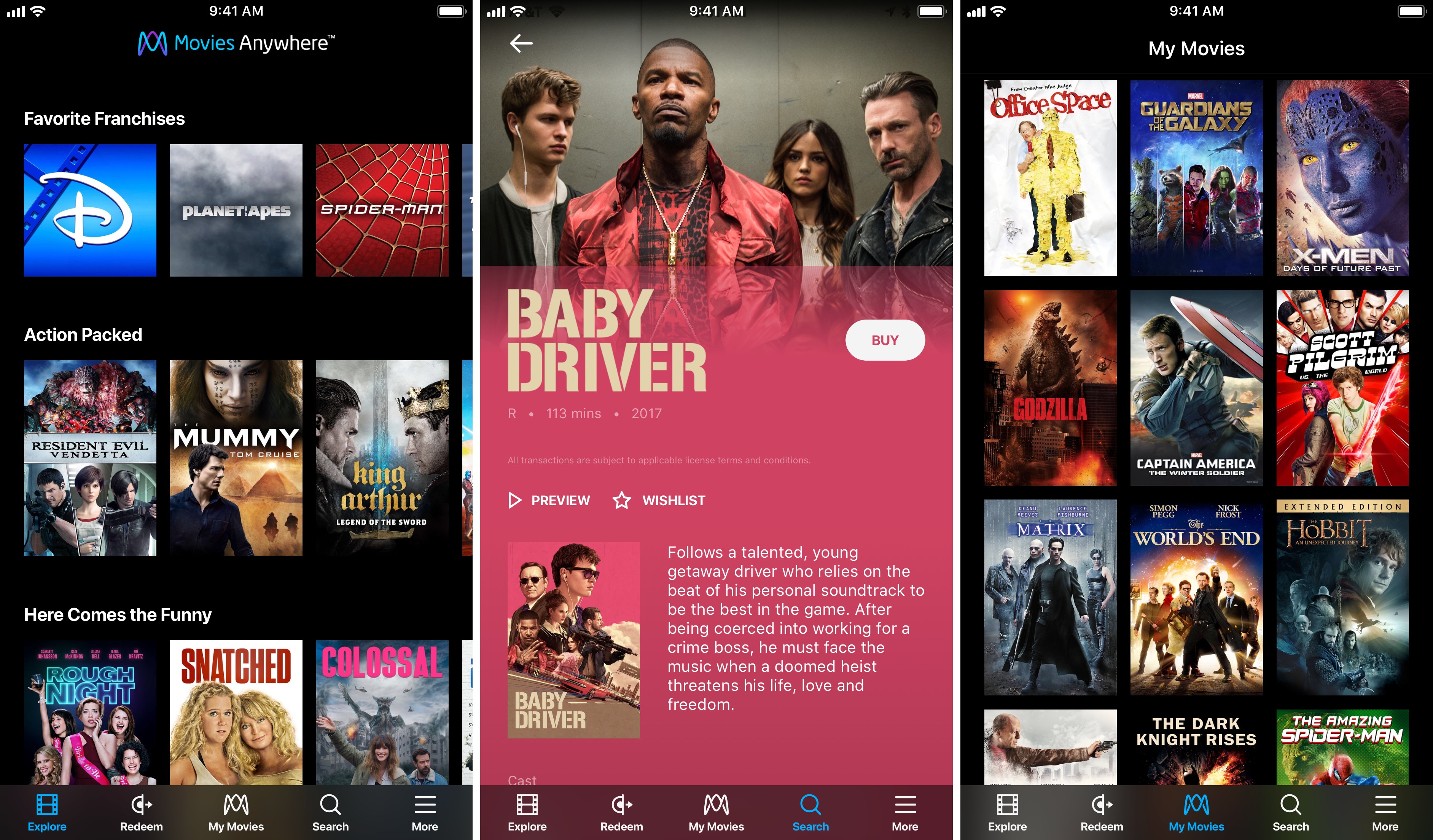
I tried to purchase a movie from the Movies Anywhere iOS app and sure enough, the only option was to buy it from iTunes. The workaround is to log into the Movies Anywhere service in Safari or another web browser, which will present you with the full menu of purchasing options. One other limitation that affects all platforms is that Movies Anywhere does not tell you how much a movie costs on each service. If you’re looking for a bargain, you’ll have to follow the link to each service to see how much they charge.
In the limited time I’ve had to try Movies Anywhere, I’ve been impressed. Logging into iTunes and Amazon Prime Video was quick and easy, and the movies I own on both providers showed up almost instantly in the iOS app and on the Movies Anywhere website. Playback happens in the Movies Anywhere app in a player that supports subtitles, closed-captioning, AirPlay, chapters, 15-second skipping ahead and back, and the option to pick up where you left off or start over if you exit the player. If Movies Anywhere can continue to grow its library of titles, the promise of all your movies anywhere you want them may finally become a reality.
Movies Anywhere is available on the App Store (US only).
AppStories, Episode 26 – Tips for Travelers→
On this week’s episode of AppStories, with Federico’s trip to the United States for the Release Notes conference just around the corner, we talk about the travel apps we use, from planning a trip, to getting around an unfamiliar city.
Sponsored by:
- Bear - A beautiful app for crafting notes and prose.
- 1Blocker – Make Safari browsing fast, safe, and productive.
https://staging.macstories.net/podcasts/appstories/episodes/26/embed/






Twitterrific for macOS Review
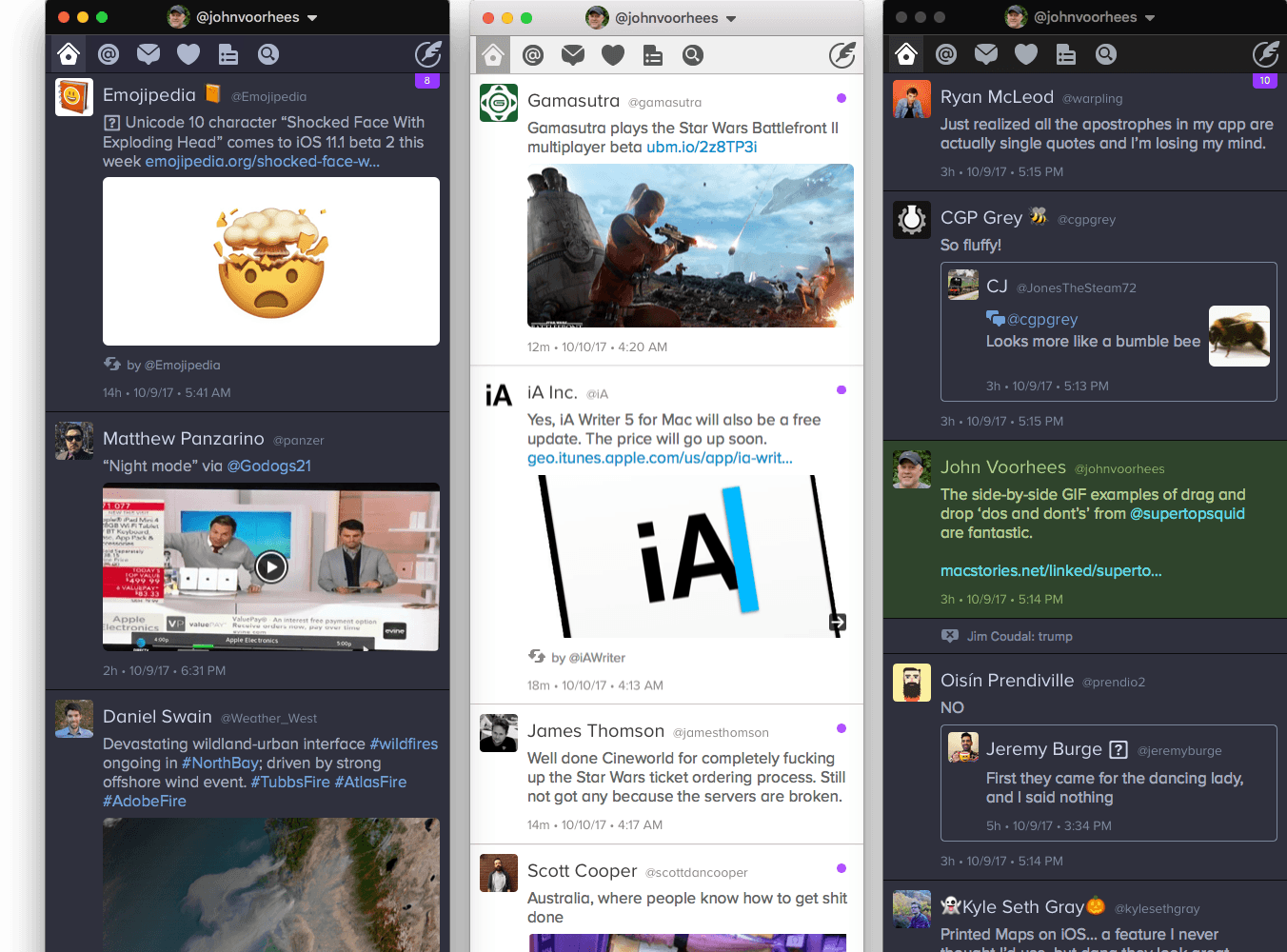
For years, Twitterrific for iOS and macOS were developed side-by-side, each matching the other feature for feature. But around 2013, development of the macOS version of Twitterrific slowed, while the iOS version continued to push forward with innovative features like Center Stage, the app’s media browser. Sticking with Twitterrific for macOS meant forgoing features supported by competing Twitter clients and Twitterrific’s iOS version.
With the relaunch of Twitterrific for macOS today, The Iconfactory has begun to change that. Funded by Kickstarter and codenamed Project Phoenix, the relaunched app is a solid 1.0 release that brings Twitterrific as close to parity with its iOS sibling as the two apps have been in years. There are still features that the iOS version of Twitterrific has that the macOS version doesn’t and that I’d like to see added, but for many people who move between Mac and iOS devices each day, today’s release makes Twitterrific a viable option for the first time in a while.
Supertop Seeks to Start a Conversation About Drag and Drop Best Practices→
With the goal of encouraging a dialogue among developers, Supertop, the maker of Castro, has published a series of suggested best practices for implementing drag and drop on iOS. As Oisin Prendiville explains:
Ideally, experiences that users have in one app should stand to benefit them in others. As a community of developers and designers we should be looking to agree upon shared best practices to provide a consistent user experience. There’s an opportunity here to help users understand and embrace drag and drop as a powerful way to interact with touch devices, just as they have on the desktop for years.
The post considers five implementation aspects of drag and drop complete with animated GIF examples of ‘dos and don’ts.’
As we’ve discussed on AppStories, Castro’s execution of drag and drop is one of the best we’ve seen since iOS 11’s introduction. That makes the app an excellent jumping off point to frame the conversation among the broader iOS development community. I hope others take Supertop up on its offer to discuss these topics further because users could stand to benefit a lot from a set of canonical approaches to drag and drop.
GoodNotes Adds Drag and Drop Flexibility
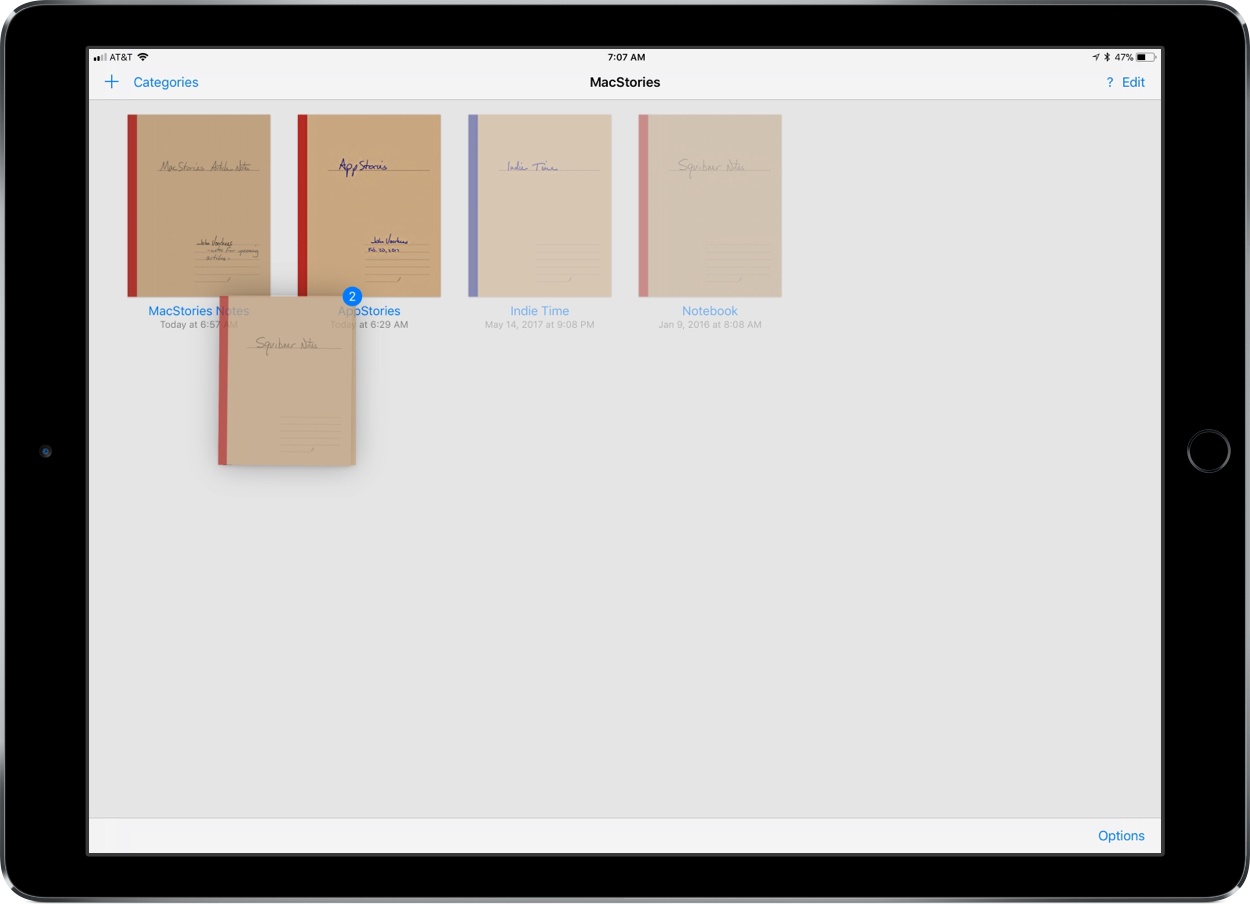
Drag and drop is a natural fit for a note taking app like GoodNotes. The app excels as a way to capture handwritten or typed notes, but one of its greatest strengths is the ability to combine notes with other media, which drag and drop makes easier than ever.
GoodNotes has one of the best ink engines of any note taking app I’ve used. You can choose from a preset selection of ink colors and line widths or customize them to suit your taste. There’s a highlighter tool for marking up your notes or other documents too. The lasso tool lets you select notes and other on-screen elements to move them on the page or, in the case of handwritten notes, convert them to text.