John Voorhees

5429 posts on MacStories since November 2015

John is MacStories' Managing Editor, has been writing about Apple and apps since joining the team in 2015, and today, runs the site alongside Federico. John also co-hosts four MacStories podcasts: AppStories, which covers the world of apps, MacStories Unwind, which explores the fun differences between American and Italian culture and recommends media to listeners, Ruminate, a show about the weird web and unusual snacks, and NPC: Next Portable Console, a show about the games we take with us.

Apple Previews Emoji Coming in iOS 11.1

On World Emoji Day, Apple provided a sneak peek at some of the emoji it was working on for iOS 11. Today, Apple revealed that the new emoji will debut in iOS 11.1:

Hundreds of new emoji, including more emotive smiley faces, gender-neutral characters, clothing options, food types, animals, mythical creatures and more, are coming to iPhone and iPad with iOS 11.1.

The first chance to try the new emoji will come in the second beta of iOS 11.1, which BuzzFeed News reports will be released on Monday, October 9th.

Permalink

Comic Protanopia Comes to Life with Game-Like Tilt Controls

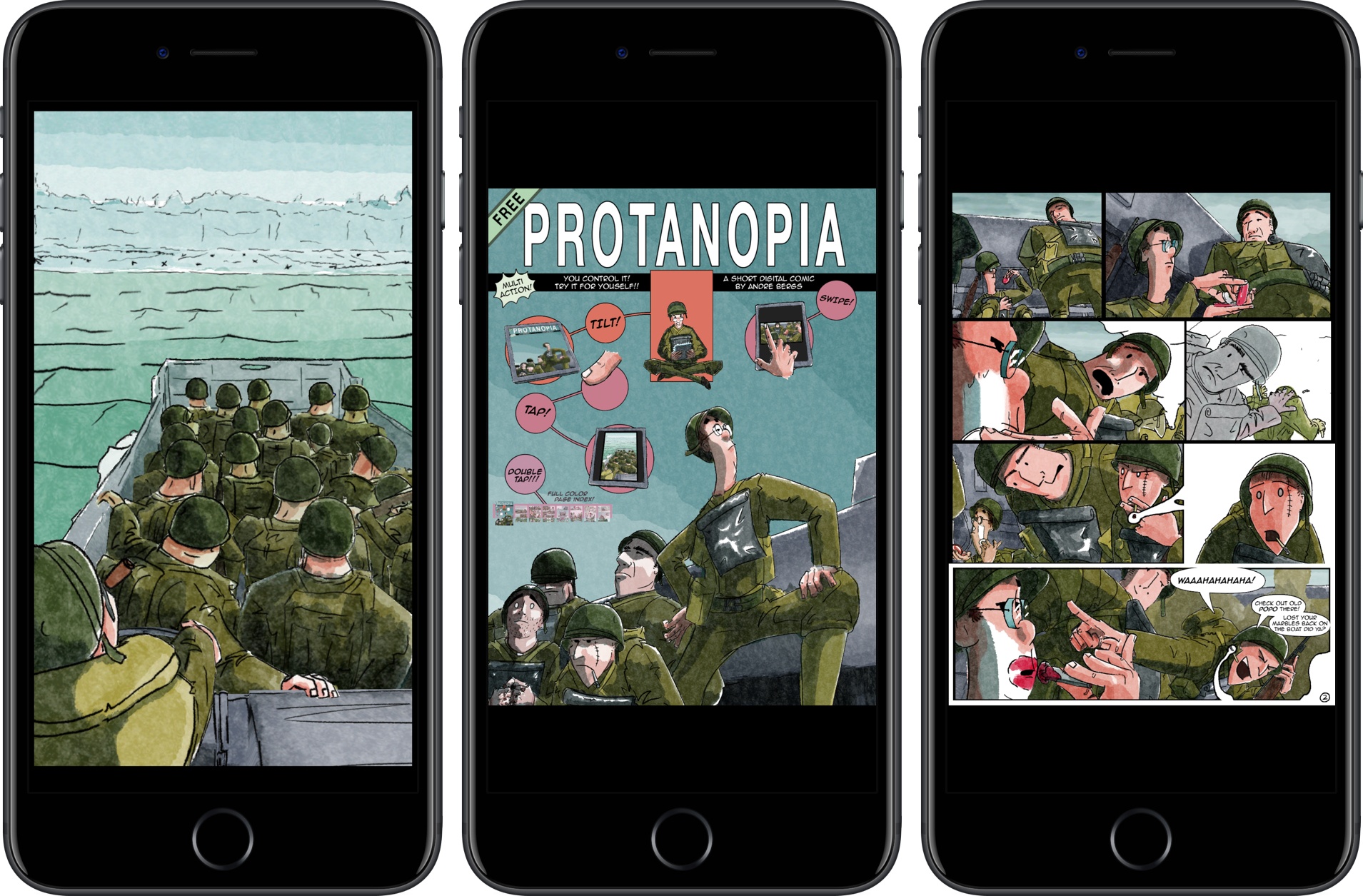
Protanopia is a reimagination of what a comic book can be on an iOS device. The short comic is a stand-alone Universal app, that tells the story of soldiers landing on the beaches of Normandy during World War II.

The free comic is the work of artist Andre Bergs who describes the book as follows:

Created as an experiment into the possibilities of digital comics. Using elements from 3D and 2D animation in a realtime game engine, it creates an unique visual style, whilst still having a familiar feeling.

As the landing craft bobs on the waves, the soldiers inside it move too. By layering the 2D art and animating each layer independently, a 3D effect is created. By itself, it’s a cool effect that brings the comic to life, but there’s more to it than that. The comic also responds to tilting your iOS device. You can tilt your iPhone or iPad to get a different perspective on the scene and peek at details that can’t be viewed from certain angles.

Protanopia is unlike any other comic I’ve read. While tilt control may not suit the storyline of every comic, it adds a dynamism to this story that makes it come alive in a way that static art doesn’t. It’s fascinating to see game engine technology deployed in a different medium and something with which I’d love to see more artist experiment.

Protanopia is available on the App Store.


Stranger Things Retro-Style Game Launched

Season 2 of Netflix’s original series Stranger Things will debut on October 27th. To promote the new season, a retro-style RPG game featuring the characters and scenes from the show has been released on the App Store.

The free game promises hours of gameplay with 7 playable characters, 6 dungeons, and 30 quests. There are two difficulty levels, ‘Normal’ and a punishing ‘Classic’ mode, and lots of in-game collectibles and puzzles to solve along the way.

I have only had a short time to start exploring Stranger Things: The Game, but anyone who enjoys the TV show and retro-style games should have fun playing through the Stranger Things world and listening to the excellent chiptune soundtrack.

Stranger Things: The Game is available on the App Store.


60 Mac Tips, Volume 2 Released

Yestereday, David Sparks and Brett Terpstra released a new MacSparky Field Guide called 60 Mac Tips, Volume 2. The new volume picks up where Volume 1 left off with lots of great tips that are accompanied by highly polished screencasts narrated by the two authors. Sparks, who also co-hosts Mac Power Users on Relay FM with Katie Floyd, and Terpstra, an independent developer, author, and podcaster, have packed 60 Mac Tips with a wide range of topics that should appeal to beginners and experts alike including, Mail, Automator, Safari, Siri, Apple Notes, Apple Photos, Terminal, and much more.

60 Mac Tips, Volume 2 is available as an iBook on the iBook Store or from Vimeo as a series of downloadable videos. Both versions include high definition video, but I like the iBook version the best because it creates a convenient organizational structure around the videos.


My App Story

Last Friday, I left my job as a lawyer. Many readers may not even know that’s something I did because it’s not pertinent to what I do at MacStories. Over the course of many years, that job became less interesting and challenging. Eventually, I recognized that I needed a change, but nothing felt quite right. That is, until the day I decided to make an app. I’m not much of an app developer, but I wouldn’t be where I am now, writing this, if I hadn’t built one. This is my app story.

Read more


iOS 11 Drag and Drop Apps

AppStories+ Deeper into the world of apps

AppStories Episode 25 - iOS 11 Drag and Drop Apps

0:00
39:01

AppStories+ Deeper into the world of apps

Federico and John talk about iOS 11’s drag and drop feature, examples of some of their favorite apps that implement it, and the apps they’d like to see add it next.

Read more


Balance Is a Wallet For the World’s Currencies [Sponsor]

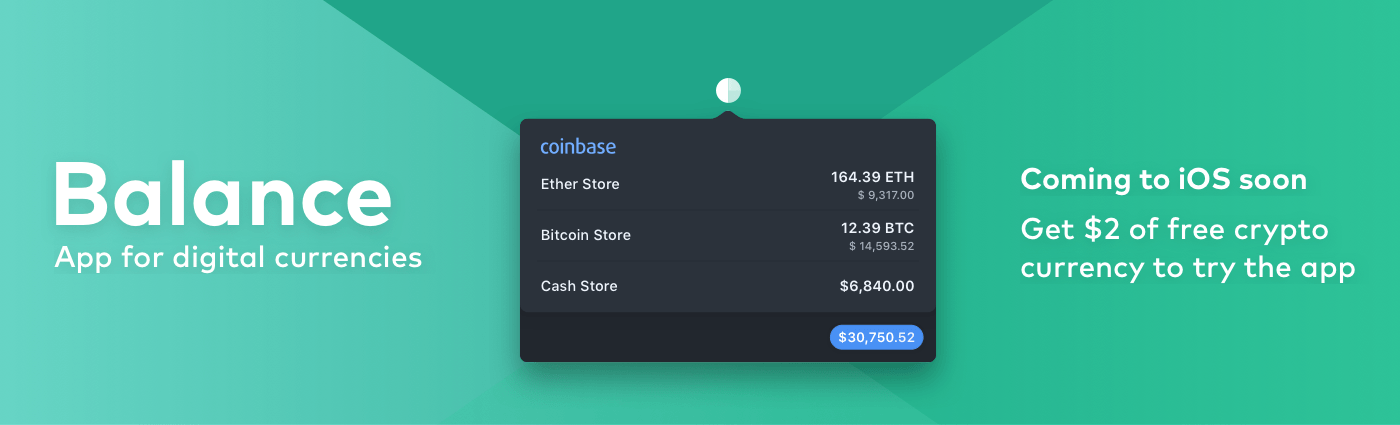
We are on the cusp of a financial revolution fueled by crypto-currencies and Balance makes it easy for everyone to get involved. You’ve probably heard of Bitcoin, one of the earliest crypto-currencies, but there are others including Ethereum. Balance connects to the most popular crypto-currency exchanges like Coinbase along with traditional financial institutions bridging the gap between the old financial world and the new one.

Balance is a menu bar app for macOS that is available on the Mac App Store. The app connects with crypto-currency exchanges as well as traditional bank accounts, investment accounts, credit cards, and online services like PayPal using Plaid, a super-secure platform that works with financial institutions around the world.

When you set up accounts in Balance, the app automatically updates them periodically with new transactions, so you’re always up to date. You can click through the app’s tabs to view balances, transactions, notifications and gain insights about your spending. Soon, Balance will release an iOS version of their app too.

Balance is ready for the future. The current financial system is based on outdated, legacy software. Blockchains are the bedrock of a more secure and open system based on cryptocurrencies, but not many people are using them yet. Balance is poised to change that by becoming a single destination for traditional financial accounts and crypto-currency exchanges.

Balance has a great offer for MacStories readers who want to see what crypto-currencies are all about. Just go to bal.money/macstories and you’ll get $2 worth of Ether in a Coinbase account that you can link to Balance and track with its menu bar app. It’s a great way to see for yourself what the financial world’s future looks like.

Our thanks to Balance for sponsoring MacStories this week.


Tools for Navigating a Busy MacStories September

The fall iPhone event makes every September a busy one at MacStories, but this past month was especially hectic. That’s because iOS 11 fundamentally changes how users interact with the iPad and, to a lesser extent, the iPhone. As a result, not only was Federico working hard all summer and into September on his...