

Question: After CrashPlan’s recent announcement that it is abandoning its consumer product, I’ve got to find a new backup solution. I was looking at Backblaze, but I couldn’t get the trial installed. After thinking about it I wondered if I could just back up everything with iCloud. What are your recommendations for backup? Could iCloud...
 App Debuts
 Ryan
RyanAstro The AI-powered email client, Astro, was updated this week with a built-in voice assistant that can read, manage, and reply to emails at your bidding. Dubbed Astrobot Voice, the assistant previously launched as an Alexa skill for use with the Amazon Echo, but this marks its debut inside the iOS app. Astrobot Voice...
Ridiculous Fishing Updated for iOS 11

Today, Ridiculous Fishing, the classic 8-bit style fishing game from Vlambeer was updated with support for 64-bit chip architectures ensuring that its fans will still be able to play the game when they update to iOS 11. Apps that only support 32-bit chip architectures will be left behind by iOS 11 rendering them unusable on devices running Apple’s latest OS. The switch was first telegraphed by Apple in 2014, so developers have had three years to prepare, but the transition will nonetheless leave some apps behind, many of them games. According to Fast Company, AppFigures estimates that as many as 470,000 apps may no longer work on iOS 11.
At the same time, however, a recent flurry of updates means that some iOS classics will survive, including Ridiculous Fishing. Released in 2010 as a collaboration among Vlambeer, Zach Gage, and Greg Wohlwend, Ridiculous Fishing follows Billy as he fishes with items like guns, chainsaws, and toasters. The game won an Apple Design Award in 2013 and still has a loyal following. In addition to adding 64-bit support, the update adds haptic feedback and two speedrun leaderboards.
Although there will undoubtedly be some apps and games that fall by the wayside in the 64-bit transition, my hope is that early iOS classics like Ridiculous Fishing, Canabalt, and Bumpy Road, which have all received recent 64-bit updates, are discovered by a new generation of iOS users.
AppStories, Episode 19 – Interview: Running an App Development Studio with Dermot Daly→
On this week’s episode of AppStories, we interview Dermot Daly, founder of Tapadoo, a Dublin-based app development studio, about how he got started in mobile development, the Tapadoo origin story, what it’s like to develop apps in the regulated medical field, the challenges of working for clients and that iOS developers face today, and more.
Sponsored by:
- Harry’s - A great shave at a fair price.
- iTubeDownloader - Download YouTube videos, channels, or playlists with a few clicks.
https://staging.macstories.net/podcasts/appstories/episodes/19/embed/






Luna Display Turns an iPad into a Second Screen for Your Mac
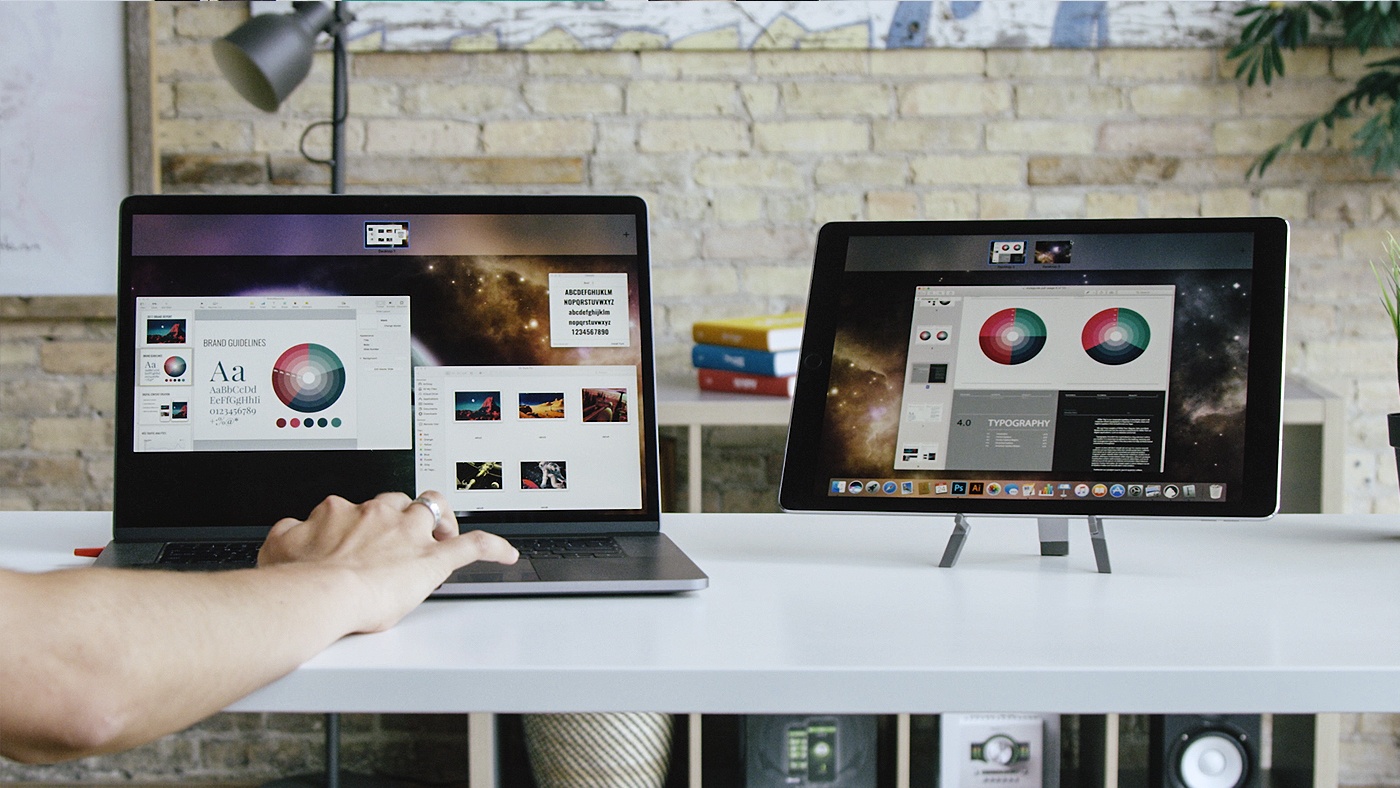
In June, I sat in the crowded lobby of the San Jose Marriott hotel just across from the convention center where WWDC was being held. The lobby was crammed full of developers and other people tapping away on Macs and iOS devices connected to the hotel’s WiFi. I sat down with the Astro HQ team for a demonstration of an upcoming hardware product called the Luna Display, a tiny dongle that turns an iPad into a wireless second display for a Mac.
Hotel WiFi is notoriously bad and the Marriott’s, which was ambushed by thousands of WWDC attendees, was holding up, but spotty. The Astro HQ team pulled out a tiny nubbin and connected it to a MacBook Pro’s USB-C port. After starting the Luna Display software on the Mac and an iPad, they were up and running with the iPad acting as a second display. Despite the shaky connection, the iPad performed admirably. It felt like magic.
Metapho 3.0 Adds Video Support and More
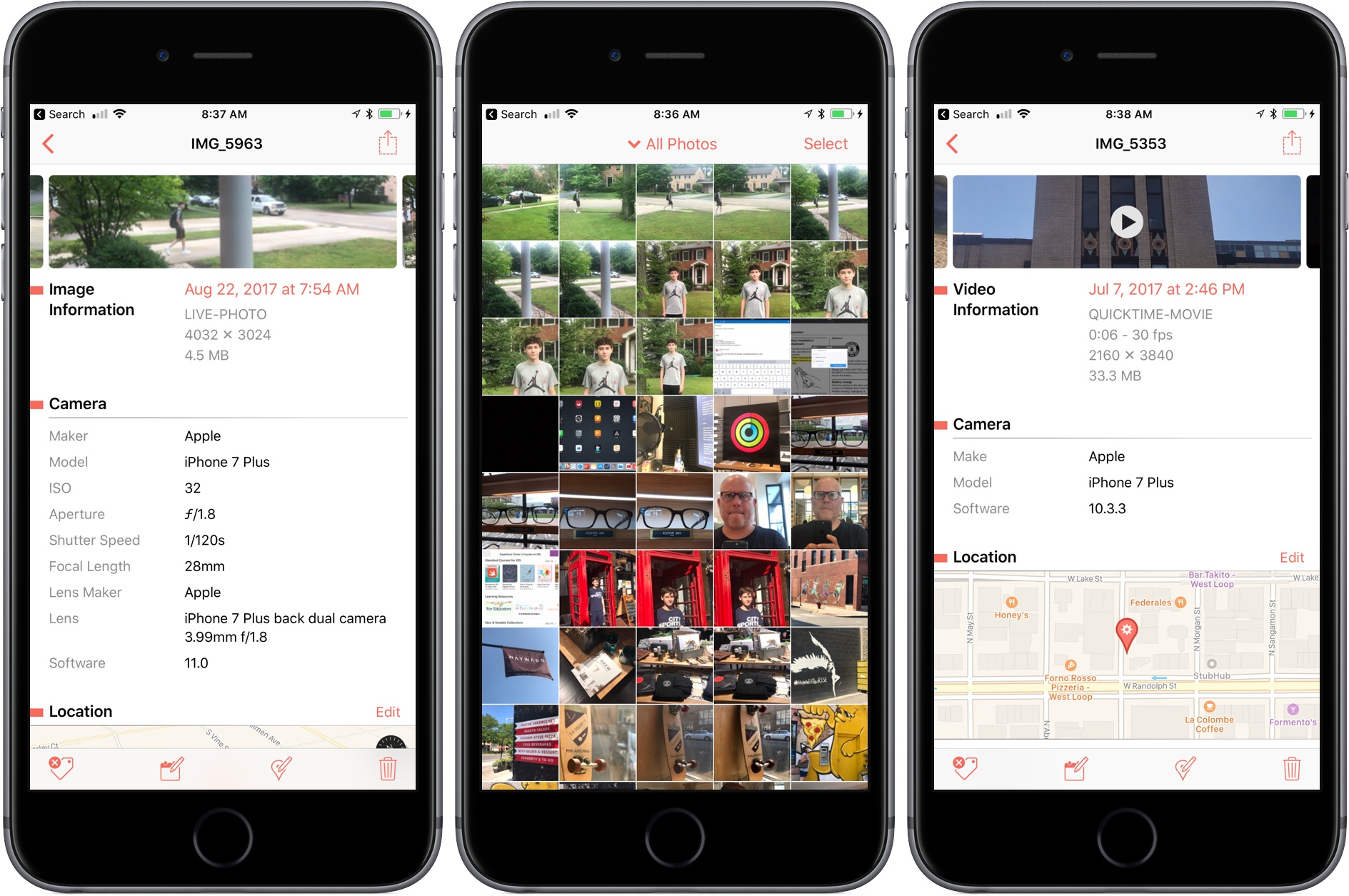
Metapho is a powerful utility for accessing, editing, and removing metadata from photos and videos. When I reviewed Metapho 2.0, I was impressed with how easy it was to access and edit image metadata. With version 3, Metapho has been extended into new areas without sacrificing the ease of use of prior versions.
Perhaps the biggest change is that Metapho now supports video. Earlier versions of the app could only handle still photos, so it’s nice to see video added to the mix. The process works the same way as with photos. Access a video using Metapho’s action extension from the Photos app or from within the Metapho app itself. Metapho displays the video’s metadata, which can be edited or stripped.
One of Metapho’s strengths is its design. Whether you start in the app itself or its extension Metapho displays the metadata for images in a clear and concise manner. Today’s update changes the layout by adding cropped versions of the photos or videos you are working on at the top of the page, so you know which image you are working on without it taking up an unnecessary amount of vertical space on your iPhone.
Metapho’s extension also got a refresh with version 3. For the first time, you can select multiple photos to edit. It’s a small change, but one that should speed up the editing process for anyone working with several images or videos.
Metapho is not a utility that I use often, but I keep it tucked away in a folder because when I need it, there’s no better way to edit photo and video metadata. It’s a great example of a thoughtfully designed app, so I’m glad to see its functionality expanded without compromising its utility.
Metapho is available on the App Store.
Readdle Extends Spark Functionality With App Integrations
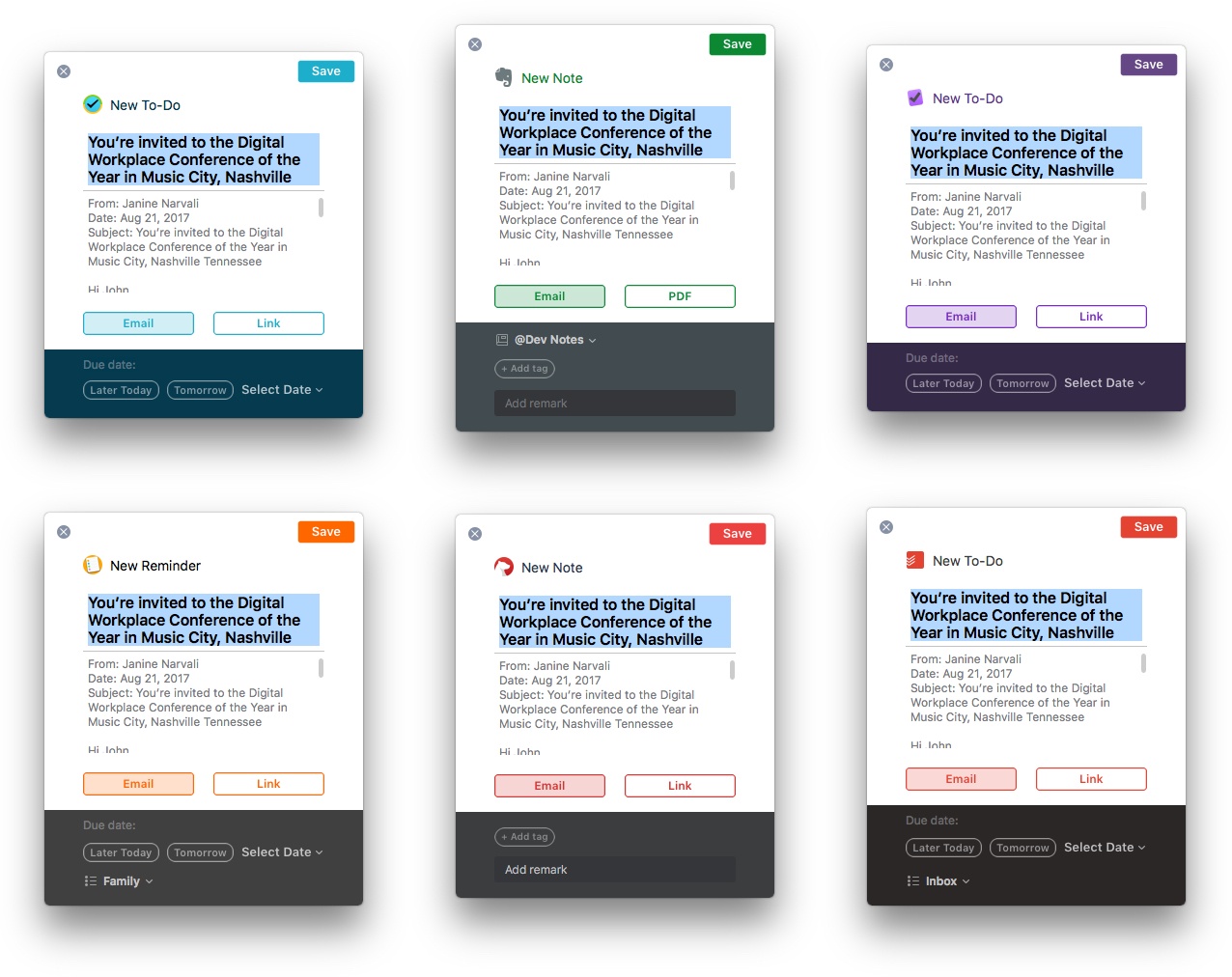
Spark has been on a roll. Just a few weeks ago, Readdle significantly improved search in its popular macOS email client. Today, Spark 1.4 for macOS takes another step further into professional app territory with the addition of several useful integrations with third-party apps, while Spark 1.9 for iOS adds deep PDF Expert support and other functionality.
 Interview: Running an App Development Studio with Dermot Daly
 Federico
AppStories Episode 19 - Interview: Running an App Development Studio with Dermot Daly
0:00
29:59
29:59
Federico and John interview Dermot Daly, founder of Tapadoo, a Dublin-based app development studio, about how he got started in mobile development, the Tapadoo origin story, what it’s like to develop apps in the regulated medical field, the challenges of working for clients and that iOS developers face today, and more.
Get Your Mac Server Into the Hands of Experts with MacStadium [Sponsor]

MacStadium is the premier Mac hosting company that provides dedicated Mac hardware and private cloud services. They have multiple data centers where your hardware is secure, always available, and supported by a team of Mac experts.
It’s time to get your Mac build infrastructure out of the office closet and into the hands of the experts. MacStadium hosts thousands of Macs for customers all over the world. Some of the biggest companies in the world use them for their iOS build and test servers. With multiple diverse locations, and the ability to scale infinitely, it’s the Mac hosting that AWS doesn’t offer.
MacStories runs on a Mac mini at MacStadium (and before they were bought by MacStadium in 2016, at Macminicolo). It’s a setup we’ve used for years and it’s always been fast and reliable.
The folks at MacStadium are running a special promotion for MacStories readers. You can trial a Mac mini server in their data center for a full month at no cost. Just sign up to rent a Mac mini using coupon code “MACSTORIES” and you’ll be all set.
You can check out the details here.
Our thanks to MacStadium for sponsoring MacStories this week.