

Sticker Me Funny Watermelon I’d like to think that summertime is just around the corner here in Chicago, but I know better. In the meantime, I’ll dream of picnics with watermelon and send my friends these expressive watermelon emoji. McDonald’s There are a lot of fast food restaurants with sticker packs, but McDonald’s artwork...
1Blocker Adds Easy Page Element Hiding
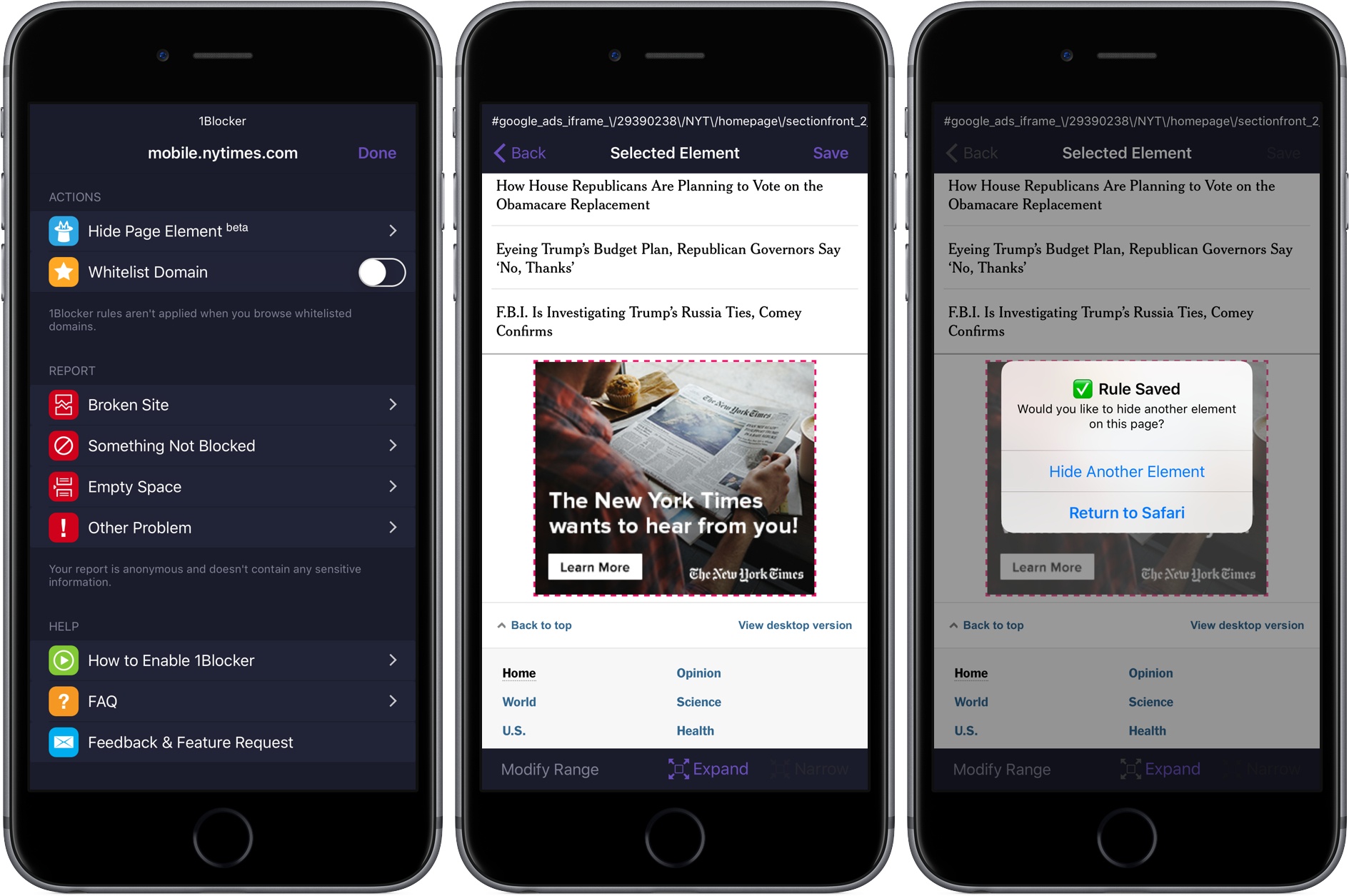
1Blocker is one of our favorite content blockers on iOS and macOS. The app has been continuously updated and refined on both platforms, syncs between the two, and has an extensive list of blocking rules.
On iOS, 1Blocker made Federico’s list of ‘Must Have’ apps for 2015 in part because he could create custom rules with CSS overrides to hide individual elements on a webpage. That’s a powerful feature, but the developer of 1Blocker found that too many people didn’t want to be bothered inspecting webpages on a Mac and typing in a blocking rule manually. Other users simply weren’t comfortable with using Safari’s inspector.
Super Mario Run 2.0 Arrives

On the heels of Super Mario Run’s debut on Android, Nintendo released a big update to the iOS version of the game that adds new features and refines gameplay.
Parts of Super Mario Run are free to play. Unlocking the remaining levels requires a one-time In-App Purchase. Nintendo has been criticized by some for making too few levels available for free. Version 2.0 addresses that criticism by letting players unlock courses 1-4 after completing one of Bowser’s challenges. Clear courses 1-4, and new Toad Rally courses are unlocked too.
You can now play Toad Rally with different colors of Yoshi, which will unlock Toads of that same color. Also, Nintendo’s release notes say that new buildings will be available in an upcoming event. The remainder of the updates to the game consist of tweaks to gameplay such as an expansion of the availability of Easy Mode and changes that make it easier to earn Rally Tickets for Toad’s Rally.
The update to Super Mario Run is free and available on the App Store.
iTunes Adds Rent Once, Watch Anywhere Feature
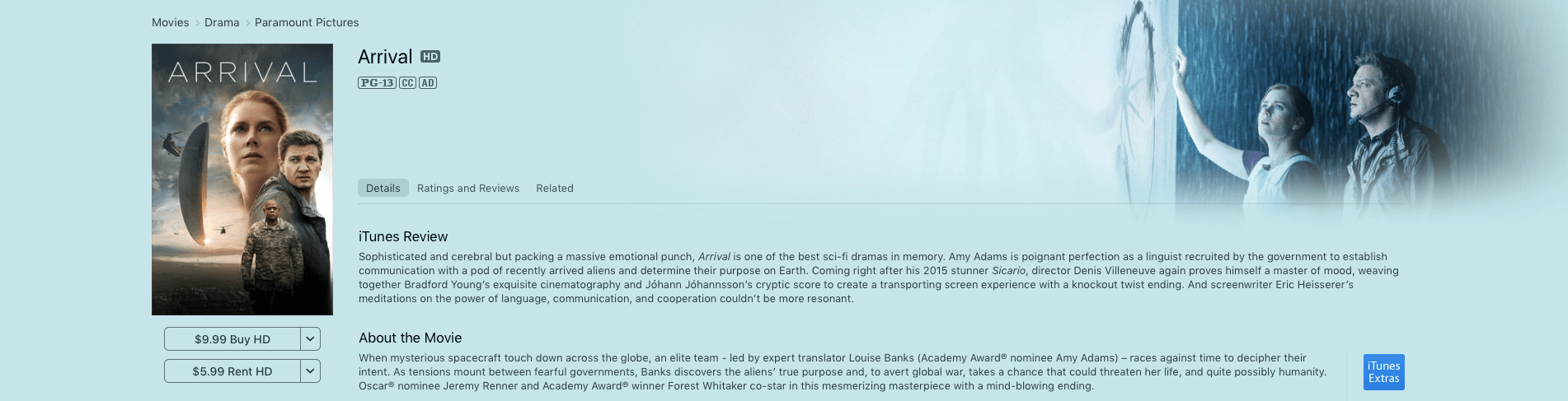
In the aftermath of Apple’s announcements earlier today, it released an update to iTunes with a new feature described as rent once, watch anywhere. The release notes for iTunes 12.6, which is available as a free upgrade on the Mac App Store, say:
Now you can enjoy your iTunes movie rentals across your devices with iOS 10.3 or tvOS 10.2.
With this new feature, you should be able to start a movie rental on an iOS device and finish it at home on an Apple TV for example, which is a welcome change to what was an overly inflexible system.
iOS 10.3 and tvOS 10.2 are currently in beta but are expected to be released soon, at which time this new feature will be available to everyone who upgrades to those versions of the OSes.
Interact Scratchpad for Mac Takes the Pain Out of Adding Contacts
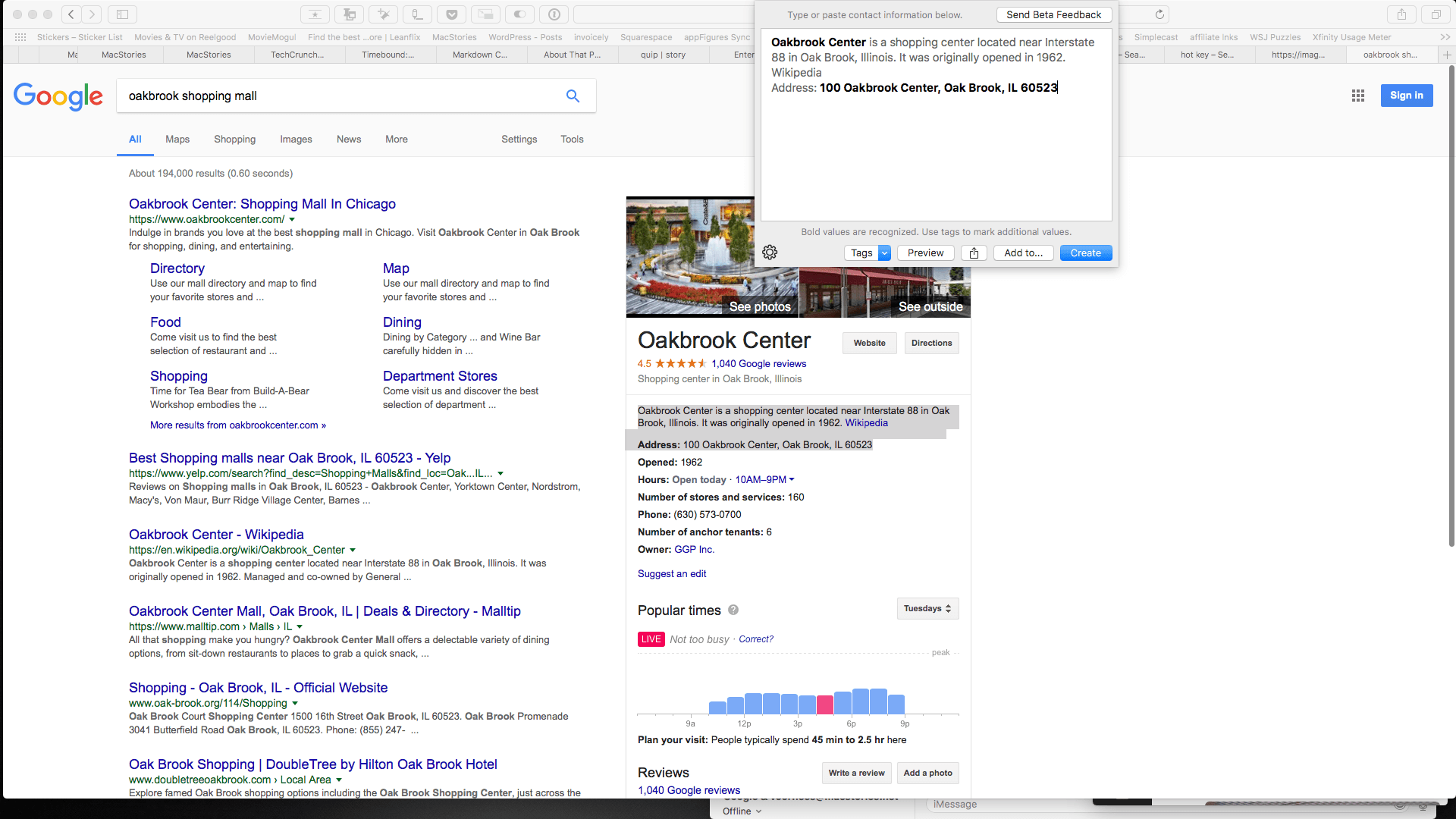
Last year, Agile Tortoise introduced Interact for iOS, a powerful app for managing contacts. One of the most popular features of that app is the scratchpad that parses contact information, making quick work of turning a block of text into a new contact. Agile Tortoise has ported that functionality to the Mac in the form of a menu bar app called Interact Scratchpad.
Adding information to contacts is tedious. Too often I find myself switching back and forth between a webpage and the Contacts app typing information into field after field or copying little bits of text and pasting them into those fields. Scratchpad does the monotonous part for you by automatically recognizing all kinds of contact information.
Apple Announces Clips, an iOS Video App Coming in April

Apple announced today that it is launching a new video app called Clips in April. The app lets users combine video, photos, music, and more and then share their creations with Messages, Instagram, Facebook, and other social networks.
Starting a Website With Setapp [Sponsor]
This week, MacStories is sponsored by MacPaw, makers of Setapp.
Setapp is a subscription service for Mac apps that is a great place to start if you’re launching a blog. There’s more to starting a website than having a good text editor, though Setapp has one of the very best of those in Ulysses. Tools to organize your thoughts, focus your efforts, publish your articles, and manage your business are just as critical. Setapp has some of the very best apps in each category for just $9.99 per month.
Writers will appreciate the inclusion of iThoughtsX in Setapp for developing story ideas. When it’s time to start writing, utilities like HazeOver, which obscures windows other than the one in which you are working, and Be Focused, for Pomodoro-style timed writing sprints, are great options to keep you focused. When you’re finished writing, Markdown users will appreciate having Marked to preview how posts will look before they are published.
Setapp also includes apps to help you create and maintain your site, like Rapid Weaver for site design and Blogo for publishing your posts. To keep your business and productivity on track, Setapp offers Taskpaper, a plain-text task manager that packs lots of power under the hood and Timing to automatically track your work.
Finding the tools that fit with your work style is time consuming and expensive. Setapp reduces the friction with a highly-curated library of excellent apps at an affordable monthly price.
Our thanks to MacPaw and Setapp for sponsoring MacStories this week.
Game Day: Mushroom 11

Chicago-based Untame released Mushroom 11 on iOS this week as part of Apple’s Celebrating Indie Games promotion. Mushroom 11 started as a PC game, but its unique gameplay works especially well in a touch environment. You play as a green blob of goo in a post-apocalyptic world populated by mushrooms, glowing jellyfish-like creatures, and the ruins of the present world. To get around you erase behind the blob, which regenerates on the opposite side. It’s a novel mechanic that forces you to approach the game’s challenges in a different way. The result is perplexing and fun.
 Q&A
Q&A
Question: When you are working with login credentials or API keys, do you store those in your workflows or do you store them in text files which you then use Get File/Get Text From Input on? What’s the best option from a security standpoint? (Brent, @brentacPrime)
 Federico
For the past couple of months, I’ve been...