

 Federico
Rag Tag Christmassy Sticker Pack I was a big fan of Nicholas Fruhling’s Rag Tag sticker pack when it came out alongside the iMessage App Store – Sassy Bacon Guy kickstarted a revolution in my iMessage use. Fruhling is back with Rag Tag Christmassy, which, alongside objects and characters made for the holiday season,...
 Addictive Apple TV Games, Vol. 2
The Apple TV App Store has not developed into the standalone game marketplace that I had hoped for. Undoubtedly, the inability to link to Apple TV-only apps and purchase them anywhere other than on an Apple TV until recently contributed to that. However, it doesn’t mean there aren’t good games to be found on...
App Debuts
ISLANDS: Non-Places ISLANDS is an atmospheric game that “reveals the hidden ecosystem of ten unusual environments” where you’ll find yourself exploring strange yet familiar scenes. It can be completed in 45 minutes and headphones are recommended for this unique experience, different from most games on the App Store. Conduct THIS! This new game lets...
Super Mario Run is Coming
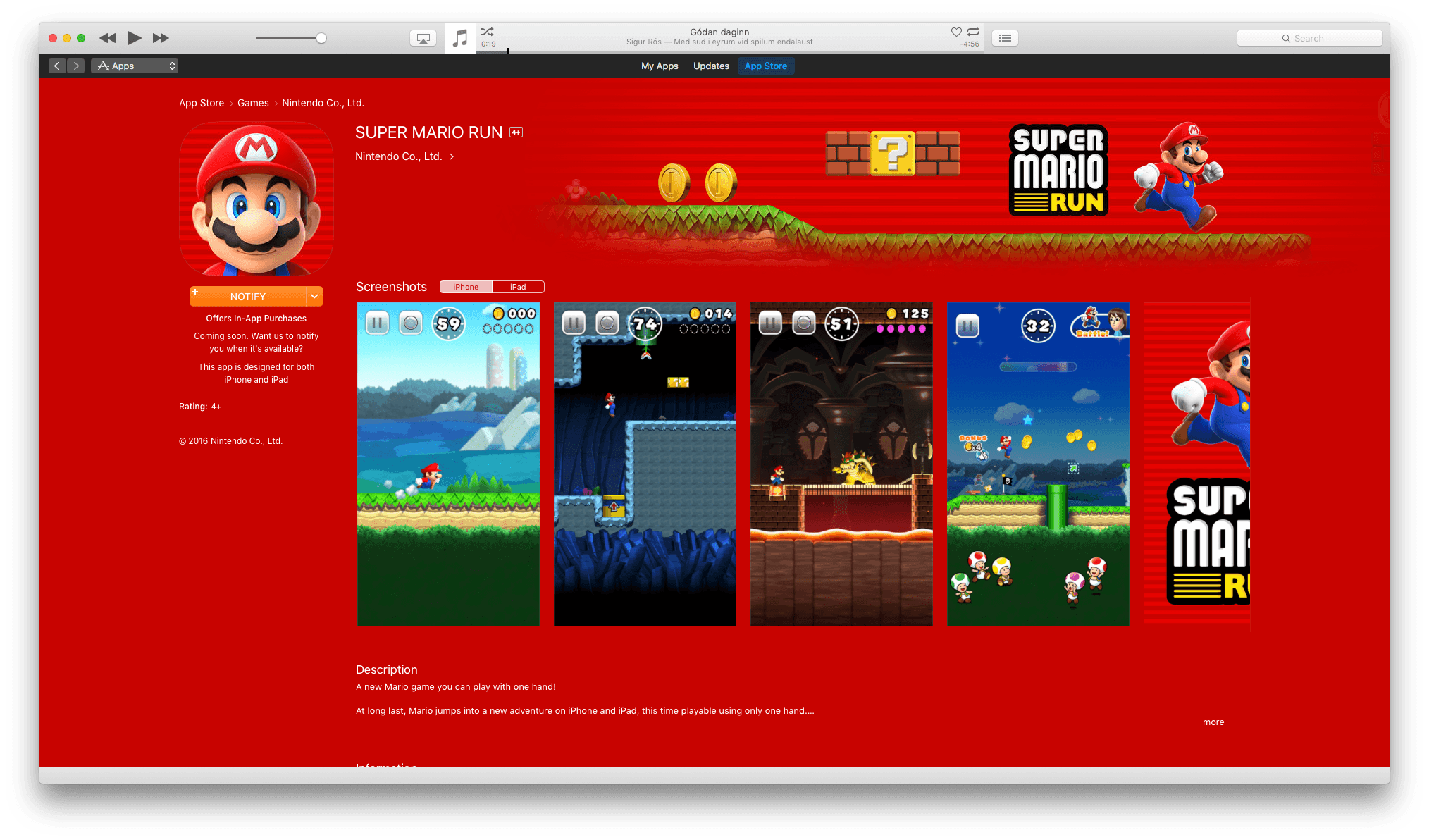
The Super Mario Run marketing blitz has begun. With the launch of Super Mario Run on iOS just one week away, Shigeru Miyamoto was interviewed by The Verge and BuzzFeed News. The creator of Mario spoke at length with both publications about the game, Nintendo’s goals for it, and how it was made.
Miyamoto discussed the thought process behind Super Mario Run’s gameplay with The Verge:
“We felt that by having this simple tap interaction to make Mario jump, we’d be able to make a game that the broadest audience of people could play.”
Nintendo’s strategy to expand its audience extends beyond gameplay though, as Miyamoto explained to BuzzFeed News:
“Kids are playing on devices that they’re getting from their parents when their parents are upgrading,” Miyamoto said. “We wanted to take an approach of how can we bring Nintendo IP to smart devices and give kids the opportunity to interact with our characters and our games.”
It’s a strategy that makes a lot of sense given the dominance of smartphones and rise of casual gaming.
Nintendo’s goal to make Super Mario Run a one-handed game necessitated designing it for portrait mode, which led to new opportunities for Nintendo’s creative team. Miyamoto told The Verge that:
“Once we did start to focus on the vertical gameplay and one-handed play, we were surprised at how much having that vertical space in a Mario game could add to the verticality of the game itself and how that added a new element of fun to Mario,” Miyamoto explains. “They’re all brand new levels that we created for this game, but because of the vertical orientation, it gave us a lot of new ideas for how to stretch the game vertically. I think it’s been maybe since the Ice Climbers days that we’ve had a game where you’re trying to climb a tower.”
Miyamoto also shared with BuzzFeed News that the inspiration for creating an “endless runner” style Mario game was influenced by fans who do speed runs through Mario and other games. You may have seen videos of speed runs; there is no shortage of them on YouTube. BuzzFeed explains that:
Watching online videos of these gamers’ astounding speed runs and other feats of gaming skill, Nintendo employees noticed that the gamers never let up on the D-Pad. Mario always kept running, and all of the skill came down to the incredible precision of the jumping. What if, the Nintendo braintrust reasoned, all players could have that experience?
In addition, Nintendo executive Reggie Fils-Aimé and Shigeru Miyamoto paid a visit to The Tonight Show Starring Jimmy Fallon last night, demoing Super Mario Run and the Nintendo Switch console that is slated for release in March. If anyone wasn’t sure before, there is no doubt that Jimmy Fallon is a huge Nintendo fan and geek. This video is wonderful:
Ulysses Gains Touch Bar Support, Tabs, TextBundles, and More
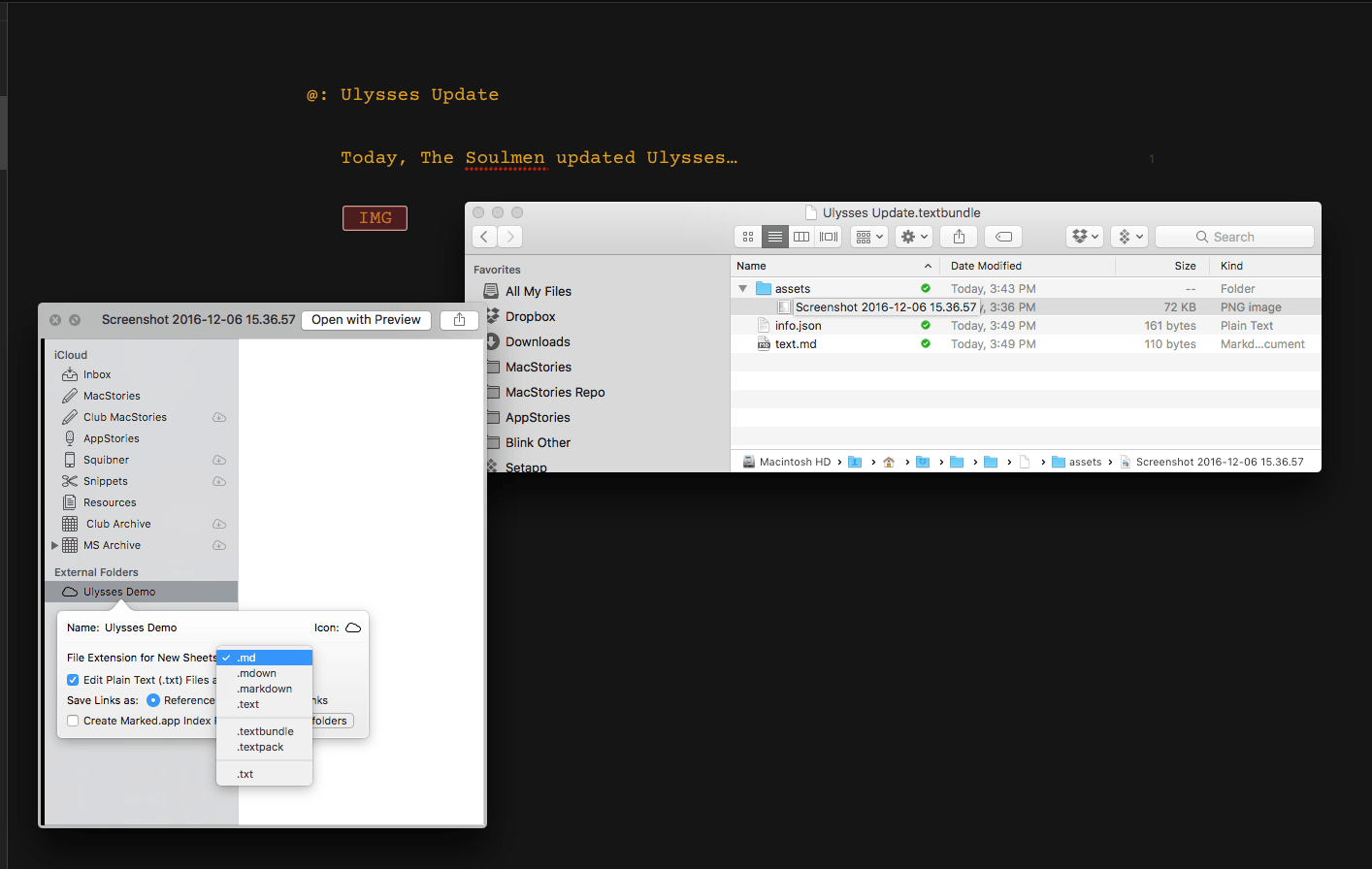
The Soulmen updated Ulysses for macOS and iOS with interesting new features today. On macOS, Ulysses added support for Apple’s latest hardware and software features. If you have a new Touch Bar MacBook Pro, you can customize the Touch Bar with Ulysses functionality. In addition, if you have Sierra installed, multiple sheets can be open at one time in tabs, which is something that I’ve found handy as I work on things like the MacStories Weekly newsletter where I tend to jump among multiple documents editing and checking formatting.
Another addition to Ulysses on the Mac and iOS is TextBundle and TextPack file support. TextBundle is a specification for bundling together Markdown text and referenced images in a way that’s portable and avoids sandboxing issues for apps sold on the Mac and iOS App Stores. TextBundle files work with documents stored in external folders. I had no trouble creating TextBundles on my Mac, but on iOS, where I had less time to test the update, I could create a TextBundle document, but I was unable to add images to it.

The update to Ulysses also added support for importing Evernote ENEX files on the Mac, but I had trouble with it on one of my machines. After you export notes from Evernote as an ENEX file you should be able to drag the ENEX file into a Ulysses group, the sheet list, or onto the Ulysses Dock icon to import the file. That worked for me on one Mac, but not another where it crashed Ulysses. I can’t tell if my situation is an edge case, but in any event, The Soulmen are working on a fix. In the meantime, I suggest testing Evernote importing with a single note before trying to import a more extensive set. Finally, Ulysses already included the ability to set character, word and page goals for your writing, but with the Mac and iOS updates today, you can also set reading time goals.
Ulysses 2.7 is a free update to existing customers. New users can purchase Ulysses from the Mac App Store for $44.99 and the iOS App Store for $24.99.
Sony’s PlayStation Division Will Release iOS Games in 2017→

Reuters reports that Sony’s PlayStation division is working on ten mobile games, six of which will be released next year for iOS and Android. The games, which include Everybody’s Golf, will debut in Japan followed by other Asian countries. The Reuters report doesn’t indicate what plans, if any, Sony has for the games outside Asia.
According to Reuters the other games in the works for mobile release include PaRappa the Rapper and Arc The Lad. Kotaku also reports that Wild Arms is in development for mobile platforms. Kotaku’s coverage includes this preview video of Arc the Lad and Wild Arms from ForwardWorks:
Competition from mobile gaming continues to increase, so its not surprising that console vendors like Sony are following Nintendo’s lead by testing the smartphone waters.
Apple Publishes Best of 2016 App Store Lists
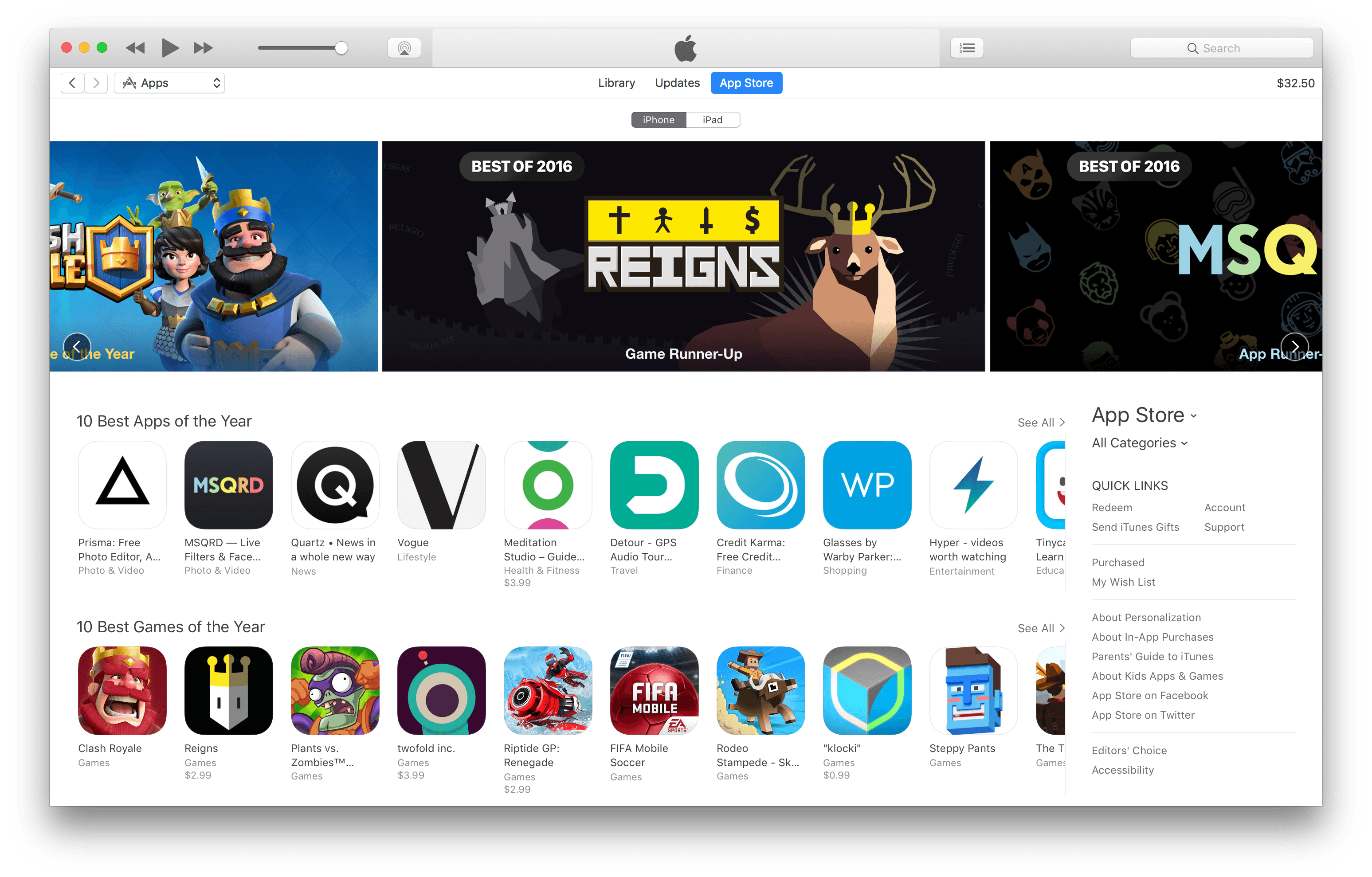
Today, Apple unveiled the 2016 edition of its annual Best of App Store lists for iPhone, iPad, Mac, Apple Watch, and Apple TV. The lists highlight the best apps and games released by third-party developers on each platform during the past year.
The top picks this year for each platform are Prisma (iPhone), Sketchbook Motion (iPad), Bear (Mac), MySwimPro (Apple Watch), and Twitter (Apple TV). The games of the year are Clash Royale (iPhone), Severed (iPad), Life is Strange (Mac), Field Day (Apple Watch), and Riptide: GP Renegade (Apple TV).
In addition, this year Apple published lists of the ‘10 Best Apps of the Year’ and ‘10 Best Games of the Year’ on the iOS App Store and Apple TV App Store, and an extended list of the ‘Best Apps & Games of 2016’ on the Mac App Store.
Like last year, Apple has picked a mix of paid and free apps from developers big and small. Among the notable indie picks are apps from Shiny Frog, Devolver Digital, and Drinkbox Studios. A recap of all the winners and runners-up (from the US App Store) and links to MacStories reviews where applicable is available below.
iPhone
App of the Year
Runner-Up
Game of the Year
Runner-Up
iPad
App of the Year
Runner-Up
Game of the Year
Runner-Up
Mac
App of the Year
Game of the Year
Apple Watch
App of the Year
Game of the Year
Apple TV
App of the Year
Game of the Year
WWDC App Updated With Filters, 3D Touch, and Apple TV Dark Mode

Apple’s WWDC app typically gets a major update in the run-up to its annual developer conference. The remainder of the year, it’s unusual for the app to receive updates other than bug fixes and compatibility updates.
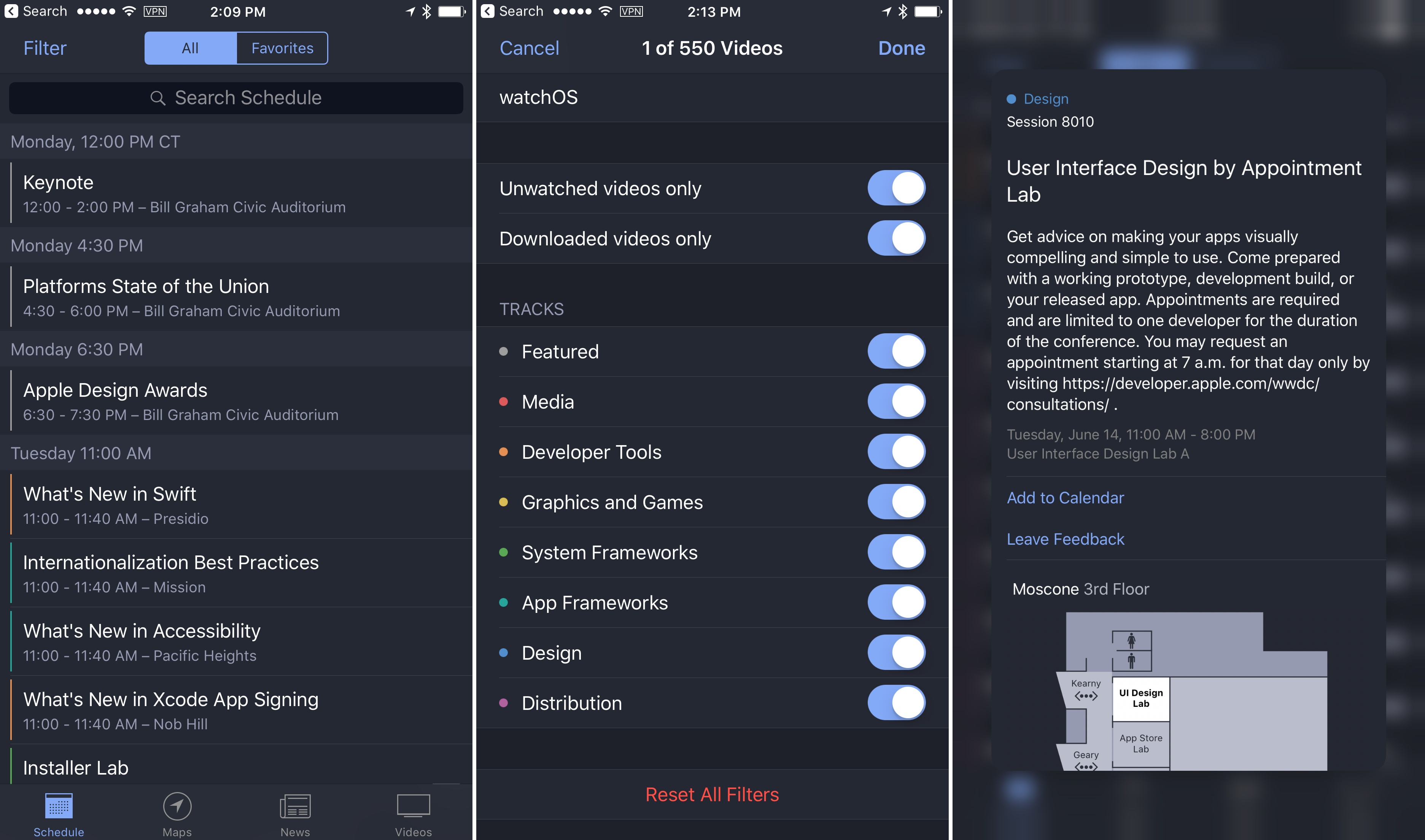
Today’s update of the WWDC app is a little different. Apple has introduced three substantive changes to the WWDC app:
- Filters to show whether a session video has been downloaded or watched;
- 3D Touch support for peeking and popping session lists; and
- Support for dark mode on the Apple TV.
For developers, the WWDC app’s utility extends beyond the conference itself, so it’s nice to see Apple refining the app this late in the year. With hundreds of videos available, the new filters are a welcome way to weed out watched, space-hogging videos.
Apple Posts iPhone 7 Plus Portrait Mode Tips from Professional Photographers→
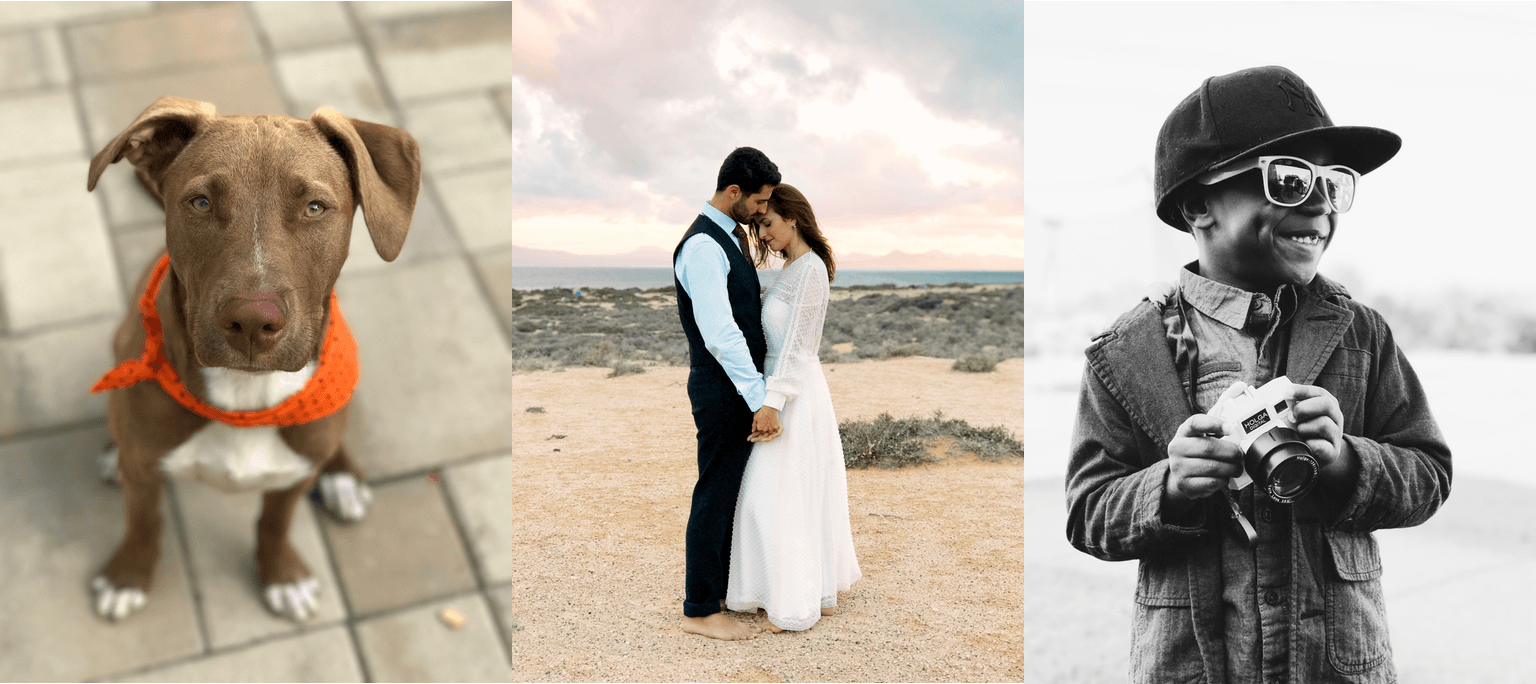
The iPhone 7 Plus features a dual camera system that enables a special Portrait mode in the Camera app. Apple has collected tips for using Portrait mode from professional photographers, like this tip from photographer Pei Ketron:
”Portrait mode on the new iPhone 7 Plus creates beautifully realistic background bokeh that rivals DSLRs.” When taking photos of pets and animals she advises, “give your pup some space. Portrait mode uses the telephoto lens, so a distance of about eight feet away is recommended. Have treats ready. You’ll get the best results when your subject isn’t moving.”
Under the right conditions, Portrait mode can take some wonderful photographs as these demonstrate. The rest of the photographs and tips posted by Apple are available in the Apple Newsroom.