John is MacStories' Managing Editor, has been writing about Apple and apps since joining the team in 2015, and today, runs the site alongside Federico.
John also co-hosts four MacStories podcasts: AppStories, which covers the world of apps, MacStories Unwind, which explores the fun differences between American and Italian culture and recommends media to listeners, Ruminate, a show about the weird web and unusual snacks, and NPC: Next Portable Console, a show about the games we take with us.
Justin Pot, writing for How-To Geek, walks through some damning examples of apps on the Mac App Store that seem designed to create the false impression that they’re apps like Microsoft Excel:
Seemingly official applications of dubious value are way to easy to accidentally find by searching. It’s understandable that Apple wants the App Store to appear full, but leaving things seemingly designed to deceive people is hardly an answer.
This is an issue I raised in June in the context of the problem of app discovery where I cited similar tests run by Ben Lovejoy of 9to5Mac on the iOS App Store. My point was that developers suffer from ineffective search results polluted with irrelevant and questionable results. But as Pot demonstrates from the reviews of the apps he uses as examples, Apple’s customers also suffer when they purchase an app thinking it’s something that it’s not.
Apple has made some progress in cleaning up search results in the iOS App Store. However, in an all too familiar trend, Pot shows that the Mac App Store lags behind its sibling store and needs attention.
Castro is designed around the philosophy of making it easy to access the podcast episodes you want to hear. The focus of Castro 2.0 when it launched in August was to make it simple to assemble a single queue of podcast episodes using an inbox to triage episodes from your podcast subscriptions.
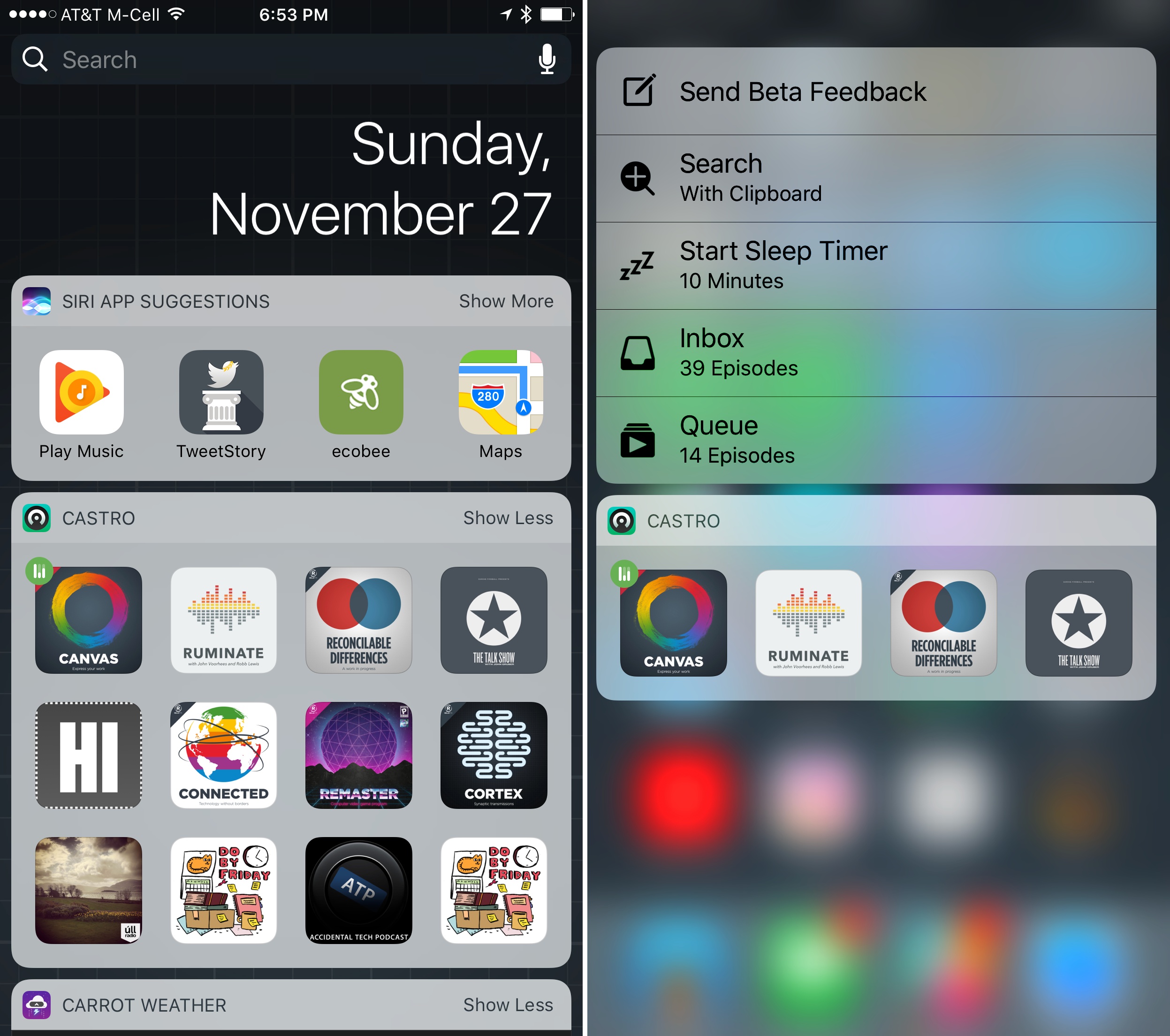
Version 2.2 of Castro leverages its flat inbox/queue hierarchy to its advantage with new ways to get at your favorite podcasts. On the iPhone, Castro adds a new widget and 3D Touch support. By default, both display the first four podcast episodes in your queue with buttons featuring show art that can be tapped to start or resume an episode.
Castro’s widget can be expanded to reveal up to twelve episodes at the top of your queue. The use of show art makes identifying and playing an episode easy. The one downside of this approach though, is that there is no way to distinguish between different episodes if you have multiple episodes of the same show near the top of your queue.
In addition to displaying the first four episodes in your queue, 3D Touch adds shortcuts to other functionality, including the ability to kick off a search for new shows in Castro’s Discover tab using text on your clipboard, a feature that is handy if you read about a podcast somewhere that doesn’t include a ‘subscribe’ link. You can also set a sleep timer or jump directly to your inbox or queue with 3D Touch.
Finally, Castro 2.2 adds CarPlay integration, which I previewed in my CarPlay review last week. With just a queue and inbox to contend with, Castro makes navigating podcast episodes in your car a breeze. Instead of drilling through layers of playlists to find what you want to hear, you can go straight to your queue, or jump to your inbox if you’ve exhausted the queue, using the tabs at the top of Castro’s CarPlay interface.
Studio Neat has opened pre-orders for a new combination Magic Keyboard case and iOS device stand called Canopy. I used an Origami stand by Incase Designs with my early iPads, but they are designed for Apple’s previous generation Bluetooth keyboards, which were a little bulky and heavy for my taste. Canopy is a case for Apple’s latest Magic Keyboard that folds open to create a stand that can be used with any iOS device, which should make it more practical to carry regularly.
Federico spent time with a prototype of the Canopy over the Summer as he wrote his iOS 10 review. We haven’t had a chance to try the final design yet, but when we do, we’ll post a review.
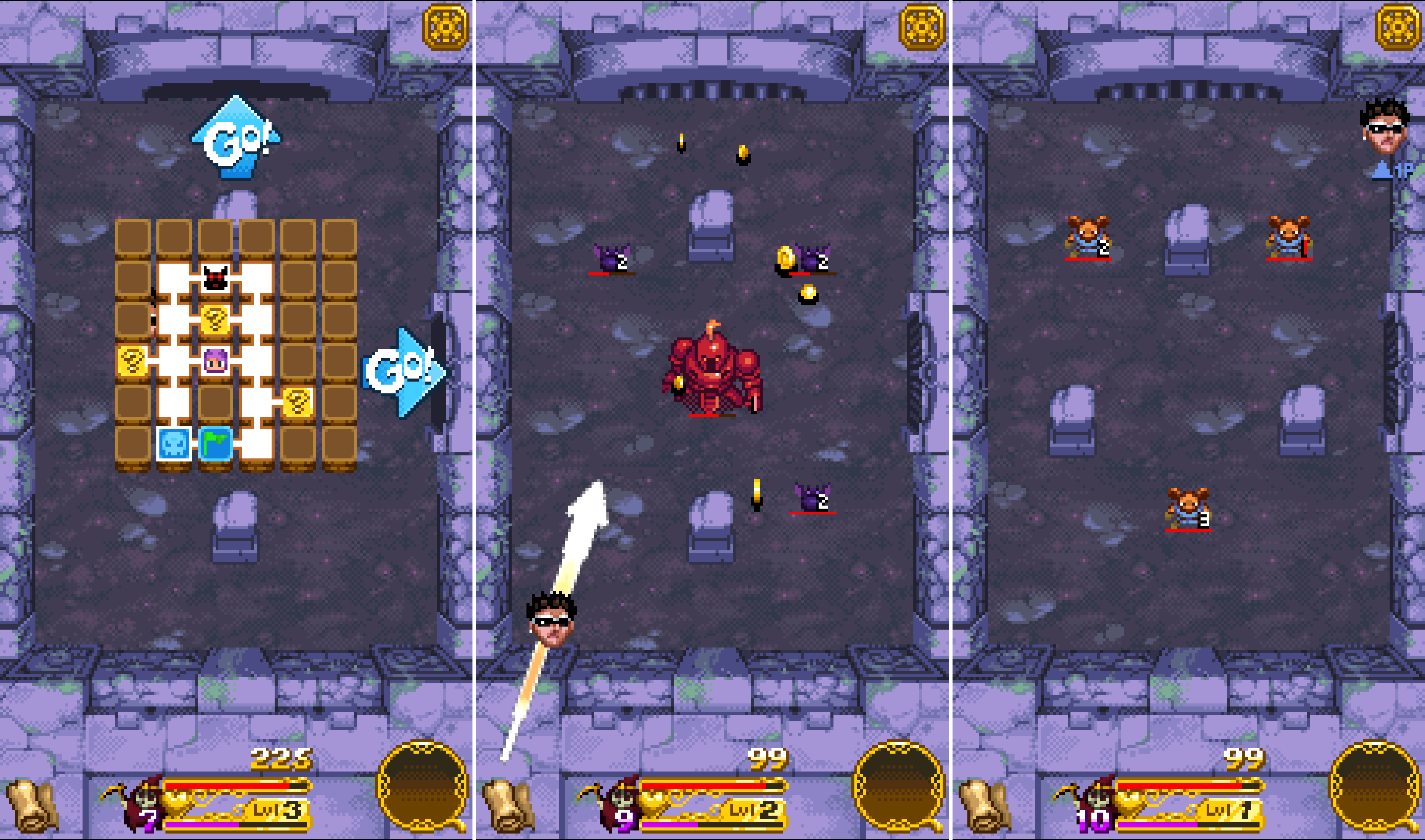
Part 80s arcade game, part rogue-style dungeon crawler, and part pinball, Treasure Buster is a strange combination of game genres that work surprisingly well together. The result is an entertaining game that’s hard to put down.
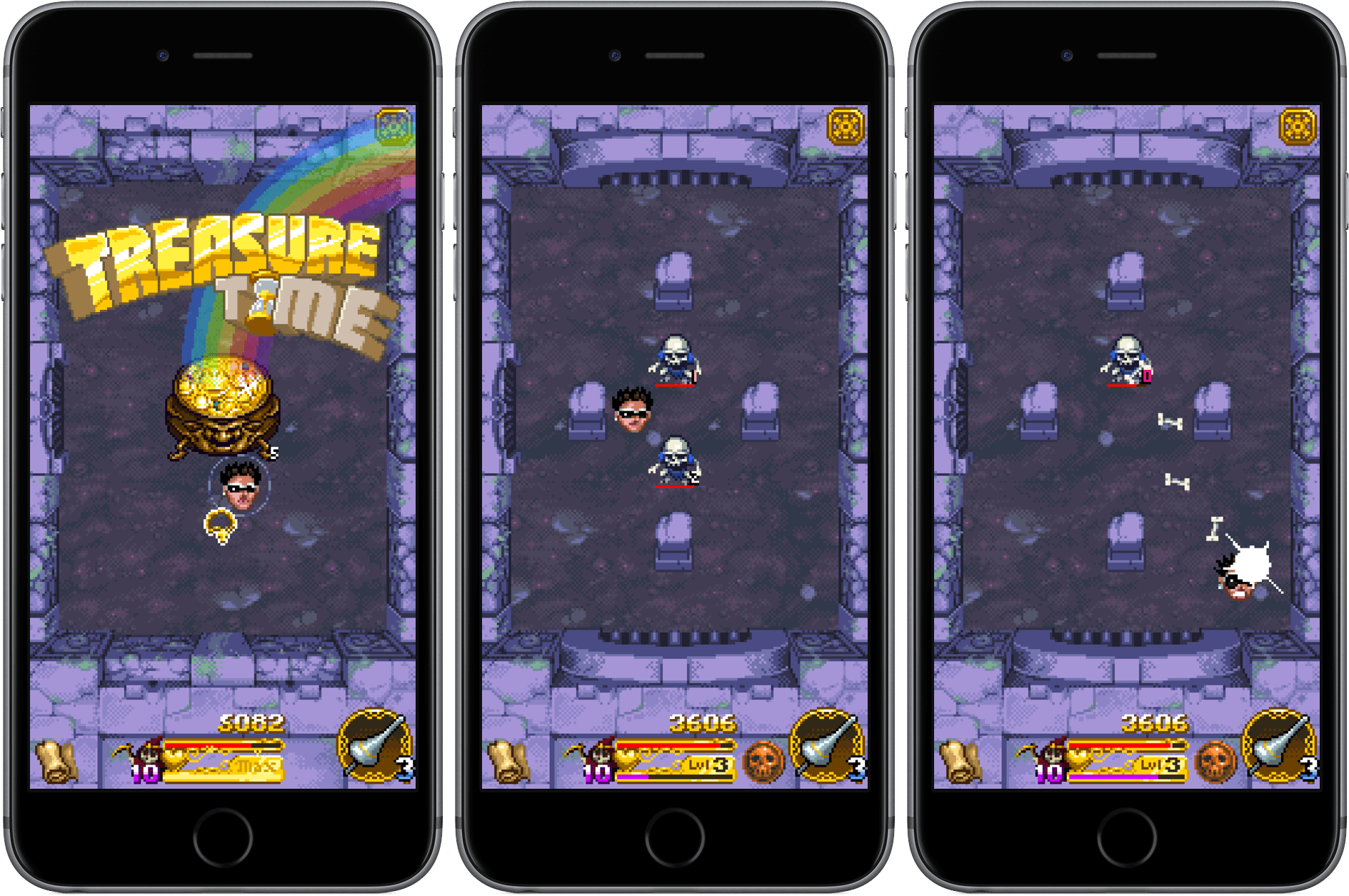
You play as one of six heroes who must defeat a series of enemies. Each hero has different traits that affect their performance in battle. When you enter a room in a dungeon, you start a battle by pulling back with a swipe on the screen Angry Birds-style to launch yourself at your enemies. When you let go, you bounce around like a pinball slamming into enemies and obstacles, shaking loose treasure from your foes, and collecting the loot.
Periodically, the enemies will stage their own attack, which causes damage to your hero. Clear a room of enemies and you can move to the next part of the dungeon to face new challenges and the occasional boss. Treasure you collect can be traded for new abilities, helping you survive the more difficult later stages. The game ends when you run out of health.
Treasure Buster has two modes of play – Arcade and Endless. In Arcade
mode you move around a map exploring each room of the dungeon. Endless mode eliminates exploration of the map, moving you from one room to another automatically and setting the difficulty level based on a coin flip. Of the two modes, I prefer Arcade where I feel more in control of the part of the game I try next.
The art of Treasure Buster has a retro-pixel style reminiscent of old arcade games. There is a lot of attention to detail at each stage of the game, including a wide variety of enemies, treasure and other elements that keeps the game entertaining.
Treasure Buster is Universal and equally playable on an iPhone or iPad. The mechanics are simple enough to play one-handed on an iPhone and the game is enjoyable in short bursts, though I’ve found it hard to play just one round. If you play Treasure Buster long enough, it can start to feel a little repetitive given the simplicity of the mechanics, but as a way to kill time and take short breaks from something else, Treasure Buster is a good choice.
When you stream music from your iTunes Music Library, it caches a copy on your iPhone. Over time, that can fill up a lot of storage. There are a couple ways to free up space on your iOS devices that are built into the Music app’s settings. Go to Music settings in the Settings...
Happy Sushi Stickers I’m not sure how someone can come up with the idea of a sushi character doing things, but, I have to say, it works. Happy Sushi surfs, makes its own bed, and runs from chopsticks. An absurd sticker pack that I enjoy very much. The Secret Life of Pets In case...
A Better File Rename 10 A Better File Rename 10 is not an app I use a lot, but I’m glad I have it when I need to work with a large number of files at once. I think the first time I downloaded the app was when I was working on Vlcnr,...
x2y Joe Cieplinski has released a Mac version of his iOS app to calculate aspect ratios. The desktop app has support for the Touch Bar on the new MacBook Pro and, like the iOS counterpart, it’ll calculate values automatically with a simple interface. Shapego This new app by Italian developer Libero Spagnolini generates beautiful...
It’s Thanksgiving Day in the US and there are games to play. Sure, those celebrating Thanksgiving should probably put their iPhones away and spend time with their families. But not everyone celebrates Thanksgiving, and even if you do, who doesn’t need a break at some point over a long weekend?
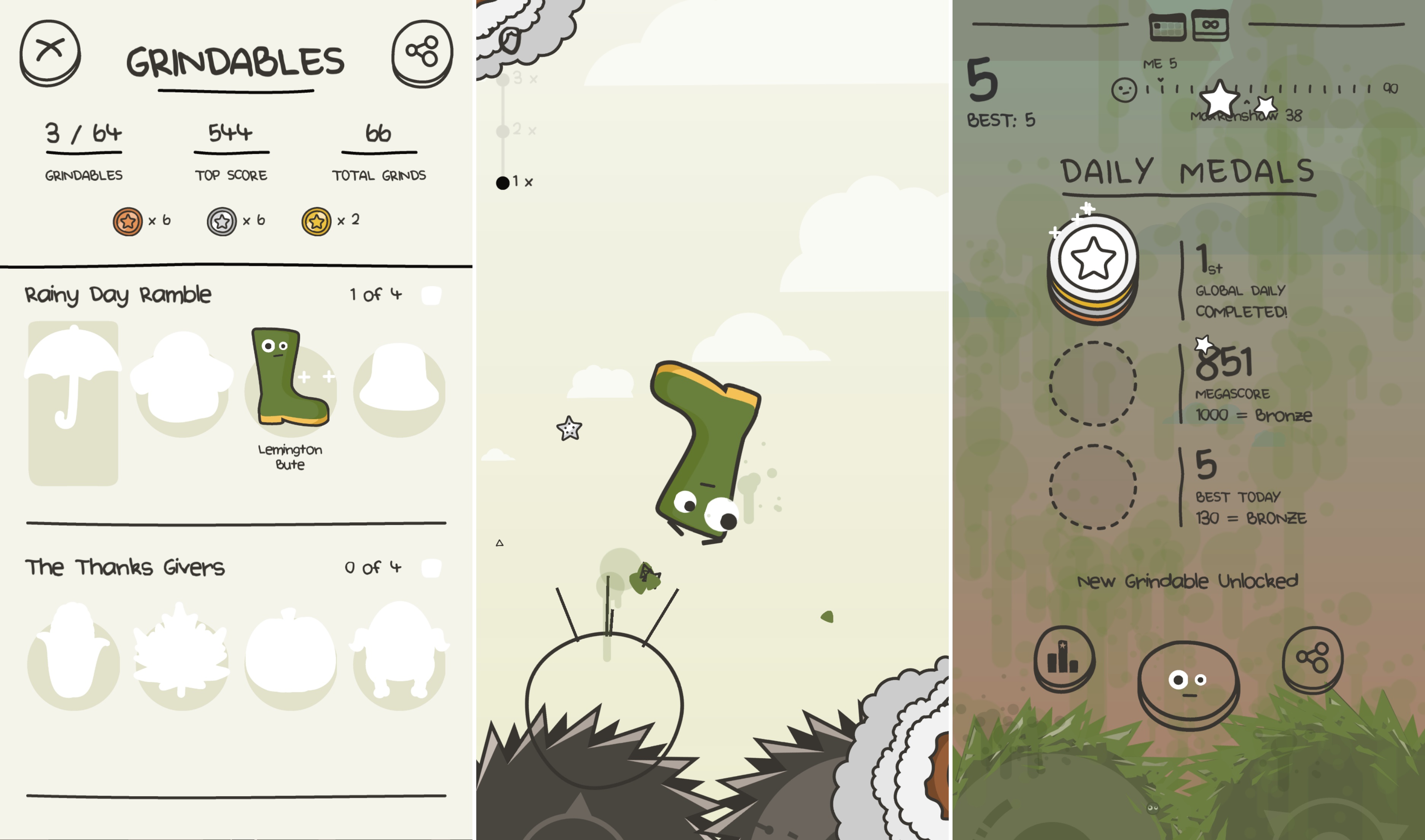
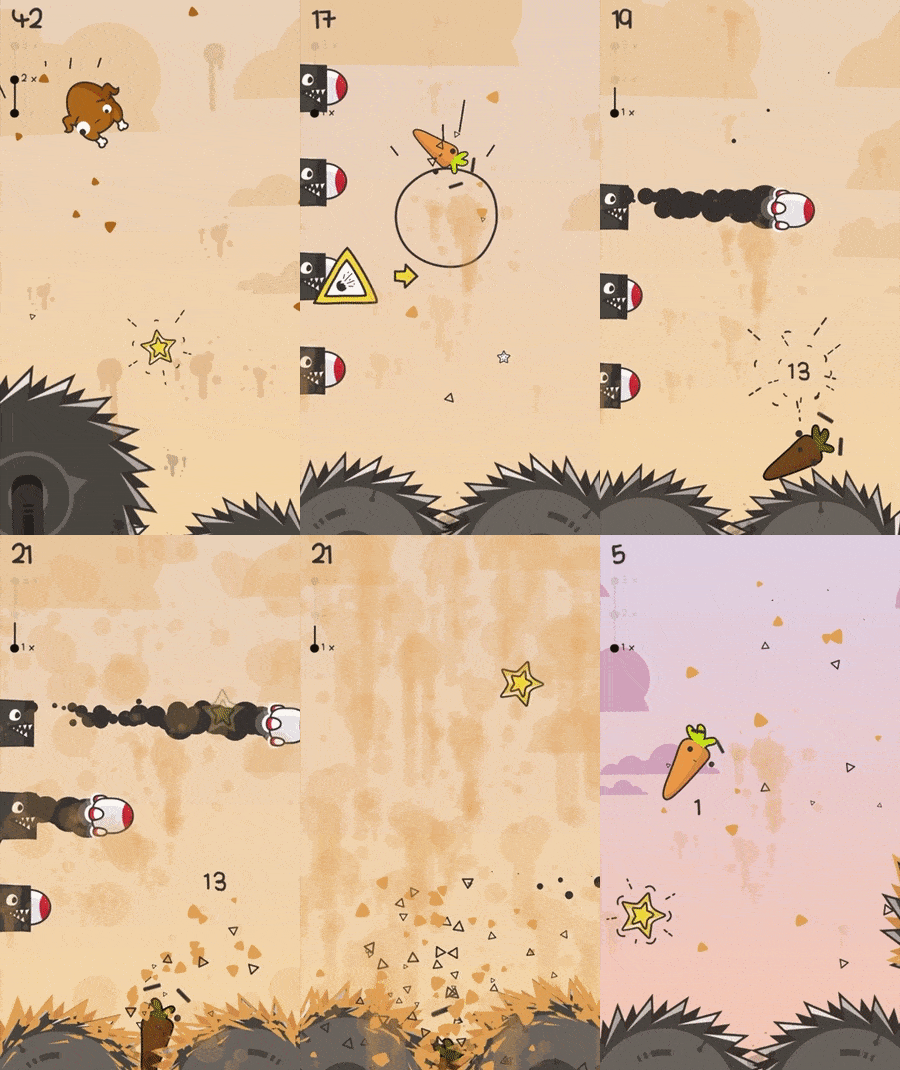
Don’t Grind by Laser Dog Games is the perfect game for just such a break. It’s easy to get the hang of, playable in short bursts, and a whole lot of fun. The goal of Don’t Grind is to keep a character bouncing in the air above two rotating blades. You do that by tapping and swiping on the screen. How high you bounce with each tap depends on the length of the tap. Swiping sends your character in the direction of the swipe. Fail to stay aloft and you are ground up by the blades ending the game.
As you bounce around in the air above two blades, you collect stars, which are converted into medals when the round ends with your character’s inevitable death. While you collect the stars though, you also need to avoid lasers, rockets, blades, and other obstacles that can hasten your demise. After collecting a certain number of medals you unlock additional characters to use in the game. There are dozens to collect.
A game where your character is inevitably ground up between saw blades sounds gruesome, but it isn’t. Laser Dog has kept the tone light and fun. That’s accomplished through a bouncy, pop soundtrack and using silly inanimate objects as characters like a donut, banana, and boot. Each character has googly eyes that do a remarkable job of conveying dread and fear as the characters approach the blades. There are other nice touches such as the background scenery that matches the time of day you are playing, haptic feedback on the iPhone 7, and the ability to record and share gameplay.
Casual games that can be played one-handed are great for short breaks that can easily become long breaks as you try to beat your high score and climb the Game Center leaderboard. Don’t Grind succeeds with a challenging game that immediately endears itself to you with its quirky sensibilities and cute characters that have kept me coming back try to collect them all.





 Federico