

I don’t like wires, especially headphone wires. There is no set of headphones that I can’t break. My commute is a little over an hour most days. I walk a mile to the train, ride the train and then have a shorter walk on the other end. In the evening, I do the reverse...
Capture Ideas Quickly and Easily With Yeti

Yeti is all about quick capture and effortless export. Yeti’s main interface is dominated by four colorful buttons that allow you to capture your thoughts with a note, a photo or video, audio, or a sketch. What you create is stored on iCloud Drive in one of a handful of non-proprietary formats that can be easily opened in other apps. And while Yeti does an admirable job of making it fast and easy to record information on your iPhone, the lack of support for capturing data from other devices or apps, will limit Yeti’s utility for some people.
Twitter Makes Photos Accessible to the Visually Impaired
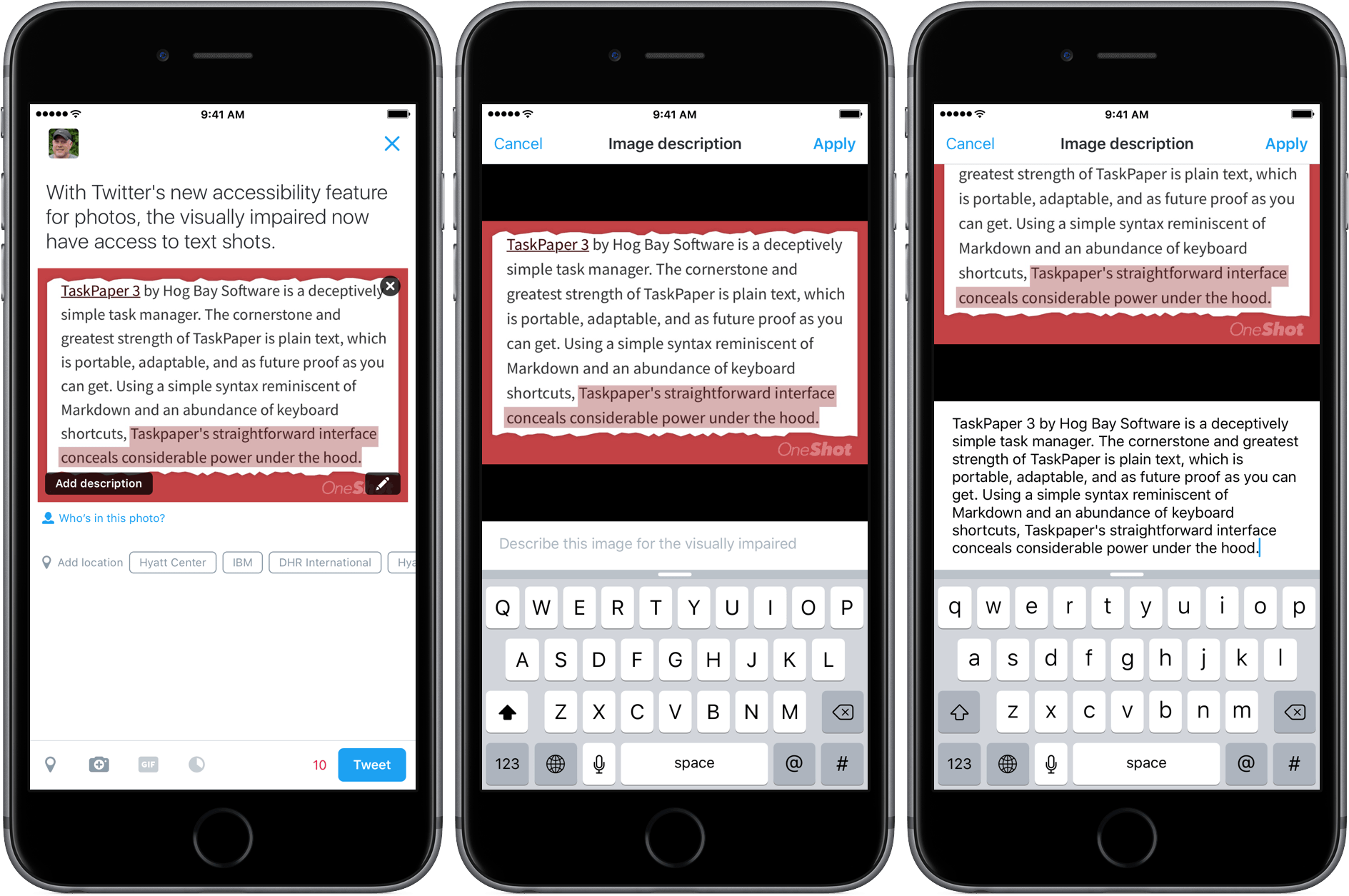
Photography has always been a big part of Twitter, and today, it announced a new accessibility feature that brings photos to the visually impaired. The new feature is simple to enable. Just go to the ‘Me’ tab in Twitter’s official client and tap the gear icon near the top of the screen. Next, go to the Accessibility section of Settings and turn on the ‘Compose image descriptions’ toggle.
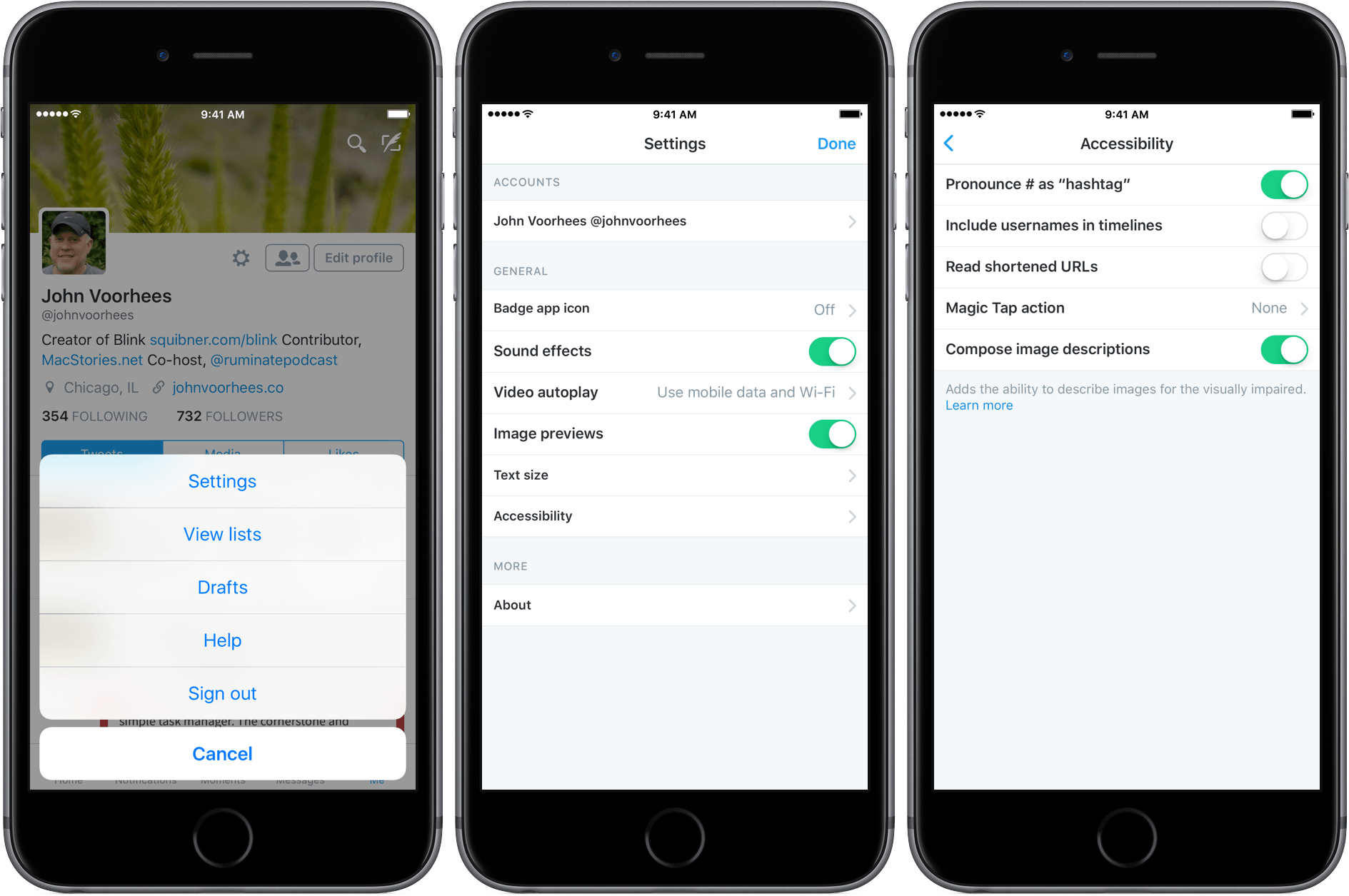
Once enabled, when you compose a tweet with an image, a button will appear in the lower left corner of the image that says ‘Add description.’ Tapping on that button allows you to add a description of up to 420 characters – three times the normal length of a tweet. Unlike some recent innovations at Twitter, photo descriptions will be available as part of Twitter’s REST API and Twitter Cards, which means third-party developers can add the feature to their own Twitter clients too.
Twitter should be commended for what is an important, and I think will prove to be a popular, feature. Not only does it bring photography to the visually impaired, but it also brings text shots, which have been widely used to get around Twitter’s 140-character limit, but criticized for being inaccessible, to a wider audience. Here’s a short video I made with a text shot of one of my recent reviews:
Apple Releases iOS 9.3 Update For Users With Older Devices→
MacRumors is reporting that Apple has released a new build of iOS 9.3 that fixes a setup problem that people with older iOS devices experienced with the initial release of iOS 9.3.
When iOS 9.3 launched, people with iOS devices older than the iPhone 5s or iPad Air experienced problems activating the update. Instead of the usual process where you are asked for your current Apple ID and password, owners of older models of iOS devices were required to input the Apple ID and password used when the device was originally set up. If someone had changed their credentials and couldn’t recall the ones used to set up the device, it could be rendered unusable. As a result, Apple pulled the iOS 9.3 update for older devices shortly after it was launched.
As reported by MacRumors, Apple released an update to iOS 9.3 (build 13E237) a short time ago that addresses the activation problem on older devices. With the new build of iOS 9.3, people with older devices who didn’t previously update to version 9.3 should be able to do so now via an over-the-air update.
A Mysterious Bug is Causing Links to Fail on iOS
Over the weekend, 9to5Mac reported what appears to be a widespread iOS bug that causes links to fail to open. In some cases, long pressing links crashes the app containing the link. What’s worse, rebooting your iOS device or uninstalling third-party apps affected by the bug seems to only correct the problem temporarily.
Ben Collier has been doing some digging and it looks as though the culprit may be Shared Web Credentials, a means by which websites and apps can share login credentials. As Ben explains:
In iOS 9 Apple introduced Universal Links, these allow app developers to associate their website and app, so links to the website can open the app up automatically if installed. For example, following a link to a Guardian article opens up the Guardian app to that specific article instead of their website.
App developers put an app association file on their website which lists which types of URLs the app can open. When you install an app, iOS downloads this associated file and updates your own database of what URLs your installed apps can open. The website and app listing in iTunes are linked by the developer - so it prevents anyone from hijacking your website with their app.
When you tap a link in iOS, the system looks through the database of installed apps supported URLs to see if it matches a pattern an installed app can handle. If nothing matches it opens it up as a standard app.
9to5Mac has been able to replicate the bug by installing the Booking.com app, which until today, had an unusually large association file. The bug does not appear to be limited to the Booking.com app, but the unusual size of its association file lead to initial speculation that file size was the culprit. However, further investigation suggest that the problem may be with the Shared Web Credentials daemon itself and is either triggered by a large association file, or becomes corrupt regardless of the size of association files. Whatever the cause, let’s hope that a reliable workaround is found soon and that Apple releases an iOS update that fixes the problem.
We have reached out to Apple for comment regarding the bug and will update this post with whatever additional information we learn.
[Update: 2016-03-29] Based on follow up reports by 9to5Mac and Ben Collier, it appears that large association files are indeed the source of the bug that that causes links to fail to open for some iOS users. According to 9to5Mac:
Sources tell us that Apple is working with high-profile developers to help them understand and better use the universal links APIs.
9to5Mac also quotes a statement it received from Apple PR:
“We are aware of this issue, and we will release a fix in a software update soon.”
Whether the source of this quote is the same as the sources that reportedly told 9to5Mac that Apple is working with ‘high-profile developers’ is unclear.
9to5Mac also reports that the Wikipedia app and Eat24 apps may also trigger the link bug. Unfortunately, there is still no known workaround for the issue. Nor is there a way to tell which apps are affected before installing them.
Ben Collier, whose post yesterday pinpointed the source of the bug, has posted a fix that requires users to complete a dozen steps. The fix appears to be dependent on the timing of the steps, which means that it may require multiple attempts to get it to work.
TaskPaper 3 Conceals Its Power Beneath a Simple Interface
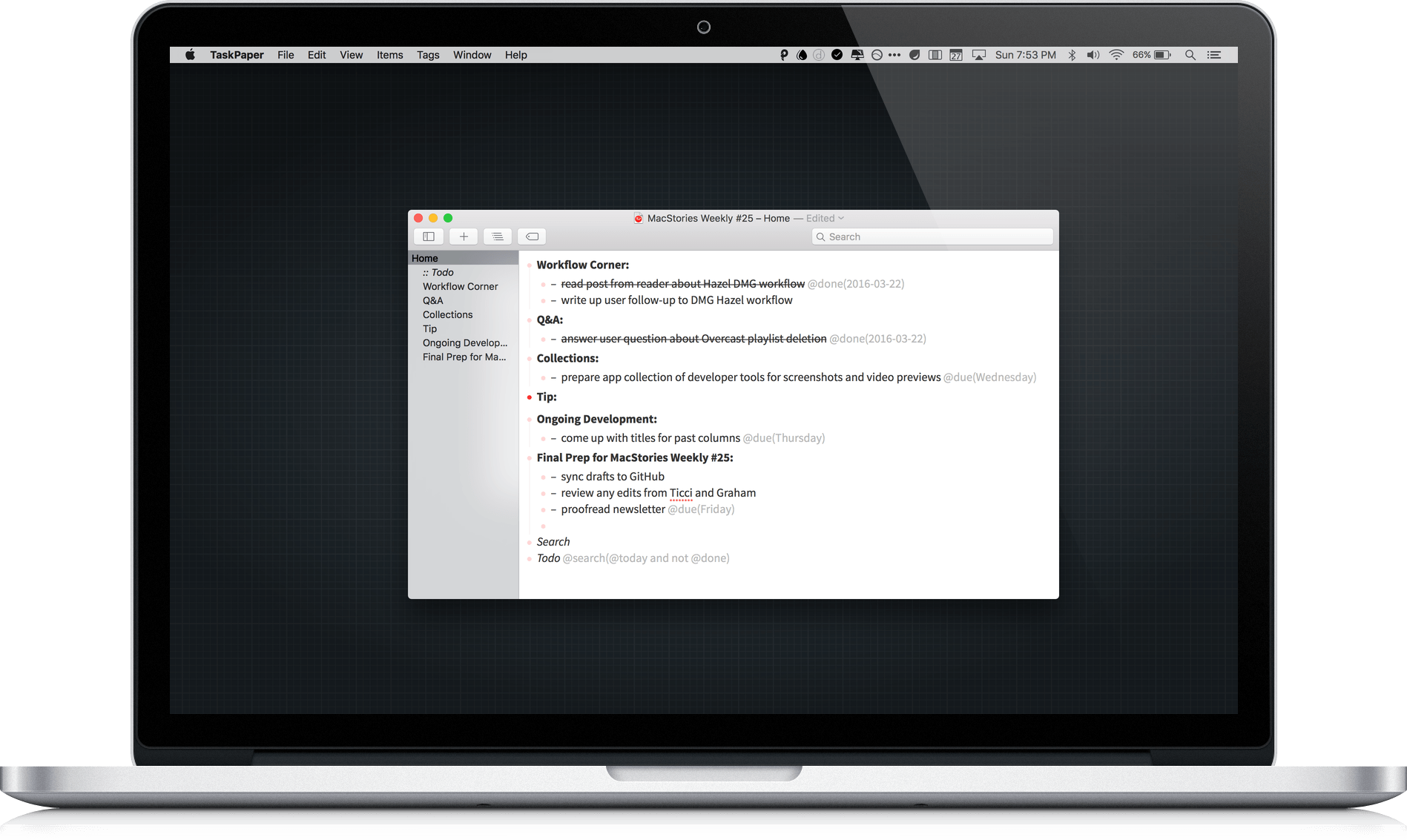
TaskPaper 3 by Hog Bay Software is a deceptively simple task manager. The cornerstone and greatest strength of TaskPaper is plain text, which is portable, adaptable, and as future proof as you can get. Using a simple syntax reminiscent of Markdown and an abundance of keyboard shortcuts, Taskpaper’s straightforward interface conceals considerable power under the hood.
 Video Preview and Screenshot Apps
My image and video editing needs are limited and sporadic, but I do need to produce screenshots and video previews for the App Store, and create support documentation for my app, Blink. I don’t want to pay a subscription for more software than I need, so Adobe Creative Suite is out. Instead, I...
Tips
I enjoy the new flyover screensavers on the Apple TV, but whether you have a current generation Apple TV and use those, or use a different screensaver with any model of the Apple TV, the screensavers are a distraction when you throw a party and want to use the Apple TV for music. In...
Creating a Custom Alexa Skill for 2Do
 Federico
Last weekend, I came across a Facebook post by Instagram co-founder Mike Krieger in which he described how simple it was to put together a custom Alexa skill (a voice command, in common terms) to send new tasks as email messages to his OmniFocus’ email address. Mike shared the Python code behind the skill,...