 Using Claude Skills for Reinforced Learning
...

 Using Claude Skills for Reinforced Learning
 A week ago, we merged Club MacStories and AppStories into MacStories.net. It was the culmination of months of work, which, along with a new tech stack we implemented last summer, allows us to iterate on MacStories faster.
As with any large project, there were a few bumps along the way. However, we’ve been able to address them quickly thanks to the site’s new architecture. In fact, since last week, we’ve:
A big thanks from all of us here at MacStories to everyone who has visited the site to check out the changes and share your feedback and bug reports. Your feedback and support have been terrific. As always, if you see something or have an idea you’d like to share with us, the best place to submit it is this Notion form, which goes directly to Federico, our developer, and me. Also, for any Club members who have not yet logged in on MacStories, resubscribed to AppStories+, and browsed where all your perks now live, Federico’s announcement post and my follow-up article have all the details to guide you.
One week later, the dust has finally settled, and we’re beginning to take the next steps towards redesigning MacStories. So far, most of the work we’ve done has been behind the scenes, but it sets the stage for ideas we’ve tossed around for years. Soon, we’ll settle on a path forward that’s designed to accomplish two things:
Our ambitions are big, but our love for MacStories and the community surrounding it is even bigger, so while we can move faster than ever, we’ll also be taking the care needed to preserve what makes MacStories special even as it changes. We can’t wait to share more with you soon.
Apple has some great entertainment lined up for February on Apple TV and Apple Arcade subscribers. There’s a highly anticipated monster-sized series return, one of the most beloved PC gaming franchises of all time making its way to Apple’s gaming service, and more. Here’s everything coming your way this month.
On Thursday, February 5th, Apple Arcade is getting a major addition with the arrival of the legendary strategy franchise Civilization, along with three other new games:
Sid Meier’s Civilization VII Arcade Edition:
Sid Meier’s legendary strategy series makes the jump to Apple Arcade, letting you build empires on iPhone, iPad, and Mac. Play as historic figures like Cleopatra or Genghis Khan as your civilization evolves across eras, where you need to balance diplomacy, warfare, and wonder-building.
I played the beta of this game on the iPhone using the MCON controller for the iPhone that we’ve talked about at length on NPC: Next Portable Console, and it’s been a fantastic experience.
This is another title that I can’t wait to try. I love idea of playing classic video arcade games, especially using the Vision Pro. Resolution Games has built a virtual arcade, complete with classic cabinets, running Asteroids, Bubble Bobble, Centipede, Galaga, and more. It’s a nostalgia trip that recreates the look and feel of an ’80s arcade for the Vision Pro, iPhone, and iPad.
Felicity’s Door: Area 35’s rhythm game follows twins Tom and Felicity, plus their bear companion Mi-chan, through dreamlike landscapes, all set to music.
I Love Hue Too+: This zen puzzle game from Zut Games, already popular on the App Store, asks you to sort jumbled color gradients back into smooth spectrums. It’s simple in concept but surprisingly meditative and challenging, with hundreds of levels to solve.
Visit Apple Arcade to add them to your queue for Thursday’s release.
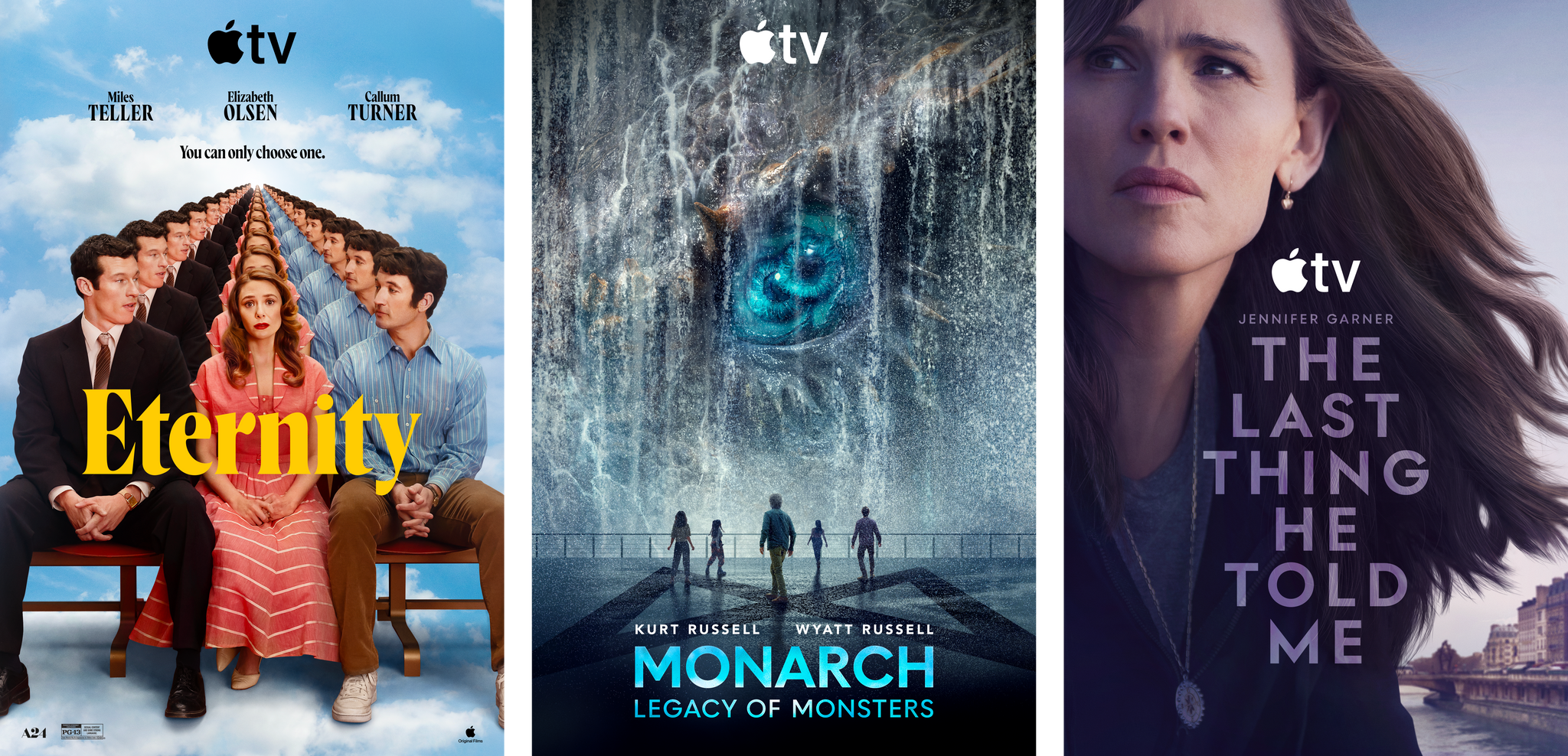
Elizabeth Olsen plays the lead in this romantic fantasy set in an afterlife waiting room of sorts, where the departed have seven days to choose their eternal companion. Olsen’s character Joan must decide between her late husband (Miles Teller) and her college sweetheart (Callum Turner), who died years earlier. John Early and Da’Vine Joy Randolph round out the cast in David Freyne’s story of love and regret just in time for Valentine’s Day.
Add to your Calendar:
Jennifer Garner and Angourie Rice return as Hannah and Bailey for season two of this thriller. Five years have passed since Hannah’s husband Owen vanished, and just when they’ve started to settle back into a normal life, he returns, and they try to rebuild their lives in the shadow of Owen’s past.
Add to your Calendar:
The Monsterverse returns to Apple TV with Kong and Godzilla facing off against Titan X. This 10-episode season brings back fan-favorite characters for a globe-trotting adventure that moves from Skull Island to a remote coastal town hiding a mysterious ancient secret.
Add to your Calendar:
That’s everything coming in February. For more media picks from Apple TV, Arcade, and everywhere else be sure to listen to MacStories Unwind, give it a try. I’m sure you’ll hear more about many of these shows and games from me and Federico in the coming weeks as they become available.
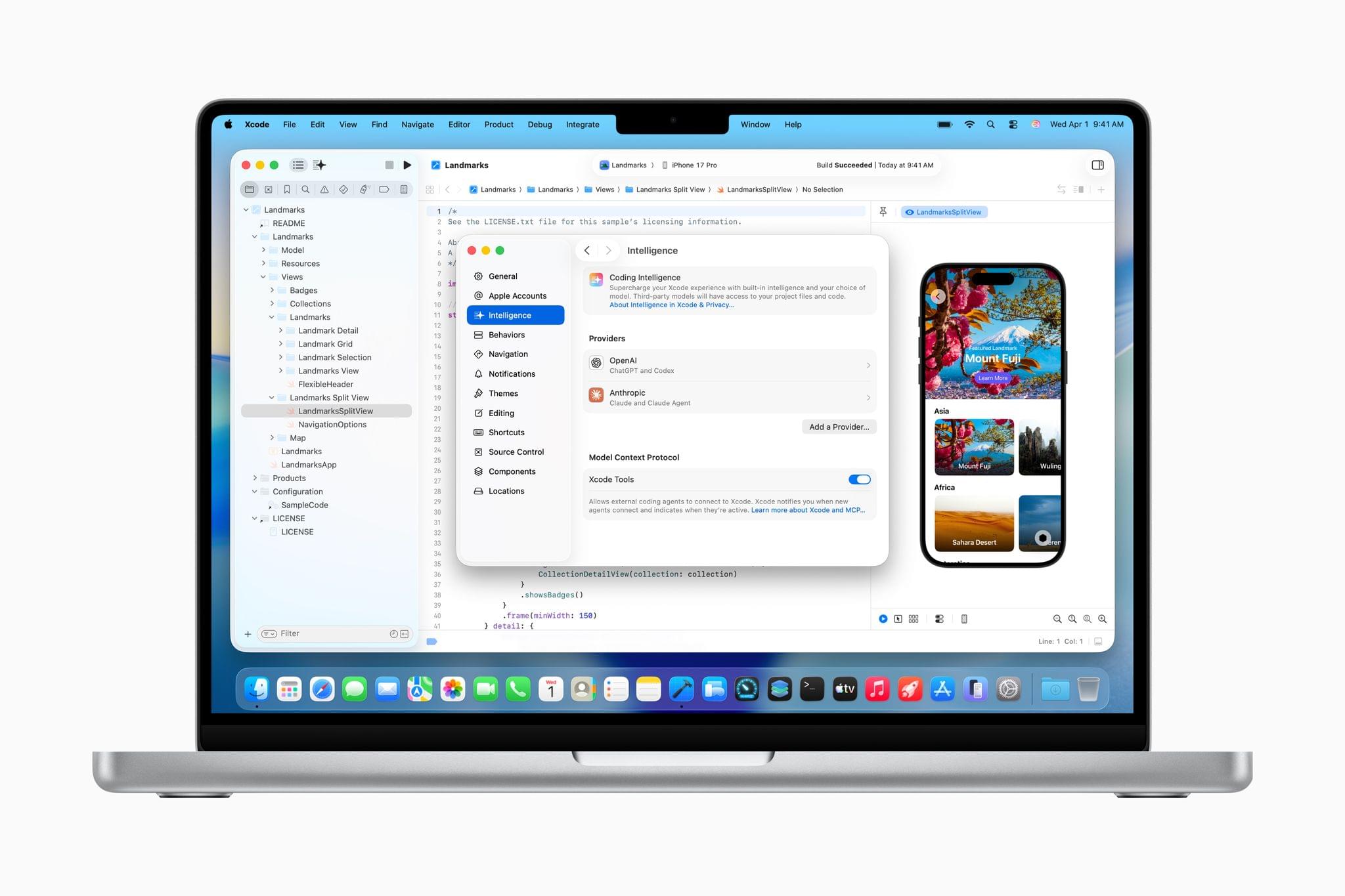
The Release Candidate of Xcode 26.3 is rolling out as we publish this with brand new agentic coding capabilities. With the update, developers can connect to either OpenAI’s Codex or Anthropic’s Claude Agent to assist their development work.
The agent sits in Xcode’s sidebar where developers can use it to plan new features, implement them, and review the results. As developers work, the agent generates a transcript of its actions, which lets developers follow along and interact with it. For example, code snippets will appear in the sidebar that can be clicked to take developers directly to the spot in the file where the agent made a change. Code updates can also be simultaneously previewed. Plus, by building OpenAI and Anthropic’s agents into Xcode, the agents have the benefit of the latest Apple APIs and documentation, which should result in better, more modern code.
Xcode 26.3 also integrates with Model Context Protocol, the open standard used to connect coding agents to other tools. That will allow any MCP-compatible agents to work with Xcode, running inside or outside Xcode, which broadens the possibilities for developers even further. Having watched a short demo of Codex assisting in the development of features in Xcode, version 26.3 looks as though it has a lot of potential to make experimentation easier and to iterate more quickly on ideas.
I’ve been building a couple of different apps recently, mostly from Terminal, which works but isn’t ideal. There are lots of apps out there that try to solve the agentic coding problem, including Visual Studio Code and Codex, which I covered yesterday. However, having seen a demo of Xcode in action, it’s jumped to the top of my list to try. After all, it’s an app with which I’m already familiar, and with Apple’s documentation and API knowledge baked in, my hope is that it speeds up my workflow even further.
For developers who want to learn more, Apple is holding a code along session Thursday covering the update.
Today, OpenAI released Codex, a Mac app for building software. Here’s how OpenAI describes the app in its announcement:
The Codex app changes how software gets built and who can build it—from pairing with a single coding agent on targeted edits to supervising coordinated teams of agents across the full lifecycle of designing, building, shipping, and maintaining software.
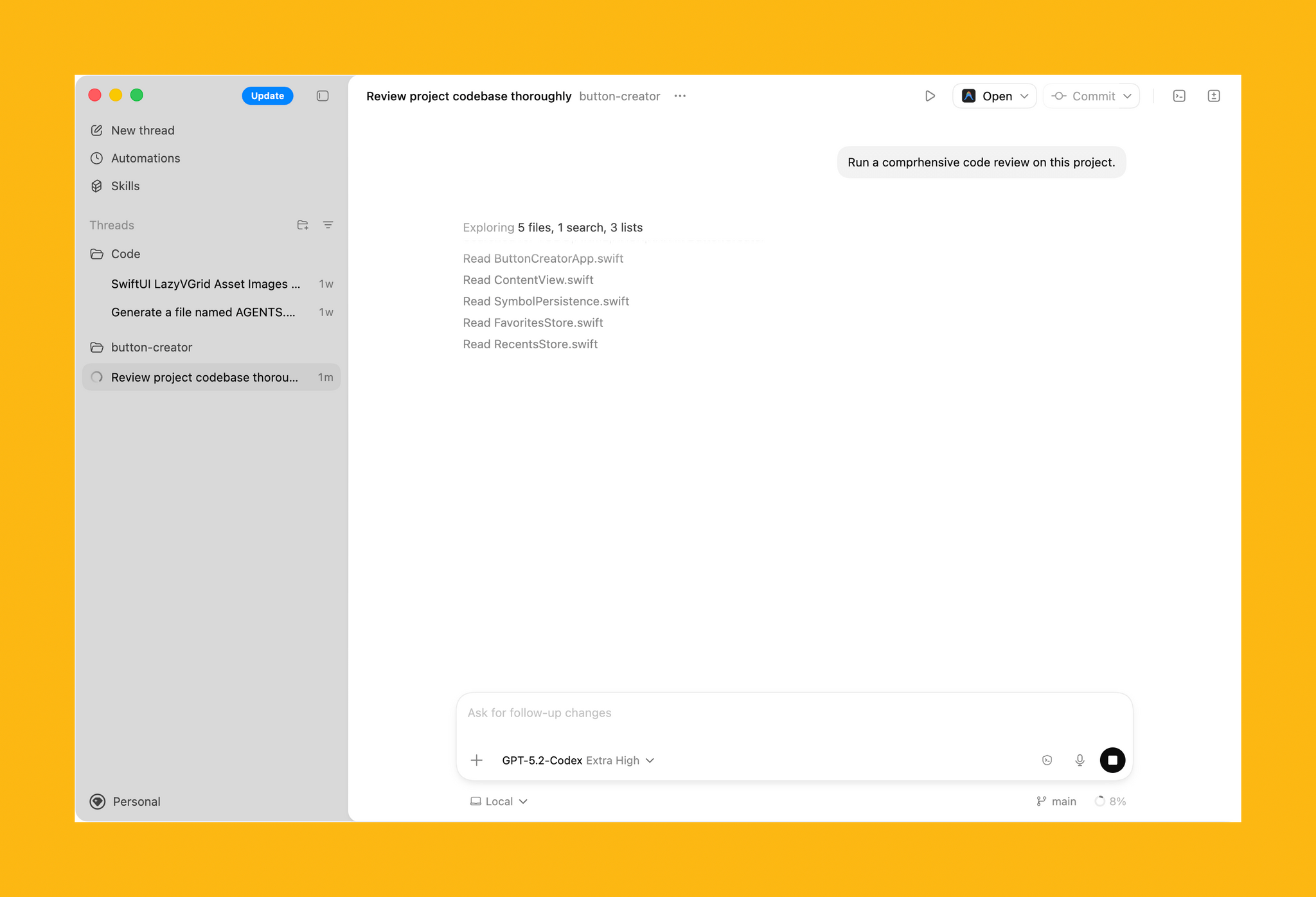
On first launch, Codex requests permission to access the file system. I granted it access to a subfolder where I stored all my projects, along with the folder that houses an app I’ve been building in my spare time. Those folders and projects live in the left sidebar, where each can be expanded to reveal chat sessions for that project.
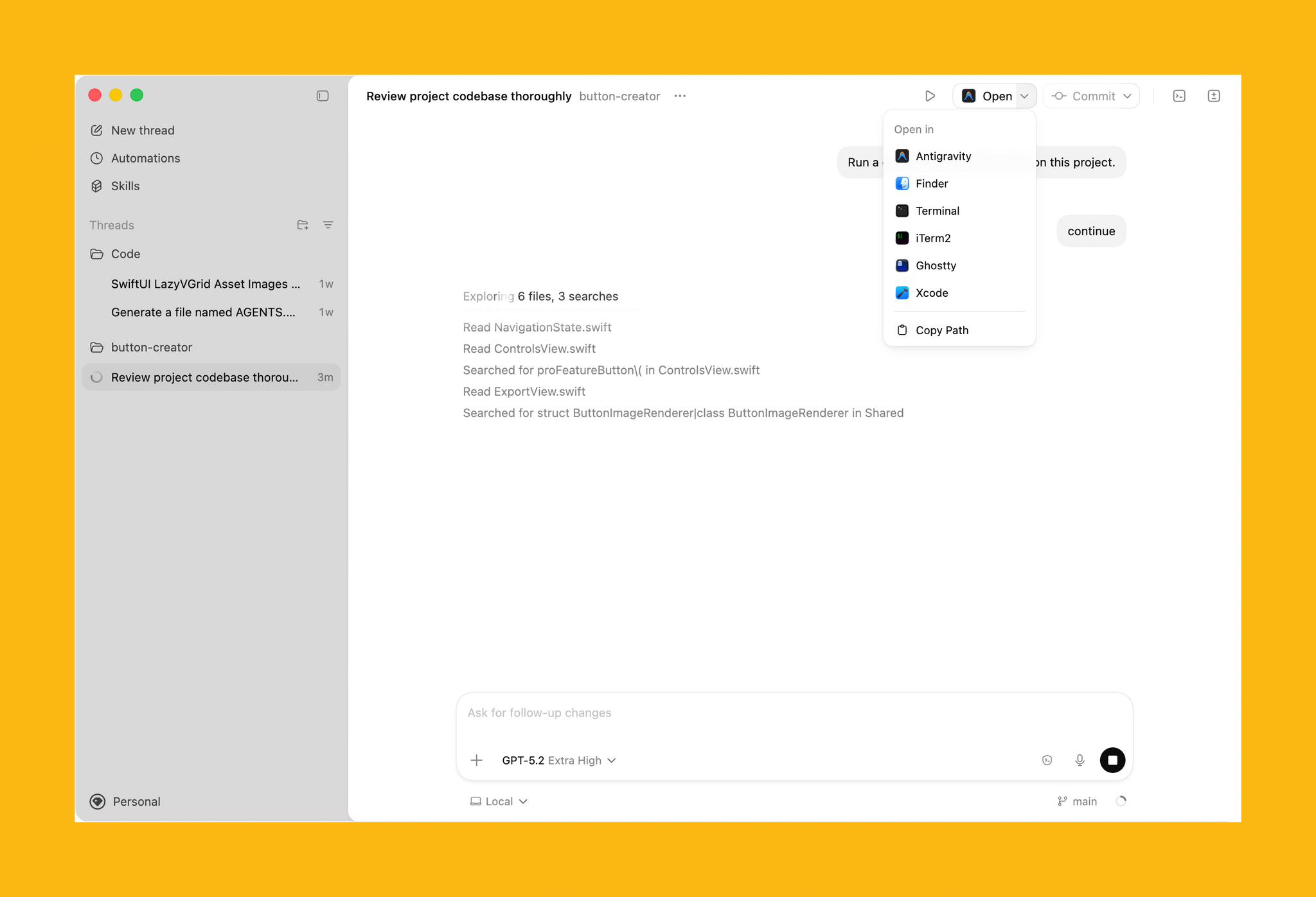
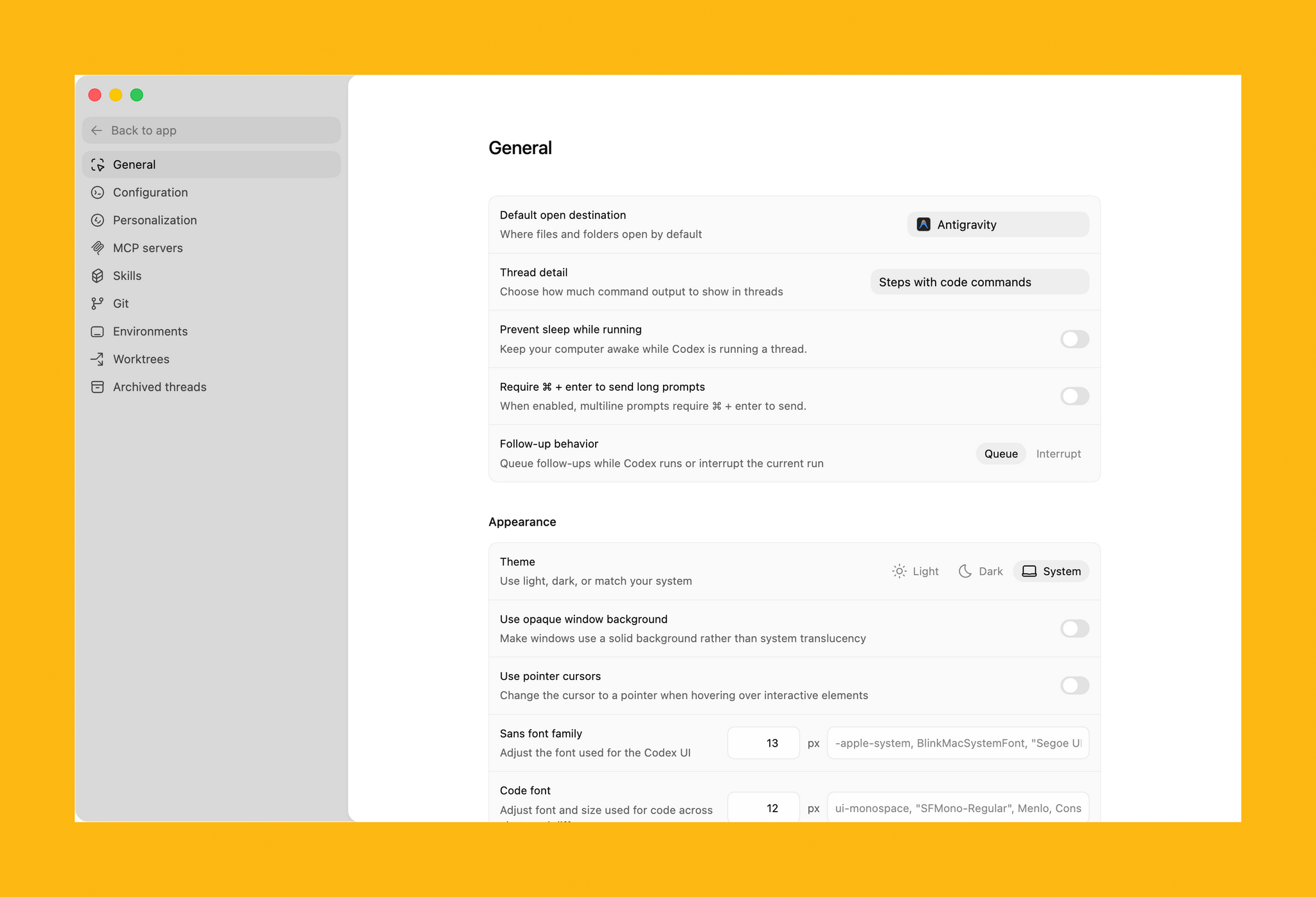
In the toolbar is an Open button for accessing other development tools installed on your Mac, a Commit button for managing version control, a button that reveals a terminal view that expands up from the bottom of the window, and a diff panel for reviewing code changes. In settings, you’ll find additional customization options, along with tools to hook up MCP servers and integrate skills.
Codex is not your traditional IDE. Agents are front and center, which in an app that is far more natural to use if you’re new to agentic coding, but the model is similar. While I write this article, Codex has been grinding away in the background performing a code review of my app. After spending time reviewing all the files, Codex asked permission to run commands to do things that it can’t accomplish inside its sandboxed environment.
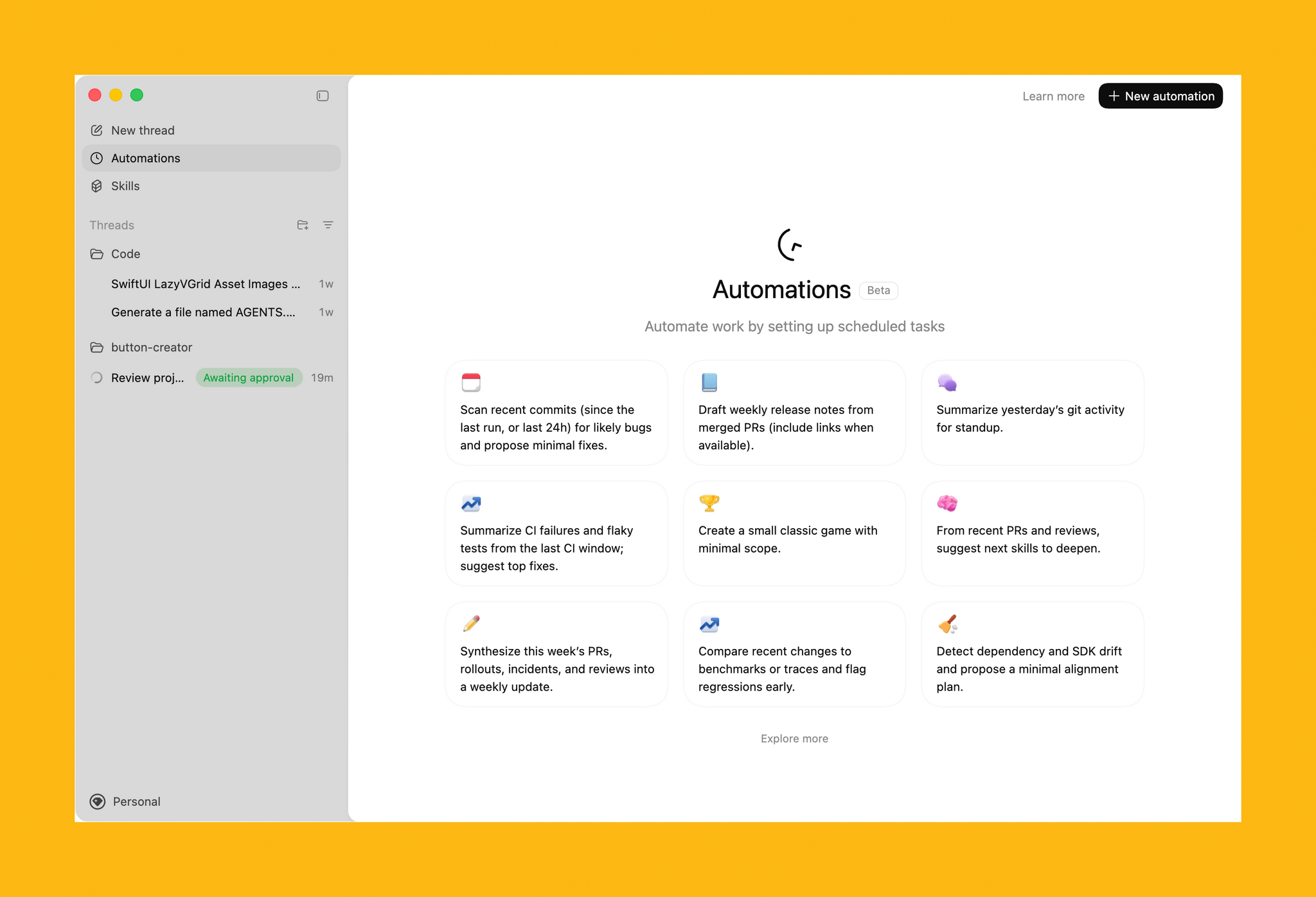
The capabilities of Codex are enhanced by skills. OpenAI is kicking off the launch of Codex with a bunch of skills that you can access via its open-source GitHub repo. The app includes a selection of pre-built Automations for repetitive tasks, too.
All in all, Codex looks excellent, but it will take me some time to get a sense of its full capabilities. If you’re interested in trying Codex, you can download it from OpenAI here. For a limited time, the company is making the tool available to Free and Go subscribers, for whom rate limits have been temporarily doubled, as well as Plus, Pro, Business, Enterprise, and Edu users.
 The Future of Apps in an AI-Coded World
 This week, Federico and John update listeners on the ClawdBot-MoltBot-OpenClaw saga before digging into how AI will affect apps and app developers.
On AppStories+, John covers why Creator Studio is such a fundamental shift in Apple’s approach to ‘Pro’ apps.
[We deliver AppStories+ to subscribers]https://staging.macstories.net/appstories-plans/) with bonus content, ad-free, and at a high bitrate early every week.
To learn more about an AppStories+ subscription, visit our Plans page, or read the AppStories+ FAQ.

Supplementing Task Management with Notion
In This Issue
App Debuts 

 Federico
](https://cdn.macstories.net/banneras-1629219199428.png)