

I’m testing a lot of new apps right now. It’s something I do every holiday season, so I thought I’d share some first impressions of the apps that I’ve been exploring lately, plus an Obsidian plugin I’m trying too. Godspeed I’ve talked about Godspeed on Ruminate and AppStories recently, but I thought I’d update members...
 Interesting Links
 Federico
Apple has quietly confirmed that HomeKit support for robot vacuum cleaners, originally promised for 2024, has been postponed to 2025. (Link) I’ve recently learned that there is a whole market for advanced, custom Widgy widgets, and these by designer Lokki look pretty great. The Widgy subreddit is another good place to check out for...
App Debuts
Quick Capture - Obsidian I’ve been on the lookout for “quick capture apps” that can, well, quickly capture data into Obsidian and Todoist lately, and this one – aptly named Quick Capture – caught my attention. Designed for Obsidian power users, Quick Capture is an iPhone app that lets you capture text, files, and...
The Latest from Comfort Zone, Magic Rays of Light, and MacStories Unwind

Enjoy the latest episodes from MacStories’ family of podcasts:
Comfort Zone






Niléane has taken to the skies in Flight Simulator, Chris wants to talk about yet another Mac, and the gang all looks for the best open source app (or web app!) they can find.
Magic Rays of Light
Sigmund and Devon preview the new features coming in tvOS 18.2. Then, they recap the first German-language Apple Original series, Where’s Wanda?, and Spanish-language medical drama series Midnight Family.
MacStories Unwind
This week on MacStories Unwind, we kick off the first of our annual ‘best of’ Unwind recaps with the best music releases of 2024.
A Fun Way to Add Holiday Cheer to Your Mac→
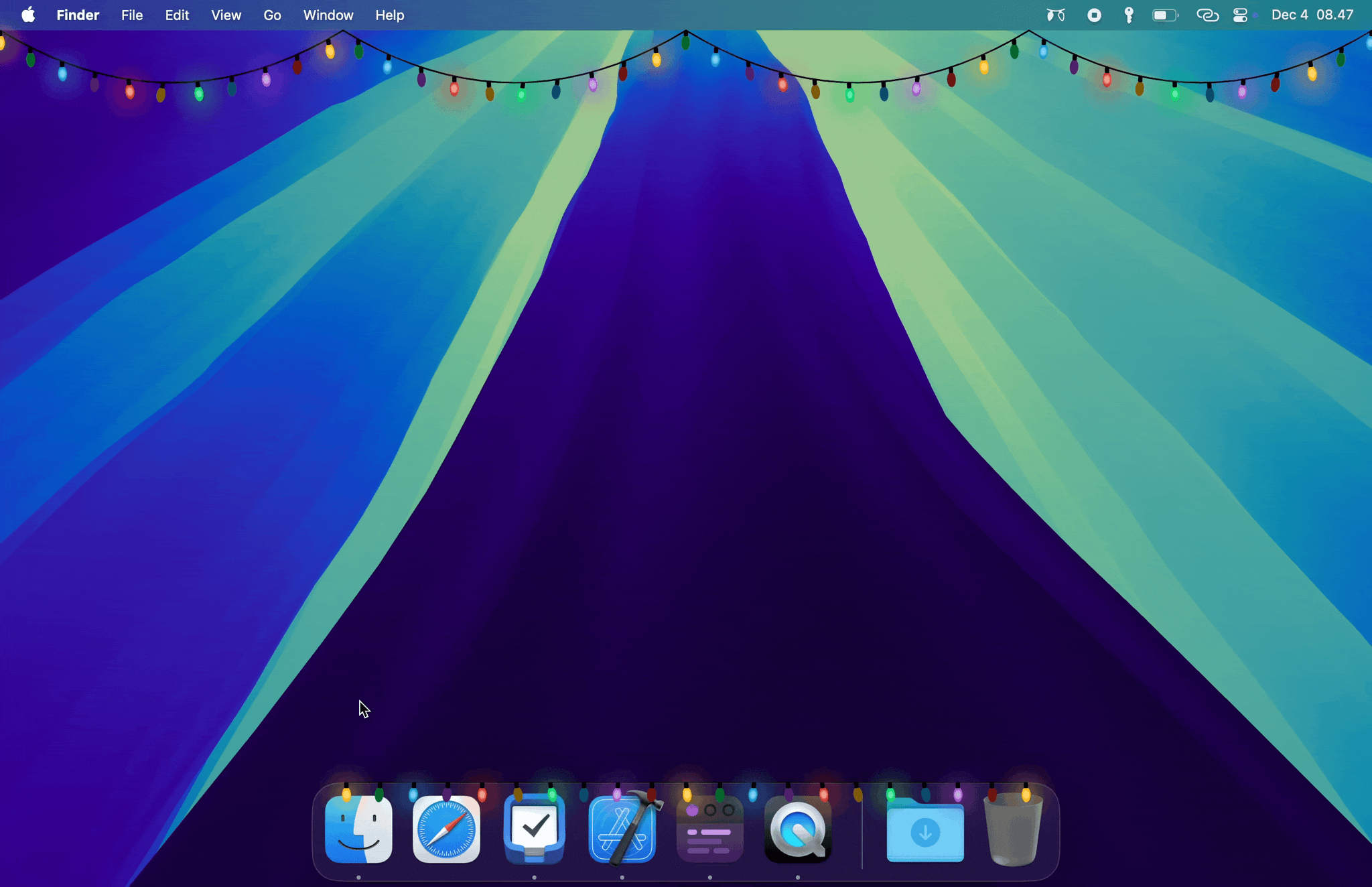
If you’re looking to add a little holiday cheer to your Mac, be sure to check out Festivitas by developer Simon Støvring. The app lives in your Mac’s menu bar where you can switch between displaying colorful blinking holiday lights along your menu bar, dock, or both.
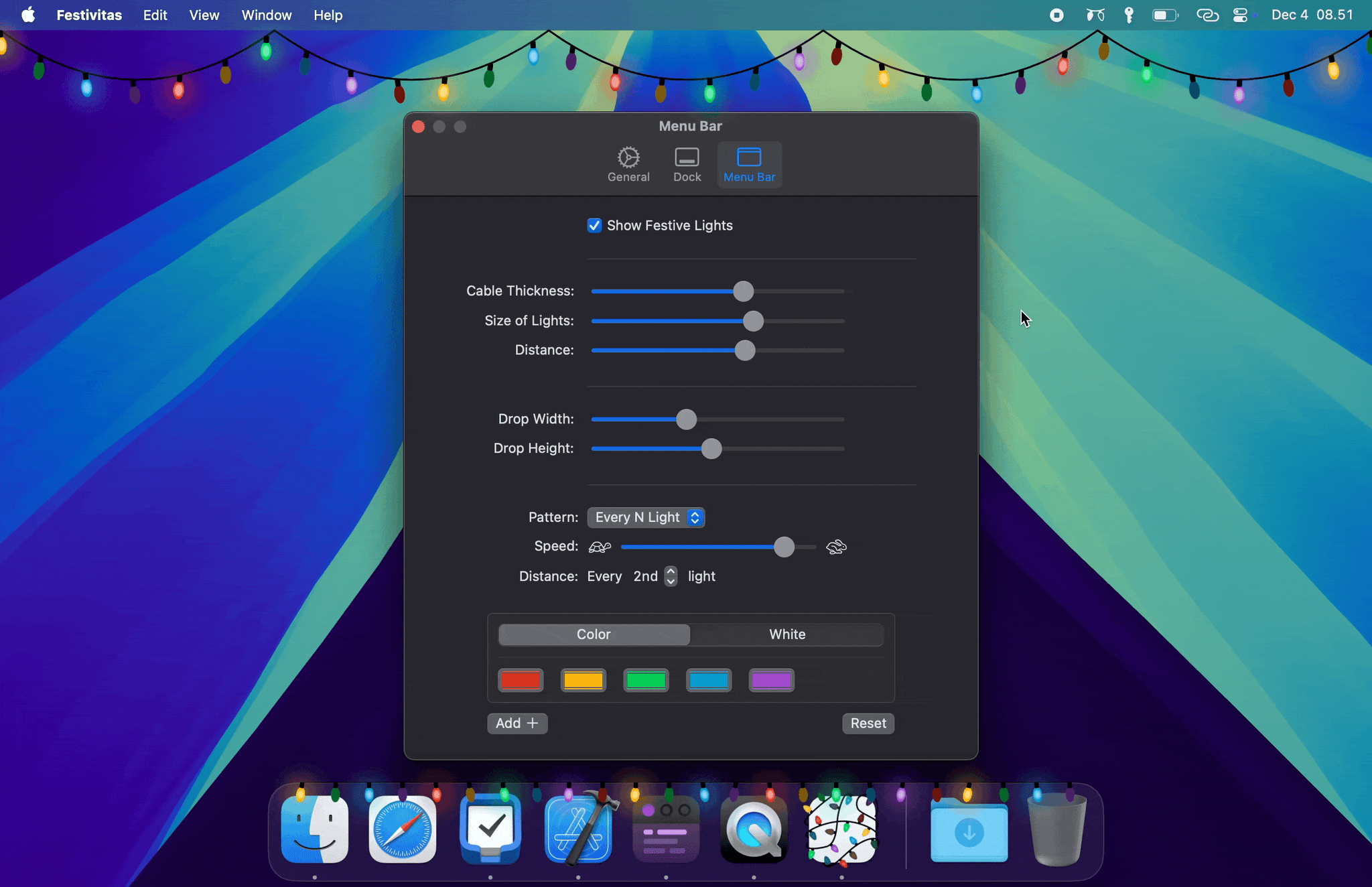
The app requires access to accessibility permission to tell where your Mac’s dock is, which it will ask permission for when you first start it. Once that’s out of the way, you can turn the lights on and off from the menu bar, where you can also access settings to customize things like the size of the lights, their spacing, and the thickness of the wire that connects them.
The app is available via Gumroad for 4 euros.
The Latest from NPC: Next Portable Console and AppStories
Enjoy the latest episodes from MacStories’ family of podcasts:
AppStories
This week, Federico and I consider the differences between assistive and generative AI and cover the sort of automation tasks for which assistive AI is useful.
On AppStories+, I share my skepticism about the utility of Apple’s rumored home hub device.
NPC: Next Portable Console
Tencent and Intel announce a huge handheld, Sony is taking its time, reviewers share early hands-on testing of the Ayn Odin Portal, the Miyoo Mini Flip is spotted across the Internet, Samsung files an intriguing portable gaming patent, and a new eGPU is on the way. Plus, Brendon revisits the Anbernic RG35XXSP, Federico has a mini-surprise, and Federico and I share oue first impressions of the Retroid Pocket 5.
Apple Music Replay 2024 is Live→
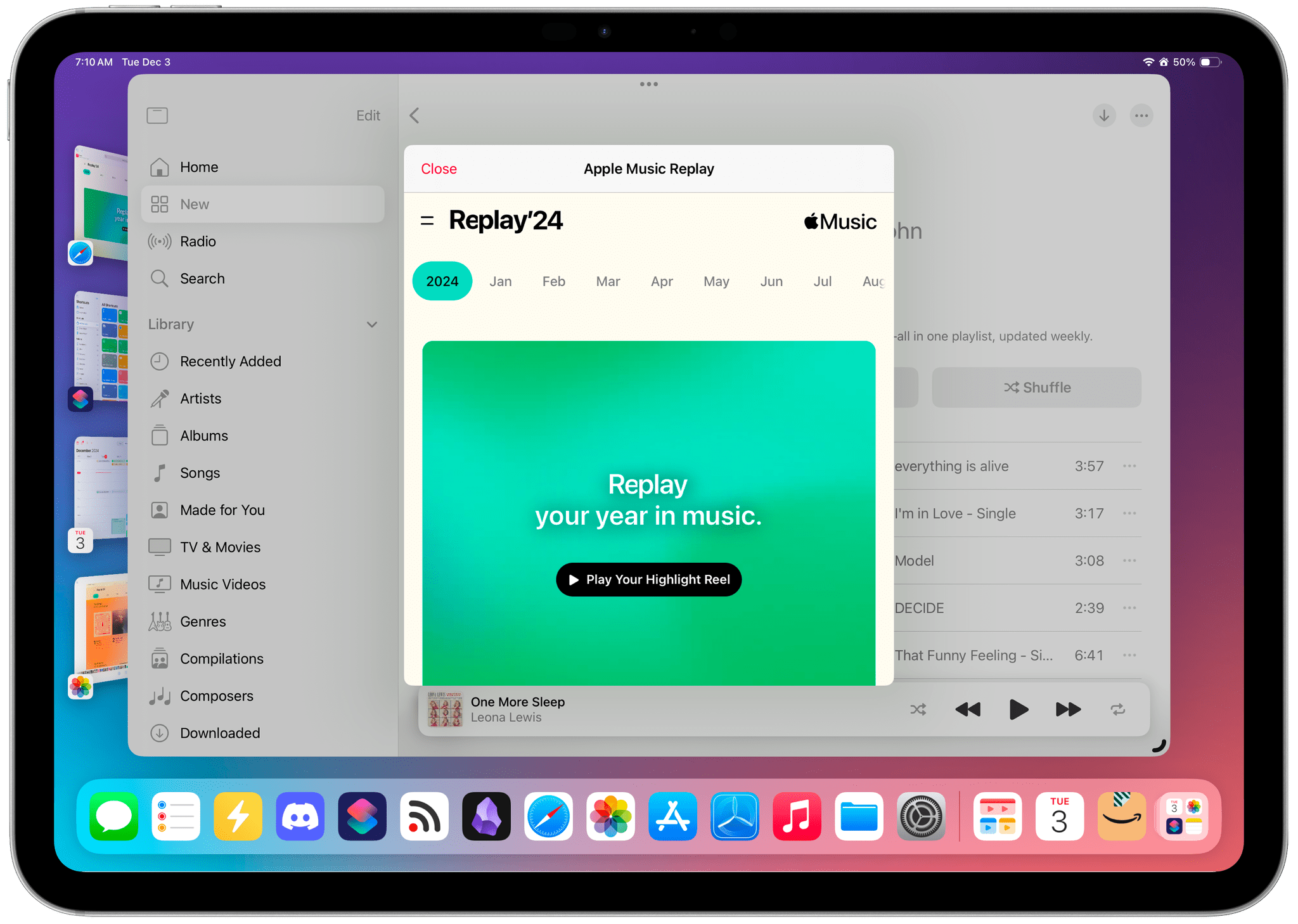
Apple has released its annual Apple Music Replay overview of subscribers’ listening statistics for 2024. The recap can be accessed on the music.apple.com/replay, where you’ll find details about the music to which you listened throughout the year, including your top albums, songs, artists, playlists, and genres. If you’d rather browse Replay in the Music app, you can do that too, with the ‘Open’ in Music button that appears at the top of the webpage and opens the same content as a popup over your Apple Music library.
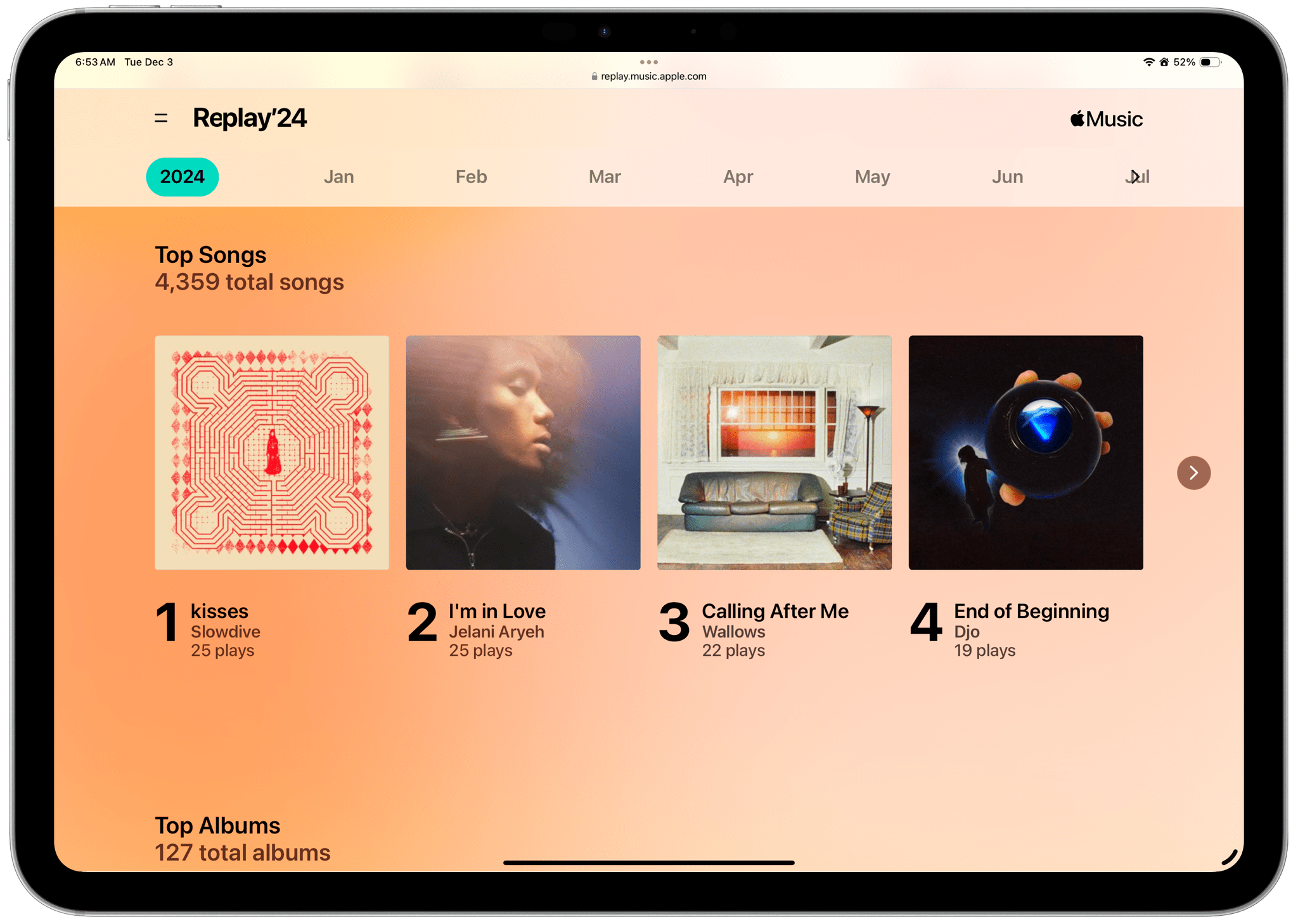
At the beginning of Replay, there’s an animated recap with highlights of your year in music set to the songs you enjoyed throughout the year. Replay also calls out listening milestones like the total number of minutes listened and the number of artists and songs played. Plus, subscribers can browse through their statistics by month. Also, at the bottom of Replay, you’ll also find a link to your Replay ‘24 playlist, with the top 100 songs you listened to in 2024.
The timing of Replay ‘24 is perfect. I’ve begun preparing my list of favorite albums of 2024 for this week’s MacStories Unwind, which will be out Thursday for Club MacStories members and for everyone else on Friday, and as my Replay playlist makes abundandly clear, 2024 has been a great year for music.
To view your own Replay 2024 statistics, visit music.apple.com/replay.
 Assistive AI Automation Tools

App Debuts
Scribe There are plenty of AI-based transcription apps on the App Store (believe me, I must have tried at least 10 different ones this week, and I barely scratched the surface), but how many of them use a plastic-wrapped CD as their whole aesthetic? Scribe does. The app does the same thing as dozens...