John Voorhees

5429 posts on MacStories since November 2015

John is MacStories' Managing Editor, has been writing about Apple and apps since joining the team in 2015, and today, runs the site alongside Federico. John also co-hosts four MacStories podcasts: AppStories, which covers the world of apps, MacStories Unwind, which explores the fun differences between American and Italian culture and recommends media to listeners, Ruminate, a show about the weird web and unusual snacks, and NPC: Next Portable Console, a show about the games we take with us.

Apple Announces a Minor Update to the iPad mini

Source: Apple.

Source: Apple.

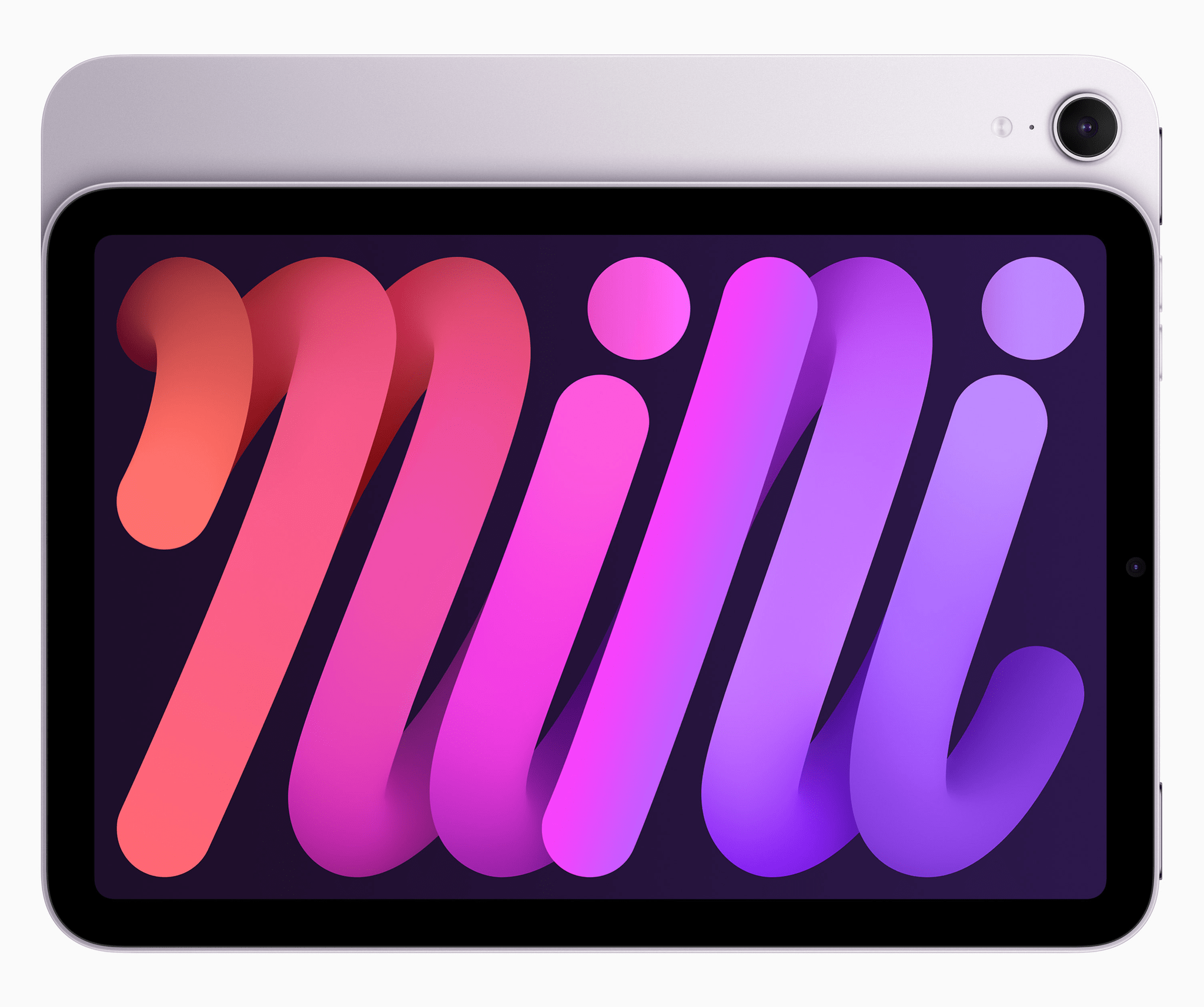
Apple has updated the iPad mini, with a revision that is sure to leave some fans of the device disappointed. That’s because there have been virtually no changes to the device’s screen, cameras, or authentication systems.

The new iPad mini features an A17 Pro chip that was added to allow the device to work better with the upcoming Apple Intelligence features. According to Apple’s press release:

A17 Pro delivers a huge performance boost for even the most demanding tasks, with a faster CPU and GPU, a 2x faster Neural Engine than the previous-generation iPad mini,1 and support for Apple Intelligence.

In addition, the new mini features:

  • New storage options: 128GB, 256GB, and 512GB, eliminating the 64GB option altogether
  • Support for the Apple Pencil Pro
  • Wi-Fi 6E, up from from Wi-Fi 6
  • Bluetooth 5.3, an upgrade from 5.0
  • New blue and purple options

Those are all worthwhile upgrades, but I expect what will really define the new iPad mini for a lot of users is what hasn’t changed:

  • The underlying screen technology remains the same Liquid Retina display that does not support ProMotion
  • Both cameras remain the same, but they now support Smart HDR 4 instead of Smart HDR 3
  • The front-facing camera remains on the short side of the device
  • The Touch ID sensor found on the top button has not been replaced with Face ID

I’m a fan of the iPad mini. I had a 5th generation model and I still use my 6th generation mini, but it’s seen better days. The mini needs a better display, camera, and Face ID. I don’t expect Apple to build a ‘pro’ version of the mini, but if history is any indication, what was released today won’t be updated until around 2027, and that makes me a little sad.

The new iPad mini starts at $499 with 128GB of storage. Pre-orders begin today and deliveries start October 23rd.
Photomator 3.4 Adds Photo Flagging, Rating, and Filtering

Today, Photomator 3.4 was released, adding flagging, rating, and filtering, which should substantially enhance how photos are organized with the app.

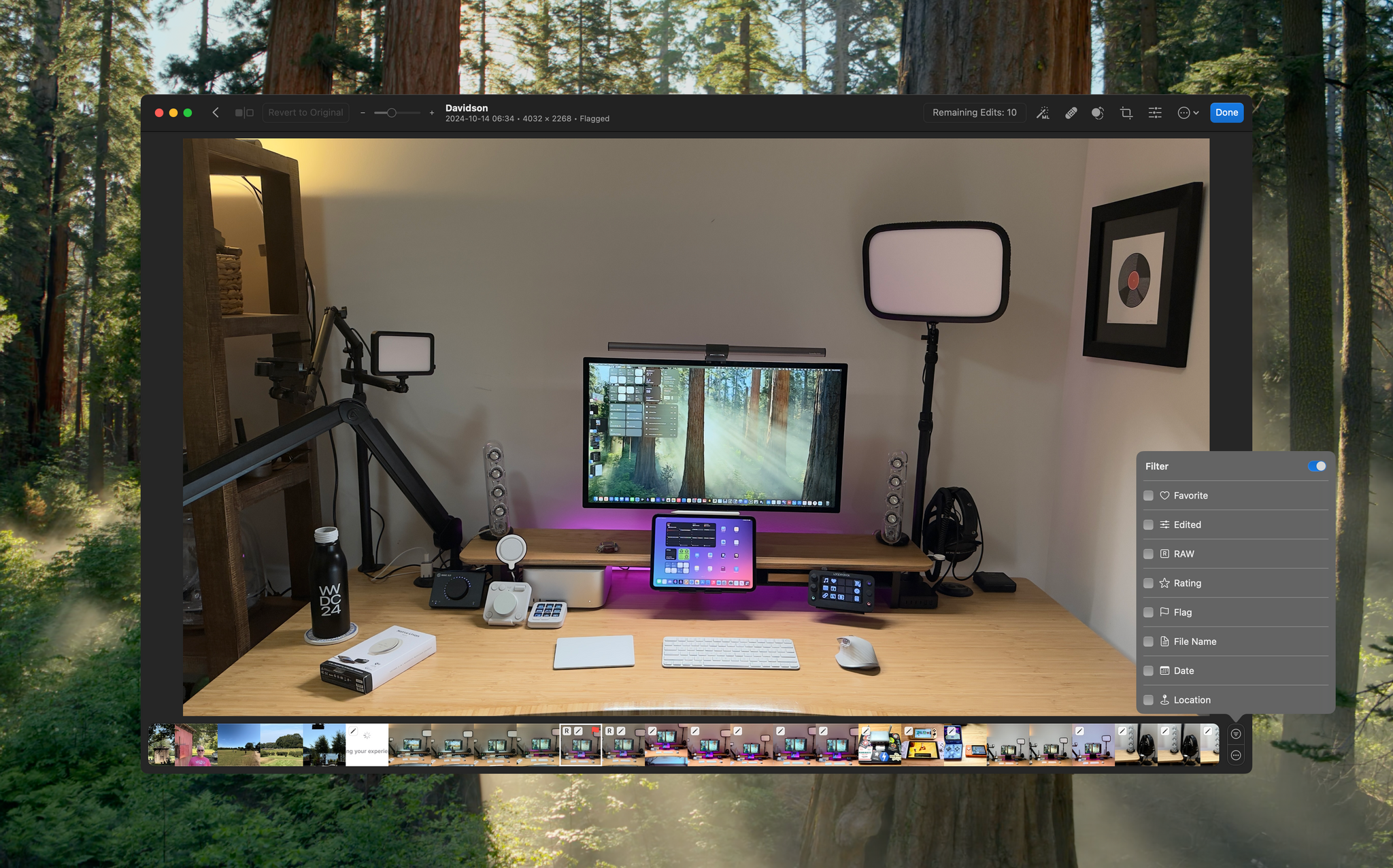
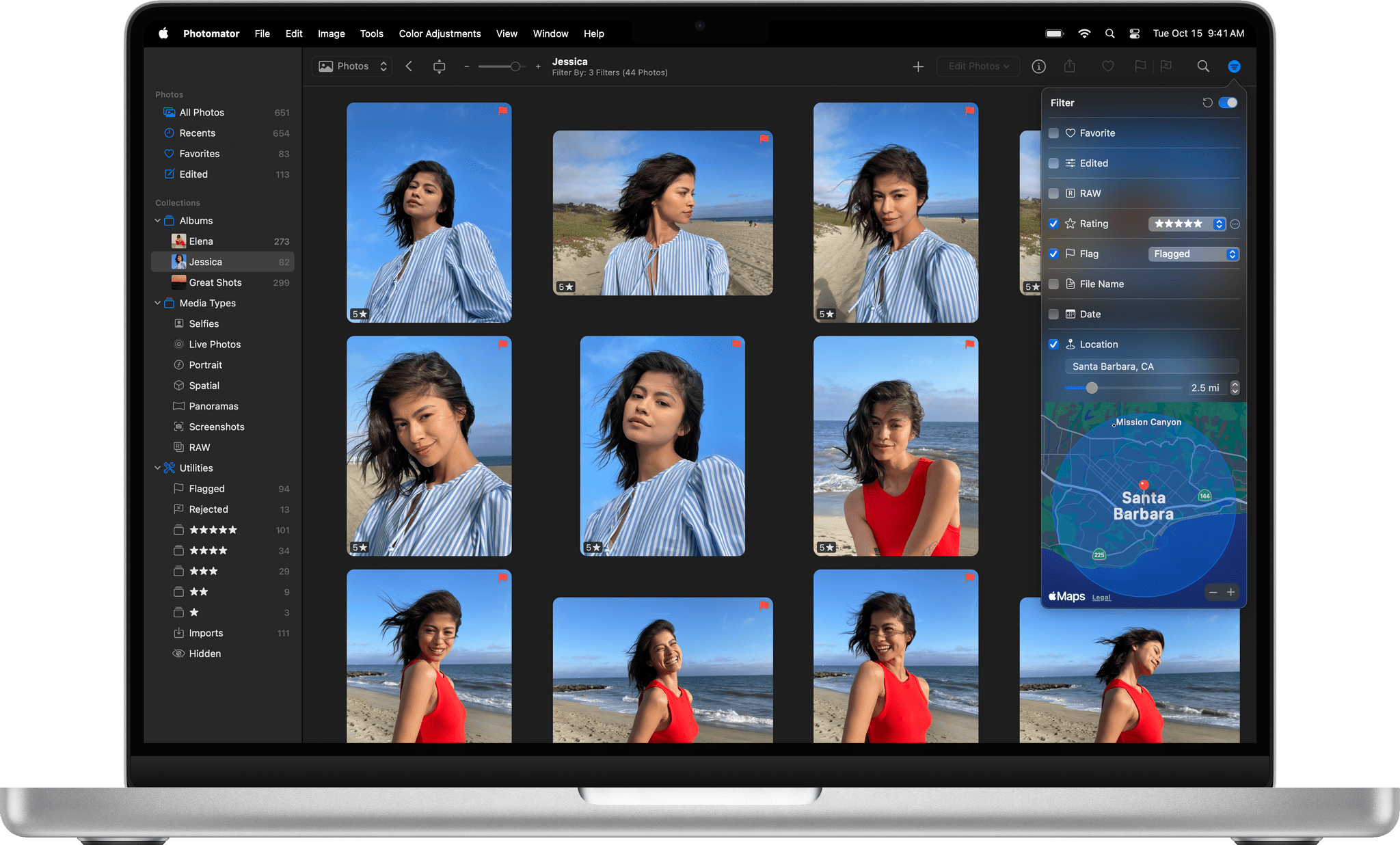
I haven’t spent much time with Photomator 3.4 yet, but the features it adds today will be familiar to anyone who has used other photo editors. The update adds the ability to flag and reject photos and apply a one- to five-star rating. Then, with filters based on flags, rejects, and star ratings, it’s easy to navigate among images to determine which to keep. The process is aided by extensive single-key shortcuts, too.

Source: Photomator.

Source: Photomator.

Photomator’s filtering options extend beyond flags, rejects, and stars. Other filtering options include whether an image is a RAW file or a favorite. You can filter based on a photo’s file name, date, and location, too. Flagged, rejected, and rated images are also gathered in special Utilities Collections, along with a new collection for imported photos. Photographs added from apps like Adobe Lightroom that store flags and ratings in metadata or XMP files are preserved when imported, too.

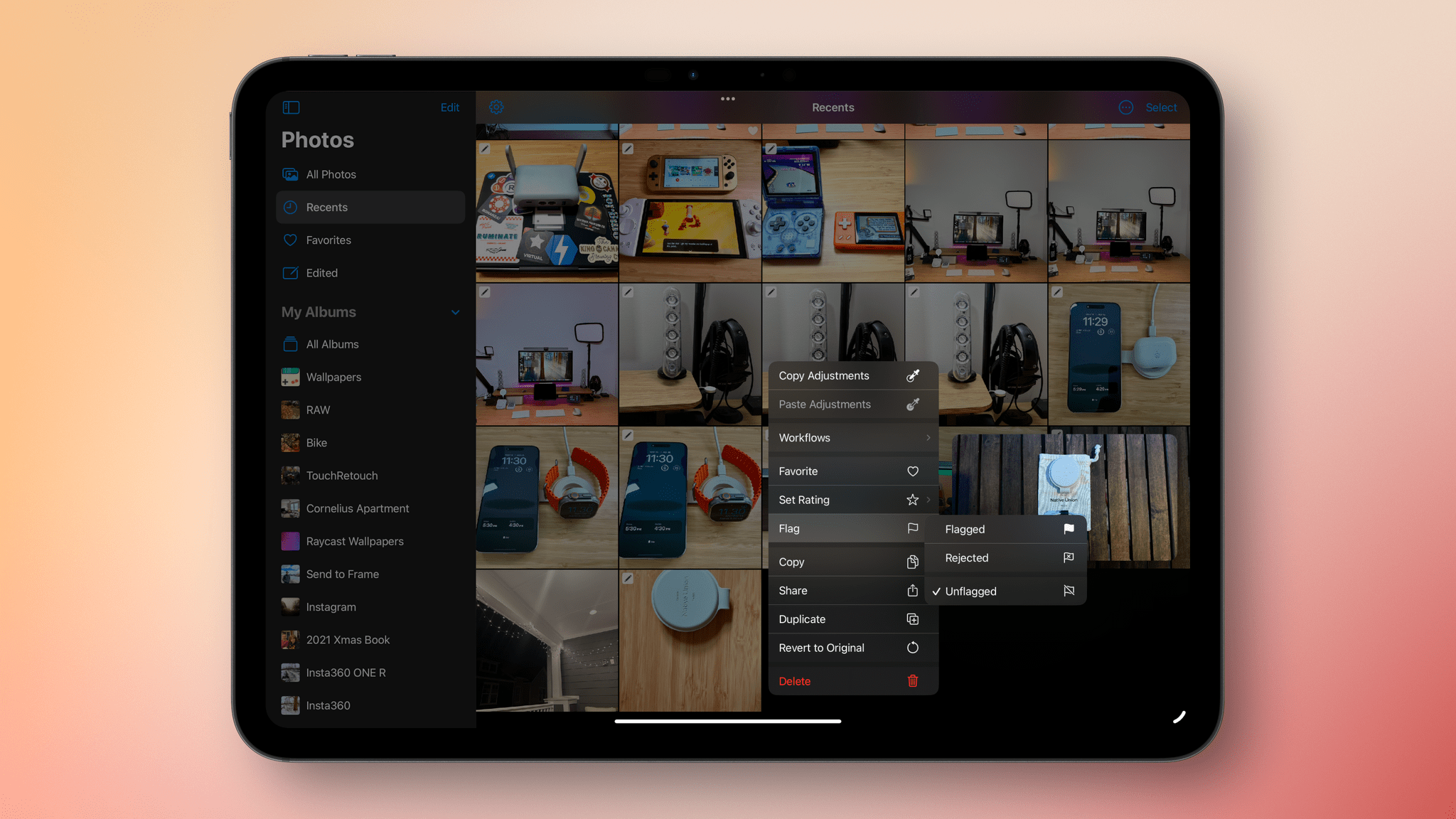
Flagging photos on the iPad.

Flagging photos on the iPad.

I haven’t tried the iOS or iPadOS versions of Photomator yet, but they share similar features, including the ability to flag and star images in the app’s browser UI. The iPhone and iPad versions support context menus for flagging and rating and batch application of flags and stars. The iOS and iPadOS versions of Photomator also include collections that assemble flagged and starred items in one place but don’t support the Mac version’s other filtering tools.

Photomator 3.4 is available as a free download on the App Store for existing customers. Some features require a subscription or lifetime purchase.


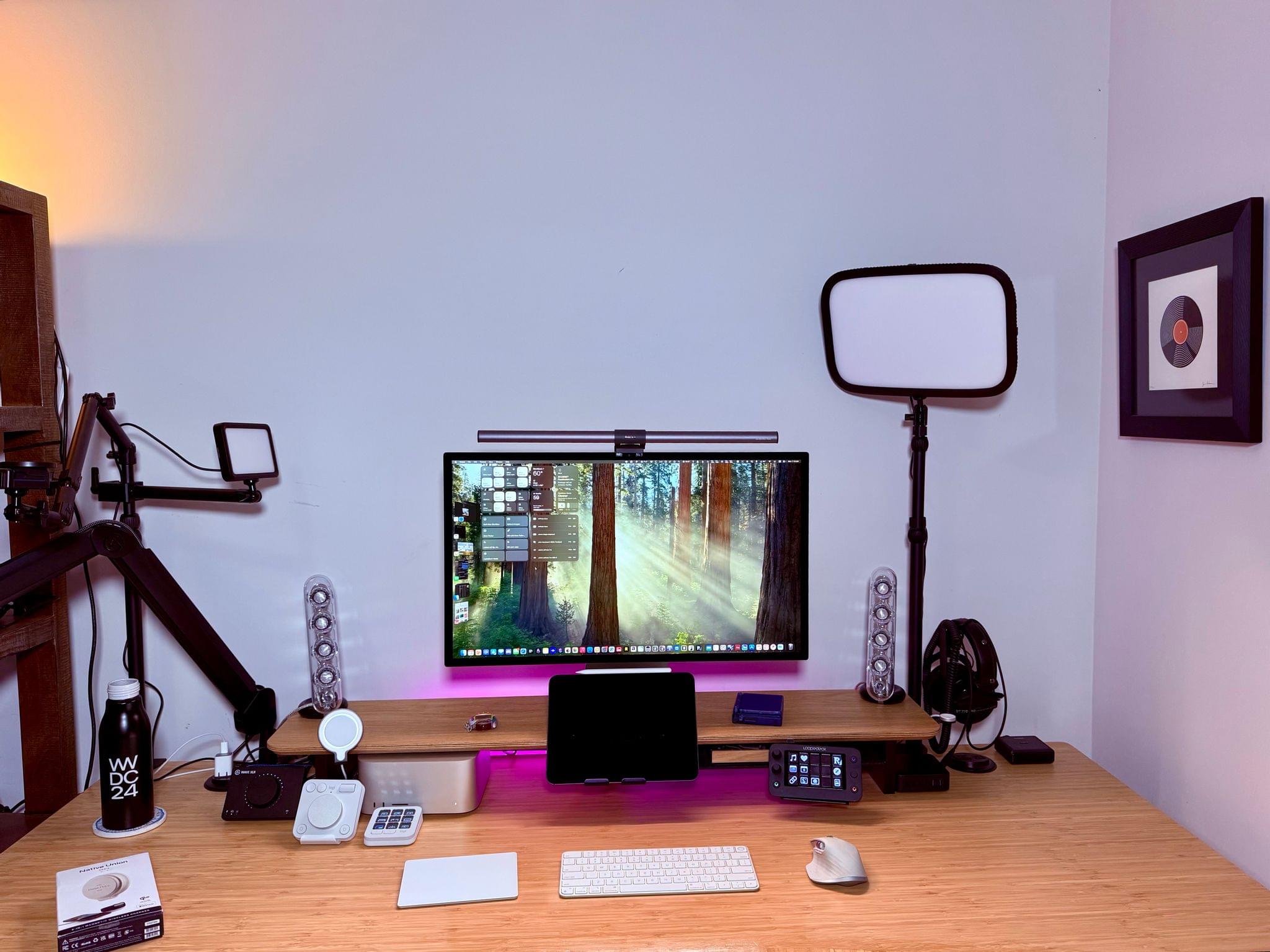
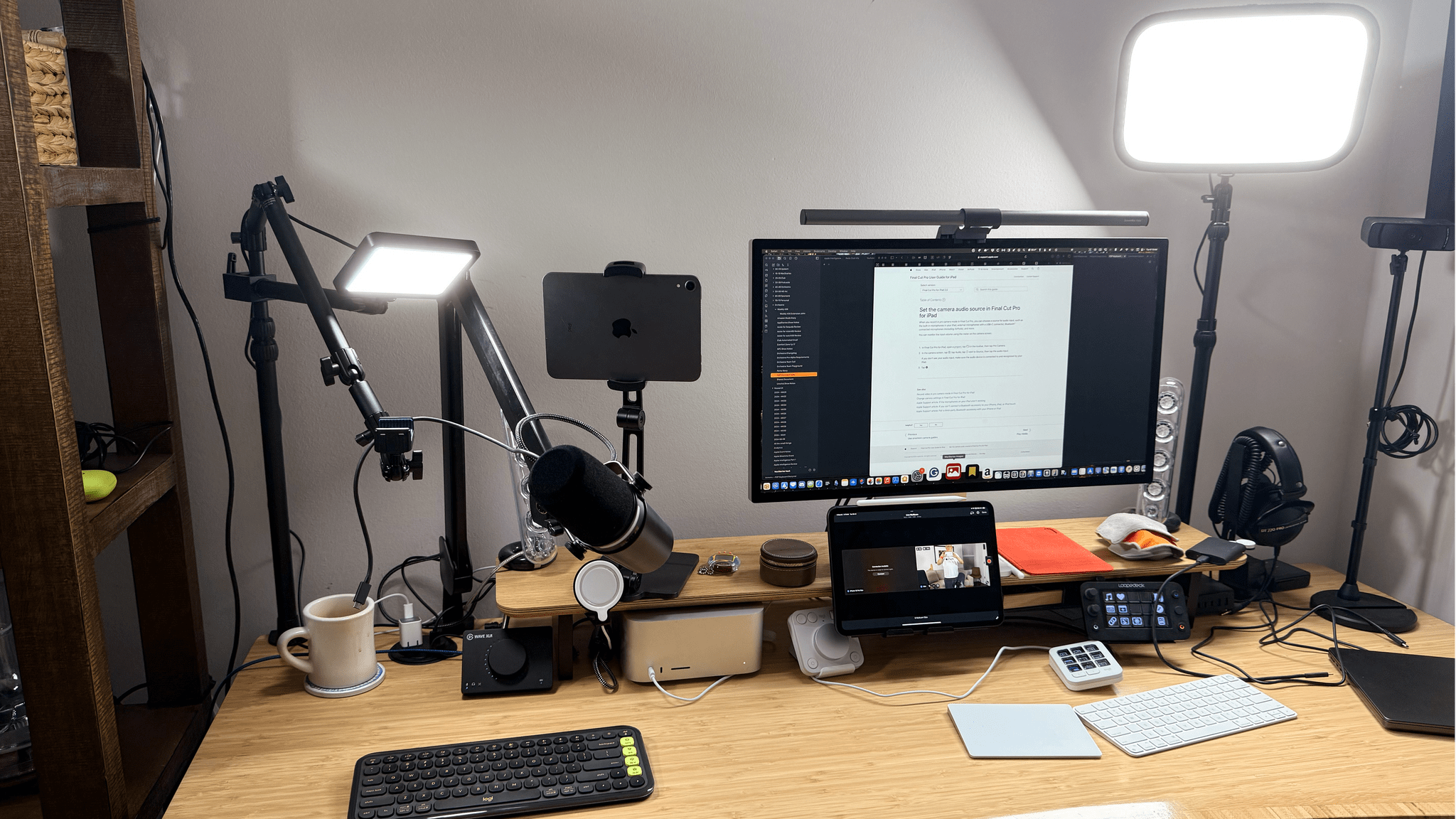
Video Production, Automation Hardware, Gaming, and More: My Desk Setup Update

Earlier today, we published an episode of AppStories covering the latest changes that Federico and I have made to our desk setups and other gear. I last updated my desk setup in July, before we started recording a video version of NPC: Next Portable Console. Since then, I’ve also started publishing bonus NPC videos and hardware reviews on the MacStories YouTube channel, which has driven the bulk of the changes in my setup.

On the hardware side, the changes include the addition of Elgato mounts, namely the Elgato Flex Arm and Solid Arm, along with a second Master Mount and Mini Key Light. I also purchased a Moment Multi Threaded Mount that lets me connect my iPhone 16 Pro Max to the Elgato Flex Arm using a strong MagSafe magnet for filming top-down shots. And I switched my podcast recording headphones to the Moondrop ARIA 2 In-Ear Headphones because the Shure model I used before didn’t stay in my ears.

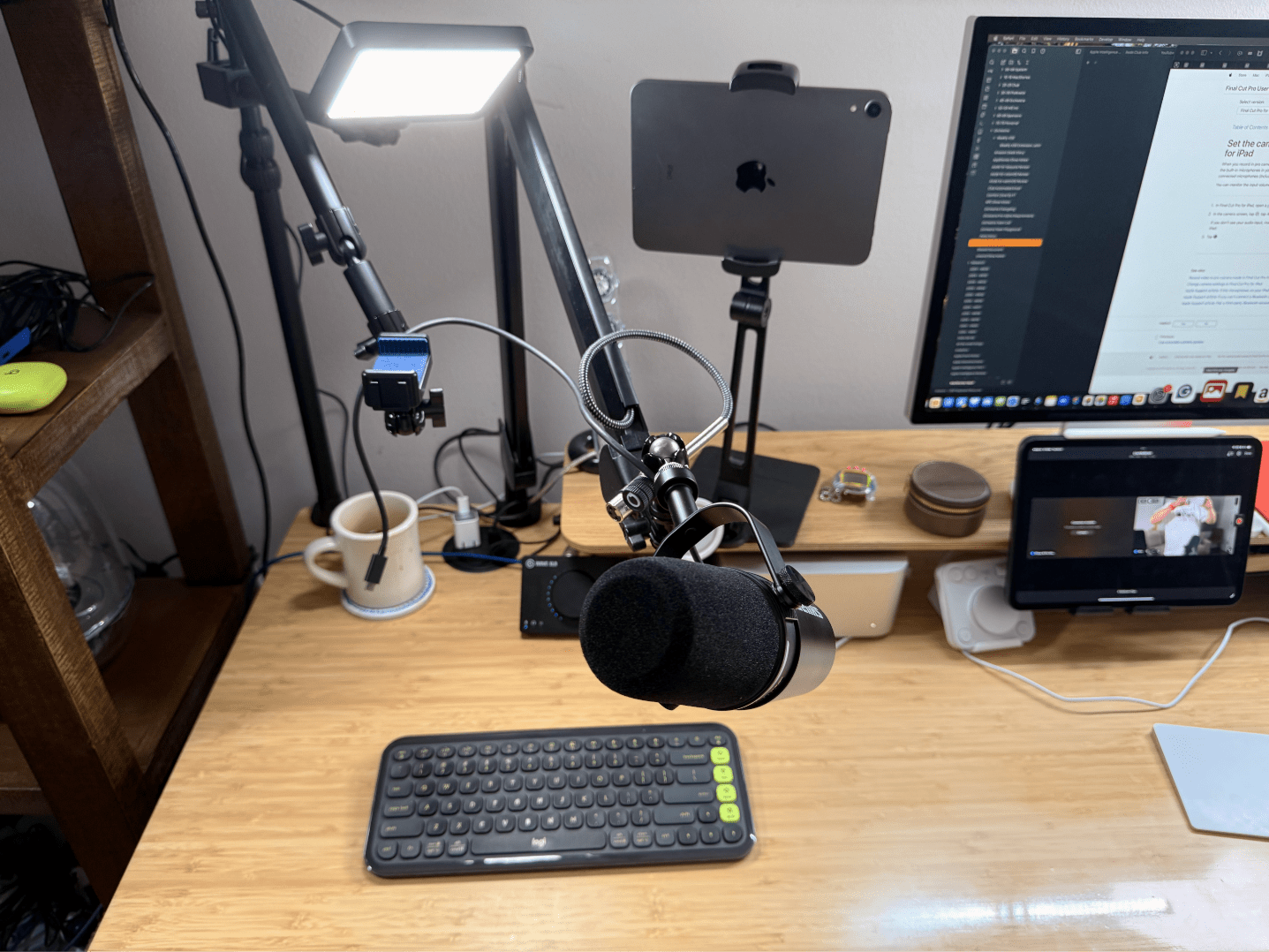
Making the most of a small space..

Making the most of a small space..

The rest of my computing setup hasn’t changed much. I removed my M2 MacBook Air because the 11” M4 iPad Pro has replaced it for most of my lightweight portable needs. I’ve also added the Logitech MX Creative Console and Logitech POP Icon Keys keyboard. I’ve grown to like the Creative Console more than the Loupedeck Live for push-button automation, but for now, I still use both. I’m not entirely sure if I’ll stick with the POP Icon Keys keyboard because, as much as I like the automation that’s been baked into it, I prefer the feel of the Magic Keyboard, but I haven’t shelved it yet. I’ve also abandoned the Belkin BoostCharge Pro Wireless Charger because of a recent recall. Instead, I’ve switched to a Native Union Voyage Magnetic Wireless Charger that I’ve been testing and will review soon.

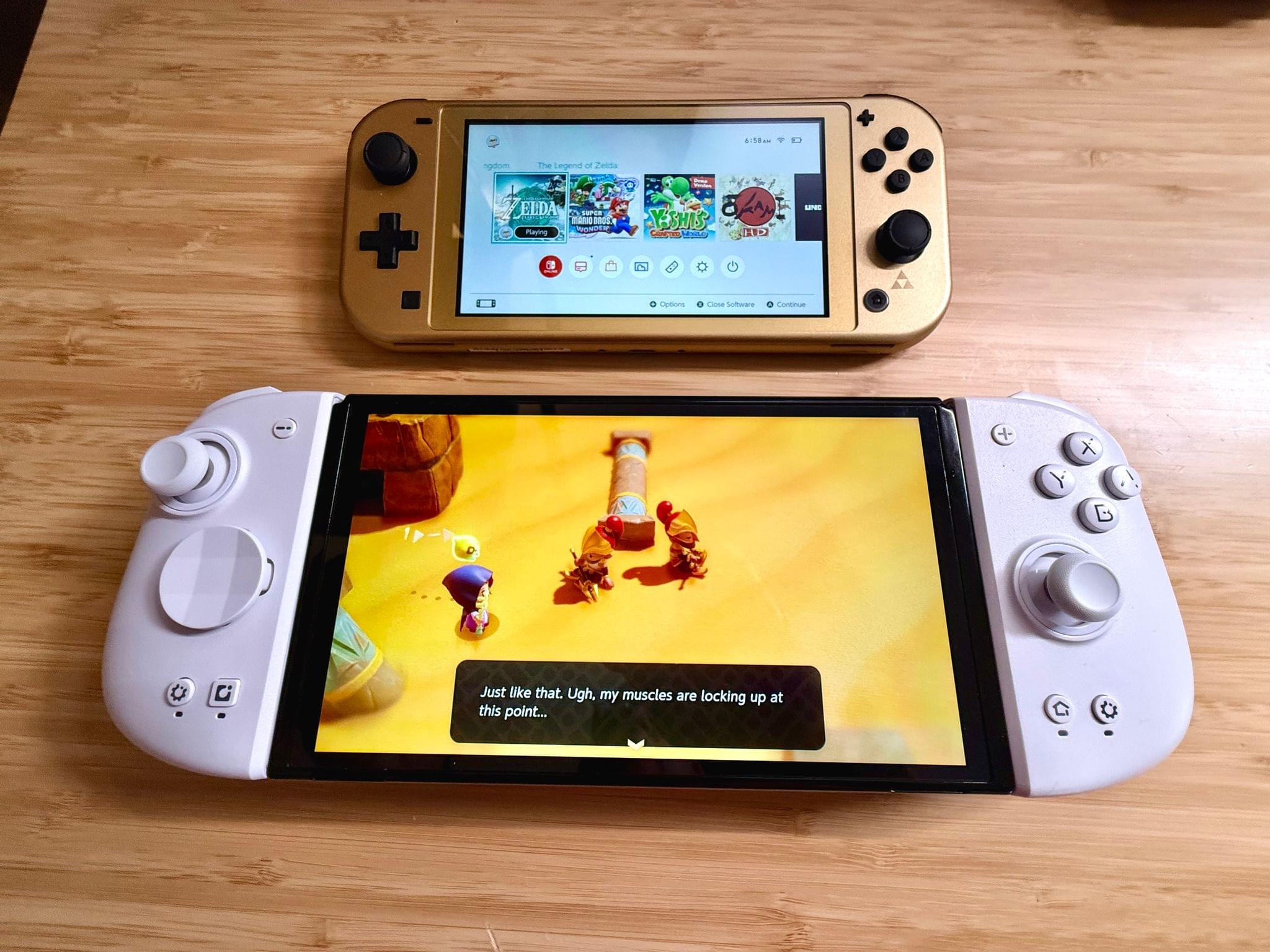
On the videogame side of things, I’ve gravitated to Anbernic devices, adding the Anbernic RG40XXV and Anbernic RG28XX to my setup. Along with the Anbernic RG35XXSP that was already on my list, I now have a nice range of retro handheld sizes and form factors. I have others as well, but these are my current go-to devices. I also added the Nintendo Switch Lite (Hyrule Edition) because I’m a sucker for anything Zelda and I wanted a smaller Switch for traveling.

The Mobapad M6 HD Joycons with my OLED Switch and the Switch Lite Hyrule Edition.

The Mobapad M6 HD Joycons with my OLED Switch and the Switch Lite Hyrule Edition.

I’ve tried to be good and stop buying controllers, but there have been some great ones released lately, so my list now includes the Mobapad M6 HD Joycons for my OLED Switch and the GameSir G8+. The G8+ is a lot like the GameSir G8 Galileo that it replaced except that it has Bluetooth and works with the iPhone, iPad mini, and Nintendo Switch; I love it.

Finally, I’ve made several changes to my app lineup. There are more Apple system apps on the list, which is usually the case after a long summer of testing macOS betas. Plus, there are several video recording and editing apps on the list now, including Final Cut Pro for the iPad and Mac, Final Cut Camera, a Stupid Raisins plugin for doing split-screen video, and Camo Studio.

That’s it for now. However, I’m already thinking about some fall and winter projects that will mean more changes to my setup, especially with respect to video production tools.


A Desk Setup Update

AppStories+ Deeper into the world of apps

AppStories Episode 407 - A Desk Setup Update

0:00
30:35

AppStories+ Deeper into the world of apps

This week, Federico and John share the changes they’ve made to their desk setups in recent months and the philosophies that have driven those changes.

Read more


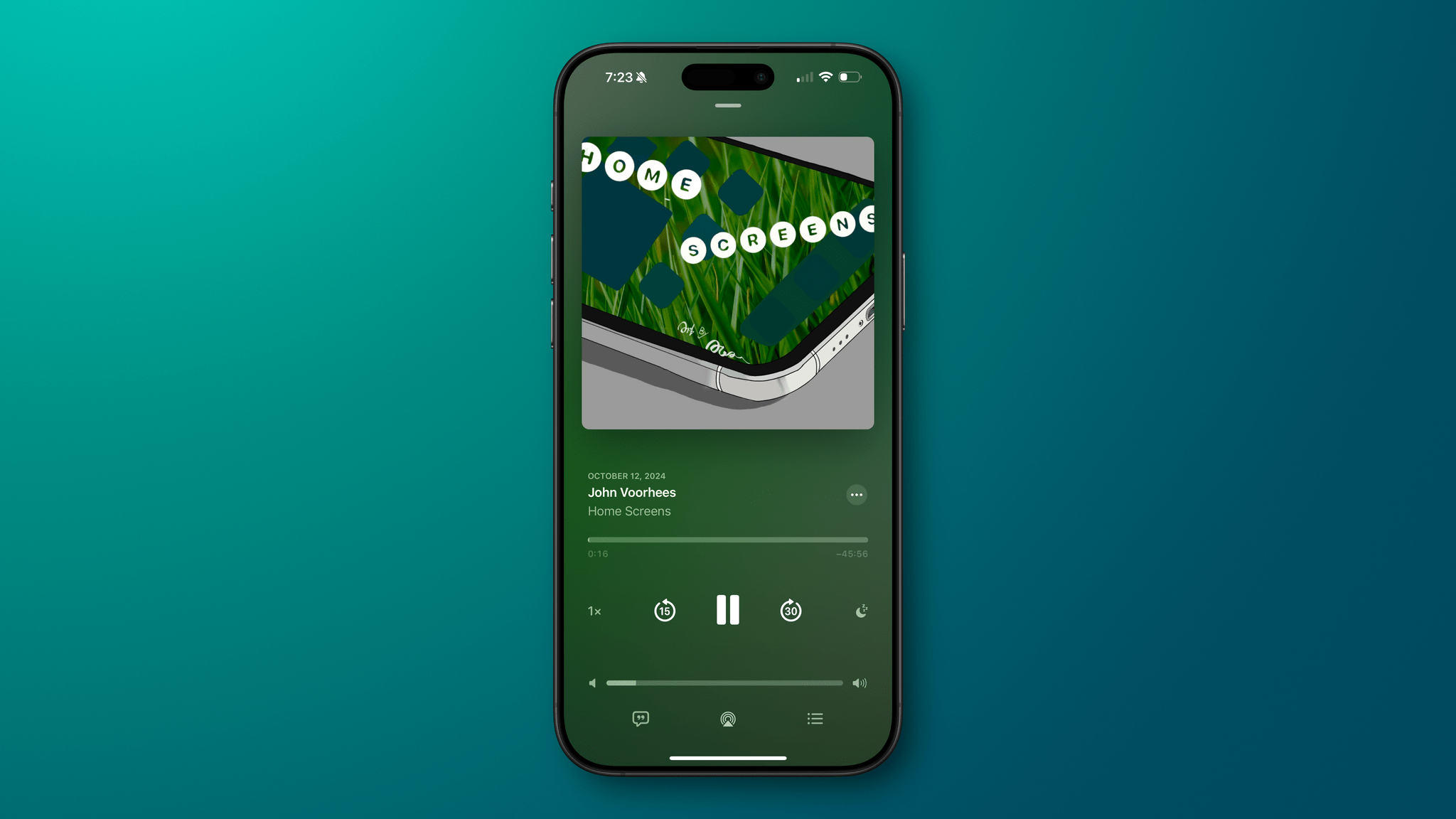
I Shared my iPhone Home Screen and More on the Home Screens Podcast

I joined Lee Peterson on his podcast, Home Screens, for a tour of my iPhone Lock Screen, Home Screen, and Control Center pages.

The theme that ties it all together is ‘quick entry.’ Whether it’s a task, idea, link, or something else, I’ve picked apps and widgets and arranged my iPhone to make it easy to capture those things as effortlessly as possible. Hopefully, some of the ideas in the episode can help others organize their iPhones, too.

Permalink


The Latest from Comfort Zone, Magic Rays of Light, and MacStories Unwind

Enjoy the latest episodes from MacStories’ family of podcasts:

Comfort Zone

Niléane is back and she’s brought the long-awaited Mastodon 4.3 update, Matt brought Omnivore, and Chris rounds out his new Apple product reviews with the Apple Watch Series 10. Then we see who took the best photo with an iPhone and introduce a fun new, accessible challenge.


Magic Rays of Light

Sigmund and Devon discuss Sigmund’s experience at London Film Festival, including the world premiere of Blitz. They also highlight this week’s release of Disclaimer and dive deep into Submerged, the first Apple Immersive Video scripted film.


MacStories Unwind

This week, John shares a spooky story, Federico and he both have TV show picks, and they update listeners on their progress in The Legend of Zelda: Echoes of Wisdom.

Read more