John Voorhees

5429 posts on MacStories since November 2015

John is MacStories' Managing Editor, has been writing about Apple and apps since joining the team in 2015, and today, runs the site alongside Federico. John also co-hosts four MacStories podcasts: AppStories, which covers the world of apps, MacStories Unwind, which explores the fun differences between American and Italian culture and recommends media to listeners, Ruminate, a show about the weird web and unusual snacks, and NPC: Next Portable Console, a show about the games we take with us.

Bitmo Lab Updates BANG!CASE to Accommodate the Camera Control and Releases GAMEBABY to Turn Your iPhone into a Retro Console [Sponsor]

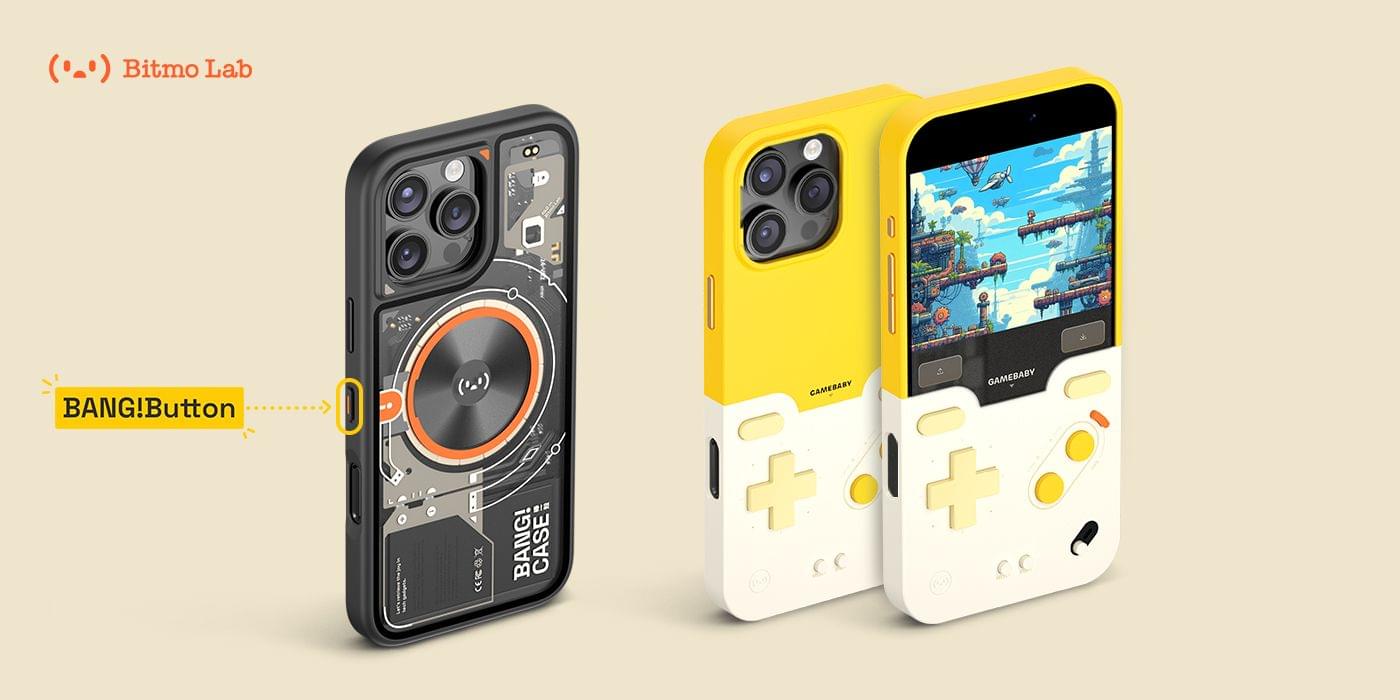
MacStories readers love to automate their iPhones, which is what makes the BANG!CASE the perfect choice whether you’re using an iPhone 14, 15, or 16 Pro or Pro Max. The BANG!CASE’s retro-futuristic design combines cool aesthetics with its integrated motherboard and independent power supply, which deliver unrivaled power via the BANG!Button and support for the iPhone 16’s Camera Control.

The customizable BANG!Button lets you program thousands of actions with a single press, double-press, or press-and-hold. It’s like having three buttons in one for everything from taking photos to recording voice memos to launching apps, all while protecting your iPhone in a stylish case that includes support for MagSafe wireless charging.

Meanwhile, the GAMEBABY case delivers fun retro vibes reminiscent of 90s game consoles. The case includes a detachable lower half with touch capacitive buttons. By flipping the removable bottom half of the case and covering the front of your iPhone, your phone is transformed into a retro gaming handheld compatible with apps like Delta.

The BANG!CASE is available to order now from Bitmo Lab for $49.99, and, while supplies last, a limited supply of the GAMEBABY case is available for an introductory price of just $24.99. Learn more on Bitmo Lab’s YouTube channel and order the two most innovative iPhone cases available today.

Our thanks to Bitmo Lab for sponsoring MacStories this week.


iOS 18 App Updates We Love

AppStories+ Deeper into the world of apps

AppStories Episode 405 - iOS 18 App Updates We Love

0:00
36:19

AppStories+ Deeper into the world of apps

This week, Federico and John share their favorite app updates that take advantage of what’s new in iOS 18.

Read more


The Latest from Comfort Zone, Magic Rays of Light, and MacStories Unwind

Enjoy the latest episodes from MacStories’ family of podcasts:

Comfort Zone

With Niléane out on assignment, Matt and Chris are joined by MacStories’ own John Voorhees! Chris and John bring brand new, embargoed products, while Matt brings…checking my notes here…a Thunderbolt dock from years ago (but he swears it’s cool).


Magic Rays of Light

Devon and Jonathan highlight new Apple Original Spanish-language medical drama Midnight Family, share their iPhone 16 Pro and Apple Watch Series 10 first impressions, and check in on Slow Horses midway through its fourth season.


This week, an unexpected return to the wild kingdom, my iPhone 16 Pro Max first impressions, and movie and videogame picks.

Read more


Clockwise 573, ‘Five Legs and Way Too Many Fingers’

Earlier this week, I joined Lex Friedman on Clockwise, the Relay show hosted by Dan Moren and Mikah Sargent. On episode 573, ‘Five Legs and Way Too Many Fingers,’ we covered a bunch of topics including:

  • the Apple Watch faces we use and why;
  • our feelings about Apple marketing its new iPhones by highlighting Apple Intelligence features that won’t be available for months;
  • where we get iPhone wallpapers and how we use them; and
  • the iPhone’s Action Button.

Thanks to Mikah and Dan for having me on, which was also a chance to chat with Lex for the first time, which I enjoyed too.

Permalink

The Latest from NPC: Next Portable Console and AppStories

Enjoy the latest episodes from MacStories’ family of podcasts:

This week, Federico and John cover the highlights of macOS Sequoia, a good update that feels unfinished.


In the latest episode, we share our thoughts on the Nintendo Switch 2 rumors, Sony’s PS5 nostalgia-fest, and more handheld news. Plus, Federico explains how Astro Bot makes sense of the PS Portal, I share a look at the Anbernic RG40XXV retro handled, and we reach peak Joy-Con with Mobapad’s M6 HD.

Read more


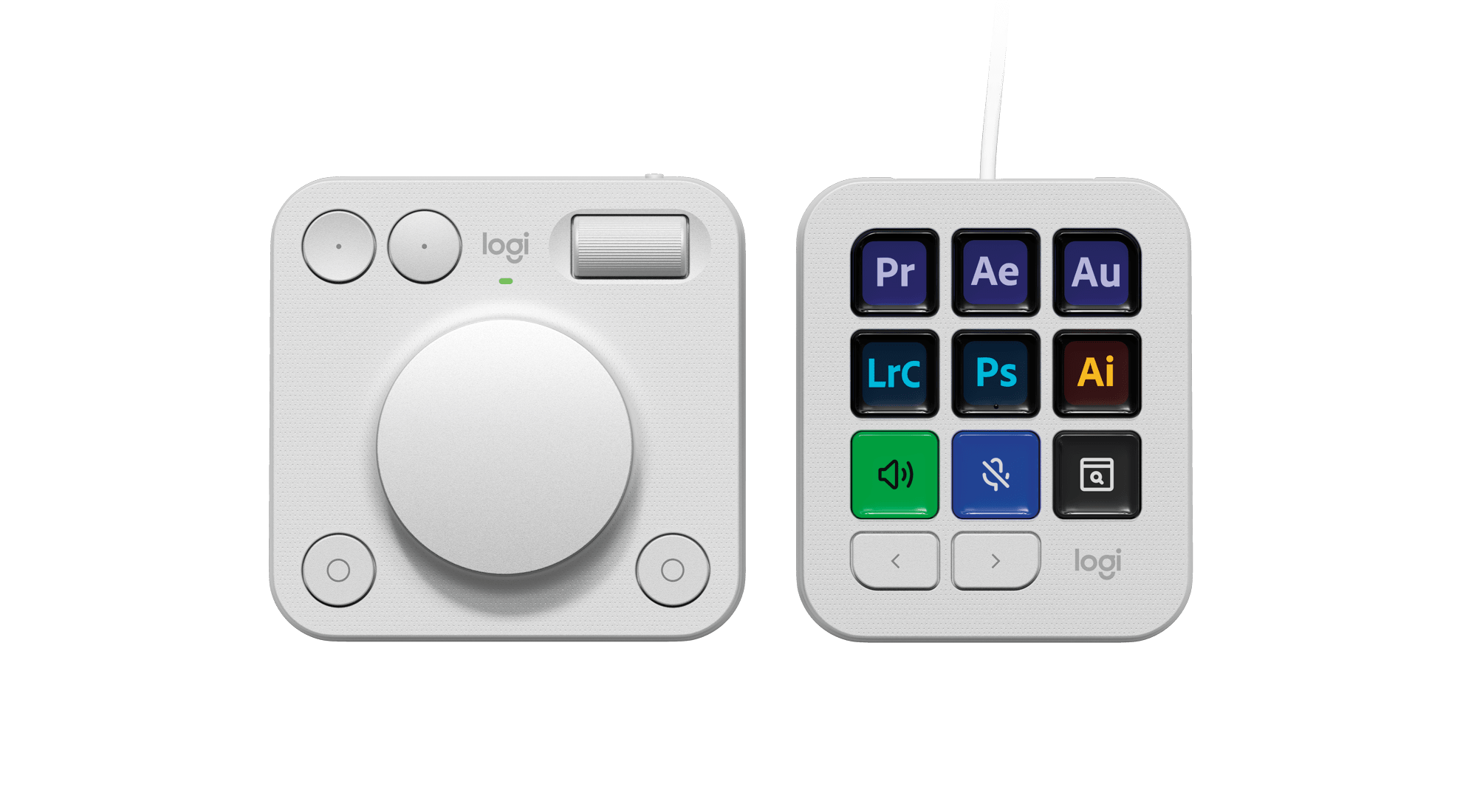
First Look: Logitech’s MX Creative Console Is Poised to Compete with Elgato’s Stream Deck Lineup

Source: Logitech.

Source: Logitech.

Today, Logitech revealed the MX Creative Console, the company’s first product that takes advantage technology from Loupedeck, a company it acquired in July 2023.

I’ve been a user of Loupedeck products since 2019. When I heard about the acquisition last summer, I was intrigued. Loupedeck positioned itself as a premium accessory for creatives. The company’s early products were dedicated keyboard-like accessories for apps like Adobe Lightroom Classic. With the Loupedeck Live and later, the Live S, Loupedeck’s focus expanded to encompass the needs of streamers and automation more generally.

Suddenly, Loupedeck was competing head-to-head with Elgato and its line of Stream Deck peripherals. I’ve always preferred Loupedeck’s more premium hardware to the Stream Deck, but that came at a higher cost, which I expect made it hard to compete.

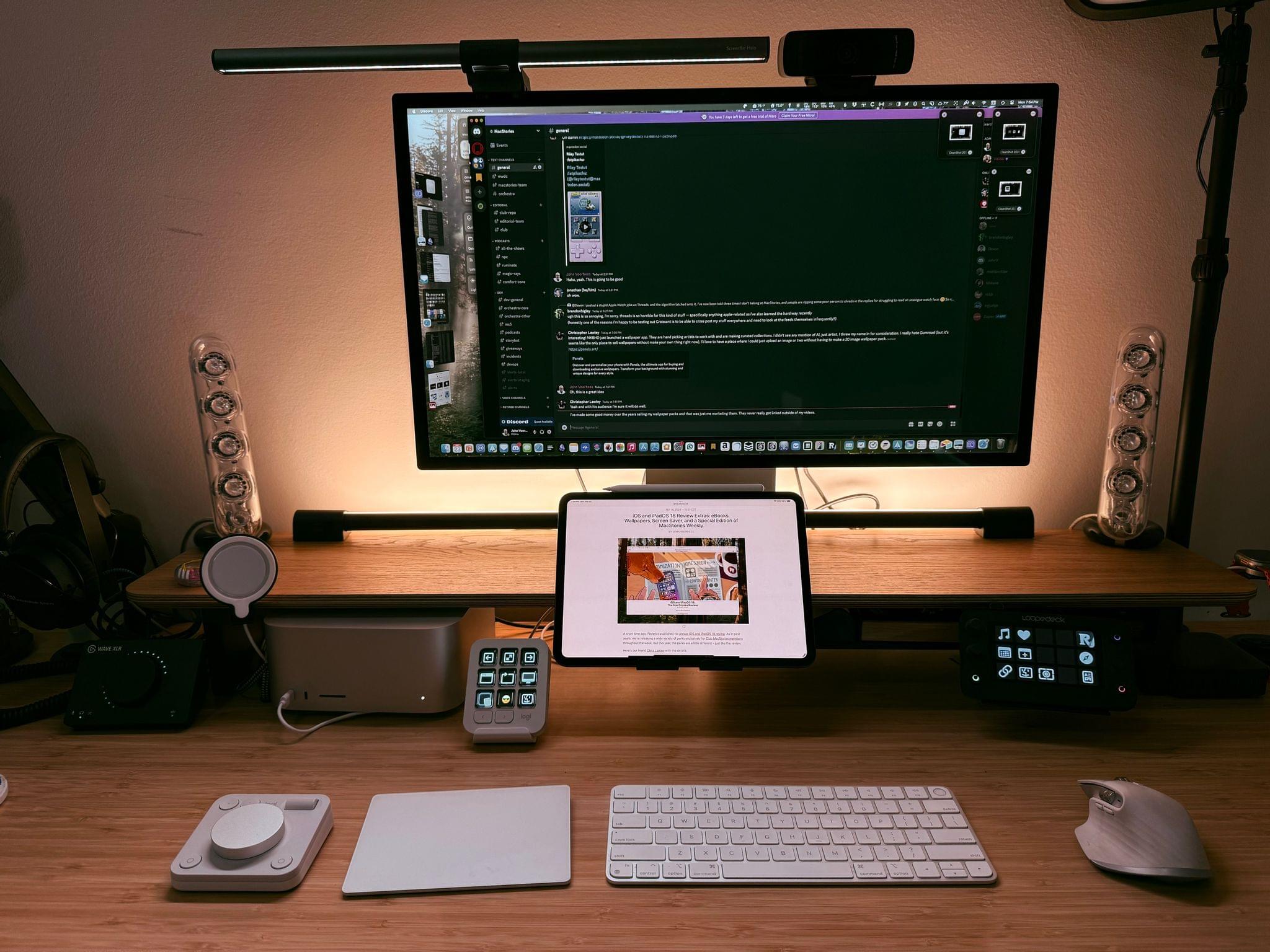
The Logitech MX Creative Console slots nicely into my existing setup.

The Logitech MX Creative Console slots nicely into my existing setup.

Fast forward to today, and the first Logitech product featuring Loupedeck’s know-how has been announced: the MX Creative Console. It’s a new direction for the hardware, coupled with familiar software. I’ve had Logitech’s new device for a couple of weeks, and I like it a lot.

The MX Creative Console is first and foremost built for Adobe users. That’s clear from the three-month free trial to Creative Cloud that comes with the $199.99 device. Logitech has not only partnered with Adobe for the free trial, but it has worked with Adobe to create a series of plugins specifically for Adobe’s most popular apps, although plugins for other apps are available, too.

Read more