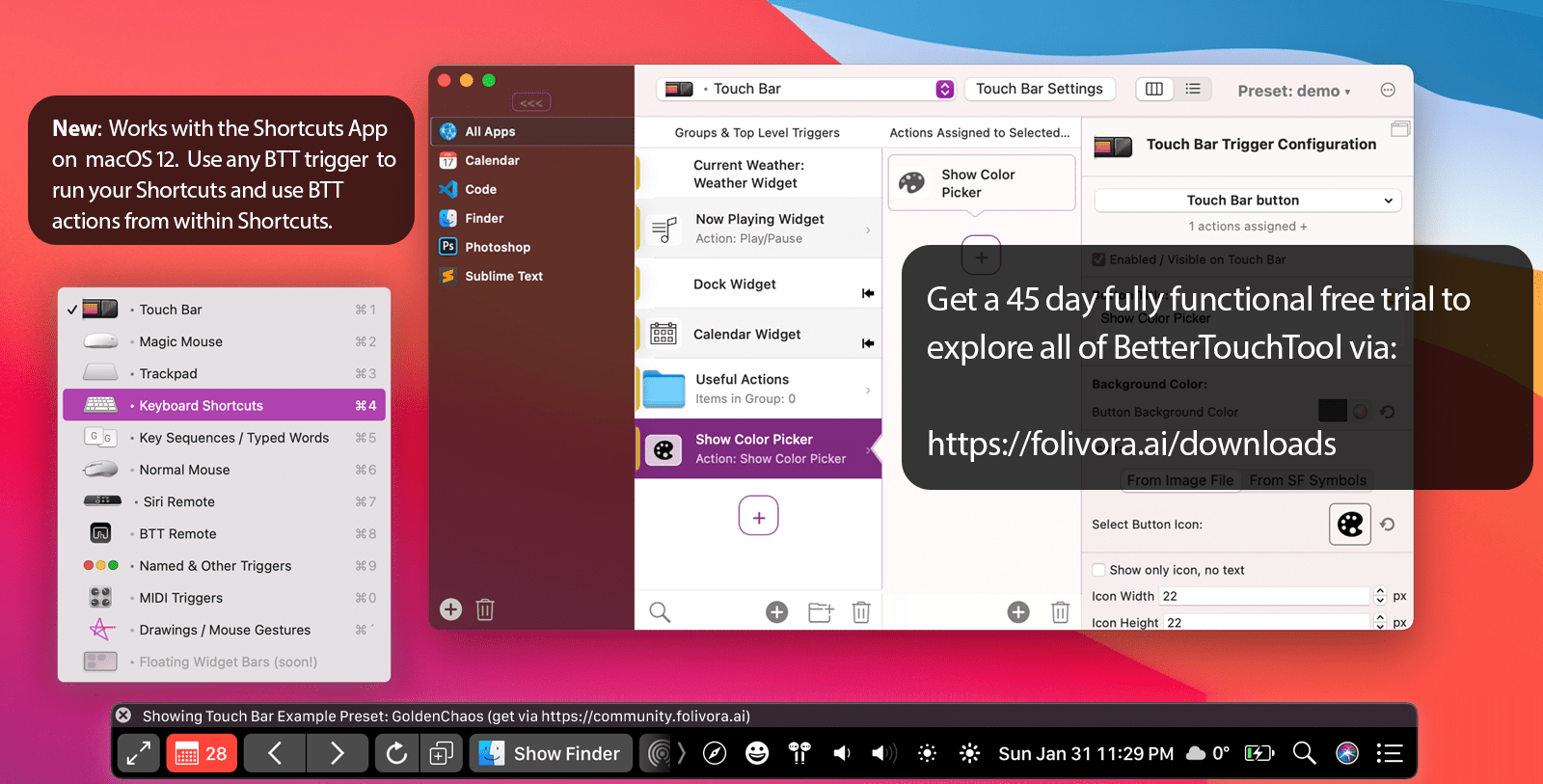
BetterTouchTool is an indispensable Mac app that has stood the test of time. The app was one of the first covered by MacStories back in November 2009. In those early days, BetterTouchTool was a simple app for adding customizable gestures to MacBook trackpads and the Magic Mouse.
Nowadays, the app can configure gestures for the Magic Mouse and Magic Trackpad (1-3), it enables full Touch Bar customization, allows users to define keyboard shortcuts, including a powerful Hyper Key, bind the buttons of mice, create custom mouse gestures, customize the Siri Remote, and connect and configure MIDI devices. Also, it works great together with the new Shortcuts app on macOS Monterey.
BetterTouchTool’s developer, Andreas Hegenberg, recently introduced a new feature that is rapidly evolving: the “Notch Bar”. It is in an early development stage but already has quite a few fans, and now, Andreas would love to get your feedback on the feature to make it even better.
The Notch Bar is a customizable menu bar add-on that allows you to create completely custom bars with only the functions and widgets you regularly use. It works best on screens with a Notch, but can also be used on standard screens. It leaves your standard menu bar intact but hidden, so you can easily switch between standard and Notch Bar modes - e.g. by setting a keyboard shortcut to do so.
The Notch Bar comes with lots of default widgets, e.g. to show an emoji picker, calendar events, Shortcuts, weather, date/time, or your clipboard history. It can easily be extended using custom and third-party script widgets too. For example, the amazing Crypto Touch Bar app can now export crypto widgets for the Notch Bar.
For more info on the Notch Bar and a Quick Start Guide, please have a look at:
Here are a few examples of how Andreas is using the Notch Bar himself:
And don’t forget to send Andreas your feedback and ideas how to improve the Notch Bar.
BetterTouchTool comes with a 45-day trial, after which you can choose between a license that includes all updates for 2 years and a lifetime license.
For a limited time, MacStories readers can purchase BetterTouchTool for 20% off by using the coupon code MACSTORIESBTT at checkout. So, don’t delay. Go to folivora.ai to learn more about this fantastic Mac app and take advantage of the special limited-time, 20% discount on BetterTouchTool.
Our thanks to BetterTouchTool for sponsoring MacStories this week.