
MacStories Team

3496 posts on MacStories since July 2011

Articles by the MacStories team. Founded by Federico Viticci in April 2009, MacStories attracts millions of readers every month thanks to in-depth, personal, and informed coverage that offers a balanced mix of Apple news, app reviews, and opinion.

MacStadium: Orka Virtualization Is Coming to Apple Silicon Hardware [Sponsor]

Orka is MacStadium’s virtualization layer created for Mac build infrastructure that allows Mac and iOS developers to orchestrate macOS in a cloud environment using Kubernetes on genuine Apple hardware. Soon, Orka 2.0, which is currently in beta, will be released, allowing developers to harness the combined power of Apple’s M1 chip architecture and Orka for the first time.

Since Orka was first released, users have used it to streamline their development pipeline with high-performance, scalable, secure, and reliable Apple hardware. Soon, Orka will run on Apple silicon Macs too. With Orka 2.0, developers will be able to virtualize macOS across M1 Macs just like they’ve been doing on Intel machines and even mix clusters using both Intel-and M1-based virtual machines. It’s a big step forward, which will make it easier for developers to migrate their Mac and iOS build pipelines to Apple silicon. With Orka 2.0, you’ll be able to control Orka VMs with a native Kubernetes command line too.

The possibilities created by Orka 2.0 don’t end there, though. Just last week, AWS announced that EC2 instances on M1 Mac minis are on the way. AWS’s M1 mini instances are currently in preview, but the news opens up intriguing possibilities for developers, such as running Orka 2.0 on AWS or building a hybrid cloud pipeline on MacStadium servers and AWS.

Learn more about Orka 2.0 at MacStadium and sign up for the beta today to be among the first to experience your development pipeline on M1 Macs. It promises to be a big leap forward that you won’t want to miss.

Our thanks to MacStadium for sponsoring MacStories this week.


AV Club Town Hall: No Time To Die


Club MacStories Town Halls are part of the monthly and other special live audio events we hold in the Club MacStories+ Discord community. The show is a recorded and lightly edited version of the Town Halls that we produce, so Club MacStories+ and Club Premier members who can’t attend the event live can listen later. To learn more about Club MacStories+ and Club Premier, visit our Club plans page.

Ep. - AV Club Town Hall: No Time To Die

0:00
0:00

For this month’s AV Club selection, Federico and John were joined by MacStories’ Alex Guyot and Club member David to discuss the latest James Bond film, No Time To Die.

Read more


Create, Edit, and Collaborate on Documents on Your Desktop and Mobile Devices with Your Free Office Suite by ONLYOFFICE [Sponsor]

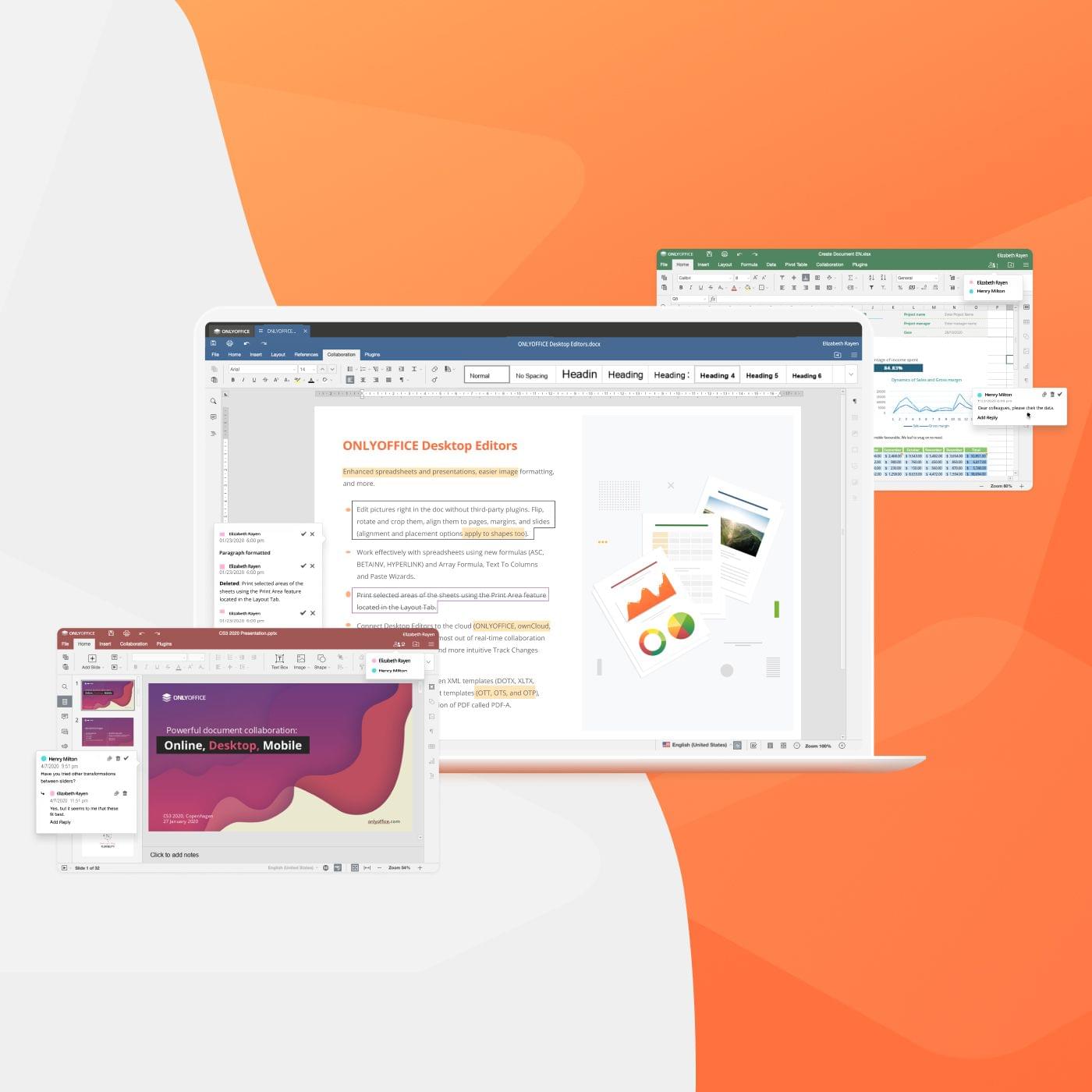
ONLYOFFICE is the premier productivity suite for desktop and mobile that’s also open-source and free. The suite is a powerful choice for anyone who works across multiple devices, including Apple hardware and Windows and Linux devices. That means whatever device or system you’re using, you’ve got ONLYOFFICE close at hand to help you get things done. ONLYOFFICE is fully-compatible with M1 Macs too, where it’s blazingly fast.

ONLYOFFICE offers a complete set of word-processing, spreadsheet, and presentation tools that support all the file formats you’ll need, including DOCX, ODT, XLSX, ODS, CSV, PPTX, ODP, and more. What’s more, with its tabbed interface, ONLYOFFICE lets you work efficiently with multiple file types at one time. The suite also features a deep set of sophisticated tools for editing and formatting your documents, so your work always looks fantastic.

ONLYOFFICE is security and privacy-minded too. The suite includes password protection, digital signature support, watermarking, and more. They’re features that provide the peace of mind that your data is yours and only shared by you when and how you choose.

Collaboration and extensibility are core to ONLYOFFICE. The suite features a rich ecosystem of third-party plugins that support other services like Google Translate, YouTube, DocuSign, cloud storage providers, WordPress, and many more. With ONLYOFFICE Workspace, Nexcloud, ownCloud, or Seafile, you can collaborate with your colleagues on documents too, editing, commenting, and reviewing together in real-time.

If you haven’t checked out ONLYOFFICE yet, now is the time to do so. Visit ONLYOFFICE’s website today to learn more about how you can integrate this powerful and free suite of open-source applications into your workflow.

Our thanks to ONLYOFFICE for sponsoring MacStories this week.