

Next week on AppStories, Federico and John have a special episode of Pick 2 all about Reeder for the Mac and Reeder for iOS and iPadOS....
Timemator 2: Automatic Time-Tracking Based On Your Rules and Activities [Sponsor]
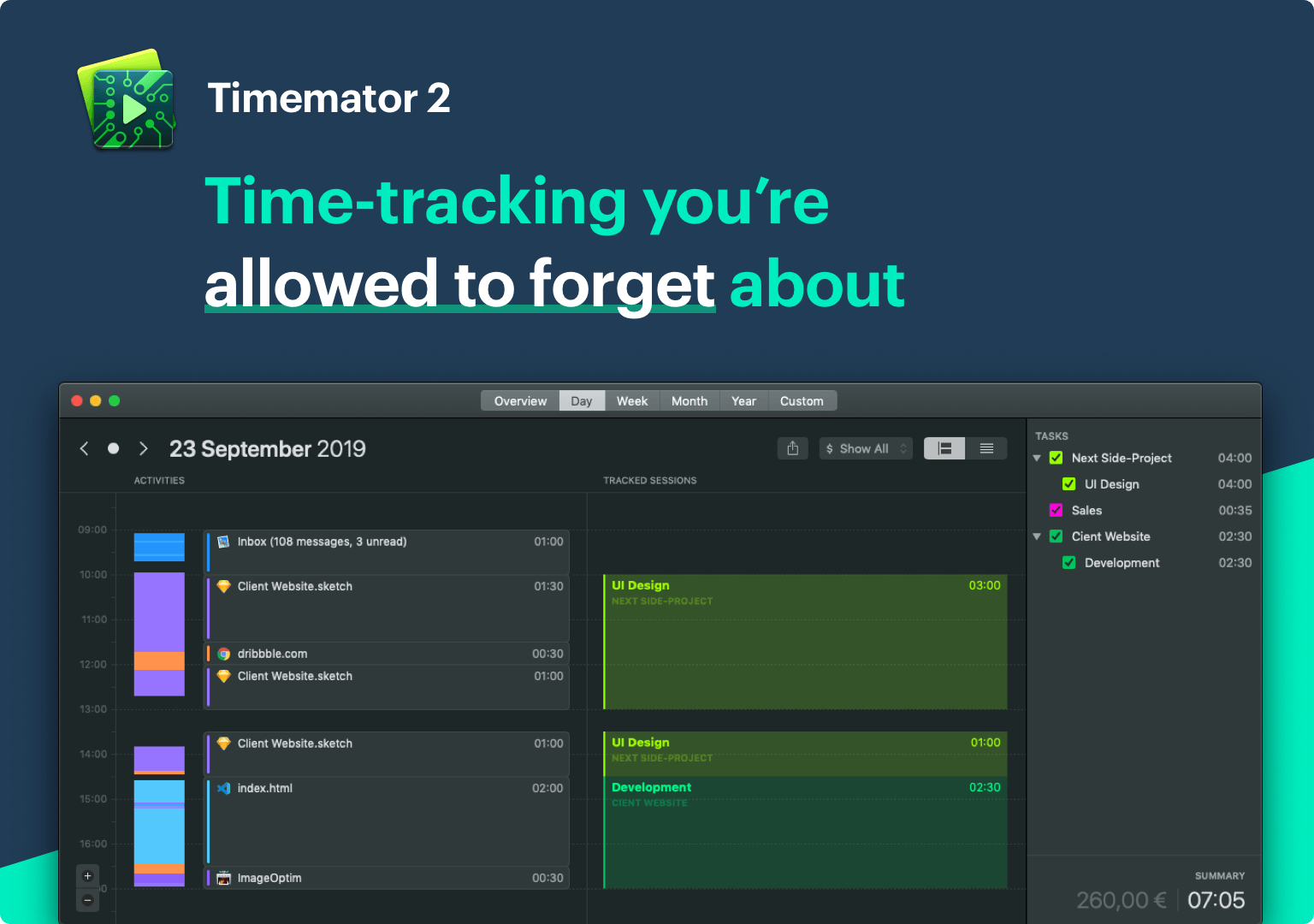
One of the biggest hurdles to consistently tracking your time is starting and stopping timers. It’s too easy to forget to do, leaving you with gaps in your tracking or timers left running overnight. What if you could free yourself from the burden of timers by automating the process? You can do precisely that with Timemator 2.
By letting Timemator track the apps you use, the files you open, and the web sites you visit on your Mac, you’ll never lose a billable minute because you forgot to start a timer. Nor will you fret about stopping a timer when you’re finished because Timemator shows you exactly when you stopped using an app, allowing you to focus on what’s most important: your work.
Time never slips through the cracks with Timemator because it approaches the problem of tracking three ways. First, Timemator automatically creates an activity timeline as you work on your Mac. Just go over your activities at the end of the day and assign them to projects and tasks. Second, you can set up Timemator rules to automatically record time to a project or task when you open a particular app or file. Third, there’s a manual timer available for those one-off tasks and times that it’s just easier to click start. It’s a three-pronged approach that’s proven useful to a wide variety of professionals, including contractors, freelancers, and small teams.
Timemator is a native Mac app that’s been thoughtfully designed to look as beautiful as it is functional. The app is also continually updated with the latest macOS technologies. Next up on Timemator’s roadmap is iCloud sync, an iOS app, integration with third-party tools like Jira and Asana, and team features.
Timemator is free to try for 30 days, and for a limited time, readers of MacStories can buy the app for 30% off by using the coupon code TM-MACSTORIES at checkout. Don’t wait until the new year to get serious about time tracking. Start today by downloading Timemator 2, so you can stop thinking about timers and focus on your tasks.
Our thanks to Timemator 2 for sponsoring MacStories this week.
 Interesting Links
As with every Apple product, iFixit has done a complete teardown of the 16-inch MacBook Pro, which is similar in many ways to the 15-inch model. (Link) The New York Times has an in-depth profile of Margrethe Vestager, who oversee’s EU antitrust enforcement and has leveled multi-billion dollar fines against companies like Google and Apple....
Up Next on MacStories’ Podcasts
Next week on AppStories, Federico and Johndive into their favorite HomeKit devices, apps, and automations....
In This Issue
TouchRetouch, a shortcut for checking Pokémon evolutions from Federico, Ryan on additional services he’d like to see from Apple, an interview with Chirp developer Will Bishop,plus the usual Weekly Q&A, Links, lots of App Debuts, arecap of MacStories articles, and a preview of next week’s episode of AppStories....
Previously, On MacStories
NoiseBuddy: Control Noise Cancellation and Transparency Modes of AirPods Pro on a Mac Apple to Hold Awards Ceremony Celebrating Its Favorite Apps and Games on December 2nd My Modern iPad Home Screen: Apps, Widgets, Files, Folders, and Shortcuts Spotify Announces New ‘Your Daily Podcasts’ Algorithmic Playlist Apple Maps Continues Its US Expansion Spark Updated with...
Interview: Will Bishop

Twitter: @WillRBishop. Creator of Chirp, Nano for Reddit, and MiniWiki, host of the Indie Beginnings podcast,and 2019 WWDC Scholar. You’ve created Twitter, Reddit, and Wikipedia clients for the Apple Watch. What is it about the Watch that appeals to you as a developer? The Apple Watch is a platform many developers jumped at when it...
Kolide: User Focused Security For Teams That Slack [Sponsor]
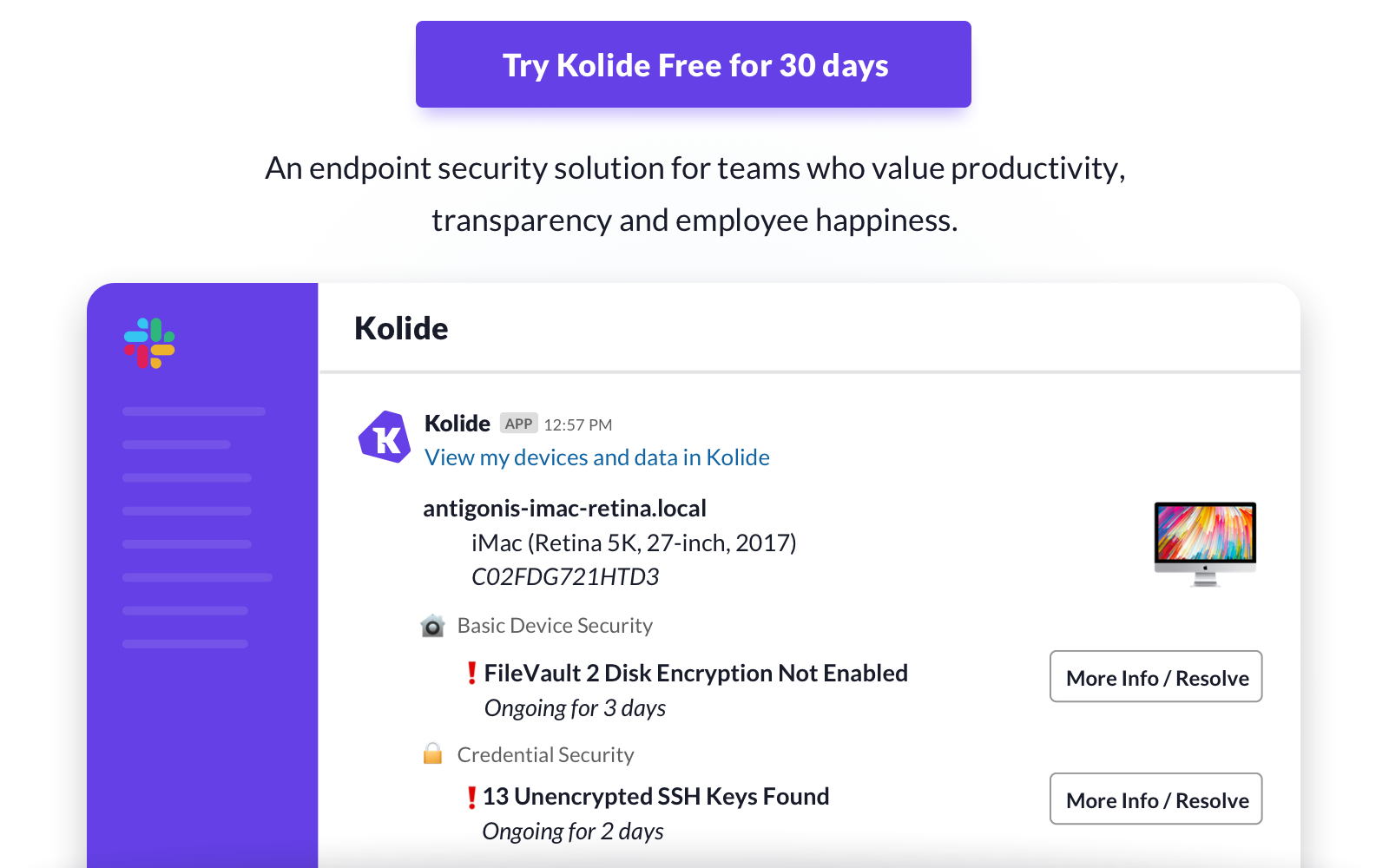
Kolide is a new Slack app that messages employees when their Mac, Windows, or Linux device is not compliant with security best-practices or policy.
With this app, Kolide will notify users or groups when a device is out of compliance along with clear instructions about what is wrong, and step by step instructions to remediate the issue themselves. They can even confirm in real-time that they resolved the problem with an interactive button inside the Slack message!
Unlike most endpoint security solutions, Kolide was designed with user privacy in mind. Your users will know what data is collected about their device, who can see that data, and can even view the full source code of the agent that is run on the device.
Kolide is already used by hundreds of fast growing companies who want to level-up their device security without locking down their devices. Try Kolide’s new product for free for 30 days for your entire fleet by visiting kolide.com.
Our thanks to Kolide for sponsoring MacStories this week.
Interesting Links
The upcoming iOS 13.3 will add support for NFC, USB, and Lightning FIDO2-compliant security keys in Safari, and Paul Stamatiou has a great overview of how to get started with security keys. (Link) If you’re into classical music, but feel under-served by Apple Music’s approach to the genre, Concertino is a website integrated with Apple...