

The Potential of the iPhone 11’s Ultra Wideband U1 Chip Techmeme Ride Home, iPhone Event Debrief with John Voorhees of MacStories Arcade Launches for Some iOS Beta Testers iPhone 11 and 11 Pro Review Roundup: The King of Cameras? PCalc 3.9 Adds Dark Mode and the Latest Shortcuts Features, Expanding the App’s Automation Capabilities Apple...
 MacStories Unplugged
[[unplugged_artwork]] Behind the Scenes of Federico’s iOS and iPadOS 13 Review Federico and John kick things off by interviewing Brian King about the 3D animations and graphics he made for Federico’s iOS and iPadOS 13 review and then turn to the making of the review, including the research and writing process, dealing with writing in...
Textastic: The Code Editor for Your iPad and iPhone [Sponsor]
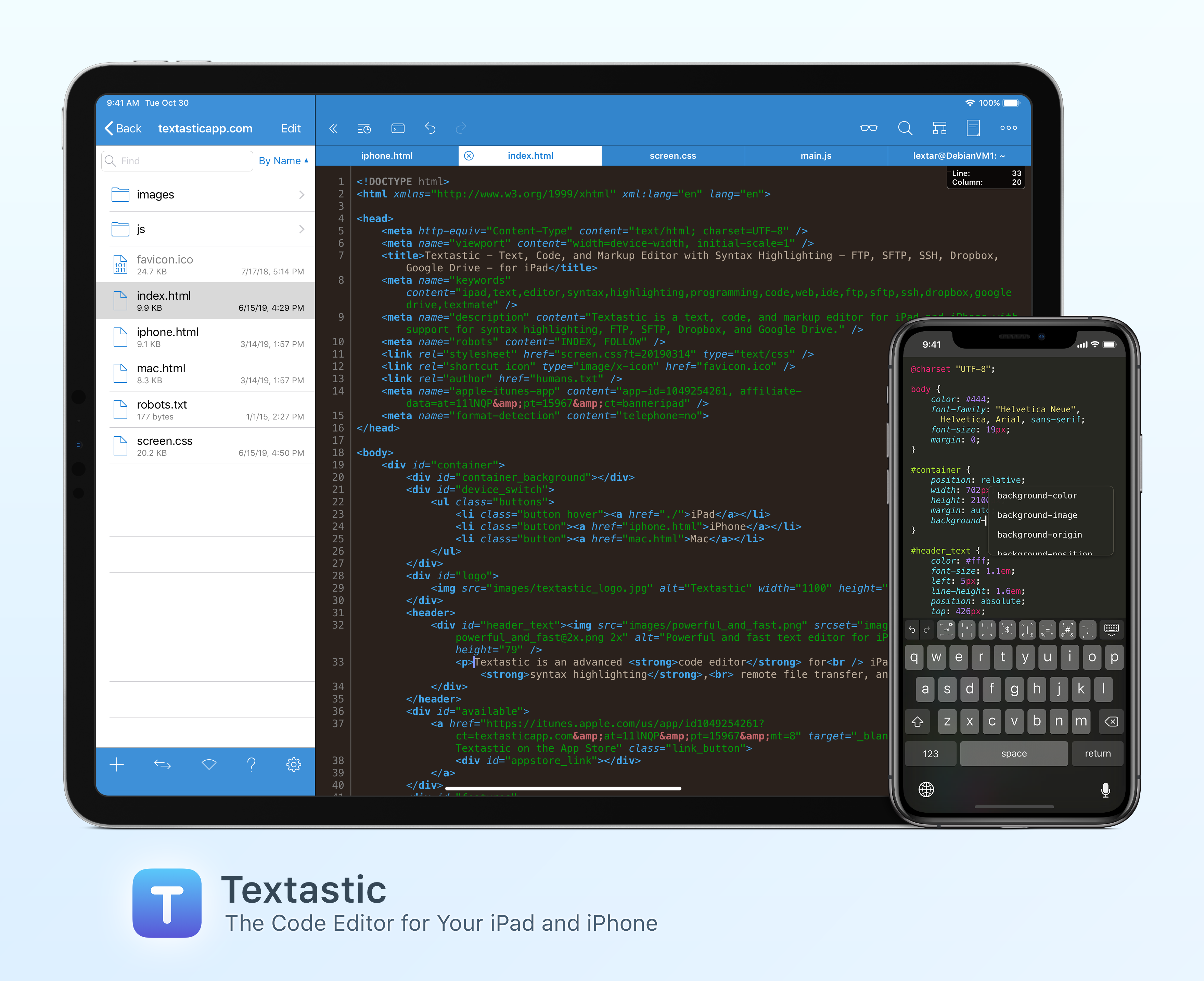
Textastic is the most complete and versatile code editor available for your iPad and iPhone. To start with, the app has syntax highlighting for more than 80 programming and markup languages. There’s everything from C to Objective-C, Swift, JavaScript, Python, YAML, HTML, CSS, and dozens more languages.
Of course, Textastic is also compatible with Markdown. Not only can you write in Markdown, but you can preview Markdown with the app’s built in web server or Safari. Textastic is compatible with Sublime Text and Textmate syntax definitions too. You can even create your very own.
Textastic goes well beyond the features of a classic editor though. You can manage remote file transfers with FTP, SFTP, WebDAV, Dropbox, and Google Drive and there’s a terrific, full-featured SSH terminal built right into the app. Because Textastic supports tabs, you can even have multiple files and SSH terminals open simultaneously.
With robust search and replace that supports regular expressions, keyboard shortcuts that are customizable, and support for Git repositories using Working Copy, it’s one of the most powerful code editors you’ll find anywhere. Textastic is a great iOS citizen too, supporting the Files app, drag and drop, printing, iCloud Drive, Split View, and a whole lot more. Add to that a long history of development and support, and Textastic is an app you can use with confidence.
To learn more about Textastic and what it can do for your code editing needs on iOS, visit textasticapp.com, then download a copy today. You’re going to love it.
Our thanks to Textastic for sponsoring MacStories this week.
Interesting Links
Geoffrey Fowler of The Washington Post reports on the new Nest Home Max from Google that can recognize your face and respond to gestures. (Link) The Verge reports on YouTubers getting into podcasting using the tool they know best: YouTube. (Link) Disney+ is testing its upcoming streaming service in The Netherlands and Thomas Ricker has...
Announcements
We wanted to remind Club members that this is the final week that the Fourth Anniversary app and service deals will be available. You’ve got until next Friday, September 20th to get amazing deals on some of our favorite apps and services, but after that they will be gone, so don’t put off checking them...
In This Issue
Streaks Workout,a collection of the most striking parts of Apple’s September event, a Timery for Toggl giveaway, John on three big-picture themes from the keynote, a Club exclusive peek at a section of Federico’s upcoming review covering home automation in Shortcuts for iOS 13, Brian McCabe’sHome screen, plus the usual Weekly Q&A, Links, App Debuts,a...
Up Next on MacStories’ Podcasts
Next week on AppStories, Federico and John dive into the app updates announced at Apple’s fall keynote including Compass, Camera, and the upcoming Apple Arcade game subscription service....
Previously, On MacStories
Classic iOS Game Service GameClub Is Coming this Fall Apple TV+ Launching November 1 at $4.99/month, Free for 1 Year with Hardware Purchase Apple Announces Release Dates for OS Updates, New iPhones, and Apple Watch Apple Unveils Apple Arcade Game Subscription Details Replay Apple’s September 10, 2019 Keynote and New Product Videos Apple Introduces Larger...
Home Screen
Brian McCabe Club MacStories member and Tech Consulting Director. I’ve been using iPadOS since the early public betas. After going in a bit early and hitting some major issues which resulted in me temporarily regressing back to iOS 12, the last few betas have been pretty stable and I think it’s a great leap...