


Timery for Toggl Exclusively for Club MacStories members, we have 20 promo codes to give away for a one-year subscription toTimery for Toggl, our favorite iOS app for time tracking. Submit your email address using the button below and we will pick 20 winners at random by September 20th. Submit Your Email Address for a...
Grocery: The Smart Shopping List App That Puts Your List in Order [Sponsor]
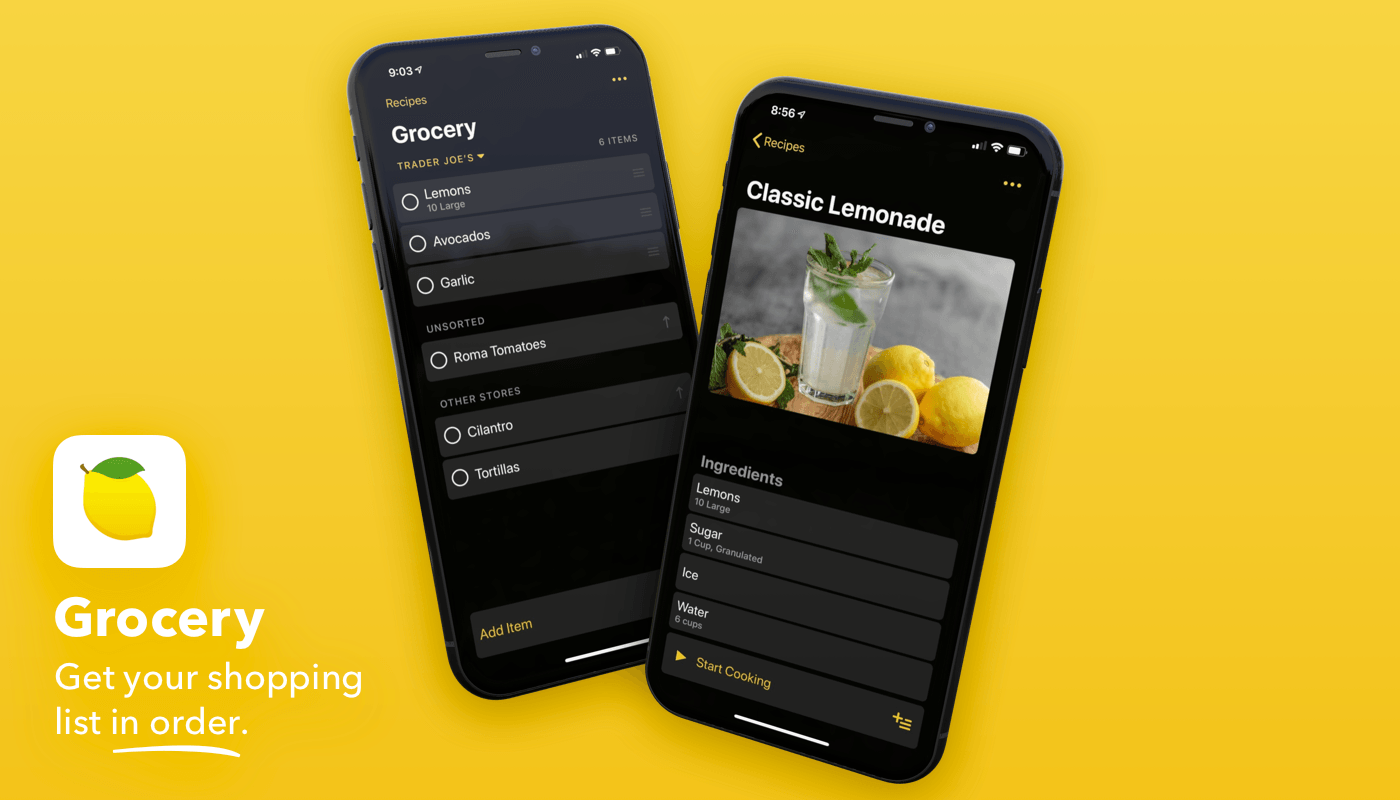
Grocery is the powerful iOS shopping list app that not only makes grocery shopping a breeze, but helps with meal planning and recipe management too.
Grocery is built on top of Apple’s Reminders app, so it integrates with your other task lists and features rock-solid Siri support. It happens all the time: you’re making a meal and discover you need to add something to your grocery list, but unlocking your iPhone would be a hassle. Instead, with a quick “Hey Siri” to a nearby iOS device or HomePod, or by raising your Apple Watch, you can add items to your shopping list before you forget them.
When your hands aren’t full, Grocery is just as easy to use. There’s a big ‘Add Item’ button at the bottom of the screen. Grocery also sorts your items automatically based on the order you check them off. The app can even suggest items to add to your list based on past shopping trips. Then, when you arrive at the store, Grocery’s Apple Watch app makes it easy to check off items without digging out your iPhone.
Earlier this year, Grocery added a meal planning and recipe solution that makes it simple to plan your week and add items to your list as needed. The latest update adds iCloud syncing of store, meal plan, and settings data across all devices. Also, the iPad version of the app now includes a split view layout for recipes on the iPad. There’s a new CleanUp feature that can automatically format recipes by separating their title and notes using CoreML too. On top of that, Grocery supports Siri Shortcuts for creating recipes and interacting with grocery lists, and the app has a wide variety of handsome themes and app icons to customize the app to your tastes.
Grocery is free to download and try so head to the App Store now and download it now. Themes, alternative app icons, ad removal, and iCloud syncing are all available for an annual $7.99 subscription, which is a bargain for an app this smart.
Our thanks to Grocery for sponsoring MacStories this week.
 Interesting Links
The Verge highlights the improvements of the newly revised MX Master 3 mouse, such as USB-C support, a better scroll wheel, and more. (Link) Sonos this week announced its first portable Bluetooth speaker, per MacRumors, which ships out of the box with AirPlay 2 support. (Link) Nike is making self-tightening shoes with programmable LED lights...
Up Next on MacStories’ Podcasts
Next week on AppStories, Federico and John look at the changes to the share sheet in iOS and iPadOS 13 and share their approaches to organizing their share sheets....
Previously, On MacStories
Hello, Computer: Inside Apple’s Voice Control Apple Hits Restart on Game Controller Support Bear 1.7 Brings Note Locking, New Themes, Emoji Auto-Complete, and More Club MacStories Fourth Anniversary: Exclusive Discounts on Apps and Services, Plus Other Perks for Members Apple Launches Web-Based Music App as Public Beta...
Club MacStories’ Anniversary
As we mentioned in last week’s newsletter, and as you probably saw from our announcement on MacStories, we’ve assembled a long list of exclusive Club discounts on apps and service to celebrate Club MacStories’ fourth anniversary. With over 50 apps from 30 developers, there are too many to list here. To see the details on...
Home Screen: Mike Orren

In This Issue
Details on Club MacStories’ 4th anniversary deals, CalZones, the best drag and drop apps on the iPhone, a Tip about creating image grids using groupsin Pixelmator Pro, a shortcut for choosing and toggling an alarm, Mike Orren’s Home screen,plus the usualLinks, App Debuts, a recap of MacStories articles, and a preview of next week’s episode...
MacUpdater: Keep All Your Apps Up-to-Date Effortlessly [Sponsor]
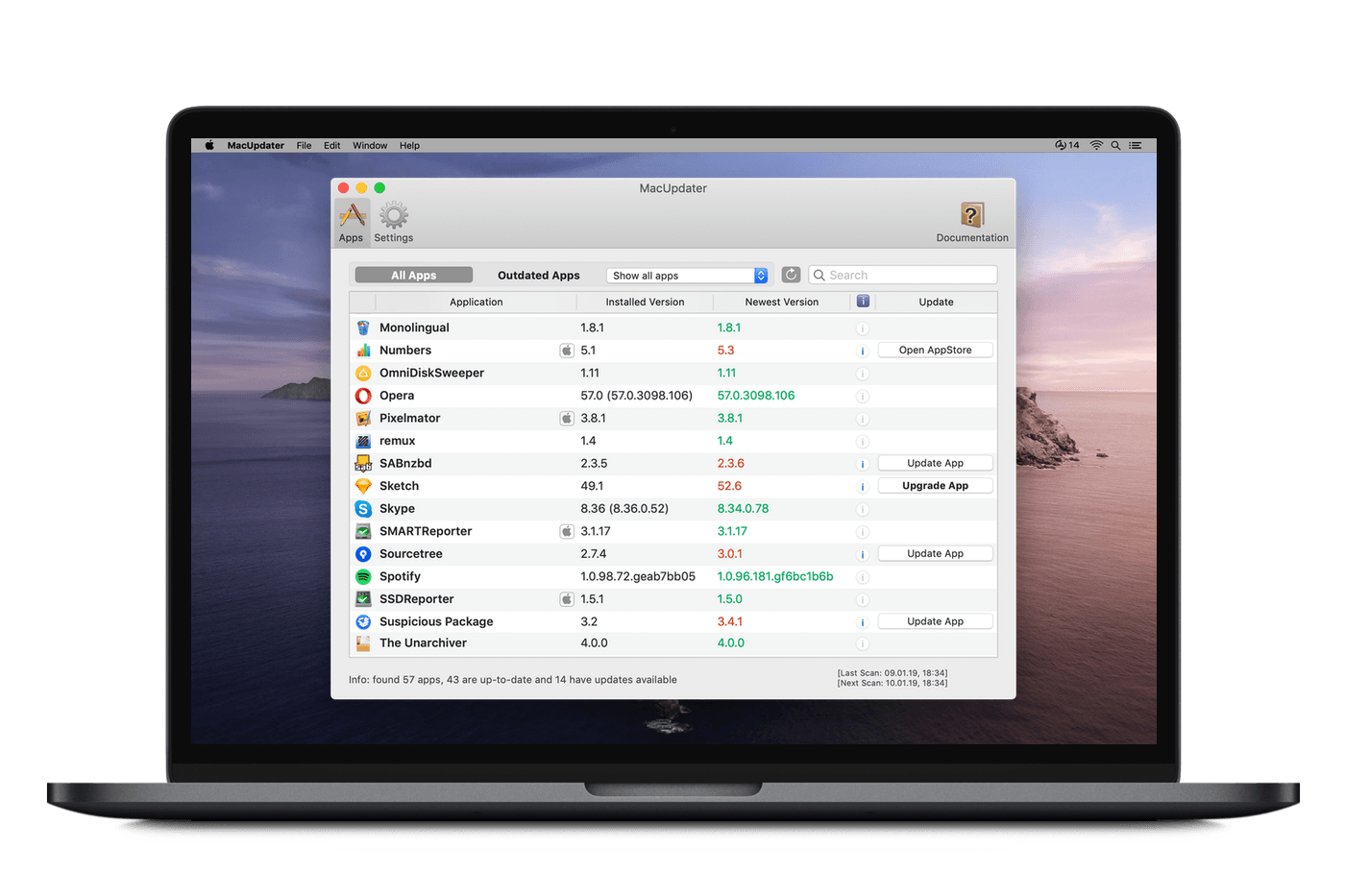
Updating apps is a hassle. It would be great if all of your apps came from the Mac App Store and were automatically updated, but they probably don’t and, therefore, aren’t. That’s where MacUpdater comes in. Open MacUpdater, and in a matter of seconds, it will report back with all the apps you need to update on your Mac and walk you through the process.
With just one click, you can update most apps, and if an app requires its own updater app like Adobe Creative Suite, MacUpdater can start it up with a single click too. MacUpdater also has a built in notification system, so that as soon as an app requires updating it can let you know. It’s a fantastic, seamless way to be sure you’re enjoying the latest features of your favorite apps and staying on top of the latest security patches.
MacUpdater’s pricing is as straightforward as the app itself at just $9.99, after a free trial that allows you to update ten apps, and for a limited time, MacStories readers can purchase MacUpdater for 10% off using the coupon code MACUPDATER-MACSTORIES. To learn more, check out MacRumors’ video on MacUpdater on YouTube and download the free trial today to give it a try yourself. Use MacUpdater and stop wondering whether or not your apps are up to date.
Our thanks to MacUpdater for sponsoring MacStories this week.