

Are you keeping up with the shift away from overly-posed and produced Instagram Stories and YouTube vlogs? If not, check out Taylor Lorenz’s story in The Atlantic about Emma Chamberlain, the YouTuber credited with popularizing ‘slacker YouTube.’ (Link) Wikipedia is struggling to deal with harassment on its platform as explained in this in-depth report from...
Track Your Time Automatically with Timing [Sponsor]
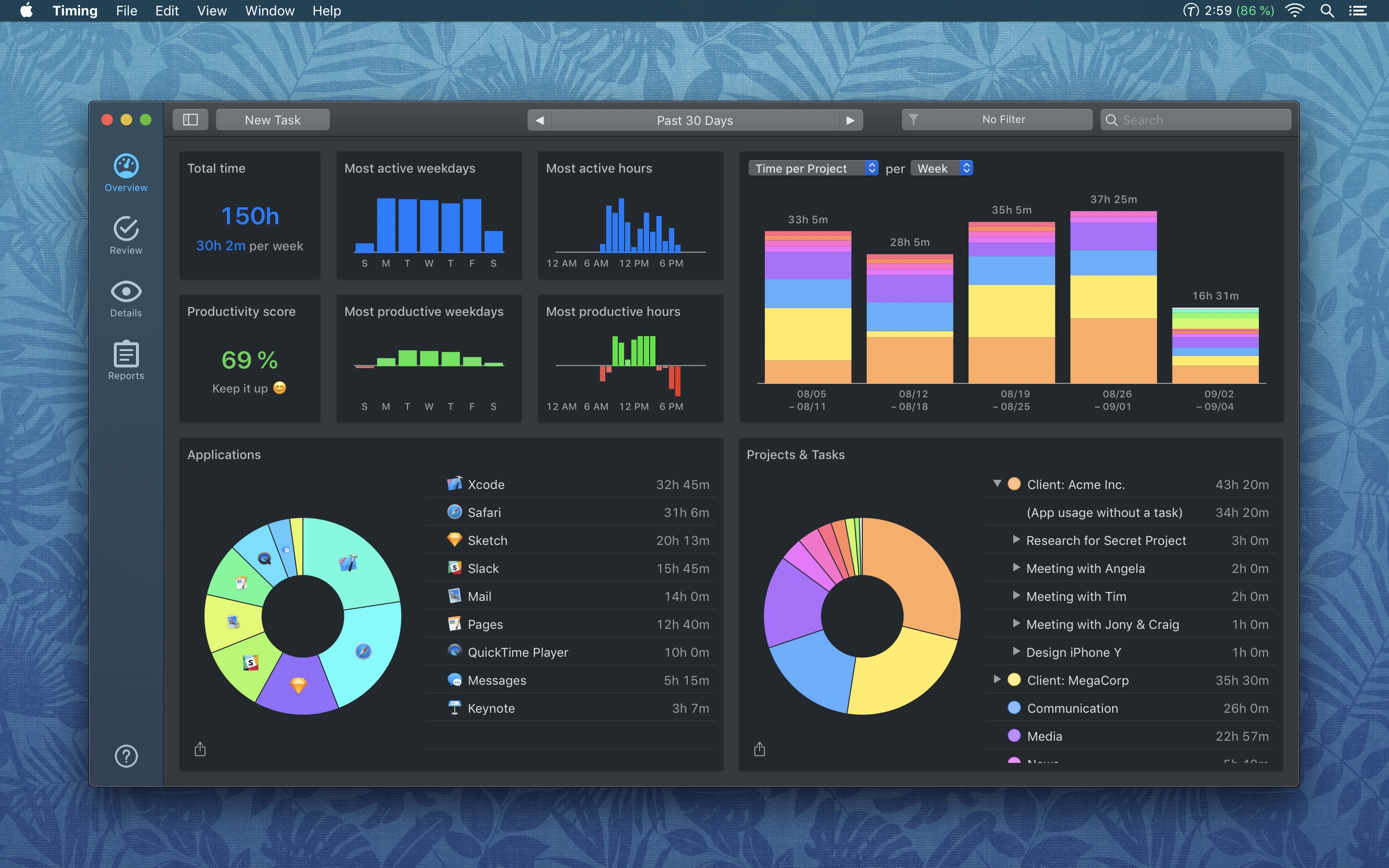
Have you heard of Screen Time, Apple’s time tracking feature for iPhone and iPad that shows how long you use each app on your iPhone or iPad? Good news — Screen Time is coming to macOS Catalina this fall! And if you haven’t heard of this feature yet, you may want to check out the Timing guide to Screen Time.
However, Screen Time’s feature set is fairly limited: it only lets you view the past 30 days of activity, and you only get a rough overview of what apps you used. That’s not sufficient for time tracking in a professional environment.
Enter Timing. Like Screen Time, Timing automatically tracks how much time you spend on each app and website. In addition, Timing also tracks every document you work on and lets you categorize your time into custom projects. This gives you a much more detailed overview of where your time went.
You can also add manual time entries for occasions like phone calls and breaks — another feature not present in Screen Time. The built-in calendar integration even lets you create time records for calendar events in just one click. And when it’s time to export a detailed report, Timing has you covered, too.
So, if you’d like to take advantage of all these benefits right now, check out Timing’s blog article on getting Screen Time’s functionality on your Mac with Timing. Then, download the 14-day free trial and save 10% when you buy!
Our thanks to Timing for supporting MacStories this week.
 In This Issue
Ryan on the two iOS 13 beta features that have made the biggest impact on his iPhone and iPad use, John follows up with more apps he’d like to see brought from the iPad to the Mac, and Stephen considers whether Apple will ever build an xMac-style desktop computer....
Interesting Links
The Guardian reports that Alex Dale, a senior executive at mobile game maker King, told a Commons select committee in the UK that he doesn’t believe Candy Crush is addictive, explaining away statistics like 9 million people playing for more than three hours a day and rationalizing one player’s expenditure of $2,600 on in-game currency...
Previously, On MacStories
CNBC Reports New Details About Apple’s App Review Team Catalyst Can Rescue the Mac and Grow the iPad Apple Launches First Public Betas for iOS 13, iPadOS 13, macOS Catalina, and tvOS 13 I Won’t Sit Down: Songwriting with Frank Turner (Part 2) Hey Siri, Open the Garage Apple News Debuts Candidate Guide for 2020...
Up Next on MacStories’ Podcasts
Next week on AppStories, Federico and John take a close look at the changes coming to Apple’s Reminders app in iOS 13, consider whether they could switch to it as their full-time task manager, and list additional changes they’d like to see Apple make to the app. [[dialog_artwork]] Next week on Dialog, Federico and...
MacStories Unplugged
Episode 7: Everything Is Research [[unplugged_artwork]] This month, Federico and John discuss the idea of ‘everything is research’ – a state of constant curiosity, testing, and planning that’s part of how we come up with ideas for the stories we write and the podcasts we record, but left unchecked, can slip from healthy learning and...
In This Issue
AutoSleep,John’s favorite HomeKit accessories, a checklist item reordering tip for Notes, an all-new episode of MacStories Unplugged, plus the usual Weekly Q&A, Links, App Debuts, a recap of MacStories articles, and a preview of next week’s episodes of AppStories and Dialog....
Tumult Hype Professional 4.0: Create Stunning Web Animations Without the Code [Sponsor]
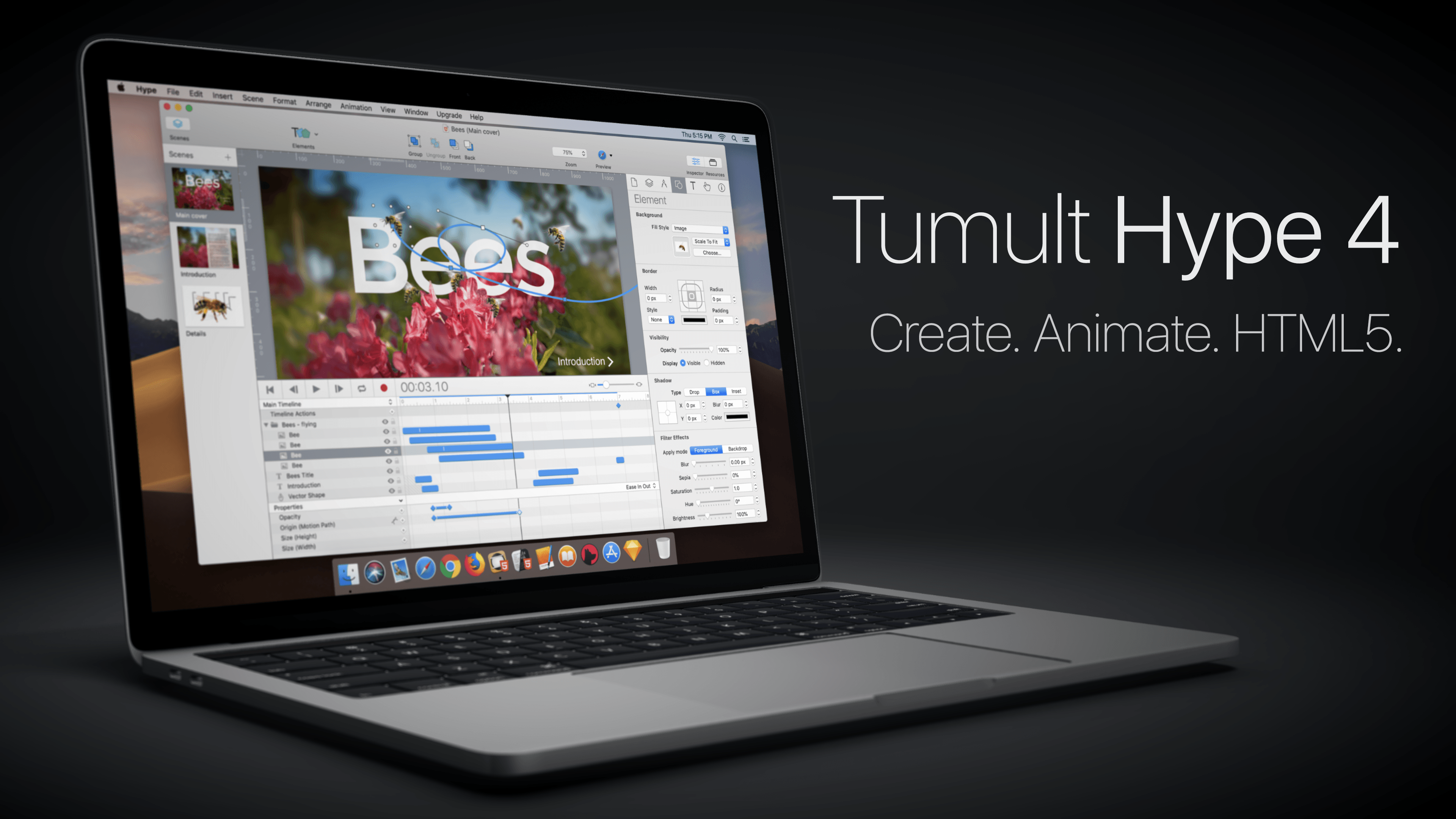
The web is a visual medium, so it pays to make the most of what it has to offer with beautiful, interactive animations. With Tumult Hype Professional 4.0 for the Mac, you can create stunning animations without writing a single line of code.
The app uses a powerful key-based animation system combined with an easy-to-use record button that couldn’t be simpler. That’s because under the hood of Tumult Hype’s elegant UI is a sophisticated interactivity system that can trigger symbols and multiple timelines.
With the recent release of version 4.0, Tumult Hype introduced vector shapes with shape morphing for more advanced animations. You can also incorporate physics into animations, ease into and out of animations, bring line drawings to life, create snapshots to use with browsers where JavaScript is disabled, and use Hype with external editors and tools like BBEdit, Photoshop, Affinity Photo, and Astropad.
Tumult Hype’s visual environment the perfect way to create animations because it eliminates the guesswork letting you see exactly what the visitors to your site will see. Whether you’re building ads, which require a small export footprint, infographics, banners, animated lessons, interactive experiences, or books, Tumult Hype has you covered. Then when you’re finished, the app outputs state-of-the-art HTML5 and CSS3 driven by JavaScript, which is compatible with everything from IE 6 to the latest Chrome, iOS, and Android browsers.
To get started making responsive, flexible documents that accommodate all device layouts, download and try Tumult Hype today. For a limited time, MacStories readers can buy Tumult Hype Professional for 20% off on the Tumult store by using this link or the coupon code ‘MACSTORIES’ at checkout.
Our thanks to Tumult Hype Professional for supporting MacStories this week.