MacStories Team

3497 posts on MacStories since July 2011

Articles by the MacStories team. Founded by Federico Viticci in April 2009, MacStories attracts millions of readers every month thanks to in-depth, personal, and informed coverage that offers a balanced mix of Apple news, app reviews, and opinion.

Permute: Quick Image, Audio, and Video Conversion [Sponsor]

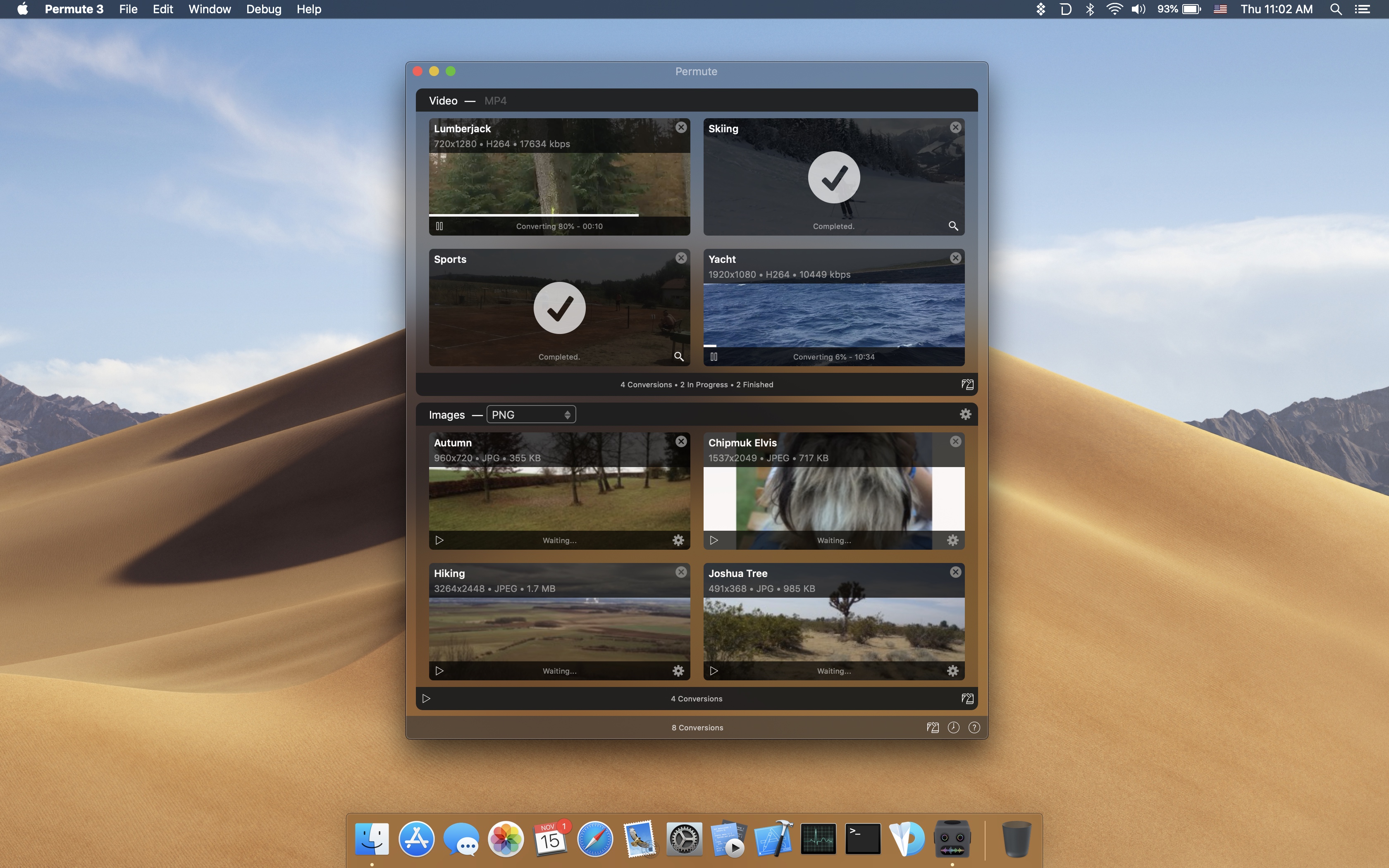
When you want to convert a photo, video, or audio file from one format to another, it’s far too easy to get bogged down in settings, unable to make heads or tails of technical jargon. Permute saves you from that trouble by taking care of the details and converting files incredibly fast.

To start a file conversion, just drag a file into Permute’s main window or onto its dock icon, click start, and you’re all set. Permute is faster than ever too. With the recent launch of version 3, the app supports an incredibly long list of file formats and has added hardware acceleration for MP4 and HEVC files. The app also has presets for a long list of Apple hardware so you can match your end results to the devices you use. You can even modify images and videos, adjusting their size and rotating and flipping them.

But that’s not all, Permute 3 can also:

  • Convert individual files or groups of files
  • Stitch multiple images, videos, or audio files together
  • Create DVDs
  • Convert uncommon file formats like WebP and SVG
  • Schedule conversions for later
  • Add converted files to iTunes

Permute has a special limited-time deal just for MacStories readers. If you use this link, you can purchase Permute for 20% off. There’s a free trial available too if you want to try the app first.

Visit Permute’s website today to learn more and take advantage of the special 20%-off deal before it expires.

Our thanks to Permute for sponsoring MacStories this week.


iPhone Backup Extractor: Helping Users Recover and Access Their iOS Data [Sponsor]

iPhone Backup Extractor is a powerful macOS app for working with iOS data. The app was launched a decade ago by Reincubate founder Aidan Fitzpatrick from his apartment out of frustration at having lost contacts he’d painstakingly entered into his iPhone. Now, not only can iPhone Backup Extractor recover contacts, it can retrieve deleted conversations from apps like Messages and WhatsApp, edit and browse iTunes backups, and export iPhone or iPad data into formats such as PDF, VCard, and iCal. The app also helps users find lost photos and extract data from individual apps.

iPhone Backup Extractor got a lot of love in 2018 with major updates throughout the year including support Mojave and iOS 12. The app’s UI was also overhauled, the restrictions passcode recovery feature was updated to support forgotten Screen Time passcodes, drag and drop support was added, and an all-new “Info” mode that provides a deep-dive into the various codes, serials, and IDs associated with an iOS device was launched.

iPhone Backup Extractor is available here. The free version of the app allows users to view their data and export four files at a time, which is a great way to give the app a test run. For a limited time, you can upgrade to the basic edition of iPhone Backup Extractor for just under $32 with this MacStories-exclusive 20%-off link. Help is always available too, whether you need assistance with your backups, recovering lost passcodes, or anything else.

Reincubate is always looking for ways to improve iPhone Backup Extractor too and would love to hear from MacStories readers about how it can do more to help people get deeper access to their own data. Feel free to get in touch with the Reincubate team at support@reincubate.com or on Twitter at @reincubate or @afit.

Our thanks to iPhone Backup Extractor for sponsoring MacStories this week.