

It’s been available in Japan for a while, but the classic Professor Layton and the Curious Village that debuted years ago on the Nintendo DS is coming to the App Store soon according to Engadget. (Link) eBay has created and open-sourced a shopping app for the motor impaired that uses head motion to navigate the...
 In This Issue
A collection of the biggest surprises from this week’s keynote, an interview with developer and blogger Chris Hannah, John writes about the odd pacing of this week’s keynote in The Extension, plus the usualWeekly Q&A, Links, arecap of MacStories articles, and a preview of next week’s episode of AppStories....
Previously, On MacStories
Apple Music Debuts Global and Country-Specific Top 100 Lists Apple Music Gains Better Organization of Releases on Artist Pages Three Years of Club MacStories Compiling and Exporting Chapters for My iOS 12 Review with Drafts 5 How the Stanford Heart Study App Saved Jason Perlow Twitter To Livestream Apple’s Fall Keynote Is Apple Neglecting Beats’...
Up Next on MacStories’ Podcasts
Next week on AppStories, Federico and John begin a series of episodes on apps that highlight iOS 12’s new features....
Interview: Chris Hannah

Twitter: @chrishannah. Swift developer, blogger, and creator of Text Case, Pretty Regular Expressions, and more. You’ve made a series of utilities that address specific needs. Could you tell us about a few and where the ideas for each came from? I’ve never really ever thought about it like that, but I suppose I have! I...
Timing: Automated Time Tracking So You Can Focus on Your Work Instead [Sponsor]
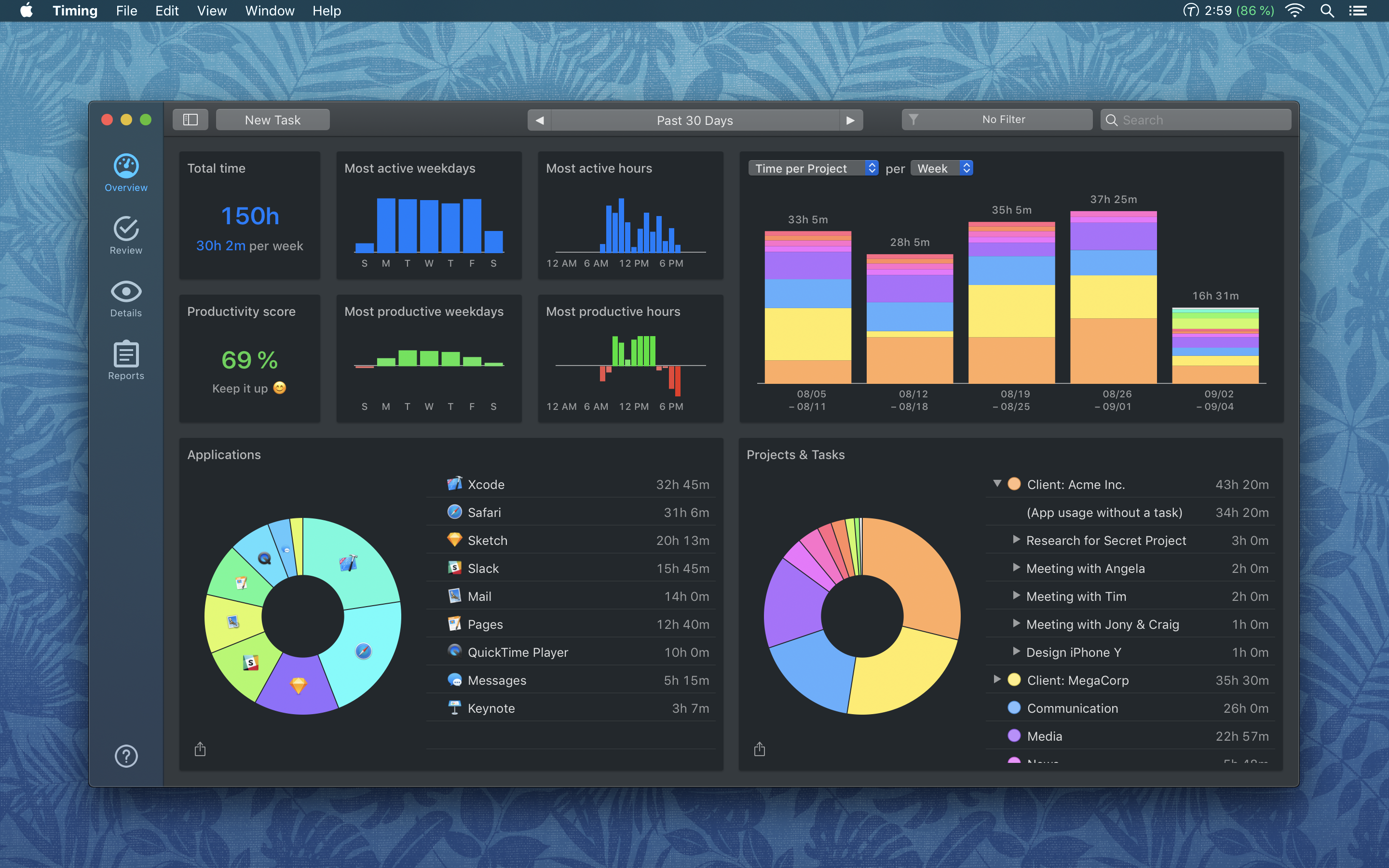
Timing for macOS is the first step to recapturing your most precious resource: time. Before you can find lost time though, you need to understand how you are spending it. But manual time tracking interrupts your workflow, and it’s too easy to lose track of what you’ve done. That’s where Timing comes in. It’s different because Timing automatically tracks how you spend time on your Mac and syncs the data across all your Macs.
Timing shows you how much time you spend per app, website, and document, and categorizes that time into projects. Timing helps you be more productive by analyzing how you are wasting time too. Best of all, Timing keeps on top of the latest Mac technologies with features like a the Dark Mode seen above, which is coming with the introduction of macOS Mojave. The app includes automation features to help you save more time by doing things like automatically categorizing activities too. The app can even ask you what you did when you return to your Mac, so you never forget to track a meeting.
Stop worrying about time and focus on doing your best work instead with Timing. Download a 14-day free trial today and save 10% when you decide to buy.
Our thanks to Timing for sponsoring MacStories this week.
Previously, On MacStories
Privacy Policies Will Be Required for All Apps and Updates Beginning October 3rd Black Pixel Transfers NetNewsWire to Brent Simmons Creative Selection Delves into Apple Software Design with Stories about Safari, the iPhone, and the iPad Google Debuts Nice New Look, Password Management Improvements, and Other Enhancements With Chrome 69 MacPaw Releases a Redesigned and...
Home Screen: Oisin Prendiville

Club MacStories Turns 3 Next Friday
Next Friday marks the third anniversary of Club MacStories. We know that many of you have been along for the ride as Club members since the very beginning, which is amazing. But regardless of when you joined, it’s great to have you on board. We don’t spend a lot of time dwelling on the past...