

 Ryan
RyanA few weeks back, as we were celebrating the 10th anniversary of the App Store, a relatively new app developer, Matt Barker, wrote in and shared his story with the MacStories team. We loved getting to hear from someone new to app development who’s finding success on the App Store today, and wanted to...
 Previously, On MacStories
Logitech Purchases Blue Microphones to Better Serve Gamers, Podcasters, and More Spect: Simple Image Management on the Mac Apple Q3 2018 Results: $53.3 Billion Revenue, 41.3 Million iPhones, 11.6 Million iPads Sold The Case for Low Power Mode on MacBooks Apple Announces Apps and In-App Purchases Will Be Removed from its Affiliate Program October 1st...
Up Next on MacStories’ Podcasts
Next week on AppStories, John is joined by Stephen Hackett to compare and discuss the menu bar apps they use on their Macs....
Interesting Links
TechCrunch wonders if an Amazon Prime Video update teased by a company executive could mean personalized video recommendations and user profiles coming to the app in the near future. (Link) Epic Games has committed to investing $100 million in Fortnite e-sports but, as reported by The Verge, they have had a series of issues with...
In This Issue
Outcast, Apps Perfect for Relaxing (Vol. 1), a 10% discount on time tracking app Timing, how to read Instapaper articles on your Kindle, filtering URLs from Reminders, Matt Barker’s story about getting started with iOS development, plus the usualWorkflow Corner, Weekly Q&A, Links, App Debuts, a recap of MacStories articles, and a preview of next...
Perks

A Short Break
This is a reminder that MacStories Weekly will not be published August 10th and 17th while we take a little time off to rest and enjoy the final days of summer. We’ll be back on August 24th with a new issue. Until then, enjoy our summertime recommendations below, and please send us your questions and...
In This Issue
This month, Stephen reflects on the importance of anniversaries, Ryan considers the value of the TV app to Apple’s video streaming ambitions, and John shares his USB-C hub frustrations....
Soulver: A Notepad Calculator for Doing Calculations and Figuring Stuff Out [Sponsor]
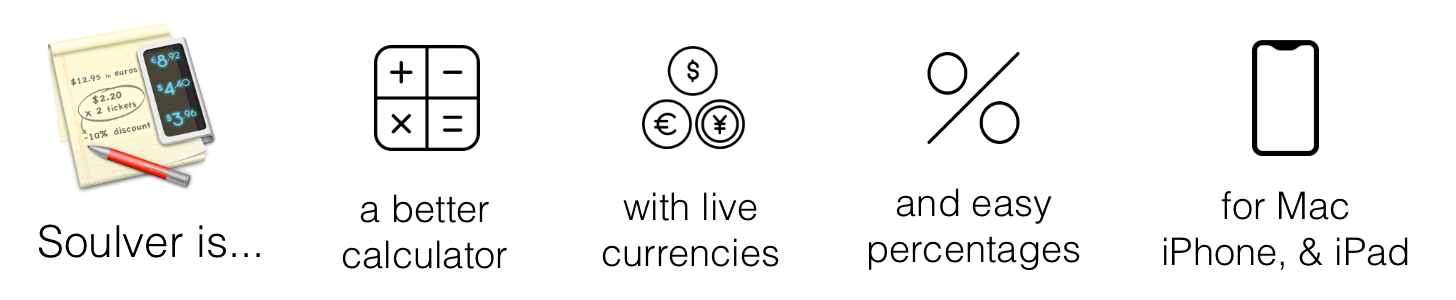
If you’ve ever sat down with a pen and piece of paper to work out calculations, you’ll understand the power of Soulver immediately. The Mac and the iOS apps are part text editor, part calculator and work the way you think by letting you combine text and numbers on the same page.
For anyone who spends more time in a text editor than a spreadsheet app, Soulver is perfect. By mixing text and figures, a Soulver document becomes a roadmap making it easy to retrace your steps when you revisit your work later. Instead of guessing what all the numbers on a page mean, you can give each a descriptive label and add other text providing context. Writing calculations in plain English is faster than using a spreadsheet too because you don’t have to stop to consider what formulas to apply to which cells.
Best of all, Soulver approximates how you’d solve the same problems with a pen and paper, making it intuitive, but also better because the calculator is built right into the page. As you type on the left side of a document, Soulver keeps track of the math on the right-hand side with syntax highlighting that makes the calculations simple to follow.
Soulver is smart too. It keeps a running total of all lines in a document, and it can look up currency conversion rates, stock prices, and commodity values for things like gold and oil. The app handles all sorts of conversion rates too from weights to cooking units and much more. Students and programmers will appreciate features like the built-in trigonometry functions as well as the ability to calculate values in binary and hex.
To learn more, check out Soulver’s website or download both versions today from the Mac App Store and iOS App Store.
Our thanks to Soulver for sponsoring MacStories this week.