Ryan Christoffel

991 posts on MacStories since November 2016

Ryan is an editor for MacStories and co-hosts the [Adapt](https://www.relay.fm/adapt) podcast on Relay FM. He most commonly works and plays on his iPad Pro and bears no regrets about moving on from the Mac. He and his wife live in New York City.

YouTube Launches ‘Uptime’ App for Social Video Watching

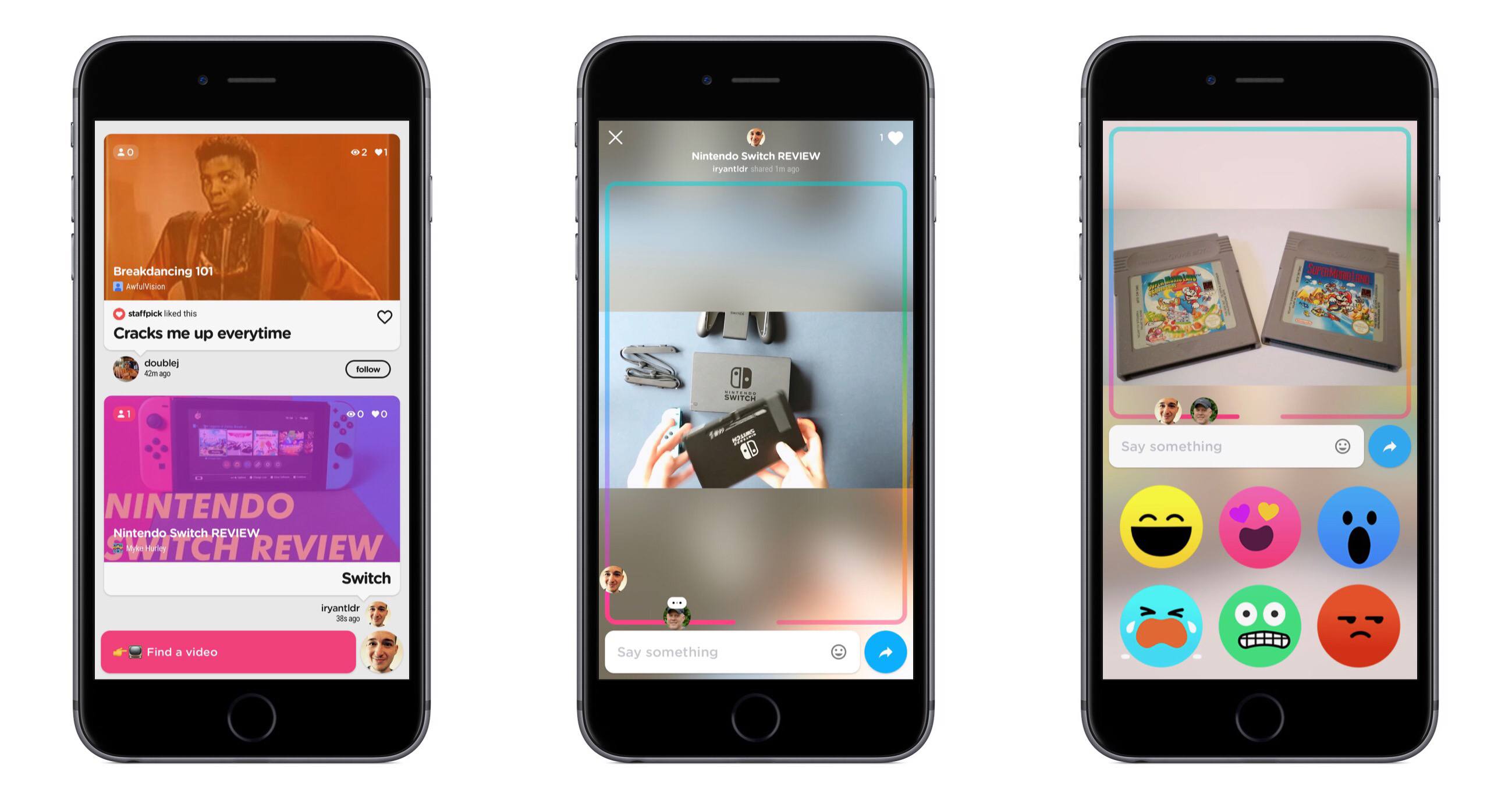
Today YouTube launched a new iPhone-only app called Uptime. Uptime adopts many of the social features commonly found in social video streaming apps like Periscope – live comments, reactions, etc. – and applies them to YouTube videos.

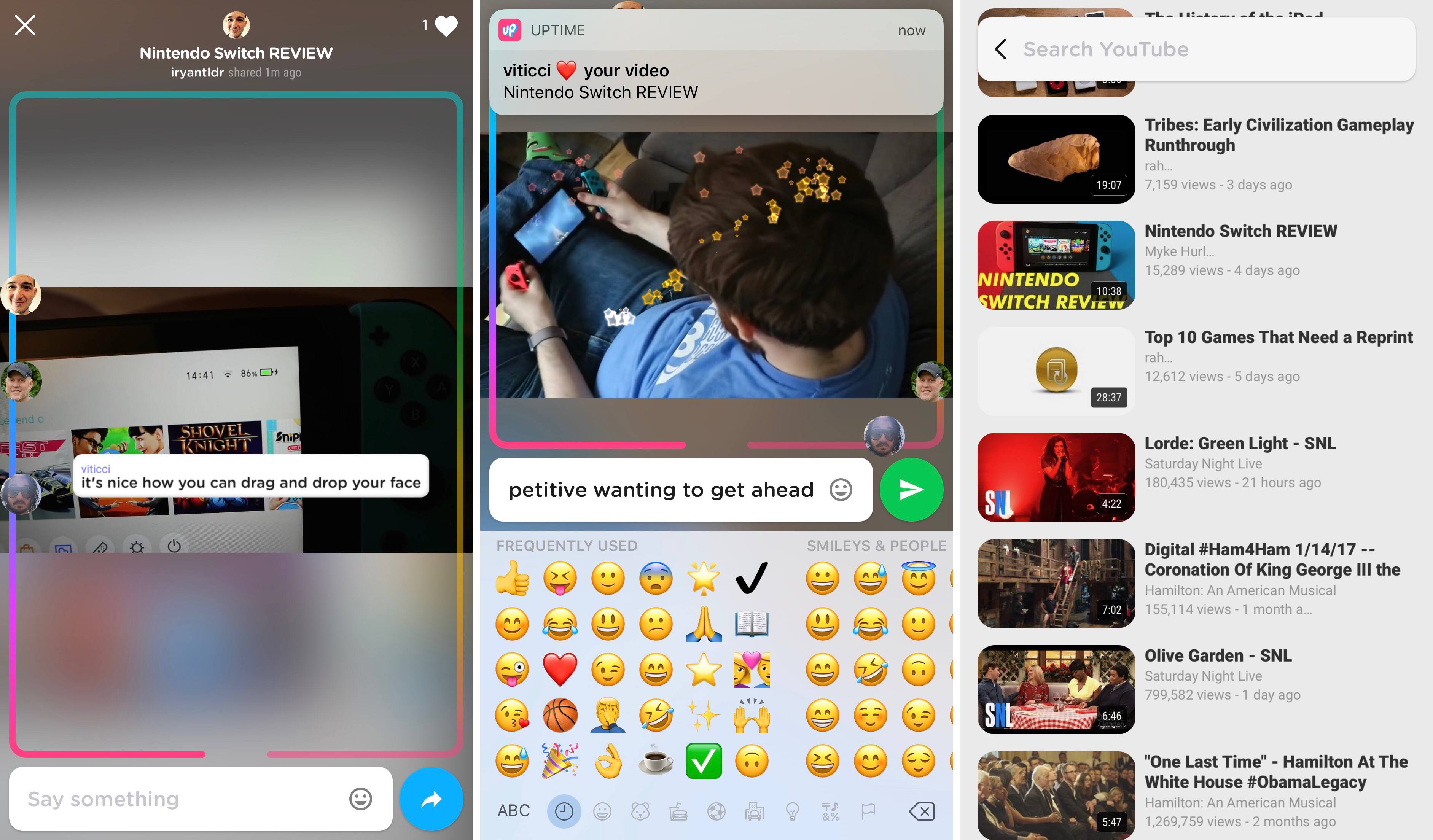
Inside the app, you browse videos in a feed consisting of content shared by people you follow in Uptime. You can also tap the search box at the bottom to search for videos or pick from a list of videos based on your YouTube subscriptions and viewing history.

When viewing a video in Uptime, what you’re watching will be publicly available to your followers in their Uptime feed, so they can join in and watch alongside you. You also have the option to directly share a video with others, whether by sending them a link using the iOS share sheet or by inviting them inside the app.

As a video is being watched, all current viewers are represented by their profile pictures on a track that covers the borders of the screen. As the video moves closer to its end, you’ll be further along the track, and you can manually drag and drop your avatar to navigate through the video. During playback, you can type comments, use one of six built-in reaction emoji, or move your finger around the screen to create a sparkle effect. Videos can be viewed in both portrait and landscape, but currently there is no way to type comments while in landscape.

Uptime is available in the App Store, but it requires an invitation code to setup your account. The code PIZZA is currently working.


Google Hangouts Evolves to Better Compete with Slack

Dieter Bohn of The Verge reports on some major changes coming soon to Google Hangouts. Google’s new strategy for the service aims to make Hangouts a formidable Slack competitor as a team collaboration tool. The changes are focused in two main areas:

  • Hangouts Chat will add new group chat rooms, similar to channels found within Slack, but with all the nice Google perks – Docs and Sheets integrations, extensive search tools, and a bot that can look at users’ Google Calendars and suggest the best meeting time.
  • Hangouts Meet is the new name of Hangouts’ video functionality, which Google promises will tie up far less processing power than before. Meet will also provide easy methods for adding people to a group call.

Bohn adds:

Google Hangouts has been having an identity crisis ever since Google tried to relaunch it as an end-all, be-all replacement for Gchat. It’s been ping-ponging between Google Plus, business video chat, Google Voice, Project Fi, SMS, and lord knows what else. Focusing on business chat seems like a better strategy — and thankfully one that doesn’t feel beholden to some other Google product with a dubious future. Hangouts is fully a Google Cloud / G Suite product now, and it will be developed for those users.

Google’s changes to Hangouts follow recent moves by Facebook and Microsoft in the collaborative chat space. These days, it seems everyone wants a piece of the workplace collaboration pie.

Apple added collaboration tools to iWork last year, but otherwise the company has shown no signs of creating its own competitor to Slack. I do wonder, though, how iMessage could potentially evolve in the future to serve many of the needs that tools like Slack currently meet. The user base is already there, and iMessage Apps could provide the extensibility needed to compete with Slack.

The question, however, is not “Could Apple do it?” Instead, it’s “Would they want to?” They could very well be content to simply serve as the platform where these competing services live.

Permalink

The Way Siri Learns New Languages

Stephen Nellis, writing for Reuters, shares an interesting look into Apple’s method for teaching Siri a new language:

At Apple, the company starts working on a new language by bringing in humans to read passages in a range of accents and dialects, which are then transcribed by hand so the computer has an exact representation of the spoken text to learn from, said Alex Acero, head of the speech team at Apple. Apple also captures a range of sounds in a variety of voices. From there, an acoustic model is built that tries to predict words sequences.

Then Apple deploys “dictation mode,” its text-to-speech translator, in the new language, Acero said. When customers use dictation mode, Apple captures a small percentage of the audio recordings and makes them anonymous. The recordings, complete with background noise and mumbled words, are transcribed by humans, a process that helps cut the speech recognition error rate in half.

After enough data has been gathered and a voice actor has been recorded to play Siri in a new language, Siri is released with answers to what Apple estimates will be the most common questions, Acero said. Once released, Siri learns more about what real-world users ask and is updated every two weeks with more tweaks.

The report also shares that one of Siri’s next languages will be Shanghainese, a dialect of Wu Chinese spoken in Shanghai and surrounding areas. This addition will join the existing 21 languages Siri currently speaks, which are localized across a total of 36 different countries.

Debating the strengths and weaknesses of Siri has become common practice in recent years, particularly as competing voice assistants from Amazon, Google, and Microsoft have grown more intelligent. But one area Siri has long held the lead over its competition is in supporting a large variety of different languages. It doesn’t seem like Apple will be slowing down in that regard.

Permalink

Prisma Launches Store for User-Created Filters

Prisma, the popular photo editing and sharing app, launched a filter store today with its latest update. The store allows filters created through a new desktop tool to be shared with others publicly. At this time, only the most active Prisma users can access the desktop tool and share their filters in the store, but according to The Next Web, the app’s developers hope to expand the option to more users in the future.

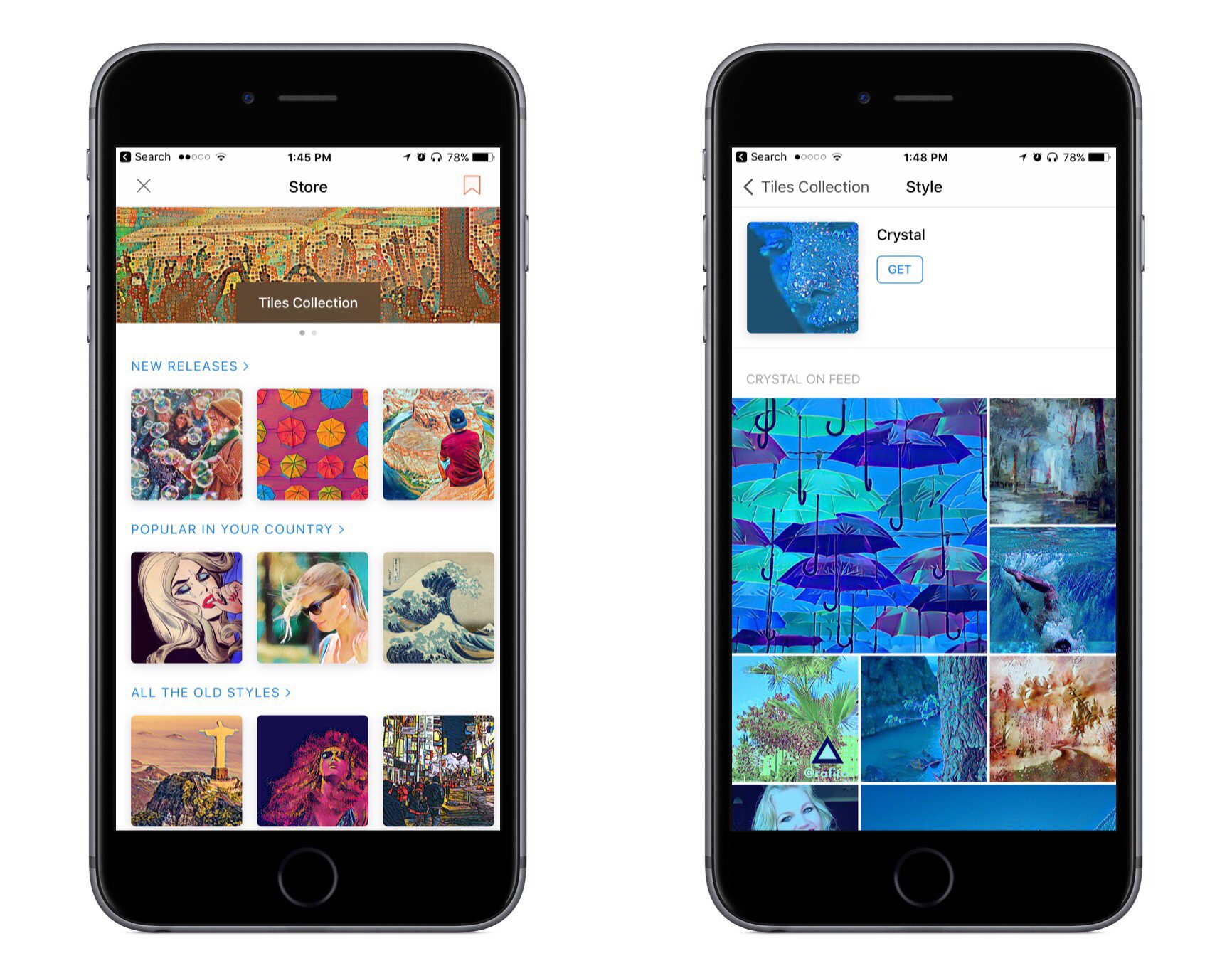
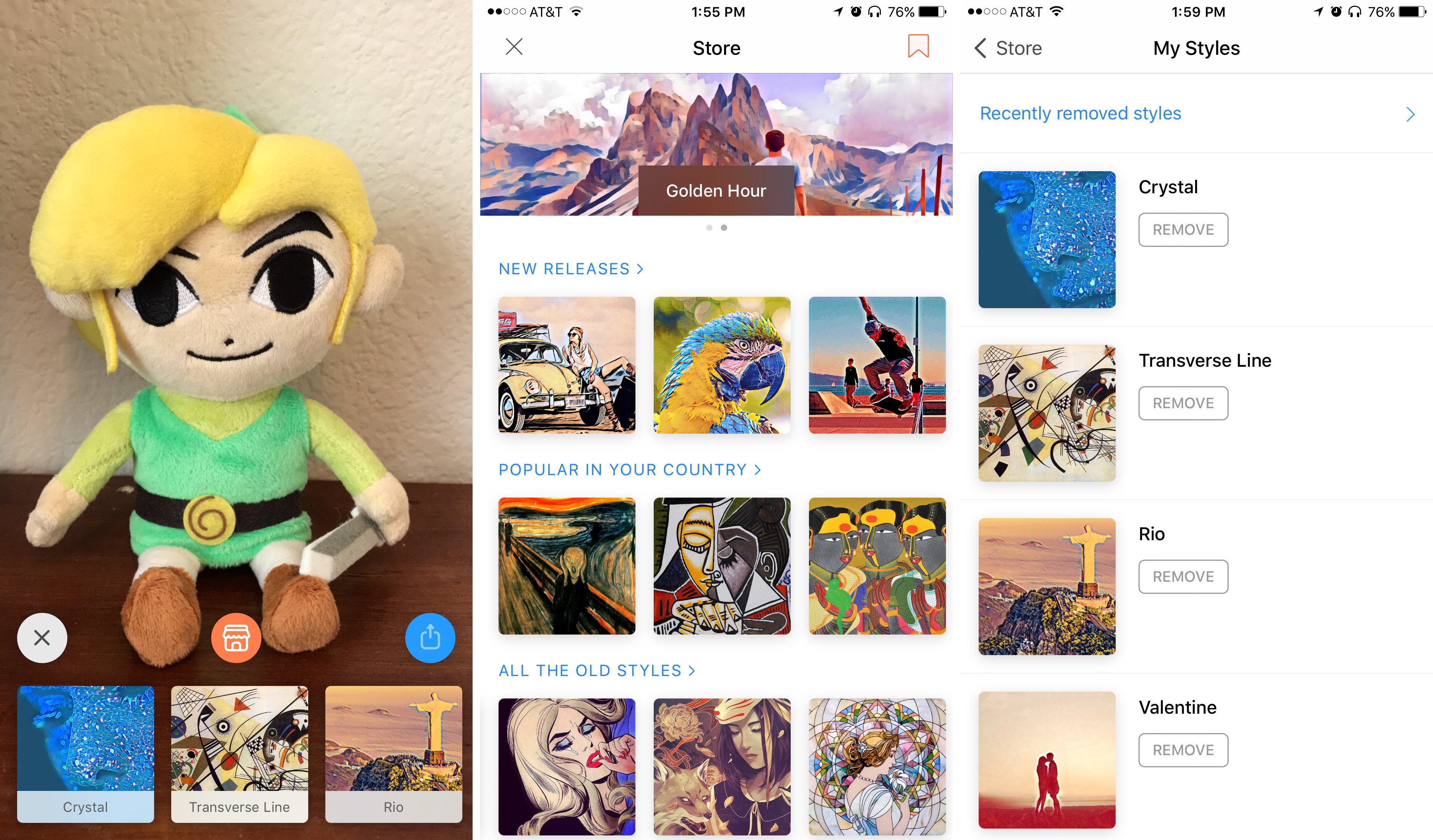
The filter store can be accessed whenever you’re taking a photo by tapping the orange icon in the center of the screen. The store’s main page presents a number of filters, currently categorized as ‘New Releases,’ ‘Popular in Your Country,’ and ‘All the Old Styles.’ There isn’t a particularly large selection of filters currently available, but that should change with time.

My favorite part about the store is that when you tap an available filter to view it, you’ll also see a feed of images that have used that filter. I find this helpful for evaluating whether a particular filter might work well with the type of photo I’m editing.

One other thing worth mentioning about the store is that on its main page there’s a bookmark icon in the top-right corner. Tapping this will present a list of all the filters you currently have installed. This is a nice way to gain a quick overview of all your current filters and remove any you may not want. You can also view filters you’ve removed in the past from this screen.


Prisma is a free download on the App Store.


Apple Highlights HomeKit’s Potential on New Webpage

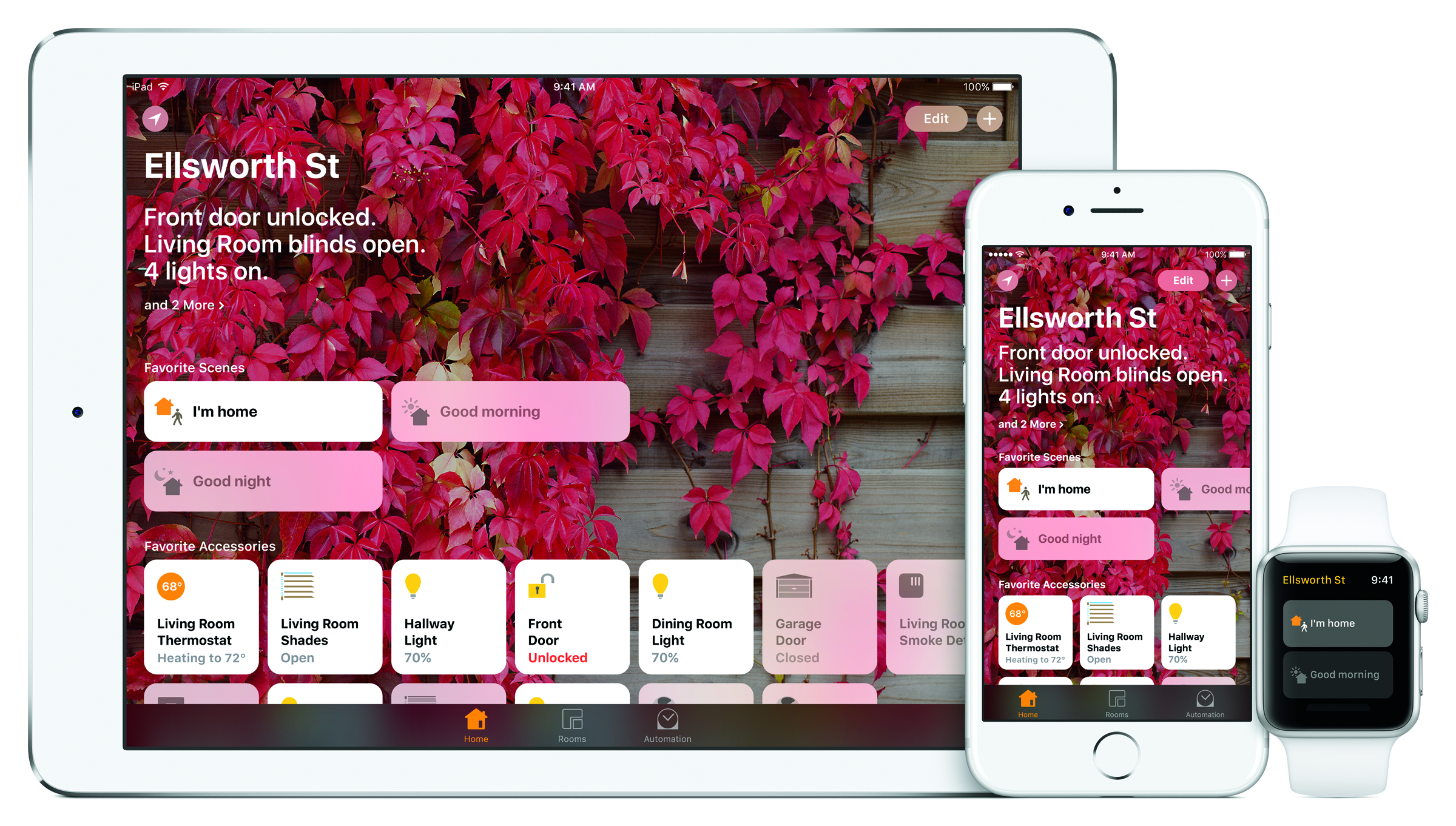
Today Apple’s webpage about HomeKit and the iOS Home app has been completely revamped. It includes a new 45-second video where Siri commands and scenes in the Home app are used to control lights, window shades, door locks, coffee makers, and more. The video highlights how easy and convenient it can be to control smart devices once they’re set up in Home.

Besides the featured video, the new Home-centric page includes sections covering various aspects of the Home platform, such as:

  • Every type of home accessory that is available with HomeKit, with a link to the full list of devices that are either on sale now or have been announced for future release.
  • An explanation of how the Home app organizes devices by different rooms.
  • Short videos showcasing several different scenes that can be set up, like ‘Good Morning’ or ‘I’m Home.’ Each of these features parts of the featured video mentioned above, but with different music.
  • Examples of voice commands that can be used with Siri to control HomeKit devices.
  • A description of the Apple TV’s role as a home hub.
  • Automation’s presence in the Home app as a tool for enabling certain actions automatically.

This past year has seen the first major smart home push from Apple since HomeKit’s announcement nearly three years ago, at WWDC 2014. It comes at a time when Amazon’s Alexa is quickly expanding its reach beyond the Echo and into devices of all kinds. It will be interesting to see if any announcements are made at this year’s WWDC to further bolster HomeKit against increased competition.

Permalink

YouTube TV Streaming Service Coming This Spring

Yesterday YouTube announced a forthcoming TV offering called YouTube TV. The streaming service consists of a bundle of over 40 networks, including ABC, CBS, FOX, NBC, and ESPN. YouTube Red Originals are thrown in too. When it launches this spring, the service will cost $35/month with no contracts or other commitments.

Upon launch, YouTube TV will be available as a new app, separate from the standard YouTube app. Yesterday’s blog post mentions an iOS app, but there is no reference to an Apple TV app.

You can watch YouTube TV on any screen—mobile, tablet or computer—and you can easily stream to your TV with a Google Chromecast or Chromecast built-in TV. YouTube TV works on both Android and iOS.

While this could be a simple oversight, it appears that watching on the big screen will require a Chromecast device. We’ll have to wait until launch to see for sure. Similarly, it’s unknown at this point if the iOS app will support Picture in Picture or Split View on iPad. The lack of an Apple TV app or iPad-specific features would make the service much less appealing to someone who watches most video on those devices.

The full channel lineup for YouTube TV.

The full channel lineup for YouTube TV.

One of the biggest selling points for YouTube TV is that it includes a cloud DVR with unlimited storage. The freedom to record anything and never worry about storage space is nice. Especially since, unlike many traditional cable or satellite services today, I would expect YouTube’s DVR to work flawlessly regardless of whether you’re watching on a mobile device or your TV. One small string attached to the DVR is that content gets erased nine months after it’s been recorded.

YouTube TV is the latest in a series of TV streaming offerings that bundles together big-name networks in a package resembling a traditional cable bundle. Sling TV was the first major player to dip its toes into the market, followed by PlayStation Vue and DirecTV Now, and Hulu has announced they’ll have their own offering available soon. One advantage YouTube TV may have over its current competition is the experience gained from serving a billion hours of video content every day. YouTube should have no trouble scaling the service to reach large numbers of users for things like major sporting events.

Recently I shared in a Club MacStories newsletter how I had cut the cord and ended my satellite service. Because of that, streaming services like YouTube TV are more appealing to me than ever. Though the potential lack of iPad features or an Apple TV app are concerning, YouTube’s credentials make its service more appealing in my mind than any of its competition. YouTube knows what it’s doing with streaming video, so I’m looking forward to checking this service out.