

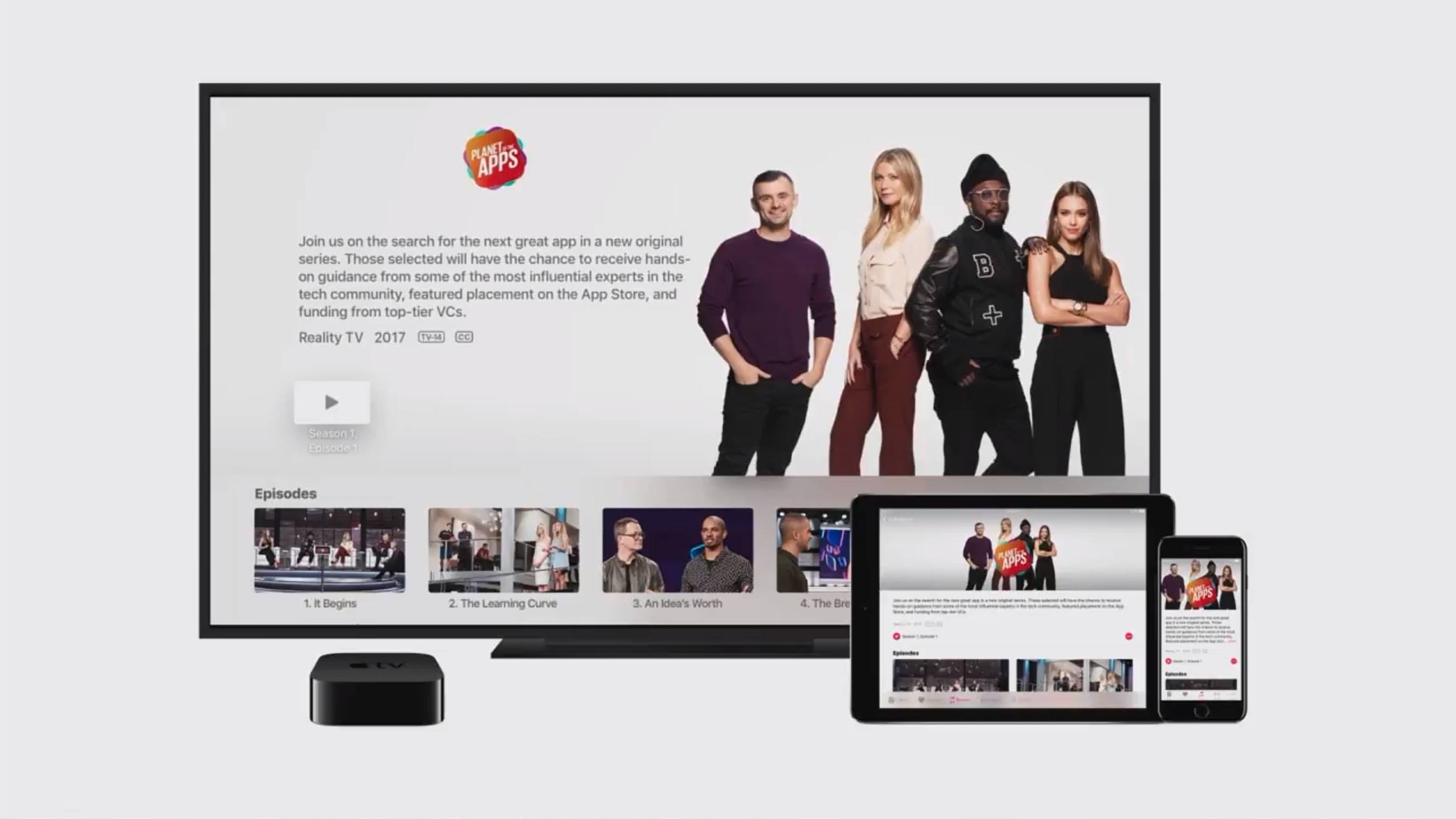
Last night Recode’s Peter Kafka hosted an interview with Apple’s Eddy Cue, SVP of Internet Software and Services, who was joined by television producer Ben Silverman at Recode’s Code Media Conference. The discussion centered around Apple’s video ambitions, with new information and trailers being released for two of Apple’s upcoming original shows: Planet of the Apps and Carpool Karaoke. Additionally, Cue commented on work Apple’s doing with Apple Music and in a variety of other areas.
Google Maps Adds List Creation and Sharing
Today Google introduced a new feature for Google Maps that allows curating lists of places you want to remember and sharing those lists with others.
In previous versions, Google Maps allowed saving a location in a way that’s similar to marking a place as favorite in Apple Maps. Every saved place went on one list, and there was no way to further categorize items you had saved. Today’s update is a helpful expansion of that feature, making it possible to save places to pre-set lists like “Favorites” or “Want to Go,” or to your own custom created list.
The ability to create custom lists opens so many possibilities: future vacation planning, restaurants to try, date night ideas, or whatever else you can think of. Any list that you’ve created can be shared with others via a link. When you share a list with others, they’ll have the option to follow that list, meaning any future updates made to it will be visible to them.
Last fall my wife and I took a vacation to New York City for the first time. In researching places we would want to visit in the city, I would look up a location in Apple Maps, then use the share extension to add that location to a note in Apple Notes that was shared with my wife. Throughout our trip, we would use the links in that note to get us where we wanted to go. It wasn’t a terrible system, but if Google’s list feature had been around at the time, it would have been a perfect solution for us.
The new list feature will be rolling out in the next version of Google Maps for iOS, expected soon.
Working from an iPhone
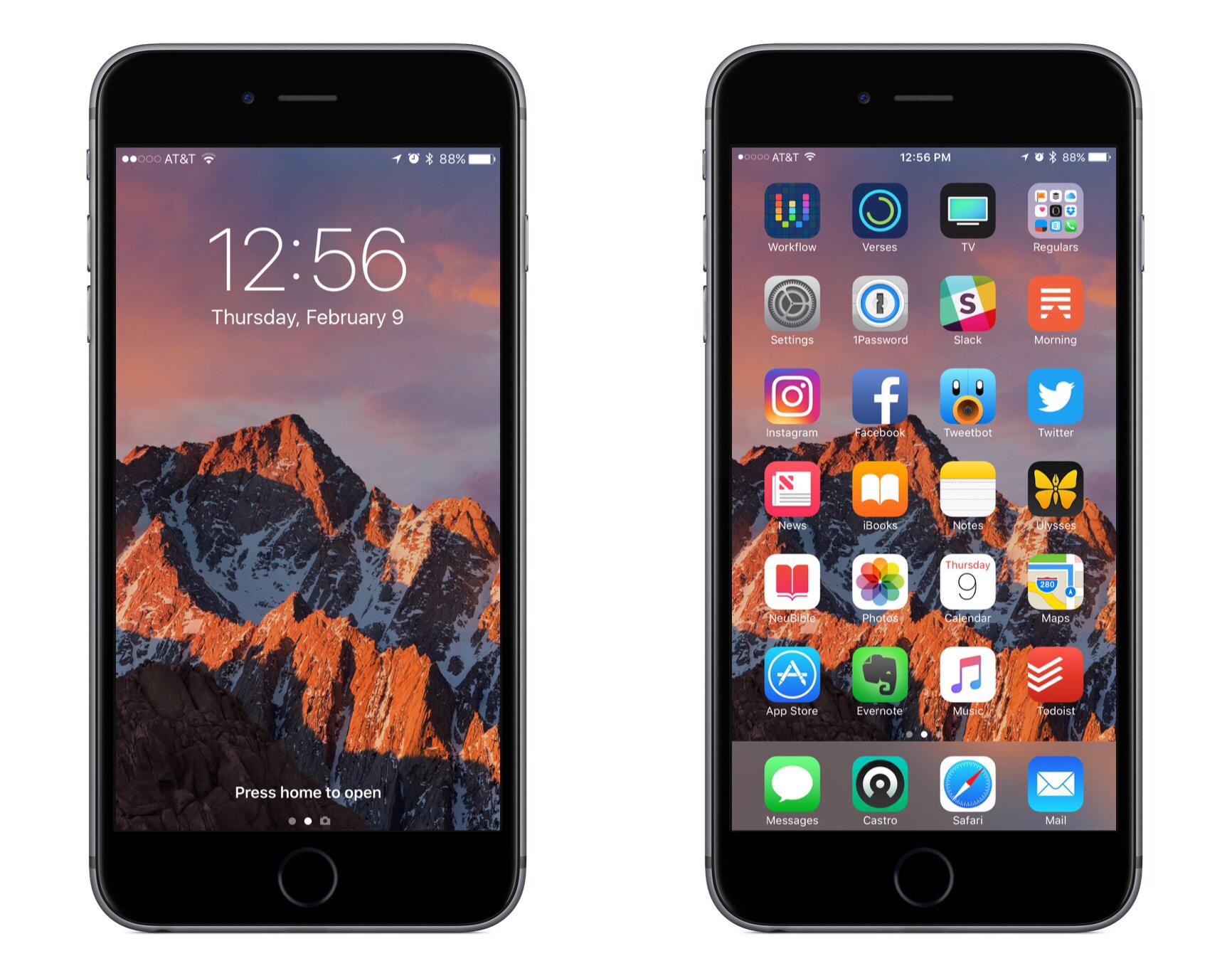
One of my goals in 2016 was to make working from my iPhone as efficient as possible. The desire to make this happen initially sprung from experiences raising a baby. My wife and I began foster parenting in July of 2015, and one of our foster children was AJ, a four-week-old baby boy. AJ ended up staying with us for about a year before returning to his birth mother, and in that year I learned that when raising a baby, there are frequently occasions when only one hand is available for computing. I would often have a hand tied up feeding AJ or carrying him around, and if I needed to get any work done during that time, my iPad Pro was no help. iPads are built for two-handed computing, while iPhones work great with one.
In addition to the motivation of being able to get work done with one hand, one of the things I’ve learned during the past couple years is that the best computer for work is the one you have with you. Despite the iPad Pro being more portable than most Macs, it still pales in portability compared to the iPhone. Because my iPad doesn’t travel with me everywhere, I need to be able to do anything on my iPhone that I can on my iPad.
Between my two current jobs, much of my work can be done while on the go – whether I’m waiting for an oil change to be completed, standing in a seemingly endless DMV line, or any similar scenario. In these short intervals of life, there are moments work can be done – which is where my iPhone comes in, because it’s with me wherever I go.
If and when a pressing work issue comes up, in many cases it can’t just be ignored until I get back to my desk; my iPhone needs to be capable of handling the task. Even if the issue isn’t time-sensitive, getting things done while I’m out makes the load lighter when I do get back to my desk.
I’ve grown extremely proficient in using my iPhone to get things done, and there are six key things I’ve identified that make that possible.
 AnyList

My wife and I have maintained a shared grocery list for the entirety of our marriage. We’ve used Apple’s Reminders and Wunderlist at different times, both of which are fine, but we didn’t know what we were missing until we tried AnyList. While Reminders and Wunderlist can serve as capable grocery list apps, they...
Turn Touch: A Smart, Flexible Remote Control
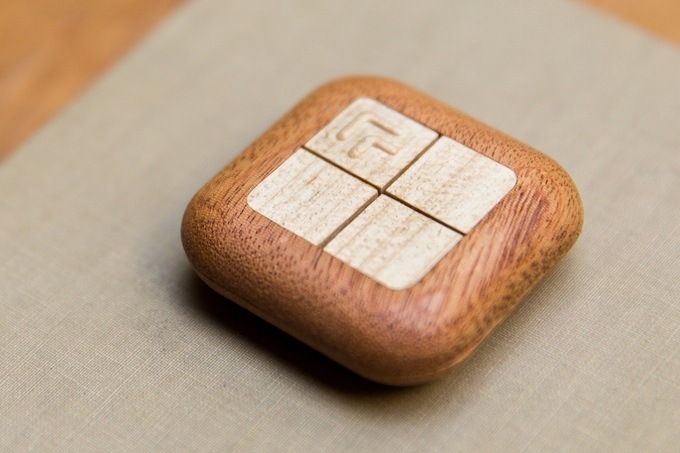
Samuel Clay, the founder of NewsBlur, is seeking funding on Kickstarter for an interesting new project: Turn Touch.
Turn Touch is a four button remote control carved out of solid wood. Get instant control of your devices and your home. With only four buttons, your Turn Touch connects you to apps, lights, speakers, and more.
While most smart devices found in the home today are designed to be controlled via a smartphone or a voice-controlled device like Amazon Echo, Turn Touch is a more tactile option. It’s designed to look less like a standard remote control and more like a piece of decor in the home.
Flipboard 4.0 Presents Deeper Personalization Options
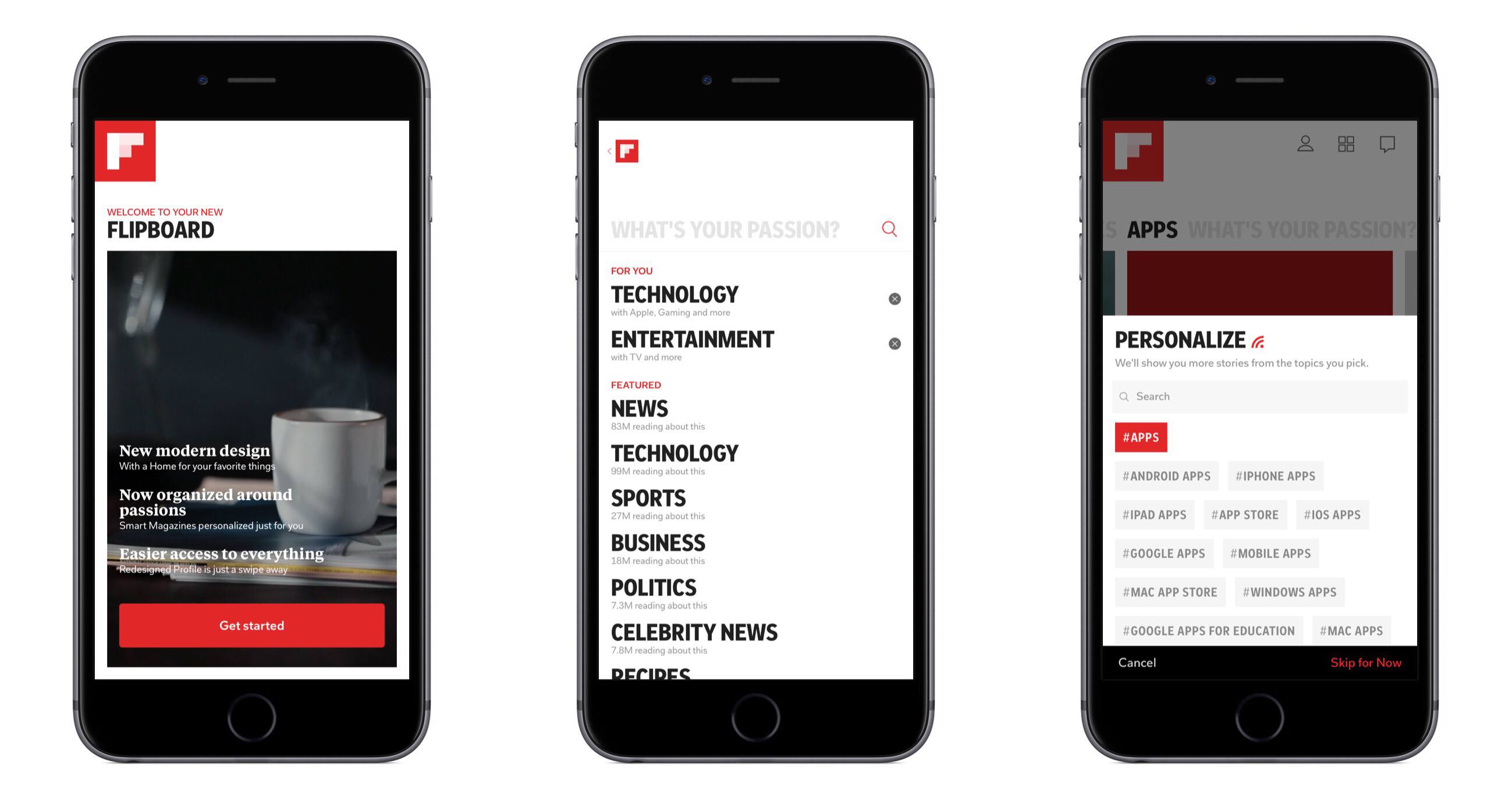
Flipboard 4.0 launched today, introducing a redesigned app that revolves around one core new feature: Smart Magazines. The magazine analogy isn’t altogether different from Flipboard’s previous interface, where certain topics or news sources made up a grouping of stories through which users could flip. The main difference here is found in the deeper level of personalization available with Smart Magazines.
YouTube Enables Live Streaming for Broader Base of Creators→
Last summer YouTube announced its plans to put live streaming tools into the hands of its users. Today marks the first step toward making that happen, as mobile live streaming is now rolling out to all users with 10,000 or more followers. YouTube promises the feature will be available to all users soon, regardless of follower count.
Mobile live streaming has been built directly into the YouTube mobile app. All you have to do to start streaming is open YouTube, hit the capture button, and you’re live! Streamed videos will have all the same features as regular YouTube videos. They can be searched for, found via recommendations or playlists, and protected from unauthorized use.
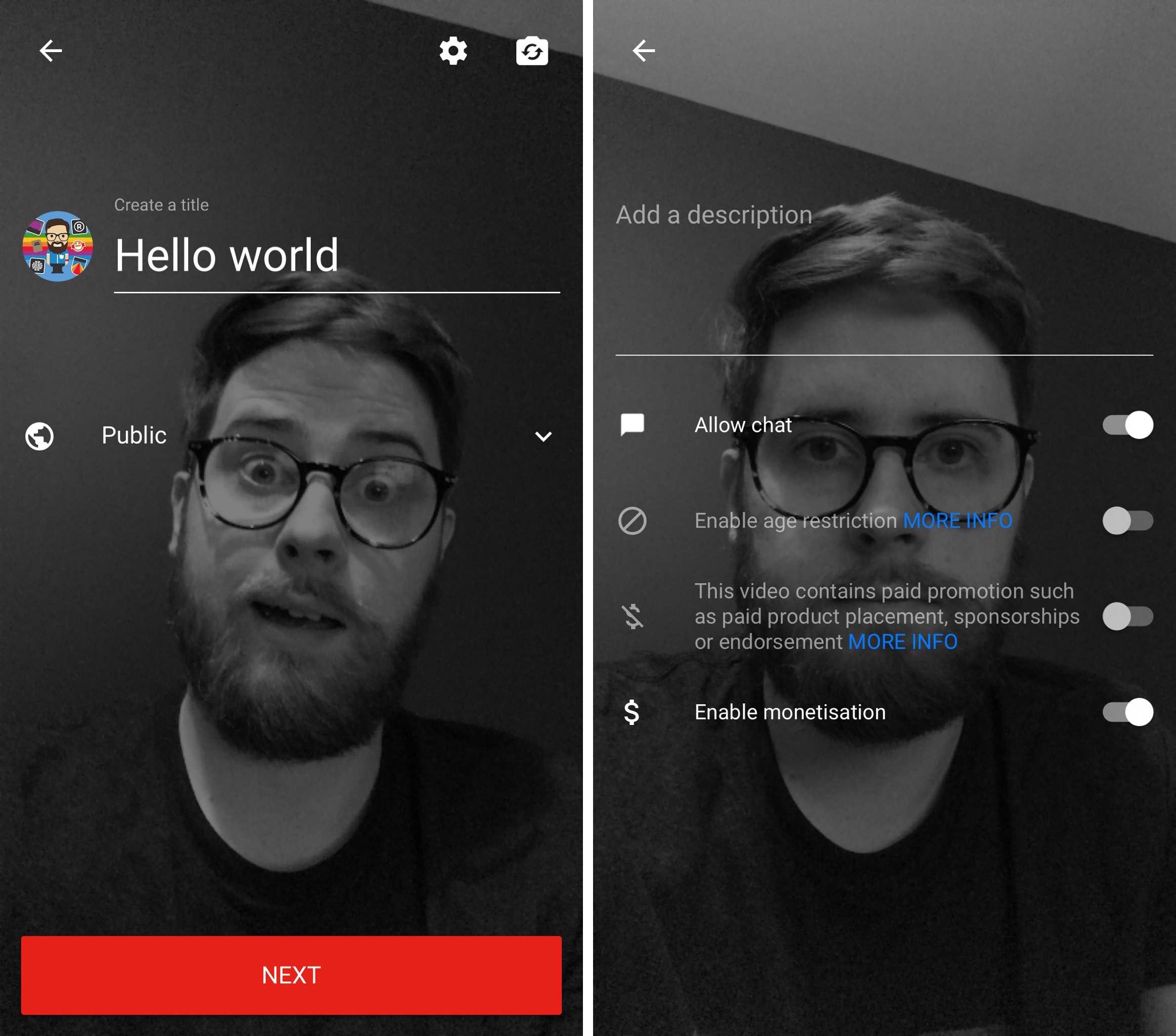
Paired with its live streaming rollout, YouTube is also launching its previously announced Super Chat tool. Super Chat is a live stream feature that enables special monetization opportunities for creators. In a way it’s a digital tip jar. When watching a live stream, users can pay a fee to have a message they write receive special highlighting that makes it more noticeable to the video’s creator. Any highlighted message not only stands out visually, but also remains on screen longer than a normal message. The examples shown by YouTube so far involve a $5.00 fee to receive a highlighted message, though that number may vary based on the creator’s choice.
Attention to Detail on Apple Campus 2→
Reuters’ Julia Love has published a look into the design process behind Apple’s Campus 2, based on interviews with a number of current and former workers on the massive architectural project.
Unsurprisingly, Love discovered that Apple’s attention to detail on the campus mirrors its attention to detail on consumer products.
Apple’s in-house construction team enforced many rules: No vents or pipes could be reflected in the glass. Guidelines for the special wood used frequently throughout the building ran to some 30 pages.
Tolerances, the distance materials may deviate from desired measurements, were a particular focus. On many projects, the standard is 1/8 of an inch at best; Apple often demanded far less, even for hidden surfaces.
Based on outside evidence, the completion of Campus 2 seems to be drawing near, so we can expect to hear more details about the project – and hopefully receive inside glimpses from Apple itself – over the next few months.
Twitter Introduces New Tools to Combat Harassment→
After years of being accused of apathy toward the harassment and abuse that takes place on its platform, Twitter has so far marked 2017 with a stronger commitment to creating a safer environment for everyone.
Last week, Twitter announced a change to the way abusive tweets could be reported. Previously, if a user had blocked you, it would be impossible to report that user’s tweets as abusive or harmful, but that’s no longer the case.
Today Twitter introduced three more changes:
Stopping the creation of new abusive accounts:
We’re taking steps to identify people who have been permanently suspended and stop them from creating new accounts. This focuses more effectively on some of the most prevalent and damaging forms of behavior, particularly accounts that are created only to abuse and harass others.Introducing safer search results:
We’re also working on ‘safe search’ which removes Tweets that contain potentially sensitive content and Tweets from blocked and muted accounts from search results. While this type of content will be discoverable if you want to find it, it won’t clutter search results any longer. Learn more in our help center.Collapsing potentially abusive or low-quality Tweets:
Our team has also been working on identifying and collapsing potentially abusive and low-quality replies so the most relevant conversations are brought forward. These Tweet replies will still be accessible to those who seek them out. You can expect to see this change rolling out in the coming weeks.
These changes follow a series of tweets at the end of last month by Twitter’s VP of Engineering, Ed Ho, who claimed the company is committed to “moving with more urgency than ever” to make Twitter a safer place. Ho tweeted again as today’s changes were announced and reinforced that these actions represent just the beginning, and more changes would be made to the service in the coming days.