Ryan Christoffel

992 posts on MacStories since November 2016

Ryan is an editor for MacStories and co-hosts the [Adapt](https://www.relay.fm/adapt) podcast on Relay FM. He most commonly works and plays on his iPad Pro and bears no regrets about moving on from the Mac. He and his wife live in New York City.

BeatsX Earphones Launch February 10th

Today Beats revealed in a tweet that its BeatsX Earphones will be available for purchase this Friday, February 10th. BeatsX come in a variety of color finishes, including the previously announced white and black. CNET also reports that gray and blue finishes are in the pipeline, though it’s unclear whether they’ll be available at launch or a later date.

Announced in Apple’s September keynote alongside Apple’s AirPods and two other Beats products, Beats Solo3 and PowerBeats3, Phil Schiller described BeatsX as “affordable, light, comfortable headphones for all throughout your day.”

BeatsX contain the same W1 chip found in those other products, which improves power efficiency and enables easy connections with Apple devices. Unlike those other products, however, BeatsX did not see the light of day in 2016; they stand alone in being delayed into 2017.

BeatsX are the lowest cost earphones Apple announced in September, barely edging out AirPods’ cost with a $149.95 price tag, nearly $10 less than AirPods. BeatsX claim better battery life than AirPods, with up to 8 hours on a full charge versus AirPods’ 5 hours. BeatsX may also appeal to anyone who is uneasy about the possibility of wire-free AirPods getting lost more easily.

iOS Apps with Editing Extensions in Photos

Annotable Annotable is a fantastic image editor with a number of helpful tools including a magnification loupe, a tool to pixelate sensitive information, and simpler options that add text, arrows, or other shapes to an image. It’s all extremely simple and easy to use. My favorite part about the app, though, is that...


Evernote 8: A Review and Comparison with Apple Notes

Evernote has a long and storied history. It once reigned as king of note-taking services, successfully blossoming in an increasingly mobile world. But as the service grew larger, it became a less efficient tool for the core task of viewing and creating notes. New features and tangential apps added over time created bloat and became distractions. For a time, there weren’t many worthwhile alternatives for Apple users to explore. That changed in June 2015, when Apple introduced a revamped Notes app for iOS and macOS.

I’d been unhappy with the clunky state of Evernote at the time iOS 9’s Notes was unveiled. My experience with Notes in the past had been frustrated by poor syncing that led to data loss on multiple occasions. But what Apple demonstrated with Notes’ overhaul looked promising, and I gave it a shot.

Notes has kept me satisfied since its big update, and I know many people are in the same boat. But Evernote recently launched version 8 of its iOS app, which led me to give that service another try.

Read more


Cutting the TV Cord

In August 2015, I was faced with a television dilemma. Football season would be starting soon, and I needed to find a way to watch my Dallas Cowboys. My wife and I had moved earlier that year, and our prior TV provider didn’t offer service at our new house. Normally, I may not have...


Board Games for iOS, Vol. 1

Splendor Splendor is the sort of game that’s easy to learn, but hard to master. It centers around the simple task of collecting colored gems which can then be used to purchase cards that earn you points; the first person to reach a certain number of points wins. There are a lot of...


Print to PDF on Devices without 3D Touch

One of the most long-running frustrations with iOS has been its inability to easily create a PDF out of things like webpages, emails, or notes. 3D Touch devices gained the ability in late 2015, but in a well-hidden way. When viewing a print preview, using 3D Touch on that preview creates a PDF version...


Flappy Bird Creator Releases New Ninja-Themed Game

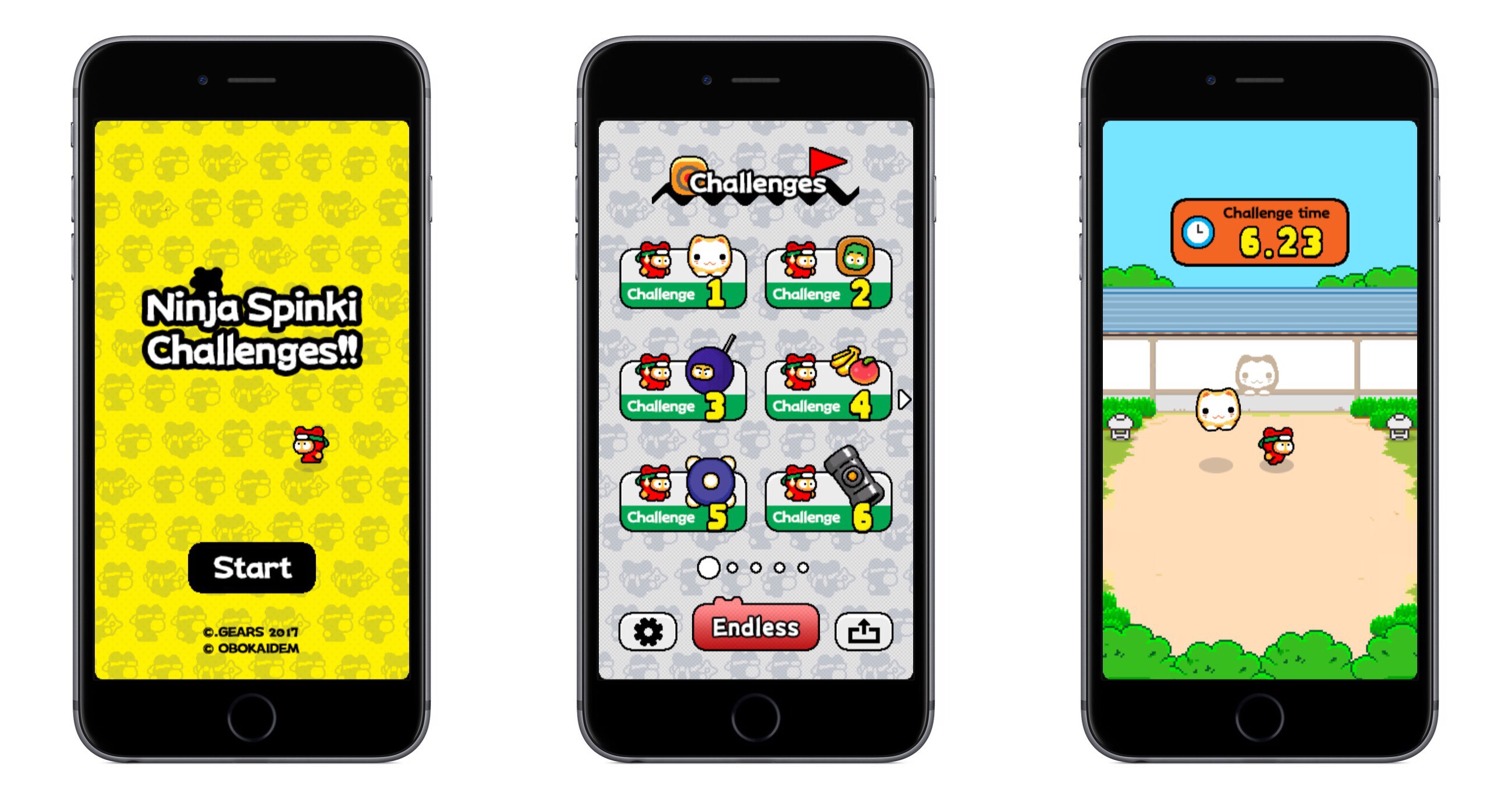
Ninja Spinki Challenges!! is the new game from Flappy Bird’s famed creator, Dong Nguyen. The game puts players in the role of a ninja who must face a variety of mini-game-like challenges.

There are six types of challenges in total, ranging from avoiding a bouncing cat to throwing shuriken at creatures. Though six challenges don’t seem like many, beating one unlocks a more difficult version of that mini-game. In total there are five levels to each mini-game, so there are several opportunities to replay challenges.

The aspect of Ninja Spinki that aids replayability the most is Endless mode. Every time you beat each of the six main challenges, it unlocks the Endless mode for that mini-game. Endless mode is where the addictive, competitive element that made Flappy Bird famous comes in; it’s all about surviving as long as you can to obtain the highest score possible.

The game seems well-polished, and each of the mini-games is plenty of fun, particularly as you reach more challenging levels of each one.

Ninja Spinki Challenges!! is available on the App Store as a free download for iPhone and iPad.


Upcoming watchOS 3.2 Includes New Theater Mode and Siri Improvements

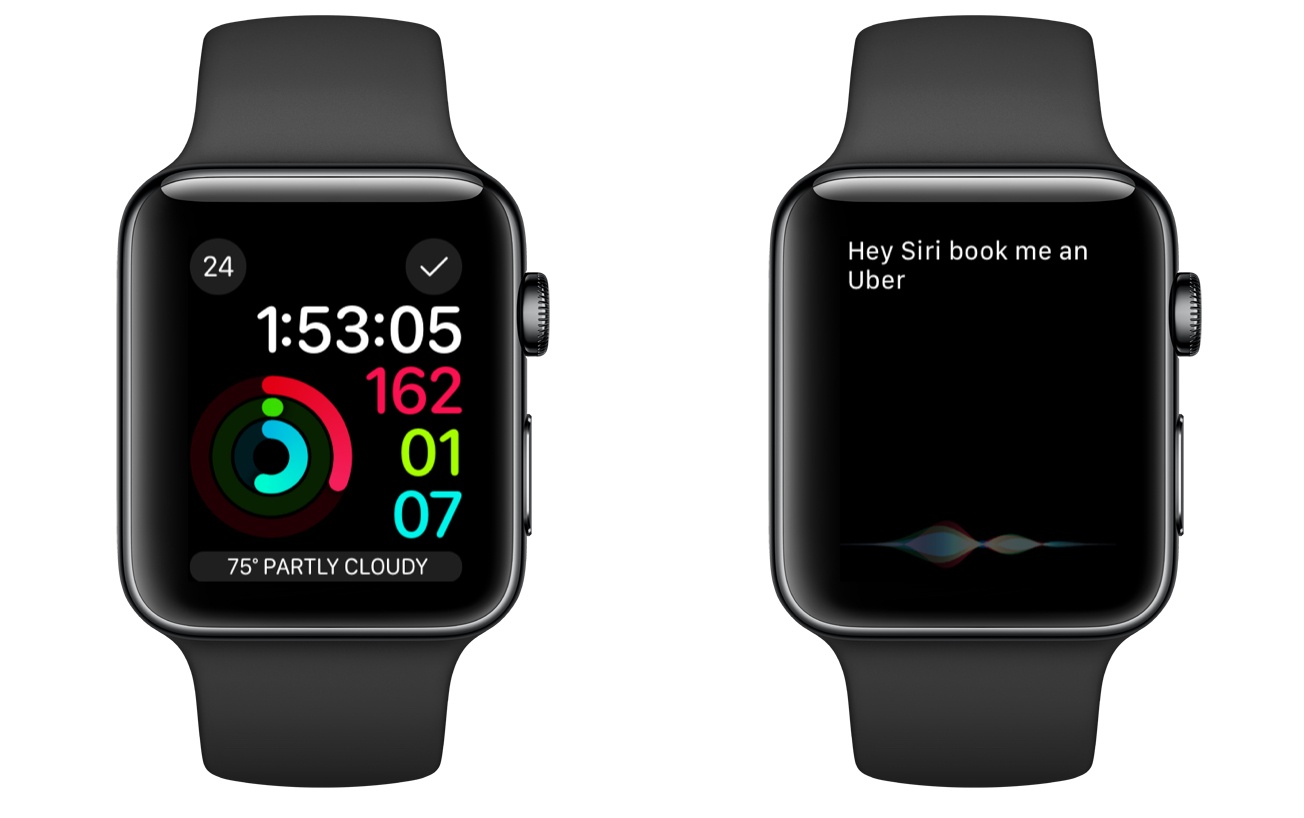
Alongside beta versions of iOS, macOS, and tvOS, Apple today announced the release of the first beta of watchOS 3.2. The beta has yet to appear on Apple’s developer portal, but it should be available soon. Besides the standard bug fixes and performance improvements, this update includes a couple new features, one of which is called Theater Mode. From Apple’s developer release notes:

Theater Mode lets users quickly mute the sound on their Apple Watch and avoid waking the screen on wrist raise. Users still receive notifications (including haptics) while in Theater Mode, which they can view by tapping the screen or pressing the Digital Crown.

This sounds like an interesting new option that could be useful in scenarios besides being at the movie theater. Personally, I’m likely to use Theater Mode when I wear my Apple Watch overnight for sleep tracking. My normal practice is to turn off Raise to Wake in the Settings app before going to bed, but this could prove an easier method.

Besides Theater Mode, the most significant update in 3.2 is enhancements to Siri. Last year iOS 10 improved Siri by enabling it to handle queries from third-party apps that fit into specific categories:

  • Messaging
  • Payments
  • Ride booking
  • Workouts
  • Calling
  • Searching photos

Though all of those areas could be handled by Siri on iOS 10, Siri on Apple Watch was previously only able to direct you to your iPhone to perform those actions. But with watchOS 3.2, that is longer the case, as Siri on the Watch is now able to perform these third-party requests.

watchOS 3.2 will likely see a public release this spring, after a couple months of beta testing is complete.