Ryan Christoffel

992 posts on MacStories since November 2016

Ryan is an editor for MacStories and co-hosts the [Adapt](https://www.relay.fm/adapt) podcast on Relay FM. He most commonly works and plays on his iPad Pro and bears no regrets about moving on from the Mac. He and his wife live in New York City.

Little America Expanding to Apple Podcasts and Apple Books, Show’s Behind-the-Scenes Detailed

Simon Thompson has an excellent, wide-ranging interview at Forbes with the production team behind Little America, the acclaimed Apple TV+ series that debuted recently.

Early on the interview covers why the team chose Apple for this show. Executive Producer Lee Eisenberg explains that unlike many other companies, who were “a little scared” by the pitch, Apple “almost immediately started selling themselves to us and trying to convince us why they should have it.” He attributes this to the series’ tone and spirit being a perfect fit for Apple’s brand. Eisenberg also explains how the company’s platform was a big draw:

“Apple is such a worldwide and multi-faceted brand. We’re doing a podcast to delve more into the stories and the music on the show. There’ll also be a playlist for every episode. We’re putting out a book too. Apple has an infrastructure that just felt like it would be able to touch all of the different pieces that we wanted.”

Word of a Little America podcast seemingly confirms reports of Apple developing original podcast content for its TV+ catalog. The whole paragraph, however, highlights the unique place Apple is in as a media hub. As I’ve written several times now, there’s tremendous potential for the company to utilize its various services in concert to provide experiences not possible anywhere else.

Another fascinating portion of the interview involved production challenges the team faced. Executive Producers Emily V. Gordon and Kumail Nanjiani share the story of a time the show, which centers around U.S. immigrant narratives, had to move production out of the country and into Canada due to an actor being unable to get a visa to enter the country.

“There was a Libyan actor who we were flying in to be in the show, but because of the new immigration laws, we couldn’t film that episode in America. We had to move production to Canada for an episode,” Gordon explained.

Nanjiani added: “For an episode about someone coming to America, who came here with refugee status, we could not shoot it in the US, which was crazy. We couldn’t get a visa for him. We really liked him and really wanted him for the part, so, luckily, Apple was kind enough to allow us, at great expense, to move production to Canada for one episode.”

What an incredible and fitting behind-the-scenes story for a series like this.

Permalink

Weather Line

Weather Line is one of the nicest weather apps on iPhone. The app exudes polish and care, with a sharp design and valuable customization options, not to mention a unique weather data setup designed to provide the most accurate forecasts across several metrics. Let’s start with the weather data. It’s not uncommon for weather...


NapBot 1.3 Adds Independent Watch App, Today Widget, Notifications, and New Awake Minutes Trend

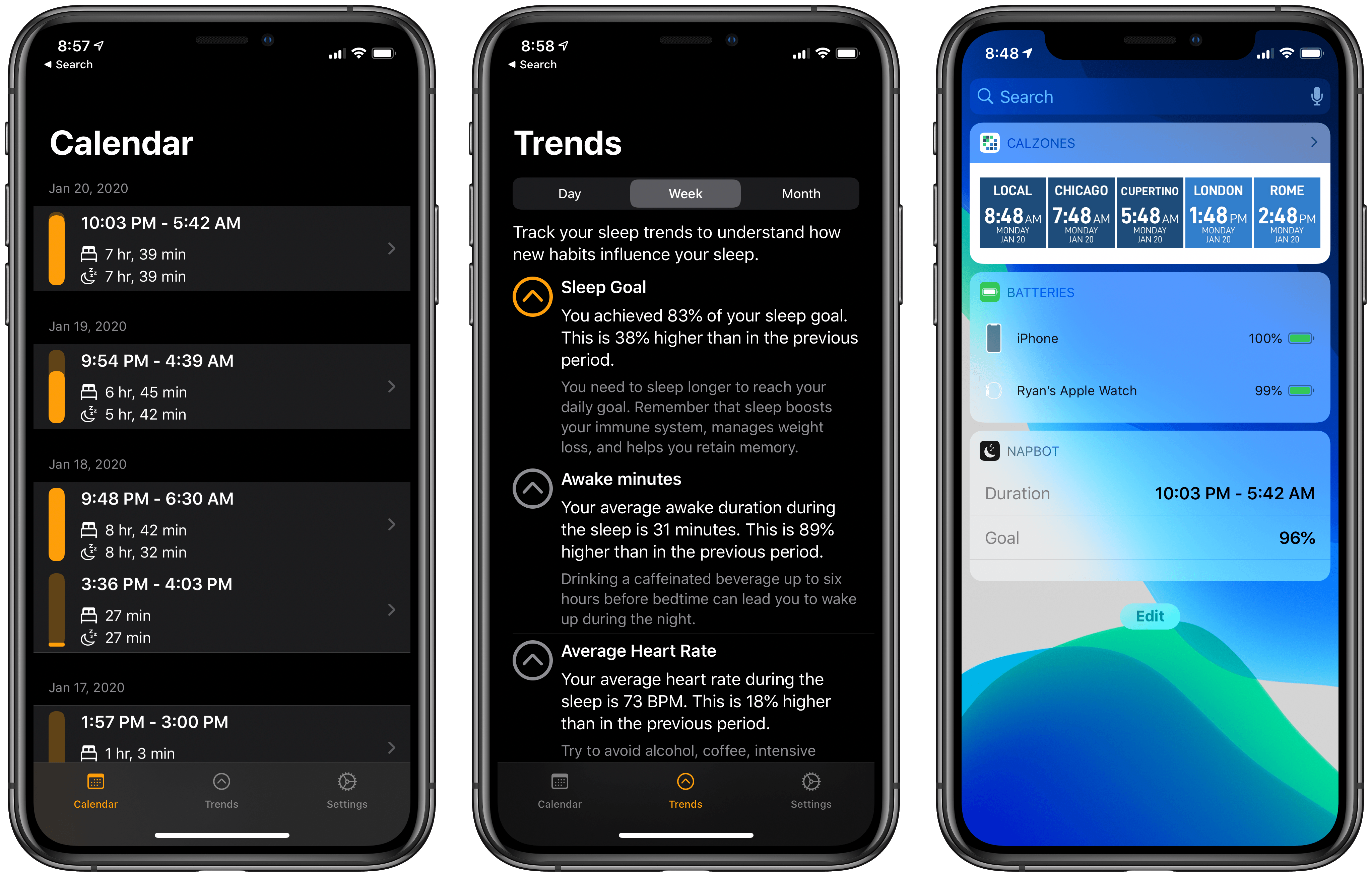
NapBot debuted last fall as a Swift UI-powered app that makes sleep tracking easy thanks to CoreML and a clean, simple design. The app recently received a variety of improvements via a 1.3 update that enhances both the watchOS and iOS components of NapBot.

On the watchOS side, NapBot now features a fully independent Watch app, meaning it can be downloaded from the Watch’s App Store and run without needing the iOS app installed. The current Watch app only shows sleep data for the previous day, rather than the full history that’s available on the iPhone, so I hope this release is just the first step toward offering full feature parity between watchOS and iOS apps.

Timed with its upgrade to independence, NapBot’s Watch app also now has complications available for every type of watch face and every complication size, so no matter which face is your go-to, you can find a fit for your sleep data.

The iPhone app now tracks a new trend, accessed from inside the Trends tab: Awake minutes. This enables keeping a pulse on how much time you spend awake during a normal night, and if the number doesn’t look good, NapBot will recommend you try reducing caffeine consumption during the latter parts of your day. If your Awake minutes trend shows just limited awake time, you’ll receive reassurance that brief waking periods can be perfectly normal.

Finally, NapBot has added a Today widget that documents your sleep data from the previous evening, and a notification in the morning to let you know sleep has been tracked. Using one or both of these options can reduce the need to open the full NapBot app as often and enable passive use instead, which I find ideal for a sleep tracking app.

The appeal of NapBot is in combining an easy-to-understand interface and effortless sleep tracking with data analysis powered by CoreML. Version 1.3 doesn’t change anything fundamental about the app, but it brings system feature integrations that make a meaningful difference in everyday use.


Apple Reveals Upcoming TV+ Lineup, including Amazing Stories, Central Park, Defending Jacob, and More

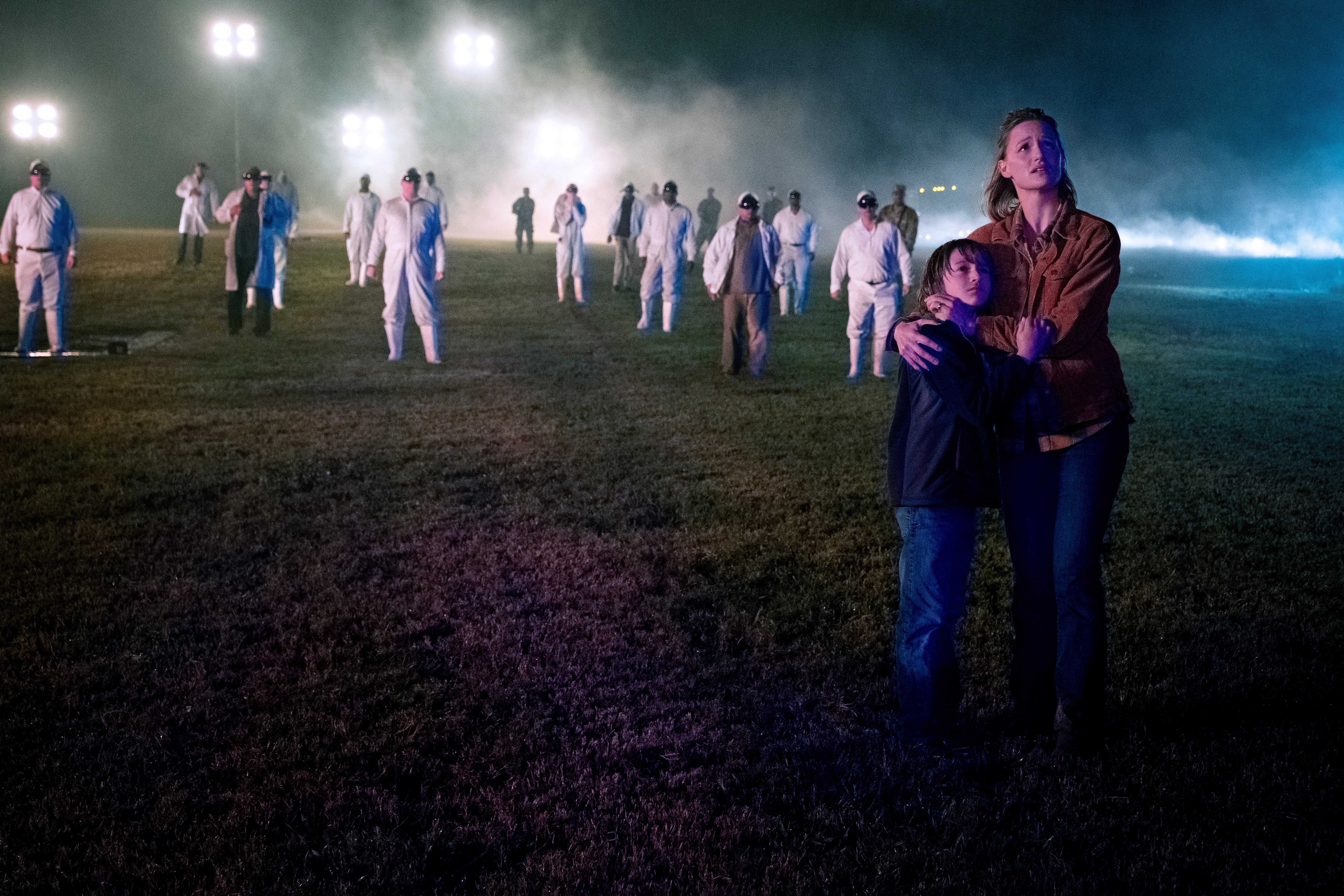
Steven Spielberg's Amazing Stories arrives March 6.

Steven Spielberg’s Amazing Stories arrives March 6.

Over the weekend, Apple debuted its TV+ content lineup for the first half of 2020 at the Television Critics Association Winter Press Tour. This Press Tour is a tradition of the TV industry, where traditional networks and streaming services alike share about the new content they’ll be releasing soon. Apple got to join the festivities this year for the first time, detailing its TV+ lineup through early summer, including release dates for highly anticipated series we already knew about, plus the debuts of new shows that hadn’t been previously announced.

Read more


iOS Utility Grab Bag

iOS has a ton of great task managers, calendar apps, text editors, and countless other app categories – and we’ve highlighted many of them in prior Collections in this newsletter. Today, however, I wanted to take a different path with the Collection and share a random assortment of utility apps. Each of these...


Arcade Highlights: Grindstone

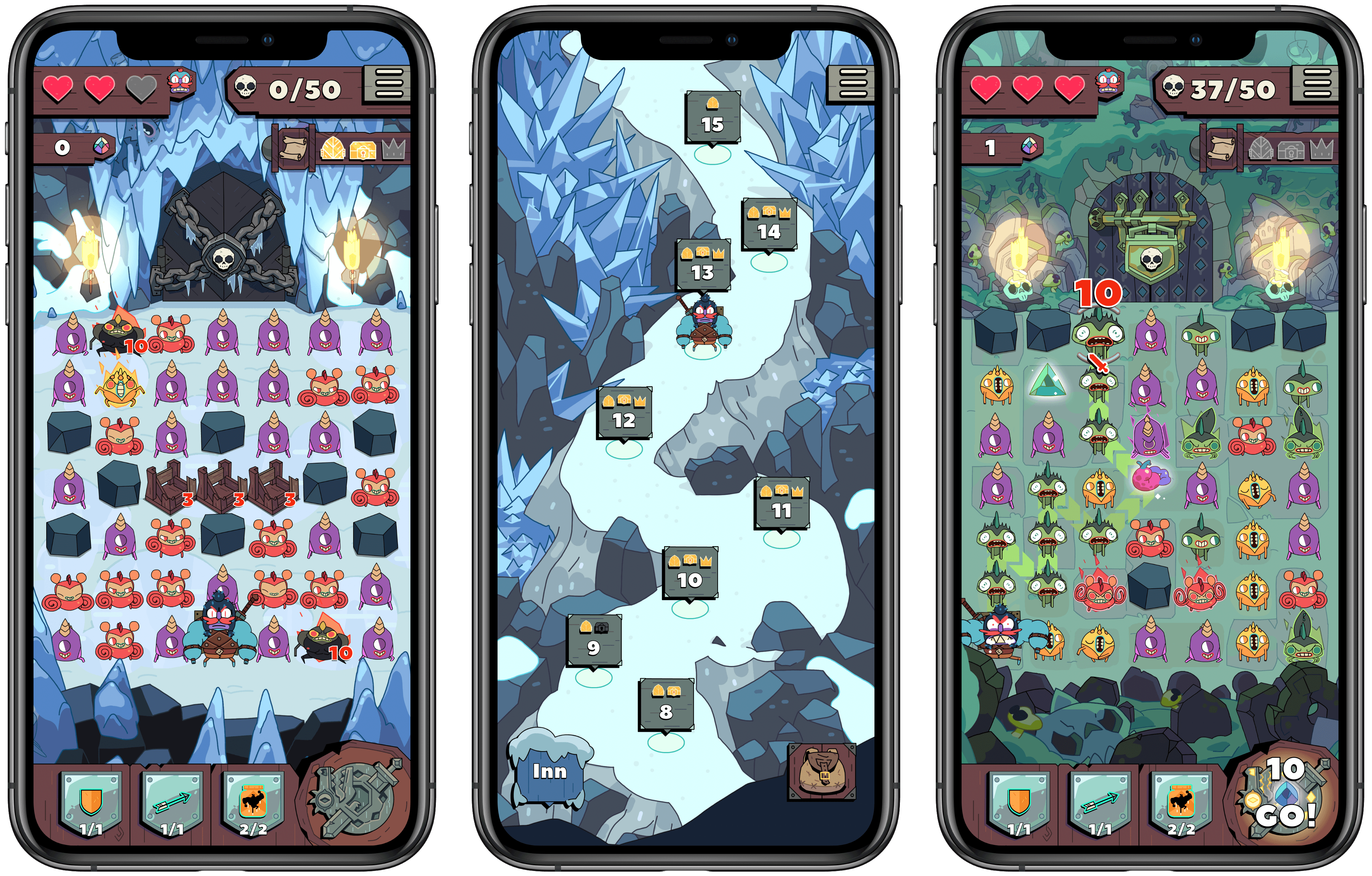
When it comes to mobile games, all a new title has to do to draw me in is show a Candy Crush-style grid of objects. There’s something about the simple mechanic of making connections on a grid that’s hard for me to resist. Most of the time, though, I find that while such games can easily grab my interest, many will quickly lose it when I actually start playing. It’s usually just standard match three games that keep my attention, so when I first tried out Grindstone, I didn’t think it would be for me.

Grindstone is an Apple Arcade title from Capy and the creative team behind the excellent Superbrothers: Sword & Sworcery EP. It features a familiar grid of objects – in this case monsters to defeat – but rather than rearranging matching monsters in a Candy Crush fashion, you’re tasked with tracing a line from one matching monster to another, determining the order in which you’ll slay them and potentially earn rewards. Monsters have to be adjacent to each other for you to string them together, so essentially you’re completing a connect the dots puzzle each turn with as many monsters destroyed as possible.

Read more


The Case for Low Power Mode on the Mac

Marco Arment on marco.org, outlining his self-created Low Power Mode-like system which relies on a third-party app, and making the case for Apple to add something similar as an official macOS feature:

The vast majority of the time I’m using it, the 16-inch MacBook Pro is a much better laptop with Turbo Boost disabled.

It’s still fast enough to do everything I need (including significant development with Xcode), while remaining silent and cool, with incredible battery life.

But soon, I bet I won’t be able to do this anymore.

Turbo Boost Switcher Pro relies on a kernel extension that’s grandfathered into Apple’s latest security requirements, but it can never be updated — and when macOS Catalina loads it for the first time, it warns that it’ll be “incompatible with a future version of macOS.” I suspect that this is the last year I’ll get to run the latest OS and be able to turn off Turbo Boost at will, making all of my future laptop usage significantly worse.

Low Power Mode is one of many useful features that iOS has had for years but that Mac users have been forced to live without. The feature’s popularity on iOS makes it a no-brainer addition for portable Macs, where battery life is already worse than what’s found in the iPhone and iPad.

Update: Former MacStories contributor TJ Luoma helpfully pointed out something that genuinely surprised me: Low Power Mode isn’t on the iPad either. Here’s hoping Apple brings it not only to the Mac, but the iPad as well.

Permalink

Starting a Running Habit with the Apple Watch

I never thought I could be a runner. I’m not exactly the athletic type – one year of football as a 9-year-old was enough sports for me growing up. I’ve always envied people who say they enjoy exercise, while rarely experiencing that enjoyment myself. But much to my surprise, last September I started running twice...


Front and Center, a Mac Utility from John Siracusa and Lee Fyock

John Siracusa writes on Hypercritical about the new Mac utility he just released in partnership with Lee Fyock. Following the release of macOS Catalina and its lack of support for 32-bit apps, such as DragThing, Siracusa needed a new solution for restoring a classic Mac OS behavior that he didn’t want to lose.

In classic, when you click on a window that belongs to an application that’s not currently active, all the windows that belong to that application come to the front. In Mac OS X (and macOS), only the window that you clicked comes to the front.
[…]
I tried to get used to it, but I could not.

Front and Center is the name of Siracusa and Fyock’s creation. It’s a tiny app that re-enables the classic behavior mentioned above, while also providing the option of using shift-click to engage the modern default of selecting the clicked window only. With Front and Center, long-time Mac users can have both the classic Mac OS behavior they enjoy, and the benefits of macOS’ modern approach, all at once.

Front and Center is available on the Mac App Store for $2.99.

Permalink