Ryan is an editor for MacStories and co-hosts the [Adapt](https://www.relay.fm/adapt) podcast on Relay FM. He most commonly works and plays on his iPad Pro and bears no regrets about moving on from the Mac. He and his wife live in New York City.
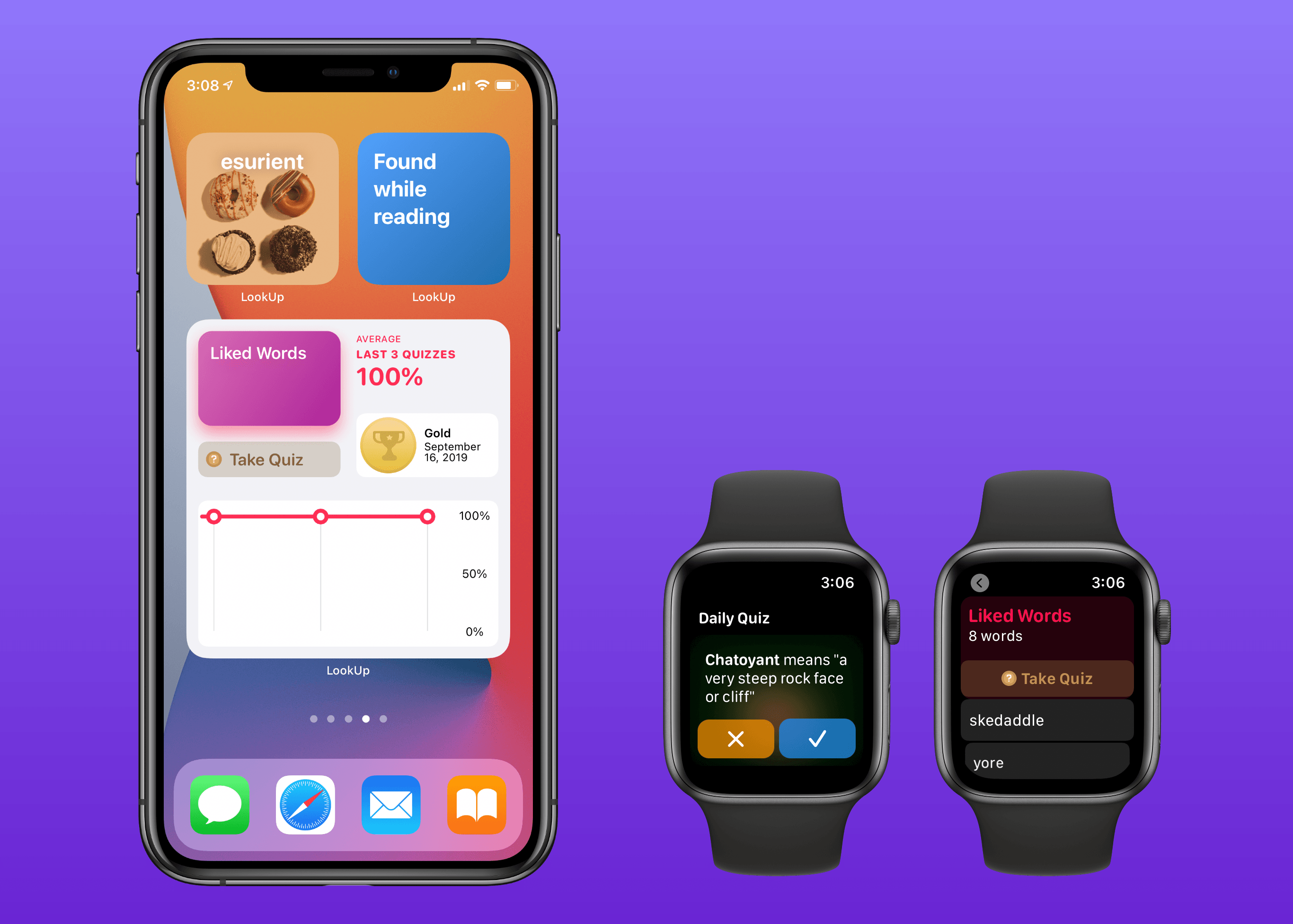
Widgets in iOS and iPadOS 14 are here and can be saved to your iPhone or iPad Home screen. A lot of third-party app updates will be trickling out in the days and weeks ahead with support for their own custom widgets, vying for your limited Home screen space.
If you’re interested in expanding your vocabulary, a word of the day widget seems like a perfect fit for the Home screen where you can glance at it throughout the day. That’s exactly what LookUp 7 provides, alongside widgets for running quizzes and opening your word collections. The dictionary app has also upgraded its watchOS component in a big way, offering new functionality that was previously limited to the full iOS version.
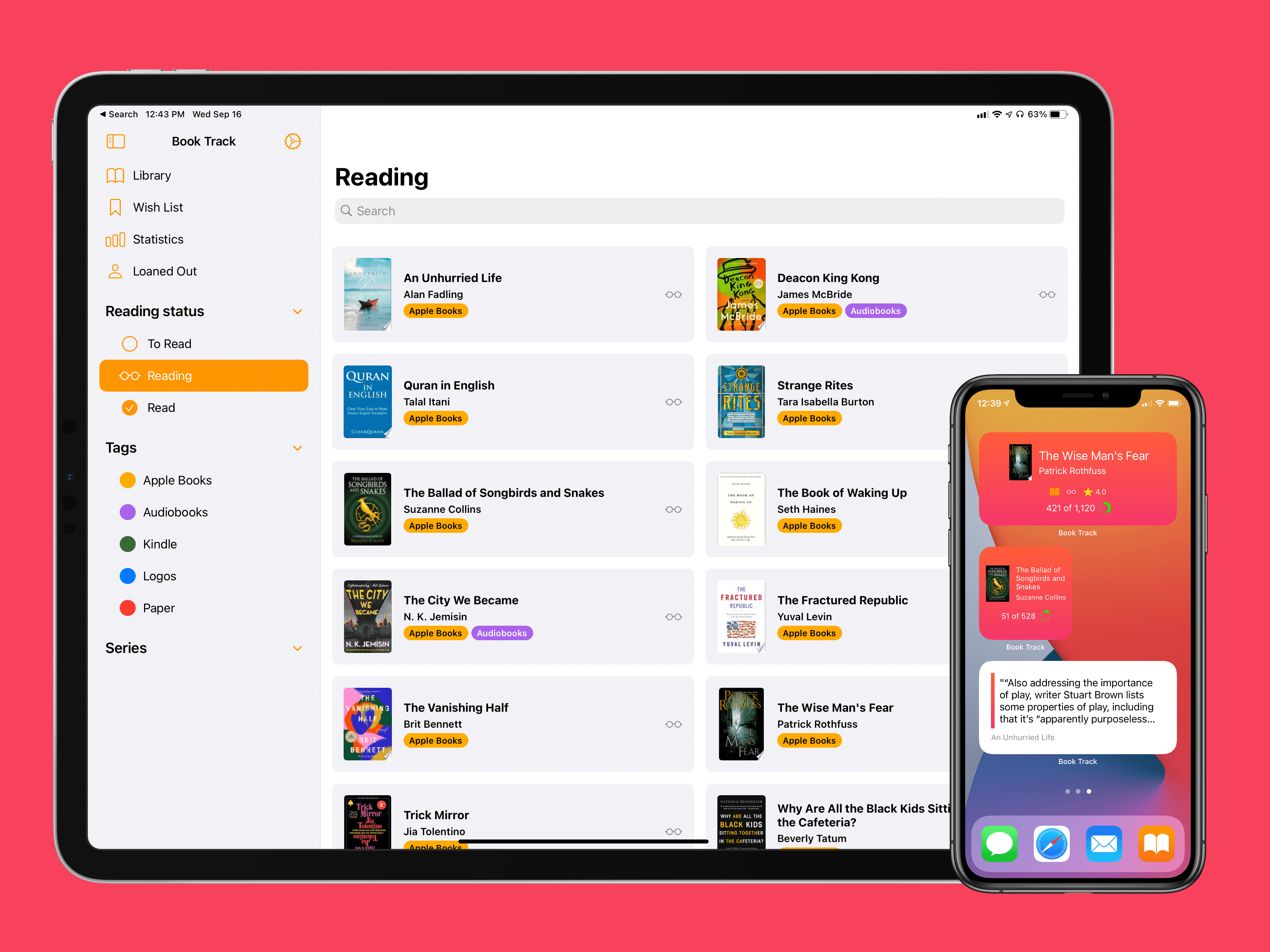
I’ve been on a book reading binge this year like never before. That’s partly owing to the pandemic, I’m sure, but it’s also tied to reduced time spent reading articles and social media. In a normal year I read about a dozen books, and this year I’m on pace for five times that. As a result, it’s no surprise that one of my favorite app debuts of the year has been Book Track, from developer Simone Montalto.
Book Track launched at the beginning of the year as a promising 1.0, then followed with a big update mid-year that addressed my initial problems with the app and expanded its functionality in key ways. That update was a great setup for the launch of today’s version 2.0, which introduces support for some of the top features of iOS 14 and iPadOS 14: widgets and a new sidebar design. By getting the low-hanging fruit out of the way in previous updates, Montalto was able to keep Book Track current with all the latest OS technologies right from launch day. Not stopping there, however, he’s thrown in support for Shortcuts (the app) and keyboard shortcuts in today’s update too.
Today Apple has released the latest major versions of many of its most popular operating systems: iOS 14, iPadOS 14, watchOS 7, and tvOS 14. There’s no macOS update just yet, as Big Sur will be coming later this year.
iOS and iPadOS 14 bring a new assortment of widgets, which can now be added to the iPhone’s Home screen for the first time. iPhones now support Picture in Picture when watching videos or making FaceTime calls. Built-in apps are receiving a host of other upgrades too, including new sidebar designs on iPad. For more details on the releases, check out our overview from earlier this summer, and be on the lookout for Federico’s big review of the updates arriving in the coming weeks.
watchOS 7 introduces sleep tracking, a ton of new watch face options, the ability to share watch faces with others and download them directly from third-party apps, a Shortcuts app, and more. Our overview of the update is available here, and we’ll have a full review coming soon.
tvOS 14 enables audio sharing for playback through multiple pairs of AirPods, HomeKit integration, 4K YouTube playback, and other quality of life improvements. For everything that’s new, check out our overview.
These OS releases weren’t expected to release so soon, since a delayed WWDC in June meant the first betas arrived three weeks later than usual, but Apple is nonetheless following its annual pattern of a mid-September release. Stay tuned as we’ll have lots of coverage on MacStories of the various third-party apps updating to support the latest features of these releases, especially those supporting widgets and iPad sidebars.
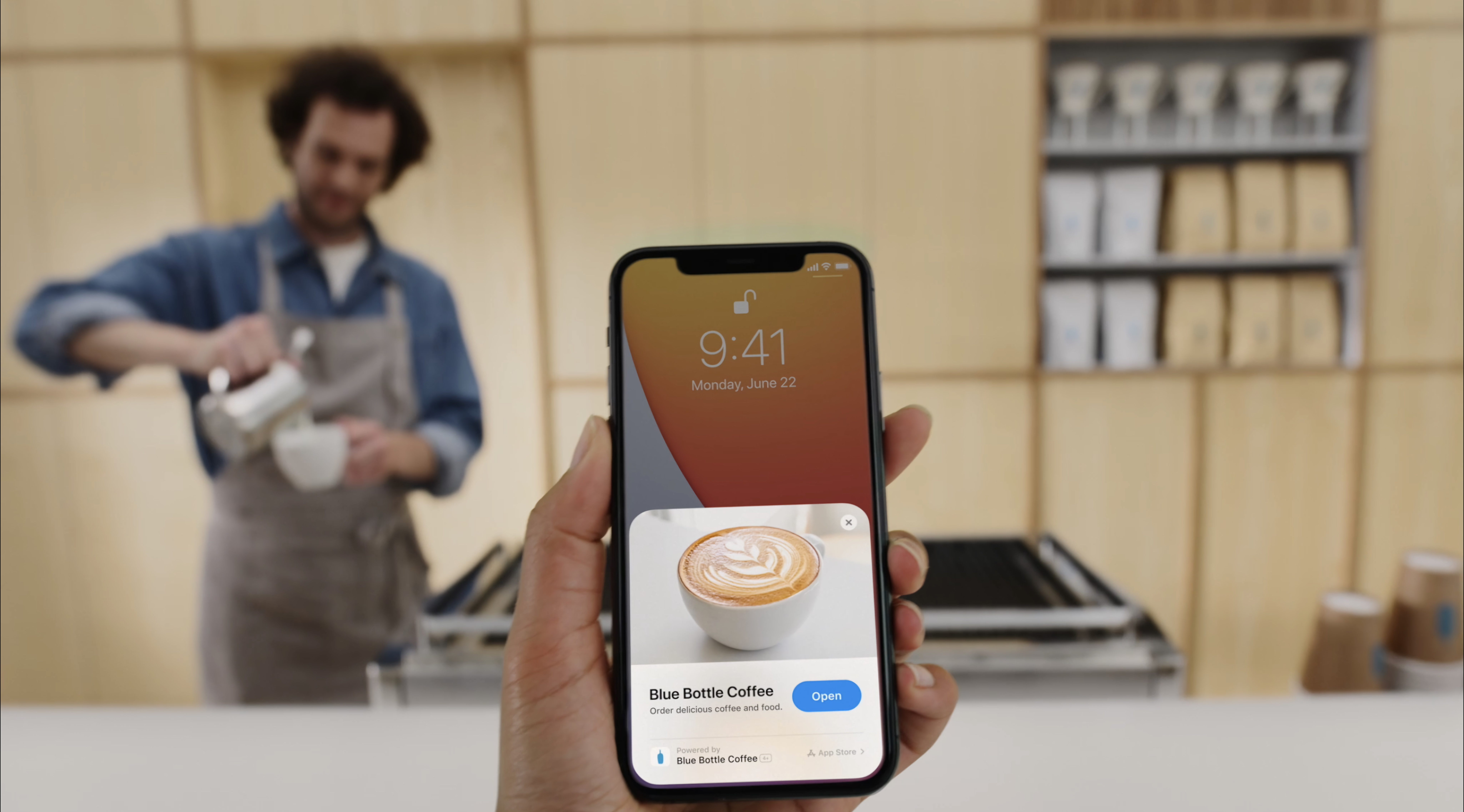
There’s an app for everything these days. But until now, the primary way to discover and try all those apps has stayed the same: visiting the App Store. In iOS 14 that’s changing in a significant way. No, you won’t be able to install apps from a third-party store like some companies are asking for, but apps are moving beyond the App Store in a different way thanks to App Clips.
App Clips are small pieces of apps designed to be discovered not in a digital store, but in real-world environments through NFC tags and QR codes. You can find and use App Clips in other places too, like Safari, but the real-world, on-the-go discovery methods are the most intriguing aspect here because of the convenience they promise.
We’ve likely all found ourselves in a situation where we need an app for a specific one-time use, but may or may not need the app again after that. One example when visiting somewhere new is the transaction of paying for parking. Without an App Clip, such a circumstance would mean searching for and downloading an app, then creating an account within the app, and entering your payment details all for the sake of completing this single, far-too-painful transaction. An App Clip would be perfect for that situation, as you could simply hold your iPhone up to an NFC tag, use Apple Pay to pay your parking toll, and be done. These kind of on-the-go situations are where App Clips really shine.
In Apple’s ideal world, you might find an App Clip at every table inside a restaurant, which would enable self-ordering and self-payment. Museums would offer App Clips at prime exhibitions to help visitors engage in a new way with different artifacts. Bikes and scooters could be rented with a single tap of an NFC tag. Stores would use App Clips to offer quick access to online product listings so in-store shoppers could read reviews before they buy. Historic parks and other public spaces would employ App Clips for detailing the significance of a given monument or location. And more – Apple hopes adoption of App Clips will span not only examples like these, but all sorts of other creative uses the company hasn’t yet imagined.
App Clips will start arriving today with iOS 14’s debut. Here’s what to expect from them, and why they’re such a potentially transformative technology.
Fitness+ is designed to work exclusively with the Apple Watch, requiring an Apple Watch Series 3 or later. When it launches, it will cost $9.99/month or $79.99/year, or it’s included as part of an Apple One Premier plan – and no matter how you get it, Fitness+ will offer Family Sharing support. There will also be a 1-month free trial for all users, or three months free for anyone purchasing an Apple Watch from September 15 on.
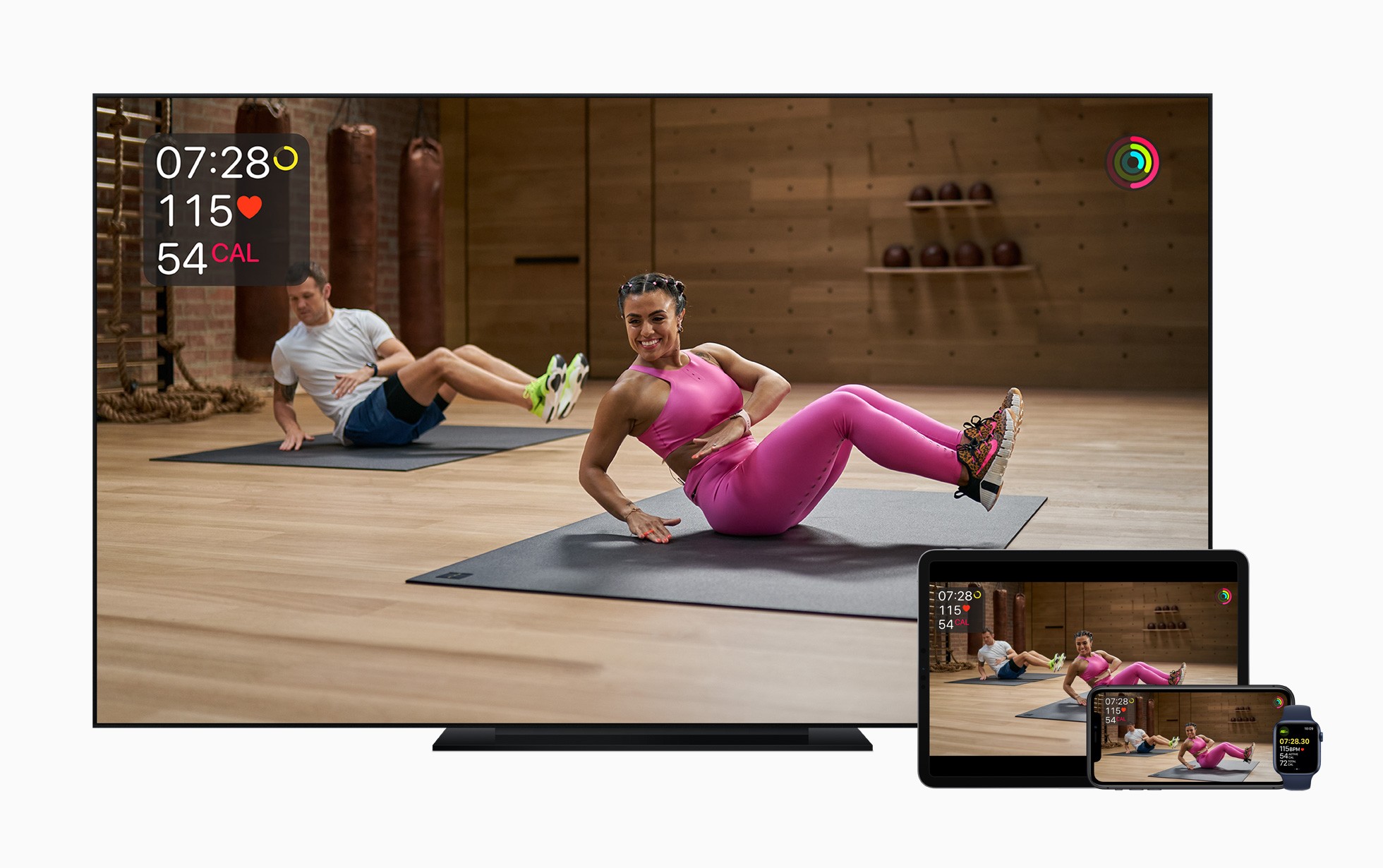
Apple Fitness+ brings studio-style workout experiences to your Apple devices in a way that uniquely integrates with the Apple Watch. As a workout video plays, live metrics from your Watch will display in the corner of the screen so you can easily keep track of things like the duration of your workout, heart rate, and calories burned. You’ll also see your Activity rings on-screen, providing convenient updates on your progress as you exercise.
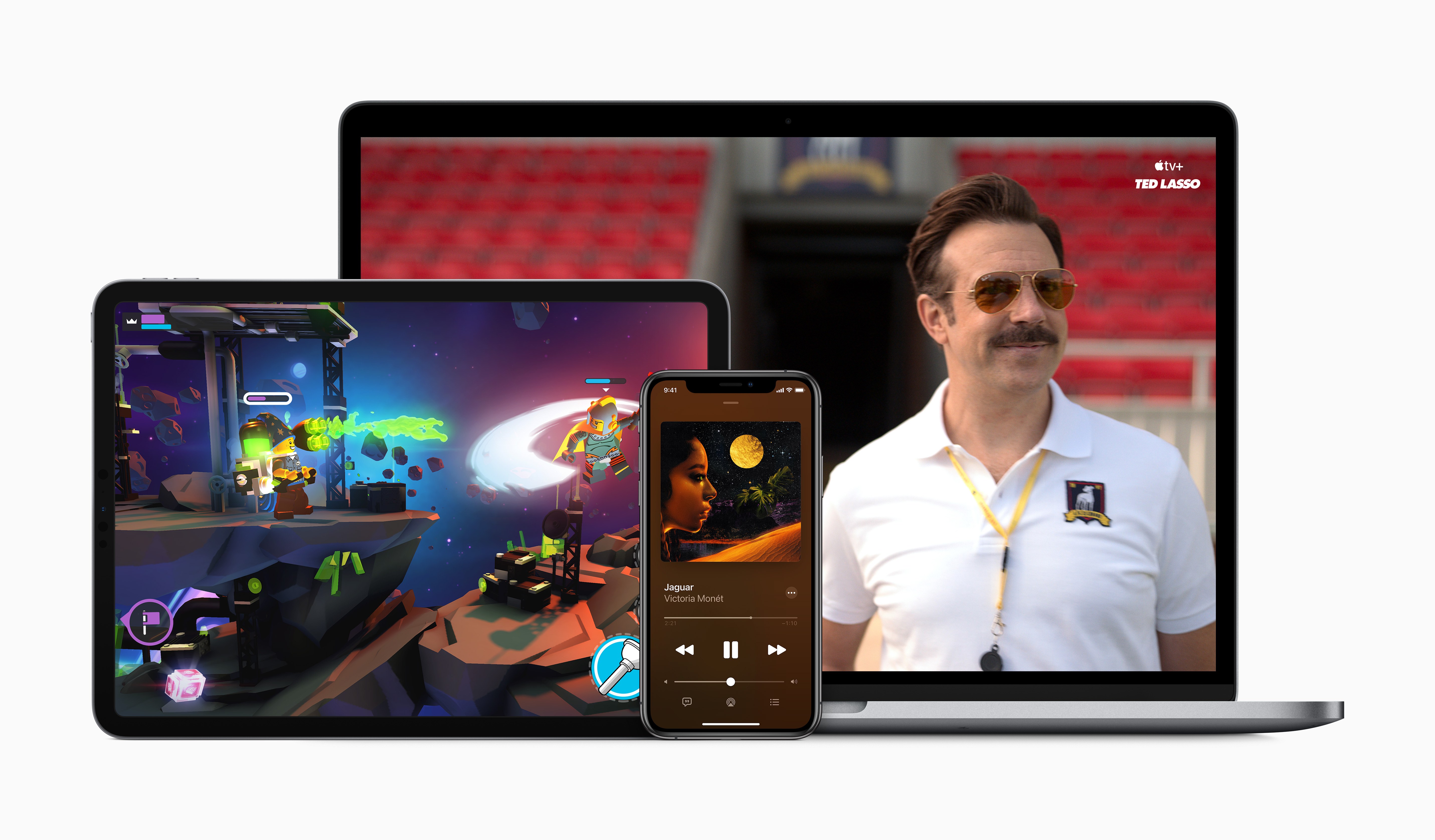
Today during an event in which Apple revealed new Apple Watch and iPad models, the company also had some big services news to share: to increase adoption of the company’s growing slate of services, a new Apple One bundle will be launching soon to bring together multiple paid services at a discounted price.
Although Apple One doesn’t carry an official release date yet besides simply ‘fall,’ Apple did detail the breakdown of pricing and included services across three different Apple One tiers:
Individual: Includes Apple Music, TV+, Arcade, and 50 GB of iCloud storage for an individual at $14.95/month, a savings of $6/month.
Family: Also includes Apple Music, TV+, and Arcade, but with 200 GB of iCloud storage and Family Sharing for all services, at $19.95/month for savings of $8/month.
Premier: This is the big bundle, including Apple Music, TV+, Arcade, News+, the newly announced Fitness+, as well as 2 TB of iCloud storage for $29.95/month, a savings of $25/month.
The Individual and Family tiers of Apple One will be launching in over 100 countries to reach the widest number of users possible. Premier, however, since it includes services like News+ which are only available in limited territories, will only be available in the US, UK, Canada, and Australia at launch.
When Apple One launches, users will be able to try any of the three tiers with a 30-day free trial for services that they aren’t already paying for. It’s also worth noting that according to Apple’s website, Fitness+ likely won’t be available until after Apple One debuts, since it carries a launch window of ‘Late 2020’ while Apple One is ‘Coming this fall.’
Apple One’s tiered structure makes a lot of sense, and the savings seem pretty enticing, especially for the Premier plan. As someone who already subscribes to every Apple service, Premier will be a no-brainer to me as I’ll gain Fitness+ and a higher iCloud storage plan for less than the $38/month I’m paying right now.
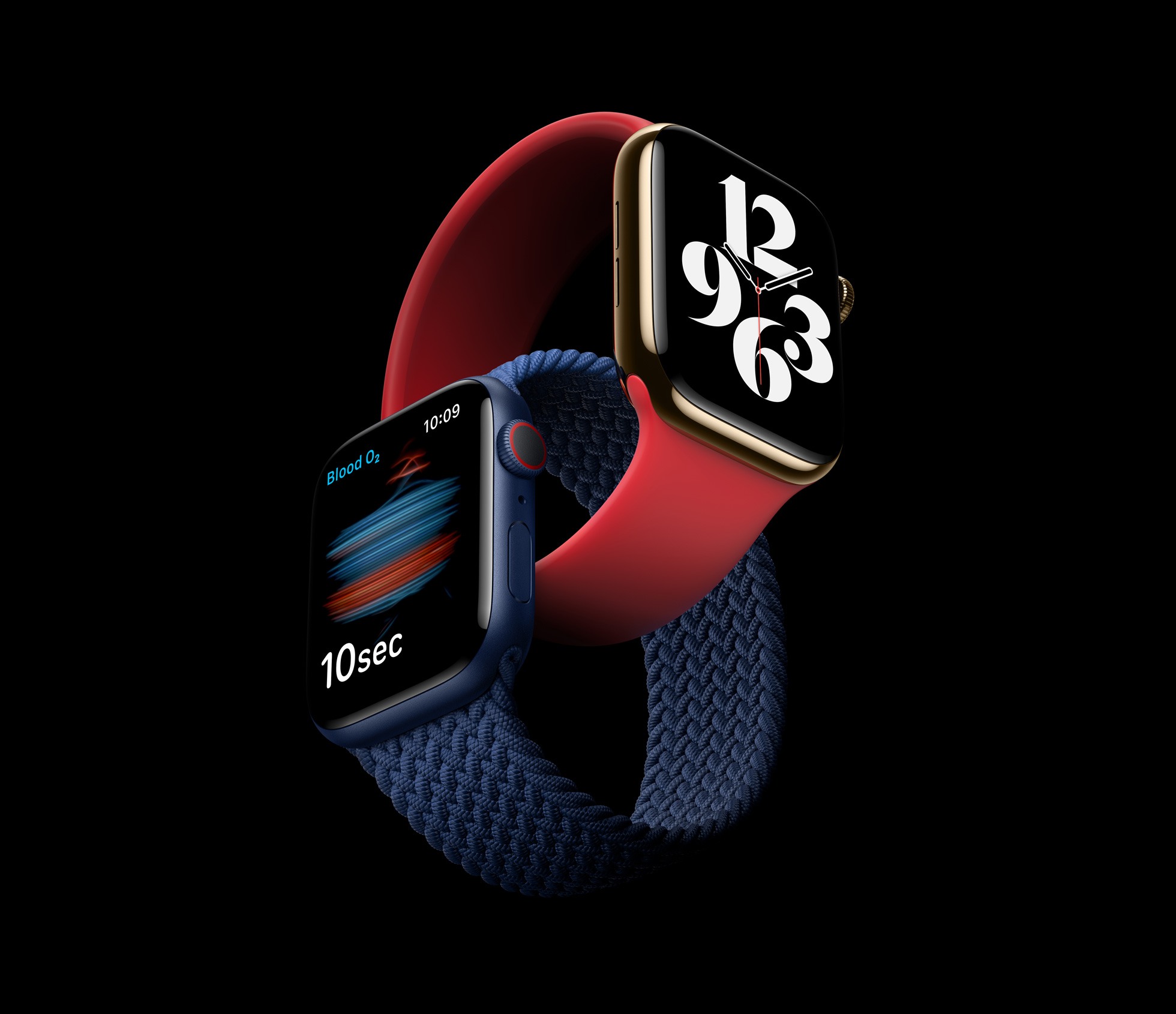
Today in what would normally be an iPhone-led September event, the Apple Watch was able to serve as headliner since new iPhones won’t be coming until October. It was a fitting change because Apple had news to share about not one, but two new Apple Watch models: the Apple Watch Series 6 and Apple Watch SE.
These two devices follow Apple’s strategy with the iPhone, where there’s a flagship line plus a more affordable option that uses a mix of old and new parts. The Apple Watch Series 6 includes a new blood oxygen sensor, improved always-on display, S6 processor, an always-on altimeter, and new finishes. The Apple Watch SE also features the always-on altimeter and a similar design, but without the new color finishes, it includes the S5 processor from last year, but it doesn’t get the blood oxygen sensor nor does it include an always-on display. A new software addition is another key incentive for both the Series 6 and SE: Family Setup, which enables children to be Apple Watch users without having their own iPhones.
Both new Apple Watches are available to order now, and will ship this Friday, September 18. Here’s the full run-down on each new device.
Today Apple announced that the latest versions of most of its major OS platforms will be shipping tomorrow, September 16. This includes:
iOS 14
iPadOS 14
watchOS 7
tvOS 14
macOS Big Sur was not mentioned, and it’s expected to release later this year alongside Apple Silicon Macs.
I can’t recall there ever having been such a short turnaround time from the announcement of OS release dates to those OS versions shipping. Normally following a September event, Apple releases GM versions of its OS updates and the public versions a week or two later. This year, there’s no such delay.
Until now developers haven’t yet been able to submit their app updates to App Review, so when iOS 14 introduces widgets for the Home screen, for example, there won’t be third-party widgets available to try just yet. It’s a very unusual release strategy for Apple, but in a year like this, it seems anything can happen.
Apple is hosting its first fall event in a matter of days, and a public release for all the company’s latest OS updates is expected to follow not long after. However, today anyone using the beta versions of those updates can benefit from a new feature ahead of time: setting Google Chrome as the default browser on iPhone and iPad.
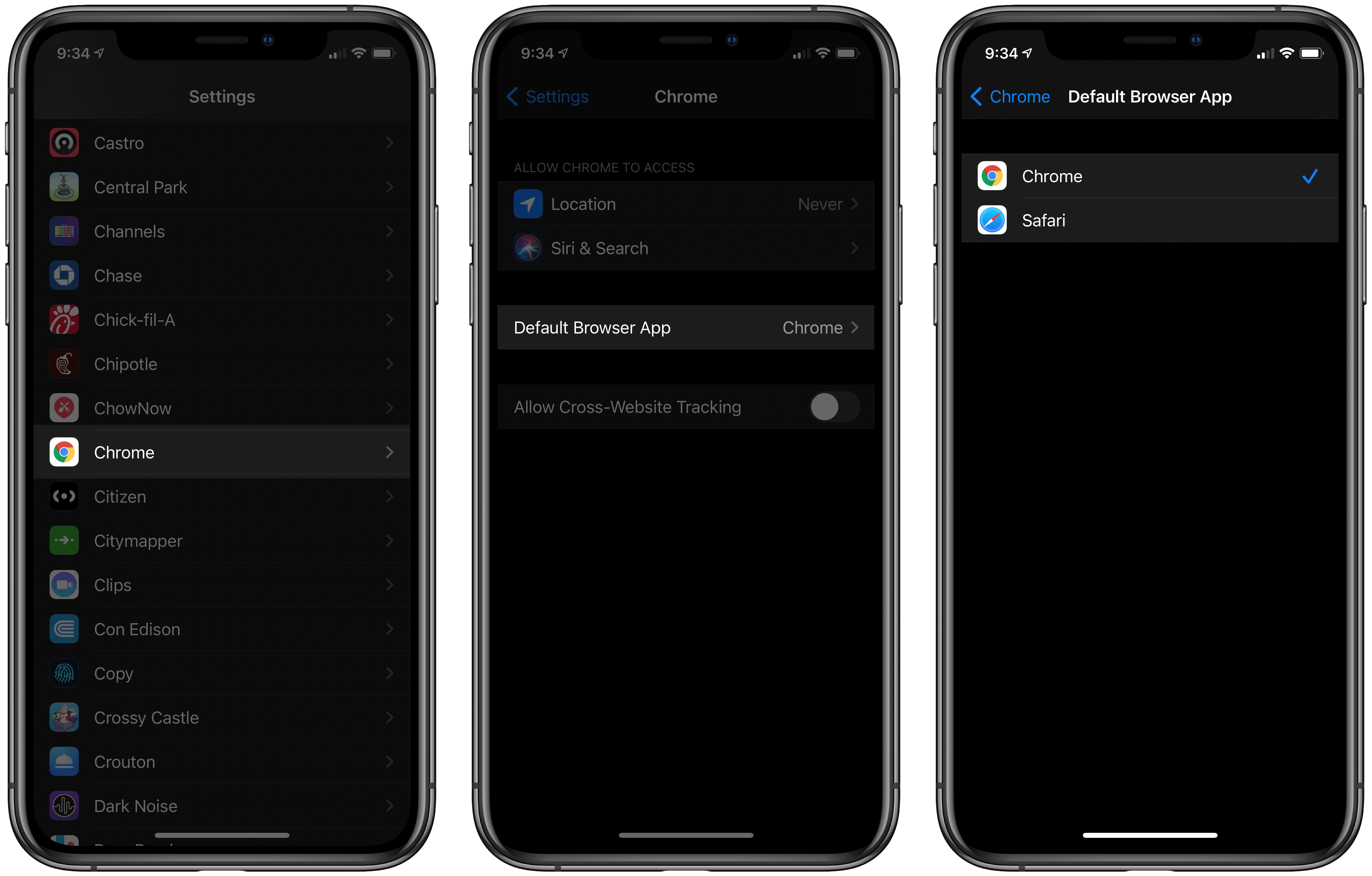
iOS and iPadOS 14 both include the ability to set a third-party browser or email app as the system default, replacing Safari and Mail. Up until now, however, beta users couldn’t yet try the feature because it’s usually not possible for third-party apps to support new OS features until after the beta cycle is complete. That’s not the case with Chrome, though, which as of its latest update can now be configured as the default iOS and iPadOS browser. You have to be running the iOS or iPadOS 14 beta for this to work, but if you are, all you have to do is visit Settings ⇾ Chrome ⇾ Default Browser App to make the change.
Once Chrome is set as your default, any link you tap systemwide will open in Chrome rather than Safari. It’s that simple. Whether you’re opening a link in an app like Messages or even from inside Siri results, the OS will always launch links directly in Chrome. The one point of friction that remains is apps that use Safari View Controller as an in-app browser rather than sending you to a separate app when you tap a link. Slack, for example, behaves this way. Fortunately, all you have to do is hit the Safari-inspired icon inside Safari View Controller that sits next to the share icon and the page will open in Chrome.
Now that Chrome supports this new iOS and iPadOS 14 feature, we may start seeing other browser apps and even email clients debut updated versions that can be set as defaults. I wouldn’t be surprised to see Gmail follow Chrome’s lead before long.