Ryan Christoffel

992 posts on MacStories since November 2016

Ryan is an editor for MacStories and co-hosts the [Adapt](https://www.relay.fm/adapt) podcast on Relay FM. He most commonly works and plays on his iPad Pro and bears no regrets about moving on from the Mac. He and his wife live in New York City.

Todoist’s iOS 14 Widgets Make Managing and Creating Tasks Easier than Ever

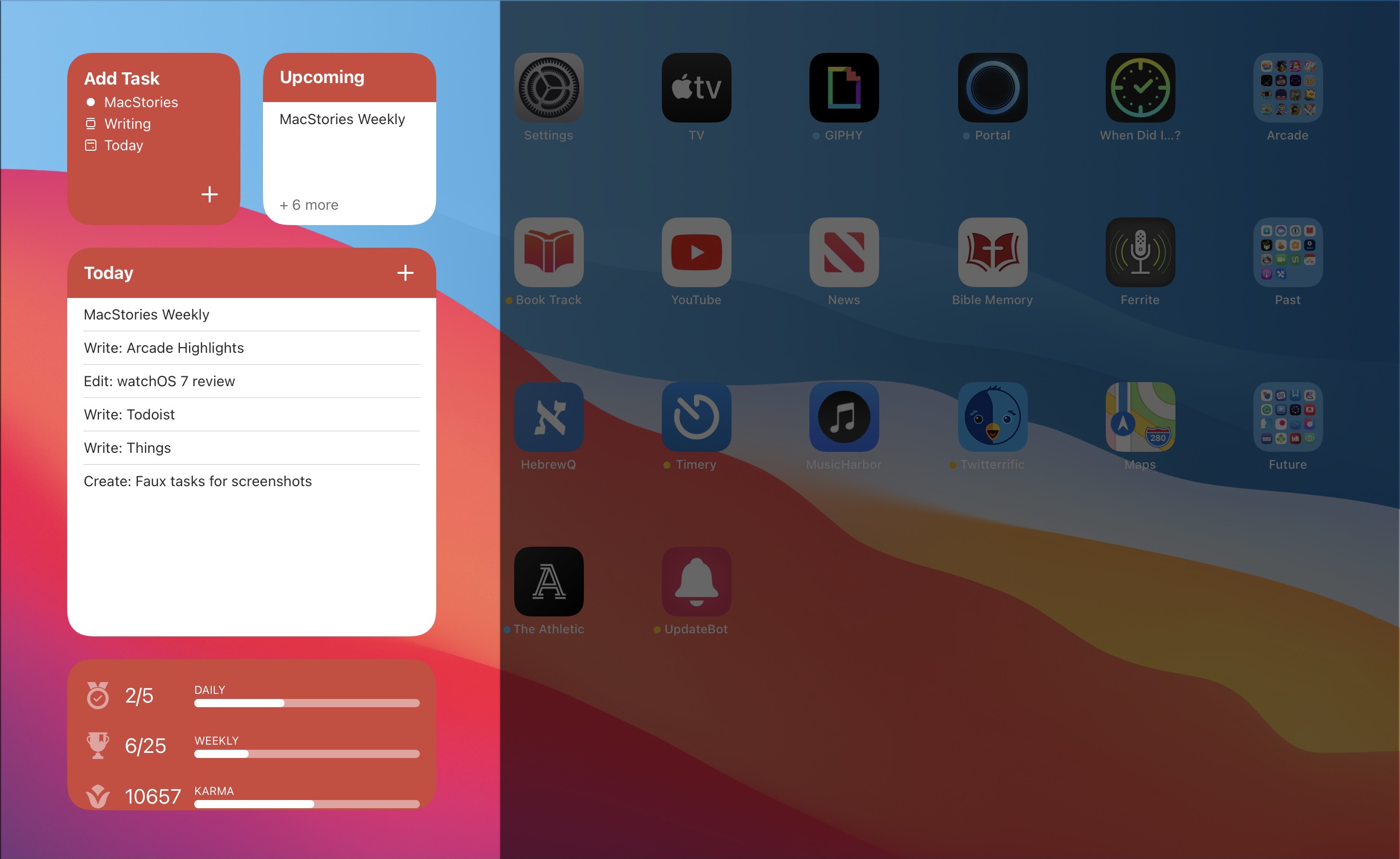
Todoist’s three new widget types.

Todoist’s three new widget types.

Even before iOS and iPadOS 14 brought a new form and function to widgets on Apple platforms, one of the tried and true widget use cases in previous years was task lists. Some of my most used widgets over the years have been those provided by my task manager, so I was excited to see the slate of new widgets Todoist has introduced in its latest update for iPhone and iPad.

Before detailing the new widgets, though, it’s important to state up front that for all the advantages of iOS 14’s new widgets, they bring a regression that negatively impacts task managers especially: widgets can no longer be fully interactive. In the iOS 13 widget for Todoist, you could check off tasks as you completed them without needing to open the full app. With the app’s new widgets that’s no longer possible, because the only interactions Apple currently allows in widgets is launchers into different parts of an app. The good news is that apps are allowed to offer both iOS 13 and iOS 14 widgets to users, so on iOS 14 Todoist users will find both options available. If you really need the old functionality it’s still available to you, there’s just no way to add a legacy widget to the Home screen.

That bad news out of the way, let me focus on how Todoist’s team has made the most of the new widget system in a couple key ways.

Let’s start with its basic Tasks widget. In iOS 14 you can configure a list of your tasks to appear in either a small, medium, or large widget. Each widget can be set to show tasks from your Today or Upcoming lists, or one of your projects, labels, or filters. Despite being unable to check off tasks from the widget, there are two advantages over Todoist’s previous widget: information density and the ability to create multiple widgets. Since Todoist’s developers no longer need to create large touch targets for users to check off tasks, the widget is able to display a bit more information than before. And you can now create separate widgets tied to separate lists of tasks, even stacking them if you’d like, offering a lot more flexibility than before.

Besides widgets for lists of tasks, Todoist offers two other widget types: Productivity and Add Task. The former displays stats relating to your task completion goals for the day and week, along with your karma score. I’ve never been big on tracking the number of tasks I complete in a given day, but the Productivity widget’s nice to have for users who care about those numbers. The Add Task widget, however, is exactly what I would want from every task manager.
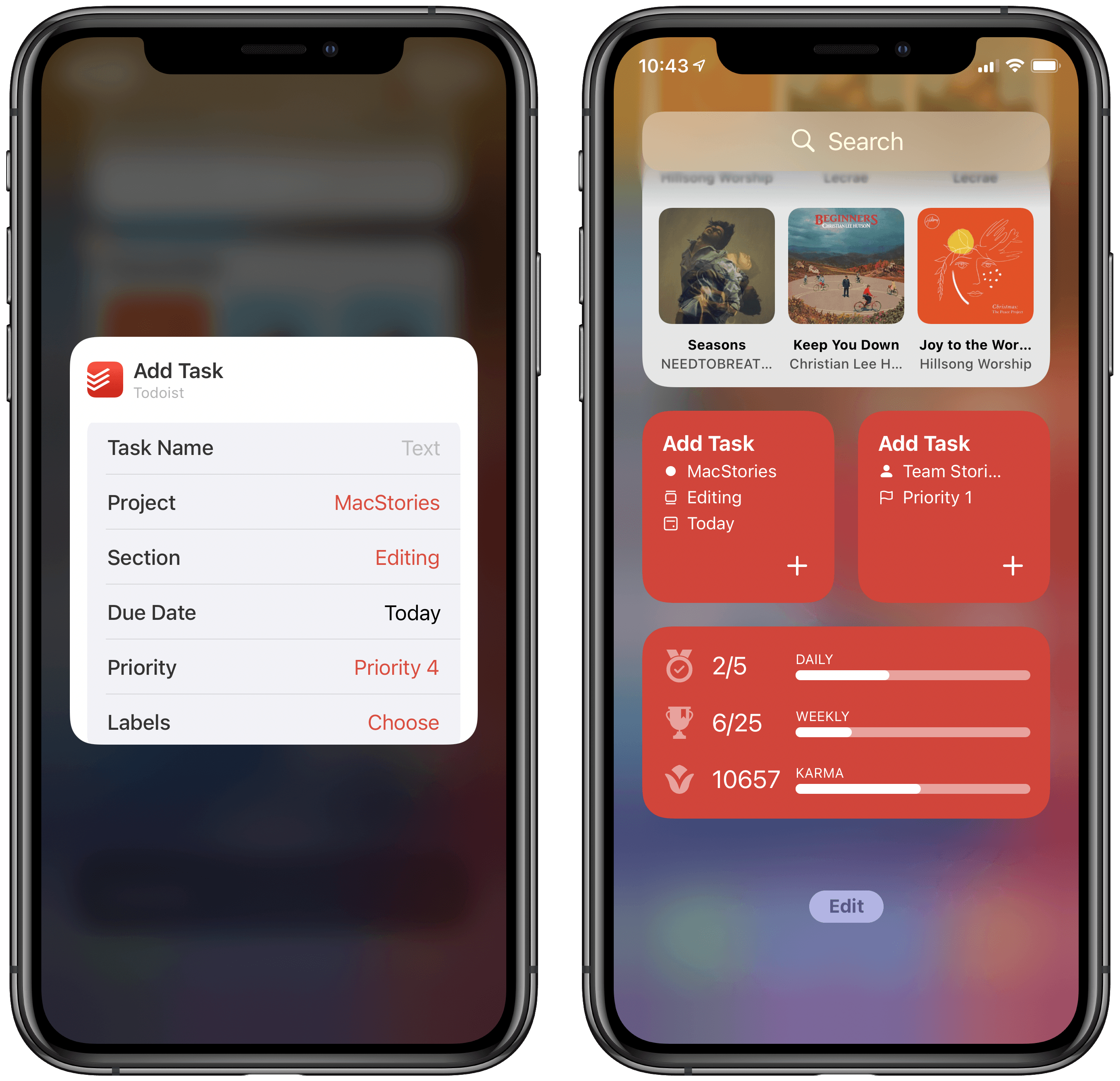
Configuring Todoist’s Add Task widget.

Configuring Todoist’s Add Task widget.

Both the medium and large Tasks widgets already offer a button to quickly create a new task inside Todoist, but the dedicated Add Task widget is special because it can be customized to create tasks that have their metadata pre-filled. You can set which project and section the newly created task will have, its due date, priority, labels, and even the task name if there’s a specific task you commonly create. Once it’s set up for your preferences, the Add Task widget eliminates the monotony of filling in metadata over and over again for every new task. If you commonly create tasks assigned to a certain project and with a certain due date, the widget is now the quickest way to do that.

Add Task is only available as a small widget and as a result it can only have a single group of pre-sets for creating a single type of task, but that makes it a perfect candidate for stacking. Using a few different Add Task widgets for different types of common tasks you create and having them stacked will still provide a faster task creation method than having to enter the metadata over and over with every new task.


Todoist already offered the fastest task creation of any task manager I’ve used thanks to its natural language input system, but now with the Add Task widget it provides an even faster method. Todoist’s developers have clearly spent time considering the needs of their users and have built a suite of widgets that meet those needs well. The OS restriction against full interaction will hopefully be removed in the future, but even if it never is, Todoist has delivered value with its new widgets that more than makes up for what it lost.

Todoist is available on the App Store.
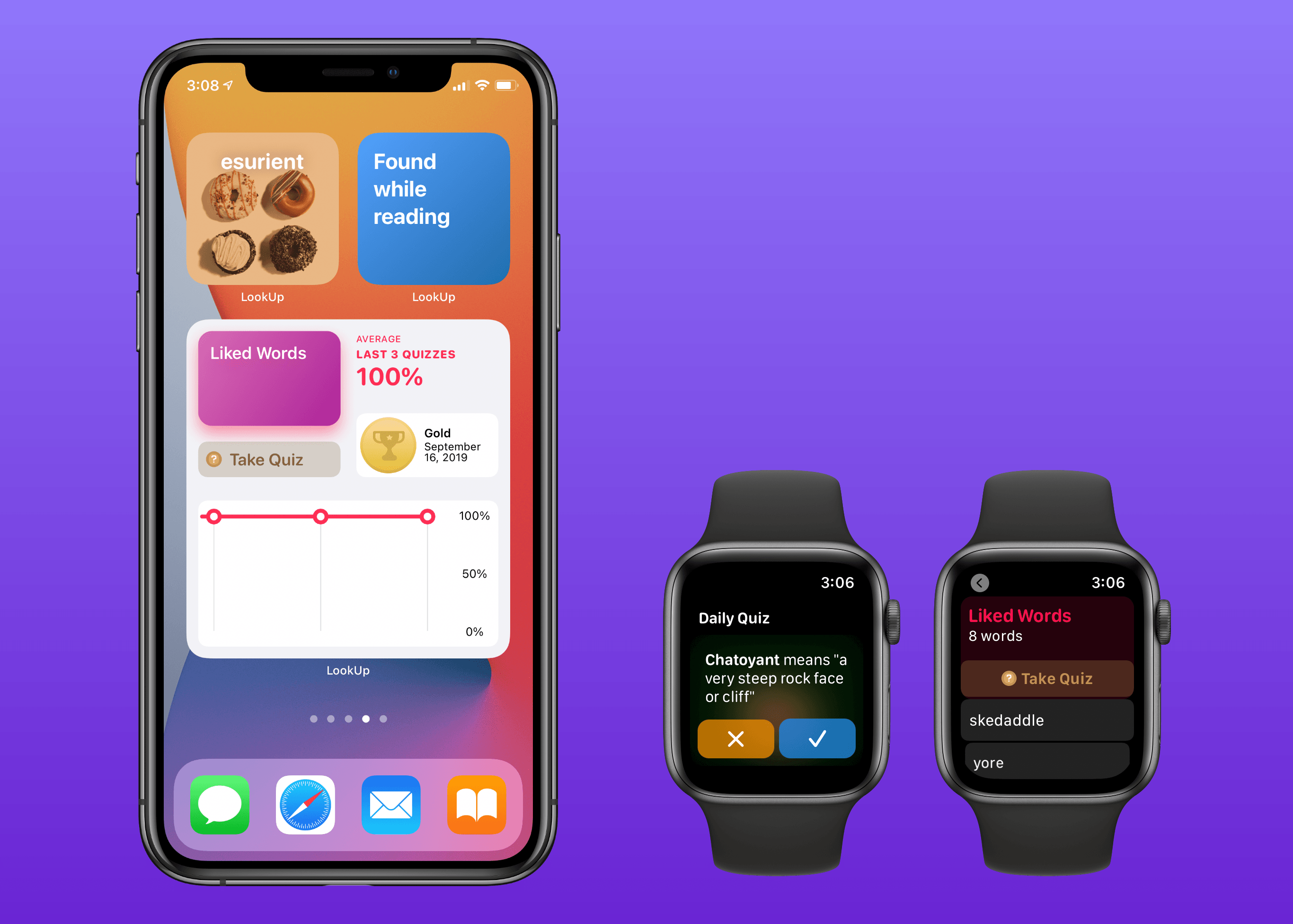

LookUp 7 Debuts Widgets on iPhone and iPad Alongside Powerful New watchOS 7 App

LookUp’s new widgets and watchOS app.

LookUp’s new widgets and watchOS app.

Widgets in iOS and iPadOS 14 are here and can be saved to your iPhone or iPad Home screen. A lot of third-party app updates will be trickling out in the days and weeks ahead with support for their own custom widgets, vying for your limited Home screen space.

If you’re interested in expanding your vocabulary, a word of the day widget seems like a perfect fit for the Home screen where you can glance at it throughout the day. That’s exactly what LookUp 7 provides, alongside widgets for running quizzes and opening your word collections. The dictionary app has also upgraded its watchOS component in a big way, offering new functionality that was previously limited to the full iOS version.

Read more


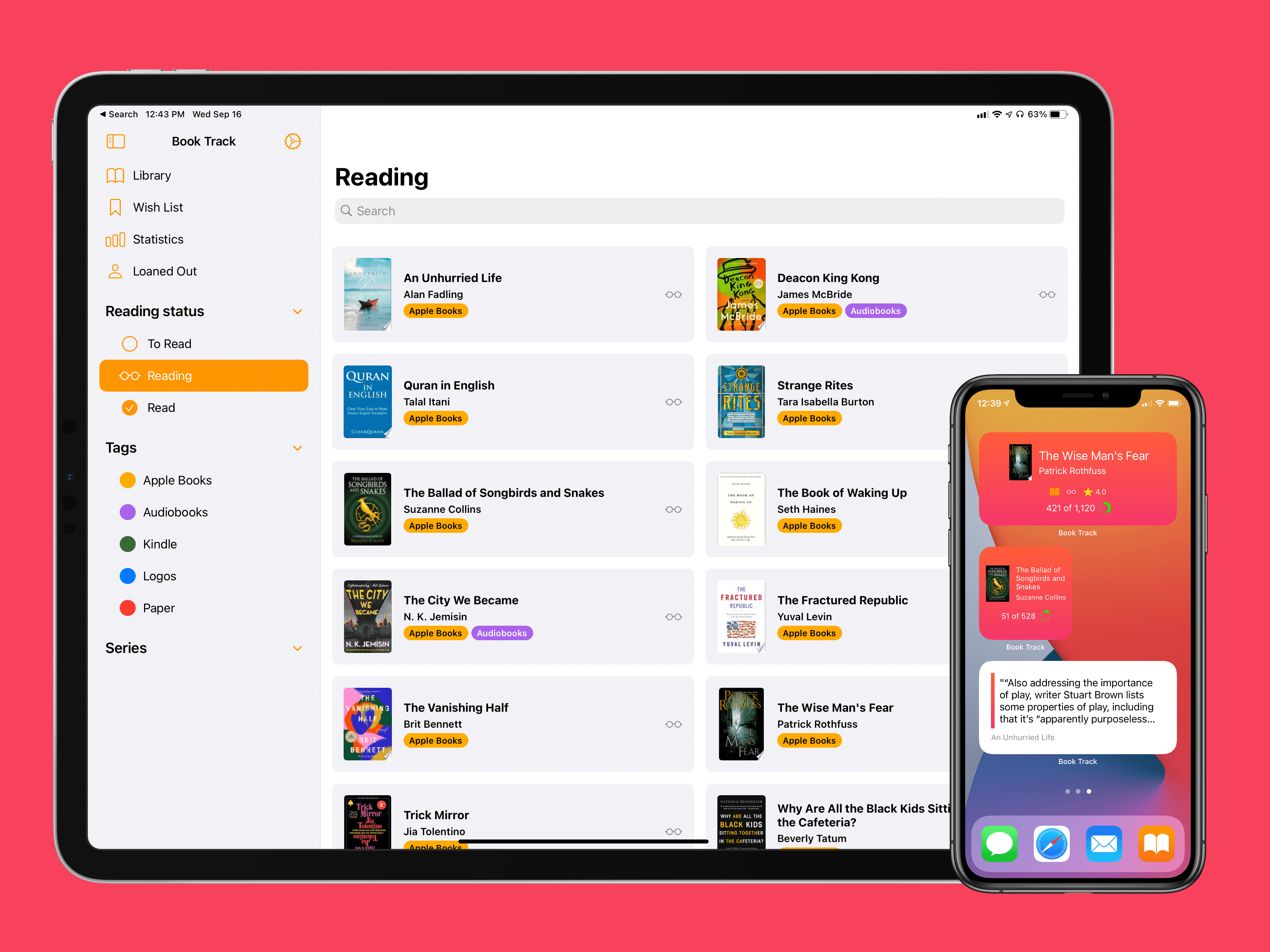
Book Track 2 Review: Widgets, Sidebar for iPad, Shortcuts, and More

I’ve been on a book reading binge this year like never before. That’s partly owing to the pandemic, I’m sure, but it’s also tied to reduced time spent reading articles and social media. In a normal year I read about a dozen books, and this year I’m on pace for five times that. As a result, it’s no surprise that one of my favorite app debuts of the year has been Book Track, from developer Simone Montalto.

Book Track launched at the beginning of the year as a promising 1.0, then followed with a big update mid-year that addressed my initial problems with the app and expanded its functionality in key ways. That update was a great setup for the launch of today’s version 2.0, which introduces support for some of the top features of iOS 14 and iPadOS 14: widgets and a new sidebar design. By getting the low-hanging fruit out of the way in previous updates, Montalto was able to keep Book Track current with all the latest OS technologies right from launch day. Not stopping there, however, he’s thrown in support for Shortcuts (the app) and keyboard shortcuts in today’s update too.

Read more


Apple Releases iOS and iPadOS 14, watchOS 7, and tvOS 14

Today Apple has released the latest major versions of many of its most popular operating systems: iOS 14, iPadOS 14, watchOS 7, and tvOS 14. There’s no macOS update just yet, as Big Sur will be coming later this year.

iOS and iPadOS 14 bring a new assortment of widgets, which can now be added to the iPhone’s Home screen for the first time. iPhones now support Picture in Picture when watching videos or making FaceTime calls. Built-in apps are receiving a host of other upgrades too, including new sidebar designs on iPad. For more details on the releases, check out our overview from earlier this summer, and be on the lookout for Federico’s big review of the updates arriving in the coming weeks.

watchOS 7 introduces sleep tracking, a ton of new watch face options, the ability to share watch faces with others and download them directly from third-party apps, a Shortcuts app, and more. Our overview of the update is available here, and we’ll have a full review coming soon.

tvOS 14 enables audio sharing for playback through multiple pairs of AirPods, HomeKit integration, 4K YouTube playback, and other quality of life improvements. For everything that’s new, check out our overview.

These OS releases weren’t expected to release so soon, since a delayed WWDC in June meant the first betas arrived three weeks later than usual, but Apple is nonetheless following its annual pattern of a mid-September release. Stay tuned as we’ll have lots of coverage on MacStories of the various third-party apps updating to support the latest features of these releases, especially those supporting widgets and iPad sidebars.


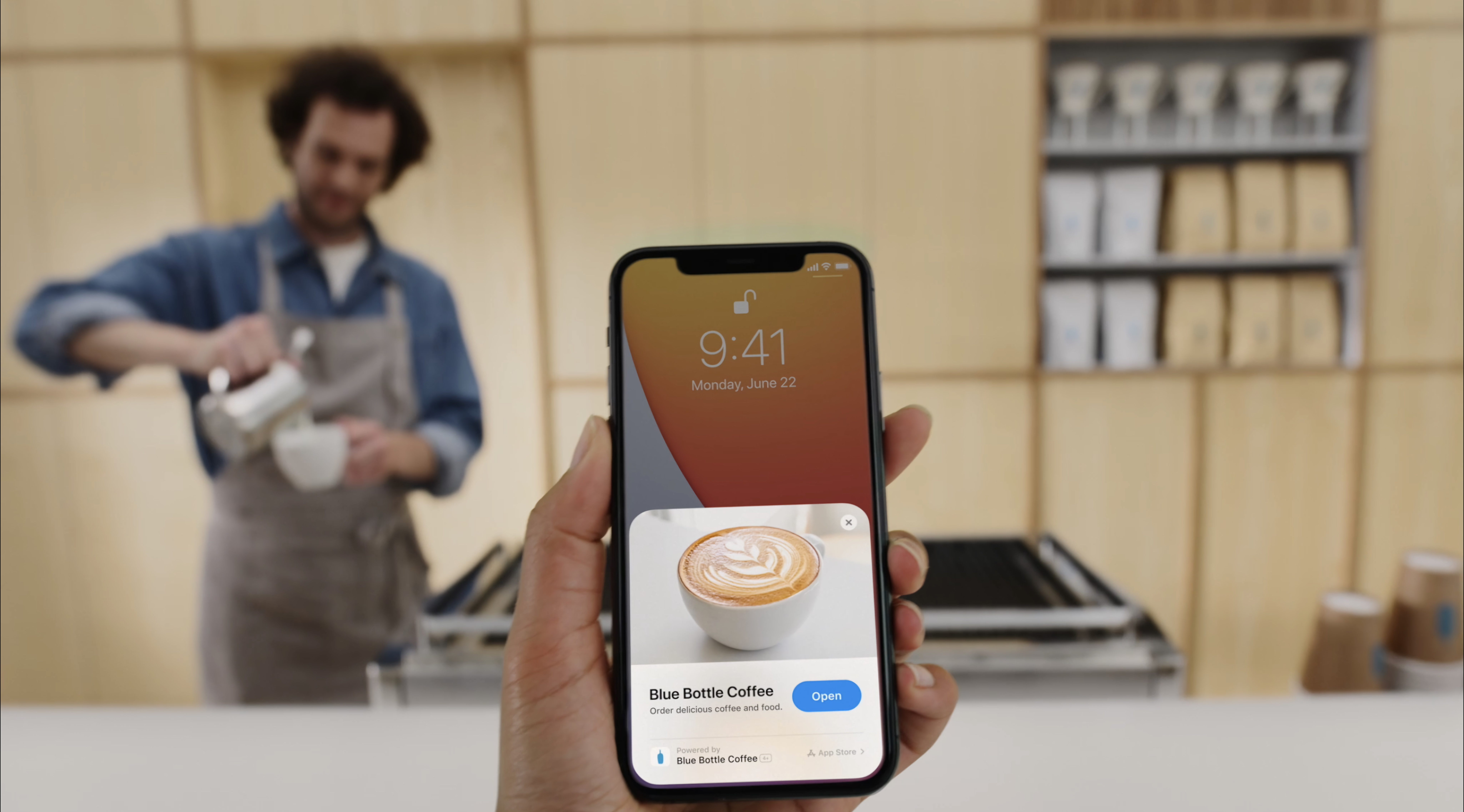
App Clips in iOS 14: The Right App at the Right Time

There’s an app for everything these days. But until now, the primary way to discover and try all those apps has stayed the same: visiting the App Store. In iOS 14 that’s changing in a significant way. No, you won’t be able to install apps from a third-party store like some companies are asking for, but apps are moving beyond the App Store in a different way thanks to App Clips.

App Clips are small pieces of apps designed to be discovered not in a digital store, but in real-world environments through NFC tags and QR codes. You can find and use App Clips in other places too, like Safari, but the real-world, on-the-go discovery methods are the most intriguing aspect here because of the convenience they promise.

We’ve likely all found ourselves in a situation where we need an app for a specific one-time use, but may or may not need the app again after that. One example when visiting somewhere new is the transaction of paying for parking. Without an App Clip, such a circumstance would mean searching for and downloading an app, then creating an account within the app, and entering your payment details all for the sake of completing this single, far-too-painful transaction. An App Clip would be perfect for that situation, as you could simply hold your iPhone up to an NFC tag, use Apple Pay to pay your parking toll, and be done. These kind of on-the-go situations are where App Clips really shine.

In Apple’s ideal world, you might find an App Clip at every table inside a restaurant, which would enable self-ordering and self-payment. Museums would offer App Clips at prime exhibitions to help visitors engage in a new way with different artifacts. Bikes and scooters could be rented with a single tap of an NFC tag. Stores would use App Clips to offer quick access to online product listings so in-store shoppers could read reviews before they buy. Historic parks and other public spaces would employ App Clips for detailing the significance of a given monument or location. And more – Apple hopes adoption of App Clips will span not only examples like these, but all sorts of other creative uses the company hasn’t yet imagined.

App Clips will start arriving today with iOS 14’s debut. Here’s what to expect from them, and why they’re such a potentially transformative technology.

Read more


Apple Fitness+, the Newest Apple Service, Will Arrive in Late 2020 Exclusively for Apple Watch Users

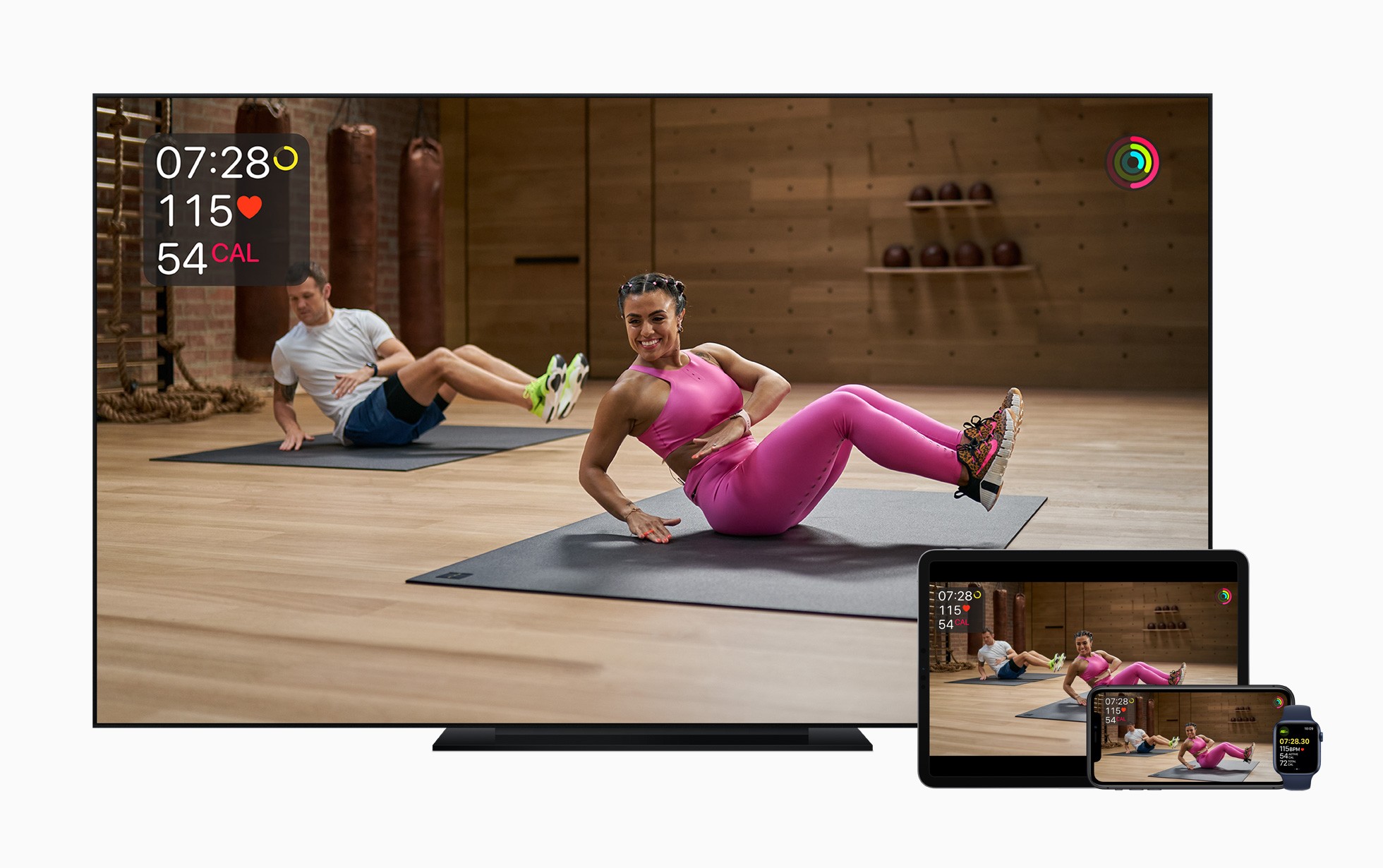
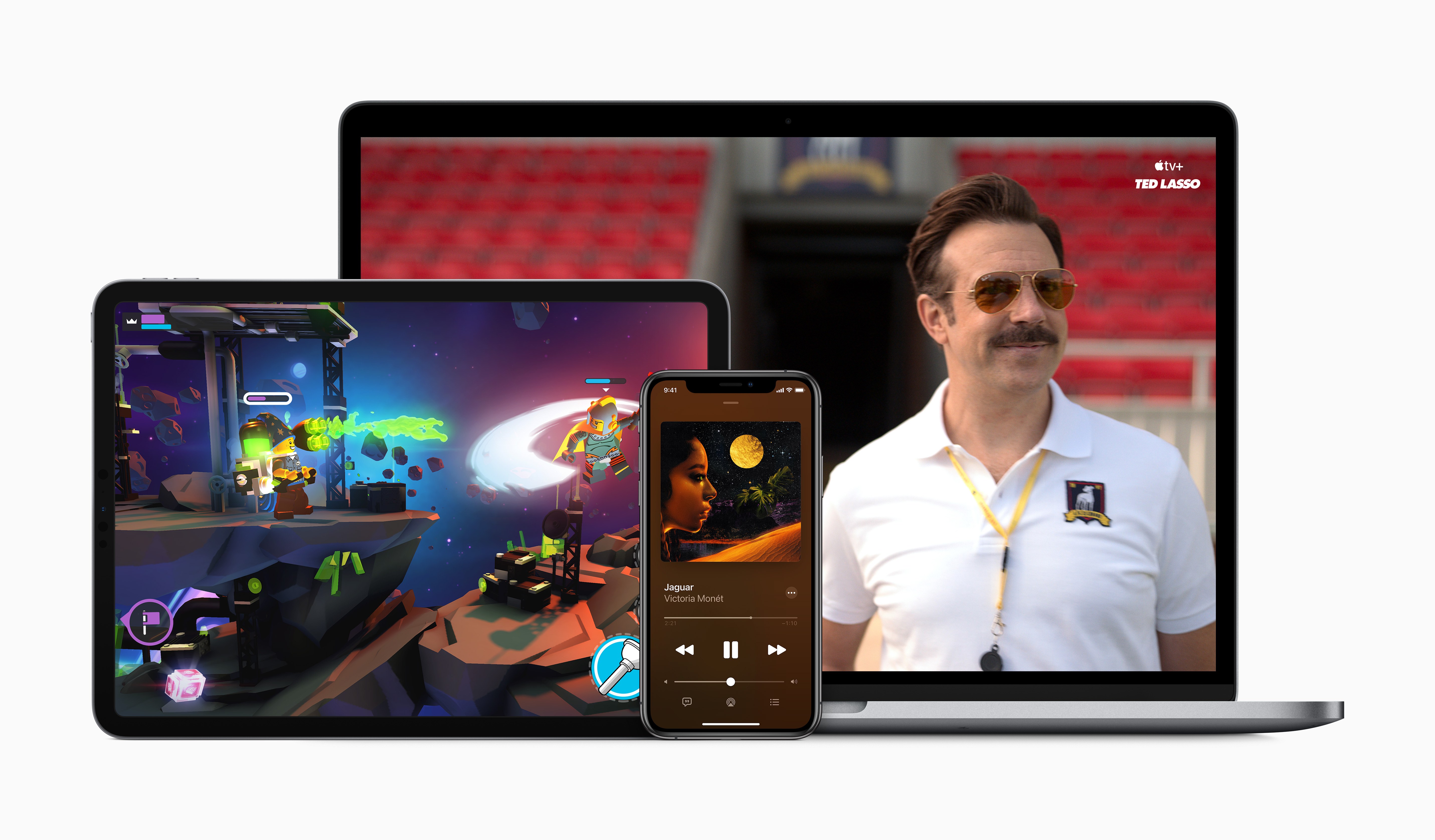
Apple Fitness+ will work across a variety of Apple devices.

Apple Fitness+ will work across a variety of Apple devices.

Today alongside the introduction of the Apple One services bundle and new Apple Watch models, Apple also debuted a brand new paid service coming in late 2020: Apple Fitness+.

Fitness+ is designed to work exclusively with the Apple Watch, requiring an Apple Watch Series 3 or later. When it launches, it will cost $9.99/month or $79.99/year, or it’s included as part of an Apple One Premier plan – and no matter how you get it, Fitness+ will offer Family Sharing support. There will also be a 1-month free trial for all users, or three months free for anyone purchasing an Apple Watch from September 15 on.

Apple Fitness+ brings studio-style workout experiences to your Apple devices in a way that uniquely integrates with the Apple Watch. As a workout video plays, live metrics from your Watch will display in the corner of the screen so you can easily keep track of things like the duration of your workout, heart rate, and calories burned. You’ll also see your Activity rings on-screen, providing convenient updates on your progress as you exercise.

Read more


Apple One: The Long-Awaited Services Bundle Is Coming Soon in Three Tiers

Today during an event in which Apple revealed new Apple Watch and iPad models, the company also had some big services news to share: to increase adoption of the company’s growing slate of services, a new Apple One bundle will be launching soon to bring together multiple paid services at a discounted price.

Although Apple One doesn’t carry an official release date yet besides simply ‘fall,’ Apple did detail the breakdown of pricing and included services across three different Apple One tiers:

  • Individual: Includes Apple Music, TV+, Arcade, and 50 GB of iCloud storage for an individual at $14.95/month, a savings of $6/month.
  • Family: Also includes Apple Music, TV+, and Arcade, but with 200 GB of iCloud storage and Family Sharing for all services, at $19.95/month for savings of $8/month.
  • Premier: This is the big bundle, including Apple Music, TV+, Arcade, News+, the newly announced Fitness+, as well as 2 TB of iCloud storage for $29.95/month, a savings of $25/month.

The Individual and Family tiers of Apple One will be launching in over 100 countries to reach the widest number of users possible. Premier, however, since it includes services like News+ which are only available in limited territories, will only be available in the US, UK, Canada, and Australia at launch.

When Apple One launches, users will be able to try any of the three tiers with a 30-day free trial for services that they aren’t already paying for. It’s also worth noting that according to Apple’s website, Fitness+ likely won’t be available until after Apple One debuts, since it carries a launch window of ‘Late 2020’ while Apple One is ‘Coming this fall.’

Apple One’s tiered structure makes a lot of sense, and the savings seem pretty enticing, especially for the Premier plan. As someone who already subscribes to every Apple service, Premier will be a no-brainer to me as I’ll gain Fitness+ and a higher iCloud storage plan for less than the $38/month I’m paying right now.


You can follow all of our September event coverage through our September 2020 event hub, or subscribe to the dedicated RSS feed.


Apple Watch Series 6 and Apple Watch SE: The MacStories Overview

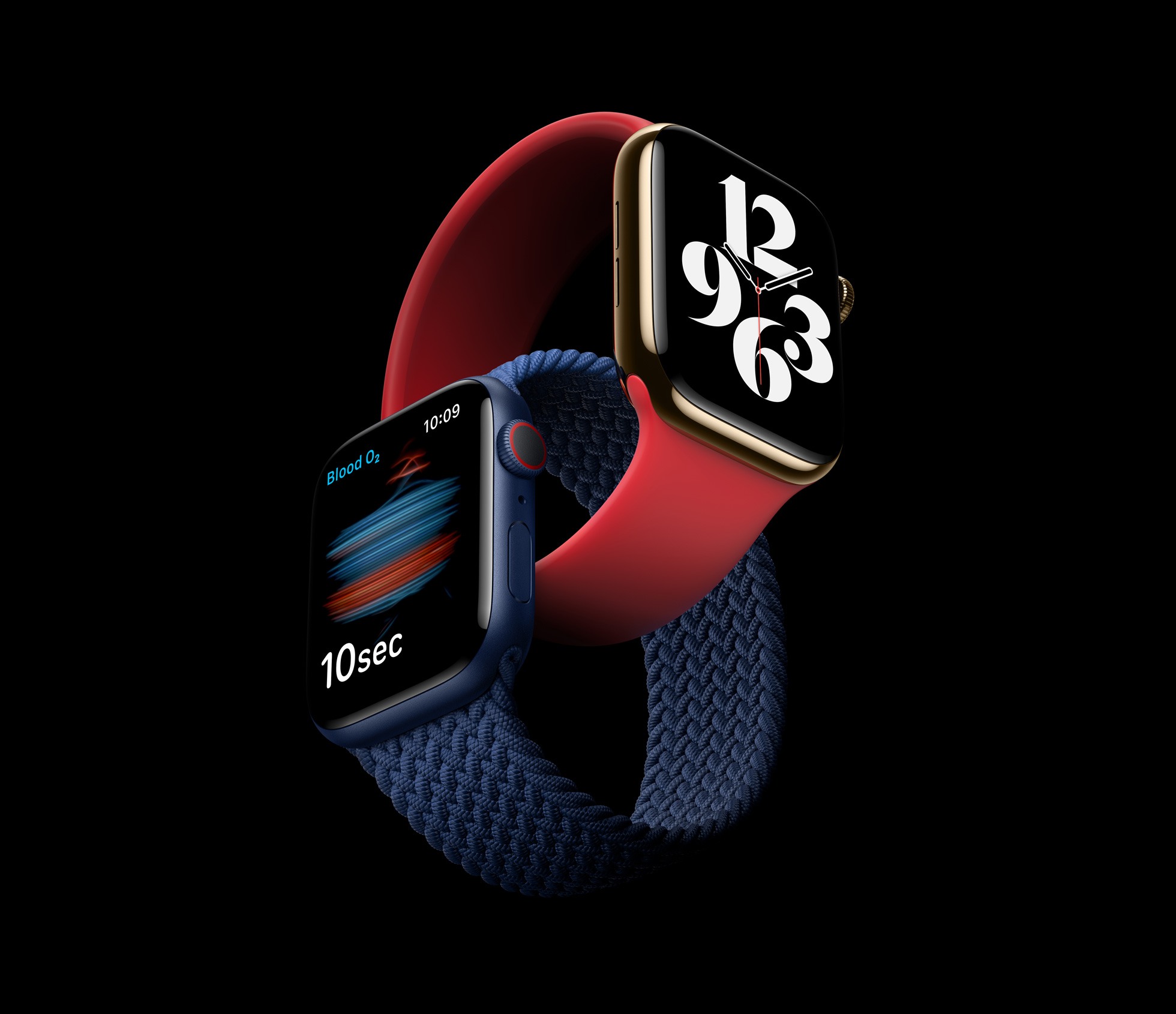
The new Apple Watch Series 6.

The new Apple Watch Series 6.

Today in what would normally be an iPhone-led September event, the Apple Watch was able to serve as headliner since new iPhones won’t be coming until October. It was a fitting change because Apple had news to share about not one, but two new Apple Watch models: the Apple Watch Series 6 and Apple Watch SE.

These two devices follow Apple’s strategy with the iPhone, where there’s a flagship line plus a more affordable option that uses a mix of old and new parts. The Apple Watch Series 6 includes a new blood oxygen sensor, improved always-on display, S6 processor, an always-on altimeter, and new finishes. The Apple Watch SE also features the always-on altimeter and a similar design, but without the new color finishes, it includes the S5 processor from last year, but it doesn’t get the blood oxygen sensor nor does it include an always-on display. A new software addition is another key incentive for both the Series 6 and SE: Family Setup, which enables children to be Apple Watch users without having their own iPhones.

Both new Apple Watches are available to order now, and will ship this Friday, September 18. Here’s the full run-down on each new device.

Read more


Apple Announces iOS 14, watchOS 7, and More Available September 16

Today Apple announced that the latest versions of most of its major OS platforms will be shipping tomorrow, September 16. This includes:

  • iOS 14
  • iPadOS 14
  • watchOS 7
  • tvOS 14

macOS Big Sur was not mentioned, and it’s expected to release later this year alongside Apple Silicon Macs.

I can’t recall there ever having been such a short turnaround time from the announcement of OS release dates to those OS versions shipping. Normally following a September event, Apple releases GM versions of its OS updates and the public versions a week or two later. This year, there’s no such delay.

Until now developers haven’t yet been able to submit their app updates to App Review, so when iOS 14 introduces widgets for the Home screen, for example, there won’t be third-party widgets available to try just yet. It’s a very unusual release strategy for Apple, but in a year like this, it seems anything can happen.


You can follow all of our September event coverage through our September 2020 event hub, or subscribe to the dedicated RSS feed.