Ryan Christoffel

991 posts on MacStories since November 2016

Ryan is an editor for MacStories and co-hosts the [Adapt](https://www.relay.fm/adapt) podcast on Relay FM. He most commonly works and plays on his iPad Pro and bears no regrets about moving on from the Mac. He and his wife live in New York City.

Samsung Smart TVs Gain Apple’s TV App and AirPlay 2 Support

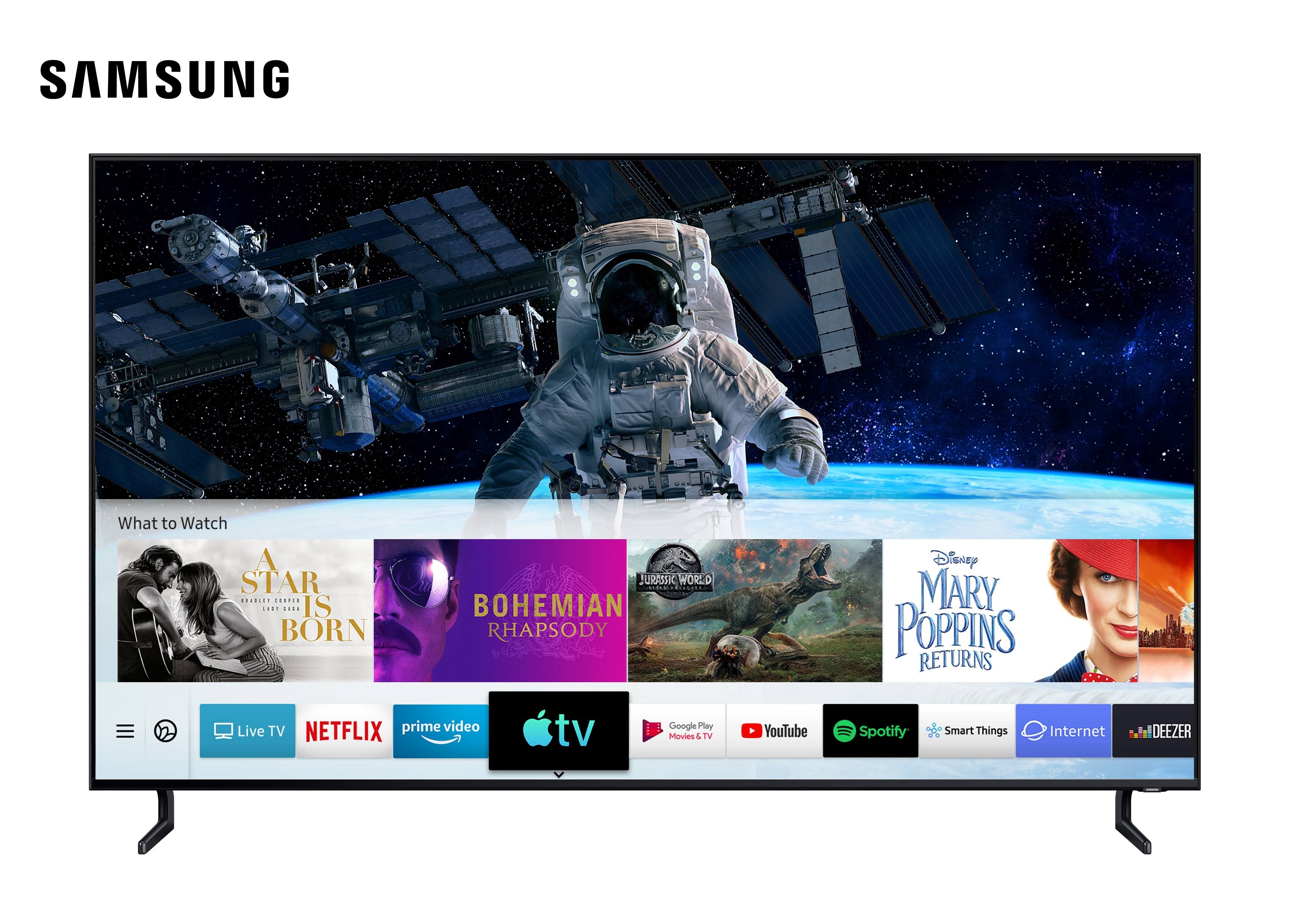
Hot on the heels of Apple’s own release of updates to iOS and tvOS that include the company’s new TV app, Samsung has announced that it too is launching the TV app today. Select models of Samsung smart TVs – all 2019 models and certain 2018 models – will receive a firmware update today that includes both the TV app and the debut of AirPlay 2 support, which enables sending videos from an iOS device to your Samsung TV. From Samsung’s press release:

Fully integrated into Samsung’s Smart TV platform, users can simply select the Apple TV app icon to access all of their iTunes movies and TV show purchases and browse more than 100,000 iTunes movies and TV shows to buy or rent, including titles available in 4K HDR, in pristine picture quality. Customers around the world can also subscribe to Apple TV channels within the Apple TV app — paying for only the ones they want — and watch on demand directly in the app. Samsung Smart TV users will be able to enjoy Apple TV+, Apple’s original video subscription service, in the Apple TV app across the same model lines when the service launches this fall. With AirPlay 2-enabled Samsung Smart TVs, customers can now also effortlessly play videos and other content from their iPhone, iPad or Mac directly to their Samsung Smart TV.

What this quote doesn’t say implies a detail that hasn’t been previously revealed: the version of the TV app available on non-Apple platforms may not offer the full TV app experience. While the presence of channels, iTunes content, and the forthcoming Apple TV+ are no surprise, what’s missing is any reference to the other content currently offered by the app on tvOS and iOS. It sounds like legacy app integrations with services like Hulu and Amazon Prime Video, which require having those apps separately installed, are not going to be supported on Samsung TVs – nor, undoubtedly, any other third-party hosts of the TV app.

I suspected this might be true following Apple’s original announcement of the new TV app, since these existing integrations rely on frameworks inherent to both iOS and tvOS themselves. Because Apple doesn’t control the platforms that the new TV app is expanding to, it’s understandable why they can’t offer these legacy integrations anymore, despite keeping them available on their own first-party platforms.

The TV app’s legacy integrations may not offer the same level of experience as something like channels or Apple’s own library of content, but they remain a solid way to centralize as much of your TV watching as possible in one app, and using the one unified Up Next queue. If these integrations truly are missing from the TV app on third-party devices, that’s a key difference worth considering.
Designing a Dark Theme for OLED iPhones

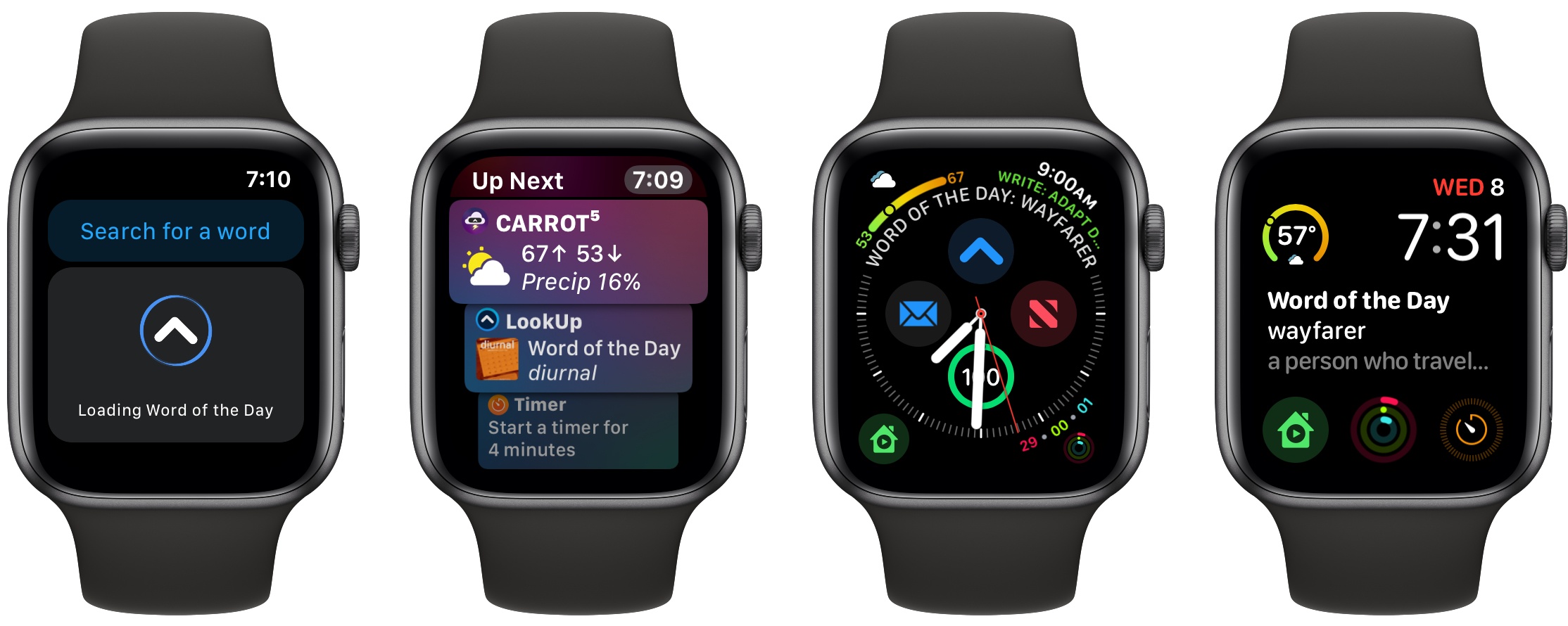
Vidit Bhargava, UI designer for the excellent LookUp dictionary app, details in a Medium post how implementing an OLED-friendly dark theme in an app is more complicated than one might think. For example:

When an interface that uses a black theme for its background starts displaying content on the screen, the pixels needs to switch on before they can display the content. So, when you’re scrolling through the content in a black background, the pixels find it hard to keep pace with your scrolling, resulting in a smear on the screen.

Bhargava uses the following tweet from Marc Edwards to illustrate this smearing issue.

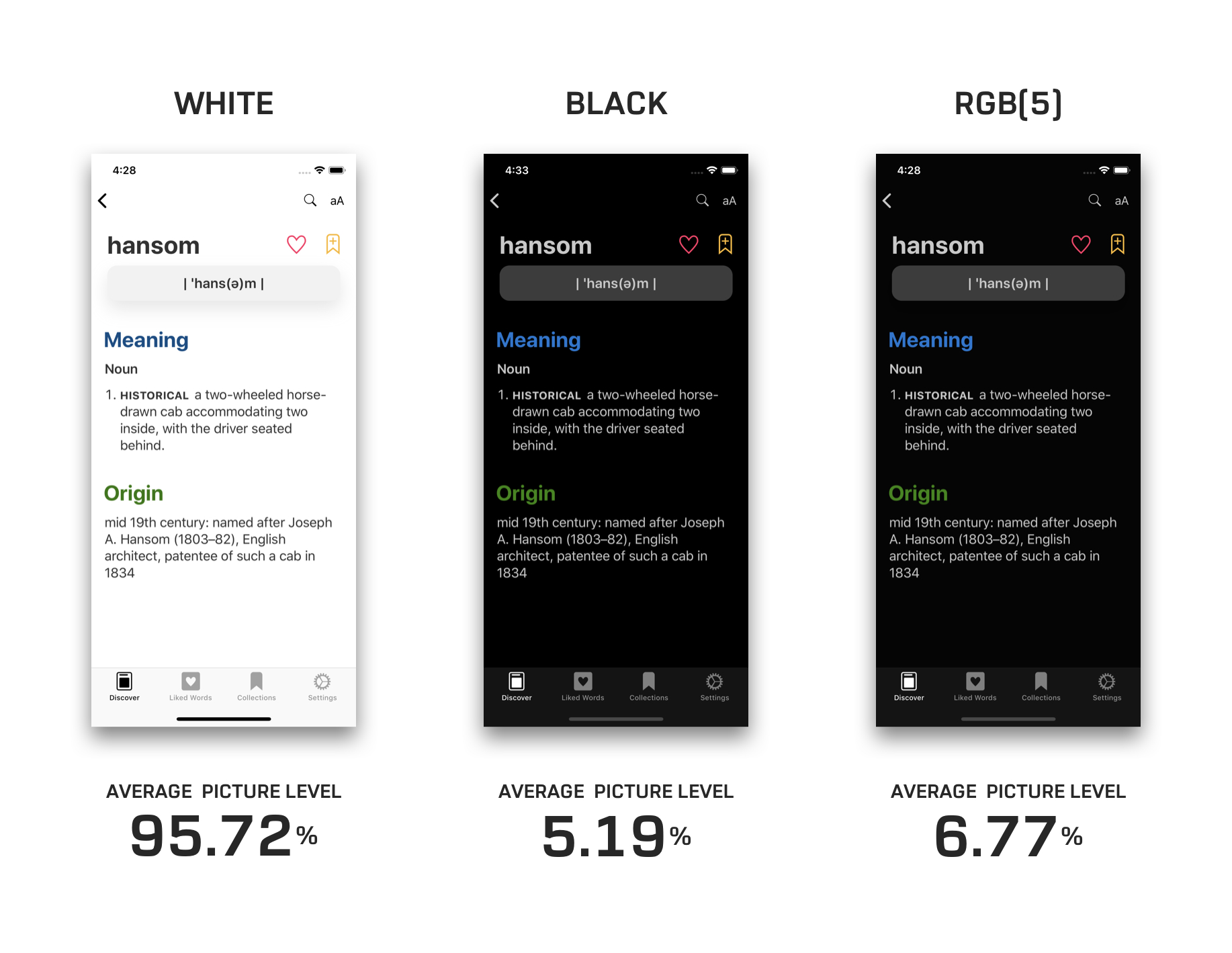
The solution utilized in LookUp was making its black theme not entirely black, but a dark enough grey that it appears black in use.

The rest of the post outlines the impact of black, dark grey, and white themes on a device’s battery life, along with the readability challenges inherent to black themes. It’s a fascinating read, and goes to show that a quality OLED-optimized dark theme requires a lot of thought and care to achieve.

Permalink


Nike Introducing AR Shoe Sizing Feature This Summer

Edgar Alvarez reports for Engadget on an upcoming AR feature I can’t wait to try:

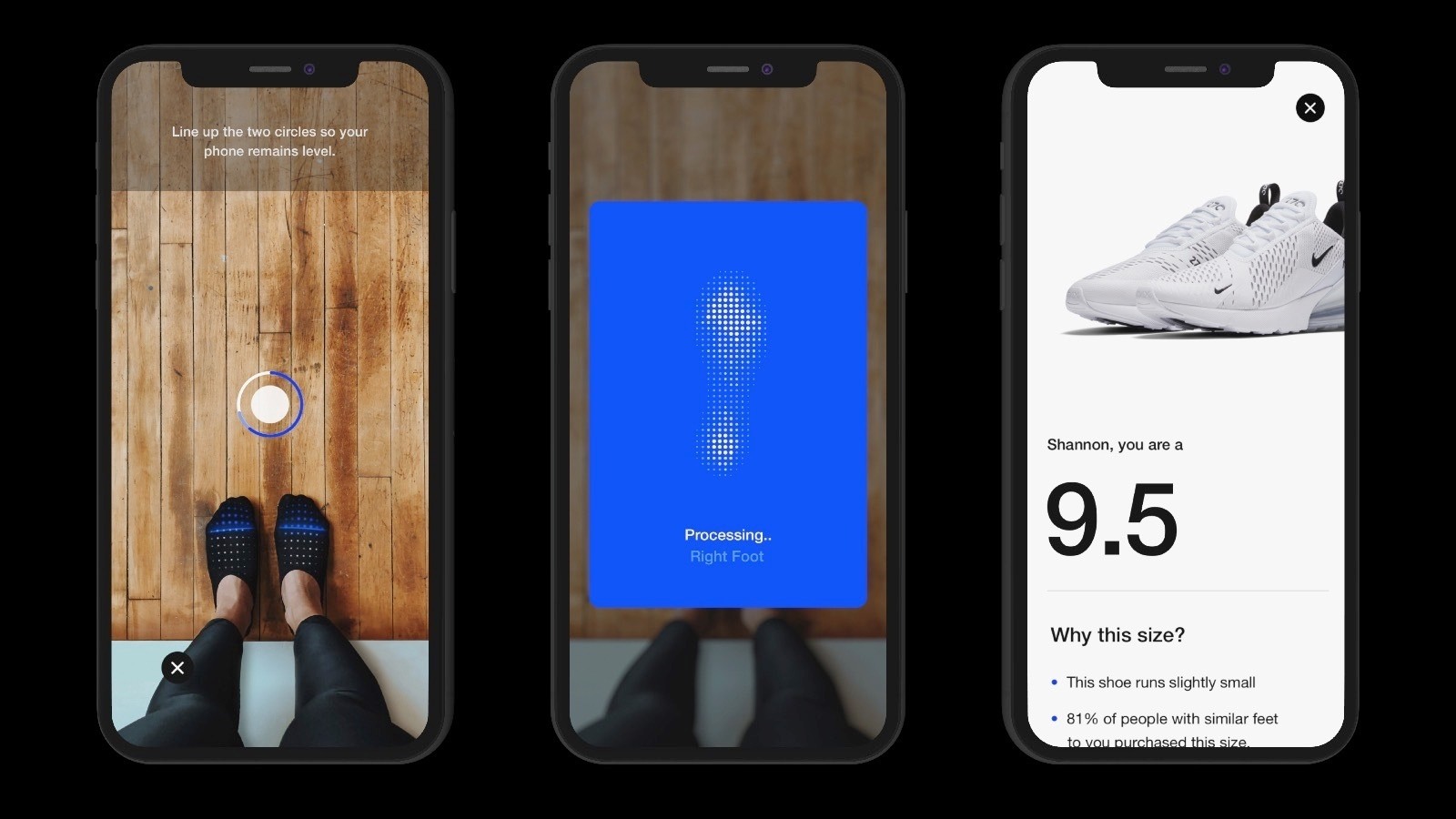
Nike has been experimenting heavily with augmented reality for a few years now, and the company is continuing to work on new experiences powered by the technology. The sportswear giant is now introducing Nike Fit, a feature that uses a combination of computer vision, scientific data, artificial intelligence and recommendation algorithms to scan your feet and find the right shoe fit for you. And you can do it all in augmented reality, using the Nike app on your smartphone. Nike says that, according to industry research, over 60 percent of people wear the wrong size shoes. With Nike Fit, the company is hoping to solve that problem.

The AR experience itself is fairly simple: You open up the Nike app, go to a product page and, next to where there’s usually a menu that lets you pick the size of your shoes, you’ll see a new option to measure your feet. From there, the camera will pop up and you’ll be asked to stand next to a wall and point your smartphone at your feet, which will prompt a view that uses two AR circles to level your phone. Once the feature recognizes your feet and your physical environment, it starts scanning your feet and then tells you your ideal shoe size for Nike footwear. The entire process takes less than a minute.

It’s been two years since Apple introduced ARKit, yet there are still very few AR apps I’ve found add meaningful value to my life. Outside of measuring apps, the only ARKit experiences I’ve enjoyed related to shopping for furniture and other home accessories. It looks like shoe shopping will be the next major area where AR becomes more than a fun demo. According to Alvarez, the Nike Fit feature will be added to the Nike app this July.

Permalink


Twitter Now Allows Images, Videos, and GIFs in Quote Tweets

Chris Welch of The Verge, reporting on a new Twitter feature rolling out today:

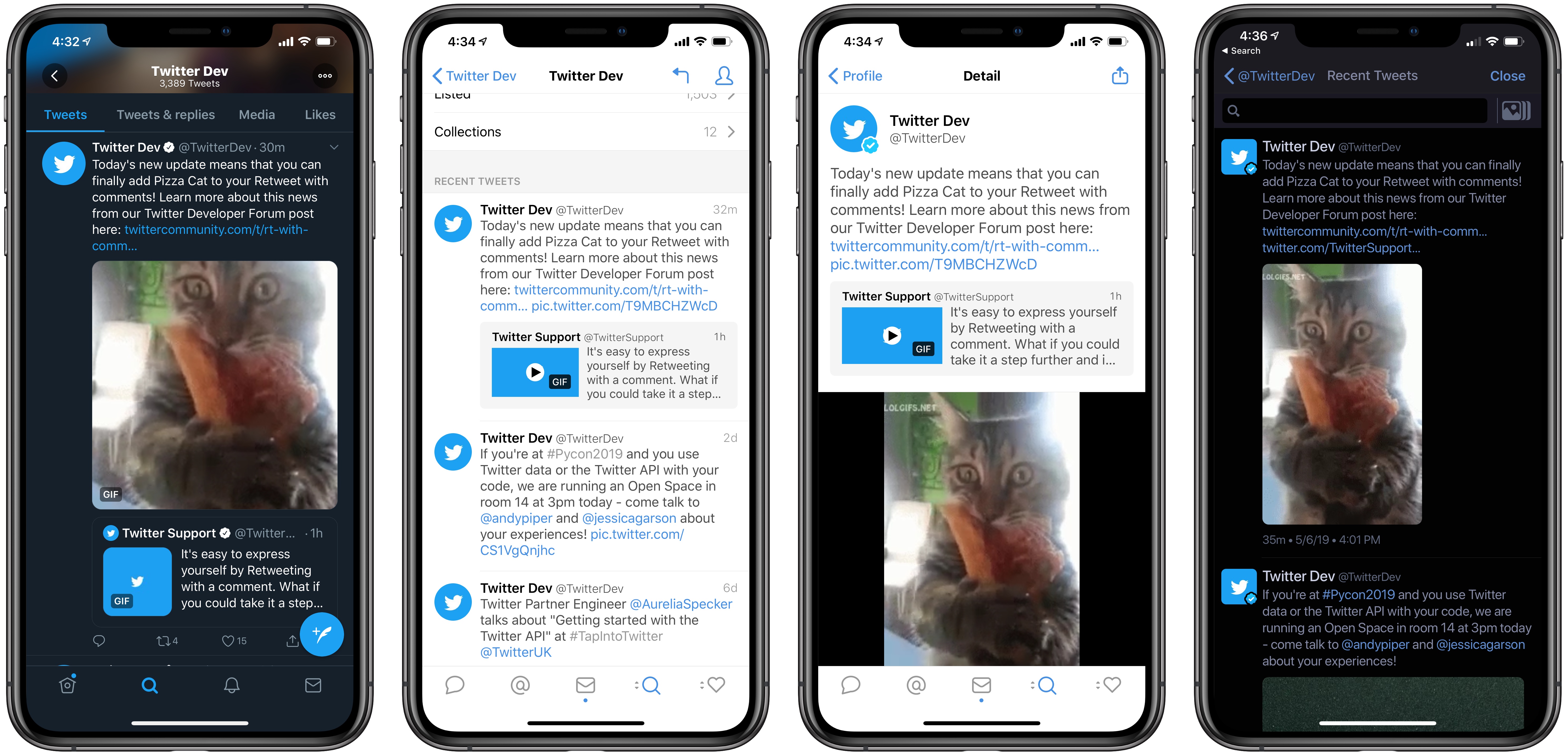
Beginning today, Twitter users can add images, videos, and GIFs to their retweets / quoted tweets. The company is rolling out this new feature across Android, iOS, and Twitter’s mobile website; it’s not on desktop quite yet, however. Adding media to a retweet works just like you’d expect: tap the “retweet with comment” option and then choose the image or GIF icon in the toolbar.

This feature is long overdue for the service, and Twitter’s design implementation appears solid. Displaying media when quoting a tweet that doesn’t have any seems like it wouldn’t have been particularly hard, but the real challenge is in media tweets quoting media tweets. Twitter’s solution works well: when a tweet containing media is quoted, and you add media to your retweet, the original tweet’s content is condensed to fill a space that’s not much bigger than before, ensuring timelines don’t get too cluttered with endless stacks of media tweets quoting media tweets.

Left: Twitter, Center: Tweetbot, Right: Twitterrific

Left: Twitter, Center: Tweetbot, Right: Twitterrific

Presumably, third-party apps like Tweetbot and Twitterrific will be granted the ability to create quote tweets with media as well. Currently, each app has its own way of displaying these tweets: in tweets with media that quote more media, Tweetbot shows the original media, while Twitterrific shows that of the retweet; however, Tweetbot does display both forms of media when viewing a tweet’s Detail screen.

In addition to bringing media retweets to more platforms, it sounds like Twitter has some other enhancements already in the works for the new feature, such as increased interactivity with quoted tweets.

Twitter already enables you to tap media thumbnails in quoted tweets to load that media in full, so it will be interesting to see what other interactivity the company plans to add in the future.

Permalink

Kernel Review: Modern Movie Tracking

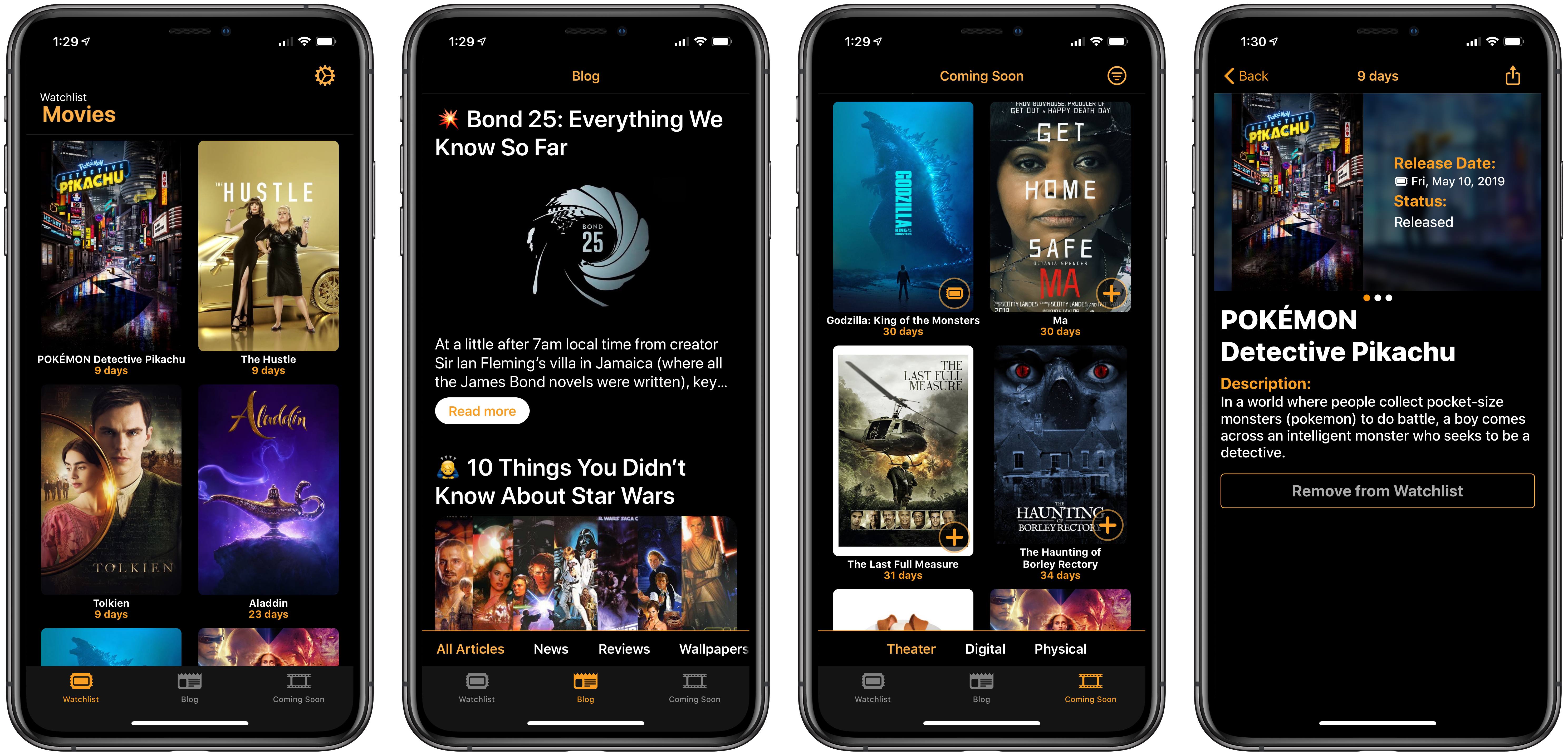
Most of the apps I cover for MacStories relate in some way to productivity, a theme that extends to the apps normally dominating my iPhone’s home screen. Writing and note-taking apps, task managers, communication apps, and tools like Shortcuts all help me get things done each day. However, sometimes what I want from my phone isn’t a productivity tool, but an app that specializes in something related less to work and more to fun. For example, a movie tracker. Kernel is a new app that does just that.

Read more