Ryan Christoffel

992 posts on MacStories since November 2016

Ryan is an editor for MacStories and co-hosts the [Adapt](https://www.relay.fm/adapt) podcast on Relay FM. He most commonly works and plays on his iPad Pro and bears no regrets about moving on from the Mac. He and his wife live in New York City.

Getting Behind the Mac as a Productivity-First Platform

Apple’s recent Behind the Mac series is one of my favorite marketing campaigns of late. I find the visual of people sitting behind their Macs so romantic and nostalgic. It’s a sight that’s ever-present whenever I spend time in a coffee shop, and the series’ tagline, “Make something wonderful behind the Mac,” causes me to now wonder in public: what are these people making as they sit behind the iconic Apple logo’s glow?

Following WWDC earlier this year, I shared that one of the things I least expected from the conference was that it would get me excited about the Mac. I’ve been iOS-first for three years now, with no regrets whatsoever. During that time, while the Mac has received incremental improvements, its growth has lagged significantly behind iOS and the iPad. While I never expected the same level of innovation on macOS that iOS received – since the Mac didn’t need as much work, frankly – it was frustrating to constantly see iOS score new apps and technologies before the Mac.

It has long seemed to me like the Mac was on its way to an eventual death. But WWDC breathed new life into the platform, with Apple doubling down on the Mac’s strengths as a productivity tool, and the prospect of ported iOS apps starting next year. Each of these changes will bring, I believe, genuine excitement back to the platform.
Read more


Moving with the Aid of Apple Notes

As I write this, I’m riding the subway in New York City, having just arrived at my new home last night. My wife Jess and I moved this week from Texas, where we’ve both lived our whole lives, to the radically different urban environment of New York City. It goes without saying, but this...


watchOS 5: The Changes I’ve Most Enjoyed This Summer

It was likely foolish, but I installed the beta of watchOS 5 in mid-June this year. Fortunately, despite the many issues I heard about from other beta testers, the update hasn’t given me any trouble. And over the course of nearly three months now, I’ve identified what my favorite features of the release are....


Bitmoji

If you’re like me, you may think that Bitmoji are for Snapchat, so if you’re not a Snapchat user, you have no use for Bitmoji. But as I learned not too long ago, that actually isn’t true. Whether you use Snapchat or not, Bitmoji is one of the best iMessage sticker packs you’ll find...


Google One Launches with New Cloud Storage Tiers

Breaking out from the Google Drive moniker, Google has launched a set of new cloud storage tiers under the branding Google One. The new name makes sense, since Google Drive storage formerly encompassed space allotted to a wide swath of Google products, such as Photos, Docs, and Gmail, as well as files actually stored in Drive. Now Google One fills the role of covering your storage needs across all Google products and services, which I think will be less confusing. It’s a pattern that follows Apple’s own iCloud branding, where iCloud storage covers a variety of Apple services like Photos and Mail, with iCloud Drive just one of those services.

Along with the organizational change, Google One introduces revised pricing and storage options:

  • 15 GB: Free
  • 100 GB: $1.99/month
  • 200 GB: $2.99/month
  • 2 TB: $9.99/month
  • As well as 10 TB, 20 TB, and 30 TB options for prices in the hundreds of dollars per month

Google’s pricing is comparable to Apple’s own iCloud storage, though with more options and a more generous free tier. Apple offers 5 GB for free, 50 GB for $0.99/month, 200 GB for $2.99/month, and for 2 TB for $9.99/month.

Google One’s rollout will be staged worldwide, but as of today it appears to be available in the U.S. at least.


Apple Privately Advocates for Developer Adoption of Subscriptions

Kif Leswing reports for Business Insider on a meeting Apple held with select app developers last year where the subscription model was pushed:

An Apple representative said at the meeting that paid apps represent 15% of total app sales and is on the decline, according to a person who was there who did not want to be identified to maintain their relationship with Apple.
[…]
The message was clear: successful apps now focus on getting regular engagement from their users, not one-time sales. For developers, that meant embracing the subscription model.

If you focus on paid apps, instead of subscriptions, Apple warned, your business will eventually hit a cap.

This report comes hot on the heels of Apple’s recent quarterly earnings report, during which Tim Cook shared, “Paid subscriptions from Apple and third parties have now surpassed 300 million, an increase of more than 60 percent in the past year alone.”

That increase is fairly staggering to consider. Two years ago when Apple opened up subscriptions to all app types, many users and developers feared the potential for subscription fatigue. It looks like that hasn’t prevented significant growth from happening – at least for now. I’ll be curious to see if growth like this, and a further shift toward subscriptions over paid apps, is sustainable in the long-term.

Permalink

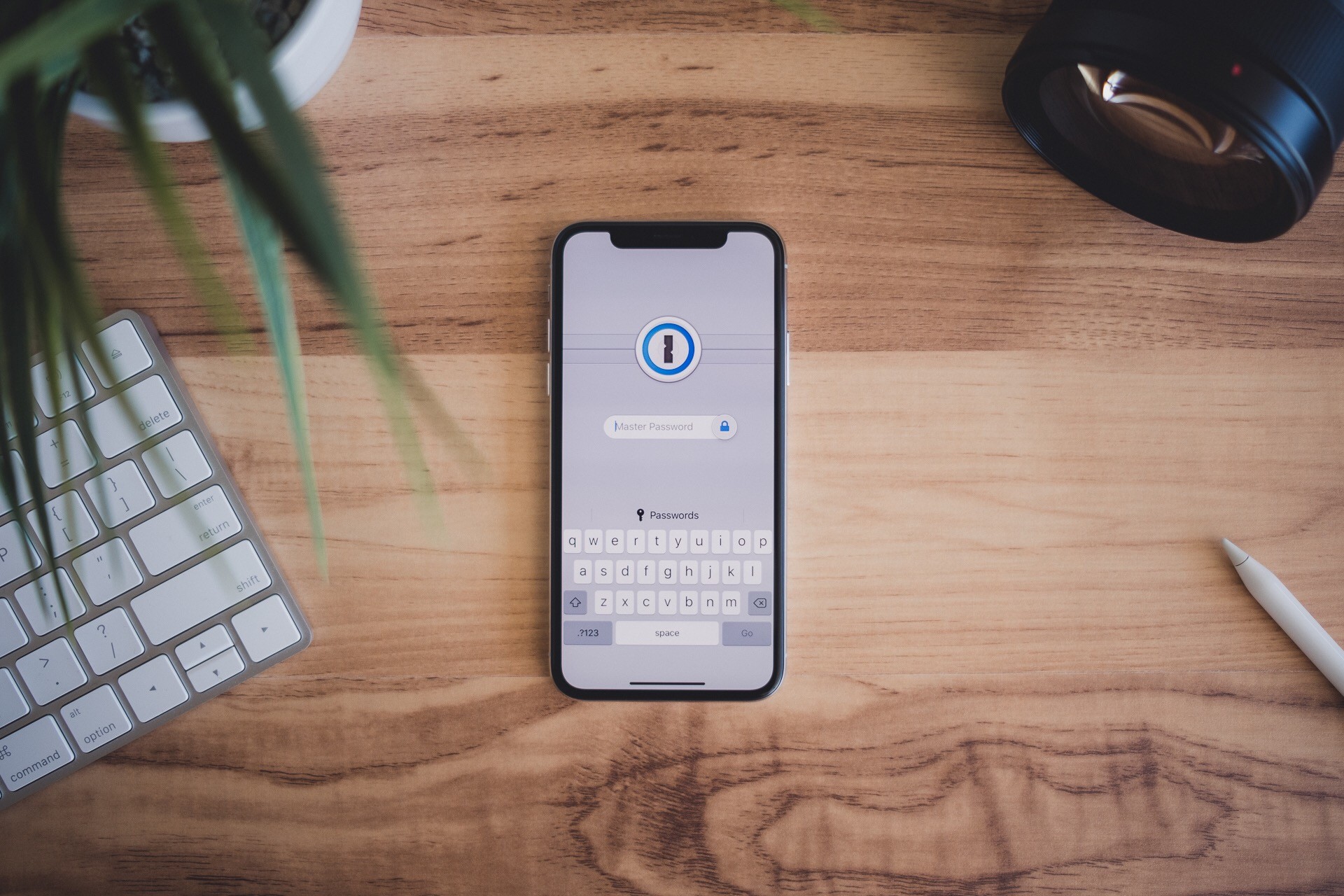
‘Unlock 1Password’ Is the Latest Training Course from The Sweet Setup

The Sweet Setup has been on a roll lately with developing video training courses for some of the best iOS and Mac apps the App Store has to offer. Following similar deep dives into Things, Day One, and Ulysses, today they’re launching a new course called ‘Unlock 1Password.’

1Password has long been considered the premier password management solution on Apple platforms, but many users may only scratch the surface of what it can do, or they’re simply hesitant to trust it with their most secure data. ‘Unlock 1Password’ takes users of varying experience levels into account, covering key features of the app, an overview of the product’s security levels, ways it can be used alongside iCloud’s own Keychain feature, and more.

In total, the course includes a whopping 14 videos, all of which can be downloaded for offline viewing if you’d like.

  1. Overview of 1Password for Mac
  2. Overview of 1Password for iOS
  3. Why You Can Trust 1Password
  4. Which Version is Right for You?
  5. Installation and Setup
  6. All the Things You Can Store in 1Password
  7. Working with Vaults
  8. Using the Browser Extension
  9. How to Perform a Security Audit
  10. Using 2-Factor Authentication
  11. 1Password for Families and/or Teams
  12. Using 1Password Alongside iCloud Keychain
  13. How to Sync 1Password Across All Your Devices
  14. Understanding Backups

I’ve relied on 1Password for years, but there were still things I learned from the course, such as how family and team plans work, and the process for setting up 1Password as a two-factor authentication tool. This is one of the things I especially appreciate about The Sweet Setup’s courses: even when they cover apps that already have an important place in my life, I benefit from finding even more ways to put those apps to use.

As with the recent video courses from The Sweet Setup, ‘Unlock 1Password’ is launching at a special introductory price of $23, which will increase to $29 after a week. You can purchase the course here.


Serial Reader Adapts Books for the Smartphone Age

Our Internet-driven society has seen a decline in book reading, though not necessarily a decline in reading altogether. Despite book readers being less common than in past decades, we all do a fair amount of reading each day on our smartphones – reading messages from friends, or tweets, emails, Facebook posts, notifications, articles, and so on.

Personally, I’ve always enjoyed reading books, and I continue to read them regularly – though not as much as I’d like. However, I also read an abundance of emails, tweets, messages, and articles every day. A day may pass with me not reading a book, but that never happens with the likes of email and messages. Part of the reason my Internet-driven reading habits are more consistent than my book reading habits is that I have to read those things to do my job. But there’s another reason too: email and Slack demand my attention each day via push notifications, while books do not. Add to that, emails and messages come in bite-sized quantities, whereas books are much longer, and thus more intimidating.

Serial Reader aims to fix that.

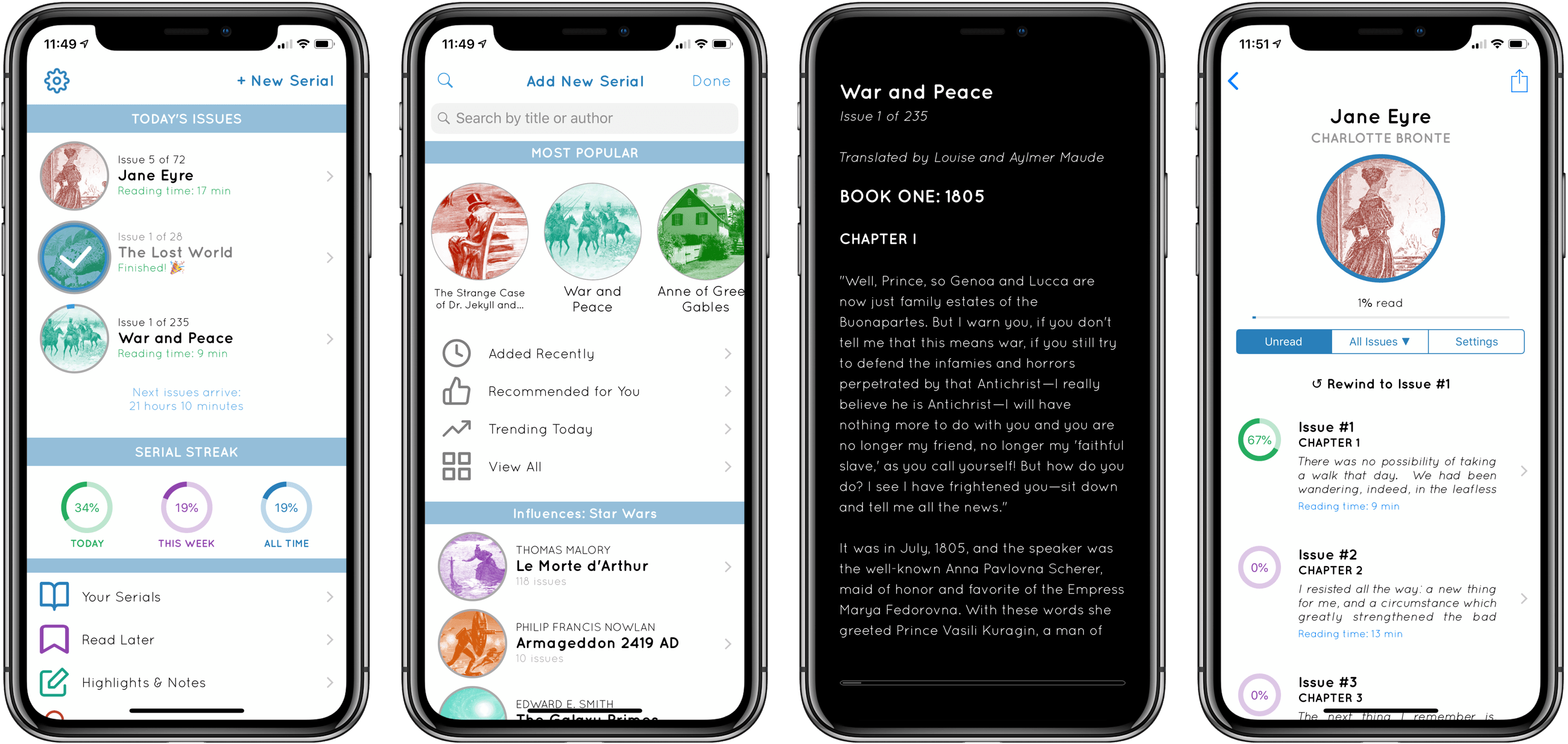
No stranger to the App Store, Serial Reader has been around for several years, but I recently gave it a try for the first time. The premise of the app is simple: it contains a collection of over 550 classic books that can be delivered to you in bite-size chunks. At a time of your choosing, Serial Reader will send a daily notification informing you that your latest issue of, say, War and Peace, is available to read. Each issue is compiled with an estimated reading time under 20 minutes, though most I’ve seen are around 10 minutes – very easy to digest. We all receive regular interruptions from Internet services that take 10 minutes out of our day at a time, and with Serial Reader you can plan those interruptions in a way that helps you read more books.

By offering up small helpings of a book each day, and delivering that book’s latest “issue” through a notification, Serial Reader fixes key barriers to book reading. While I wish I could use it with my own collection of books, the public domain classics included in the app offer a wealth of quality options.

If you want to read more books, Serial Reader offers a clever, convenient way to do that. And there’s no better time than the present to give the app a try – it just received a big update to version 3.5, with a new multi-column reading mode for iPad, curated book collections, alternate app icons, and a design refresh.

Serial Reader is available on the App Store.