

iOS 11’s drag and drop is best known as an iPad feature, because on iPads, content can be dragged and dropped between different apps. However, many developers have created strong drag and drop experiences on the iPhone too. Here are some of the best ones. Castro Castro is the only iPhone-exclusive app on...
Apple to Offer Customers Greater Access to Their Personal Data Online→
Mark Gurman and Stephanie Bodoni report for Bloomberg on an upcoming change that will make it easier for some users to access the personal data Apple stores on them:
The iPhone maker said it will update its web page for managing Apple IDs in coming months to let users download a copy of all their data stored with the company. The site will also let customers correct personal information, temporarily deactivate their account, and completely delete it. The new privacy controls are designed to comply with the European Union’s General Data Protection Regulation, which kicks in May 25, the Cupertino, California-based company said.
…
Apple’s new web-based privacy options will be released for users in Europe in early May, while the features will come to other countries later.
The report also notes that you could previously receive copies of your data, delete your account, and more by contacting Apple directly. So these options will not be entirely new, they’ll just be available on the web for the first time.
It’s unclear which countries outside Europe will receive these features. Hopefully in light of the recent Facebook data debacle, Apple will find it important to make these options available to all its users, regardless of where those users reside.
Apple Releases iOS 11.3 with iPhone Battery Settings, ARKit 1.5, New Animoji, and More
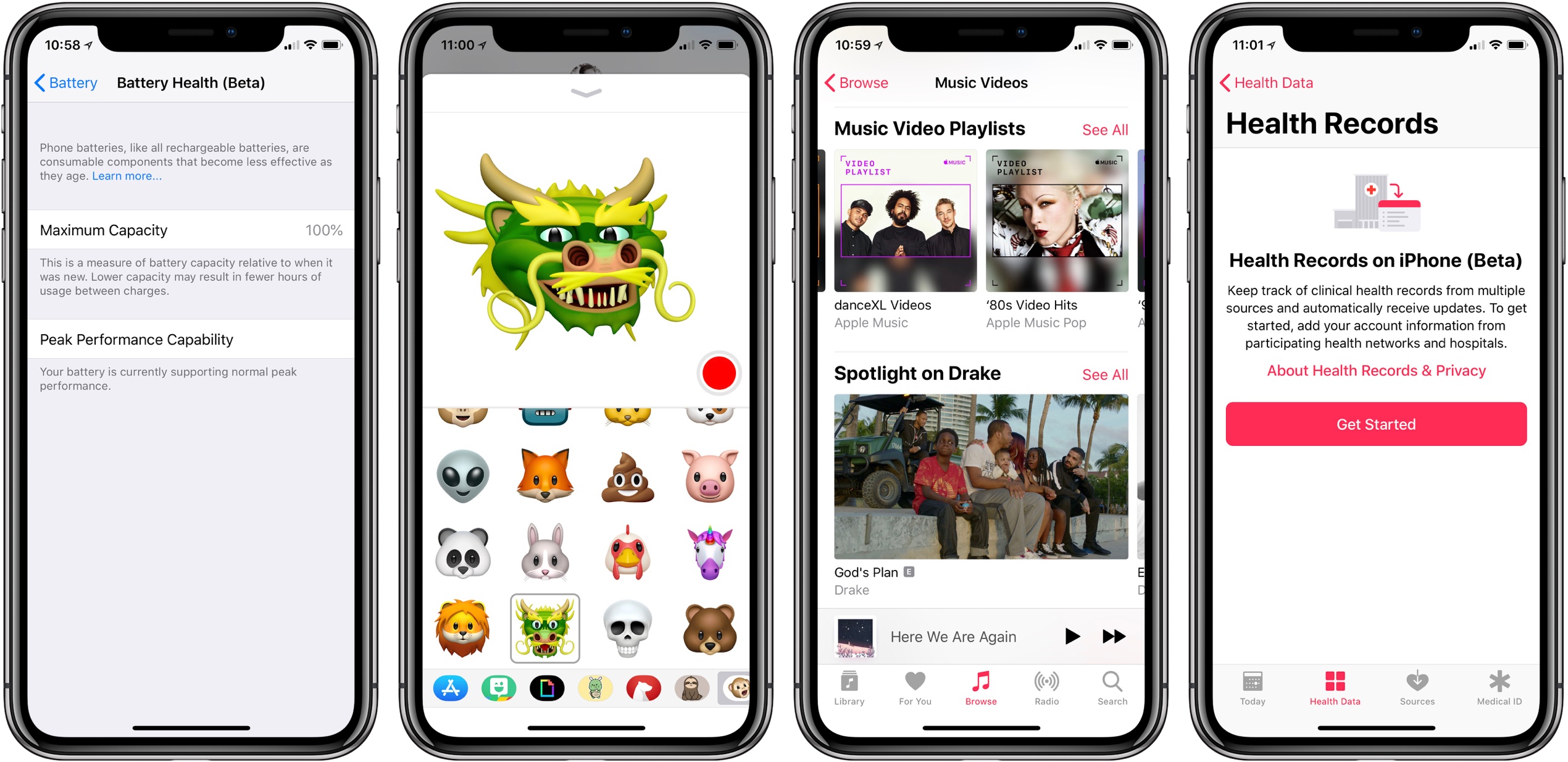
Today Apple released the latest update to iOS, version 11.3, which adds the previously promised iPhone battery health settings, along with four new Animoji, ARKit 1.5, a new Music Videos section in Apple Music, and more.
Apple Introduces New Spring Colors for iPhone and iPad Accessories; Space Gray Mac Accessories Now Available
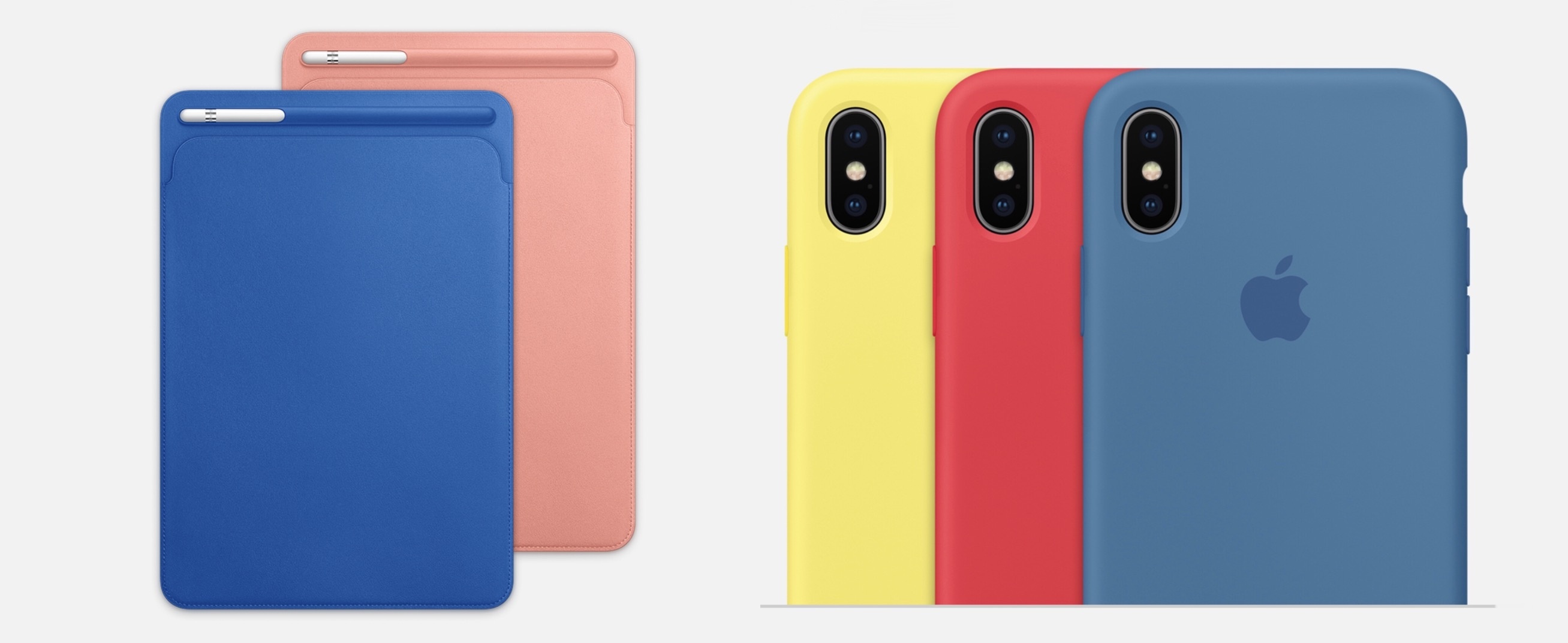
Alongside the launch of new Apple Watch bands, which were first previewed in a press release last week, Apple has also updated its lineup of iPhone and iPad accessories today following its Chicago event. The updates include new colors for the iPad Pro Smart Cover and Leather Sleeve, with similar new shades for iPhone cases. Also, in a surprise debut, the Space Gray Mac accessories that ship with the iMac Pro are also now available for separate purchase.
iWork 4.0 Adds Full Apple Pencil Support; Pages Becomes Spiritual Successor to iBooks Author
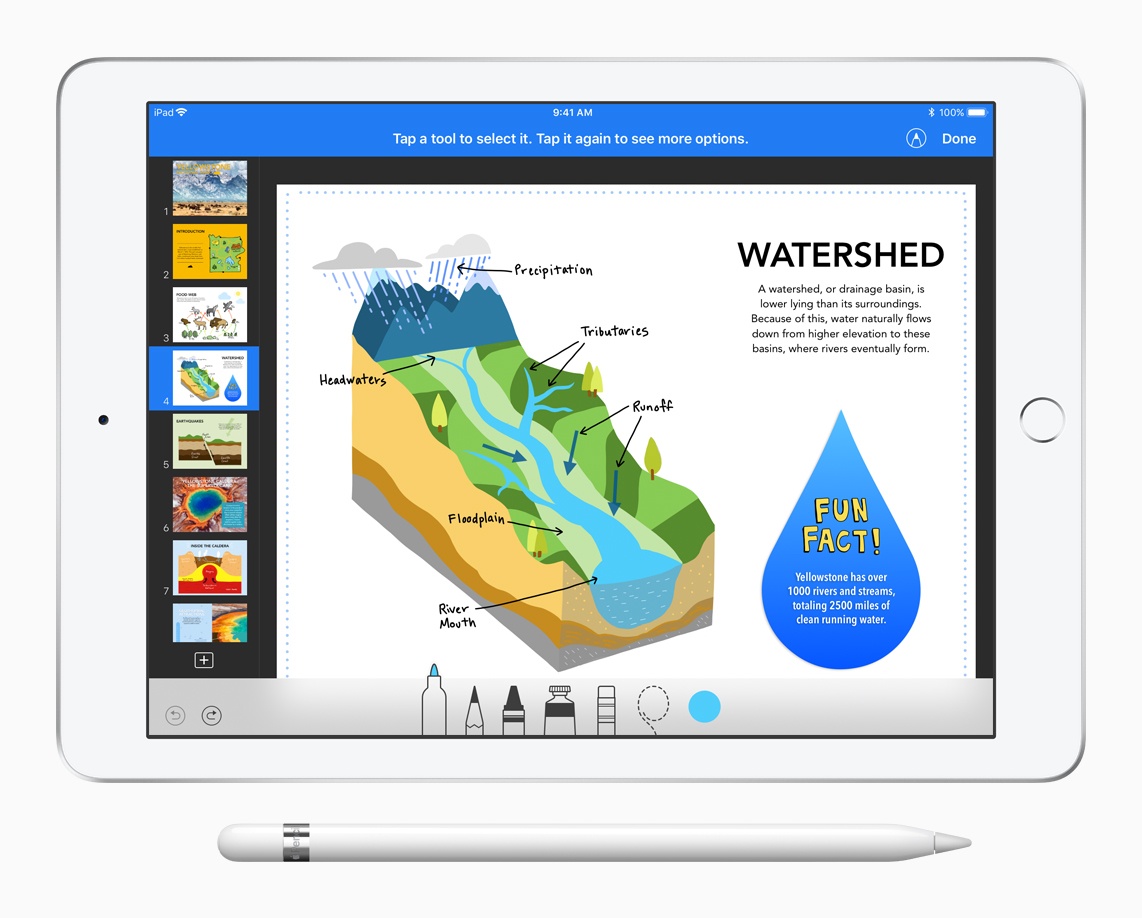
Today’s Apple event was all about education, but several of the announcements had exciting consumer-facing benefits too. Among those was the introduction of an updated iWork suite, complete with Apple Pencil support. Pages also gained the addition of digital book creation tools, and several other goodies.
Apple Introduces New Schoolwork iPad App, Classroom for Mac, and ClassKit Framework for Developers
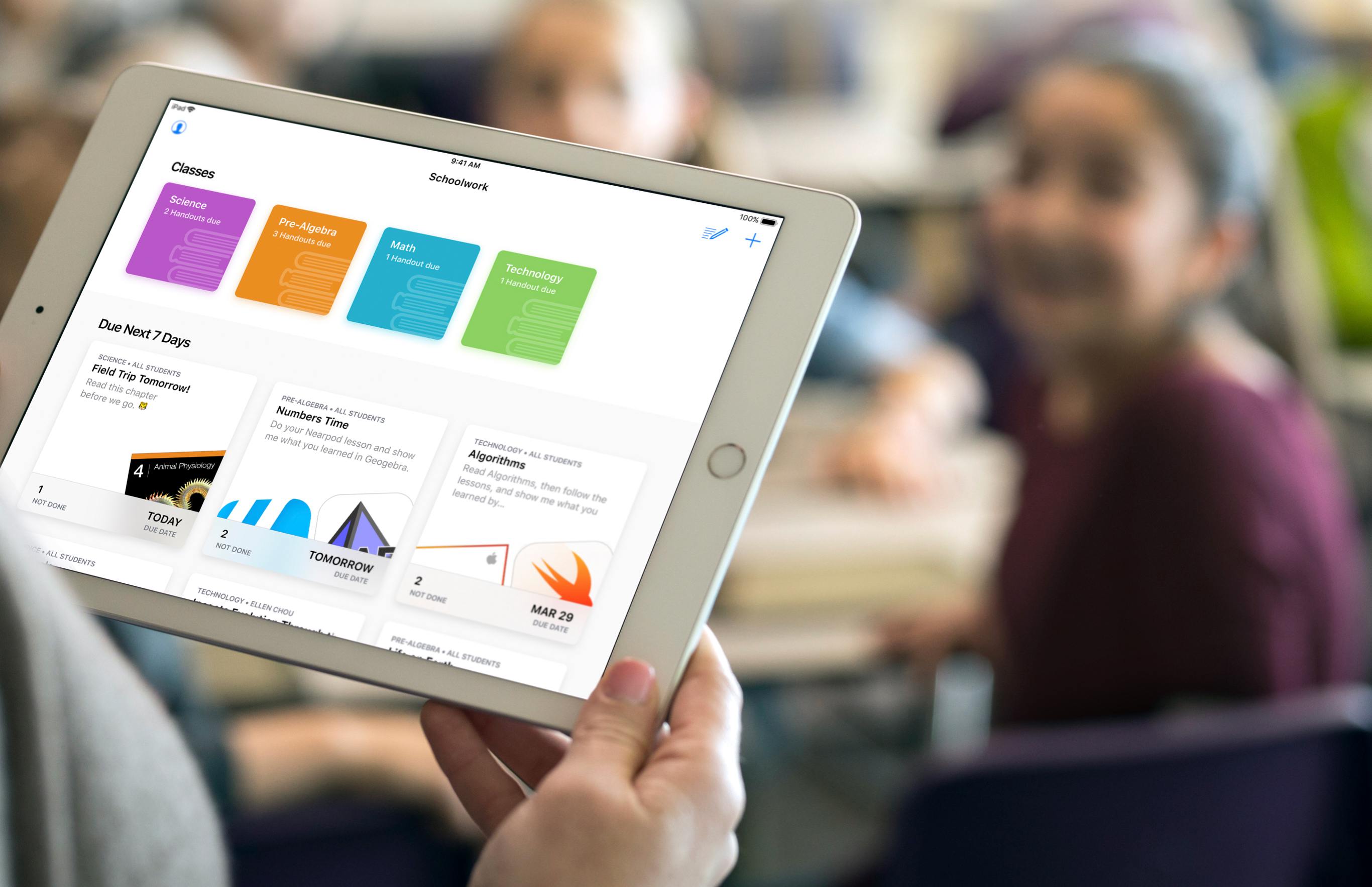
Education was the sole focus of today’s Apple event in Chicago, and a big part of that story was software: Apple introduced a brand new iPad app for teachers and students called Schoolwork, an upcoming Mac version of its existing iPad Classroom app, and it also launched a new ClassKit framework that enables third-party developers to integrate their educational apps with Apple’s own broader education system on iOS.
The new Schoolwork app, arriving in June, is meant to serve as a collaborative data-sharing environment for teachers and students. It enables teachers to make assignments in educational apps and track students’ progress on those assignments. In apps with collaboration features, teachers and students can work together on an assignment in real-time. Teachers can also use Schoolwork to send handouts to students. Because of its capabilities, Schoolwork is able to serve as a central schedule hub to keep students organized and on track.
The Mac version of Apple’s Classroom app will also launch in June, as a beta. It will serve the same functions as its existing iPad equivalent. Classroom differs from the new Schoolwork app in that it’s meant for instructors only, not students, and is used for general classroom management. The Classroom iPad app launched two years ago as a tool for school instructors to manage student devices and share files in bulk with the class, among other administrative functions, and it continues serving those purposes today.
With Schoolwork and Classroom, Apple now has a stronger student-teacher app ecosystem than before – but first-party apps weren’t the whole story Apple had to tell. To help further broaden the possibilities of Schoolwork and Classroom, third-party developers now have access to a new ClassKit framework, which will enable third-party educational apps to read and write information into the Schoolwork app, similar to how third-party health apps can use HealthKit to read and write data to Apple’s Health app. Apps can populate assignable content in the app, which teachers can then track the progress of. ClassKit is launching for developers as part of the forthcoming betas for Xcode 9.4 and iOS 11.4.
You can follow all of our Chicago education event coverage through our March 27th event hub, or subscribe to the dedicated March 27th event RSS feed.
Heart Rate Variability in Apple’s Health App, Explained→
One lesser known improvement to the Health app in iOS 11 was the addition of Heart Rate Variability data, which can be obtained in a variety of ways, including via the Apple Watch. According to Apple’s description in the Health app:
Heart Rate Variability (HRV) is a measure of the variation in the time interval between heart beats. Apple Watch calculates HRV by using the standard deviation of these beat-to-beat intervals measured by the heart rate sensor (also known as SDNN).
While that offers a basic explanation of this data type, Serenity Caldwell of iMore just completed a deep dive into exactly what HRV is, how tracking it can be beneficial, and Apple’s current methods of tracking it. She writes:
Apple currently records HRV averages in your iPhone’s Health app through Apple Watch readings (as well as any third-party apps that have chosen to write data to the repository). When you first put your Apple Watch on for the day, you’ll trigger an HRV morning reading; the wearable monitors your heartbeat steadily for one minute, then uses under-the-hood calculations* to come up with your HRV average, displayed as ms (milliseconds) in the Health app for iPhone.
Caldwell also shares recommendations for different apps that can be paired with additional tracking methods – such as third-party heart monitors or even just your iPhone’s camera – to obtain more extensive data than the Apple Watch provides with its daily readings.
If you’re interested at all in Heart Rate Variability, and what your iPhone or Apple Watch can do to track it, Caldwell’s write-up is a fantastic resource.
 Weather Atlas

Weather apps have long been a development playground on the App Store, with countless options available to customers. Weather Atlas is one of the newer apps on the market, a collaboration between David Barnard’s Contrast and Drafts developer Greg Pierce that puts weather radars front and center. Weather Atlas’ design essence is easy to...
Expectations for Apple’s March 27th Event
Apple is hosting a spring event this year, and we’re only days away from it. In 2017 we kept expecting an event invitation to drop, but it never did, so news of an education-focused event in Chicago this year was a welcome surprise. It won’t be long until all the details of the event...