Ryan Christoffel

991 posts on MacStories since November 2016

Ryan is an editor for MacStories and co-hosts the [Adapt](https://www.relay.fm/adapt) podcast on Relay FM. He most commonly works and plays on his iPad Pro and bears no regrets about moving on from the Mac. He and his wife live in New York City.

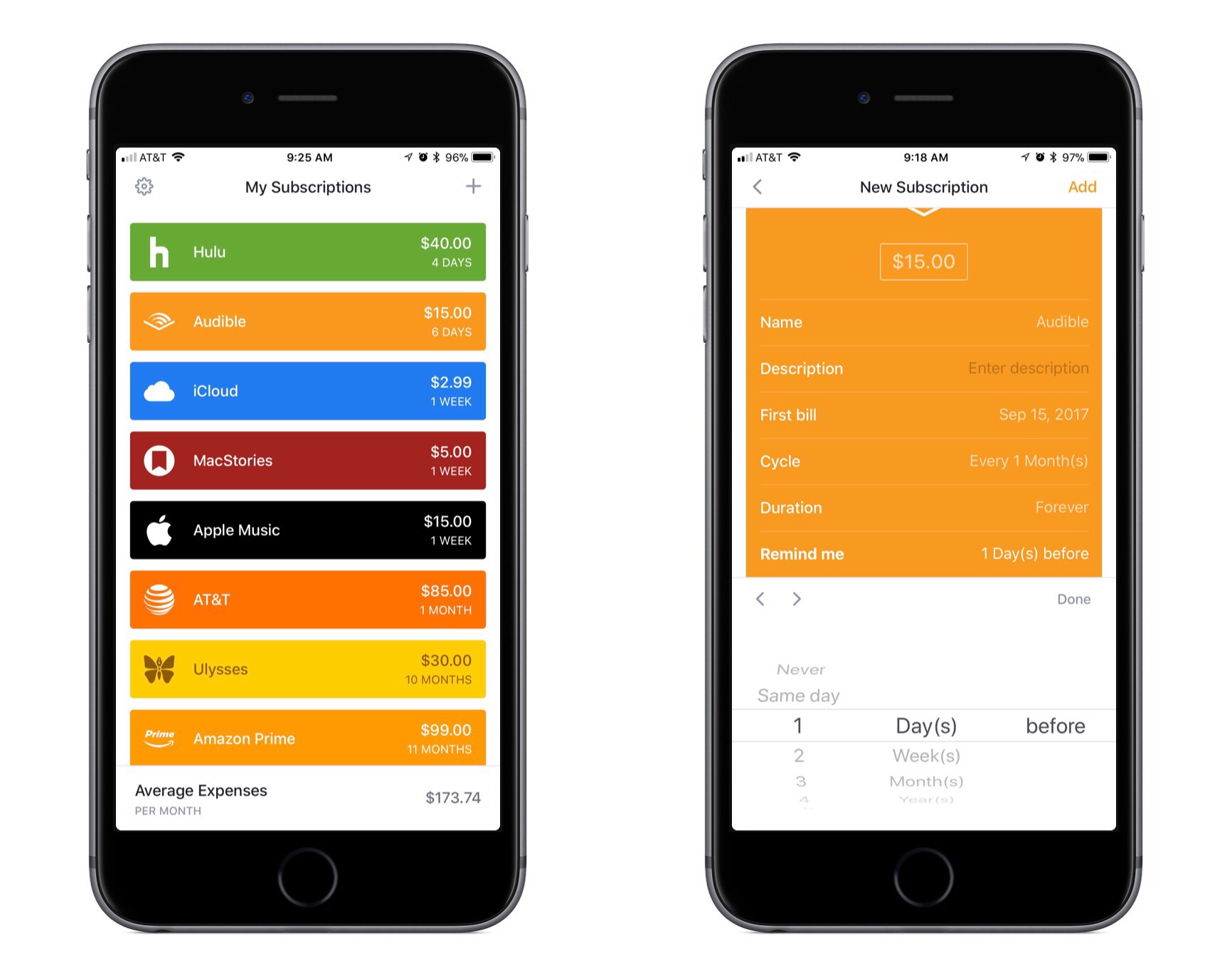
Bobby: Subscription Tracking Made Easy

We live in a world where media and apps are increasingly available only through recurring subscriptions. Besides the common Netflix or Spotify subscriptions, we may have subscriptions for our favorite apps, for iCloud Drive storage, for news publications, and more.

Last year Bobby launched on the App Store as an easy way to keep track of this growing mess of subscriptions, but in version 1.0 the lack of a few key features – such as iCloud sync – hindered the app’s overall value. The recently released Bobby 2 remedies those few initial drawbacks, and presents one of the best App Store options for keeping on top of where your money goes each month.

Read more


The Limitations of watchOS Development

Benjamin Mayo recently built his first watchOS app, a companion to his iOS app for scanning and creating QR codes, Visual Codes. On his blog he outlines his experiences developing for the Apple Watch, focusing particularly on how limited third-party developers are with their apps.

Apple engineers are using a completely different technology stack to create the system apps. They get to real write real iOS apps with a watchOS appearance theme, essentially. Third-party developers have to use WatchKit — a completely separate abstracted framework that exposes only high-level interface objects (whilst creating UIKit components under the covers).

The current WatchKit API leaves no room for invention. iOS innovations like pull-to-refresh came about because the iPhone OS UI frameworks were flexible enough to let developers and designers run wild with their own ideas, if they wanted to. Some of these custom controls worked so well Apple later incorporated them as standard components in UIKit. That free reign creativity simply can’t happen on the watch at the moment. Apple defines what is possible.

Apple has clearly invested a lot into advancing the Apple Watch from a hardware perspective, and even in the native OS experience – both key areas to grow. But Mayo puts the spotlight on an area that’s clearly lagging behind.

In past years the lack of tools available to make third-party watchOS apps was less important, as the Watch itself still bore several key limitations – slow hardware, a confused OS, and being tethered to the iPhone. Few developers cared about being creative with Watch apps because everyone knew the Watch could barely handle the vanilla apps of the time anyways. It’s a testament to the recent evolution of the Watch as a product that WatchKit’s shortcomings now appear so disappointing.

Permalink


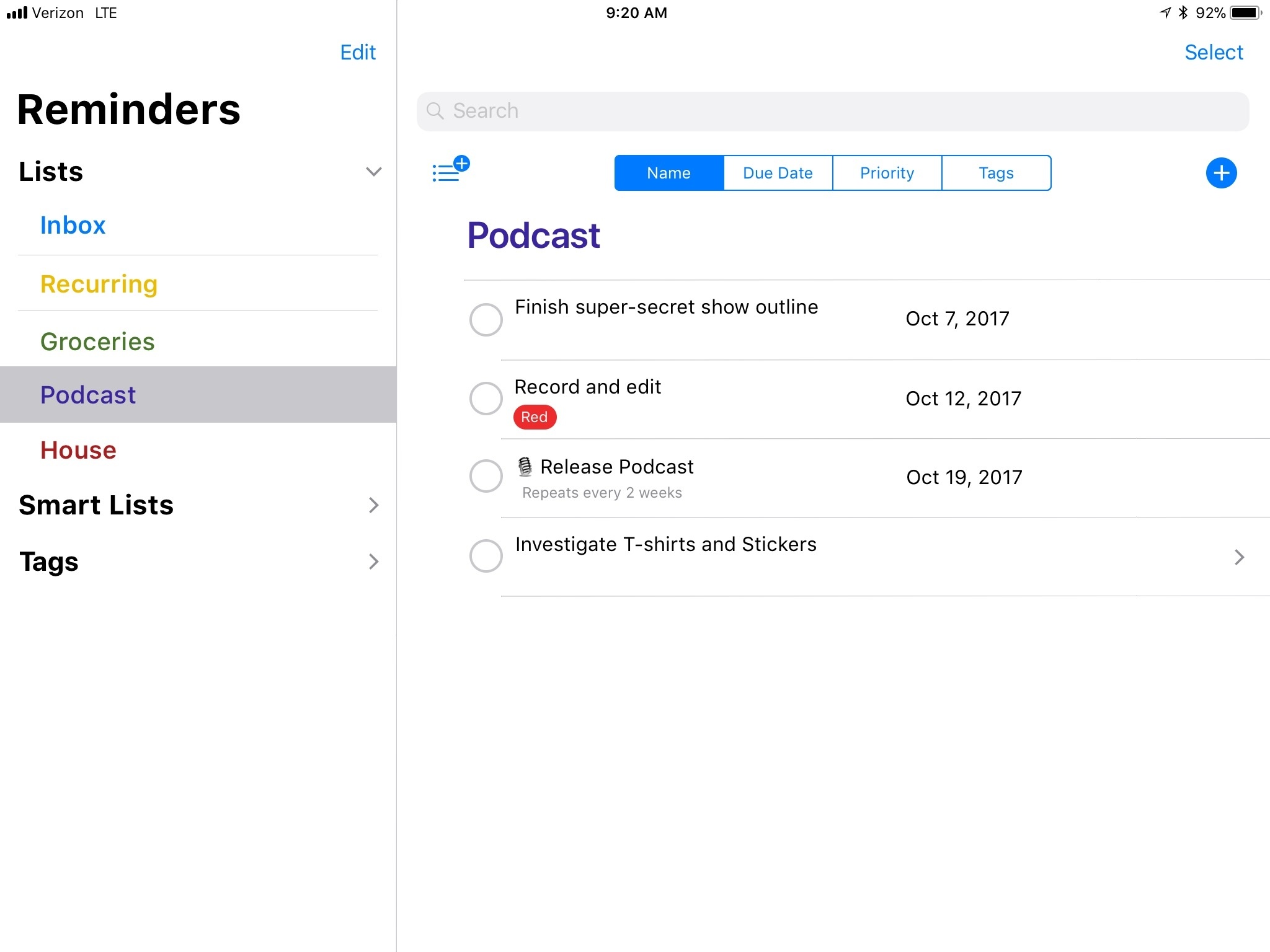
Apple’s Reminders App Reimagined

Source: Tim Nahumck

Source: Tim Nahumck

Tim Nahumck has outlined his vision for a new and improved Reminders app, inspired by the iOS 11 design language and existing concepts found in apps like Files. I’ve long hoped for a full Reminders revamp to make the app look and feel more modern, and Nahumck has some good ideas for what Apple could do. The words that resonated most with me, however, are where Nahumck explains why Apple should do this:

I think a lot of people’s lives can be improved by task management. For years, I’ve tried to get family and friends to see the benefits; sometimes they do, most times they don’t. But that doesn’t stop me from trying.

What I have often found is that the idea of downloading a separate app bothers people. Sure, they’ll have a few dozen free apps – camera and photo editing apps, several social media apps, a bunch of couponing apps – but heaven forbid they get a paid productivity app involved in the mix. The mental friction of having a separate app to manage their lives can be difficult to get over. This is usually the point where I suggest simply using Reminders: it’s basic enough to get the job done, it’s a part of the OS, and they don’t have to pay to try it out. But the app isn’t where it needs to be.

These words highlight the inspiration that I believe Apple should take in approaching a full Reminders rebuild. I know tons of people whose lives would be improved by a bit of task management help; the number of people in this category among all iOS users has to be enormous. As such there’s great potential for a new Reminders – rethought from the ground up – to add true benefit to the lives of millions of users. Like Nahumck’s concept shows, I think this could be done in a way that still offers significant utility to power users, while keeping it simple for those who want it so.

For the last several years I’ve had a refreshed Reminders on my WWDC wish list, only to be disappointed. Maybe with the important groundwork of drag and drop and the new iOS design language now taken care of, 2018 will be the year my wish comes true.

Permalink

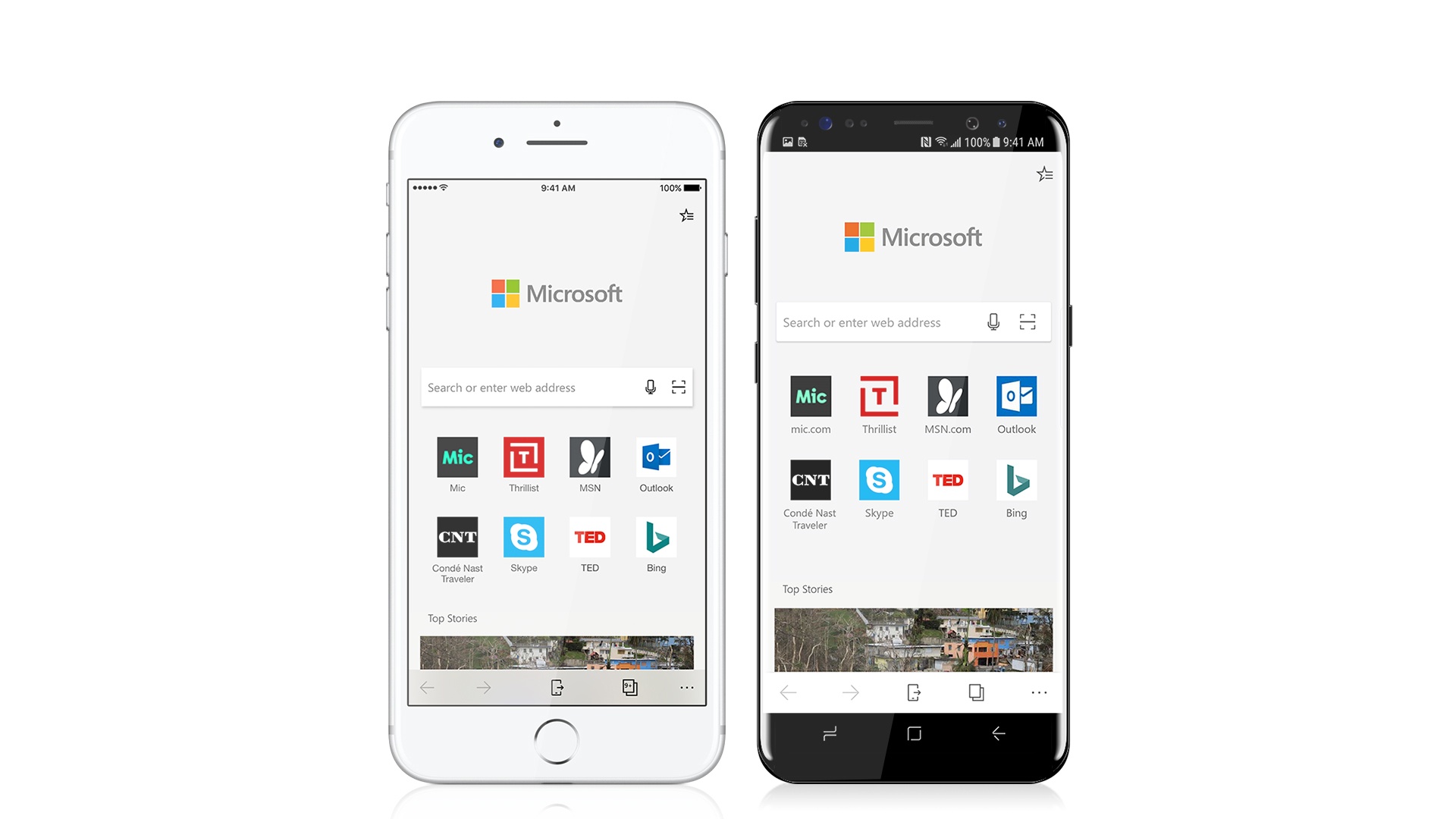
Microsoft Edge Is Coming to iPhones Soon

In line with Microsoft’s post-Windows Phone mobile strategy, the company announced today that its Windows 10 browser, Microsoft Edge, would be coming soon to iOS and Android smartphones. The focus of the mobile browser, at least at first, doesn’t appear to be offering any revolutionary features, but instead providing a more seamless web experience to Windows users on their phones. From Microsoft’s announcement post:

Microsoft Edge for iOS and Android brings familiar features like your Favorites, Reading List, New Tab Page and Reading View across your PC and phone, so, no matter the device, your browsing goes with you. But what makes Microsoft Edge really stand out is the ability to continue on your PC, which enables you to immediately open the page you’re looking at right on your PC—or save it to work on later.

A release date for the app is unknown, but users can gain early access to a preview build starting today. The one major caveat is that in order to gain access to the preview version, you have to visit this page from a PC running the latest preview build of Windows 10. Also of note: this initial release is limited to phones only, so iPad users will have to wait until Edge makes its way to tablet platforms.

Permalink

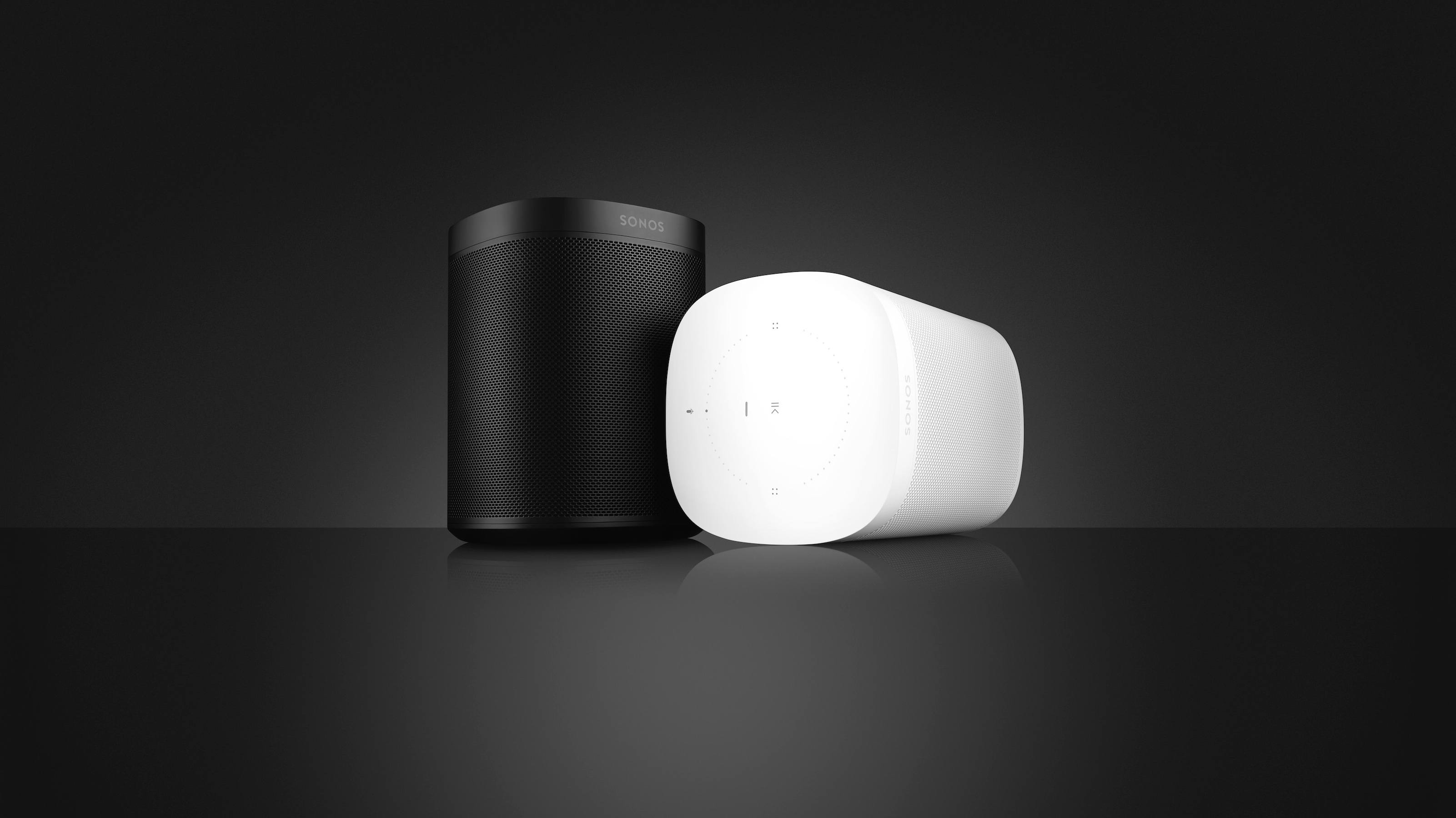
Sonos Unveils New Sonos One Smart Speaker, Voice Assistant Integrations, Revamped App, and More

Sonos made several major announcements today, launching the company’s products further into their roles as platform-agnostic options in a market increasingly segmented by ecosystem. The last few years have seen an avalanche of new interest in the home speaker space from major players like Amazon, Google, and Apple, and without the accompanying ecosystems those players possess, Sonos stood at a crucial juncture: it could seek to further establish its own platform and compete directly with the tech titans, or it could aim to stand outside that main battleground and make products that tie together the benefits of all ecosystems. They clearly have chosen the latter, and today’s announcements demonstrate the fruits of that decision.

Read more


YouTube Adds iMessage App for Sharing Videos

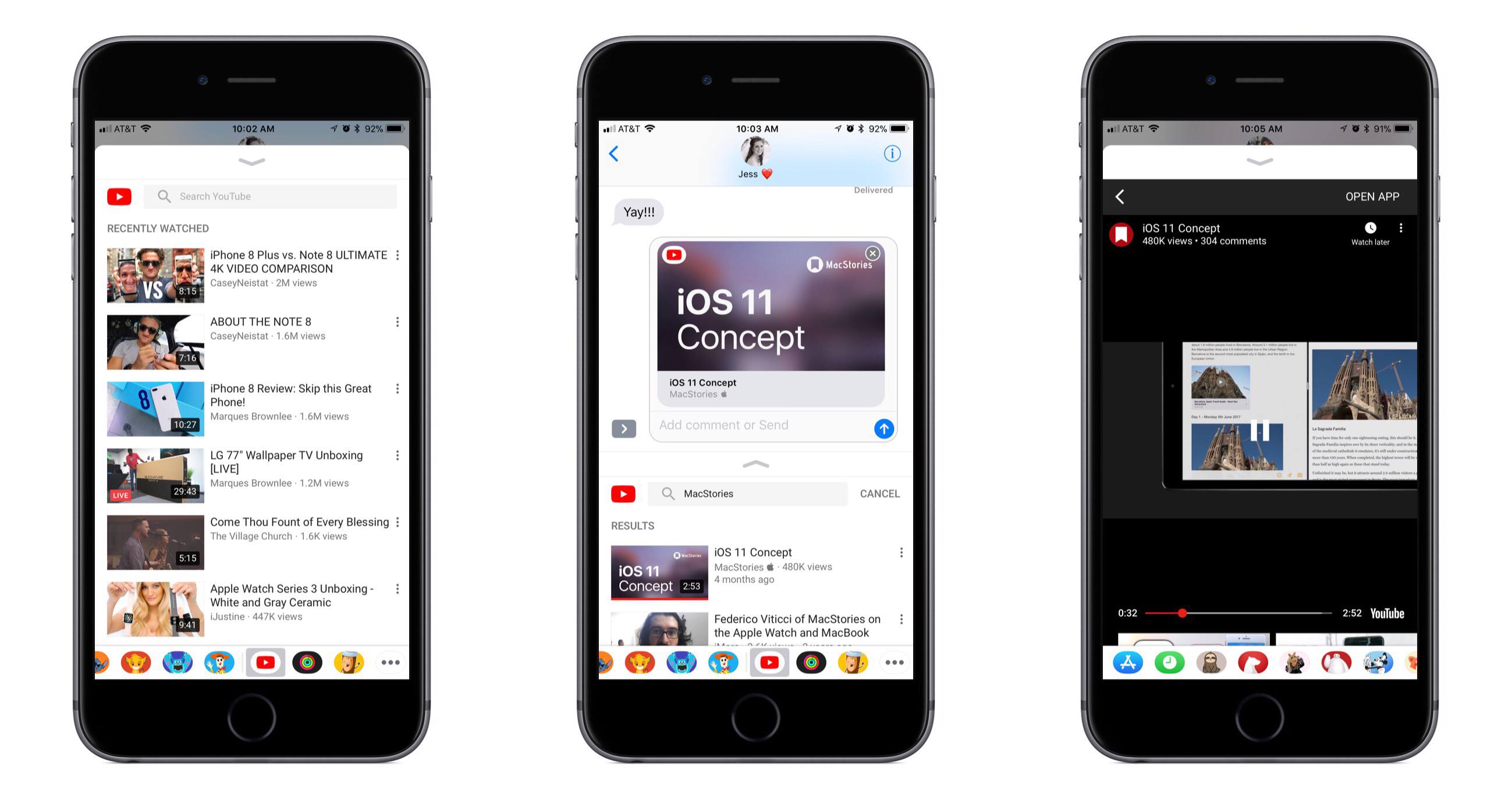
Today YouTube’s iOS app received an update that includes the video service’s first iMessage app. The app only focuses on a single function – sharing videos – but it does well with that one thing, offering a robust sharing experience.

Upon opening the YouTube iMessage app, you’ll see a list of videos you’ve recently watched. This appears to pull videos directly from your full YouTube history, presenting a seemingly endless scrolling list of everything you’ve watched. Often iMessage apps contain a mere fraction of the information found in their parent apps, so I was expecting to only see a small number of recently watched videos listed; the ability to continue scrolling through my full history is a pleasant surprise. Another welcome addition is the inclusion of a search option. At the top of the iMessage app, you can search for any video on YouTube – either by text or by voice. Tapping the search box even reveals a list of your recent YouTube search queries.

When searching for the right video to share, YouTube’s iMessage app lets you view any video in full before sharing – just hit the vertically stacked dots on a video’s right hand side to find a Watch button. Once you’ve chosen a video to share, it will populate as an iMessage card that can be sent to friends, and they’ll be able to watch the video without ever leaving the iMessage conversation.

YouTube is a solid demonstration of a rich iMessage experience. Even though its purpose is limited to sharing videos, it offers access to everything you might want before sharing – your full watch history, a search option with recent search queries listed, and even the ability to watch a video inside iMessage before you send it. iMessage app developers take note: just because your app serves a single purpose doesn’t mean it has to be a bare-bones experience.