

If one of your Apple Watch apps ever gets stuck and you need to force quit it, the process to do that is simple, but unintuitive. Once the app is open, press and hold the Watch’s side button until the screen with shutdown options appears, then release the button and immediately press and hold...
Apple Highlights U.S. Job Creation on Website→

Apple has updated its website with a page focusing on U.S. job creation. Perhaps the most significant number listed is the claim that Apple has created over 2,000,000 U.S. jobs when counting its corporate employees, suppliers, and work supported by the App Store ecosystem.
Much of the information given on the site is extremely detailed, such as the state-by-state breakdown that includes the following data for each of the 50 states:
- How many Apple employees work there;
- How many App Store-related jobs are funded there (as seen in the image above);
- The number of retail stores there;
- The number of suppliers based there; and
- A highlighting of App Store apps that were created there.
The data is fascinating and extensive, and worth checking out. Some of the interesting tidbits I learned about my home state of Texas are that it contains the second largest base of Apple corporate employees in the world, and that the indie game Reigns was developed here.
Email Service Newton Launches Amazon Alexa Support→

Newton, the email client for power users, today launched Amazon Echo integration with an Alexa skill. The skill enables email management with nothing but your voice; in addition to having Alexa read emails to you, you can perform the following list of actions by voice:
- Snooze
- Mark as read
- Delete
- Archive
- Mark as spam
Replying to or composing new emails is not possible with Alexa, but personally, I don’t think I would trust a voice assistant to write my emails anyways – at least not until the technology grows more foolproof. The option to perform simple actions by voice, like archiving or snoozing messages, is much more appealing.
Newton’s expansion to Alexa-equipped devices follows the introduction of a Windows version of the client in beta form earlier this week. As a daily Newton user, I wrote about the iOS and macOS versions last Friday for Club MacStories members, and look forward to seeing the service continue to grow and improve.
Apple Watch Support Removed from Major Apps→
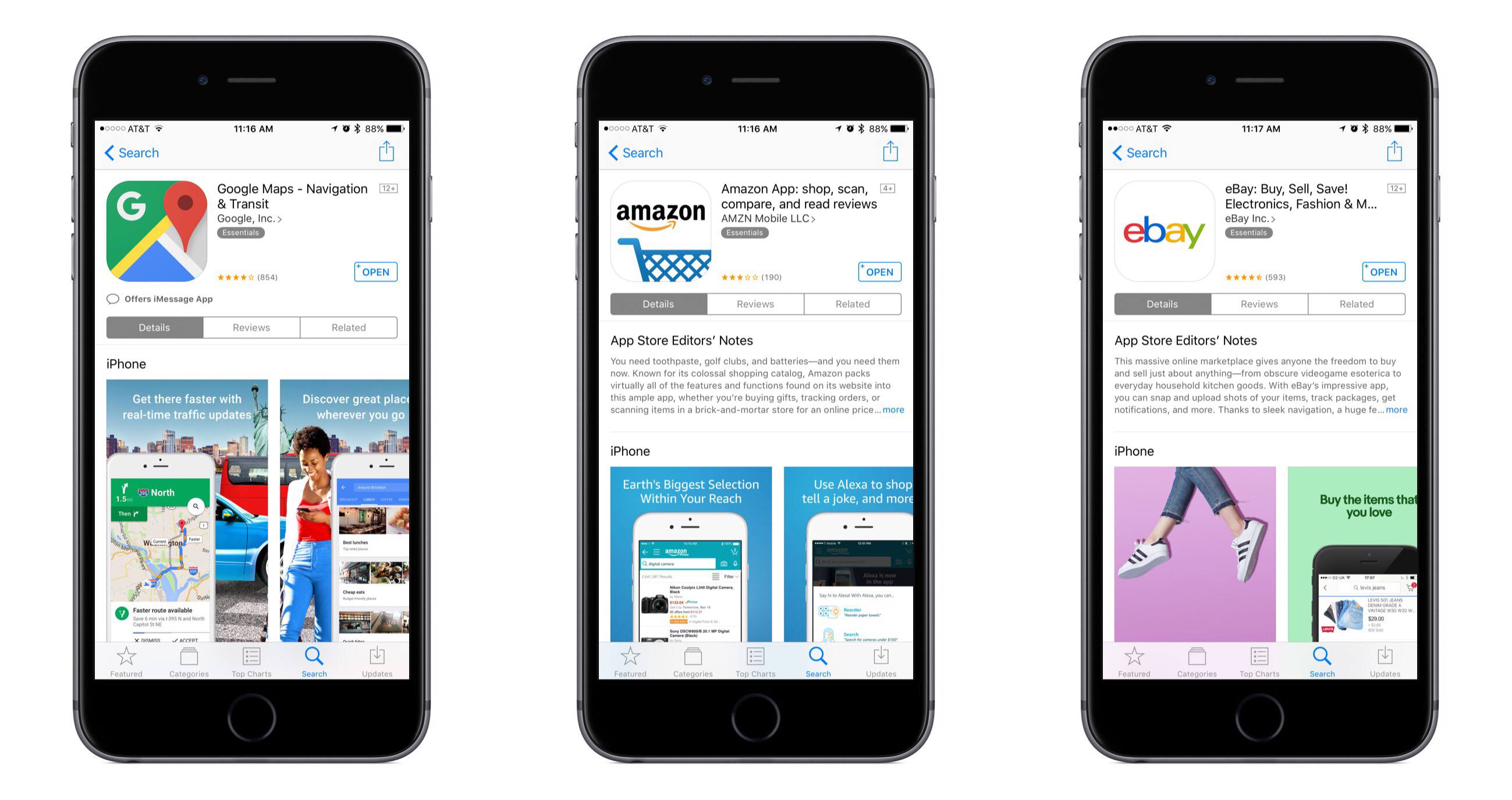
Neil Hughes of AppleInsider reports that major apps like Google Maps, Amazon, and eBay have all quietly removed support for the Apple Watch.
Google released a comment on the story stating their intention to reinstate Watch support in the future.
While apps like Amazon and eBay may not be well-suited for the Apple Watch to begin with, the bigger story here is how long it took for anyone to notice that the Watch apps were removed. Hughes writes:
The fact that these high-profile removals have gone largely unnoticed could be a sign that the apps simply were not widely used. In contrast, removing iPad support from an iOS app, for example, would likely be noticed immediately and generate headlines.
The Apple Watch has proven to be a challenging platform for developers to find success on. Initially that could be attributed to slow hardware and limited developer tools, but Apple has made significant improvements with watchOS 3 and its 2nd-generation hardware. Perhaps part of the challenge is that not every app belongs on the Apple Watch, and for the ones that do, the implementation has to be just right.
 Battling ‘Inbox Zero’ Tendencies on Twitter
I fight each day to maintain inbox zero with my email, a battle I win more often than lose. I like to keep things organized and manageable, and shudder at the prospect of living like those poor souls who have tons of emails in their inbox all the time. Getting to zero each day...
Newton

Newton is an email client for iOS, macOS, and watchOS that combines power user features with a clean, attractive interface. Formerly known as CloudMagic, Newton rebranded last September as part of its shift toward providing a subscription service that offers powerful email tools. The company’s new tagline embodies this focus well, reading: “Supercharge your...
Latest iWork Updates Bring Back Previously-Removed Numbers Features
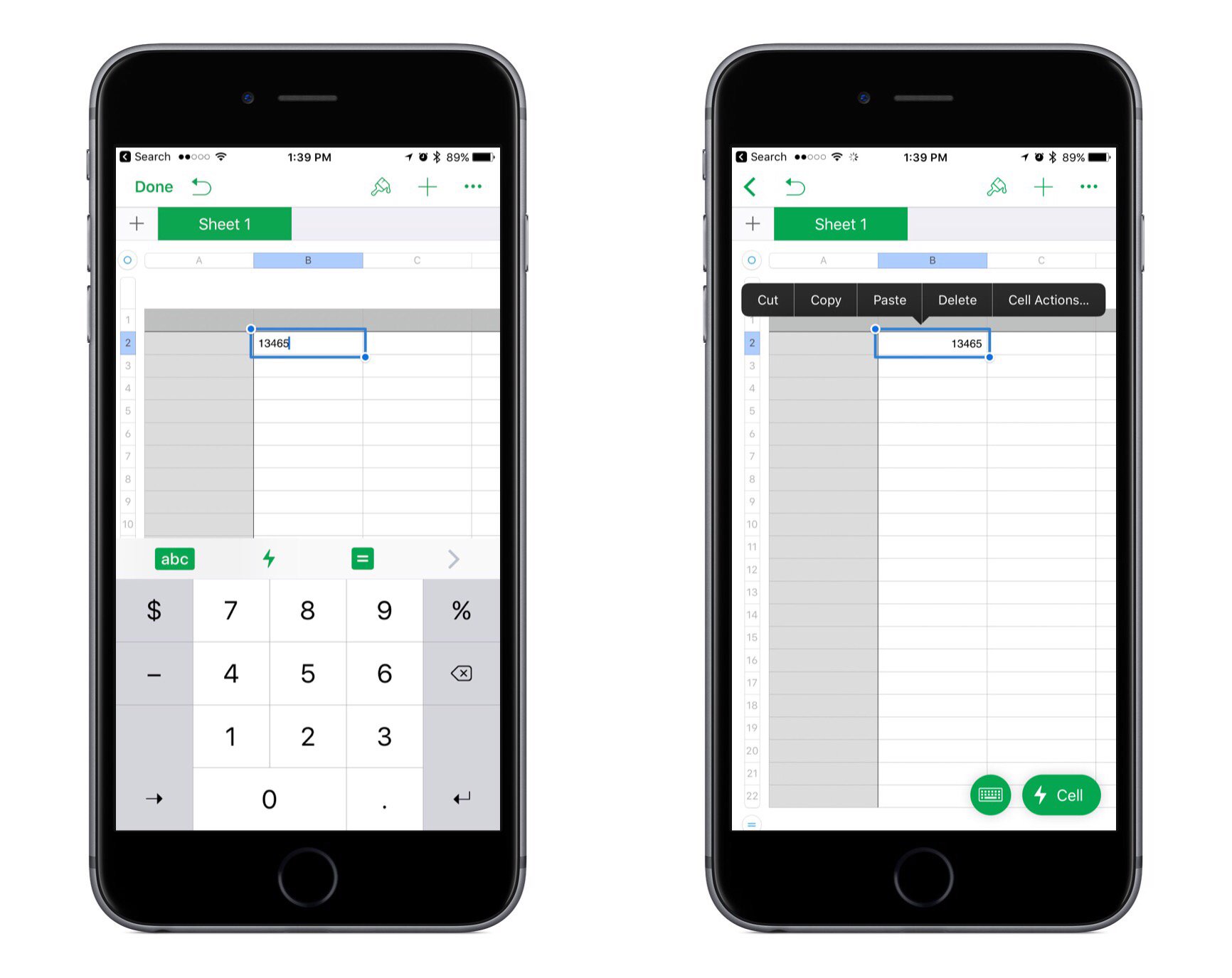
Apple released updates to its iWork suite across iOS and macOS today. The changes largely consist of bug fixes and stability improvements, but a couple of notable improvements were made to Numbers.
In the last big update for Numbers, a new cell action menu was added to handle common tasks like copying/pasting, adding formulas, and more. But with the arrival of this cell menu, a couple subtractions were also made: the numeric keyboard on iPad was removed, along with the copy/paste menu that would appear when you selected a cell. Federico covered the details of those changes in his recent iPad Diaries story on Numbers. But with today’s update, both of those items have now been restored to the app.
In the past when Apple has removed features from an app, those features often would never come back, or if they did it took a while. I’m thankful that Numbers users don’t have to wait any longer to work in the app the way they’re used to.
Hidden Tools in Apple’s Clips
Amidst the plethora of editing options in Apple’s new Clips app, there are a couple of hidden tricks. First, when recording a clip, you don’t have to continually hold the red button to keep recording. After pressing and holding to start a recording, you can slide your finger to the left to engage a...