Federico is the founder and Editor-in-Chief of MacStories, where he writes about Apple with a focus on apps, developers, iPad, and iOS productivity. He founded MacStories in April 2009 and has been writing about Apple since. Federico is also the co-host of AppStories, a weekly podcast exploring the world of apps, Unwind, a fun exploration of media and more, and NPC: Next Portable Console, a show about portable gaming and the handheld revolution.
This week, in what has become an annual tradition, Federico and John talk about how they’ve set up their Apple Watches, including the complications they use, the third-party apps on which they rely, and what’s in their Watch docks.
Conversational shortcuts make Siri a programmable assistant, and Federico details how that works. Then Ryan commends Federico with a (symbolic) trophy for his creation of a Mac-like desktop environment on the iPad, complete with file and folder launchers.
You can listen below (and find the show notes here), and don’t forget to send us questions using #AskAdapt and by tagging our Twitter account.
Federico and Myke break down the new features of iOS 13.2 and watchOS 6.1, before giving their first impressions on the AirPods Pro.
You can listen below (and find the show notes here).
0:00 01:25:54
Connected, Episode 267
AppStories+ Deeper into the world of apps
Sponsored by:
ExpressVPN: High-Speed, Secure & Anonymous VPN Service. Get 3 months free with a 1-year package.
Pingdom: Start monitoring your website performance and availability today, and get instant alerts when an outage occurs or a site transaction fails. Use offer code CONNECTED to get 30% off.
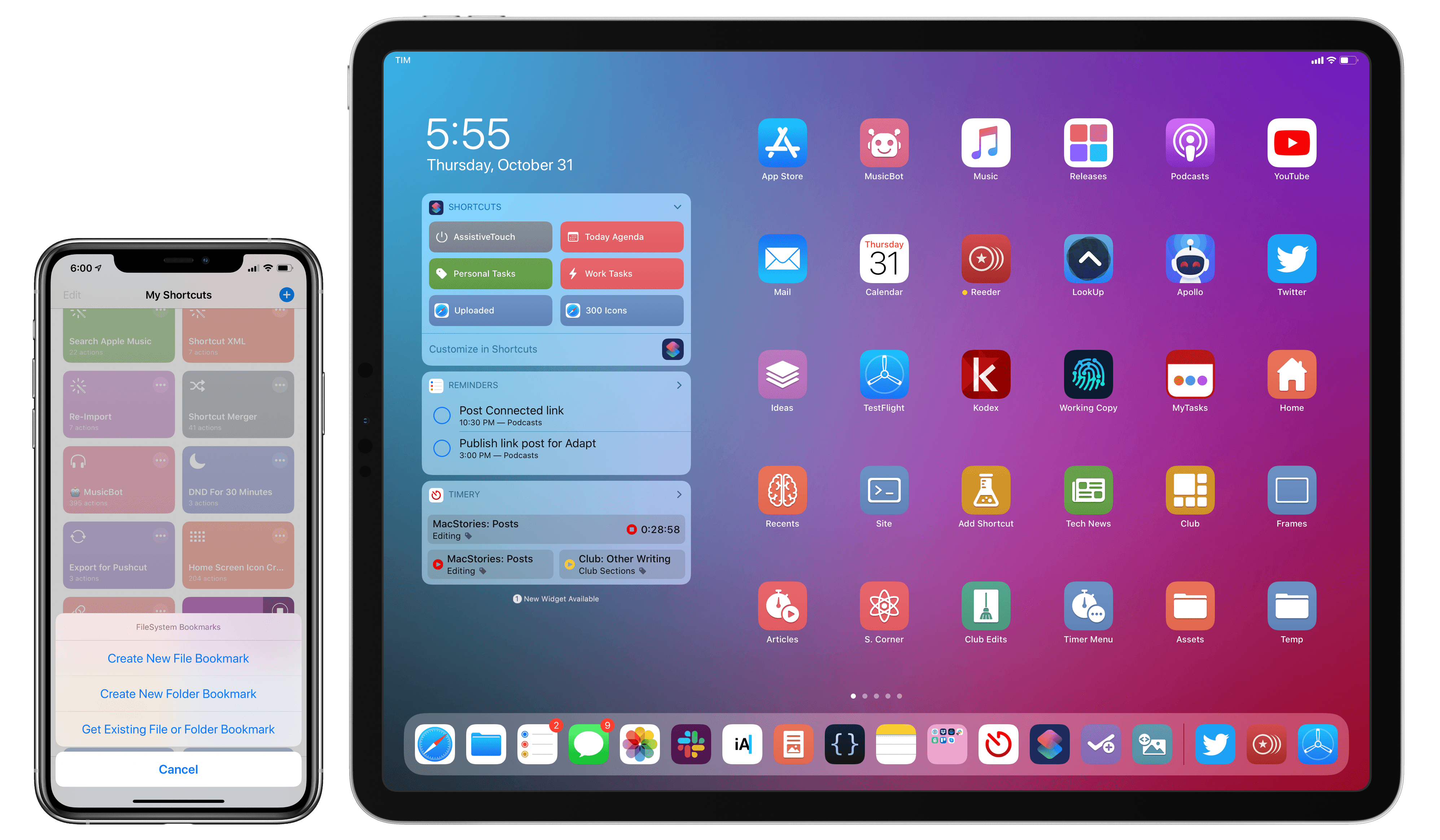
A couple weeks ago on our iPad-focused podcast Adapt, Ryan challenged me to figure out a way to turn the iPad’s Home screen into a desktop-like environment with icons to reopen files and folders directly in the Files app. At first, I thought it couldn’t be done: unlike the Mac’s Finder, Files doesn’t let you create aliases to folders or place files on the Home screen; the Shortcuts app can create Home screen icons, but it doesn’t have access to documents located outside Shortcuts’ iCloud Drive container.
As I detailed on Adapt yesterday, I’m happy to introduce FS Bookmarks, a shortcut that lets you create direct launchers for files and folders stored in the Files app. FS Bookmarks is a hybrid Shortcuts-Scriptable tool that takes advantage of a native Files API (which I will call “bookmarks”) to expose the filesystem path of any file or folder stored in the Files app.
With the launchers created via FS Bookmarks, you’ll be able to reopen any document in the Files app (in Quick Look preview mode) or navigate to any folder you want to quickly access. Best of all, you don’t need to know or even see Scriptable’s JavaScript code at all: FS Bookmarks takes care of installing the necessary scripts for you; you just need to pick the files and folders you want to create launchers for, and that’s it. FS Bookmarks was designed to abstract the complexity involved with retrieving the filesystem paths used by the Files app.
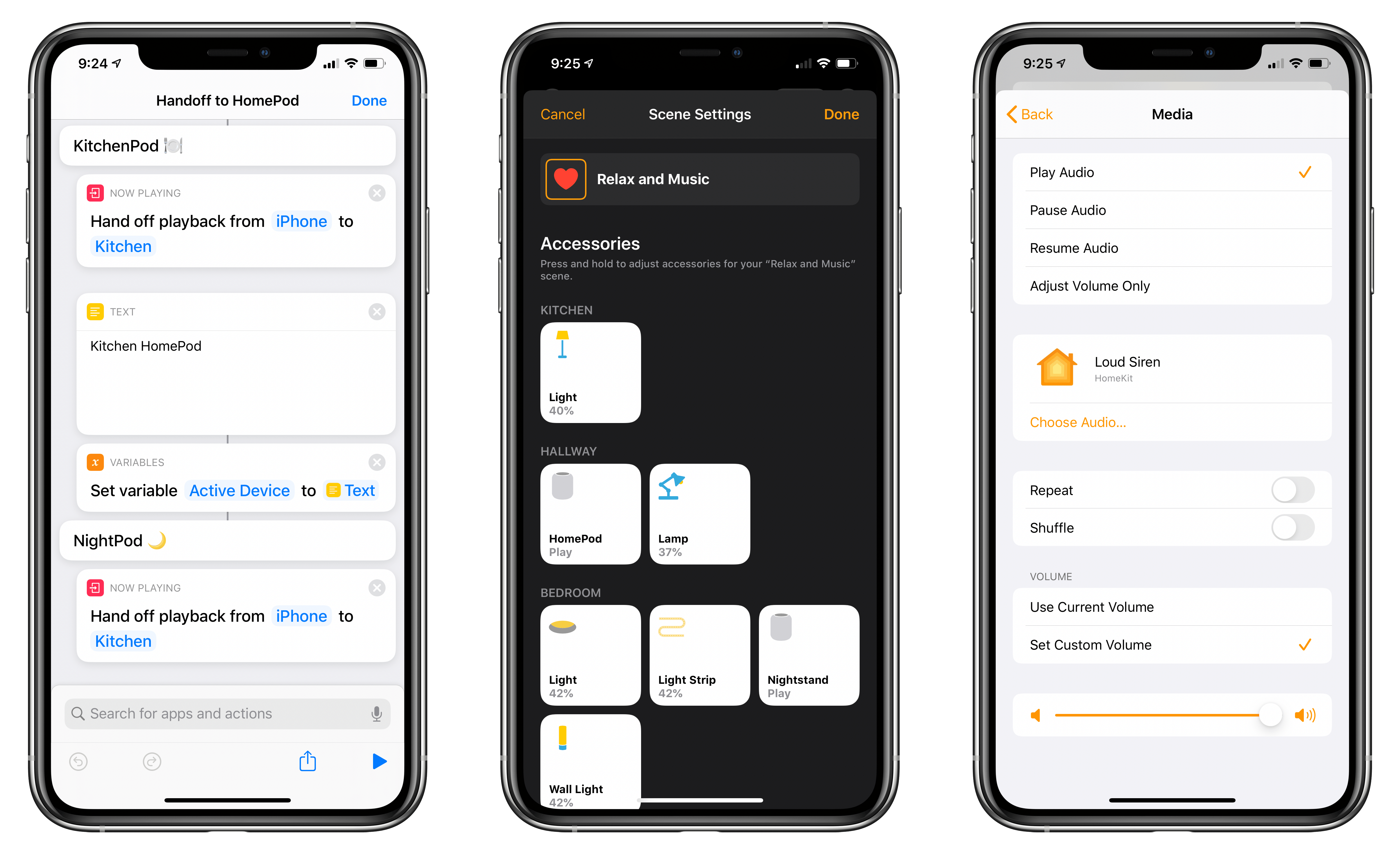
Following the announcement of AirPods Pro earlier today, Apple also released iOS, iPadOS, audioOS, and tvOS 13.2. Among various features (which we’ve detailed in a separate story here), one of the key improvements in this suite of software updates is extended flexibility of the HomePod’s music playback abilities.
In fact, by updating to the latest version of Apple’s software, you’ll gain a variety of new audio-related functionalities for HomePod, ranging from the ability to wave an iPhone atop the speaker to hand off audio to brand new integrations with the Shortcuts app as well as HomeKit scenes and automations. In this post, I’m going to go over all the different ways you can control audio playback on Apple’s Siri-integrated speaker, explain new shortcuts that can be built with these features, and share some first impressions based on my initial tests with today’s changes. We’re going to cover HomePod’s other new functionalities such as multi-user support and ambient sounds later this week. Let’s dive in.
This week, Federico and John talk about GameClub, the classic iOS game service that launched last week, and some of the shortcuts they’ve been working on lately.
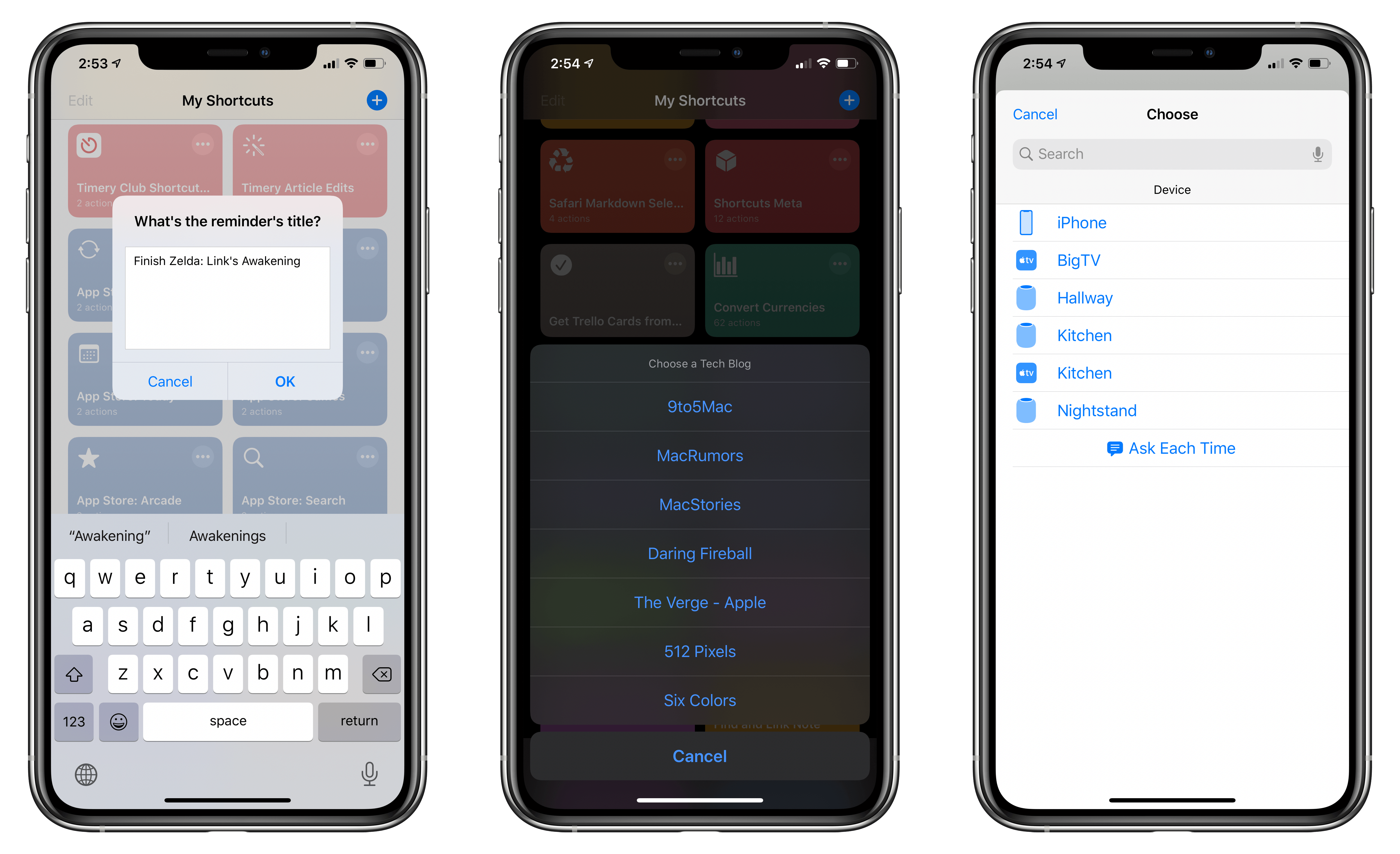
In this week’s installment of the Shortcuts Corner, I share a custom Reminders-specific shortcut I’ve built to customize and enhance my daily experience with Apple’s task manager. Furthermore, I share a simple shortcut to quickly resume audio playback of any HomePod around the house and detail a new version of an old shortcut, which I’ve updated for iOS 13, made more flexible, and integrated with the rest of the system. Let’s dig in.




 John
John