Federico Viticci

10804 posts on MacStories since April 2009

Federico is the founder and Editor-in-Chief of MacStories, where he writes about Apple with a focus on apps, developers, iPad, and iOS productivity. He founded MacStories in April 2009 and has been writing about Apple since. Federico is also the co-host of AppStories, a weekly podcast exploring the world of apps, Unwind, a fun exploration of media and more, and NPC: Next Portable Console, a show about portable gaming and the handheld revolution.

A Comprehensive Guide to All 120+ Settings URLs Supported by iOS and iPadOS 13.1

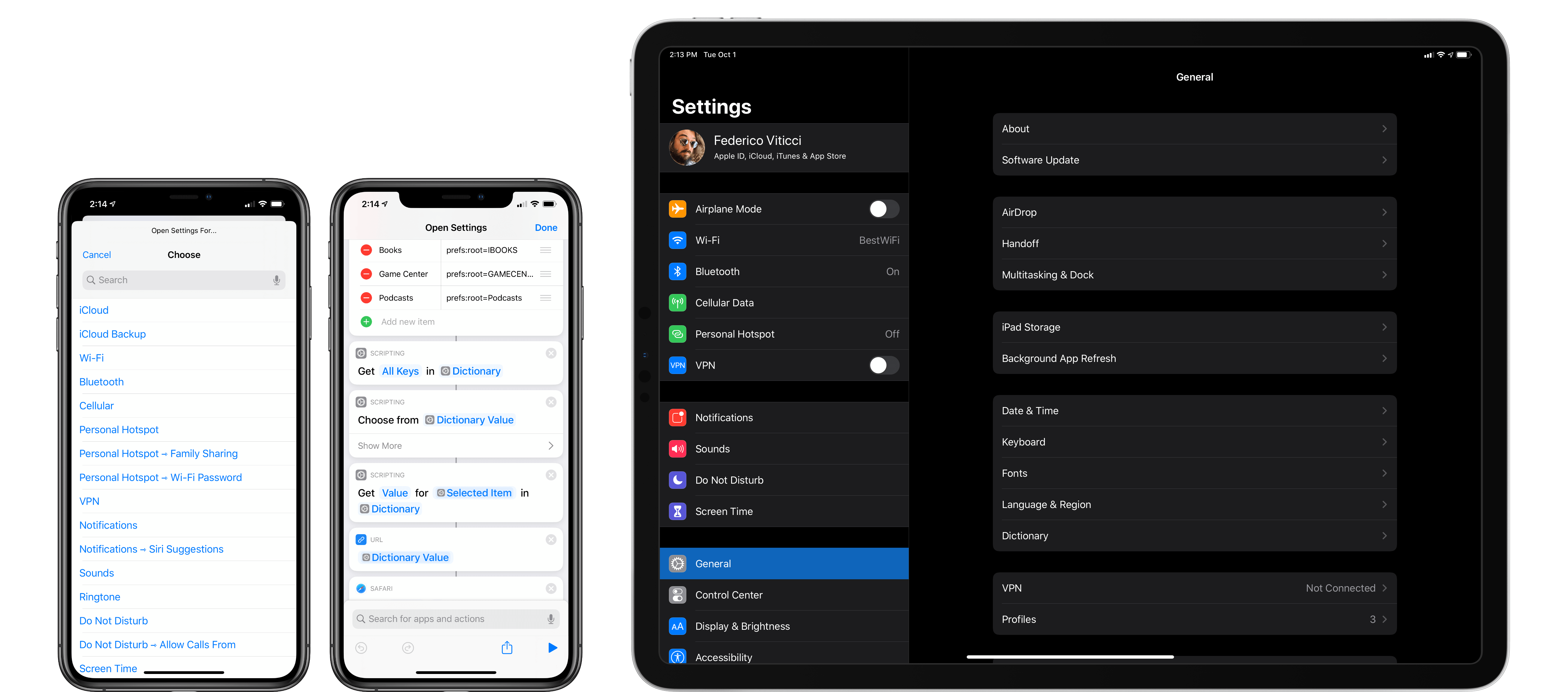
A few weeks ago, I came across a post on Reddit claiming that Apple had restored the ability to launch specific sections of the Settings app via Shortcuts in iOS and iPadOS 13.1. I was inspired by that discovery to finish working on a project I had long been putting off: documenting all the URLs supported by the Settings app in iOS and iPadOS.

After some a lot of trial and error, I’ve collected 120+ URLs that can open individual pages and sub-sections of the Settings app. In this post, I’m going to share the complete list of URLs that are supported as of iOS and iPadOS 13.1 (specifically, iOS 13.1.2), as well as a custom shortcut to launch them.

Read more


Apple Arcade: The Launch and Favorite Games

AppStories+ Deeper into the world of apps

AppStories Episode 132 - Apple Arcade: The Launch and Favorite Games

0:00
46:50

AppStories+ Deeper into the world of apps

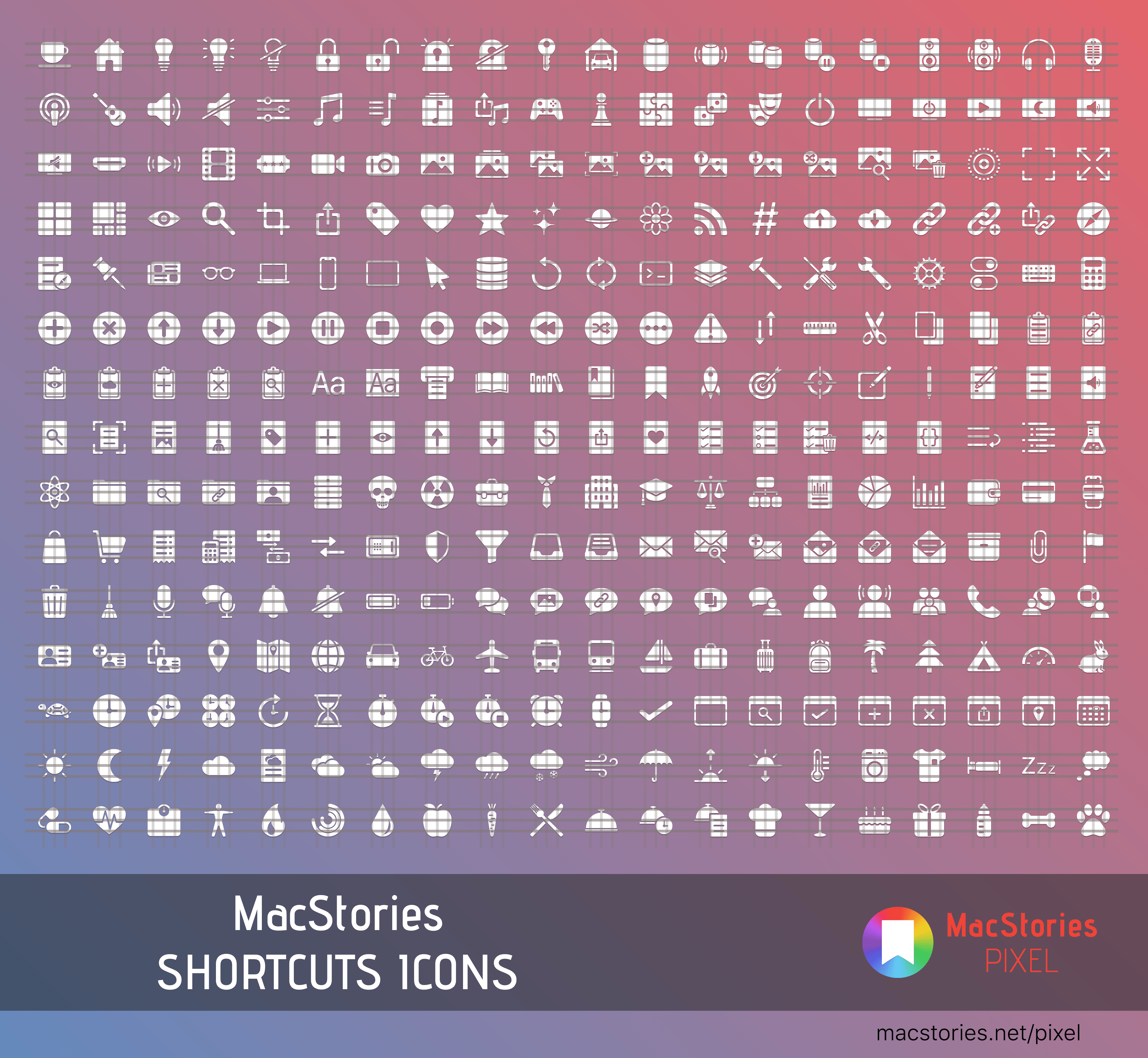
This week, Federico and John cover the all-new MacStories Shortcuts Icons, a set of 300 custom icons for shortcuts that you can add to your Home screen and then revisit Apple Arcade in the wake of its public launch discussing some of their favorite games so far.

Read more


Shortcuts Corner: Search YouTube, Preview Folder Contents, and Play Recent Music Albums

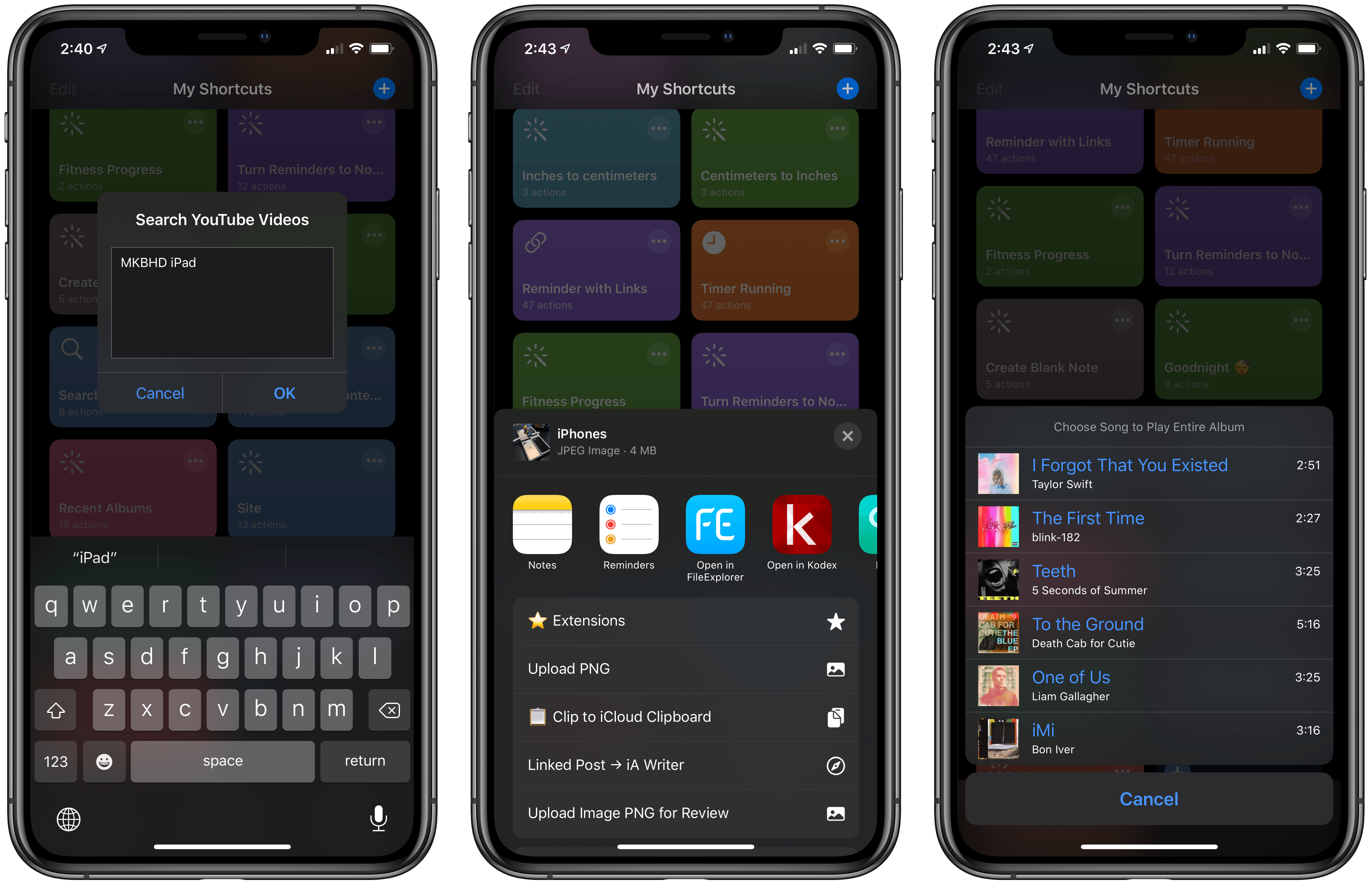
As I explained in today’s issue of MacStories Weekly for Club MacStories members, we’re bringing the newsletter’s Shortcuts Corner section to the site, with a twist: in this series, you’ll find simpler shortcuts that you can download for free, and which will be added to the public MacStories Shortcuts Archive; you’ll also get a preview of an exclusive shortcut available today for Club MacStories members.

In this week’s Shortcuts Corner, I share shortcuts to quickly launch a search query in the YouTube app, preview the contents of a folder in iCloud Drive, and start playback for one of your recently played albums in the Music app. Let’s dive in.

Read more


Connected, Episode 262: The Ghost of Bilateral Charging

On this week’s episode of Connected:

There’s a lot going on: new iPhones, the new Apple Watch, iOS 13.1, Shortcuts updates and more. That’s not to mention the Galaxy Fold, iCloud woes and whatever Amazon has announced.

You can listen below (and find the show notes here).

AppStories+ Deeper into the world of apps
0:00
01:44:47

Connected, Episode 262

AppStories+ Deeper into the world of apps

Sponsored by:

  • Pingdom: Start monitoring your website performance and availability today, and get instant alerts when an outage occurs or a site transaction fails. Use offer code CONNECTED to get 30% off.
  • TextExpander, from Smile: Unlock your productivity with TextExpander. Get 20% off with your first year.
  • Freshbooks: Online invoicing made easy.
Permalink

Introducing MacStories Shortcuts Icons: 300 Custom Home Screen Icons for Your Shortcuts

Update: October 18, 2019: MacStories Shortcuts Icons has received its first free update, which adds 50 new icons to the set. You can read more here.

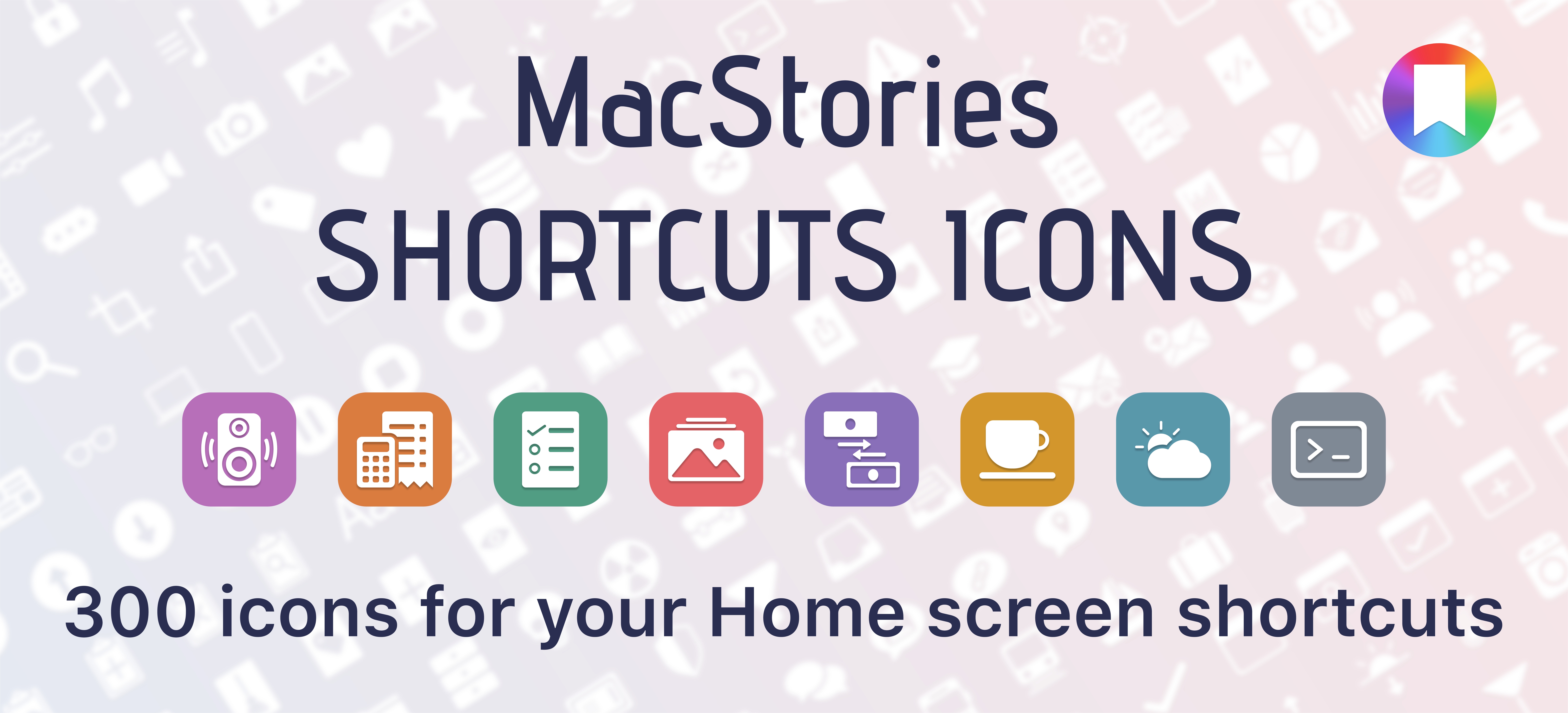
I’m thrilled to announce MacStories Shortcuts Icons, a set of 300 custom icons for shortcuts added to your Home screen, designed by the MacStories team.

Here’s the short version of this story: the set contains 300 Home screen icons, it has been specifically designed with Shortcuts users in mind, and it works on both iPhone and iPad. It’s available today at $14.99 and you can buy it here.

If you’re a Club MacStories member, check your member area for a discount code first: for you, the set is 33% off, so you can purchase it at $9.99.

All sales are final. You can read our license and terms of use here.

You can find a complete preview of MacStories Shortcuts Icons’ 300 glyphs here..

With these icons, you’ll have more options than what is provided by default in the Shortcuts app for Home screen icons. There are no workarounds, no hacks: our icons can be installed using a native feature of Shortcuts supported in the just-released iOS and iPadOS 13.1.

And here’s the best part: MacStories Shortcuts Icons will keep the original colors of your shortcuts, so you’ll be able to create Home screen shortcuts that are consistent with the app, yet unique and personal. MacStories Shortcuts Icons is the first Shortcuts-specific icon set to support this.

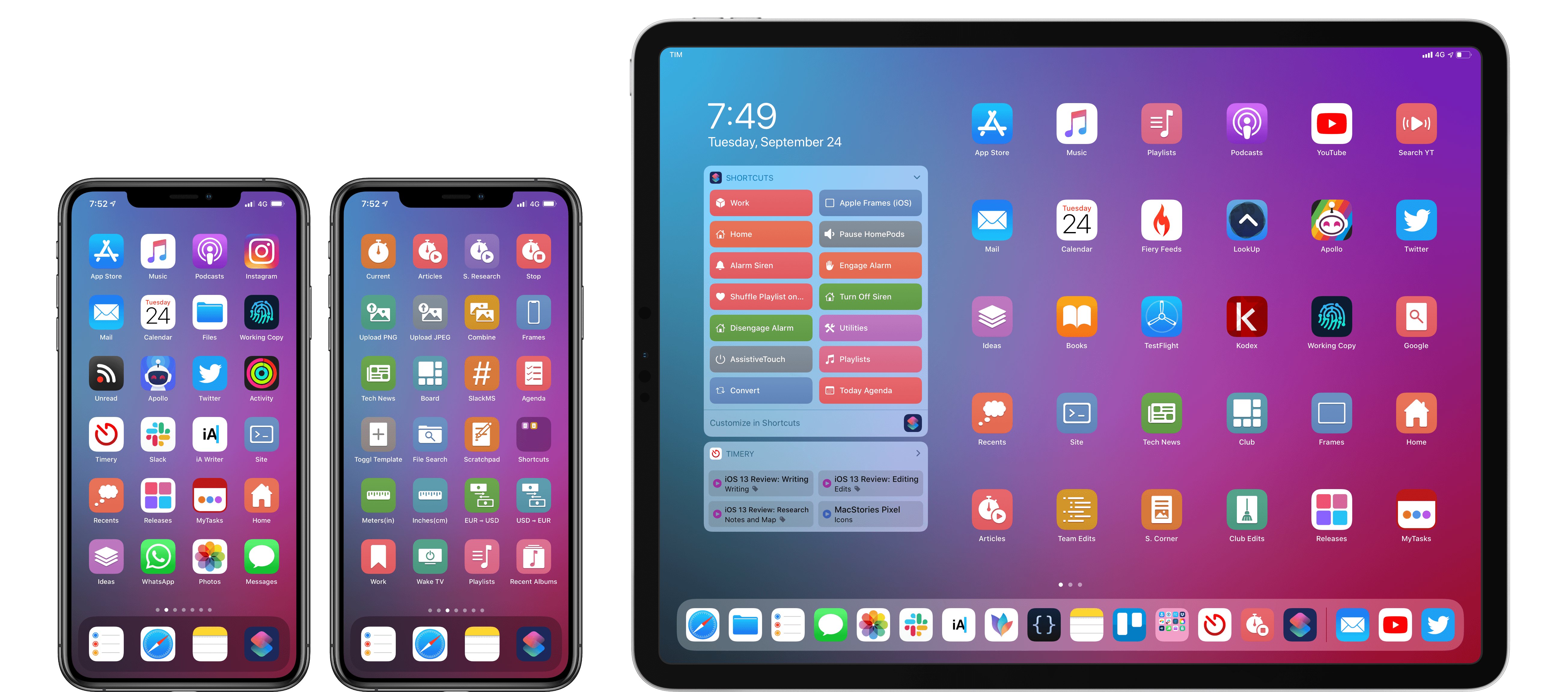
Here are actual examples of my iPhone and iPad Home screens, which I updated using MacStories Shortcuts Icons:

Mixing and matching apps with MacStories Shortcuts Icons on my Home screens.

Mixing and matching apps with MacStories Shortcuts Icons on my Home screens.

We’ve teamed up with our designer Silvia Gatta for this set, which is the first product we’re launching under the new MacStories Pixel brand.

We spent months crafting MacStories Shortcuts Icons with attention and care for the Shortcuts community, and I’d love for you to check it out.

Now, let me share a few more details on how MacStories Shortcuts Icons came to be.

Read more


Adapt, Episode 9: Shortcuts – What’s New in iOS 13

On last week’s episode of Adapt:

On iOS 13 release day, Federico and Ryan kick off a series covering everything new in the updated Shortcuts app. Afterward, Ryan outlines his efforts creating an image for MacStories sans-shortcuts.

You can listen below (and find the show notes here), and don’t forget to send us questions using #AskAdapt and by tagging our Twitter account.

AppStories+ Deeper into the world of apps
0:00
58:57

Adapt, Episode 9

AppStories+ Deeper into the world of apps

Permalink

Shortcuts and Third-Party Apps

AppStories+ Deeper into the world of apps

AppStories Episode 131 - Shortcuts and Third-Party Apps

0:00
43:54

AppStories+ Deeper into the world of apps

There are major changes to Shortcuts in iOS and iPadOS 13 and coming on September 24th with iOS and iPadOS 13.1. Federico and John explore what the changes mean to third-party apps, who’s using them, and what it means to users.

Read more