Federico Viticci

10804 posts on MacStories since April 2009

Federico is the founder and Editor-in-Chief of MacStories, where he writes about Apple with a focus on apps, developers, iPad, and iOS productivity. He founded MacStories in April 2009 and has been writing about Apple since. Federico is also the co-host of AppStories, a weekly podcast exploring the world of apps, Unwind, a fun exploration of media and more, and NPC: Next Portable Console, a show about portable gaming and the handheld revolution.

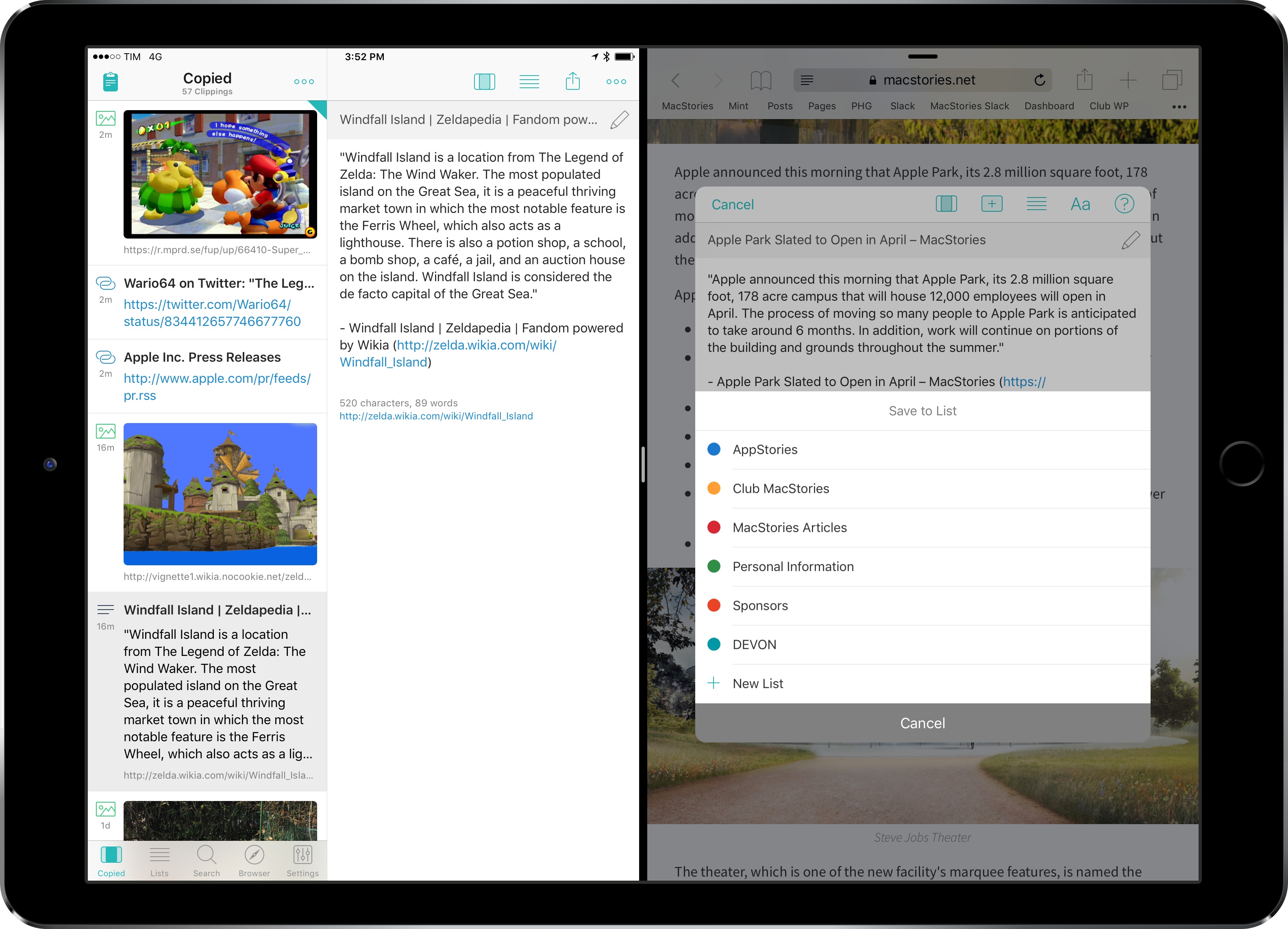
iPad Diaries: Clipboard Management with Copied and Workflow

One of the common challenges involving a switch from macOS to an iPad is the lack of desktop-like clipboard managers on iOS.

By nature of the platform1 and technical restrictions imposed by Apple, apps like Pastebot or Alfred wouldn’t be able to adapt their Mac capabilities to the iPad. Third-party iOS apps can’t constantly monitor changes to the system clipboard in the background; similarly, it isn’t possible for an iPad app to register as the handler of a keyboard shortcut at a system-wide level. An app would have to at least be currently in use via Split View to listen for clipboard changes, but, even in that case, it would have to be active to receive external keyboard commands.

With these limitations, it’s no surprise that clipboard managers aren’t a flourishing category on the iPad App Store. However, once we accept the intrinsic differences between the Mac and iPad and if we look at the problem from a different perspective, there’s plenty we can do – either with apps or automation – to go beyond Apple’s modest clipboard offerings on iOS.

After years of testing iPad clipboard managers and automation/scripting strategies, this is what I’ve come up with.
Read more


Connected, Episode 130: San Frosé

This week, Stephen and Myke talk about the whirlwind of iPhone rumors and where they keep their data before Myke is joined by a special guest.

I couldn’t join Myke and Stephen on Connected this week, but I enjoyed listening to iPhone rumors and the very special guest in the second half of the show. You can listen here.

Sponsored by:

Permalink

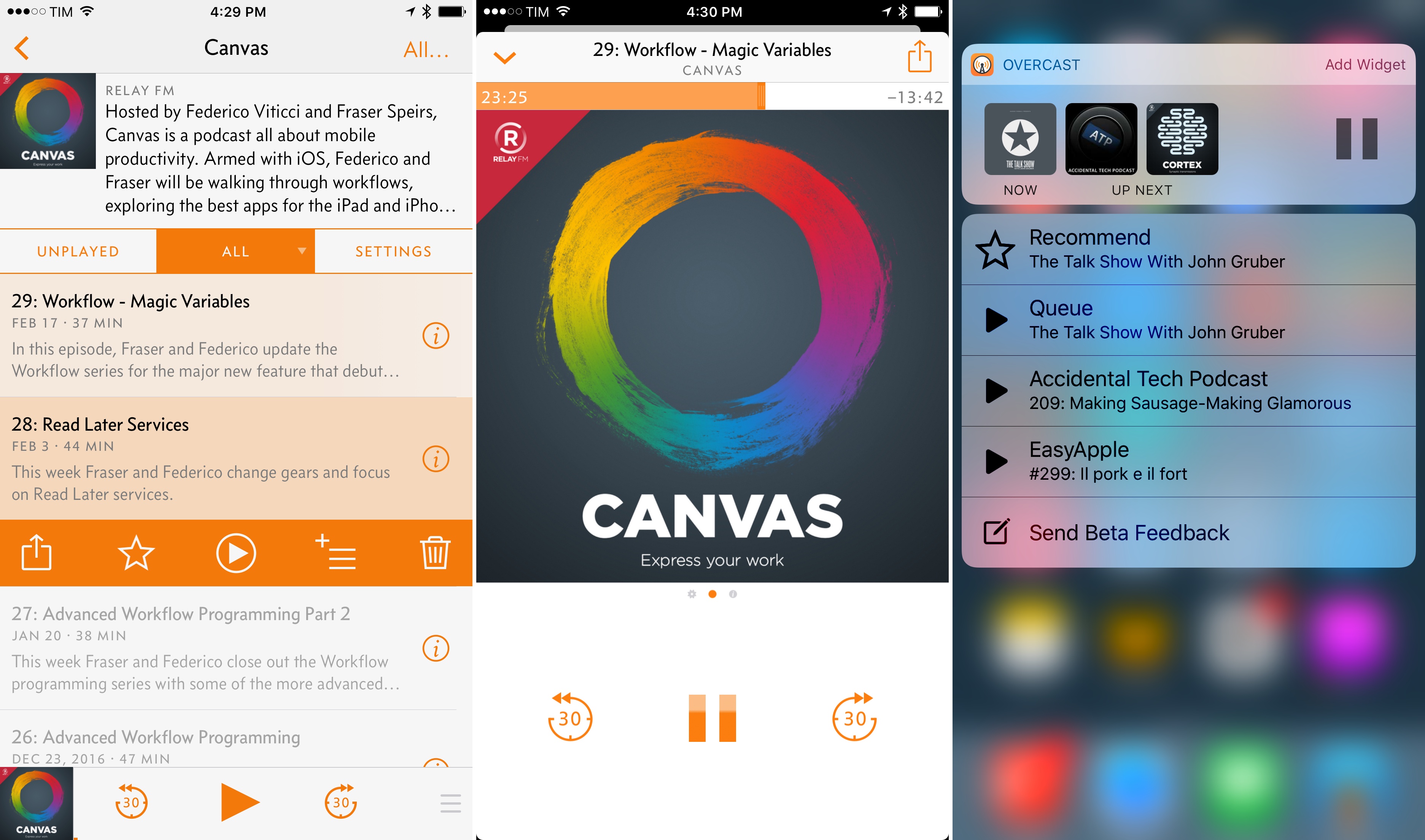
Overcast 3.0: iOS 10 Features, UI Changes, Easy Queuing, and an Interview with Marco Arment

Overcast, Marco Arment’s popular podcast app for iOS, is defined by an interesting dualism: its essence has remained remarkably consistent with the original version released three years ago; at the same time, Arment has periodically revisited Overcast’s design, features, and business model to build a superior listening environment for a larger audience.

The same judicious iteration permeates Overcast 3.0, launching today on the App Store. With improvements to episode management, visual changes aimed at modernizing the interface, and an evolution of the existing subscription-based model, Overcast 3.0 is another thoughtful combination of new ideas and old tropes, which converge in a refreshed yet instinctively familiar listening experience.

Read more


iOS 10.3 Beta Adds ‘App Compatibility’ Screen Listing Old 32-Bit Apps

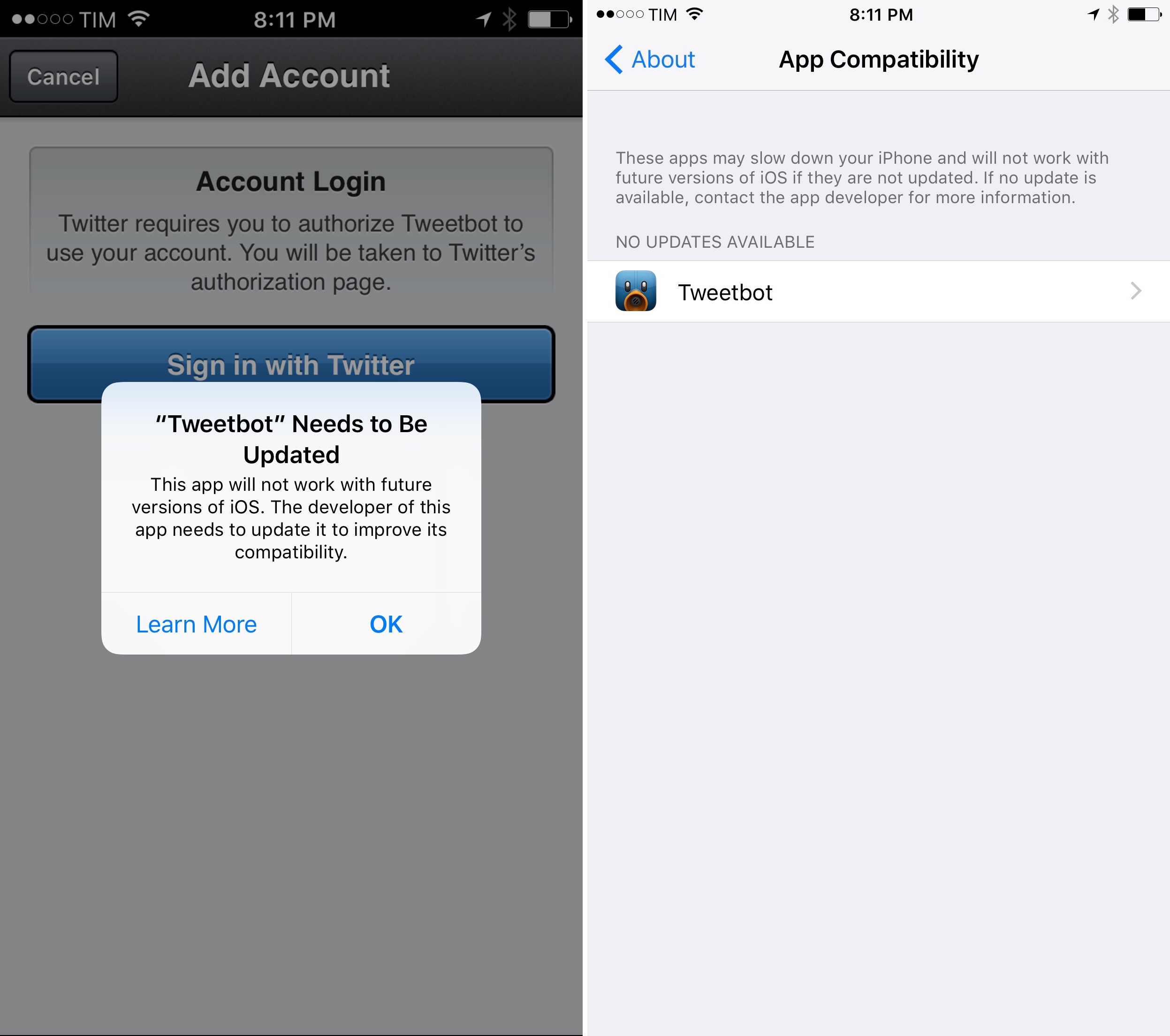
In addition to a new warning displayed upon launching an old 32-bit app for the first time, it appears that iOS 10.3 will also include a Settings page listing legacy apps that “will not work with future versions of iOS”.

Juli Clover, writing for MacRumors on the latest iOS 10.3 beta released earlier today:

In the Settings app, there’s a new “App Compatibility” section that lists apps that may not work with a future version of iOS. Tapping on one of the apps opens it up in the App Store so you can see when it was last updated. As has been discovered in previous betas, opening one of these apps on your iOS device pops up a warning with a similar non-compatible statement. App Compatibility can be accessed by opening the Settings app and choosing General –> About. From there, scroll down to “Applications” and tap it.

It’s not clear whether these warnings will make it into the final release of iOS 10.3, but they’re a strong sign that developers should prepare for stricter 64-bit requirements in iOS 11.

Permalink

Life’s Too Short to Waste It on “Busy Work”. Get More Done with Daylite [Sponsor]

This week, MacStories is sponsored by Marketcircle, makers of Daylite.

Daylite was designed as a business productivity app, but it’s called many things by customers around the globe that use it.

For some businesses, Daylite is their CRM or customer service tool that helps them keep in touch with clients and remember every detail about their customers. For others, Daylite is their Project Management app that helps them track projects and share tasks within their team. Daylite has even been called a “5th sales person” and a “virtual assistant” because it helps businesses do everything short of making their coffee.

If you’re in a design studio, legal practice, real estate firm, or other small business and need a better way to manage your clients and day-to-day chaos, give Daylite a try. It will help you streamline your business and get more done.

Try Daylite for free for 30 days starting today.

Our thanks to Marketcircle for sponsoring MacStories this week.


The State of iBooks in Early 2017

Michael E. Cohen, writing for TidBITS:

iBooks is not quite as unreliable and confusing as it was when I wrote about it last year, but neither has it improved nearly as much as loyal iBooks users deserve. Moreover, what little support documentation Apple provides is sketchy and inaccurate, leaving the impression that even the support and documentation departments within Apple are ignoring iBooks.

Cohen’s library may be an edge case with over 700 titles, but the problems he mentions are basic usability issues that should get fixed.

Permalink

Omni Group Automation

New website dedicated to The Omni Group’s upcoming automation features in their apps, created by Sal Soghoian:

By default, all of the macOS versions of the Omni applications offer robust integrated AppleScript and JavaScript (JXA) support for Apple Events scripting on the Mac. These excellent automation tools will continued to be integrated into every macOS version of Omni software.

And in addition, the Omni Group now offers integrated cross-platform JavaScript support for both the iOS and macOS versions of their popular productivity applications. Finally, the power of automation is available regardless of whether you use Omni tools on mobile devices, laptops, or desktops.

As for the technology itself:

OmniJS, the name for Omni’s new version of the JavaScript language, is based on JavaScript Core, the foundation of the JavaScript implementation in WebKit. Using OmniJS, the Omni Group suite of applications will be able to be queried and controlled on both iOS and macOS in ways similar to how they are automated today using the traditional macOS Apple Event-based scripts.

What’s most impressive is that The Omni Group is bringing all of these automation features to iOS as well – it’s not limited to the Mac. Watch the OmniGraffle videos recorded by Sal to get an idea of the functionality automation will unlock. I’m genuinely excited about all this.

Permalink

Canvas, Episode 29: Workflow – Magic Variables

In this episode, Fraser and Federico update the Workflow series for the major new feature that debuted in Workflow 1.7 - Magic Variables.

On the latest episode of Canvas, we decided to release an extra show for our Workflow series all about Magic Variables and why they’re a fundamental change to the app. You can listen here.

If you haven’t listened to the previous episodes of the Workflow series yet, now’s a great time to catch up.

Sponsored by:

Permalink