App Debuts
...

 App Debuts
 Ken Case, writing on The Omni Group’s blog, has announced a notable change for the company’s download model on the App Store:
The underlying problem, as noted above, is that downloading the app has a fixed cost. We’ve always set that cost to be the standard price of our app, leaving us no way to charge less. But what if we take a fresh look at this problem, and make our downloads free? You know, like every iPhone app in the Top Grossing List has already done? It’s not that they don’t sell anything—or they wouldn’t be on that list. They just don’t sell the original download. (Which we’ve never done on our own store either.)
With the original download free, we can implement any pricing options we want to offer customers through In-App Purchases. We can offer our standard unlocks of Standard and Pro, of course. But we can also offer a free 2-week trial which unlocks all of the features of Pro and Standard, letting you freely choose between them. We can offer a discounted upgrade to the new Standard. And we can offer free upgrades to the new versions to any customers who recently purchased the old app.
Well, I’m pleased to share that that’s exactly what we’re going to do—starting next month, with the App Store edition of OmniGraffle 7.
You don’t get a better sign of the times than this. The Omni Group was the poster child of finding success on the iOS App Store with paid upfront pro software priced like desktop apps. But as Case argues, most apps in the Top Grossing charts have switched to a “free with In-App Purchases” model. That seems to be the clear path forward for developers who want to build sustainable software while also ensuring users can properly test their apps and take advantage of discounted upgrades.
It doesn’t surprise me that The Omni Group – unlike other developers who keep hoping Apple retrofits the App Store for purchase mechanisms of a decade ago – went ahead and took a fresh approach to figure this out. The new policy isn’t limited to the upcoming OmniGraffle 7: every Omni app for Mac and iOS will move to a free download with one-time In-App Purchases to buy the full feature set.
Omni’s solution seems elegant and straightforward. The apps are free to download and they can be used as viewers when unlicensed; the free trial is an In-App Purchase set at Tier 0 that counts down 14 days; the full apps are unlocked with Standard and Pro levels of In-App Purchases. The only negative aspect I can think of is that In-App Purchases aren’t available to Family Sharing, but that’s on Apple to fix.
If Omni’s approach works well in practice (and I can’t imagine why it wouldn’t), I can see a lot of developers following their model.
This week Federico struggles to use the new W1-enabled Beats with his new iPhone 7, Myke shares some thoughts on Snapchat Spectacles, and Stephen is away so the europeans join Snapchat on-air.
On this week’s Connected, I share some initial impressions on the iPhone 7 and explain why I want to understand Snapchat. You can listen here.
Sponsored by:
Reggie Ugwu, in a BuzzFeed feature story on the second act of Apple Music, got some details on the new ‘My Favorites Mix’ and ‘My New Music Mix’ playlists introduced with iOS 10:
Revealing how the mixes operate for the first time to BuzzFeed News, Apple claimed a potential advantage over similar algorithmically personalized playlists, including Spotify’s Discover Weekly and Pandora’s Thumbprint Radio: deep historical knowledge of individual users’ tastes and habits, based on years of data carried over from iTunes.
If you gave high ratings to a song or album in your old iTunes library, or just played it a lot more than others, you’ll find that behavior reflected in your My Favorites Mix. Meanwhile, the My New Music Mix algorithm serves recently released songs — as well as songs that Apple Music knows you haven’t played before — that the service’s music experts have flagged as similar to others in your taste profile. Apple Music executives suggested even more personalized playlists will follow in the series; but only after prototypes have been vetted, with all possible outcomes — intentional and otherwise — given careful consideration.
This explains why the ‘My Favorites Mix’ playlists have (anecdotally) been spot-on for people I talked to. As I previously noted, back-catalogue songs from artists you’re not familiar with (essentially, Discover Weekly) would be a good addition to Apple Music’s mixes.
We’re very excited to announce today that we’re making it easier than ever by expanding our collaboration with Apple and bringing Sonos into Apple’s physical and online retail stores. Two of our most popular speakers — the PLAY:1 and PLAY:5 — will be available later today at Apple.com in the USA, at 468 Apple Stores around the world starting October 5, and Apple.com in the coming weeks in most markets outside of the USA.
Better still, those who buy a Sonos system at Apple retail stores or at Apple.com between today and December 31 will receive a free three-month Apple Music Gift Card.
And:
This is a big deal — both for our companies, and for music lovers around the world who can now experience Sonos and Apple Music like never before. We know the best way to discover Sonos is by experiencing it first hand, which shoppers in more than 140 Apple Stores will be able to do with a hands-on Sonos and Apple Music demo featuring a guided Sonos app experience on the iPad Pro.
This makes sense given the popularity of Sonos, the problem it solves (it is, effectively, an ecosystem for audio), and its integration with Apple Music. I’m a Sonos customer, and their products fill a specific niche: good-looking speakers for the home with great audio quality and none of Bluetooth’s annoyances. Does that seem familiar?
On the other hand, a closer partnership also gives Apple a way to study and learn how and why people buy Sonos devices. If I were a company playing around with the idea of releasing a smart speaker, studying Sonos’ line is something I’d consider. I’m curious to try their hands-on demo with the iPad Pro.
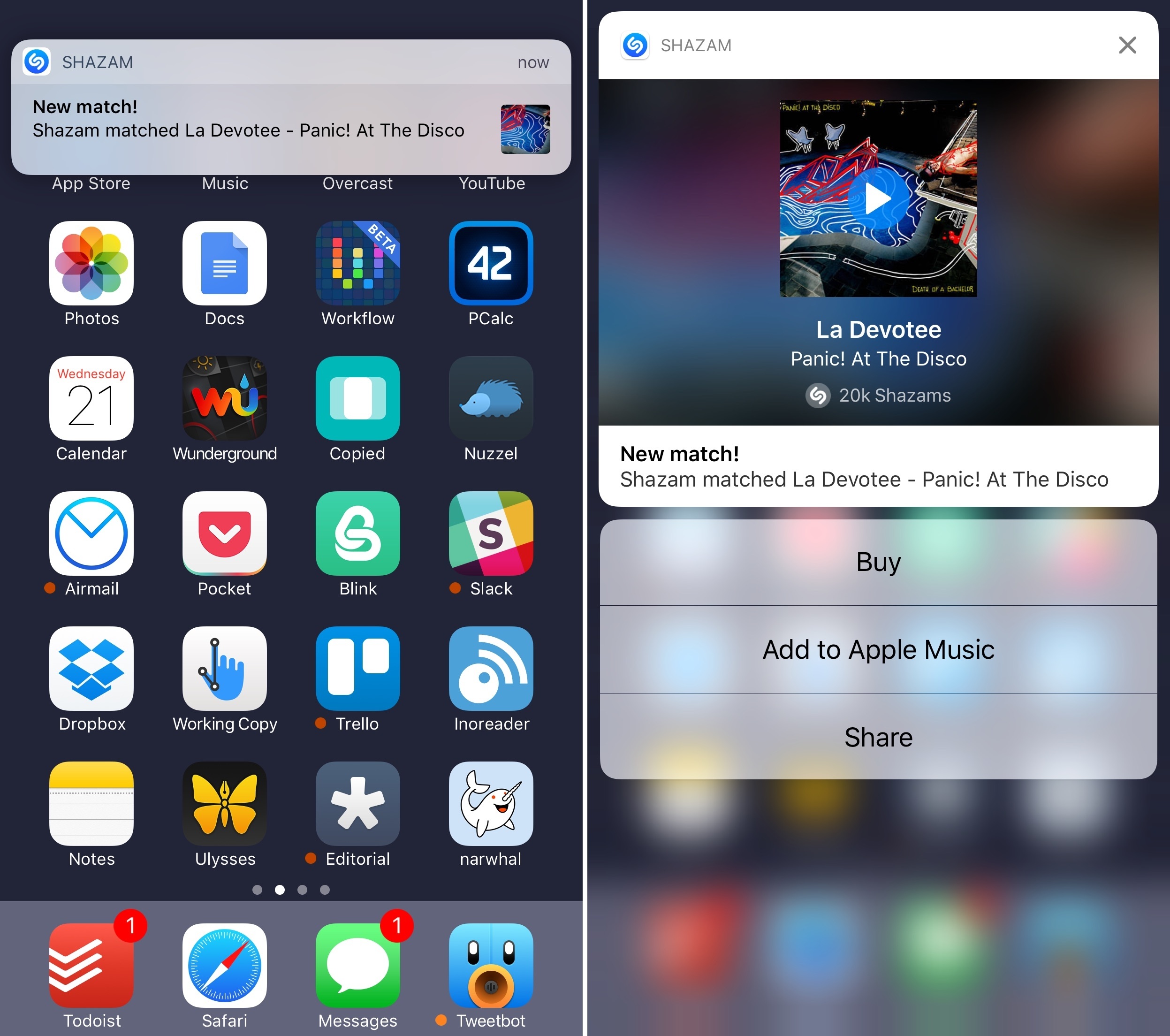
I was recently watching a movie with my girlfriend, and it had a great soundtrack. After scrubbing the video back to open Shazam on my iPhone for the third time, I remembered that Shazam offered an automatic tagging feature to let the app continuously listen in the background to recognize songs. Shazam’s auto-tagging isn’t meant to be active all the time, but we were home, with my iPhone charging next to me, and it seemed like a perfect time to try it.
To my surprise, Shazam started pushing tagged songs using iOS 10’s new notification framework. Their implementation is a great example of what developers can achieve with rich notifications: a notification can be expanded and you’ll be presented with a custom view showing the song’s title, artist, album artwork, and global number of Shazams by users. But that’s not all – you can also tap on the artwork to listen to a song’s preview inside the notification without opening the Shazam app. If you want to act on the notification, there are three quick actions (another change made possible by iOS 10) to buy the song, add it to a playlist on Apple Music, or share it.
Once I realized I could catch up on tagged songs from Notification Center, I left Shazam running and enjoyed the rest of the movie. At the end, I went through my notifications, listened to each audio snippet, and saved a few songs in my Apple Music playlists.
The final result would have been the same in iOS 9, but the experience wouldn’t have been as nice (or as fast) without rich notifications. I’m looking forward to more apps adopting similar notification features in the next few months.
Yesterday, Benjamin Mayo reported that Apple published public webpages for “some landmarks and points of interest” listed in Maps:
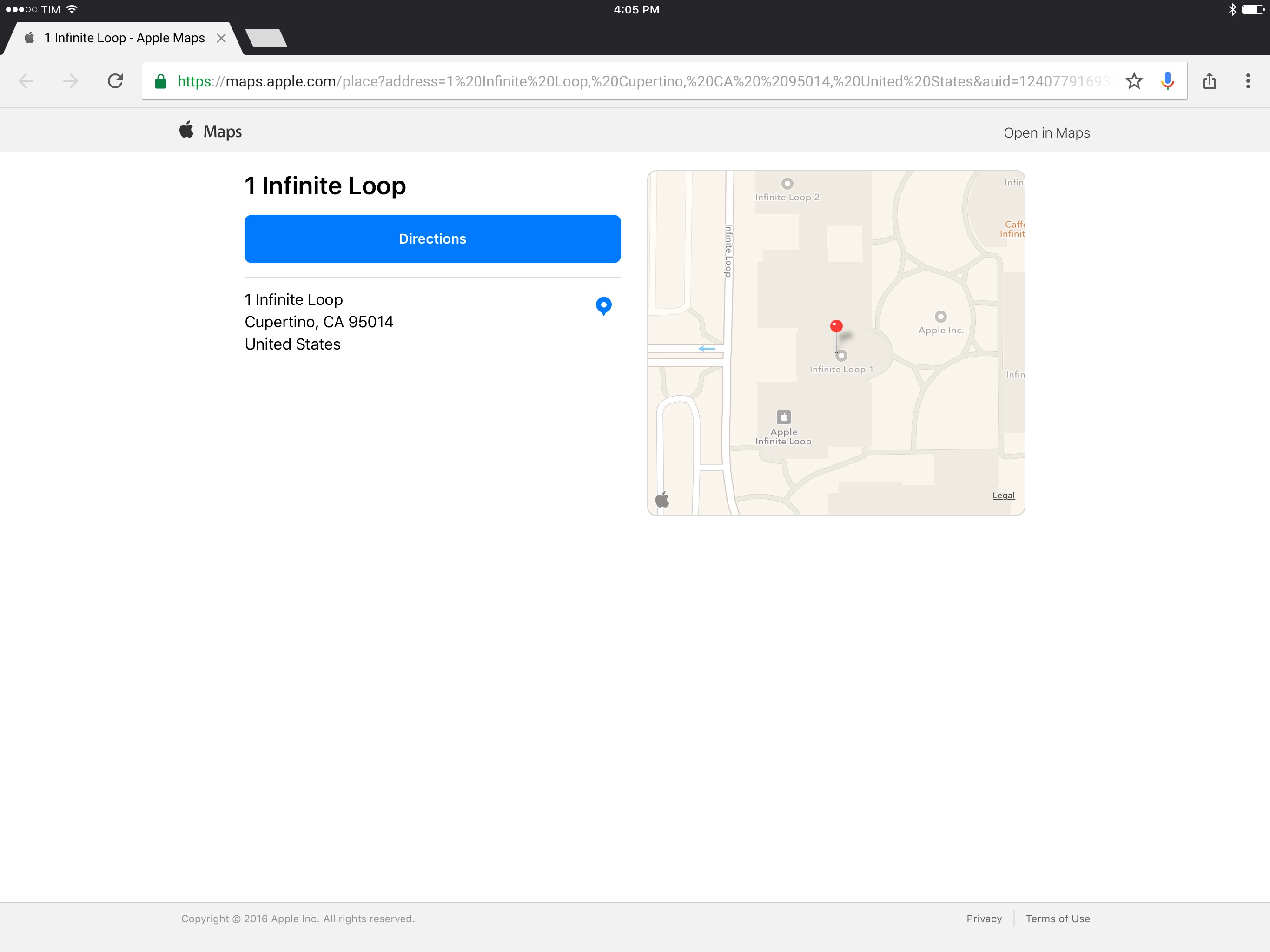
Apple is now publishing public web pages for landmarks and POI in its Apple Maps database: here’s one such place. The website link shows details about the place such as location, name, telephone number and reviews. The design is identical to the cards in the iOS 10 Maps app.
When on an Apple platform, these URLs appear to act as deep links into the native Maps app. If viewing in Chrome or on a non-Apple device like Android, the fallback webpage is loaded. The purpose for these URLs is unclear, but it may possibly foreshadow a larger move by Apple to offer its own online mapping service to compete with Google Maps on the web.
I did a bit of digging, and I discovered that you can open any Apple Maps place or address in another web browser if you reformat the URL properly.
App Debuts
Member Requests