
Federico Viticci

10804 posts on MacStories since April 2009

Federico is the founder and Editor-in-Chief of MacStories, where he writes about Apple with a focus on apps, developers, iPad, and iOS productivity. He founded MacStories in April 2009 and has been writing about Apple since. Federico is also the co-host of AppStories, a weekly podcast exploring the world of apps, Unwind, a fun exploration of media and more, and NPC: Next Portable Console, a show about portable gaming and the handheld revolution.

My Must-Have iOS Apps, 2015 Edition

Over the past year, I’ve gone all-in with iOS.

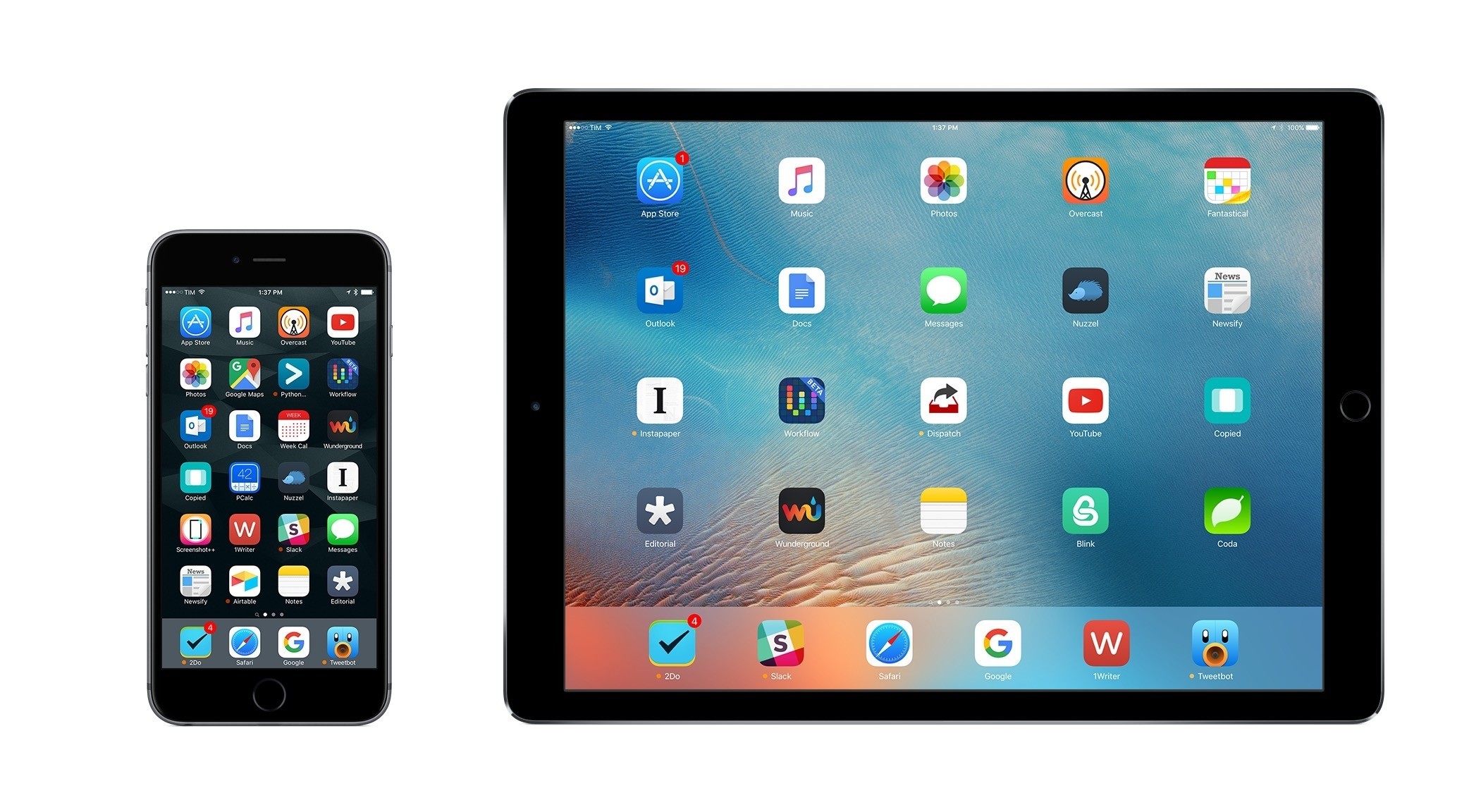
Following years of experiments, struggles to switch from a Mac-centric workflow, and encouraging signs of maturity from the platform, I chose to make the iPad my primary computer. I used the iPad Air 2 more than any other iOS device before, and the iPad Pro is filling that role now with great success. After being convinced to give the iPhone 6 Plus a try by a good friend, I realized that a bigger phone was better for my needs, which resulted in an instant 6s Plus purchase a few months ago. The iPhone isn’t only my pocket computer and Twitter machine – it’s my music, my camera (which I used to shoot this video), my portable gaming device, and my stream of living memories thanks to Live Photos.

At this point, I’m only using my MacBook three hours a week to record two podcasts on Skype. Effectively, all my computing – work or entertainment-related – is done on iOS, and I treat my iPhone and iPad with the same care and respect that others would treat their Retina iMacs and Mac Pros. The iPad Pro in particular is the computer that enables me to write and pay the bills. It’s not just a nice thing to have – it’s the tool upon which my livelihood hinges.

It’s not surprising, then, that I’m just as scrupulous when it comes to the apps I choose to get work done. While part of my job is about discovering new apps, such effort isn’t mandated by a shallow pursuit of “new” without merit. I’m constantly on the lookout for tools that can make me faster, produce better content in less time, and approach what I do in different ways. It’s a functional curiosity, not a shtick. The virtuous cycle of finding new apps, trying them, and documenting what trickles down to my daily workflow is at the very foundation of MacStories.

At the end of the year, I always like to take a couple of weeks to look back on the past 12 months and assess the state of my favorite apps. I’ve been doing this in various forms for five years now, but I’ve kept the same criteria in mind: which apps truly help me work from my iPhone and iPad? What are the tools that let me enjoy my devices for personal and professional use as much as possible?

With the increased importance of iOS 9 and the iPad Pro in my life this year and given some growing trends on the App Store, I thought I’d shake things up a little. Instead of having two separate articles for my must-have iPhone and iPad apps, I combined my 50 picks in a single list and organized them in eight categories.

  • Work Essentials
  • Social
  • News
  • Health
  • Home
  • Entertainment
  • Utilities
  • Photo & Video

I believe this makes sense given that only 7 apps out of 50 are not Universal downloads from the App Store. The vast majority of my favorite apps are available on both the iPhone and iPad and I use them on both platforms; it’s more logical to consider them as single entities.

Below, you’ll find my Must-Have iOS Apps for 2015 – the ones that have been essential for my workflow over the past 12 months. At the end of the list, you’ll also find my App of the Year and two Runners-Up. Each app has been listed with a direct link to its App Store page; wherever possible, I included links to previous MacStories coverage as well.
Read more


Workflow Adds Support for Bursts, Live Photo Conversion to GIF

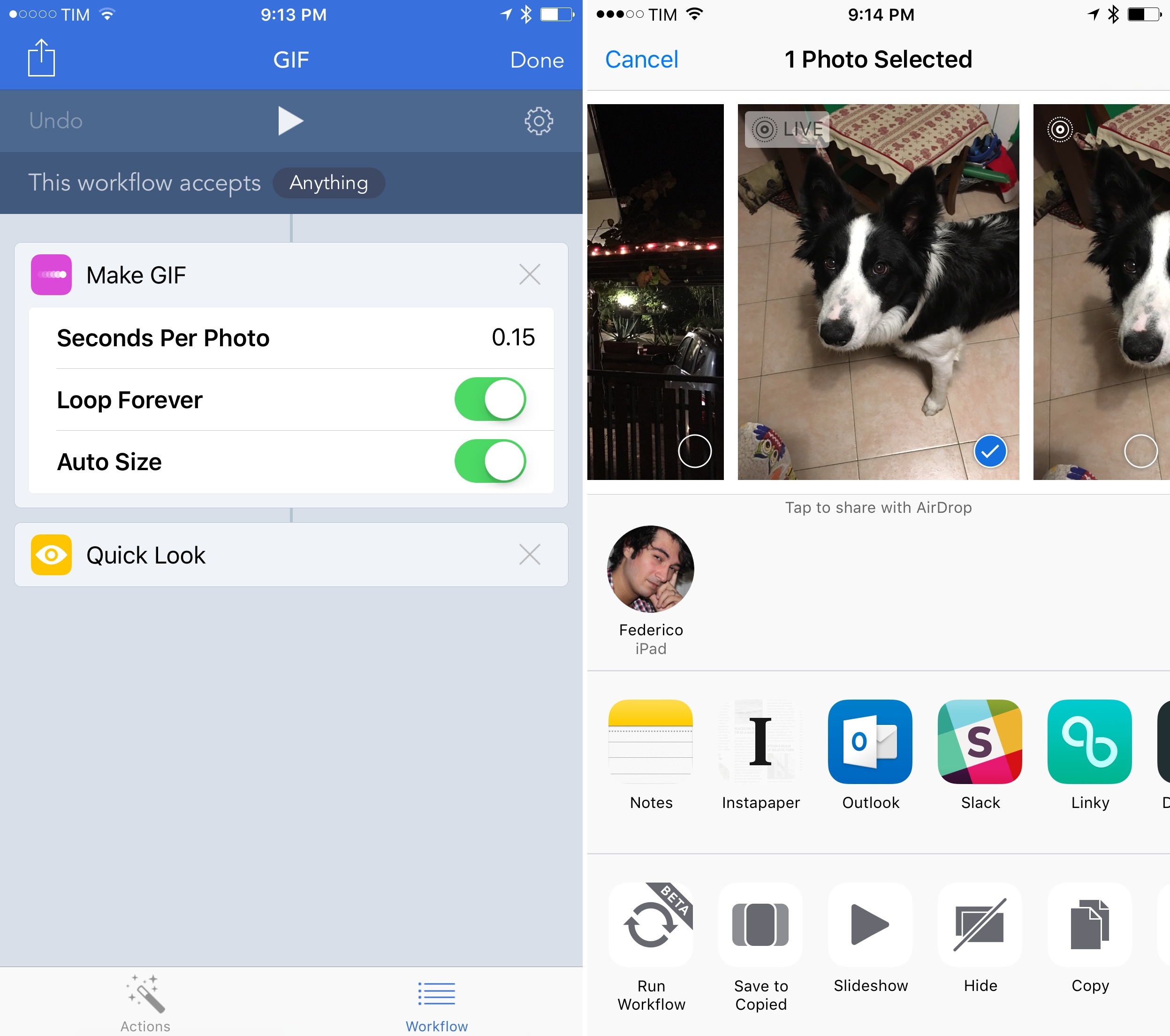
Never to be outdone by changes in iOS, the Workflow team has shipped a revised Photos integration in the latest update to the app, bringing support for bursts and Live Photos with improved GIF generation.

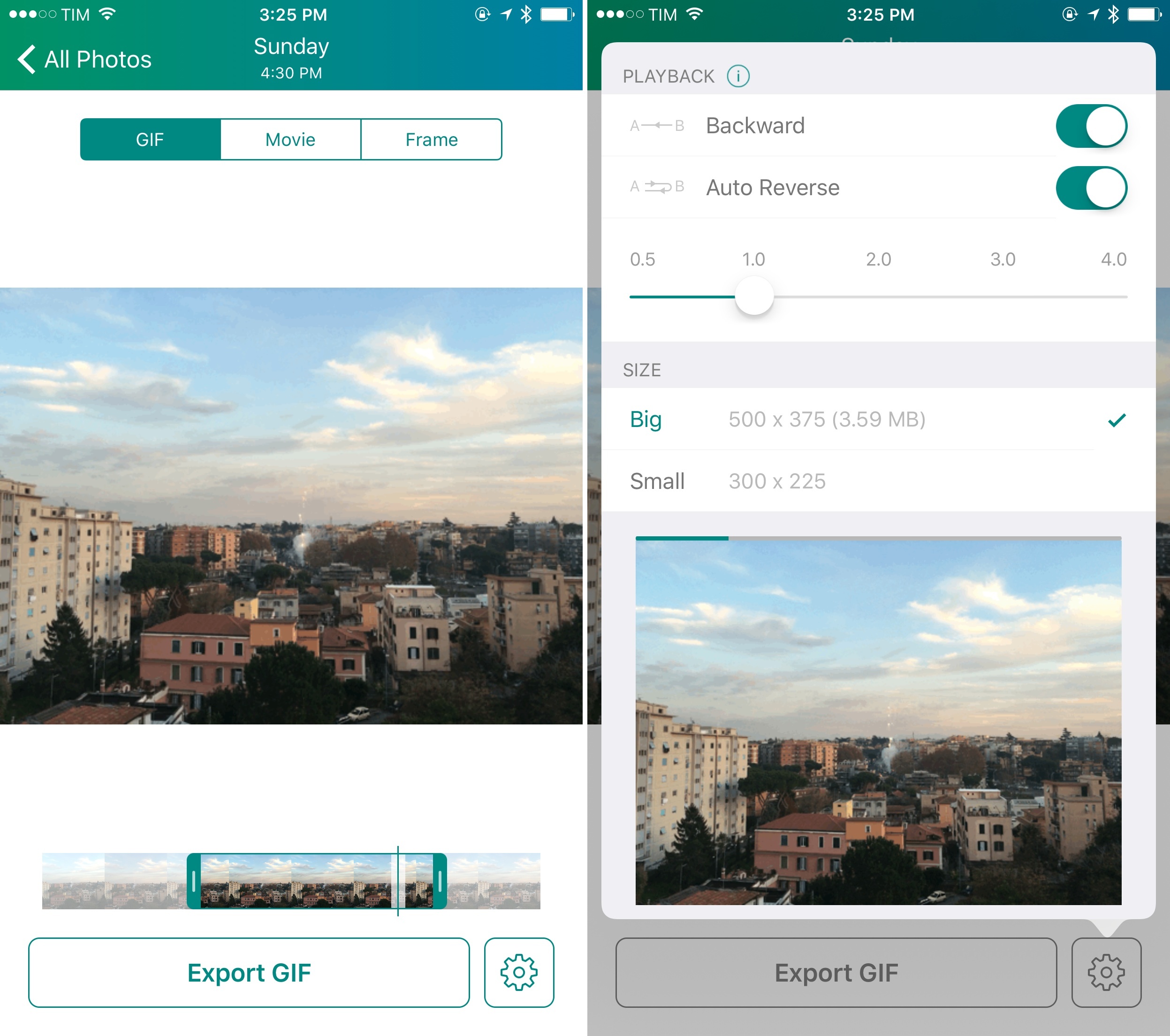
In addition to dedicated ‘Get Latest Bursts’ and ‘Get Latest Live Photos’ actions that will return the latest items from your photo library matching those media types, Workflow’s action extension can now be used to pass a burst or a live photo to a ‘Make GIF’ action. With this simple workflow, for example, you can turn a live photo to a looping animated GIF and preview it with Quick Look directly into the native Photos app. While a number of standalone Live Photo-to-GIF utilities have appeared in the past few months – often with some great advanced controls – this means that a basic conversion can now be done entirely with Workflow and automated any way you want.

Furthermore, because the Make GIF action now supports an unlimited number of images as input, you can create workflows that use hundreds of screenshots or photos to generate a long GIF. You can even pass a video if you want and turn it into a GIF. And the opposite is also true: with the ‘Get Frames from Image’ action, you’ll be able to extract specific frames from GIFs and photo bursts without needing an app for that.

Live Photos are possibly my favorite aspect of the iPhone 6s Plus; having direct support for them in Workflow is just a perfect combination. Workflow 1.4.3 is available on the App Store.


Connected: TicciDo

This week, people are nose tapping, Dropbox is sunsetting and Myke is colo(u)ring.

Also on this week’s Connected, a discussion on Slack and how we’re using it at MacStories (where the title comes from). You can listen here.

Sponsored by:

  • lynda.com: An easy and affordable way to help individuals and organizations learn. Free 10-day trial.
  • Squarespace: Build it Beautiful. Use code WORLD for 10% off
Permalink


Evernote Ending Support for Skitch on iOS

With a blog post published today, Evernote has announced they’ll end support for various versions of Skitch (including iOS), Clearly, and Evernote for Pebble. Skitch for Mac will continue to receive support.

Specifically this means that as of today, we will no longer be making updates to these apps and as of January 22, they’ll no longer be available for download.

If you currently use any of these apps, you’ll find that they may continue to work for some time beyond January. We are not turning these apps “off,” but external changes like updates to your operating system or browser may break features or functionality at any point in the future.

The discontinuation of Skitch for iOS doesn’t come as a surprise: Evernote has been discontinuing other apps to put more focus on the main product; many of the dedicated Skitch functionalities are also available in the Evernote app; and, Evernote had left Skitch for iOS languishing anyway. Evernote acquired Skitch in August 2011.

Fortunately, there are plenty of options for quick image annotations on iOS these days. Personally, I recommend Pinpoint and PointOut.

Permalink

Apple Names Jeff Williams Chief Operating Officer, Phil Schiller Adds App Store Responsibilities

This morning, Apple announced some major changes to its executive team:

Apple today announced that Jeff Williams has been named chief operating officer and Johny Srouji is joining Apple’s executive team as senior vice president for Hardware Technologies. Phil Schiller, senior vice president of Worldwide Marketing, will expand his role to include leadership of the revolutionary App Store across all Apple platforms. Apple also announced that Tor Myhren will join Apple in the first calendar quarter of 2016 as vice president of Marketing Communications, reporting to CEO Tim Cook.

Jeff Williams has been with the company since 1998 and has overseen the entire supply chain since 2010. Johny Srouji joined Apple in 2008 to lead the development of the A4, the company’s first system on a chip.

Also of note, Phil Schiller is now taking additional responsibilities for the App Store:

Cook continued, “In addition, Phil is taking on new responsibilities for advancing our ecosystem, led by the App Store, which has grown from a single, groundbreaking iOS store into four powerful platforms and an increasingly important part of our business. And I’m incredibly happy to welcome Tor Myhren, who will bring his creative talents to our advertising and marcom functions.”

And:

With added responsibility for the App Store, Phil Schiller will focus on strategies to extend the ecosystem Apple customers have come to love when using their iPhone, iPad, Mac, Apple Watch and Apple TV. Phil now leads nearly all developer-related functions at Apple, in addition to his other marketing responsibilities including Worldwide Product Marketing, international marketing, education and business marketing. More than 11 million developers around the world create apps for Apple’s four software platforms — iOS, OS X, watchOS and tvOS — as well as compatible hardware and other accessories, and customers have downloaded more than 100 billion apps across those platforms.

The App Store has long been criticized by the developer community for lacking proper accountability and a public figure in charge of the platform. It’ll be interesting to see how the App Store platforms will evolve and adapt following Schiller’s extended role.

Permalink