John
John
AppStories Episode 380 - Obsidian Setup Check-In
0:00
37:48
37:48
This week, Federico and John revisit their Obsidian systems, themes, and favorite plugins.


 Obsidian Setup Check-In
  My Obsidian Template Setup Powered by Shortcuts, Things, and the Actions App
 On the next episode of AppStories, John and I will cover our Obsidian setups in depth with a conversation about our favorite themes, plugins, and organization systems for notes in the app. Something that I won’t cover in the episode is my workflow for templates, which I’ve implemented over the past few weeks and wanted...
Writing at his personal blog, Brendon Bigley explains why the Delta emulator launching on the App Store is a big deal for retrogaming fans who also love native iOS apps:
AltStore for me (and many) was just a way to get access to Delta, which is the best emulator on iOS by a pretty shocking margin. While there are admittedly more feature-rich apps like RetroArch out there, no other app feels made for iPhone in the way Delta does. With a slick iOS-friendly user interface, custom themes and designs to reskin your experience, and the ability to grab game files from iCloud, Delta always represented what’s possible what a talented app developer could do if the App Store was even slightly more open. It’s in this possibility space where I likely never switch to Android again.
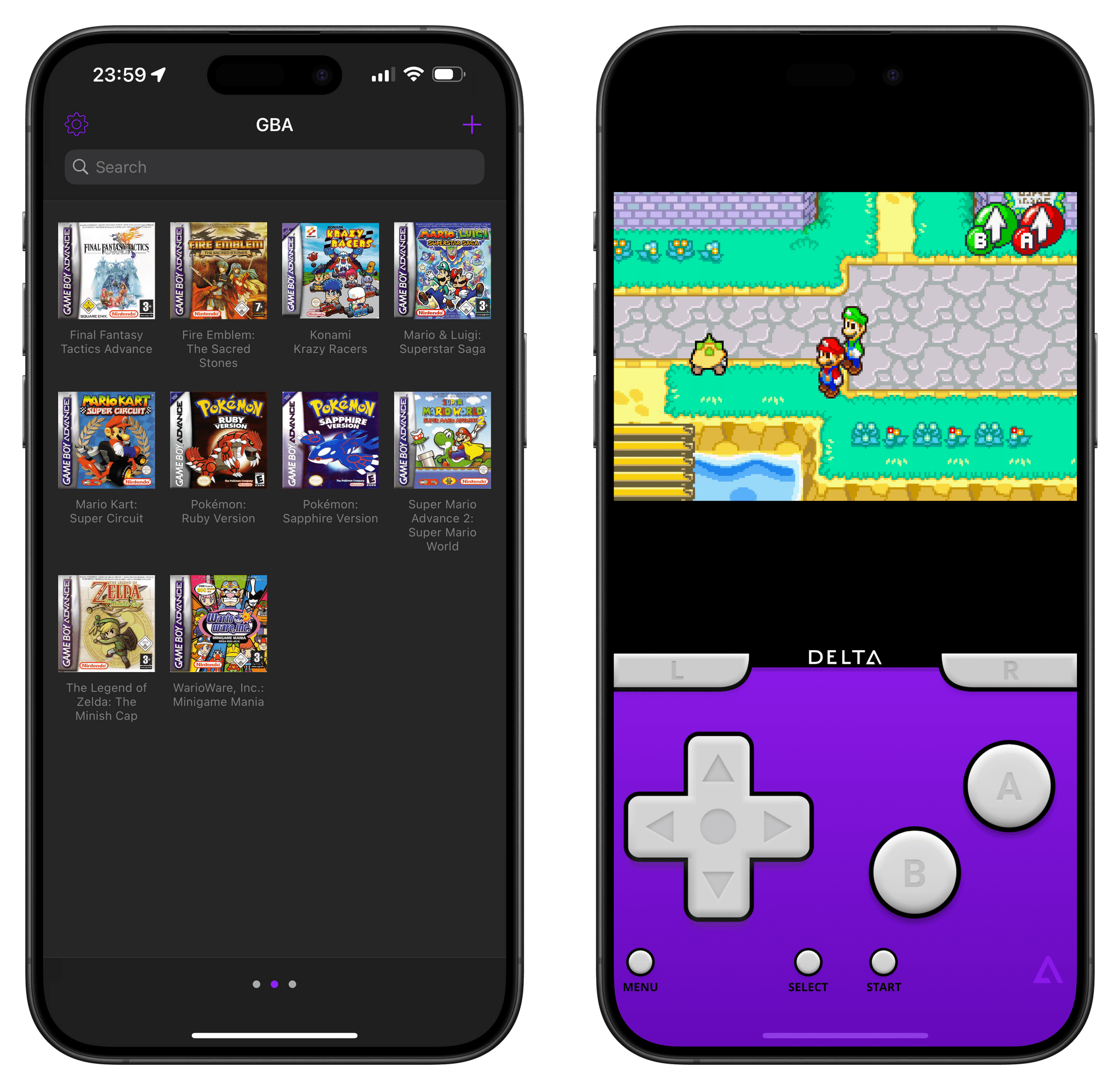
I posted this on Threads and Mastodon, but I was able to start playing old save files from my own copies of Final Fantasy Tactics Advance and Pokémon Ruby in 30 seconds thanks to Delta.
Years ago, one of my (many) lockdown projects involved ripping my own Game Boy Advance game collection using a GB Operator. I did that and saved all my games and associated save files in iCloud Drive, thinking they’d be useful someday. Today, because Delta is a great iOS citizen that integrates with the Files picker, I just had to select multiple .gba files in iCloud Drive to add them to Delta. Then, since Delta also supports context menus, I long-pressed each game to import my own save files, previously ripped by the GB Operator. And that’s how I can now continue playing games from 20 years ago…on my iPhone. And those are just two aspects of the all-encompassing Delta experience, which includes Dropbox sync, controller support, haptic feedback, and lots more.
Brendon also wraps up the story with a question I’m pondering myself:
How does Nintendo react to the news that despite their desire to fight game preservation at all costs, people are nonetheless still enjoying the very games that built their business in the first place?
I’ll never get over the fact that Nintendo turned the glorious Virtual Console into a subscription service that is randomly updated and not available on mobile devices at all. I’m curious to see if Nintendo will have any sort of response to emulators on iOS; personally, I know that Delta is going to be my new default for all Game Boy/DS emulation needs going forward.
A Classic Mac Pick 2
Three Mac Tips I Recently Implemented in My MacPad Workflow As I continue using the MacPad as my main convertible computer and further cementing my belief that I created the best Apple device the company never officially made, I regularly run across new apps and strategies that I want to incorporate in my workflow. This week, I’m going to run down a few things I...
Are We Entering a Post-App World?
Getting the Name of the Frontmost App on macOS Using Shortcuts I was recently debugging one of my old shortcuts that integrated with macOS to get the name of the frontmost app using AppleScript and noticed that, at some point over the past two years, that script had stopped working. I tried fixing the AppleScript myself, but after five minutes spent trying random and outdated code...
ActiveTask: A Shortcut to Turn an Obsidian Document into a Deep-Linked Task in Things Earlier this week, we released version 1.1 of Obsidian Shortcut Launcher, our free plugin that lets you trigger shortcuts in Apple’s Shortcuts app using Obsidian commands and input data from the document you’re working on. If you missed the announcement, check out the details and examples on MacStories, which I won’t rehash here. In the...
Two years ago, we released Obsidian Shortcut Launcher, a free plugin to trigger shortcuts from Obsidian with the ability to pass input text to Apple’s automation app. In case you missed it in January 2022, here’s how I described the plugin:
With Obsidian Shortcut Launcher (or ‘OSL’), you’ll be able to trigger any shortcut you want from Obsidian, passing along values such as the text of the document you’re working on, its name, text selection, and more. Obsidian Shortcut Launcher is free to use and works on iOS, iPadOS, and macOS.
Obsidian Shortcut Launcher is the result of weeks of planning and work from me and Finn Voorhees, and it has created an entirely new dimension in how I use Obsidian and Shortcuts on a daily basis.
I’ve been using Obsidian Shortcut Launcher every day for the past two years, and I couldn’t imagine a better way to integrate my favorite text editor and note-taking app with Shortcuts. I’ve built launchers to publish articles to WordPress, upload images, perform backups of my iOS reviews, and a lot more. You can read more about my examples and find a usage guide for the plugin in the original story.
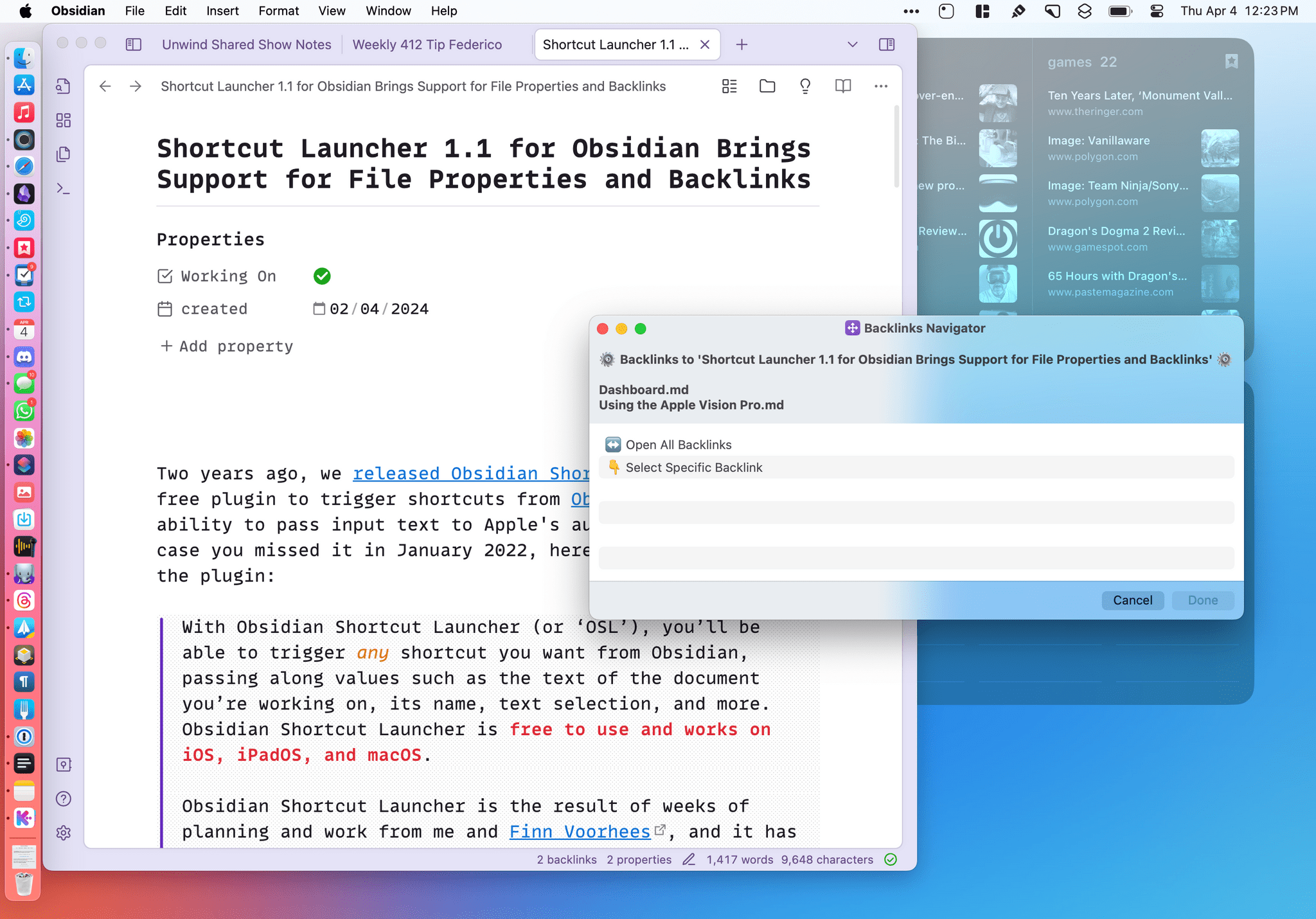
Today, I’m pleased to announce that we’re releasing version 1.1 of Obsidian Shortcut Launcher with two new integrations: properties and backlinks.