


 John
John
This week, Federico and John move on from hardware to explore visionOS, where it hits, where it misses, and what they’d like to see in the future from the OS.
 Finding Things Projects and Headings with Shortcuts
...
It’s Time for Apple to Get Weird→
Speaking of weird things: I’m on the record with saying that I’d love to see Apple get weird with some of their products, so obviously this story by Jason Snell at Macworld resonated with me:
While I admire the great care Apple takes before it brings a product to market, I do sometimes think that the company is missing out on some potentially great products because they’re not willing to get weird and risk failure. Consider the original MacBook Air, which was deeply weird but led to a second-generation model that became the template for Apple’s laptop design for the next decade!
The technology already exists today for Apple to create some wild stuff, the likes of which we’ve never seen from them. The Vision Pro has broken the seal. Let’s get weird, Apple.
As a longtime proponent of Weird in my computing life (I mean), I love that Apple released the Vision Pro in its current form: it’s a weird product with tons of rough edges and I want to make it my main computer. But, like Jason suggests, there are so many other product categories where I’d like to see Apple try and make something weird and wonderful. I have some experience with Android foldables, including some recent ones, and while I like the form factor a lot, I can’t help but think how glorious an Apple device that unfolded to become a larger tablet could be.
Can You Use a Headless MacBook Air with a Vision Pro?→
Luke Miani (who runs a great YouTube channel I’ve been following for a while) has created the sort of beautiful monstrosity I would absolutely consider for my own workflow: he was able to remove a display from an M2 MacBook Air and use the remaining “macOS slab” as a fully functioning computer for the Vision Pro’s Mac Virtual Display mode.
If the sentence above doesn’t make any sense to you, go watch the video first:
The idea of using headless MacBooks has been around for a while, but I was wondering if it’d find new life with the Vision Pro and the ability to virtualize a Mac display or use Universal Control with it. Which is why I’m very glad that Miani tried this first and confirmed that, yes, a headless MacBook Air totally works as a very expensive Vision Pro accessory.
The reason I’m so fascinated by this project is that I find the current keyboard/trackpad setup on the Vision Pro lackluster. If you don’t want to use a Mac in the middle, your best bet is to get an accessory like a Twelve South MagicBridge to hold a Magic Keyboard and Magic Trackpad together. However, as I shared earlier this week, that accessory’s form factor is not ideal for lap usage:
I’m waiting for two different “trays” that promise a laptop-like configuration, but as I’ve been told by others online, those don’t fix the fact that the desktop Magic Trackpad doesn’t offer the sort of palm rejection features typically found in Mac laptops.
Which brings me back to Miani’s wonderfully weird and amazing experiment: what if the input portion of a Mac laptop could become a more portable and accurate input method for the Vision Pro, with support for Mac Virtual Display when needed? What if a keyboard computer (Apple II says hi) could be used with the Vision Pro or docked at a desk with a Thunderbolt hub and external monitor?
Realistically, Apple should make this kind of accessory and I’m so surprised that their answer for people who want to work solely on a Vision Pro is “buy the keyboard and trackpad from a few years ago that still have a Lightning connector”. I’m not going to do this to my own MacBook Air. But you have no idea how tempted I am to try.
Juno 1.1 for visionOS Adds the Ability to Open YouTube.com URLs in the App
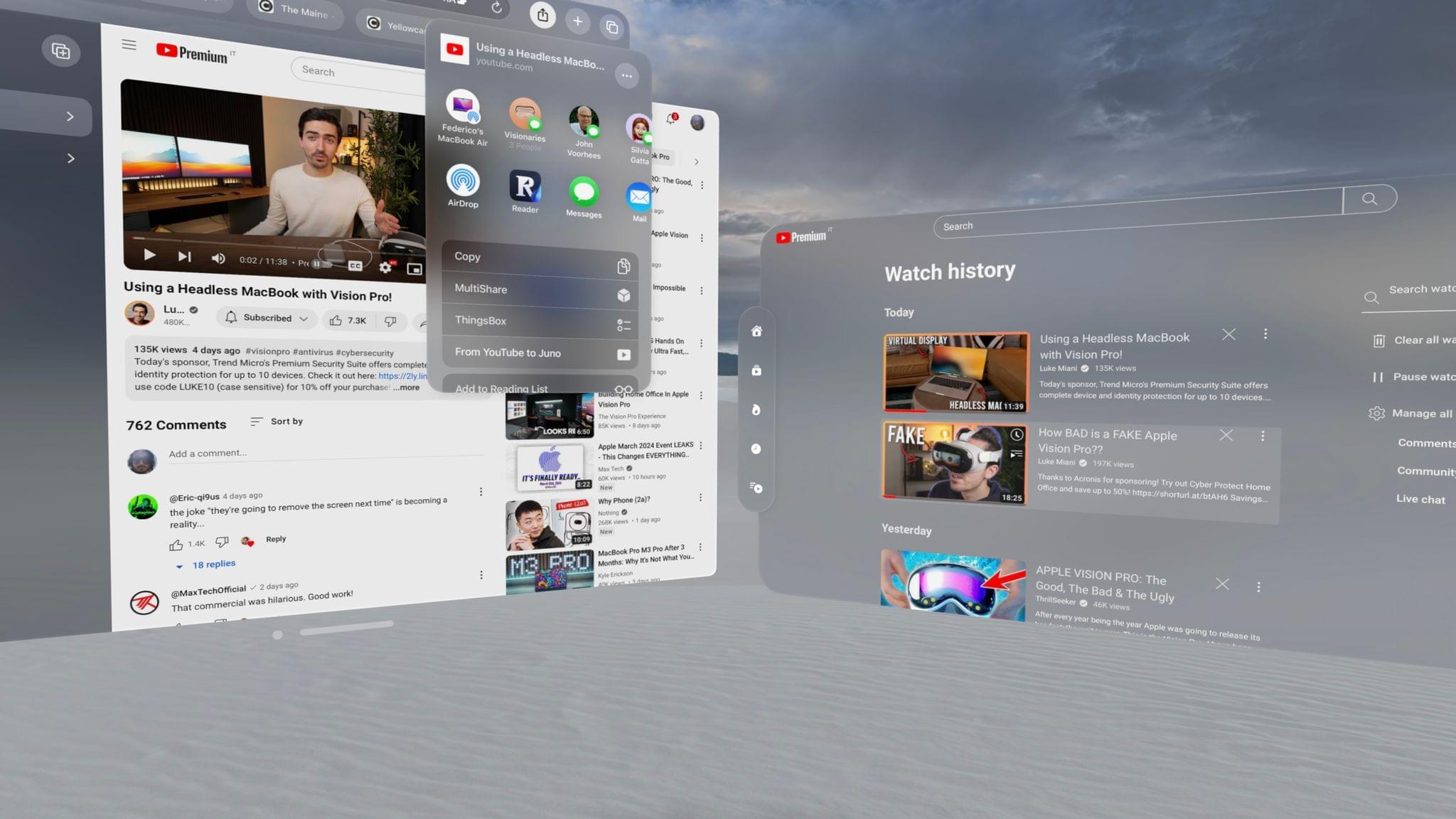
John covered Juno, Christian Selig’s new YouTube client for visionOS, on MacStories last week, and I’ve been using the app for the past few days as my default way of watching YouTube videos on my Vision Pro. Today, Selig released version 1.1 of Juno with some welcome quality-of-life enhancements such as the ability to choose video quality, faster load times, and support for dropping YouTube links in the app to watch them directly in Juno. You can read more about the changes on Selig’s blog.
The one new feature I want to call out here is the addition of URL schemes which have, once again, come to the rescue to help me navigate the early limitations of a new Apple platform.
Vision Pro App Spotlight: My Favorite Digital Clock Apps for Vision Pro
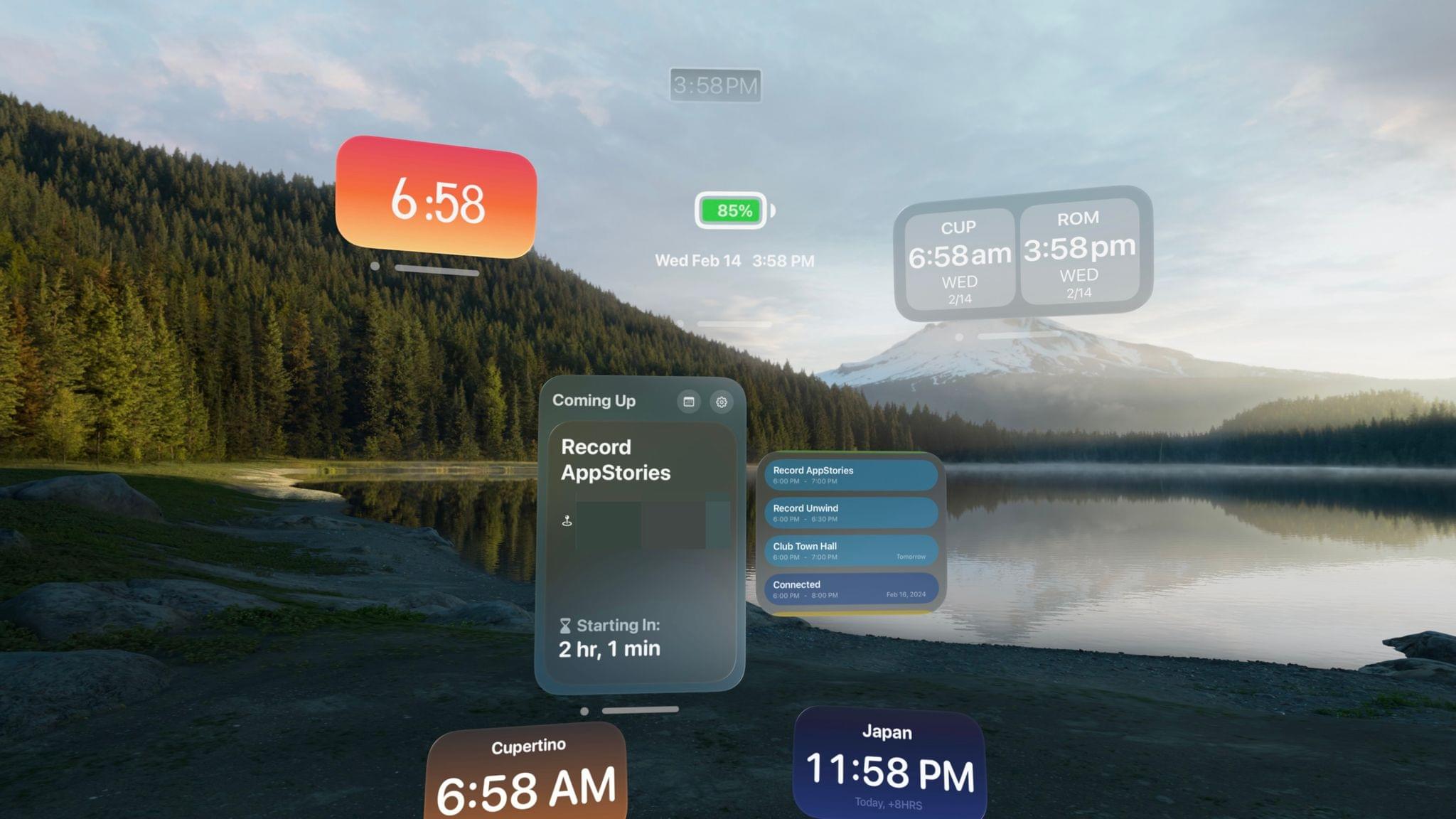
Who would have guessed that the category of visionOS apps I’d obsessively download from the App Store would be…digital clocks?
Hear me out: it’s very easy to lose track of time when using – and especially working with – the Vision Pro. It’s not just that the current time, in the absence of a status bar – is tucked away in Control Center, which requires you to look up and open a separate window; it’s that with this new platform, and with all these new apps, I want to try everything and my brain is reacting to dozens of stimuli every minute. Time flies when I’m wearing the Vision Pro, filling my workspace with windows and juggling multiple tasks, and that’s not even to mention when I’m in an immersive environment.
Which brings me to humankind’s greatest invention: the clock. Wouldn’t it be nice if you could always see a digital representation of the current time as a tiny window somewhere in your workspace? And wouldn’t it be even better if that digital clock had configuration options that, you know, a physical clock on a wall can’t offer?
For the past few days, I’ve been downloading essentially every clock app I could find on the visionOS App Store, and I’ve compiled a list of my favorite options so far.
Let’s dive in.
Vision Pro App Spotlight: Things for visionOS Is a Familiar, Intuitive Task Management Experience
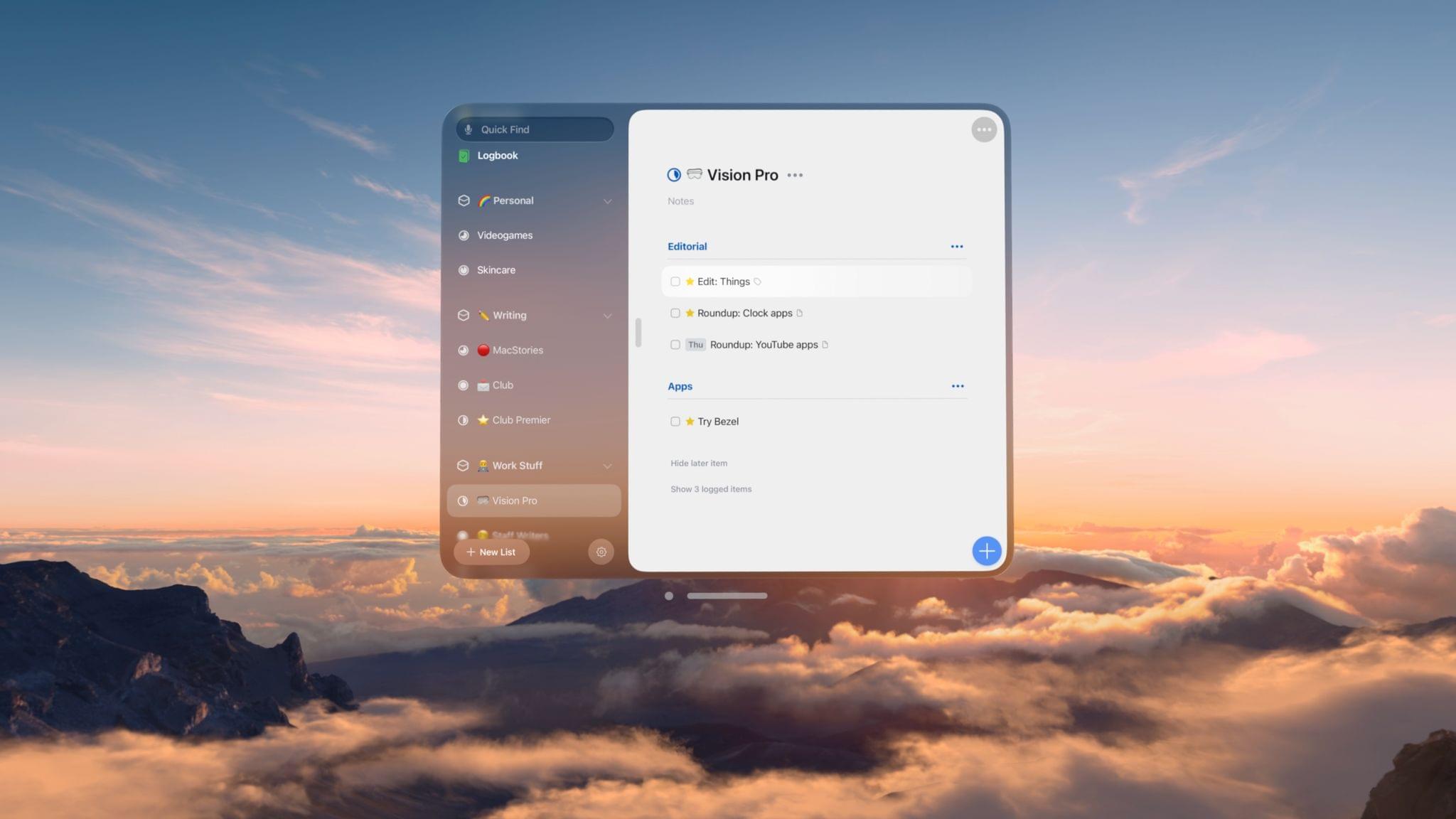
The biggest compliment I can pay to Things for visionOS is that it doesn’t feel like a compromised version of the iPadOS experience at all. In fact, thanks to the spatial nature of multitasking on the Vision Pro, I’d venture to say that Things for visionOS is a better version of the iPad app, at this point second only to its Mac counterpart in terms of functionalities and overall flexibility.
Vision Pro App Spotlight: 1Blocker Brings Content Blocking to Safari for visionOS
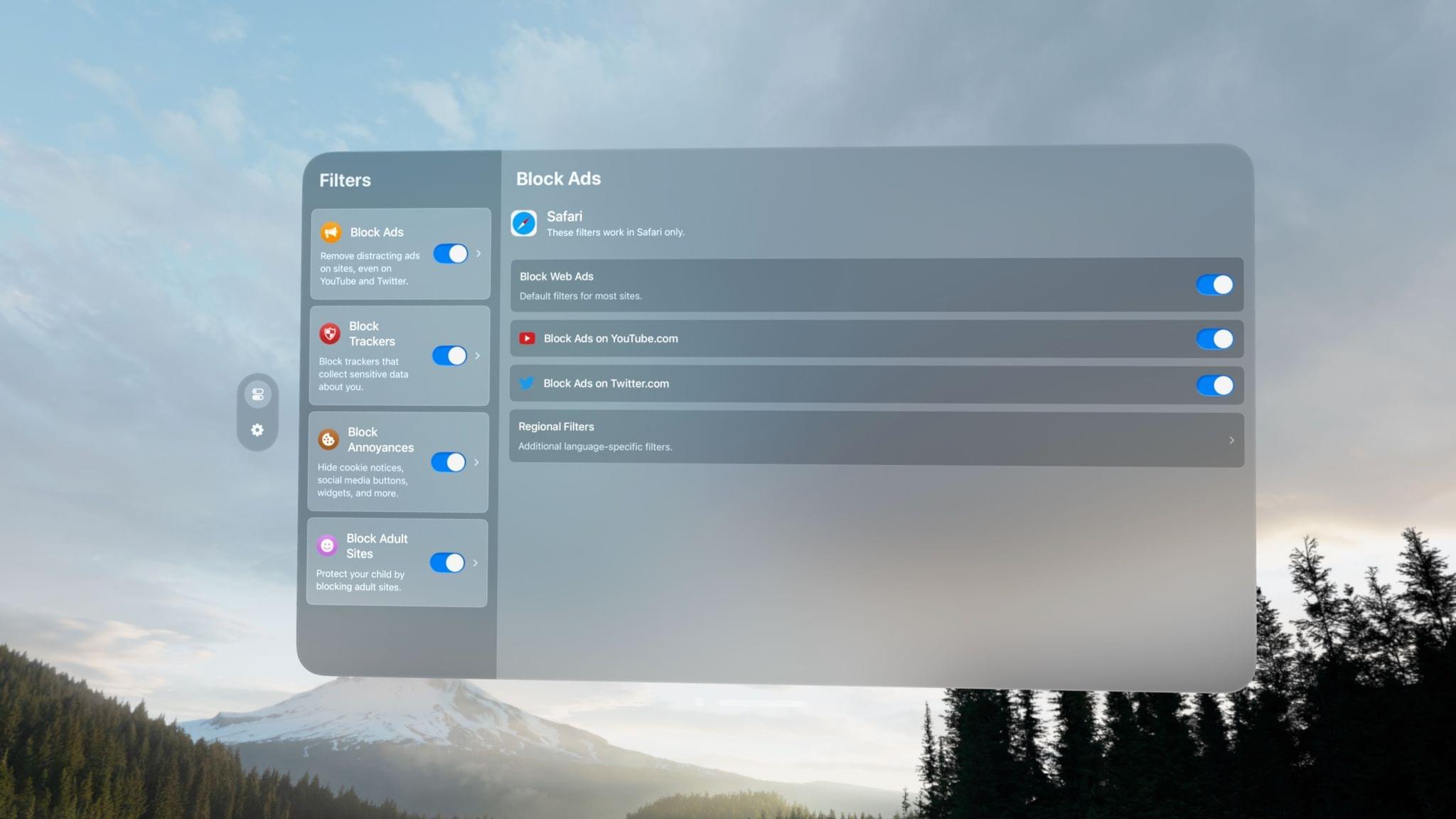
In my ongoing quest to try all the visionOS apps developers have been building over the past few months and turn the Vision Pro into my main computer (I’m making great progress on this front), I was pleased to see that 1Blocker is available as a native app and Safari extension on visionOS.
Screens VNC App Now Available in Compatibility Mode for visionOS→
Just yesterday I was looking for ways to VNC into my gaming PC because I wanted to stream Like a Dragon: Infinite Wealth (an amazing game that you should play) on my Vision Pro using my new NDI encoder (I understand this is a very Ticci phrase; more on this topic soon).
Anyway, I went looking for Screens, my favorite VNC client, on the visionOS App Store, and it wasn’t available. I was surprised by its absence, but I just assumed the folks at Edovia were working on some fixes for the app running on the Vision Pro. I downloaded Jump Desktop, which worked pretty well, but I’ve never been a fan of the Jump Desktop UI, and I’d rather use Screens everywhere.
Right on schedule, Screens for iPad has now been made available on visionOS in compatibility mode. This is excellent news since I can now use Screens on all my Apple devices to quickly connect to my PC and Mac mini server; you can also check out how Screens’ trackpad mode works with visionOS’ gesture system in this blog post.
And once again, you should check out Like a Dragon: Infinite Wealth if you haven’t yet (I covered it on Unwind and this episode of Into the Aether about it is a great listen too).