Federico Viticci

10804 posts on MacStories since April 2009

Federico is the founder and Editor-in-Chief of MacStories, where he writes about Apple with a focus on apps, developers, iPad, and iOS productivity. He founded MacStories in April 2009 and has been writing about Apple since. Federico is also the co-host of AppStories, a weekly podcast exploring the world of apps, Unwind, a fun exploration of media and more, and NPC: Next Portable Console, a show about portable gaming and the handheld revolution.

Apple Launches TestFlight Beta Testing for Everyone

After unveiling TestFlight beta testing at WWDC and rolling it out for internal testers a few weeks ago, Apple has today opened up TestFlight beta testing for everyone. From the Developer News website:

You can now invite up to 1,000 testers to beta test your iOS apps by simply sending them an email invitation through iTunes Connect. Once they accept your invitation, testers can install your beta app on their iOS devices, get updated builds, and provide feedback, all within the TestFlight app.

I tried the TestFlight app (released last month), and while it doesn’t have all the features (from a tester’s perspective) of Hockey, it’s nicely integrated with iOS. You can receive push notifications for new beta builds, and beta apps installed from TestFlight get a special orange dot on the Home screen.

As someone who installs dozens of betas every week, I’m excited to see how this works in the real world.

Permalink

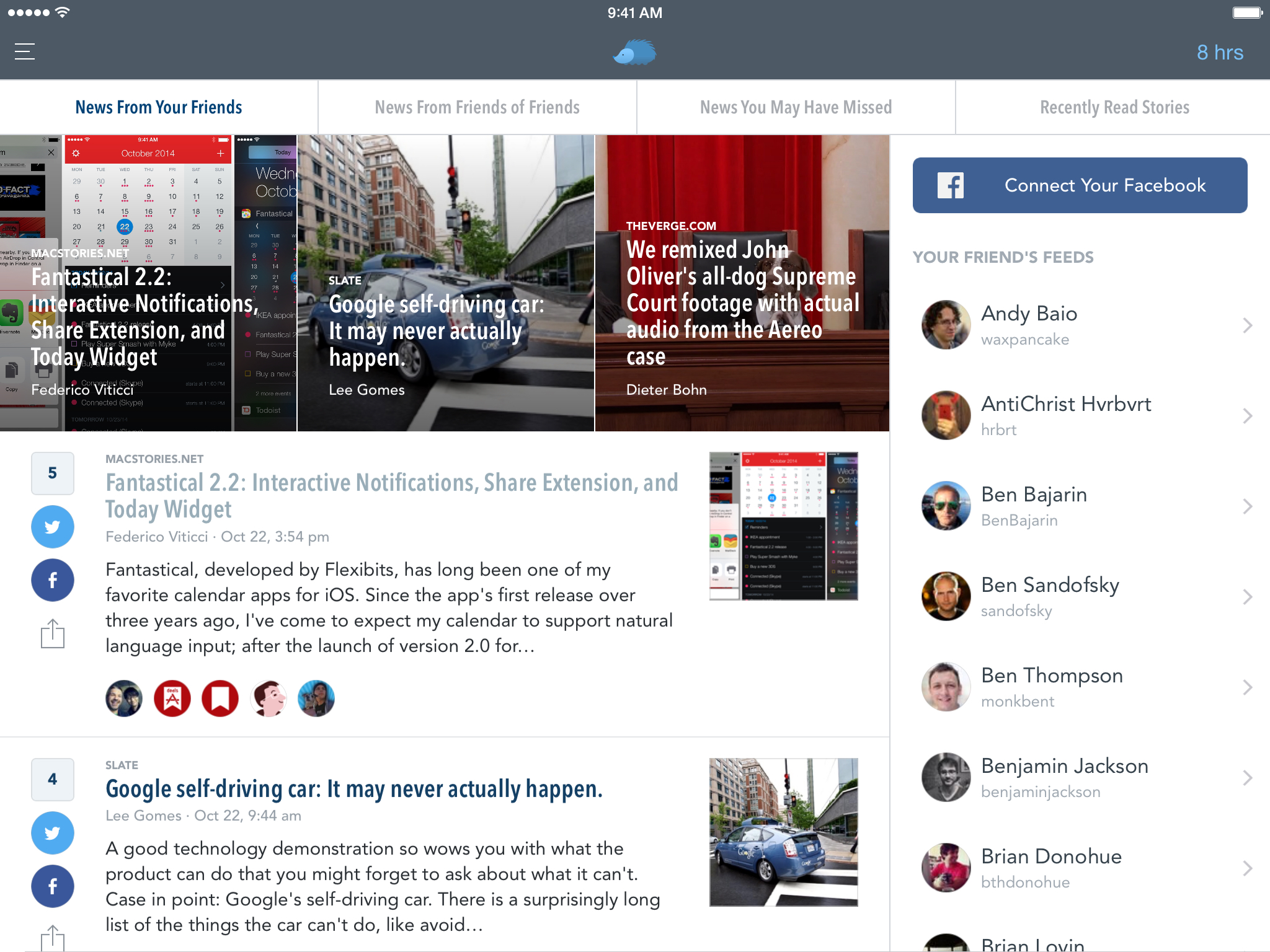
Nuzzel for iPad

I fell in love with Nuzzel earlier this year: I wanted an app to quickly understand what people I followed were talking about on Twitter, and I came across this simple utility to see popular links in my timeline. As I wrote in my original review:

Nuzzel aggregates links shared by people you follow on Twitter over a specific period of time. Tweets containing the same link shared by multiple people are coalesced into a single article recommendation in the app, which displays the title, a brief excerpt, the source, and a count with the number of “friends” who shared the story alongside their profile pictures. The useful aspect of this is the way Nuzzel lets you adjust time filters: you can find the most shared links for the past 1–8 hours, the past day, a specific day in past week, or links from last week. By hitting the date button in the upper right corner, you can change the date filter at any time and “travel back” into, say, Twitter from two days ago and see what your timeline was talking about without scrolling long lists of tweets.

Read more


24 Hours with Pixelmator for iPad

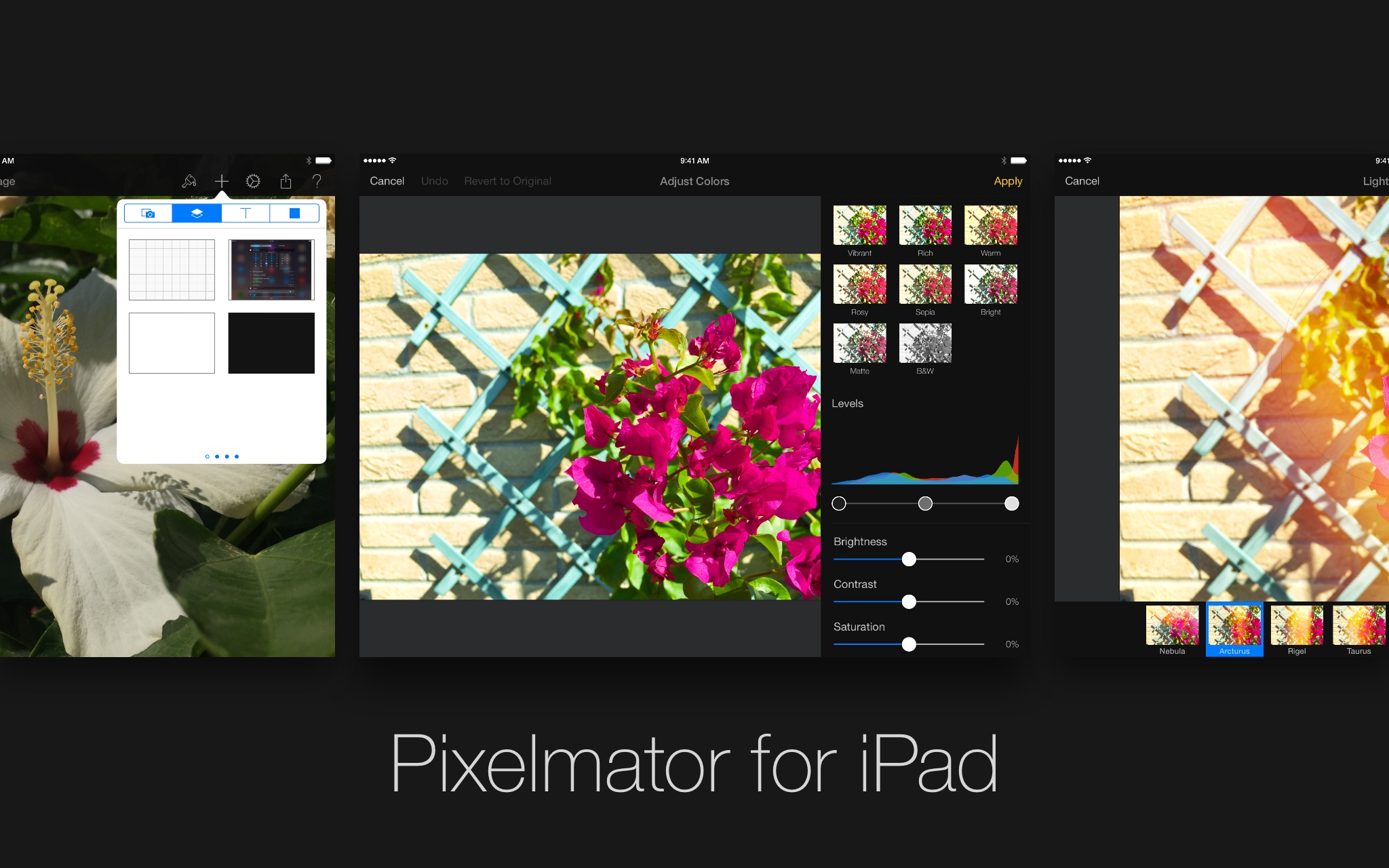
Announced and demoed last week on stage at Apple’s media event, Pixelmator for iPad is a powerful portable rendition of the popular (and award-winning) image editor for Mac. I’m no photographer, and I’m definitely no artist, but I wanted to get my hands (quite literally) on Pixelmator for iPad since I watched the demo video. As someone who works primarily from his iPad mini and is about to upgrade to a full-sized iPad Air 2 with faster hardware, I was eager to try this new portable version of Pixelmator for basic image editing and photo retouching needs. I’ve always wanted a lightweight but powerful image editor on my iPad: I could never get used to the interface oddities of Adobe’s Photoshop, and drawing-oriented apps such as Procreate didn’t fit my needs.

I’ve only spent 24 hours with Pixelmator for iPad, so don’t consider this a review. And even if I had more time with the app, my limited perspective and use case wouldn’t allow me to offer a comprehensive look at the app. For that, take a look at Pixelmator’s new website and tech specs webpage.

Below, you’ll find a brief collection of notes and thoughts on Pixelmator for iPad after 24 hours of testing.

Read more


Fantastical 2.2: Interactive Notifications, Share Extension, and Today Widget

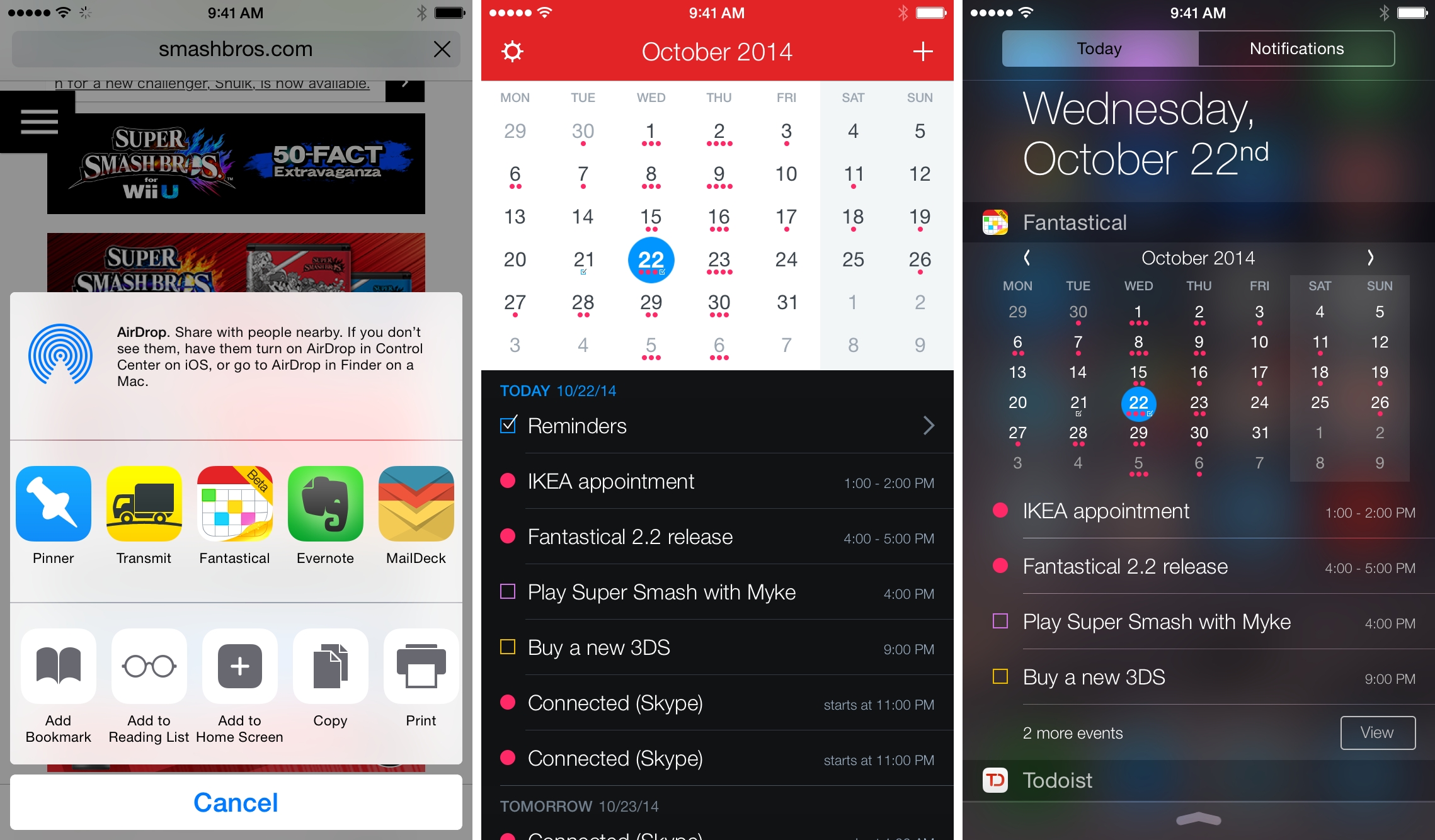
Fantastical, developed by Flexibits, has long been one of my favorite calendar apps for iOS. Since the app’s first release over three years ago, I’ve come to expect my calendar to support natural language input; after the launch of version 2.0 for iPhone, Fantastical showed me why I wanted my todo list to be integrated with the calendar with excellent and seamless support for iCloud calendars and reminders in a unified experience. Reminders, however, turned out to be a problem for me as I switched to Todoist earlier this year: I’ve started using Sunrise – which is a great app – to see my events and todos in a single list, but I’m constantly missing Fantastical’s natural language support, advanced features, and polished design.

Fantastical 2.2, available today on the App Store, brings iOS 8 features that allow the app to be more easily integrated with iOS workflows thanks to a share extension and that extend the app beyond its silo with actionable notifications and a widget.

Read more


How One Boy With Autism Became BFF With Apple’s Siri

For most of us, Siri is merely a momentary diversion. But for some, it’s more. My son’s practice conversation with Siri is translating into more facility with actual humans. Yesterday I had the longest conversation with him that I’ve ever had. Admittedly, it was about different species of turtles and whether I preferred the red-eared slider to the diamond-backed terrapin. This might not have been my choice of topic, but it was back and forth, and it followed a logical trajectory. I can promise you that for most of my beautiful son’s 13 years of existence, that has not been the case.

Beautiful story by Judith Newman for The New York Times.

It’s easy to dismiss tech companies as “greedy corporations that only strive to make money”, and in many cases that’s the simple truth. But in other cases, what they make truly has a positive impact on human lives that is far away from mere financial returns. This story about Siri and an autistic boy is a great example.

Permalink

iStat Mini

Bjango’s iStat Menus has been one of my must-have Mac apps for the past four years, but I have to admit that I don’t use all of its features. I don’t need iStat Menus’ comprehensive set of tools to monitor my CPU, fan temperature, or network usage – mostly because I don’t understand that data and just want to know how much free memory and storage I have.

iStat Mini, released last week on the Mac App Store, takes iStat Menus’ most popular features and puts them in Yosemite’s Today view with a compact widget that’s always a swipe away. iStat Mini will show you CPU, memory, and disk usage, with two smaller network indicators at the bottom for downloads and uploads. And that’s it.

If you’ve always been interested in iStat’s monitoring capabilities without the full power of iStat Menus, iStat Mini is a handy widget that covers the basics with a compact layout in Notification Center. Adopters of the app will likely ask for more features, and Bjango will have to balance requests for more options with the simplicity of the widget. A little more customization would be nice, but I wouldn’t want to see iStat Mini become as complex as iStat Menus.

iStat Mini is $1.99 on the Mac App Store.


Rdio Launches High-Quality Streams, Interactive Notifications on iOS 8

Last week, Rdio addressed one of my longstanding criticisms of the service by launching high-quality AAC streams with a 320 kbps option for Unlimited users:

Today we’re happy to announce we’ve converted our entire catalog of over 30 million songs to high-quality AAC audio. Listeners around the world now have four sound quality settings to choose from across iOS, Android, and the web. All Rdio users can choose between data-efficient 64 kbps all the way up to 192 kbps. Rdio Unlimited subscribers now also have the option of listening in pristine-quality 320 kbps. Plus individually select your audio settings for a variety of uses, whether you’re using Wi-Fi or cellular streaming or listening to offline downloads.

Rdio is late to the 320 kbps party, but better late than never. I like how the updated iOS app has individual settings for streaming and download quality over WiFi and Cellular connections.

And speaking of the iOS app, it was also updated with new iOS 8 features and support for CarPlay. I couldn’t test the latter as I don’t have a CarPlay receiver, and the fact that Rdio is now optimized for the iPhone 6 and iPhone 6 Plus is pretty much a given with app updates at this point.

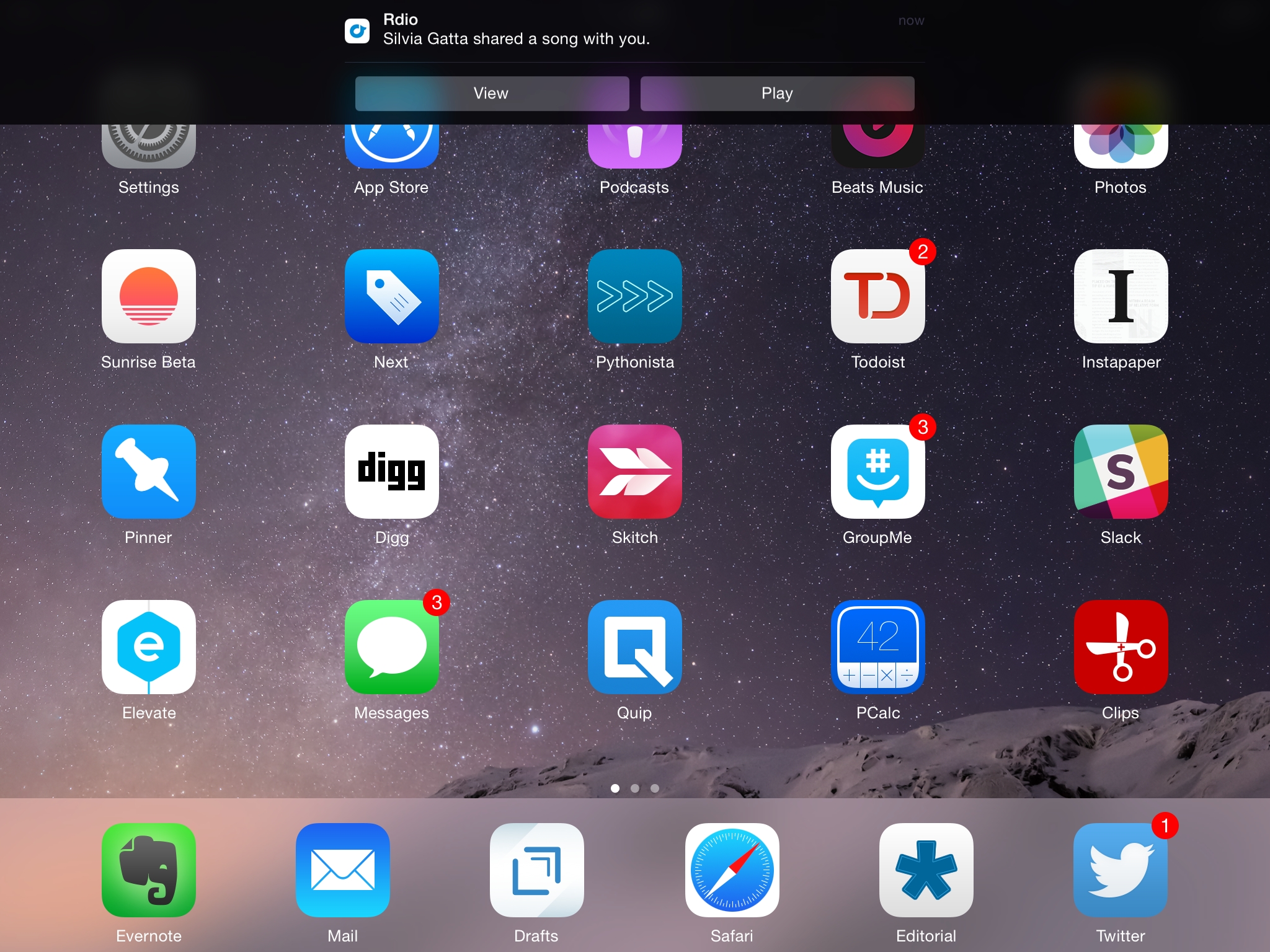
The use of interactive notifications by Rdio is clever: if someone shares a song or album with you, you can swipe down on the Rdio notification to view it or start playing it. The Play button has to launch the Rdio app first, but it’s still a nice shortcut that should remove some friction from sharing with other Rdio users.

Permalink

Apple Pay in Australia

Beau Giles figured out a way to use Apple Pay, currently limited to the US, in Australia. Essentially, given the right settings and card, Apple Pay will treat the user as an American tourist in another country, with an obvious consequence:

Unfortunately, as you’re essentially paying with a card from the US, you’ll be paying currency conversion fees for anything you buy in Australia with Apple Pay.

I have tried this myself, and I could show the Apple Pay setup screen in Italy, but I don’t have a compatible American credit card. It’s too bad, because the MasterCard Nearby app shows plenty of Contactless-enabled stores in my area.

Permalink

iTunes 12’s New Interface

I find iTunes 12 to be one of the most confusing UIs Apple has ever shipped (it’s up there with the Health app for iOS 8). I don’t listen to all my music in iTunes, but I like to think that I’m not completely ignorant about the app either. I use it for iTunes Match, I am a regular iTunes Radio listener, and, of course, I have a huge library of apps in it. Lately, I’ve even been using it to listen to podcasts because I wanted to try iCloud sync.

I don’t understand most of the changes that went into the iTunes 12 interface: from the lack of a sidebar to the new tabs for navigation and separation of media types and iTunes Store, I feel completely lost using the new iTunes.

Thankfully, Agen G. N. Schmitz has a good overview of the changes over at TidBITS. He calls the iTunes interface “cleaned-up”, but when I read stuff like this…

Sidebar purists (such as myself) might be a little cheesed off by the starkness of the My Music view, but you can easily return to the sidebar by clicking the Playlists text button placed in the top middle of each media type view. This selection is sticky, so if you choose to view Playlists in Music, and then head over to view the Movies media type, you’ll return to Playlists once you select Music again. However, the iTunes Store view (available in all the media types, save for Tones and Internet Radio) trumps this stickiness. If you select iTunes Store while in Movies and then choose the Music media type, you’ll find yourself still in the iTunes Store — only switched to the Music section.

…I’m baffled by Apple’s choices. This used to be simple: there was a sidebar with a Store button and you clicked the button and then you changed sections in the Store. Now, you have to account for “stickiness”.

I look at the screenshots of the new iTunes, I try to use the app, and I don’t know what’s going on. Maybe I’m the problem because I’m not “committed” to learning iTunes enough – but that’s not supposed to happen with good interface design.

Permalink