Federico Viticci

10804 posts on MacStories since April 2009

Federico is the founder and Editor-in-Chief of MacStories, where he writes about Apple with a focus on apps, developers, iPad, and iOS productivity. He founded MacStories in April 2009 and has been writing about Apple since. Federico is also the co-host of AppStories, a weekly podcast exploring the world of apps, Unwind, a fun exploration of media and more, and NPC: Next Portable Console, a show about portable gaming and the handheld revolution.

Evernote Market

Besides Skitch 3, the big news from today’s Evernote Conference is the company’s entrance in selling physical, lifestyle goods in the new Evernote Market. From their blog:

We want Evernote to make you smarter. To let you elegantly move through the giant flood of information that’s always coming at you in your personal and professional life. We want Evernote to appeal to the types of people who have a life’s work, and we want to create products that make your life’s work better.

Today, we’re launching a series of “Evernote Editions”— beautiful technology and lifestyle products made through partnerships with some of the most creative companies and designers in the world. These partners have been inspiring us for years and it’s an honor to work with them to make something truly great.

It’ll be interesting to see how this will play out for Evernote. The company has clearly cut deals for revenue sharing on branded goods, and some of them, such as the Adonit stylus or the ScanSnap, will directly influcence and integrate with Evernote software. Aside from socks, water bottles, and wallets, will products that directly enhance Evernote apps convince people to buy them? Personally, I am very satisfied with my Evernote Moleskine and I would love to try out the ScanSnap. The looks and functionality of the new products and services are promising.

The Verge also has a feature story on Evernote Market with an interview with CEO Phil Libin.
Permalink

Skitch 3: Reimagined for iOS 7

Skitch 3

Skitch 3

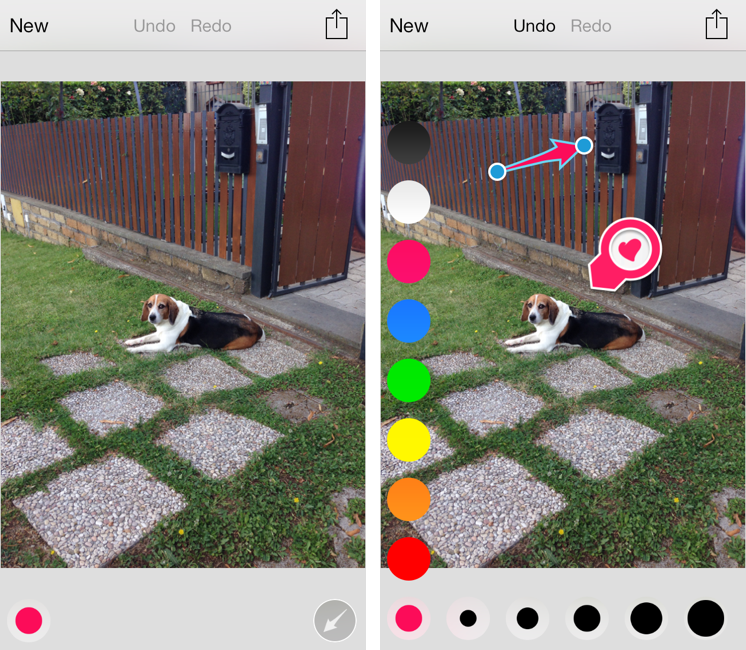
Released today during the third annual Evernote Conference, Skitch 3 is a complete redesign of the app that Evernote acquired in 2011 and started integrating into the main desktop and iOS apps. Skitch 3 has been redesigned and rebuilt for iOS 7, stripped away of the direct integration with an Evernote notebook, rebranded, and relaunched as a visual note-taking app focused on quick and fast markup. I have been testing Skitch 3 for the past few weeks, and, after an initial shock, I think it’s an excellent change. Read more


Apple Releases iOS 7.0.2

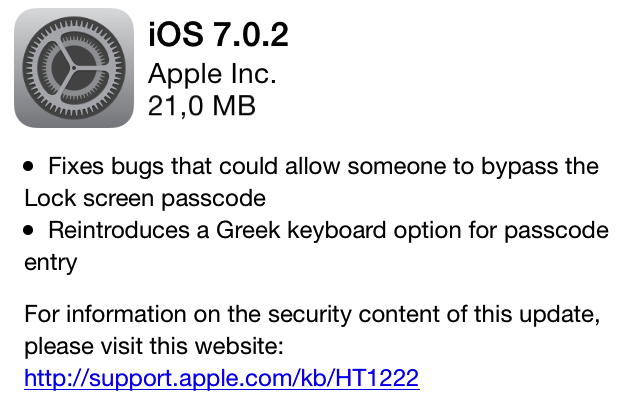
With an OTA update, Apple has just released iOS 7.0.2. The update, which comes 8 days after the public release of iOS 7, fixes bugs that could have allowed users to bypass the Lock screen passcode and reintroduces a Greek keyboard option in the passcode entry screen. On September 19th, Apple confirmed to AllThingsD that they were working on a fix for a Lock screen security flaw first reported by Forbes.

No other improvements or fixes are mentioned in Apple’s changelog. The update can be downloaded now by checking for software updates on an iOS device.


Evernote and 3M Team Up For Co-Branded Post-It Notes

Alice Truong:

What makes the new stickies so special? Much like Evernote’s partnership with Moleskine last year, Evernote’s app has received slight enhancements to help users record hand-written notes. In Moleskine’s case, the notebook’s special dotted lines helped improve image capture by a phone or tablet. With Post-it Notes, color plays a major role. The lineup for the new Post-it Super Sticky Notes includes electric blue, electric yellow, neon pink, and limeade. The Evernote app has been designed to recognize these colors, automatically digitizing and organizing the notes into different categories.

I have multiple Evernote-branded Moleskine notebooks, and I love where Evernote is going with this. Not only is it an intriguing idea (digitalizing the analog world without giving up on physical notebooks or notes), but it also is cool from a technological standpoint. The Moleskine notebooks have special dotted lines and you can put stickers on the pages to have the Evernote camera automatically tag photos; doing the same for different post-it colors is ingenious.

Permalink

iOS 7 and Podcast Apps

Chris Gonzales on the state of podcast apps on iOS 7:

The point is, I don’t think I would necessarily call any of the current podcast apps the “best one” right now. They’re all going through a phase of change and experimentation, like a kind of adolescence — all the kids are going through it, and there’s no telling what the mature results will be like until the awkward phase is over. A painful analogy? Maybe, but I’m sticking with it.

I agree. Podcasts are more popular than ever, and iOS 7’s new technologies lower the barrier to entry considerably for developers. It’ll be interesting to see what Apple is planning for the Podcasts app.

Permalink

The Prompt: XOXO Gossip Myke

Reunited after a week without Myke, the boys are back to discuss XOXO, iPhone sales, App Store update woes and revisit digital photo management, with the the help of Bradley Chambers.

App Store pricing and ecosystem for “normal people” is a topic I want to revisit. I also want to start using Everpix soon after Bradley’s book and recommendation. And, by the way, I was wrong: Miley Cyrus doesn’t seem to be loving iOS 7. But she certainly likes iTunes Radio. Maybe she needs to spend more time with the new OS?

Get the episode here.

Permalink

Apple Announces iOS 7 Tech Talks

Following the release of iOS 7, Apple has announced new iOS Tech Talks. Taking place in 6 cities around the world, third-party developers will be able to get guidance from Apple engineers about creating software for iOS 7 in what are, essentially, “mini WWDCs” that last one day.

Get in-depth guidance about developing for iOS 7, learn practical coding tips and tricks, and obtain valuable one-on-one programming and design assistance in our lab. Choose which day is best for you — app developer day or game developer day. Apply now.

When WWDC 2013 sold out earlier this year in less than two minutes, Apple said that Tech Talks would be coming back. Notably, this year Apple is holding separate events for app and game developers (which is nicely in line with the company’s recent increased separation of apps and games on the App Store):

There will be two events per city, one devoted to app developers and the other focusing on game developers. You’ll choose to attend either the app developer day or the game developer day. You may only apply for one day at the iOS 7 Tech Talks.

The last time Apple “hit the road” was in late 2011 with the Tech Talk World Tour after the release of iOS 5. This time, Apple will hold Tech Talks in 6 cities instead of 9, and details are available here.

Permalink

Instagram For iOS 7

Instagram’s first major update after iOS 7 doesn’t reimagine the app but brings edge-to-edge photos:

In this update you will find that we’ve increased the size of photos and videos in your feed so that they expand to the edges of your screen. We’re also happy to say that increased size means increased resolution, so photos and videos will be clearer and more vibrant than ever.

Not surprising considering what Facebook did, and what other big players opted for. I would love to know if Instagram saw usage of filters in the app decrease after the release of iOS 7 because of Apple’s new Camera app.

Permalink

GeniusCam for iOS 7

It’s been two years since Apple announced the iPad 2, and the company still thinks that bringing Photo Booth to the iPhone isn’t worth it. It’s also been two years since Italian developer Libero Spagnolini released FaceMan, but, unlike Apple, today he’s back with a sequel to his original Photo Booth alternative, GeniusCam.

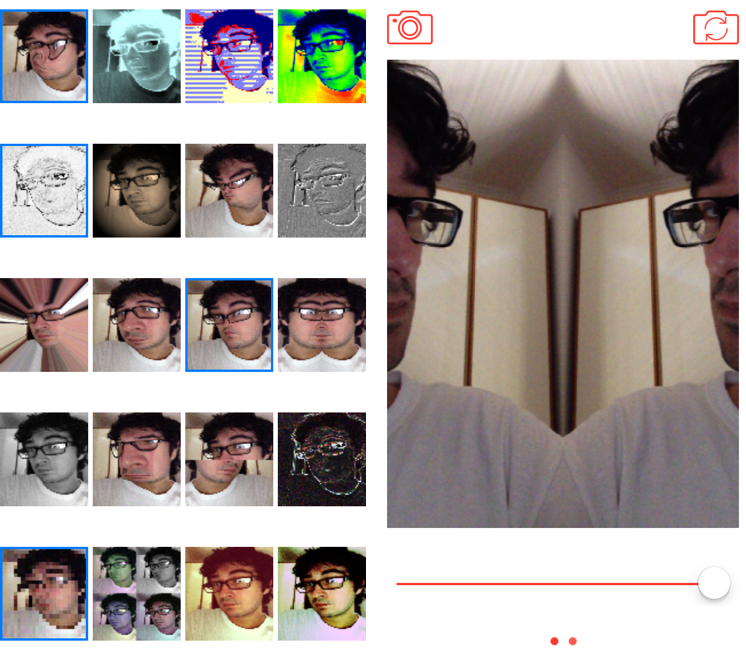
Made for iOS 7 and Universal, GeniusCam is, essentially, Photo Booth ported to the iPhone with some extra flair. There are 20 filters and effects to choose from, ranging from artsy ones like black & white and technicolor to fun ones like variations of Apple’s “Space Alien” and “Chipmunk” effects. You can see a live preview of the camera with each effect in the app’s main screen, which is a grid of live thumbnails; tap one, and the thumbnail turns into a larger camera view with the effect still applied, previewed live on screen. The animations and physics that power GeniusCam are sparse but constantly playful, and, together with the graphics and photo engines, they prove how developers can take advantage of the new iOS 7 APIs in cool ways.

GeniusCam’s camera interface is simple: at the top, you can switch between photo/video and front/rear facing camera, while at the bottom you’ll find a shutter button and a slider (you have to swipe to see the slider). In my tests, GeniusCam has been stable and fast with photos, but I have experienced crashes when saving videos. The slider allows you to tweak the intensity of effects in real time, and it’s cool to play around with it just to see your face morphing on the screen as you reduce or increase an effect’s intensity.

GeniusCam is a fun, impressive utility that provides a great follow-up to 2011’s FaceMan to take advantage of iOS 7. The app is free on the App Store but limited to 4 effects; you can unlock UI themes with a $0.99 In-App Purchase, all 20 effects for another $0.99, or buy the All Inclusive IAP for $1.99.