Federico Viticci

10804 posts on MacStories since April 2009

Federico is the founder and Editor-in-Chief of MacStories, where he writes about Apple with a focus on apps, developers, iPad, and iOS productivity. He founded MacStories in April 2009 and has been writing about Apple since. Federico is also the co-host of AppStories, a weekly podcast exploring the world of apps, Unwind, a fun exploration of media and more, and NPC: Next Portable Console, a show about portable gaming and the handheld revolution.

Improving AMBER Alerts

I live in Italy, and I’ve never received an AMBER alert on my phone, because we have no such system here. AMBER alerts are a child abduction system that originated in the United States in 1996 (more on Wikipedia) and that allow the US government to send emergency SMS-like alerts when they believe a child has been kidnapped.

Last night, I watched my Twitter timeline quickly report that the state of California had issued the first AMBER alert at 11 PM (local time). Support for AMBER alerts was added by Apple in iOS 6, and these special alerts get an also-special and loud “siren” notification sound that can’t be changed. They don’t work properly with Do Not Disturb, and they don’t contain additional information or links to photos for the suspects or victims. As a result, many iPhone users who live in California got to experience an AMBER alert for the first time last night, and they were not pleased with the lack of clarity and information in the system.

I think that, for a great and potentially life-saving technology such as nation-wide AMBER alerts, Apple should ensure that iPhone users can properly understand it and not disable it.

Craig Hockenberry has posted a thoughtful critique of the current design of AMBER alerts, suggesting some possible improvements:

This is clearly a problem where cooperation between Apple, the Department of Justice, and the public can improve a system where everyone benefits. Better usability with AMBER Alerts is case where “think of the children” isn’t a trite platitude.

Over at Macworld, Lex Friedman has a good overview of what the AMBER system is and how it works:

It also doesn’t help that the government’s messages via the WEA system are more limited than tweets: They get 90 characters to craft their messages, not enough to include all the relevant details available in an Amber Alert. That’s because the system doesn’t use the standard SMS approach; it’s a special system that’s not subject to delays or congestion from other messages.

As also linked by Hockenberry, Michael Jurewitz’s idea is simple, yet clearer than what the government (and, by reflection, the iPhone) is doing: just call them “Missing Child Alert”.

I’m not judging people who disable AMBER alerts. The system is a powerful resource, made even faster and more ubiquitous thanks to smartphones, but it should be improved in terms of how information is displayed.


Permalink

Shawn Blanc’s “Delight is in the Details”

My good friend Shawn Blanc launched his new ”audio book, eBook, and interview series for people who make things” today. It’s called Delight is in the details, and it’s available at $29 (audio book, eBook, and interviews) or $20 (eBook only).

From Shawn’s description:

In the book, I talk about why the long-term success of our products (and our reputations) depends heavily on us taking the time to think through and sweat the details. This book encourages you to strive for excellence and resist the tendency to settle on “good enough” work that leads to forgettable products.

If you buy the $29 “Delight is in the Details” bundle, you’ll also find an interview with me about details and little touches in iOS apps, what makes a good first impression, and the importance of function in software.

I read Shawn’s book, and I highly recommend it. Get it here.

Permalink

Philips Adding LightStrips and Bloom Bulbs To Hue Family

Matt Brian at The Verge:

Philips is set to expand its range of programmable LED Hue lights with the launch of new customizable LightStrips and Bloom bulbs. The flexible LightStrips come in two-meter lengths and are designed to be placed around frames or to accentuate fixtures in the home. The Bloom is a portable lamp and features a 120 lumen LED bulb that highlights specific places or objects in a room.

I’ve wanted to purchase (and automate) Hue lights for several months now. I may actually go ahead and get a set of standard lights and a Bloom once they become available through the Apple online store.


Permalink

Apple Airs New iPhone 5 Commercial: “FaceTime Every Day”

Following commercials for the iPhone 5’s Music and Photos apps, Apple’s “Every Day” campaign is back today with a new television ad called “FaceTime Every Day”. As we expected, the commercial – available on YouTube and Apple’s website – focuses on FaceTime video calling.

The new commercial, similarly to Music Every Day, isn’t primarily aimed at highlighting the technology behind FaceTime or the features of the app; rather, it emphasizes how FaceTime can seamlessly fit into everyday life and turn remote “face to face communication” into something worth enjoying and remembering. Something as natural as talking to another person, but made possible by technology.

A girl shows her engagement ring to, perhaps, her mother or a friend who’s not there with her; a man sends a kiss to his significant other (after having made sure nobody is watching); bits of life around the world – fireworks, an empty apartment, kids playing in the backyard – are shared with FaceTime.

There is no feature checklist. There are no flying robots in a post-apocalyptic scenario or references to wives and Tegra chipsets. The simple idea of connecting people is the checklist. “Every day, more people connect face to face on the iPhone than any other phone”. There’s no mention of FaceTime in the commercial, because there doesn’t need to be: “FaceTime” may be in the ad’s name, but the iPhone experience is the product being advertised.

We have embedded the commercial below. Read more


Apple’s USB Power Adapter Takeback Program

Mark Gurman:

Following controversy in recent weeks regarding the safety of counterfeit and third-party USB charging adapters for the iPhone, iPod, and iPad, Apple has announced a new trade-in program for these adapters. The program will be held at both official Apple Retail Stores and Authorized Apple Resellers.

Apple writes:

Recent reports have suggested that some counterfeit and third party adapters may not be designed properly and could result in safety issues. While not all third party adapters have an issue, we are announcing a USB Power Adapter Takeback Program to enable customers to acquire properly designed adapters.

Customer safety is a top priority at Apple. That’s why all of our products — including USB power adapters for iPhone, iPad, and iPod — undergo rigorous testing for safety and reliability and are designed to meet government safety standards around the world.

This is an intelligent move by Apple following the recent controversy on counterfeit adapters. Customers who will turn in at least one USB adapter and bring an iOS device to an Apple Retail Store or participating Apple Authorized Service Provider will get a special pricing of $10 (or the equivalent in China); special pricing is valid until October 18, 2013.

Recently, Apple also posted a webpage that details how customers can properly identify Apple USB power adapters.

Permalink

Shiori, Free Pinboard Client for Mac

Shiori is a nice new Pinboard client for Mac that lets you find and add bookmarks. The app can be configured to have two separate keyboard shortcuts for adding and finding items; alternatively, you can click on the app’s icon in the menubar and work with the dropdown menu (which also contains shortcuts for Refresh and Preferences).

The interface is clean and minimal, with tags highlighted in light blue/green; Shiori comes in the foreground with a list of the latest 7 bookmarks from your account (by default; you can show up to 10) and you can start typing to filter results. The app is extremely fast at retrieving items, and it supports abbreviations to look into bookmark titles, URLs, and tags. According to the developer, the app can get smarter over time by learning from your “habits” (I assume it means abbreviation use and choice of results in search).

There are other nice touches worth mentioning. There’s a Private URL feature to automatically make URLs that match criteria specified in the Preferences private in your Pinboard account; when adding a new bookmark, Shiori can get the active webpage URL and title from the browser (Safari, Chrome, and Firefox are supported) and provide a list of recommended tags (a feature of the Pinboard API).

Shiori is simple, elegant, and fast. Get it here for free.


Japanese Emoticons for iOS

A few months ago I covered Kaomoji, an app that makes it easy to browse and copy Japanese emoticons (also known as, indeed, kaomoji) on iOS. This morning, thanks to Sean’s recommendation, I bought Japanese Emoticons, the official app by website japaneseemoticons.net that, like Kaomoji, lets you browse through over 1000 built-in emoticons organized by type (such as “positive emotions”, actions, evil, “hello and goodbye”, and more).

Unlike Kaomoji, the Japanese Emoticons app lets you add your most-used emoticons to a set of Favorites, which you can rearrange at any time and access anywhere in the app from a button in the upper right corner. Japanese Emoticons also has an editor to create your own emoticon based on parts like eyes, mouths, and arms (there’s also a button to create a random one). The app features one-tap copy, but the interface isn’t as polished as Kaomoji.

If you’ve been looking for a Kaomoji-like app with favorites and an editor feature, Japanese Emoticons is $0.99 and Universal.

Permalink

Feedly Launching Pro Version with Evernote Integration and Search

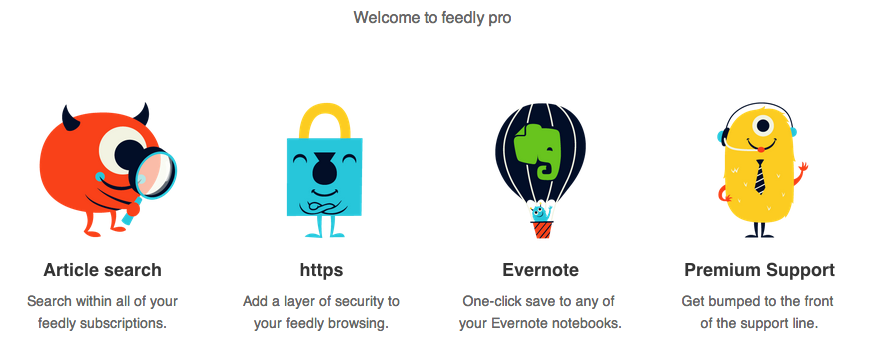
RSS service Feedly, one of the most popular alternatives to Google Reader that quickly hit 12 million users after the shutdown of Google’s service, has today started rolling out a Pro version that, starting at $5 per month, will enable search, Evernote integration, HTTPS navigation, and premium support for users. However, there’s a catch: Feedly Pro’s regular $5/month subscription ($45 annually) will be available publicly for everyone this Fall; today, the company has launched a $99 Feedly Pro lifetime membership that will unlock the Pro features, forever, for the first 5000 users.

As a daily Evernote user and fan of RSS apps that implement full article search, I was curious to try out the initial feature set of Feedly Pro, so I purchased the lifetime membership this morning. My first impression is that, overall, the Pro features will add value to the service for power users, but they will need several improvements and refinements. Feedly says that, in the future, Pro users will be able to directly vote for the features they want to see in the service. Read more


iPod Eclipse

Benedict Evans:

As music has moved on from the iPod, it has actually become much less important to the tech industry. With streaming and the decline of ownership, there are fewer barriers to switching service, and every device has a choice of music services, both from the platform owner (i.e. Apple/Google/Microsoft/Nokia etc) and as third-party apps. In effect,  music has become a commodity.

Compare this to dedicated eBook readers, which still have a feature that smartphones haven’t replicated (E Ink). The iPod didn’t have exclusive features that tied music (and customers) to the device; the built-in WiFi and cellular options of iPhones facilitated the rise of streaming services and access over ownership. The only iPod-only feature I can think about is storage in the 160 GB iPod Classic; millions of people just don’t need an iPod anymore.

For further evidence, look at Apple’s upcoming launches: iTunes Radio can be used on iPod touches connected to WiFi, but iPhones (and cellular iPads) can use it all the time.

Permalink