


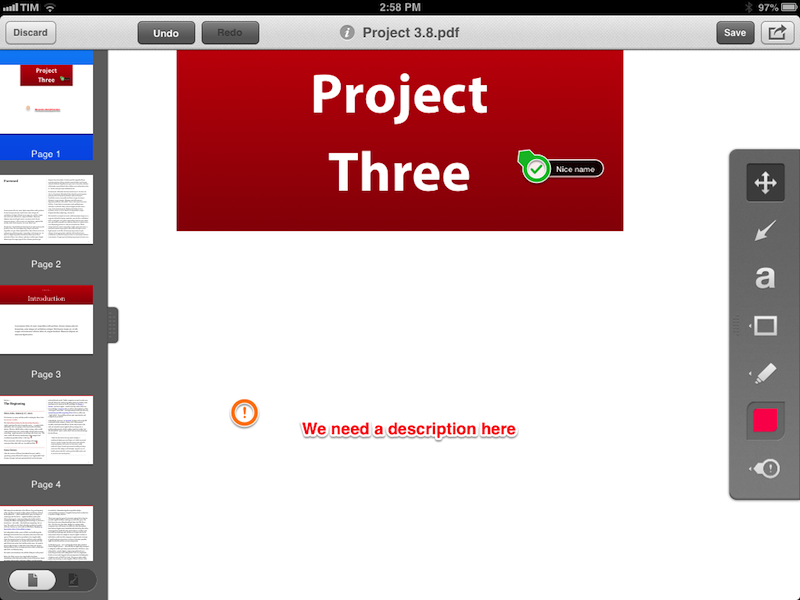
Skitch, the image annotation and sharing tool that Evernote acquired in the summer of 2011, has today been updated on iOS to include support for PDF annotations. I have been testing the new feature for the past few months, and, while not as full-featured as a dedicated PDF annotation app, I believe it is a solid addition to Skitch. Read more
Twitter Announces #music App→
From the Twitter blog:
Today, we’re releasing Twitter #music, a new service that will change the way people find music, based on Twitter. It uses Twitter activity, including Tweets and engagement, to detect and surface the most popular tracks and emerging artists. It also brings artists’ music-related Twitter activity front and center: go to their profiles to see which music artists they follow and listen to songs by those artists. And, of course, you can tweet songs right from the app.
The new app isn’t available on the App Store yet (tip: to check, refresh Twitter’s page in iTunes using CMD+R). Twitter #music will launch with direct support for iTunes previews, plus Rdio and Spotify streaming for users who have accounts on those service. I’m interested to see how Twitter will handle the login process for Rdio and Spotify, but based on what I’m reading, it sounds like a good idea. Maybe Twitter does have the network infrastructure and willingness to do social music right.
I’ll leave more thoughts for a review. In the meantime, check out Twitter’s official #music landing page, and Joanna Stern’s preview of the app at ABC News.
The Menu Bar→
A new podcast by two of my favorite Internet people: @zcichy and @andrewjclark. The first episode includes discussions about iOS inter-app communication, URL schemes and callbacks, iOS 7, and more.
Go listen now.
Rdio Brings New Sharing Interface To iOS App
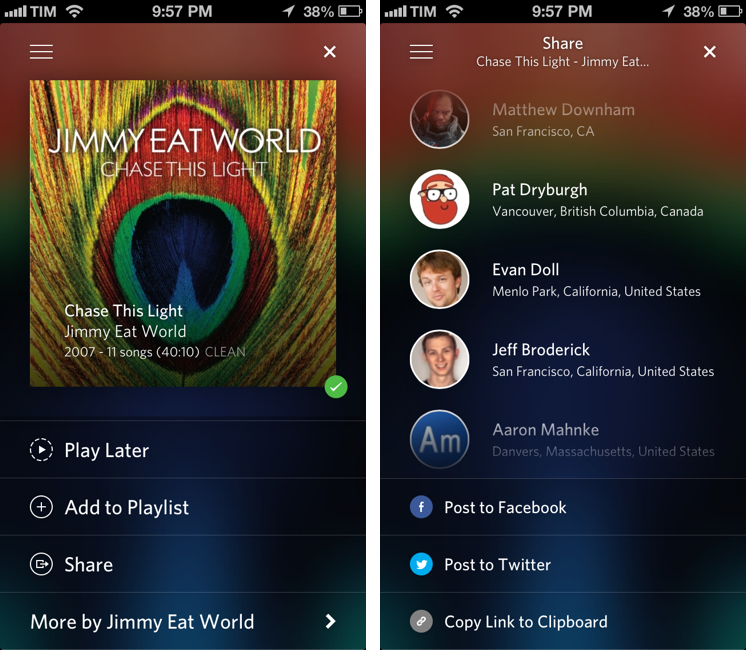
Earlier today, music streaming service Rdio updated its iOS app with a new sharing interface. Alongside the existing Facebook and Twitter options, the new sharing UI includes an updated menu to send a song or album directly to a Rdio user that you’re following: from the Share view (which was introduced two months ago), you can now tap on profile pictures of your friends, or you can use the old Twitter and Facebook sharing features, which have also been given a fresh coat of paint in this new release.
Interestingly enough, while previous design changes were made exclusively on the iPhone, this time Rdio for iPad has received the new Sharing interface in the form of a modal window (but it still lacks the full-screen album art view of the iPhone app). Items shared by your friends will appear in the notifications area on the Rdio website and desktop app, and you’ll also receive an email notification (if you have allowed the service to notify you via email); the iOS apps can share items, but they still can’t access notifications from other users.
I previously took a look at Rdio’s major 2.0 release and 2.1 update. Version 2.1.7 is out now on the App Store.
Update: this new version also restores visibility of the iOS status bar. Personally, this is a very welcome change.
Evernote Wants To Build Hardware→
Jay Alabaster for PCWorld:
The CEO of archiving service Evernote said his company will soon release branded hardware with partners, as it moves toward creating its own devices.
“We won’t actually do the manufacturing, but we’ll do the co-design together,” said Phil Libin, who spoke to IDG News Service on the sidelines of the New Economy Summit, a technology conference held Tuesday in Tokyo.
After 6 apps, 2 web tools (Clearly and Web Clipper), a Business service, and expansion on 3 major platforms (OS X, Windows, Android) it makes sense for Evernote to consider more collaborations on the hardware side. Some facts worth keeping in mind: Evernote has its own developer platform and ecosystem for both apps and compatible hardware; the company signed a partnership with Moleskine to enable automatic tagging of notebook pages using stickers; they have a Chinese version of the service; and, they’re not new to other kinds of collaborations such as carrier deals and smart fridges. Evernote wants to grow.
Tighter integration with hardware would, in theory, allow Evernote to create apps that have a more direct connection with the OS. I don’t think it’d be absurd to guess Evernote is considering a Home-like approach: Evernote’s tools span note-taking, document management, photos, location, contact management, and even digital handwriting. Why wouldn’t Evernote want deeper access to mobile OSes for phones and tablets?
Again, from PCWorld:
Libin emphasized that the company aims to make devices that are “new and magical,” rather than entering an existing product category.
We’ll see in a few years.
Simple Website Monitoring with Vigil
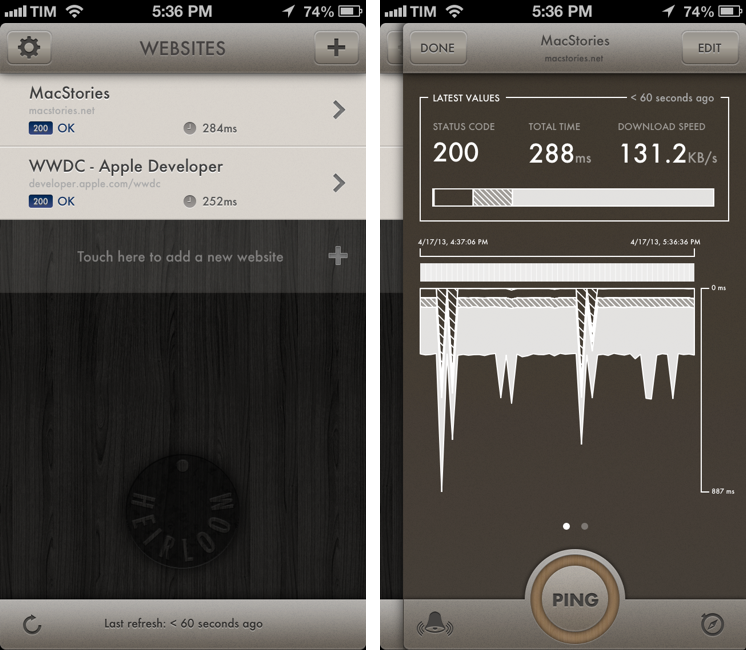
For the past four years, I have tried a number of different solutions to monitor my website. Some of them used email as a delivery service, others a Mac app, and none of them looked as polished and simple as I’d like them to be. Especially after our move to a dedicated Mac mini, I wanted a reliable, intuitive, nice-looking solution to always be up to date in regards to my server’s status.
Just after our move to a new host, I found Vigil thanks to a recommendation by John Gruber. Developed by Heirloom, Vigil is an iPhone app that does two things: it monitors websites and it sends you push notifications if something’s wrong with them. There’s a free 30-day trial, after which you’ll have to sign up for a $9.99 yearly subscription to continue using Vigil with an unlimited number of websites. I signed up immediately after a week of testing and I have been using Vigil since. Read more
Facebook 6.0

Today, Facebook introduced version 6.0 of their iOS app for iPhone and iPad. The Verge has a solid overview of the changes (with a video as well). Unrelated to the iOS update, but still of note in regards to Facebook’s growing design team, Atebits’ Loren Brichter is now “helping out” at Facebook. Considering Brichter’s skills in graphics and animations and Facebook’s interest in physics engines with Chat Heads, I wouldn’t be surprised to hear Brichter is going to help the design team in that field.
Facebook 6.0 for iOS is, essentially, a cleaner Facebook app with Chat Heads. The slide-out navigation is still there, but it has been tweaked to feature new icons, consistent with Facebook’s new take on News Feed; the iPhone app now comes with filters to browse specific feeds for photos, music, games, close friends, and more; the iPad app has a cleaner design for the News Feed with avatars on the left; and both apps come with Chat Heads, Facebook’s new floating bubbles for private messaging (or, as they call it, “private sharing”). The Chat Heads feature is still rolling out, just like the updated News Feed design.
I’ve been able to try Chat Heads, which are enabled for my account. Unlike Facebook Home for Android, Chat Heads are limited to the Facebook app: per iOS’ architecture, Facebook can’t display Chat Heads anywhere in the operating system. The implementation of Chat Heads is consistent across the iPhone and iPad, but there are also some minor differences worth noting. Read more
Readtime Lets You Catch Up On Your Reading List
I typically catch up on my reading list late at night, but that doesn’t mean I don’t enjoy the occasional cup of coffee and longform article during the day.[1]
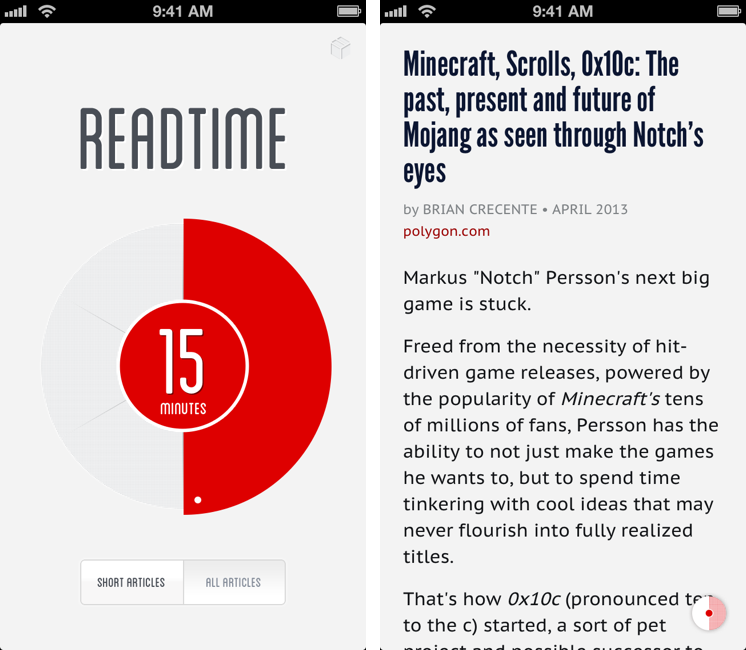
Readtime is an interesting idea for those who like to “get things read” in short or long reading sessions, depending on how much time they have available.
Readtime connects to Pocket and Readability and fetches articles in your reading list, analyzing how many minutes it would take you to read them. I have no idea what kind of algorithm the developers are using to determine reading time, but it seemed accurate in my tests. Read more
Recovering From A Hard Drive Failure→
Riccardo Mori:
Remember: hard drives die unexpectedly in most cases. (Solid State drives too, in case you’re wondering). It will happen when least you expect it. It will happen at an inconvenient time. You will be bothered. If you don’t have a backup of your stuff, you will also be panicking. Be prepared.
Wise words. Thomas Brand also had a good piece about Time Machine:
When I was a Mac Genius in 2004, Mac OS X 10.5 Leopard had yet to be released, people were not backing up. When a Mac came to the Bar that wasn’t booting, that was making strange clicking sounds, I got scared. The diagnosis was simple, the hard drive hard failed. The repair was straightforward, the hard drive had to be replaced. But someone would have to tell the customer that if there wasn’t a backup, they had lost everything. That someone was me.
I use SuperDuper, and run a backup on a weekly basis. SuperDuper helped me recover from hard drive crashes in the past, and it couldn’t be easier to use (because you don’t really use it, after all).
However, I’m not as anxious about backups as I used to be. With the move from local storage to cloud services, I feel comfortable knowing that my documents always exist somewhere. I see this every time I set up a fresh install of OS X: my documents, passwords, and photos are in Dropbox and Evernote, my music is on Rdio, my purchased apps are on the Mac App Store, and if they’re not, I have a license saved in my Gmail account. My movies and TV shows are on Plex and iTunes in the Cloud.
I’m not saying backups aren’t important. But I’m lucky enough to not having to work with large files that require local storage, and I know that restoring my Mac from scratch isn’t as painful as it would have been three years ago.