Federico Viticci

10804 posts on MacStories since April 2009

Federico is the founder and Editor-in-Chief of MacStories, where he writes about Apple with a focus on apps, developers, iPad, and iOS productivity. He founded MacStories in April 2009 and has been writing about Apple since. Federico is also the co-host of AppStories, a weekly podcast exploring the world of apps, Unwind, a fun exploration of media and more, and NPC: Next Portable Console, a show about portable gaming and the handheld revolution.

PodGrasp, A Podcast App For OS X

PodGrasp, A Podcast App For OS X

Jonathan Poritsky has posted a review of PodGrasp, a new podcatcher for OS X:

All of that said though, PodGrasp is currently the best option available on the Mac App Store for desktop podcast management. It will only get better and it truly is an incredible start, especially considering there is almost no competition for this right now. Go get it so Gary Hughes, PodGrasp’s developer, can make it even better. His FAQ says an iPhone app is planned as well, so it’s not like he’s gonna take your Washingtons and run.

The lack of good podcast apps for OS X has consistently surprised me. Just a few weeks ago I tweeted about the subject, and proposed a possible API to figure out the (trickier than Twitter timelines) problem of syncing podcasts across platforms and devices.

But things are changing. Aside from PodGrasp, which I’ll make sure to try out, Instacast’s developer Martin Hering announced this morning that he’s working on a Mac version of Instacast. I have been trying the new Instacast for iOS, and it’s a solid update with new functionalities that I like; furthermore, it has a custom sync architecture that – unsurprisingly – works much better than the former iCloud sync. I’m looking forward to his Mac app.

In the meantime, to make sure I can listen to podcasts with my Mac’s speakers while using a podcast app I like, I have been using AirPlay with Reflection to get the job done.
Permalink

The (Un)Obviousness of iCloud

The (Un)Obviousness of iCloud

Chris Bowler writes (via Shawn Blanc) about his slow yet inexorable migration to iCloud:

And so it has gone with iCloud overall. I never really set out to use it to its fullness, but it has become integral to my computing experience. It should have been an obvious transition, but instead it was subtle. This past year came with migrations to two new laptops. The ease of setting up each blew me away both times. The combination of Dropbox (my data), Rdio (my music) and iCloud (preferences, OS X integrations, applications and everything else) is a powerful one and a testament to the time we live in.

I have previously written about how, for the end user, iCloud may as well look like “the operating system”.

When I think about it, I’m thankful for the kind of integration that iCloud provides. I use Calendar, Safari Tabs, and Find My iPhone on a regular basis and I enjoy their functionality. On the other hand, I’m less excited about iCloud Mail and its continuous downtimes, and I understand third-party developers who lament the poor state of iCloud sync and APIs for their apps.

Major shifts like iCloud take time. When you consider that Apple hasn’t traditionally been great at web services, what they have managed to make work reliably is quite a remarkable achievement. Yet, like Maps, average users don’t care about this: they just want their devices to work. And if Apple gave them iCloud, then Apple needs to make sure users can trust it.

As an aside, I’d point out that several friends of mine constantly ask me about iCloud – the things it does and what it is. Maybe my friends are lazy, but I’d go all the way out to guess perhaps Apple needs to tweak the initial guided setup to make iCloud even more understandable. I’ve always thought the short trackpad videos Apple embeds in OS X are nice and effective because they show features in context. Rather than using an animated cloud, short videos and actual screenshots would be a nice addition to iOS’ first setup guide.

Permalink

Rdio 2.0

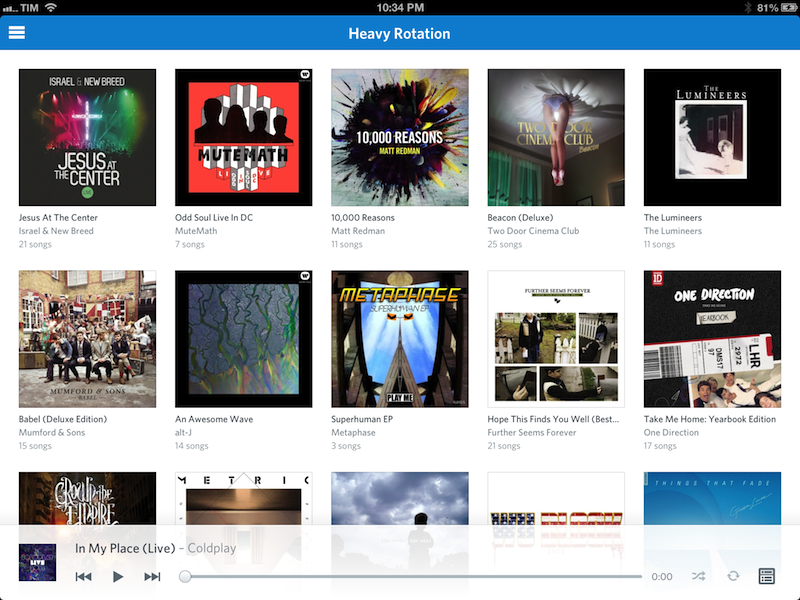
Today, Rdio showed Spotify how to make a modern iOS client for a music streaming service.

I’ve been a Rdio user for over a year now. As I’ve previously written, tweeted, and discussed on various podcast appearances (including one on Generational that will be posted next week) I was a Spotify fan for years. At some point, however, I realized that the playlist-based nature of the service wasn’t working for me, and I switched to Rdio, a competing music streaming service that, like Spotify, lets you listen to a huge catalog of music for a monthly fee.

The distinction between a playlist-based user experience and being able to organize my music in a Collection with albums, songs, and artists made all the difference for me. I don’t like Spotify’s approach to forcing the listener to organize music in a playlist. A group of albums isn’t a playlist: it’s a collection. Read more


Spaced 3.0

Spaced 3.0

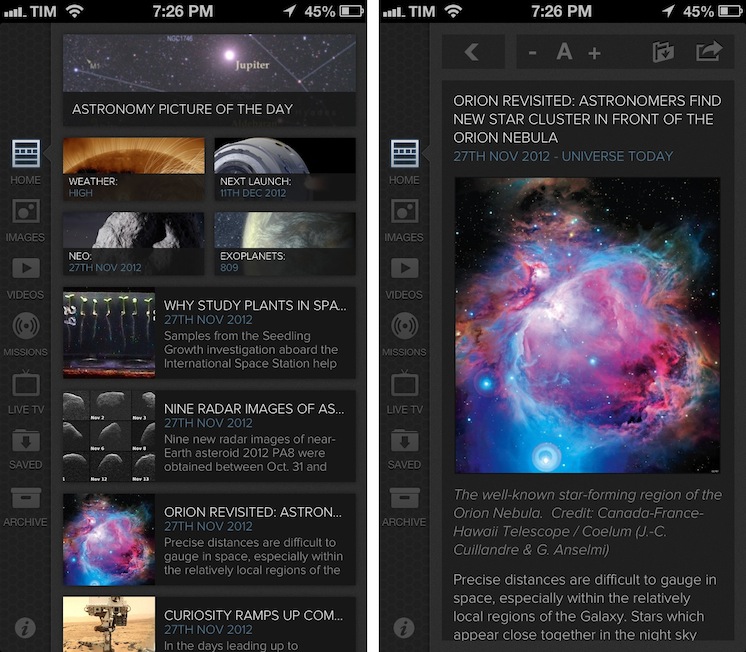
I’m no expert of astronomy or space missions, but I enjoy reading about the subject because I’m completely fascinated by it. I don’t subscribe to dedicated blogs about space news, because I don’t really follow the scene actively – I’m casually interested in reading what’s new when I have the time. For the past two years I’ve been using Spaced to keep up with the most important space news and discoveries; the team behind the app released today a major 3.0 update that adds a completely redesigned UI, iCloud support, and more sections.

Spaced aggregates news from well-established publications and sources and it is perfectly suited for people like me: folks who are curious to know about space but who don’t have the time to read every news item from blogs and magazines they are not even following. The new Spaced comes with a gorgeous black UI that gives even more depth and contrast to the beautiful imagery of NASA including Astronomy Photo of the Day and Image of the Day. In a sidebar on the left, you can now access a Home page featuring a collection of news, missions, NEO data, and photos, or you can browse individual sections to see more photos, videos, and live TV from NASA (including a programming schedule). You can tap on the Missions tab to learn more about single missions like the Webb Telescope and Mars Science Laboratory, or you can just head over Videos, tap Play and watch.

The big new feature of this 3.0 version is iCloud sync: in the Saved view, you access photos, articles, and videos you’ve saved from your iPad or iPhone. iCloud integration has been working reliably for me both on WiFi and 3G. You can also activate push notifications in the Settings for articles and other items, but I decided to keep them off as I prefer opening the app when I have time to read.

I recommend Spaced 3.0 to anyone who’s interested in space news but doesn’t have the time or patience to keep up with blogs, NASA webpages, and magazines. The app is only $0.99 on the App Store.

Permalink

Nasturtium Player Beta

Nasturtium Player Beta

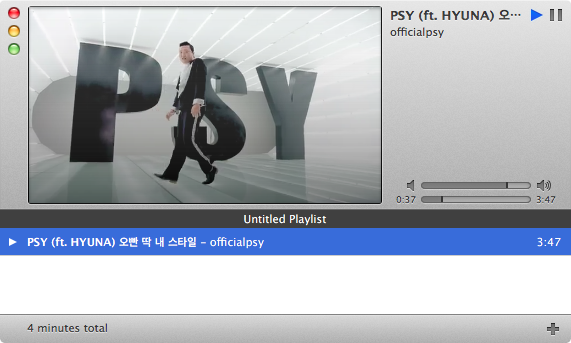
Interesting idea for a new Mac OS X audio player, currently in open beta. Nasturtium (which, by the way, is a plant that produces great-looking flowers) is based on playlists that you can save and re-open at any time; playlists can be made of music from iTunes or videos from YouTube.

Listen to your own music library alongside YouTube videos for the optimal mix of old favorites and new tunes. Both sources play directly in Nasturtium Player, with no extra helpers required. But if you like, you can also queue up tracks with drag and drop from iTunes and the YouTube website, and import and export your playlists.

The concept of combining local music with YouTube videos resonates with my music workflow. While I tend to listen to music on Rdio, there are some older albums and songs that I need to keep locally either in iTunes or, most recently, Plex with PlexSync; similarly, there are YouTube videos of older demoes or live concerts of my favorite bands that I want to access every once in a while. I like how Nasturtium unifies search of local media and YouTube videos in a single interface.

Nasturtium is in beta, so I’ll save longer considerations for a proper review of the final version. Right now, I can say that I appreciate the existing selection of keyboard shortcuts and the iTunes 11-like look of the mini player. The inline YouTube video player could probably use resizing options, and it’d be nice to have a system-wide keyboard shortcut to pause playback. I like the unified search panel, but I believe filters for YouTube-only content and inline thumbnail previews could come in handy.

I’ll keep an eye on Nasturtium as, like I said, it is a powerful concept that fits my music listening habits. You can download the free open beta here.

Permalink

Announcing Weekly Sponsorships

Developers willing to promote their company or product on MacStories have always been able to buy ad spots on our site.

Today we’re introducing weekly sponsorships.

The exclusive and week-long sponsorship is the best way to promote your app or service to MacStories’ fine, clever, and influential readership. MacStories’ audience includes creative, professional and tech-savvy readers who care about quality software designed for Macs, iOS devices, and the web, as well as detailed reviews and editorials.

MacStories’ readership consists of:

  • Over 1.3 million monthly page views
  • Over 23,000 daily RSS subscribers
  • 40,000 followers across our Twitter accounts

At the start of the week, we will publish a thank-you post telling our readers that you are the sponsor for the week and also informing then about your company or product(s). During the week of the sponsorship, your company or product will also be linked in the site’s sidebar. Two tweets will be sent – one at the start and one at the end of the week – thanking the sponsor.

To schedule a sponsorship or for additional information, please email us. BackBeat Media is taking care of this for us, and you’re in good hands with John, Jeff or Dave there.


A History Of iTunes Through The Years

A History Of iTunes Through The Years

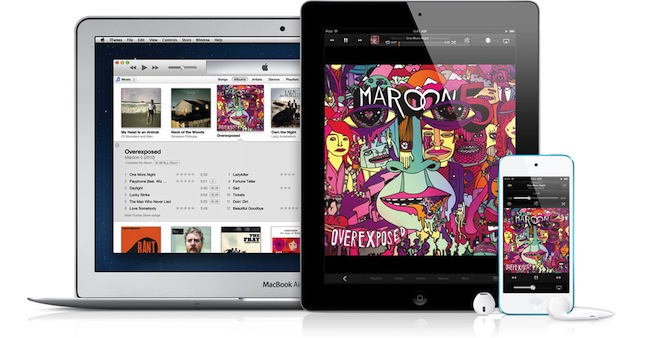
Ahead of Apple’s highly anticipated release of iTunes 11, Jacqui Cheng of Ars Technica has published an interesting look back at 12 years of iTunes. From version 1.0 all the way up to the latest iTunes 10 features, Jacqui offers a brief yet complete overview of how, through the years, iTunes received more and more functionalities.

So what makes the next version of iTunes so great? For one, it has a revamped UI meant to provide a more themed experience when listening to albums. It also has better integration with iCloud, which now automatically downloads your iOS device purchases directly to your iTunes library on the computer. And finally, iTunes can pick up on a movie where you left off on your iPhone or iPad. Oh, and did we mention the redesigned Mini Player?

I (and others) have previously argued that, after 10+ years, it was time for Apple to change iTunes.

I’ll tell you what’s wrong with iTunes: in the age of iCloud, iTunes is a weirdly old-fashioned desktop software to organize media and manage devices in the same way we did 10 years ago. Only with more features and content types. iTunes is the epitome of old interfaces and interactions trying to hold onto the present.

iTunes 11 is certainly intriguing, but we haven’t been told much about its media management features except for Music. We know that there will be deeper integration with iCloud (as I hoped back in April), but I’m more interested in how Apple will try to slim down iTunes’ interface for app management, podcasts, and books. There’s a divide between what Apple has been doing on iOS and OS X: while iOS users have been able to split up their media in multiple apps (App Store, iTunes, Music, Podcasts, iBooks, Videos), Mac users have been forced into iTunes for everything except Mac apps. The new iTunes webpage mentions, for instance, podcast sync with iCloud, but will podcast management also go through an evolution, foregoing the old and clunky download & organize workflow many have come to despise? Will there be easier access to the Purchased area for apps, which is still curiously hidden inside the desktop iTunes Store?

Will iTunes 11 be a more modern iTunes or just a better music player?

According to Apple, the new iTunes will arrive before the end of November.

Permalink

Quickly Create Pythonista Shortcuts with Custom Icons

Quickly Create Pythonista Shortcuts with Custom Icons

Interesting set of scripts posted on the Pythonista Community Forums (which, by the way, are becoming a daily appointment for me as Pythonista users are coming up with all sorts of tricks). Using Pythonista as a web server and Safari, you can create local (and unsigned) .mobileconfig files to automate the installation of Pythonista webclip icons. As I explained in my review, Pythonista can launch specific scripts using webclips created from a special webpage:

Upon tapping, a Pythonista Home screen bookmark will briefly open a blank page and then immediately redirect to the script you’ve configured in the Pythonista app. I’m fairly certain there’s no way to avoid showing a blank page for a second before redirecting to Pythonista; fortunately, it’s really just the fraction of a second, as the redirecting process is instantaneous both on my iPad 3 and iPhone 5.

Using the scripts linked in the forums, I easily managed to create a custom icon for my Markdown-Poster workflow that uses Poster’s icon instead of the default Pythonista one. To extract and convert iOS icons for personal use, I recommend Crunch, which I’ve also previously reviewed. I was intrigued by how forum user pudquick figured out the installation of provisioning profiles from Pythonista:

When you run the code, it starts a web server in Pythonista - and copies the URL for the generated .mobileconfig file to the clipboard. When you switch to Safari and attempt to load the URL, the socket connects - but it’s waiting for communication from the web server in Pythonista (which is paused, since it’s in the background).

As soon as you switch back to Pythonista, this un-pauses the web server fast enough to cause Safari to finish loading the .mobileconfig file while it’s swapping to the background, which then triggers the installation screen!

Combining the script with this other one to easily generate base64 images, I suggest replacing Image.BILINEAR on line 20 with Image.ANTIALIAS for slower but better results in the overall crispness of the icon (I also changed the size to 114x114 for my Retina iPad).

Looking forward to improvements for Pythonista shortcuts (as mentioned by developer Ole Zorn in the thread), this is a nice stopgap solution to use scripts with custom shortcut icons in the Home screen.

Permalink

FTP Support, Short URLs, And Other Features Coming Back To Skitch

FTP Support, Short URLs, And Other Features Coming Back To Skitch

In a post published on the Evernote blog, Skitch co-founder Keith Lang has shared a bit of backstory regarding Evernote’s acquisition of the product and confirmed many old features of Skitch will be coming back “soon”.

I am really excited about the newest release of Skitch for Mac, but troubled by some of the negative reaction from some of our oldest and most loyal users. After thinking about this for the past few weeks, I’ve come to the realization that we’ve underestimated how deeply ingrained Skitch had become in many people’s daily workflows and how disruptive changes to the product could be. I’d like you to know that we’re going to fix it.

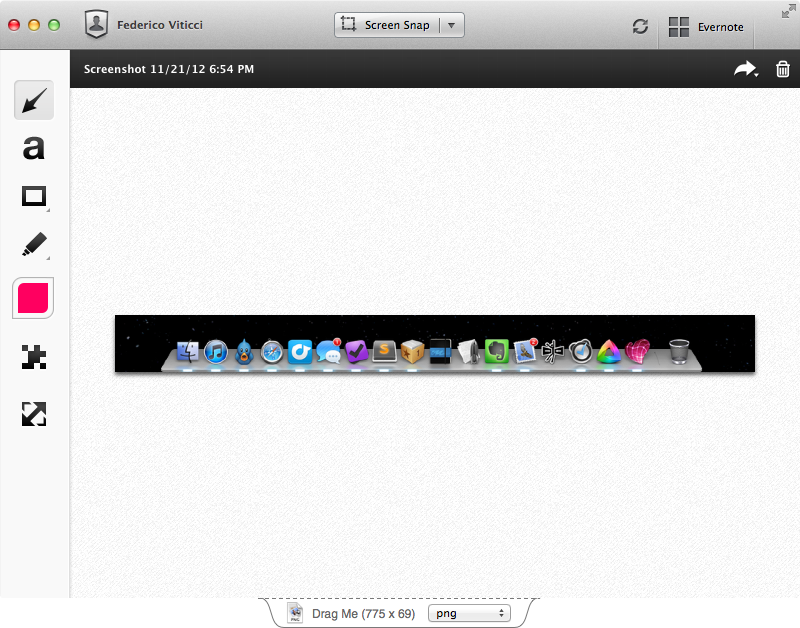
Skitch, an image annotation tool, was released as version 2.0 with deep Evernote integration earlier this year. The new version included an updated UI, new sync, and many simplified and/or removed options that weren’t met with excitement by the app’s existing userbase. Namely, users weren’t thrilled with Evernote’s decision to build every single Skitch sharing feature into Evernote, thus removing functionalities to upload images via FTP, directly link to them, and share them in multiple ways. The new Skitch also didn’t come with proper keyboard and menubar support, and, generally, it left much to be desired for those that were used to the old feature set and who had become dependent on the app for their workflows.

Evernote quickly went back to the drawing board and re-added a menubar icon and background options. In the blog post published today, Evernote confirms support for FTP/sFTP, image deep linking, and short URLs for shared images will come back to Skitch soon. Options for multiple fonts and custom colors, streamlined cropping and resizing, and automatic type tool selection will also be added to Skitch in future updates.

Of course we’ll be doing a lot more than just putting improved 1.x features back into the new Skitch. We’re working on some really amazing stuff that should appeal to our most loyal users as well as bring in many millions of new fans. Imagine being able to Skitch on top of different document types, communicate complex ideas via email without typing a single line of text, and going on a manned mission to Mars.

Read the Evernote blog post for all the details.

Permalink